
{user} or {server_name}, that Petto swaps for real data when it sends a message. Write Welcome {user} to {server_name}! and the new member reads Welcome @Liam to Cozy Corner!
This page lists every variable Petto knows, grouped by where its data comes from. The examples use a member called Liam (username liam) joining a server called Cozy Corner with 1,204 members.
How variables resolve
Need logic or loops?
{{ }}) adds if, loops, data and buttons. Full docs on code.petto.sbs.{user.displayname}, {server_member_count}) still works when it can only mean one variable. Anything doubtful is left as typed, and the card and embed editors of the dashboard point out the variables Petto does not know.Writing variables
- Case and spaces don’t matter.
{user.mention},{User.Mention}and{ user.mention }all work. - Names from other bots work too.
{mention},{member},{username},{server},{level.xp}and others are read as their Petto equivalent (full list below). - A variable Petto doesn’t know stays as you wrote it.
{usr}shows up as{usr}, so a typo is easy to spot. - A variable with no data in that message is empty.
{level}in a welcome message has no level to show, so it disappears. A few say so instead:N/A,Unknown,Never,Not boosting. - Values are never read again. If a member’s message contains
{server_owner},{message_content}shows that text as it is, it doesn’t turn into a mention. - There are no filters or conditions. Things like
{user.name|upper}or “if boosting, say X” are not part of variables. For that, write a custom command in Petto Code. - Functions can’t hold other variables.
{choose:Hi {user}|Hey}breaks. Put the variable outside:{choose:Hi|Hey} {user}! - There is no escape character. A variable Petto knows is replaced even inside
codeformatting. To show one as text, for example in a help message, describe it in words instead. - Discord’s limits still apply. The text after replacing must fit in the message: 2,000 characters for a message, 4,096 for an embed description, 256 for a title, 100 for a channel or thread name.
Names from other bots that Petto understands
Names from other bots that Petto understands
{USER_MENTION} and {Server} work as well.! right before a mention, even before {user.mention}, makes it a silent mention: it shows as a mention and notifies nobody.
Where each group works
The groups under Every message work everywhere variables are accepted. The others only have data in the message of their feature.{count} in counter names or {number} in ticket names. They are listed in Placeholders of one feature. Timers send their text exactly as written, with no variables.
Every message
User
The member the message is about: who joined, who wrote the trigger, who leveled up, who used the command.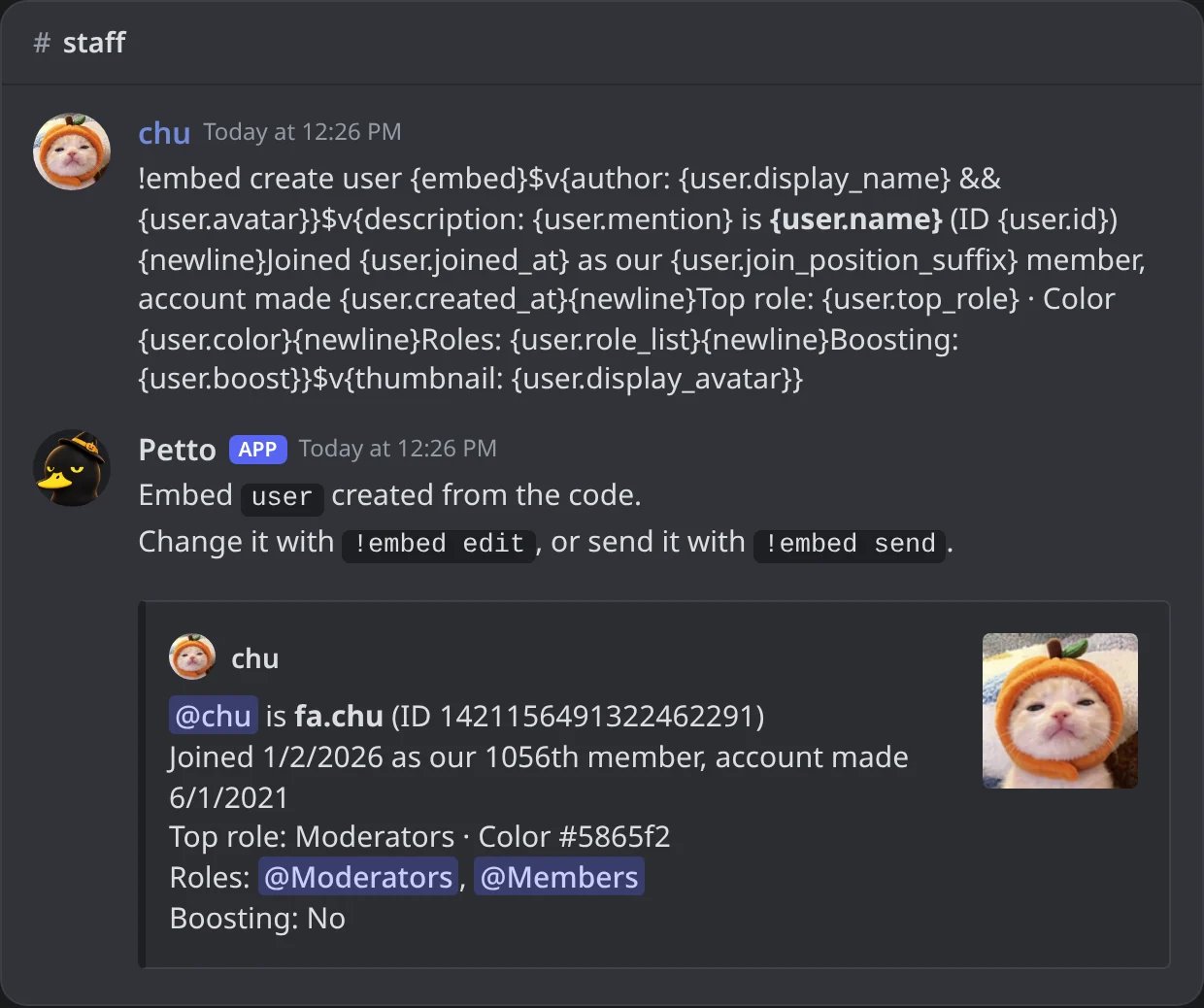
In Discord: a saved embed made from a code with the User variables, filled with chu.
User (legacy)
The original names. They still work and give the same as their dot version.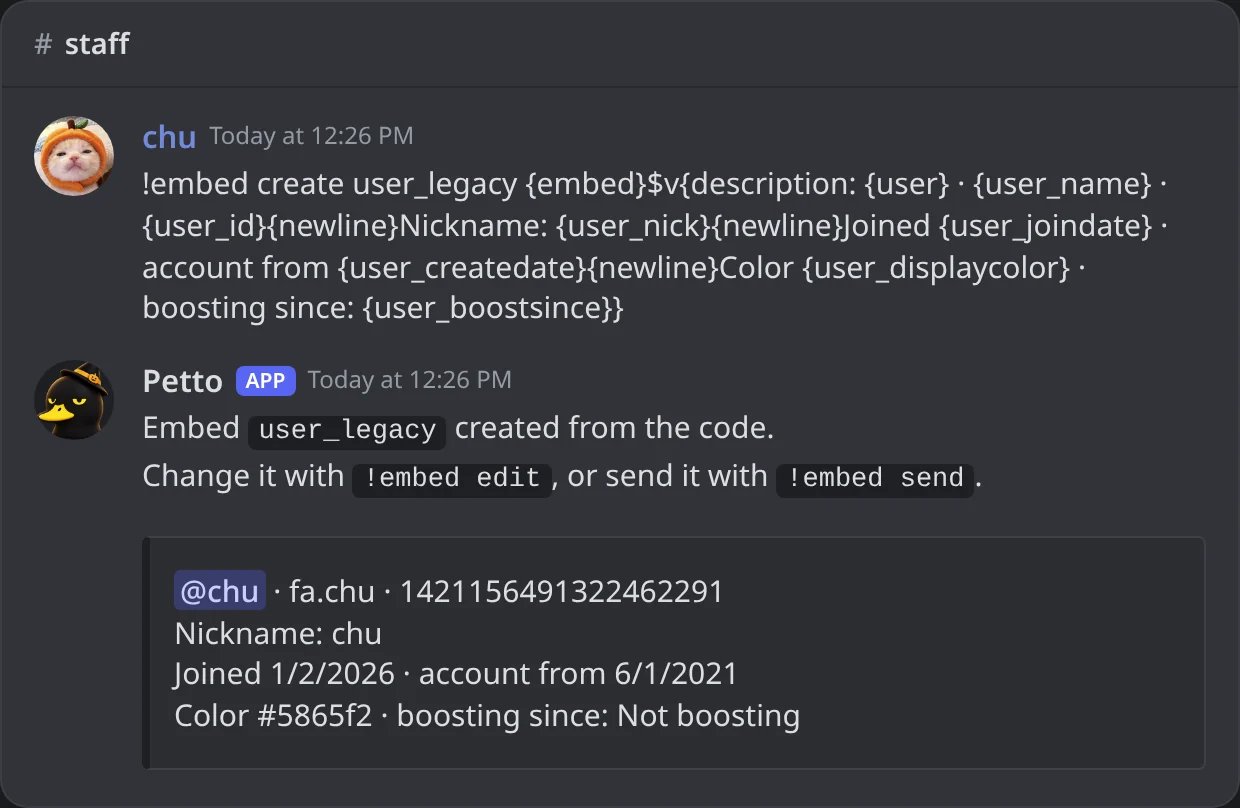
In Discord: the legacy names give the same data.
Server
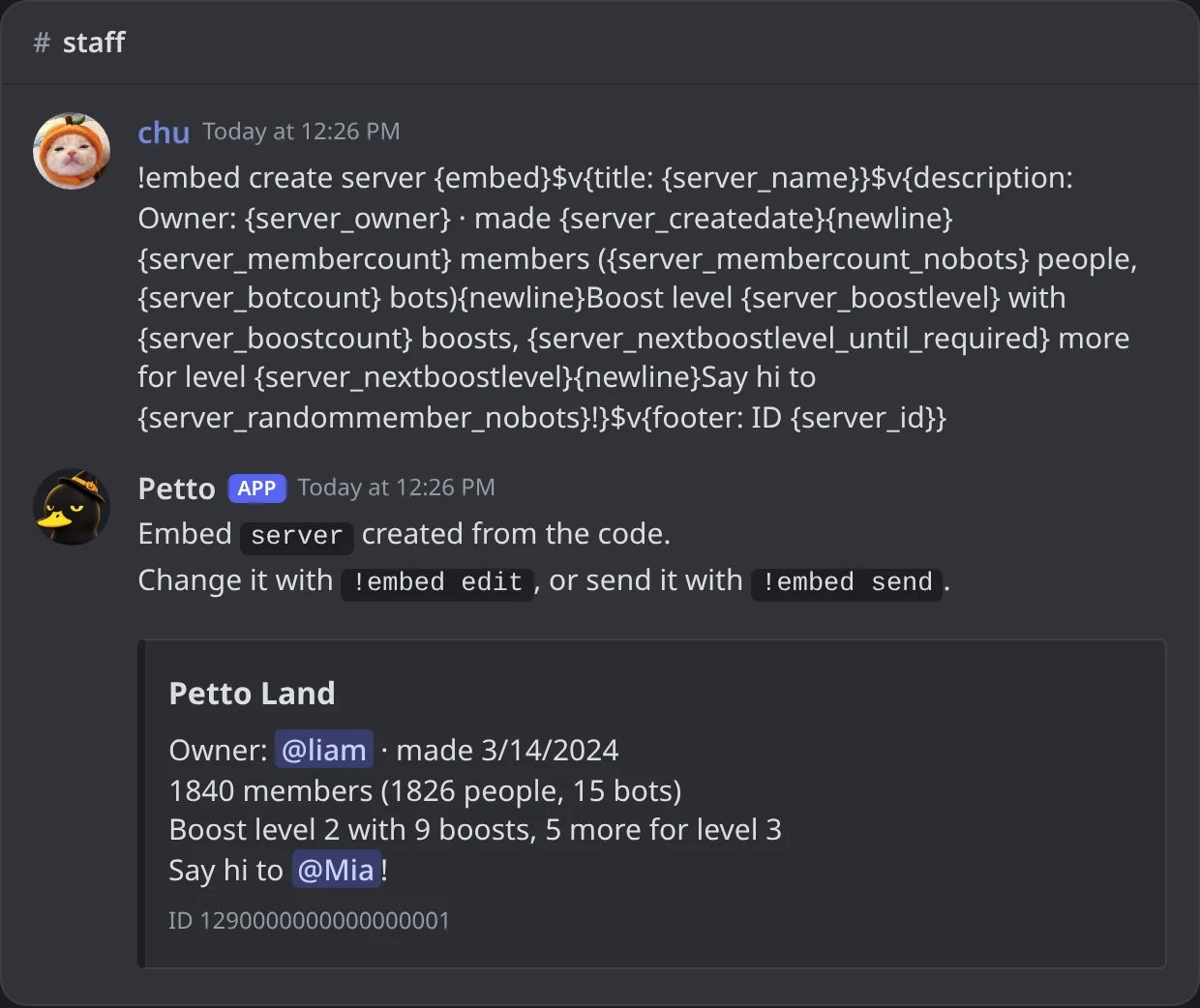
In Discord: the Server variables with the numbers of Petto Land.
Guild
Dot versions of the server data, plus a few extras.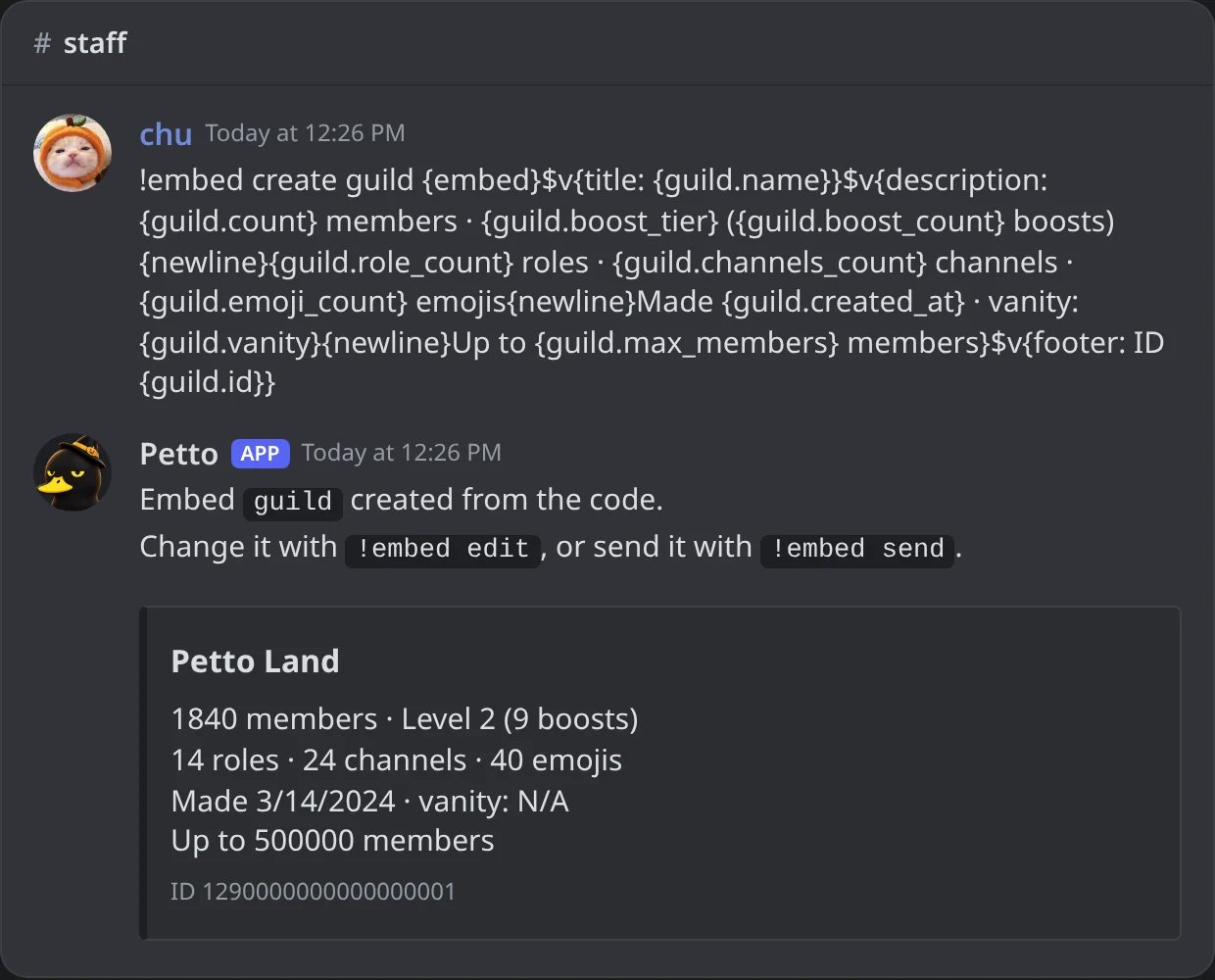
In Discord: the Guild variables, with Level 2 in words and N/A for a vanity the server does not have.
Channel
The channel the message is sent in (for a DM on join, the DM).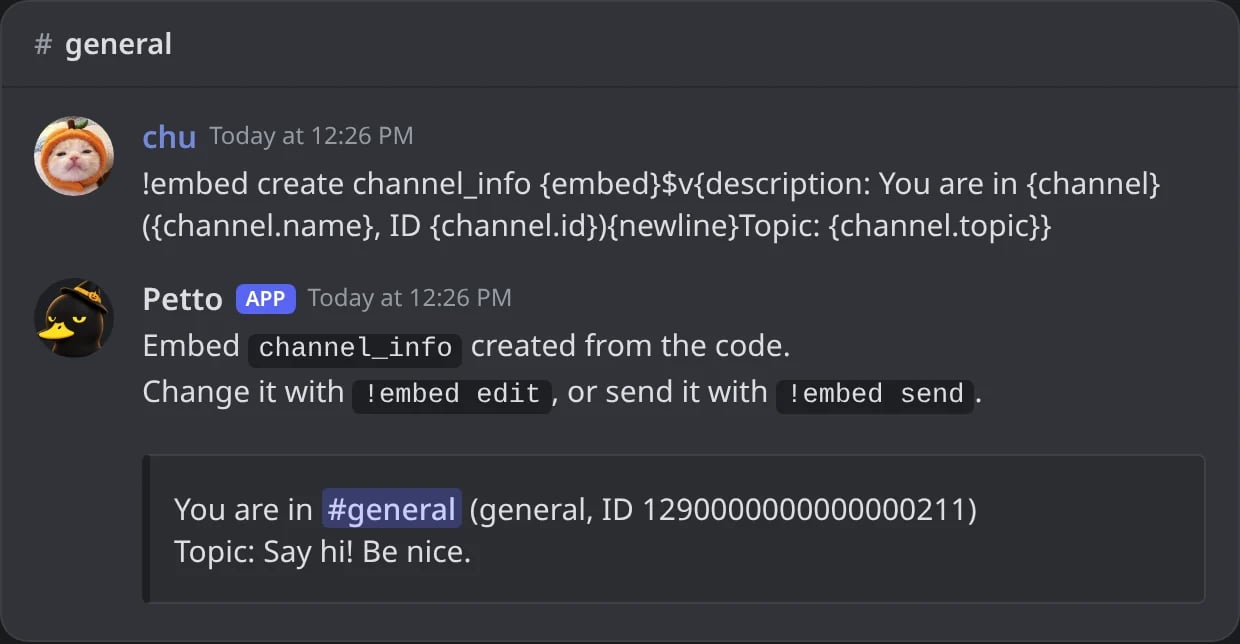
In Discord: the Channel variables for the channel the message is in.
Invites
Only in welcome messages and DM on join: the invite the new member used. Petto needs Manage Server to see invites.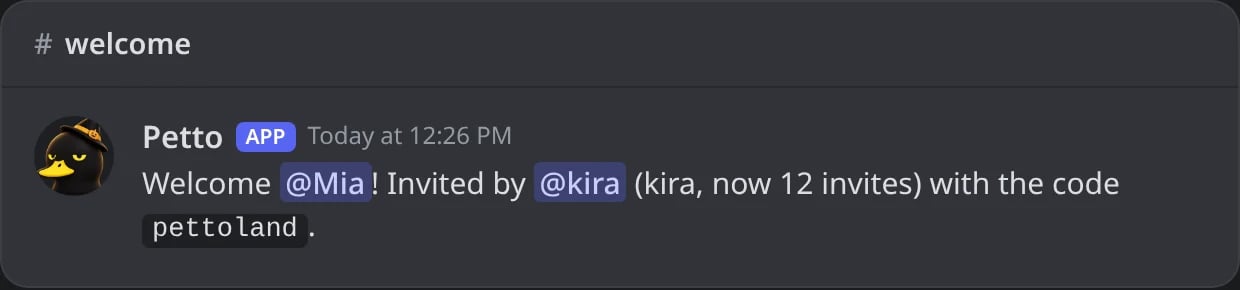
In Discord: a welcome with the Invites variables.
Date and time
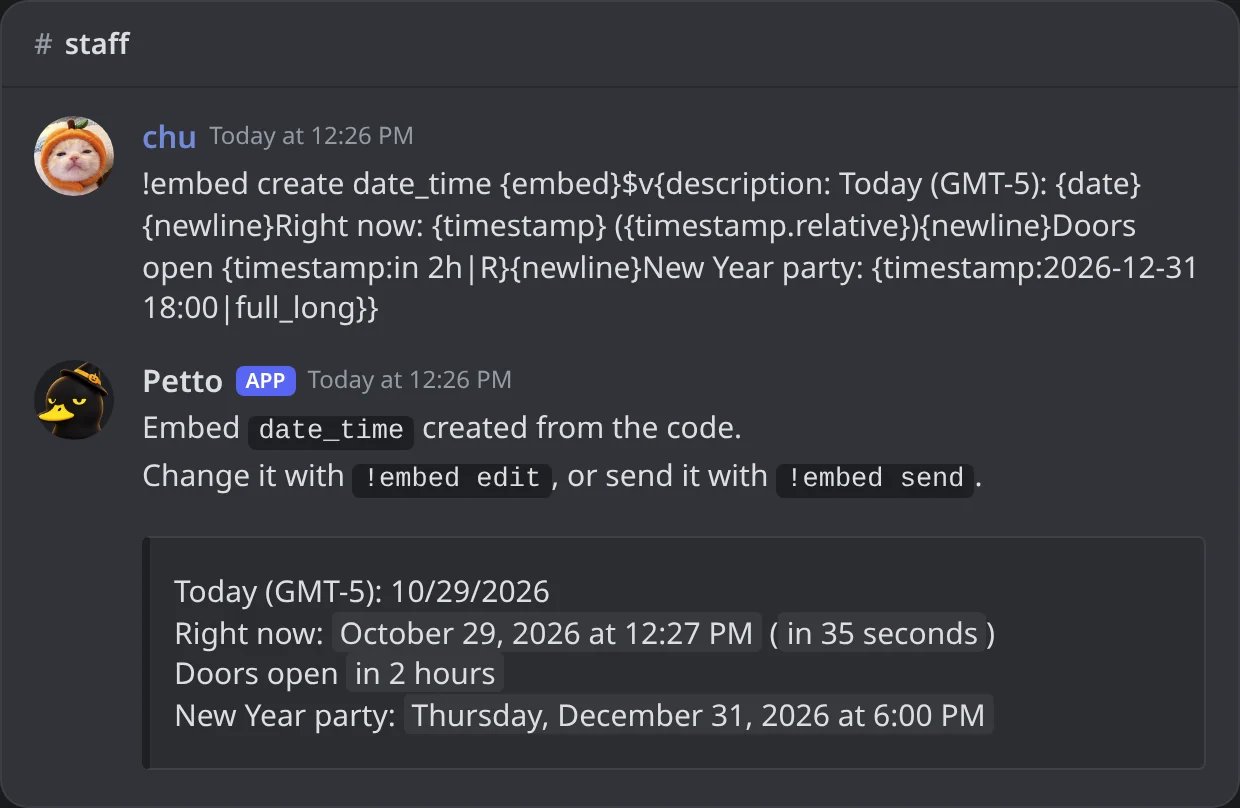
In Discord: {date}, {timestamp} and two written moments; the timestamps show in each reader's time zone.
{timestamp:…} reads the moment the way you would say it: in 2h, 3d 4h, tomorrow 8pm, today 18:30, 2026-12-31 23:59, a unix number or a Discord timestamp. Times are read in Colombia time (GMT-5), unless they end in utc (2026-12-31 23:59 utc). After | comes the style: short_time, long_time, short_date, long_date, full, full_long, short_datetime, medium_datetime or relative (or Discord’s letters t T d D f F s S R). Without a style it is full. A moment Petto can’t read gives nothing.
{timestamp…} variables) are drawn in the message text, embed descriptions and fields. In embed titles, footers and author names Discord shows the raw <t:…> code instead, so use {date} there.Functions
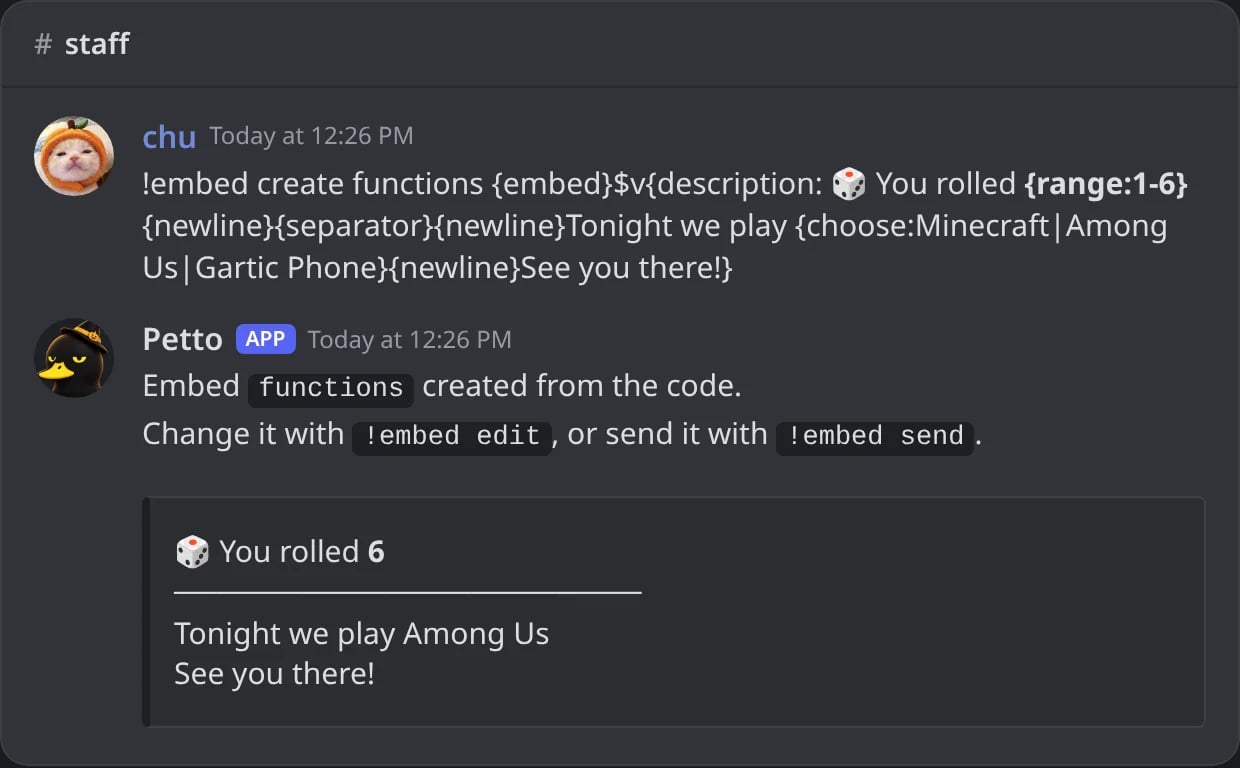
In Discord: {range}, {separator}, {choose} and {newline}.
{choose1:…}, {choose2:…} and so on work the same, if you like to number them. Each one is picked on its own.
Actions and pictures
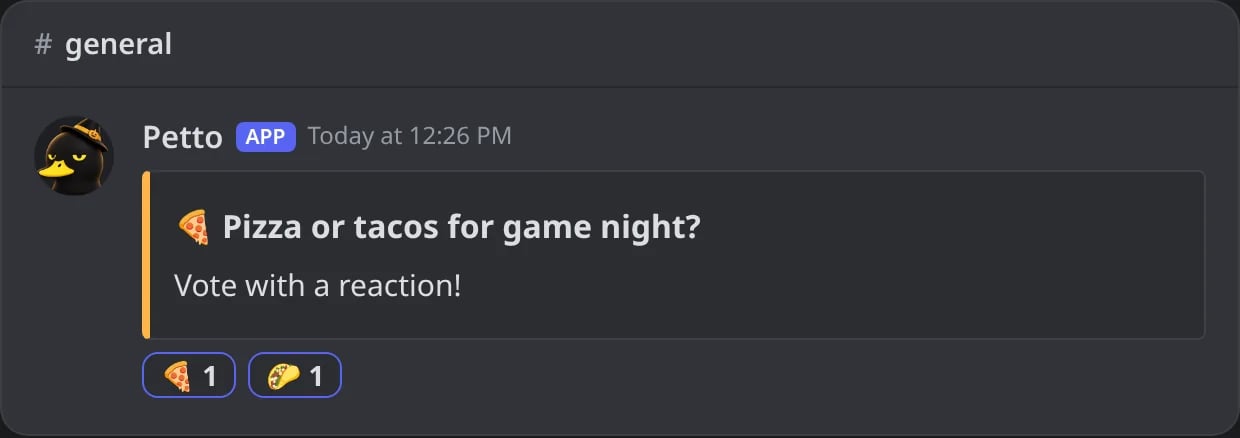
In Discord: a saved embed with two {reactreply:...}: Petto reacts to its own message.
Names from other bots
These names, used by other bots, also work and give the same as the Petto variable they point to. They are read in any case.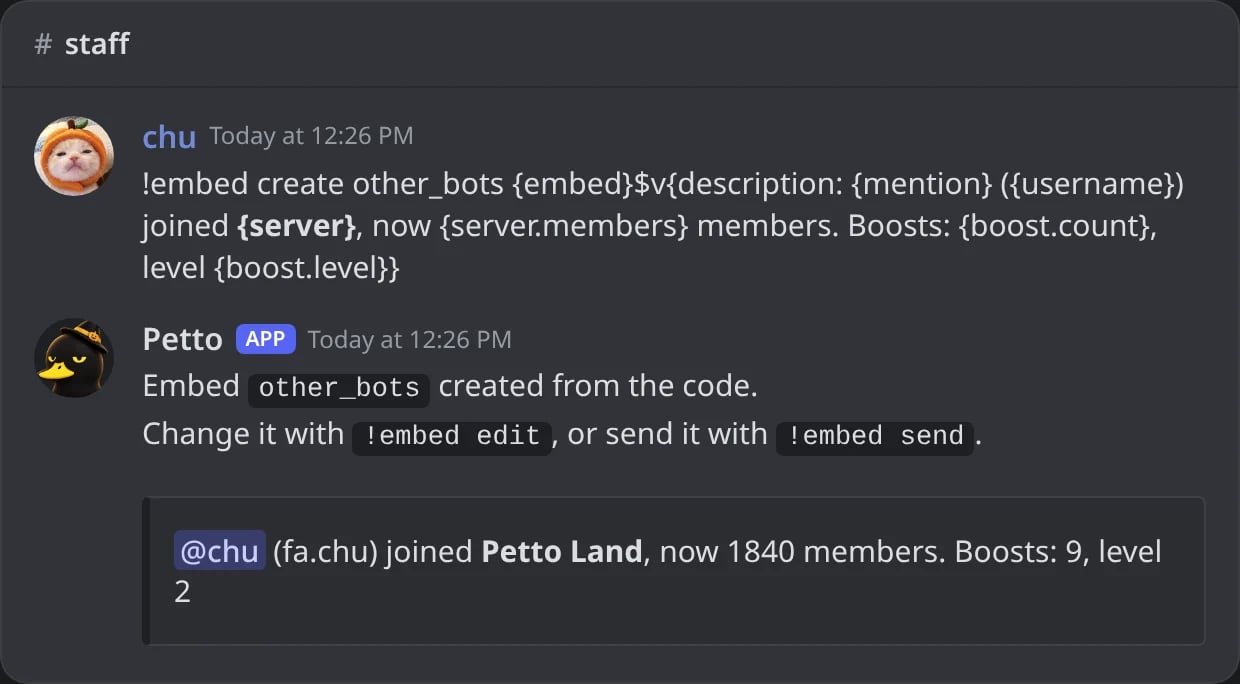
In Discord: names from other bots work like their Petto variable.
Variables for one event
Triggering message
The message that set the reply off. Works in autoresponders, custom commands, auto-thread and text level-ups.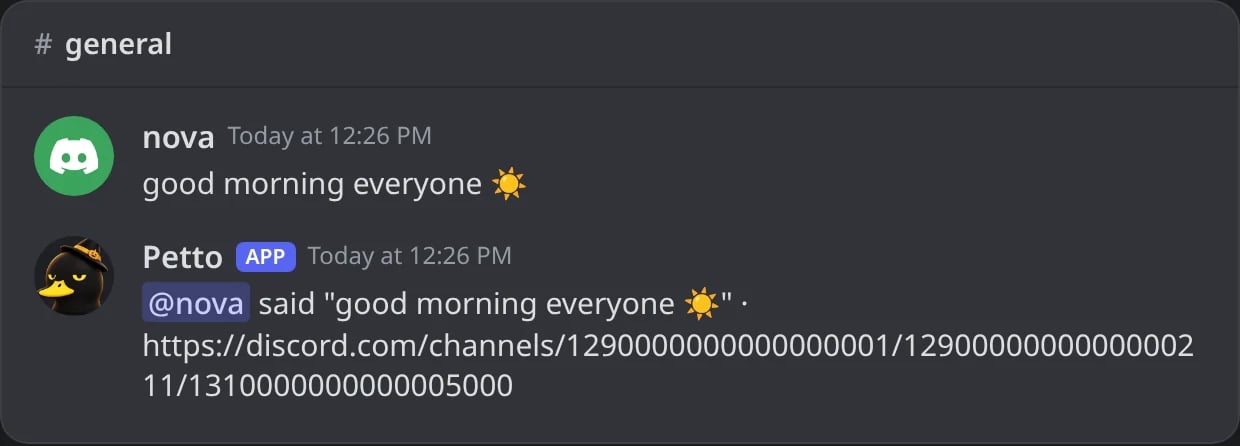
In Discord: an autoresponder that quotes the message that set it off.
Command arguments
What the member typed after the command name in a custom command, or after the trigger in an autoresponder. Text in quotes counts as one argument. Mentions typed by the member never ping anyone through these. The examples are for!hug Mia "big world" now:
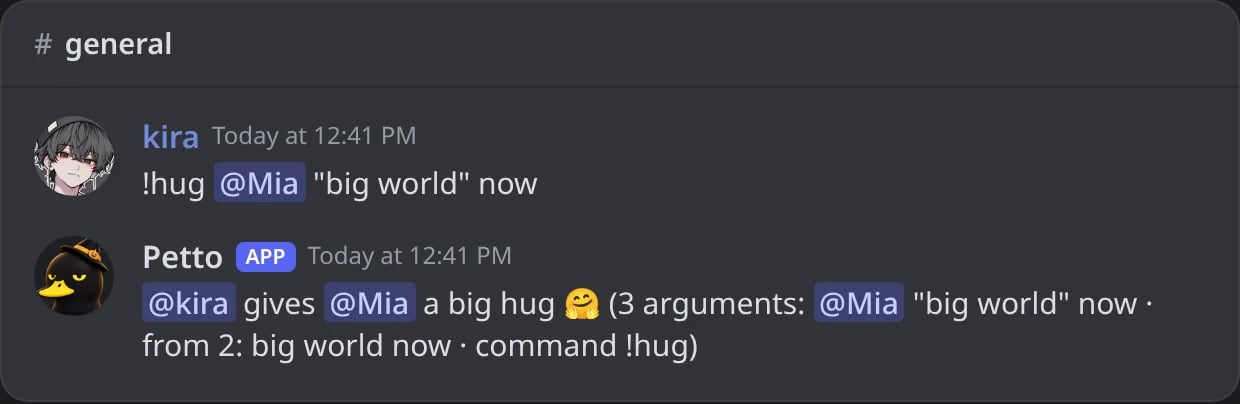
In Discord: a custom command with its arguments.
Leveling
In the level-up message, its saved embed, and rank cards.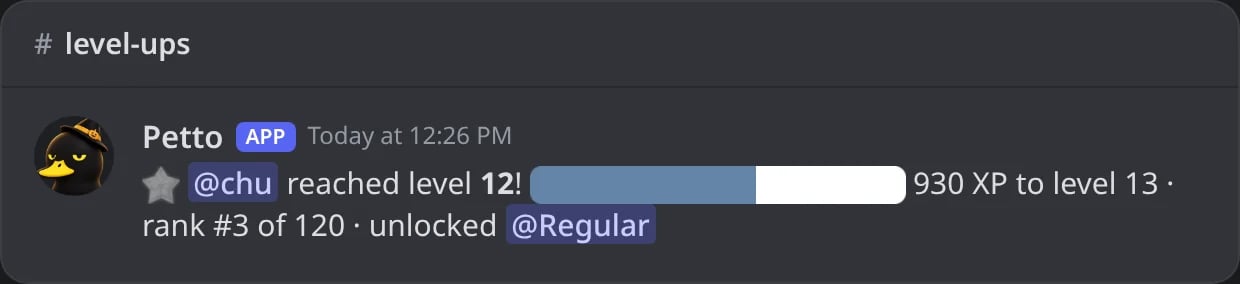
In Discord: a level-up message with its progress bar and reward role.
{EMOJI} is replaced by Petto’s star icon.
Giveaways
In giveaway messages and their saved embeds.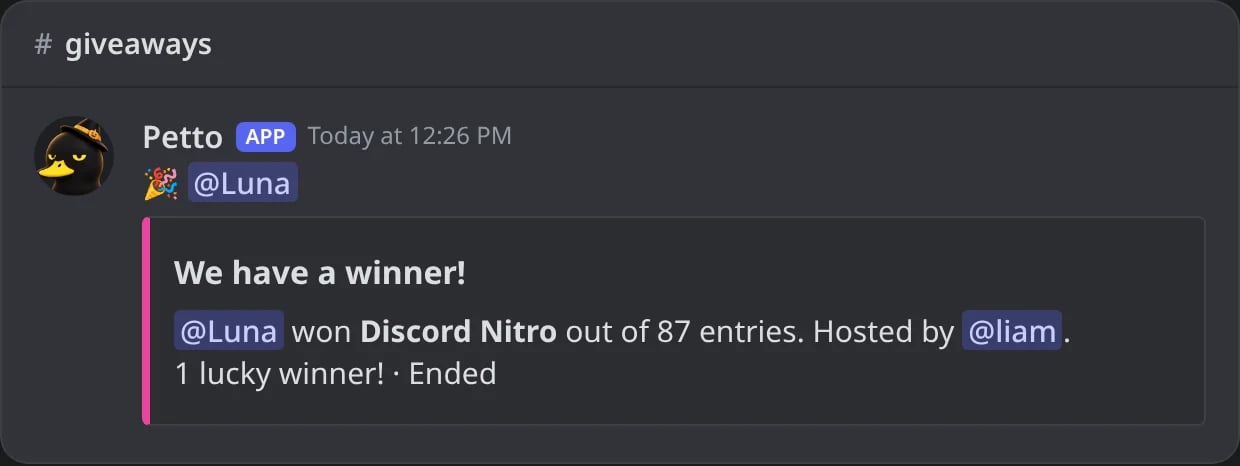
In Discord: a winner message made from a saved embed with {gw.*}.
{user} is the winner. In the giveaway message itself there is no member, so use {gw.host}.
Bump reminder
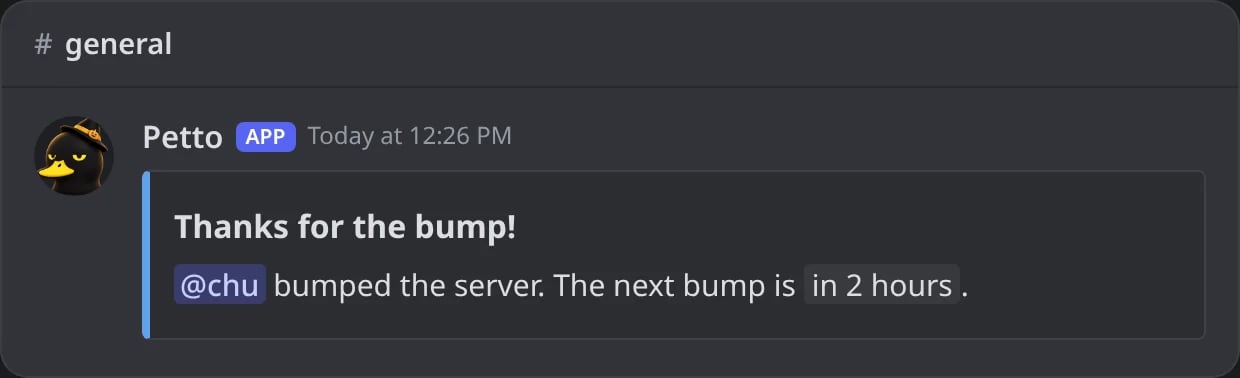
In Discord: the bump thank-you with {nextBump}.
Sanctions
In sanction messages: the DM, the reply and the log entry.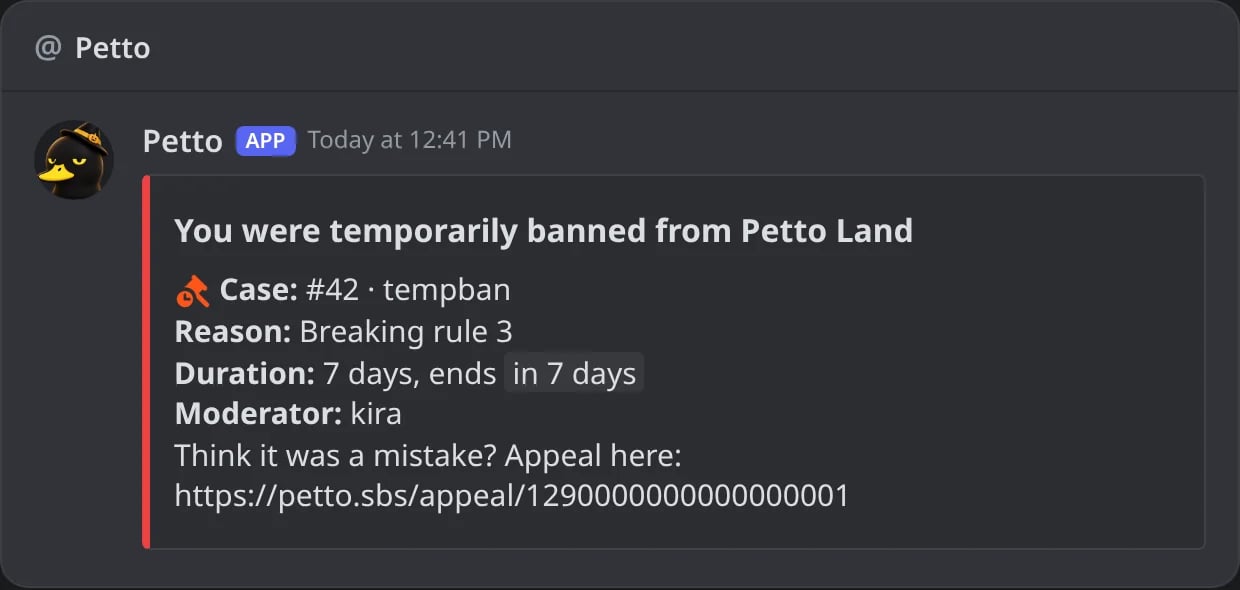
In Discord: a ban DM made from a saved embed with {case.*}.
Starboard
In the starboard repost design.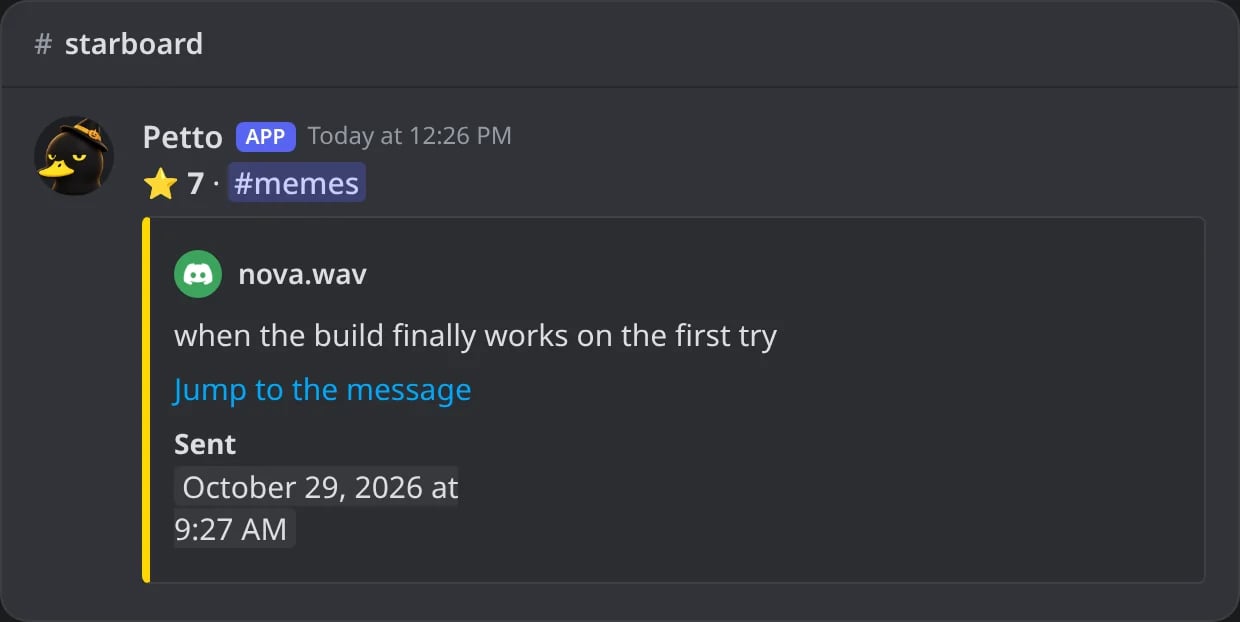
In Discord: a starboard repost made from a saved embed with {star.*}.
Monkeyboard
The same as the starboard, for the monkeyboard:{monkey.count}, {monkey.emoji}, {monkey.channel}, {monkey.channel_name}, {monkey.link}, {monkey.message_id}, {monkey.author}, {monkey.author_name}, {monkey.author_id}, {monkey.author_avatar}, {monkey.content}, {monkey.image}, {monkey.attachments} and {monkey.time}.
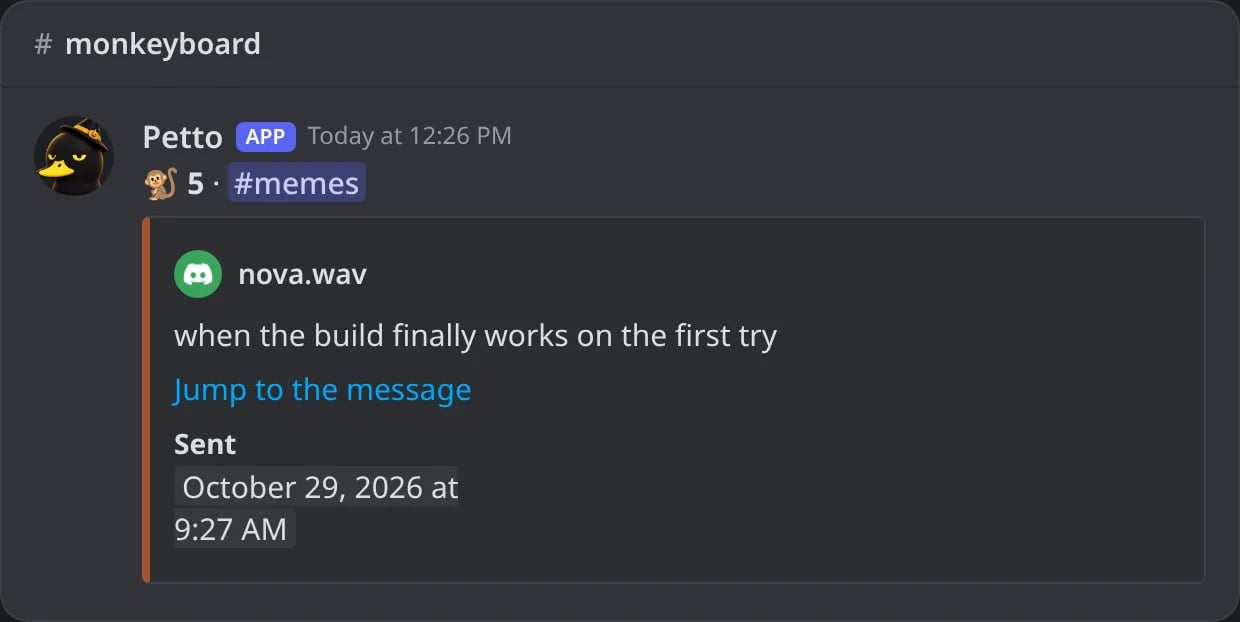
In Discord: the same design with {monkey.*}.
Clownboard
The same as the starboard, for the clownboard:{clown.count}, {clown.emoji}, {clown.channel}, {clown.channel_name}, {clown.link}, {clown.message_id}, {clown.author}, {clown.author_name}, {clown.author_id}, {clown.author_avatar}, {clown.content}, {clown.image}, {clown.attachments} and {clown.time}.
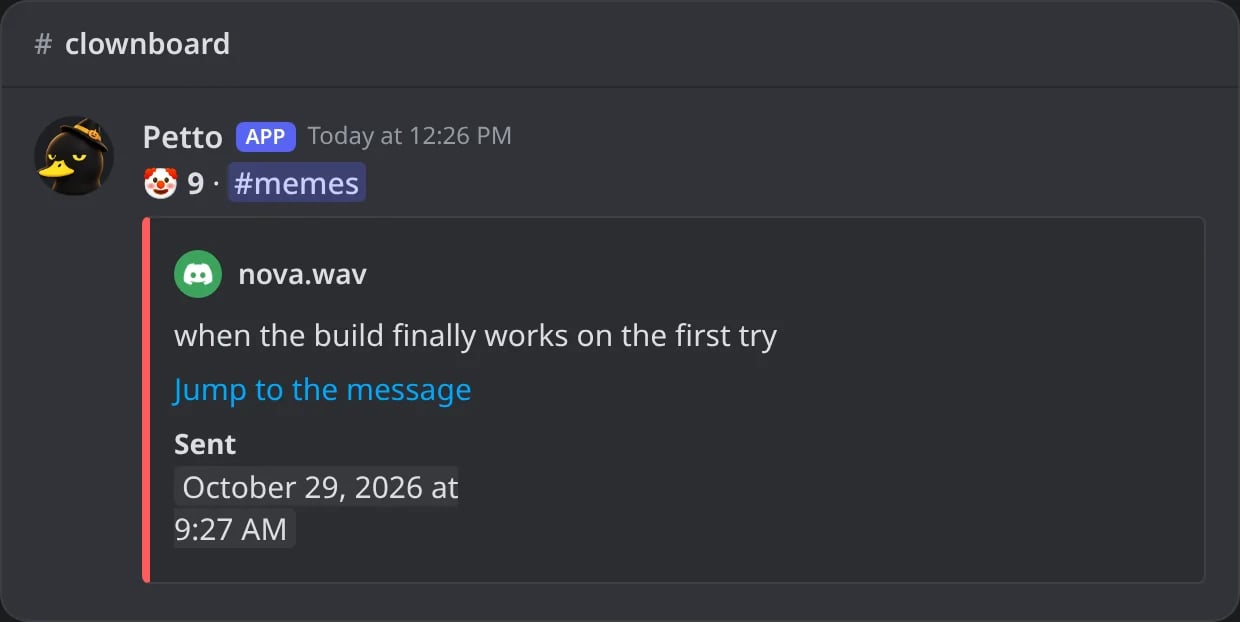
In Discord: the same design with {clown.*}.
Suggestions
In the design of a suggestion.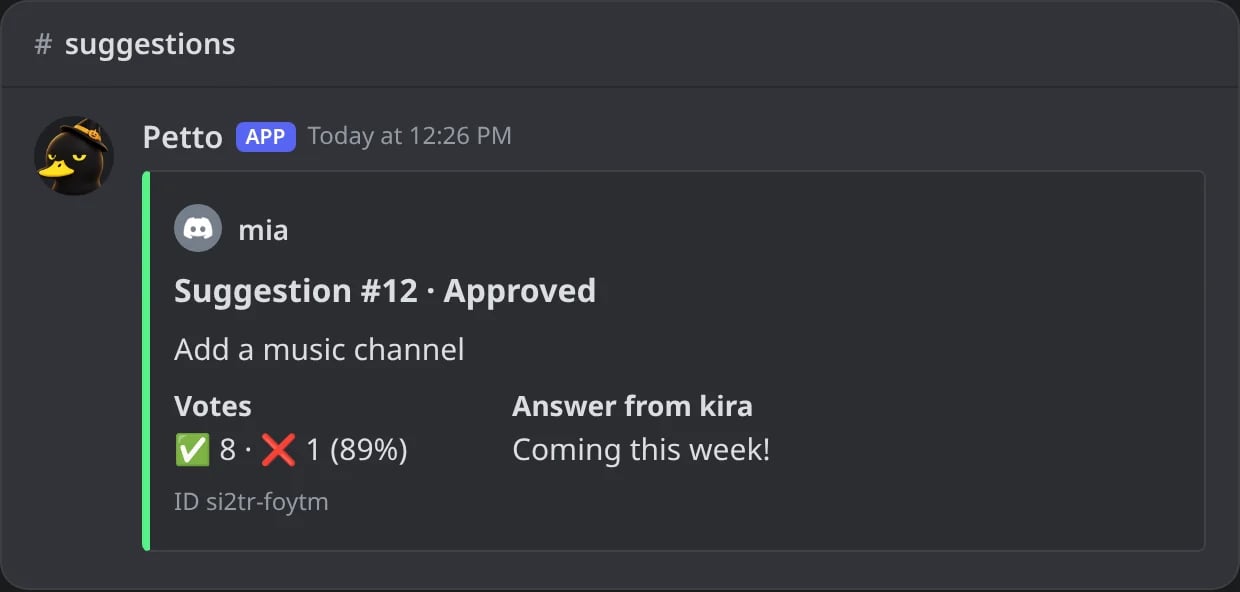
In Discord: a suggestion design with {suggestion.*}.
Confessions
In the design of a confession.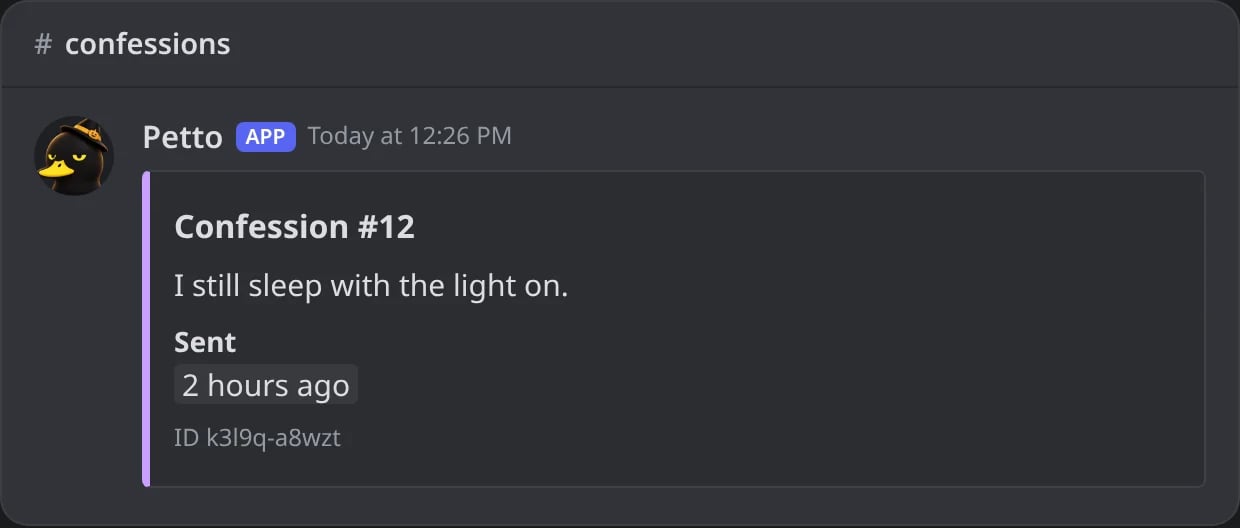
In Discord: a confession design with {confession.*}.
Polls
In the design of a poll. The vote buttons are added under it.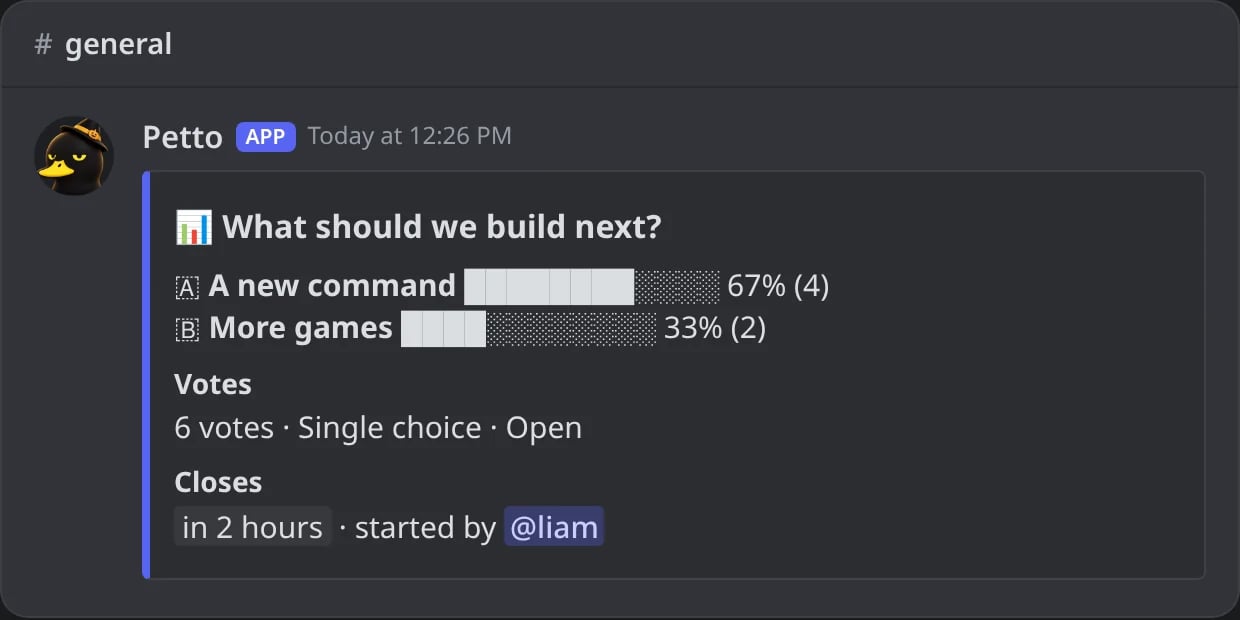
In Discord: a poll design with {poll.*}.
Partners
In the replies of Partners.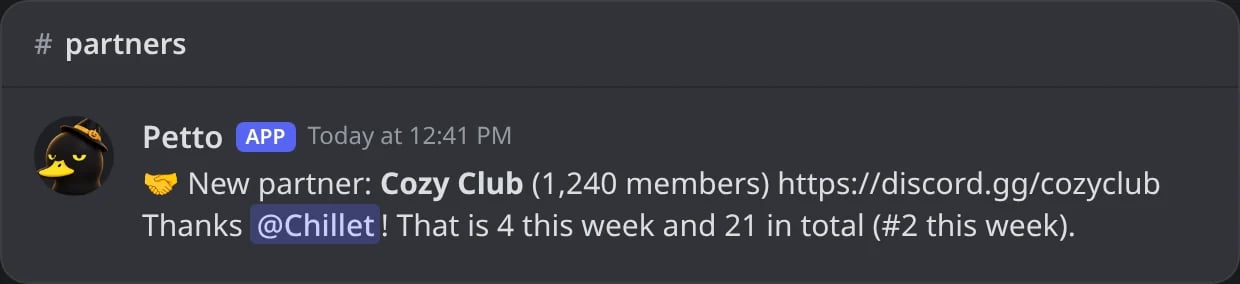
In Discord: a partner reply with {partner.*}.
Requests
In the answer to who makes a request.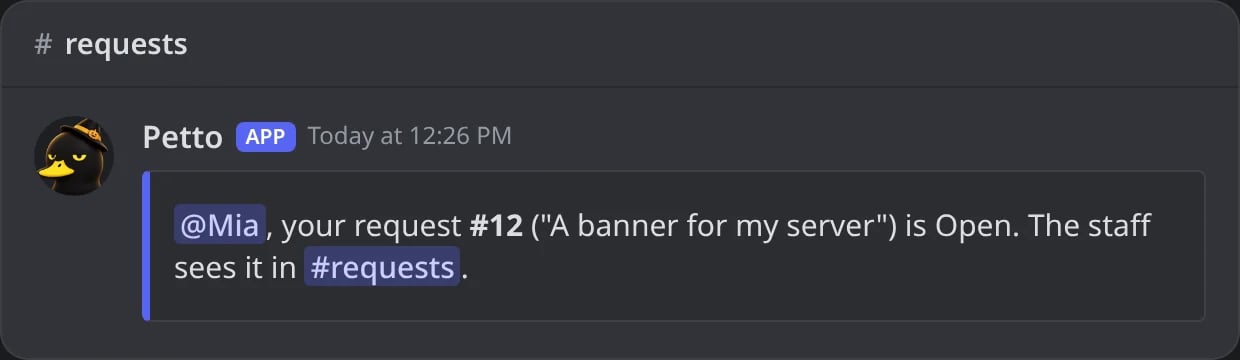
In Discord: the answer to a request with {request.*}.
Forms
In the saved embed of a form message (sent, accepted, denied).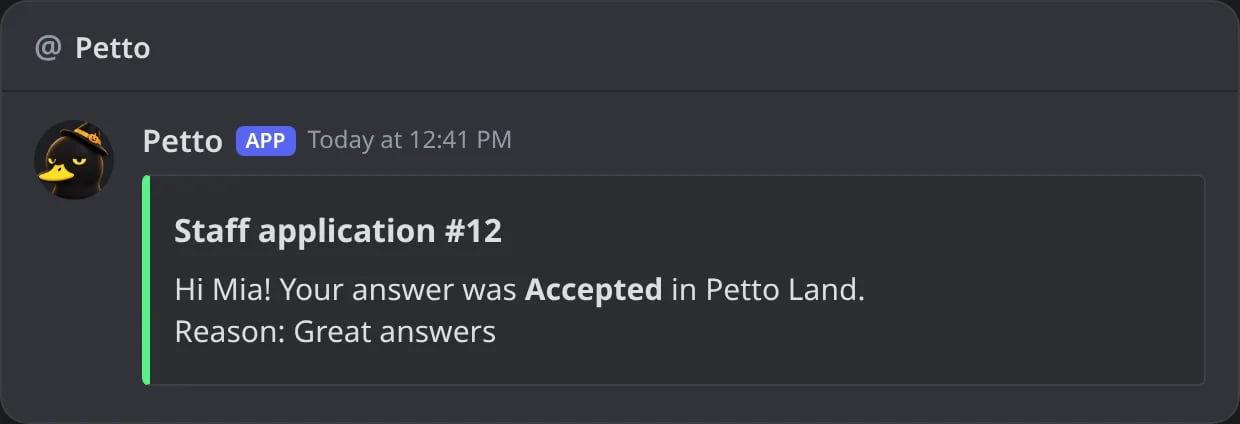
In Discord: a form answer by DM with {form.*}.
Honeypot
In the message of a honeypot channel.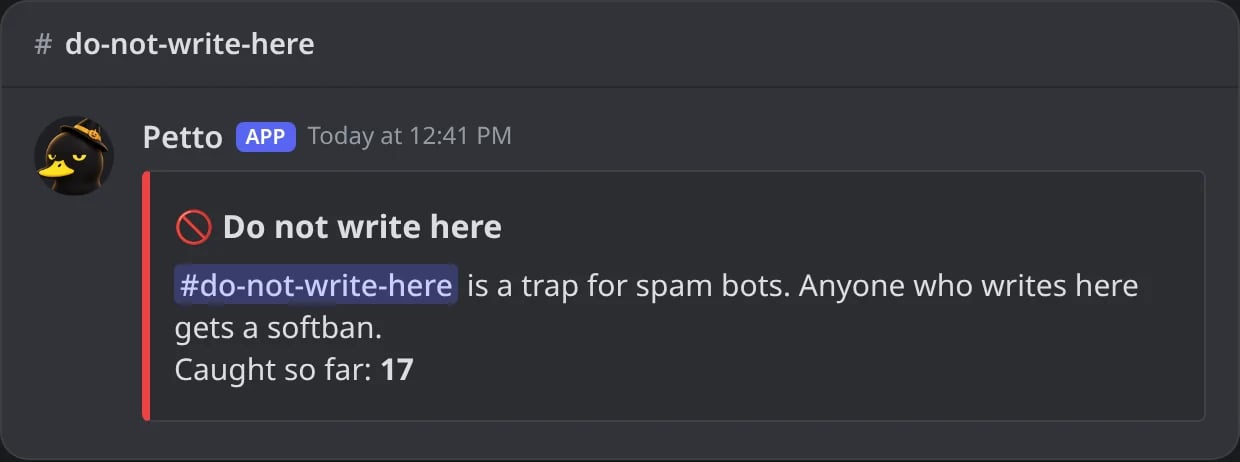
In Discord: the message of a honeypot channel with {honeypot.*}.
Counter milestones
In the saved embed of a counter milestone. The plain text of the announcement uses the short forms.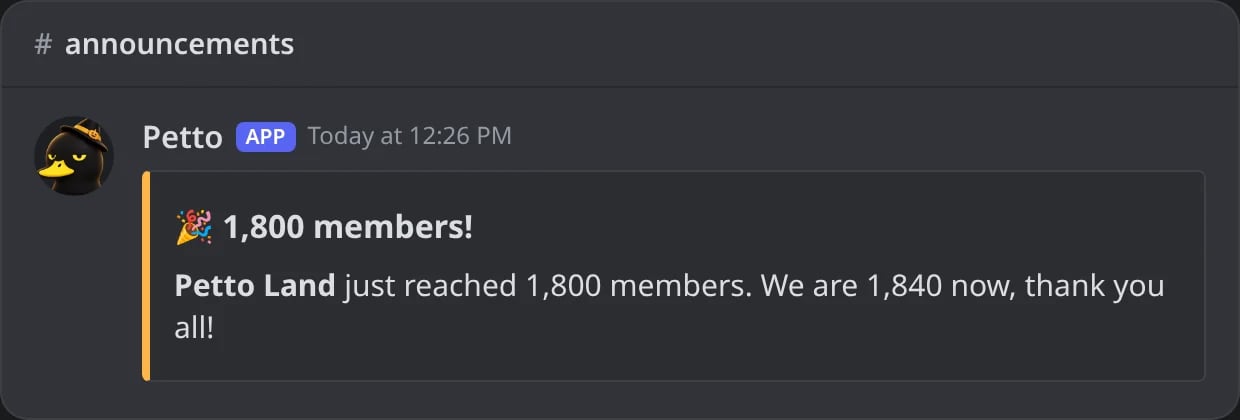
In Discord: a milestone embed with {counter.*}.
Verification
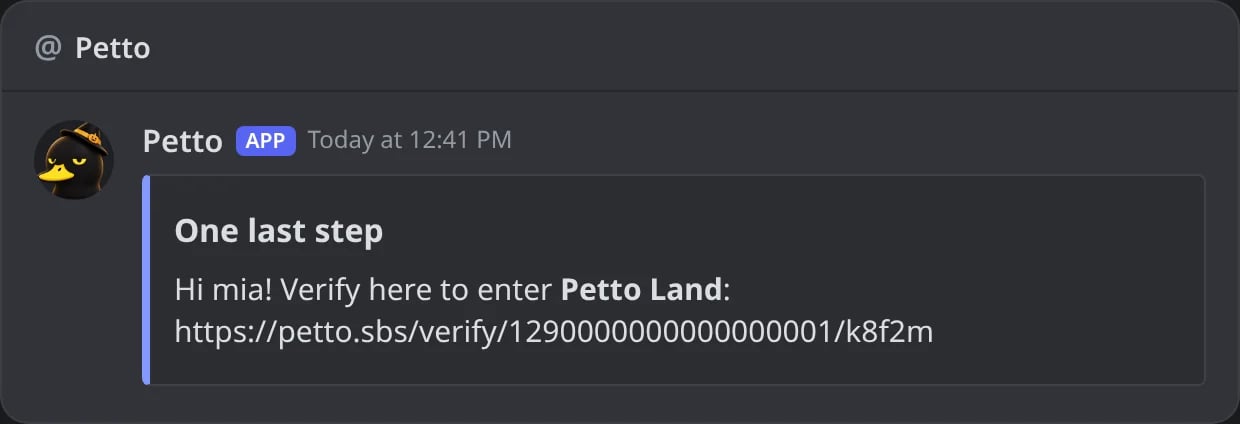
In Discord: the verification DM with {verify.link}.
Vanity and Server Tag
In the thank-you messages and the log of Vanity and Server Tag rules.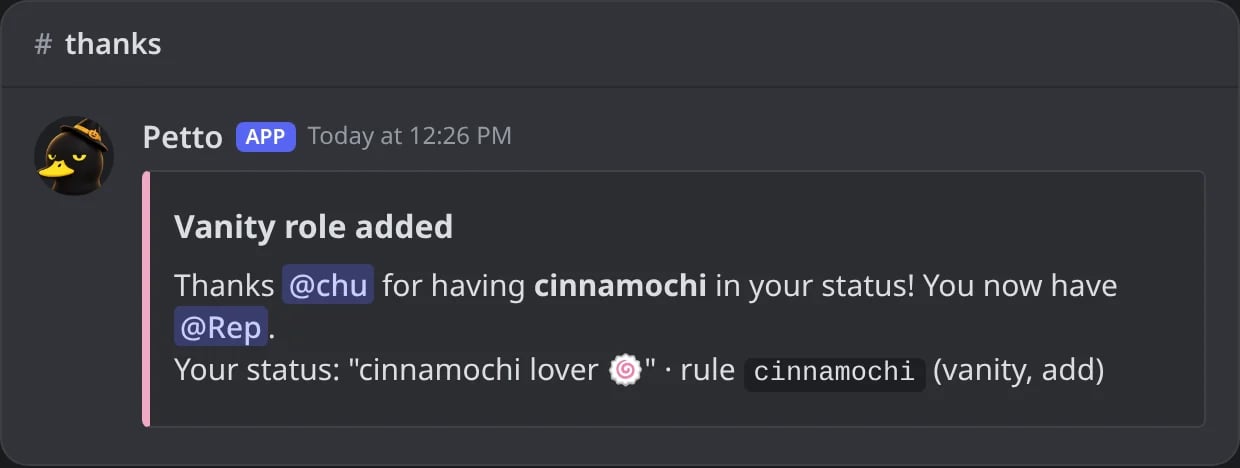
In Discord: a Vanity thank-you made from a saved embed with {rule.} and {vanity.}.
Rollouts
In Rollout alerts about Discord experiments.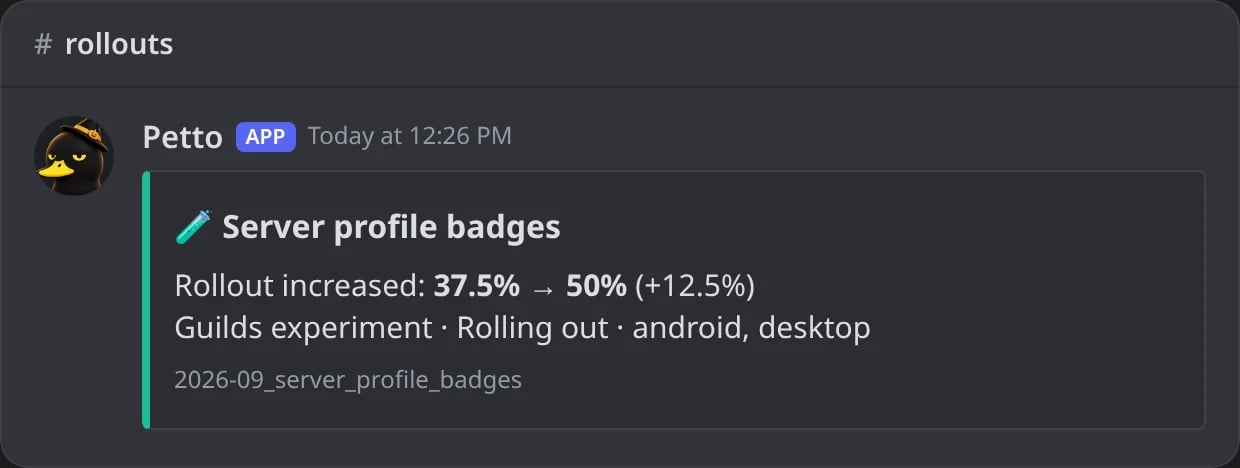
In Discord: a Rollout alert made from a saved embed with {rollout.*}.
Quests
In the saved embeds of Quest alerts. There are many, so they’re folded.All quest variables (113)
All quest variables (113)
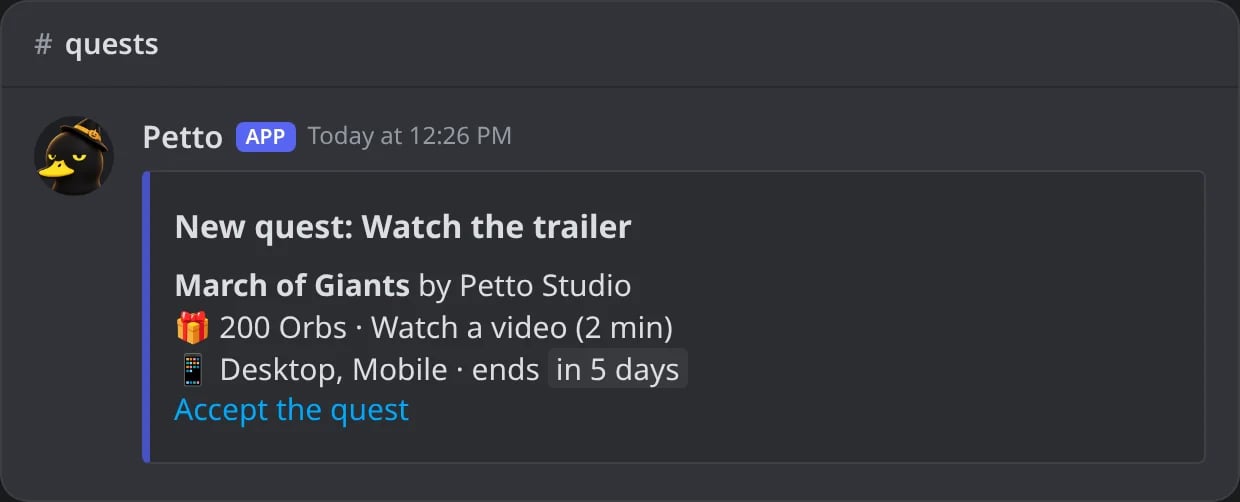
In Discord: a Quest alert made from a saved embed with {quest.*}.
Feeds
In the words above each notice of a feed (!feed message). They only work there.
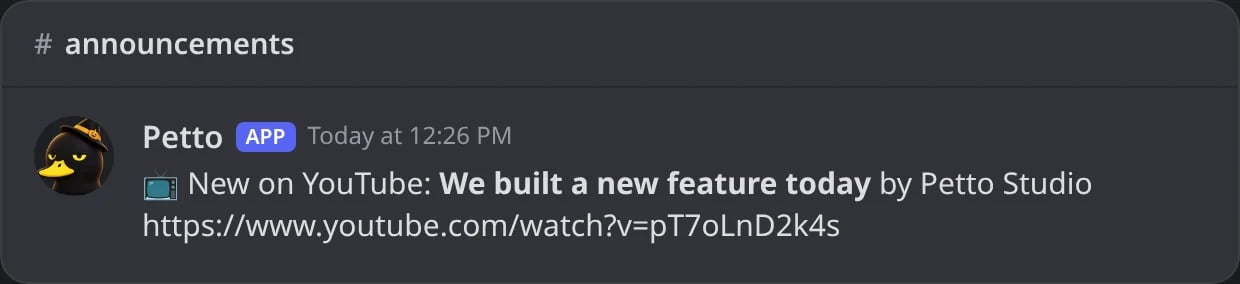
In Discord: the words above a feed notice with {feed.*}.
Placeholders of one feature
These short placeholders are filled by the feature itself, not by the engine above. They only work in the place listed. Where the table says yes under “Variables too”, the regular variables also work in that same text.Counters
A counter name is any text with{count}. Discord allows 100 characters in a channel name and 1,024 in a topic.
{count} (members now), {goal} or {milestone} (the number reached) and {server}, with numbers grouped (1,000):
Tickets
-, and they are cut at 90 characters: {category}-{username} gives support-liam. A saved embed as the ticket welcome uses the regular variables instead (the member is the opener, the channel is the ticket).
Forms and appeals
Form messages (the DM after sending, accepting or denying, set with!form message) take {form} (the title), {number}, {server}, {status} and {reason}, and the regular variables too, so {user} mentions the member. A saved embed for those messages uses the Forms group instead.
Appeal messages (set in the dashboard) take {username}, {server}, {reason}, {form} and {link} (the status page of the appeal). The “sent” message and the staff reply notice only fill {server}, and the thread name only {username}. The line about appeals in a sanction DM takes {server} and {link}; if it has no {link}, the link is added at the end.
Recipes
Copy-paste ready. Each one says where it goes and what the member sees.Welcome with member number and inviter
Welcome with member number and inviter
Level-up with a progress bar and reward
Level-up with a progress bar and reward
--milestone 10 --message "{user} is level 10 and unlocked {level_role}!" that level gets its own text.A hug command with a target
A hug command with a target
A dice roll
A dice roll
Autoresponder that answers with what came after the trigger
Autoresponder that answers with what came after the trigger
Account age in a welcome DM
Account age in a welcome DM
Boost goal
Boost goal
A ban DM with the appeal link (saved embed)
A ban DM with the appeal link (saved embed)
ban-dm from one code, then use it for the DM of bans:Never as the end and the appeal link.Event countdown
Event countdown
utc to write it in UTC.