
Overview
A counter is a channel whose name shows a live value, like👥 Members: 1,234. Petto makes it locked (everyone sees it, nobody can join or write) and changes its name when the value changes. A counter can also be a category’s name, or the topic of a text channel.
!counter (alias !counters) is a prefix command and needs Manage Channels. Petto needs Manage Channels too, to make and rename the channels. The dashboard has the same under Integrations → Counters.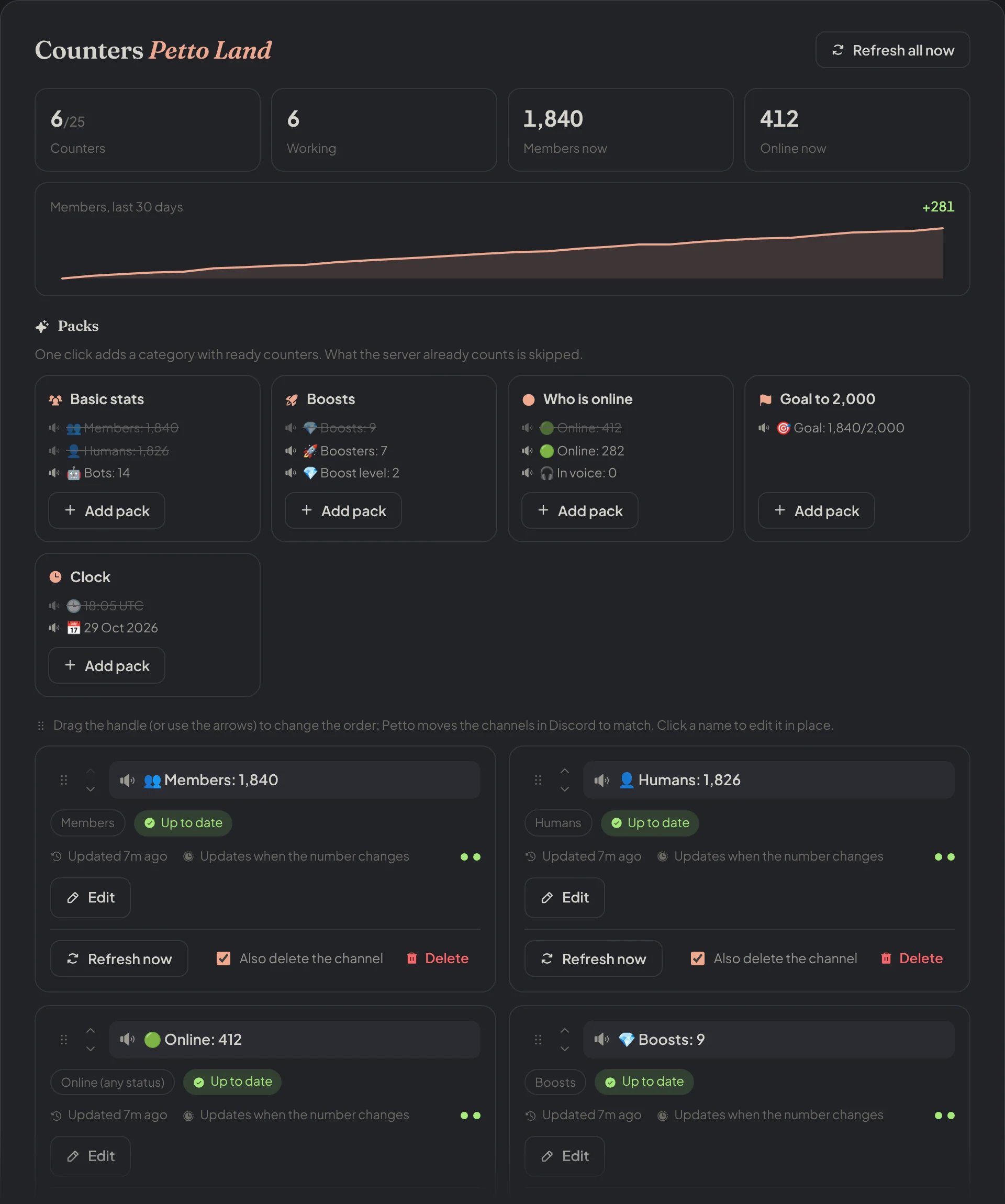
Dashboard → Integrations → Counters: the numbers now, member growth, the packs and the counters of the server.
Quick setup
!counter setup [pack] makes a ”📊 Server stats” category with a ready set of counters:
!counter setup
!counter setup
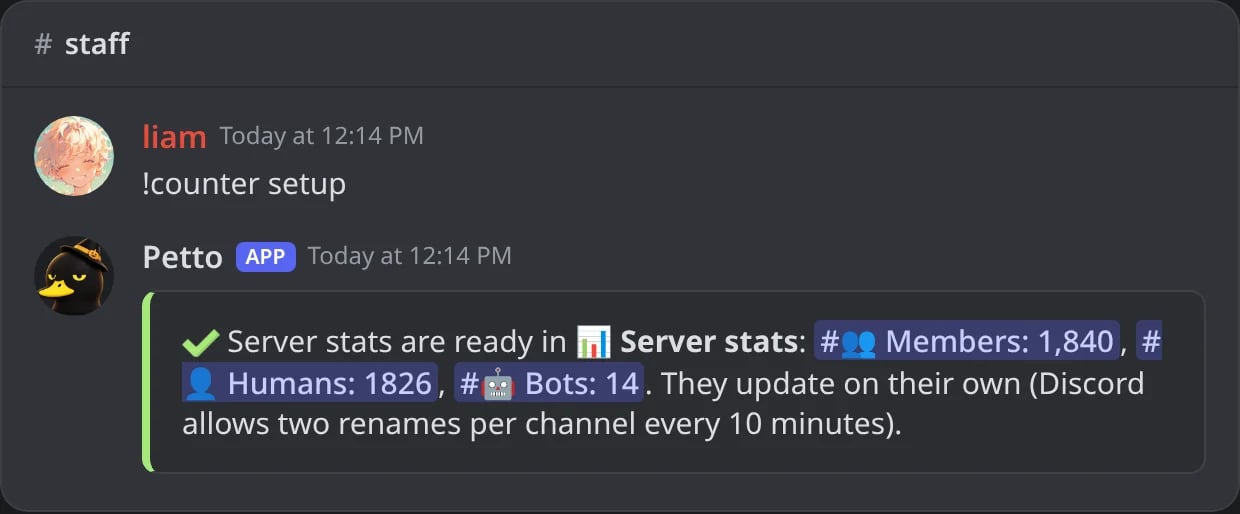
In Discord: !counter setup makes the "📊 Server stats" category with members, humans and bots.
!counter setup online
!counter setup online
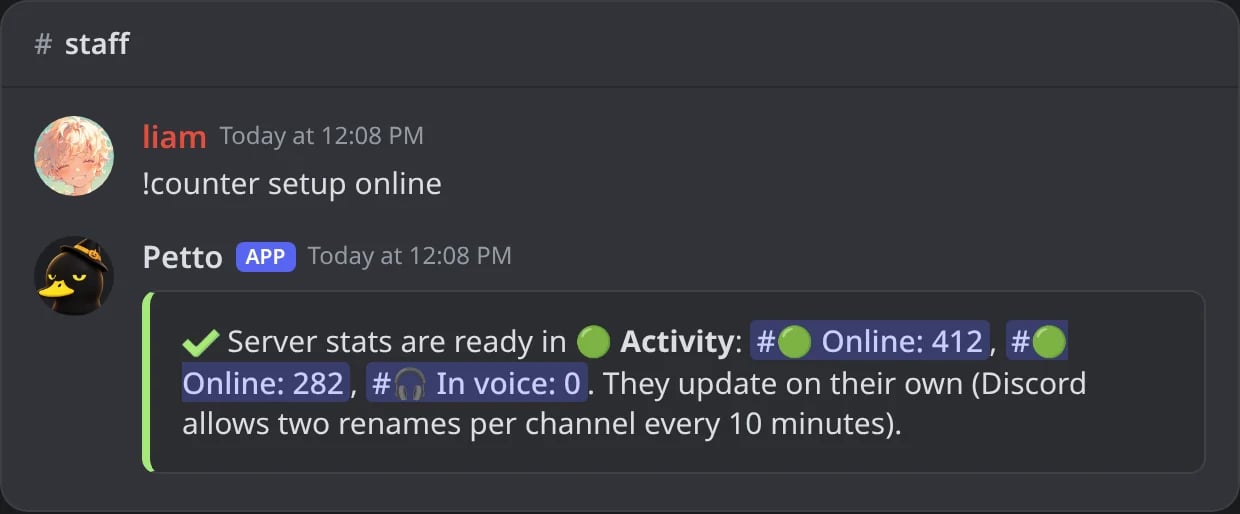
In Discord: the online pack, in its own category.
!counter setup goal 2000
!counter setup goal 2000
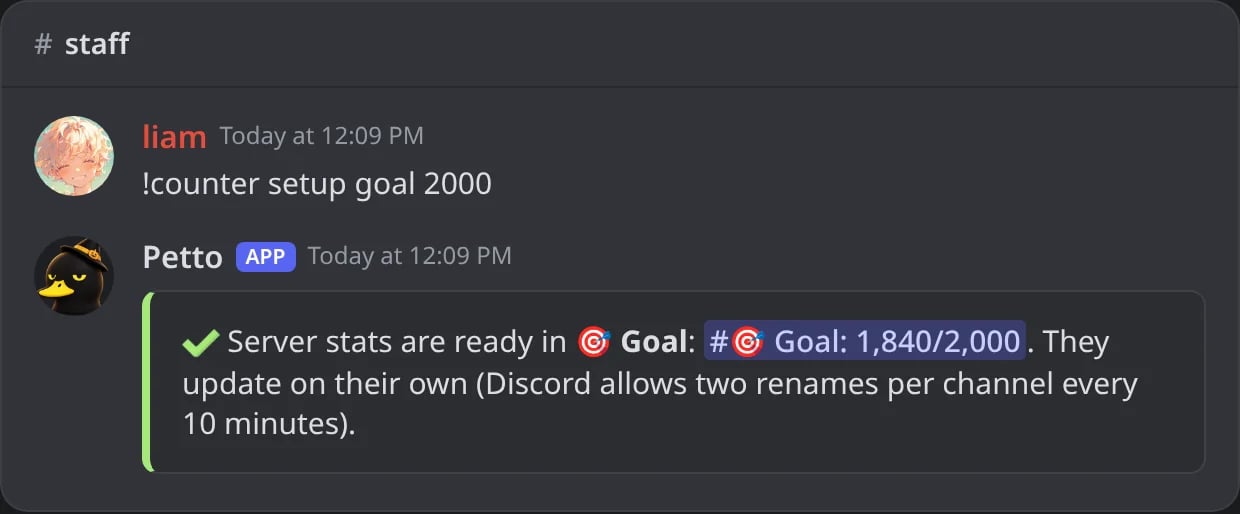
In Discord: a goal pack with the goal written after it.
!counter setup clock Europe/Madrid
!counter setup clock Europe/Madrid
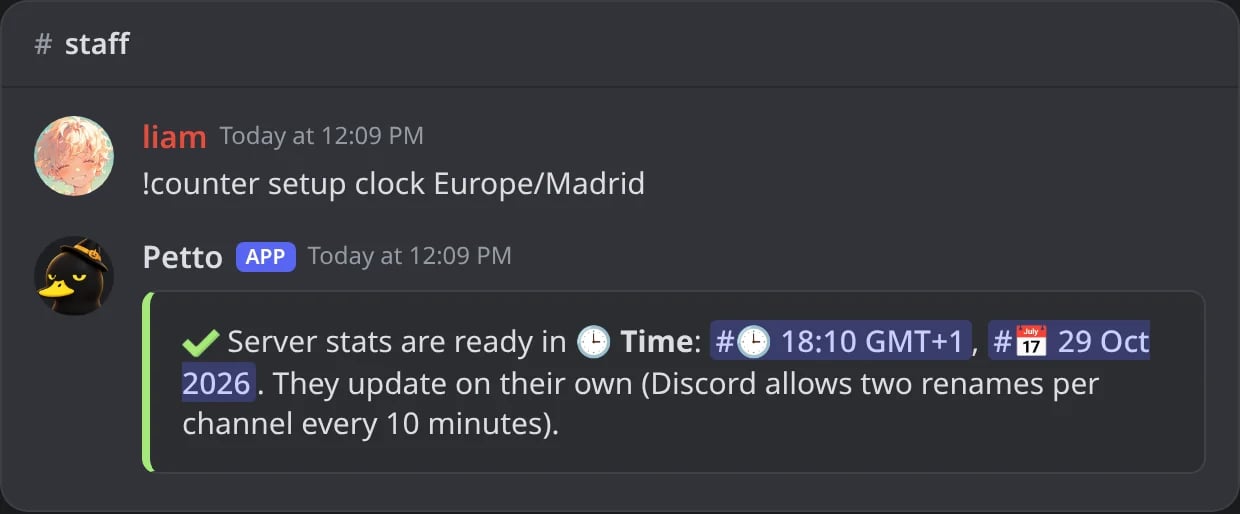
In Discord: the clock pack in a time zone: the time and the date.
A pack the server already has
A pack the server already has
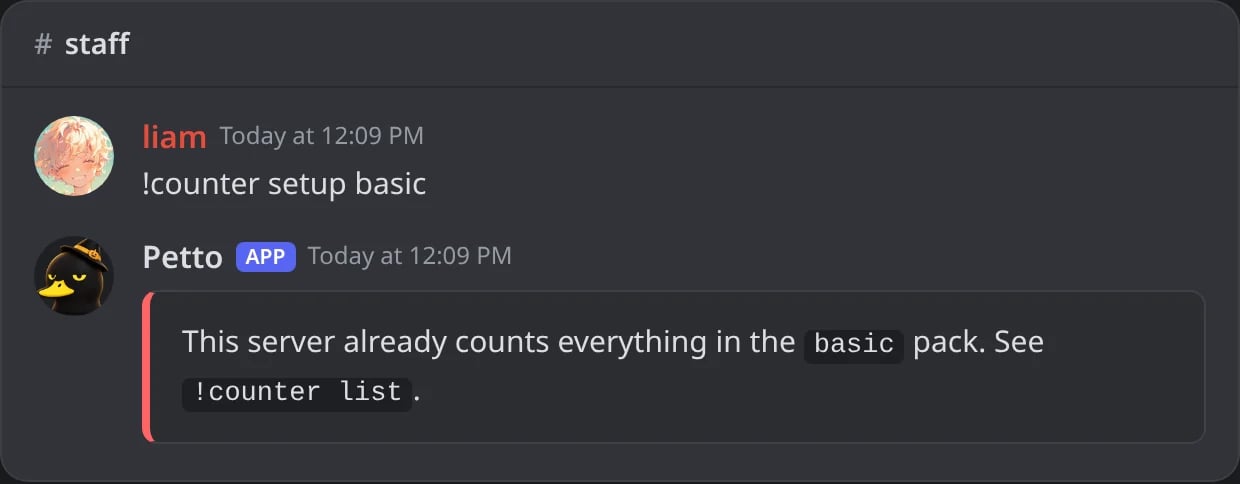
In Discord: a pack whose counters the server already has is not made again.
Commands
!counter createmakes a new locked voice channel, or turns a channel you already have into a counter with--channel #channel.!counter list(the default of!counter) shows what each counter shows now and any problem it has.!counter typeslists every type with its value right now.!counter deletedeletes the counter and its channel;keepkeeps the channel.!counter refreshupdates the counters now, within Discord’s limit.- Short names:
add,newforcreate;remove,rmfordelete;syncforrefresh;preset,packforsetup.
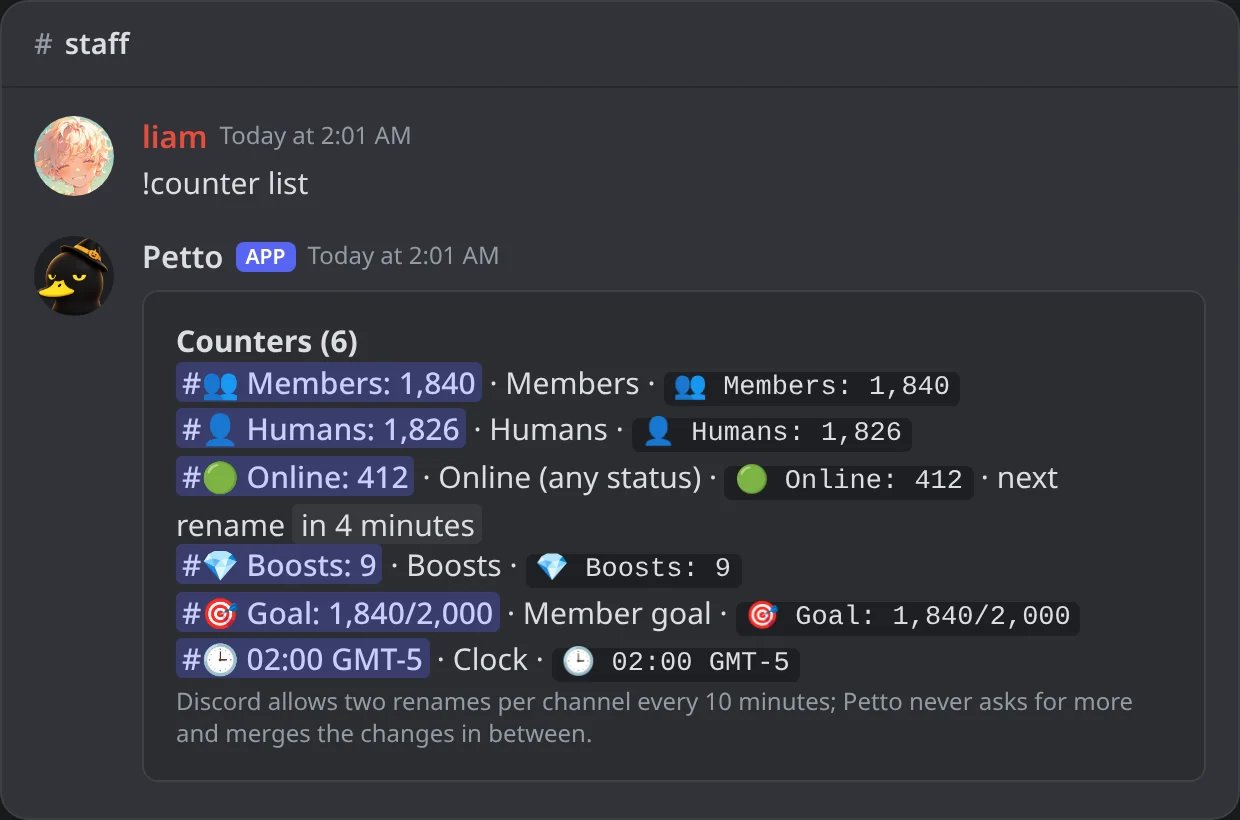
In Discord: !counter list shows what each counter shows now and when it changes next.
!counter create members
!counter create members
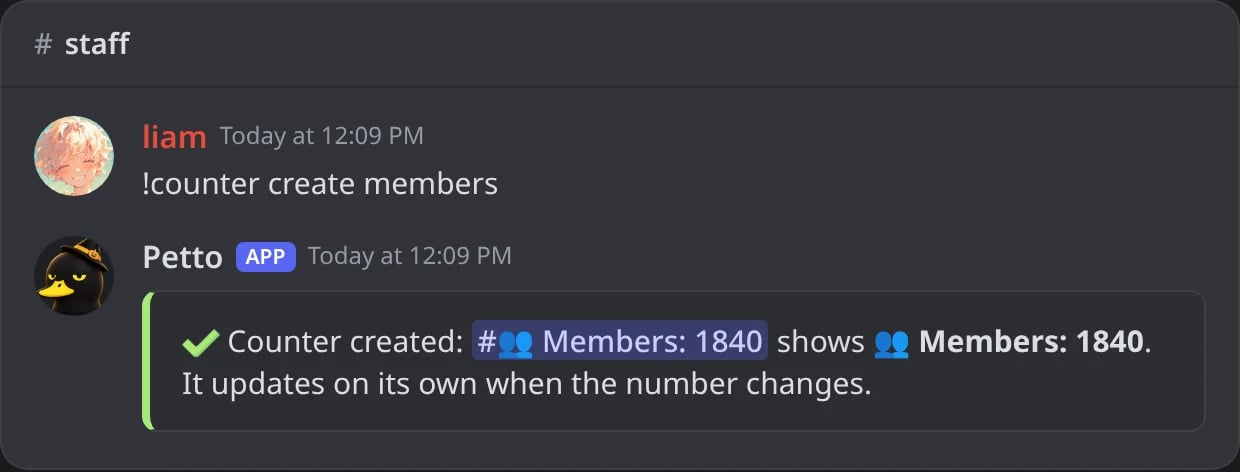
In Discord: a new counter in a locked voice channel.
!counter create role
!counter create role
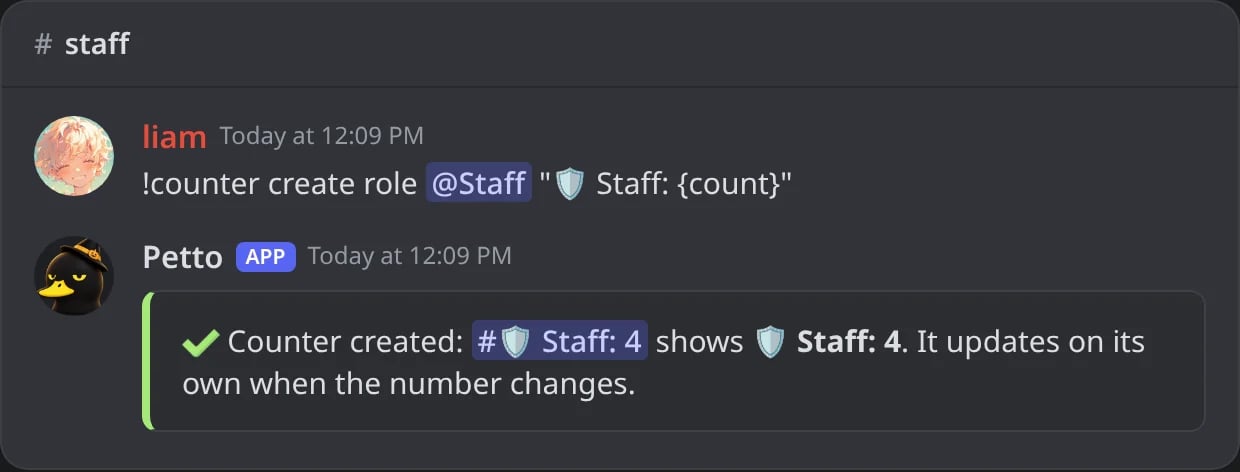
In Discord: a role counter with a name of its own.
An unknown type
An unknown type
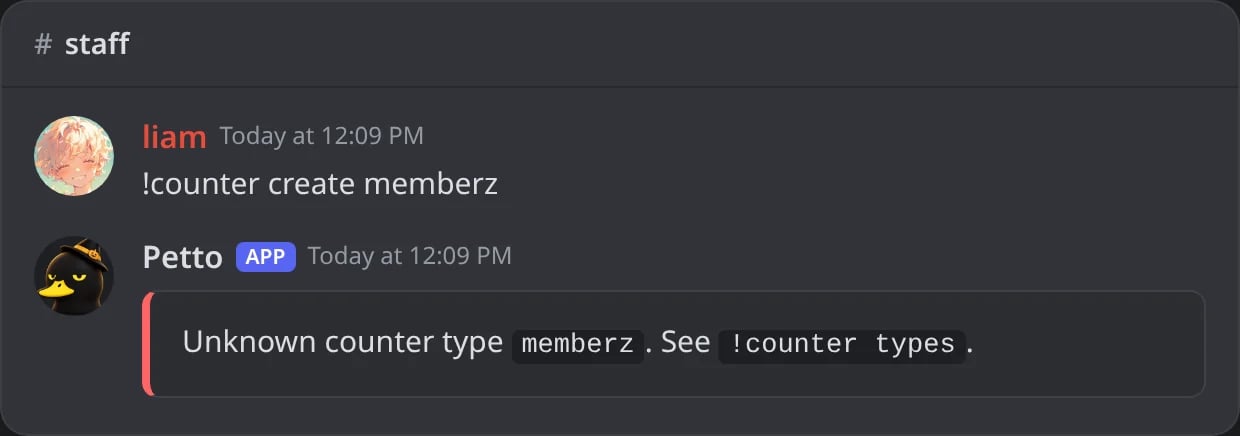
In Discord: a type Petto does not know points to !counter types.
!counter types
!counter types
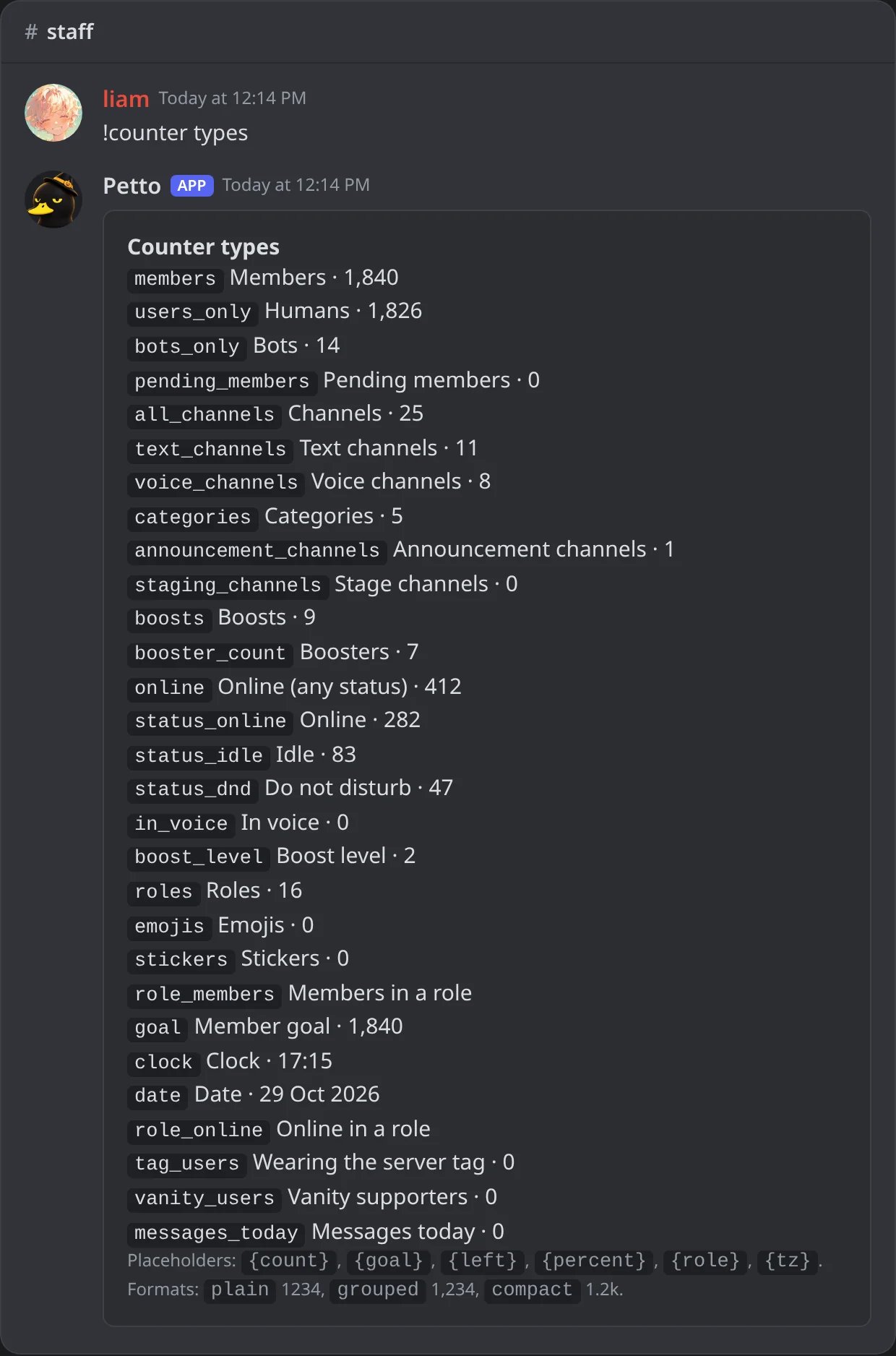
In Discord: every type with its value right now.
!counter delete
!counter delete
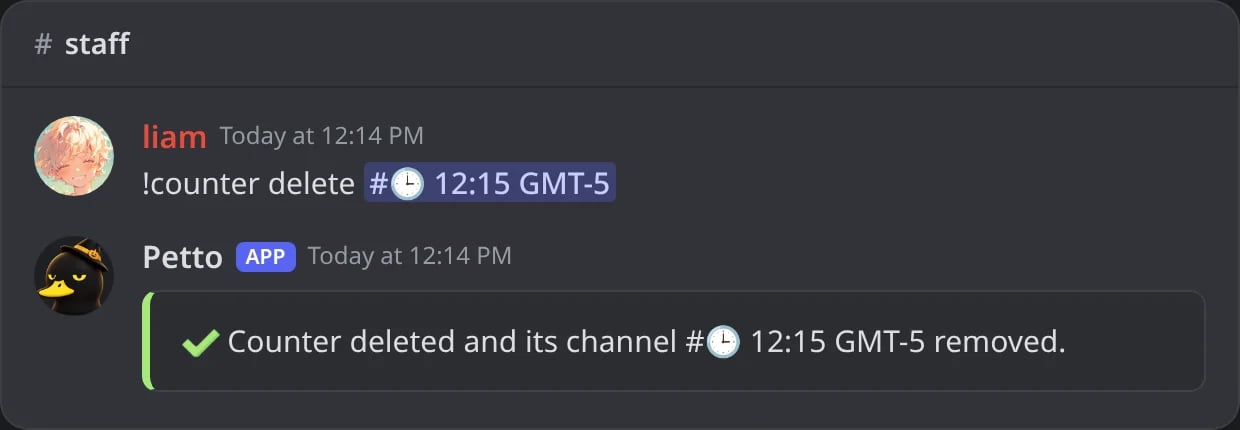
In Discord: the counter and its channel are deleted.
!counter delete … keep
!counter delete … keep
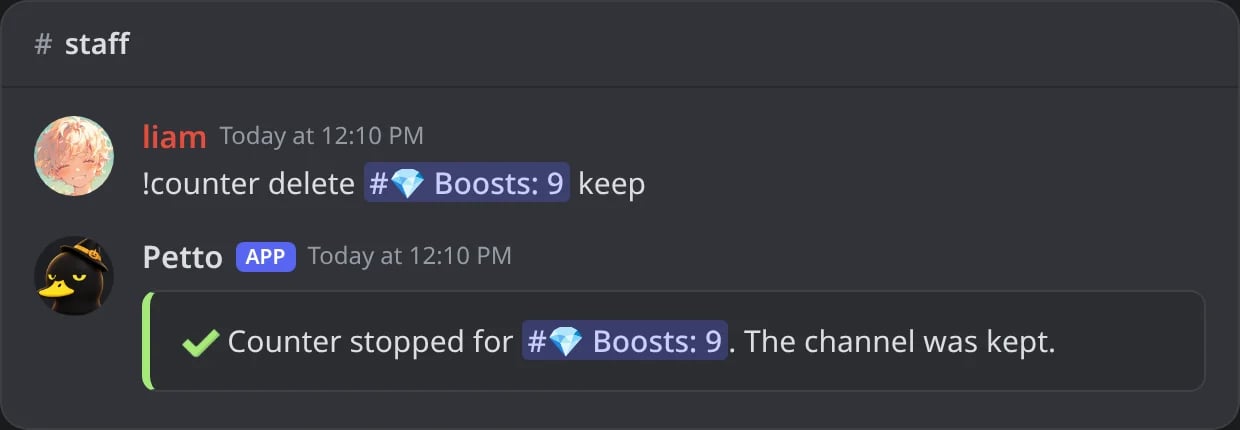
In Discord: with keep, the channel stays and only the counter stops.
!counter refresh
!counter refresh
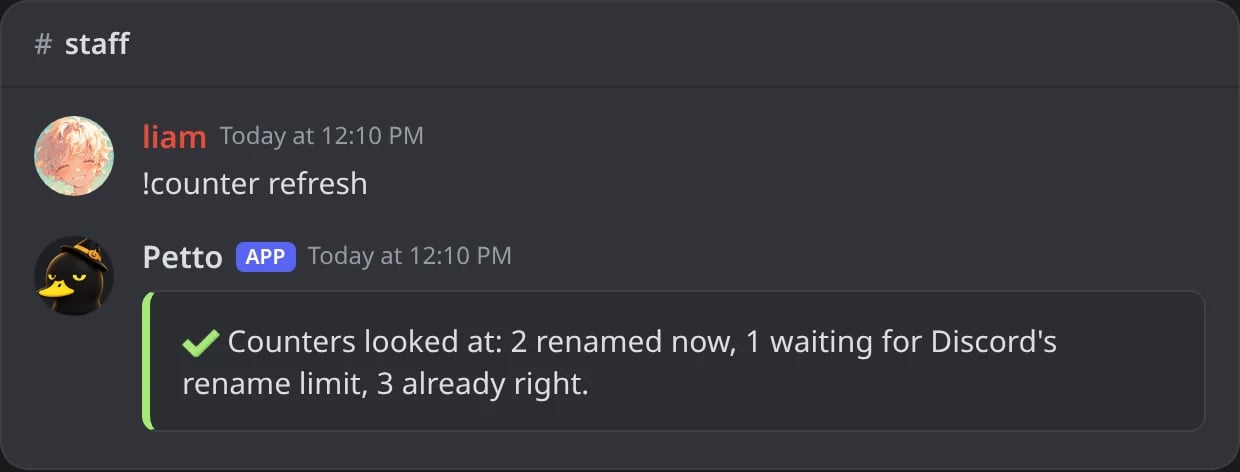
In Discord: what was renamed now, what waits for Discord and what was already right.
Without Manage Channels
Without Manage Channels
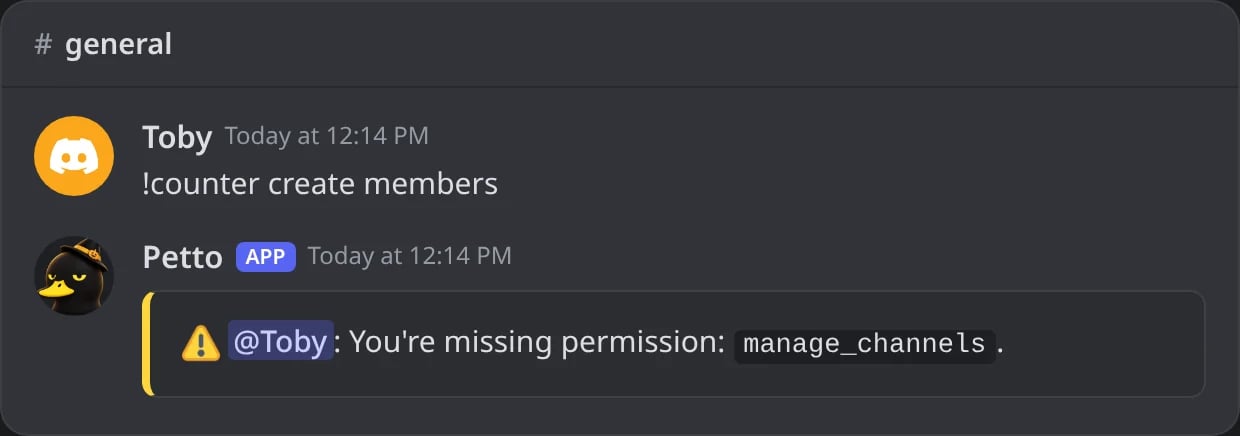
In Discord: a member without Manage Channels cannot use !counter.
!counterconfig (needs Manage Server) shows what the server has set for counters and milestone announcements, and every !counter command.
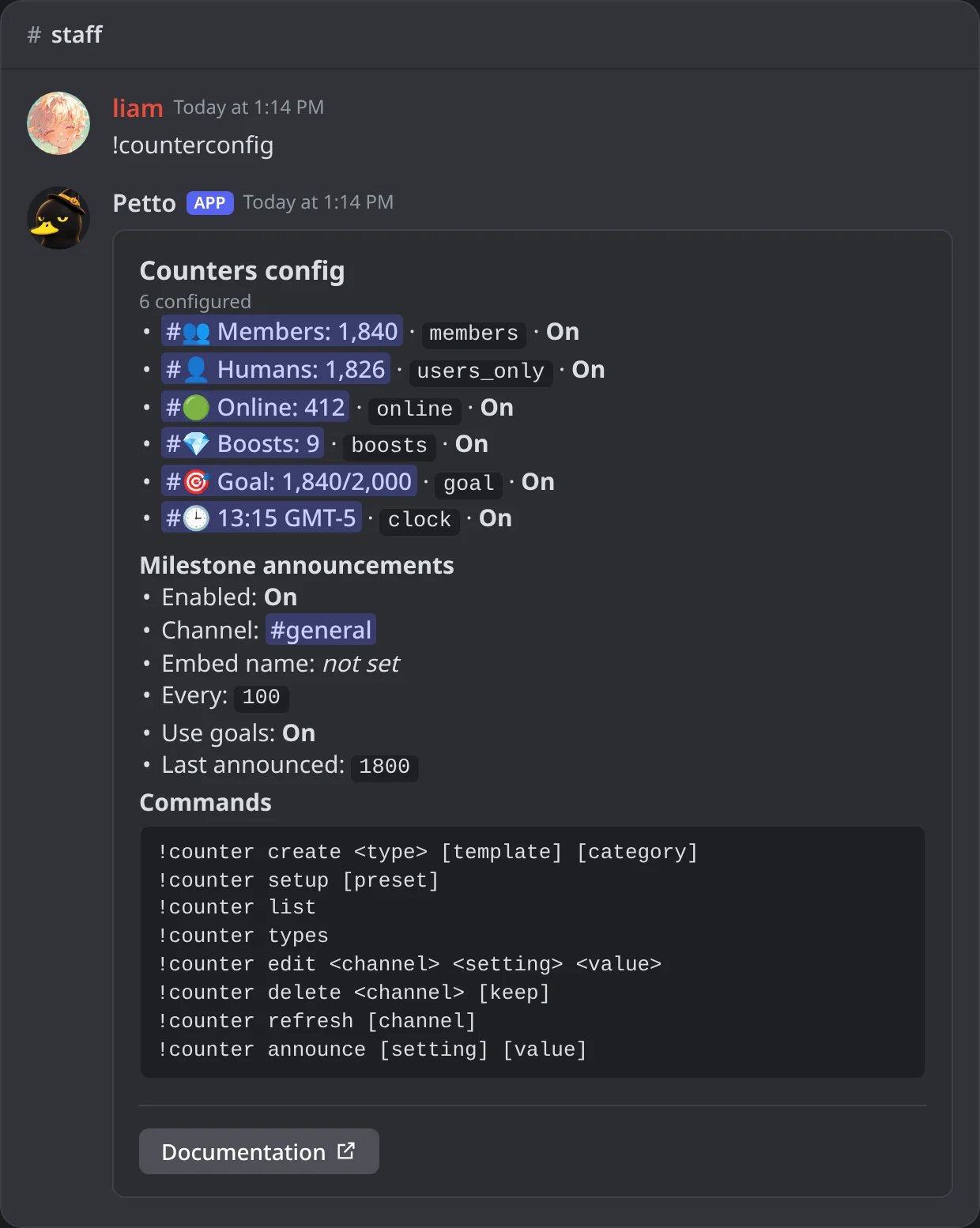
In Discord: !counterconfig, the settings of the module and its commands.
Types
messages_today follow the time of Petto. A clock moves in steps of five minutes, because a channel can only be renamed twice every 10 minutes.
Names and formats
The name of a counter is any text with{count}. New counters get a ready name in the language of the server.
{server_name} don’t work here, write the text yourself.
Name ideas
plain (1234), grouped (1,234, or 1.234 in Spanish and Portuguese) or compact (1.2k). Old counters keep their names, and {value}, {remaining} and {option} still work in them.
Where the value shows
--kind chooses what the counter changes:
voice(the default),textorstage: the name of a channel. Text channels have no spaces or capitals in Discord, sovoicelooks best.category: the name of a category.topic: the topic of a text channel, which keeps its name (up to 1,024 characters). A new one is a locked#server-statschannel, or use one you have with--channel #general.
!counter edit #channel kind topic or kind name switches a text channel between the two.
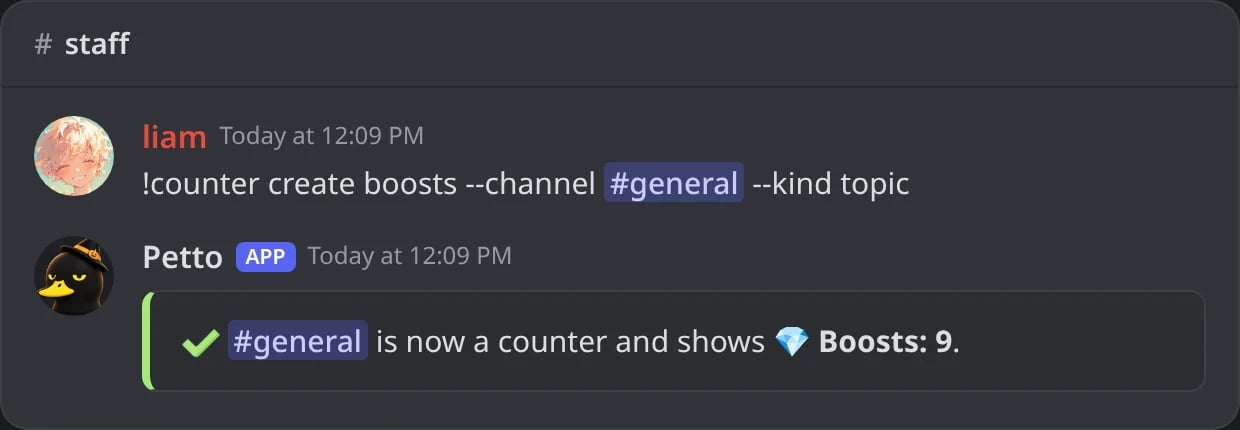
In Discord: --kind topic turns #general into a counter that changes its topic.
Change a counter
!counter edit <channel> <setting> <value> changes one thing: template (the name), format, type, role, goal, timezone, category, kind, prefix, suffix, interval or enabled.
!counter edit … template
!counter edit … template
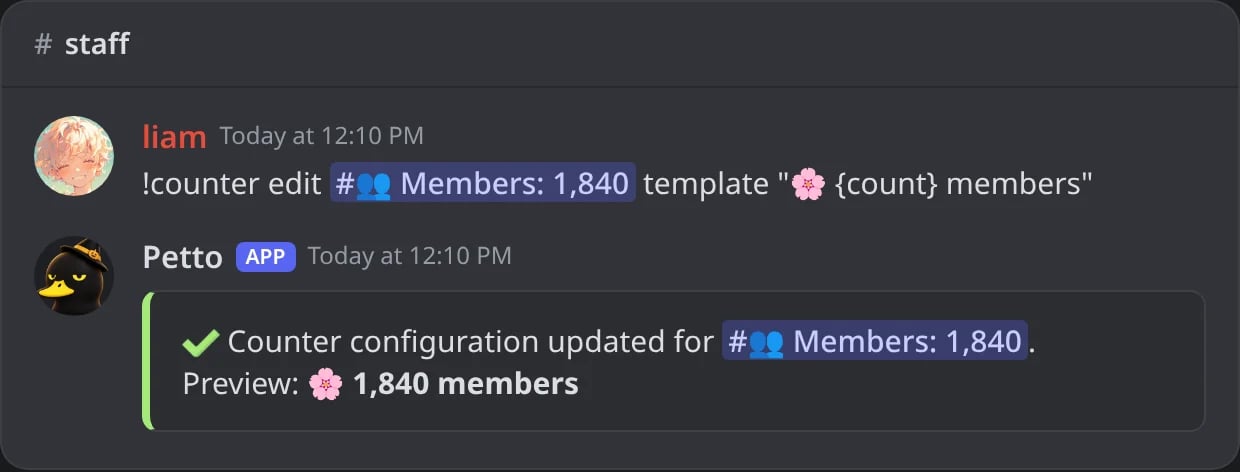
In Discord: a new name, with a preview of what it shows.
!counter edit … format compact
!counter edit … format compact
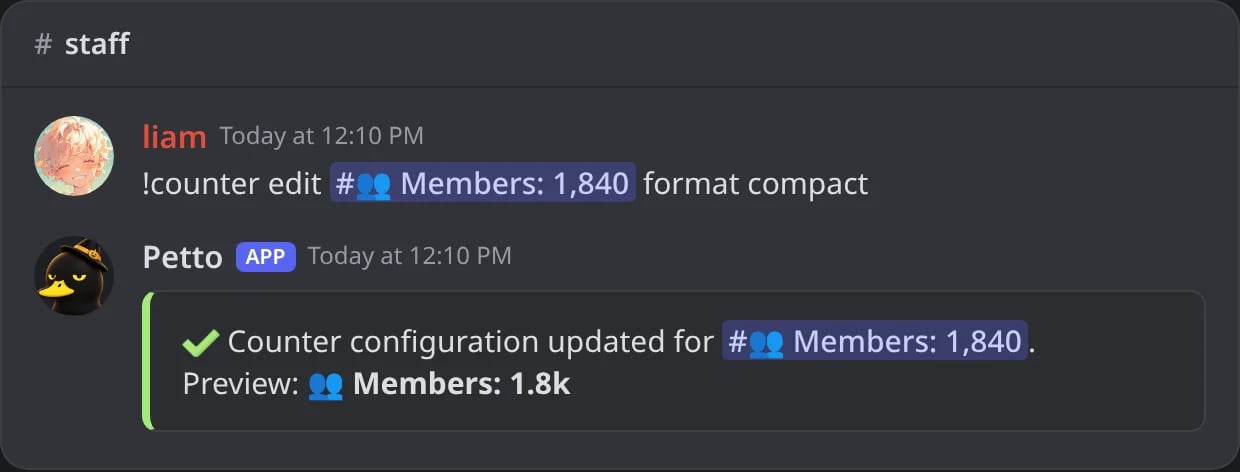
In Discord: the compact format writes 1,840 as 1.8k.
!counter edit … goal
!counter edit … goal
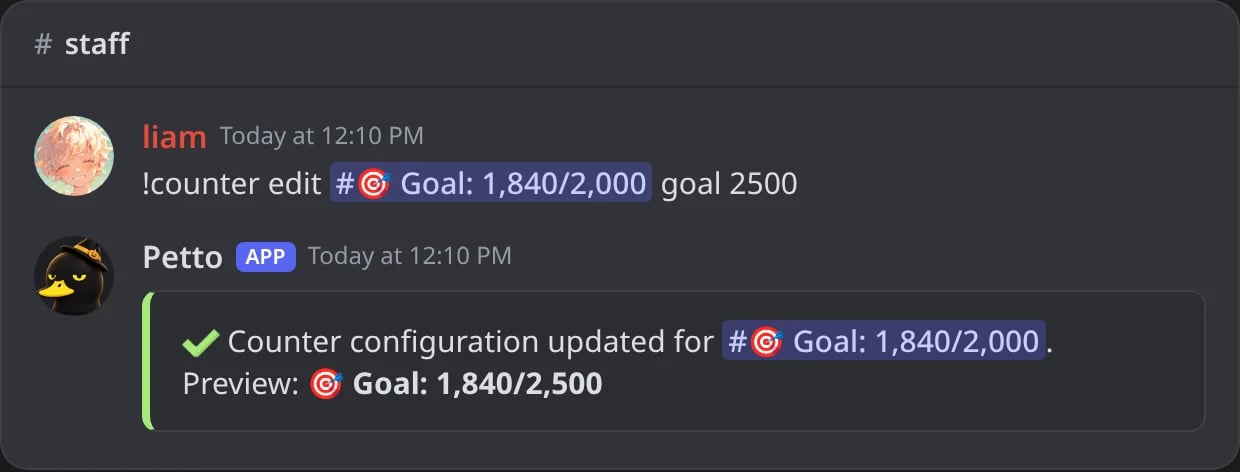
In Discord: a new goal for a goal counter.
!counter edit … timezone
!counter edit … timezone
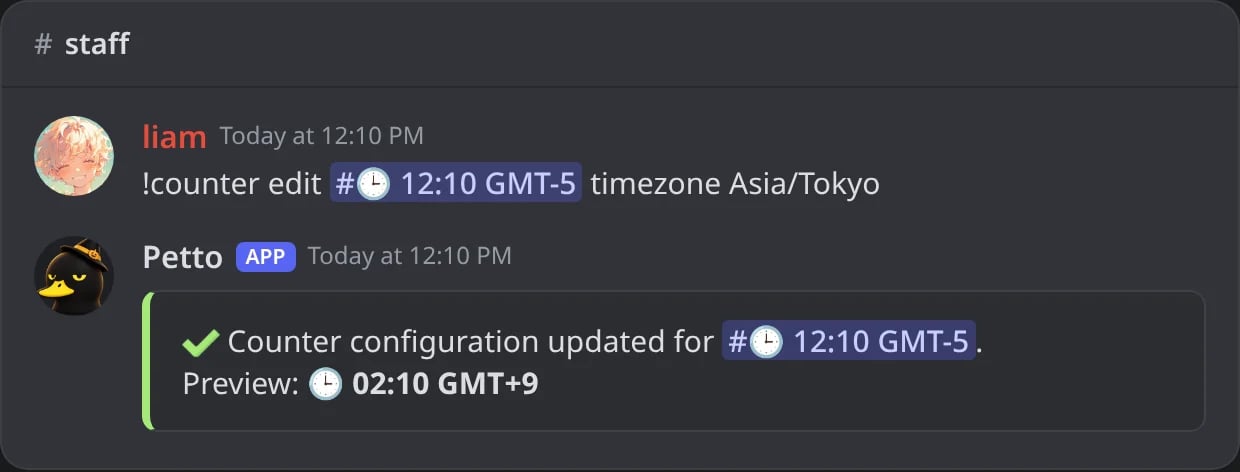
In Discord: the clock in another time zone.
!counter edit … enabled false
!counter edit … enabled false
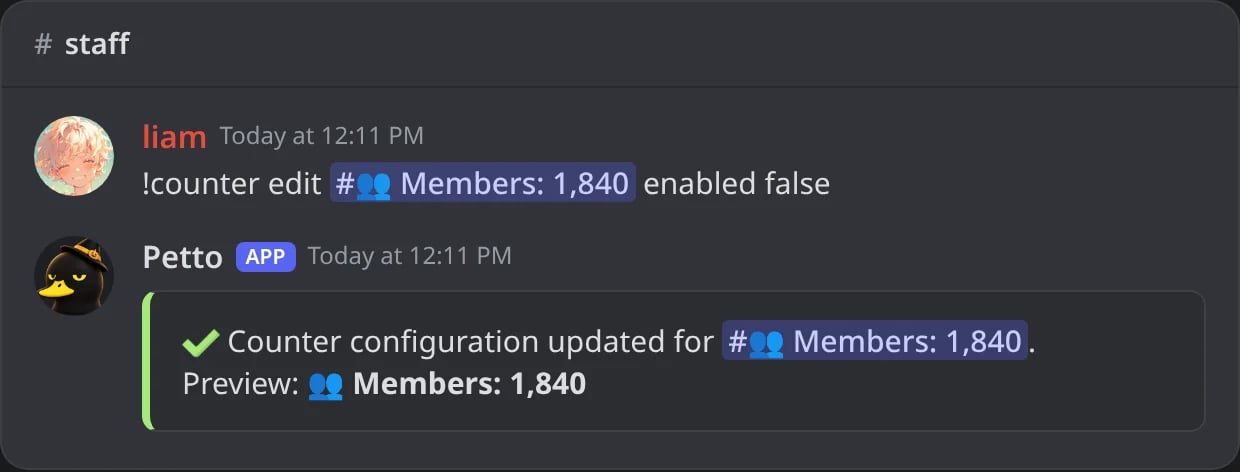
In Discord: enabled false stops the updates and keeps the counter.
Updates
Discord lets a channel be renamed twice every 10 minutes, and Petto never asks for more. A member joining or leaving, a boost, a new channel or role updates the counter at once when that budget allows; otherwise one rename is planned for when it is allowed again, with the value of that moment. Nothing is renamed when the name would not change, and the budget is kept across restarts. When many counters change at once (a raid, the clocks of every server at the same minute), Petto spreads the renames over a short time instead of sending them together.Milestone announcements
!counter announce sends a message when the server reaches the goal of a goal counter, and if you want every so many members.
{count} (members now), {goal} or {milestone} (the number reached) and {server}, with numbers grouped like 1,000. A saved embed uses {counter.count}, {counter.goal} and {counter.server}, plus the usual variables of the server. With !counter announce message 🎉 We just hit {goal} members in {server}! the server reads 🎉 We just hit 1,000 members in Cozy Corner! The same number is never announced twice: not after a restart, and not when members leave and join again around it. Turning it on starts from the members of that moment.
!counter announce
!counter announce
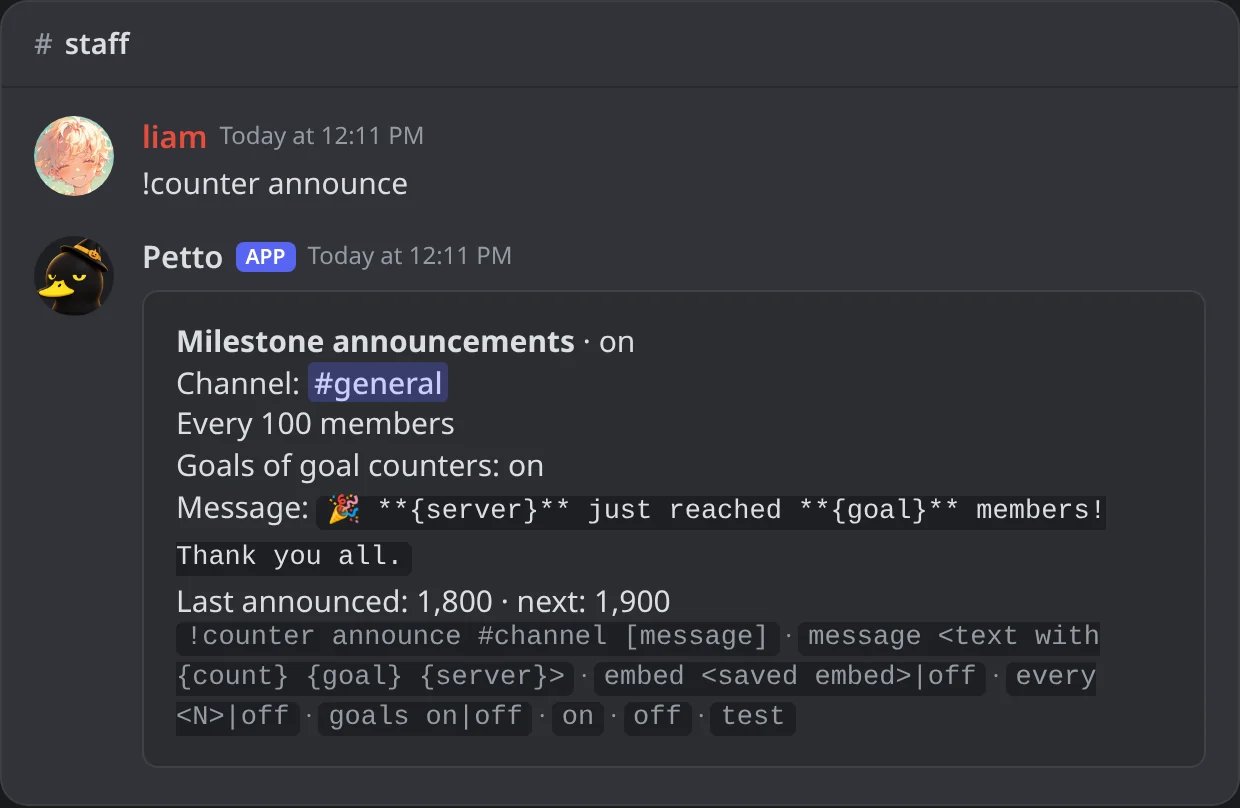
In Discord: the settings of the announcements, the last number announced and the next one.
!counter announce channel
!counter announce channel
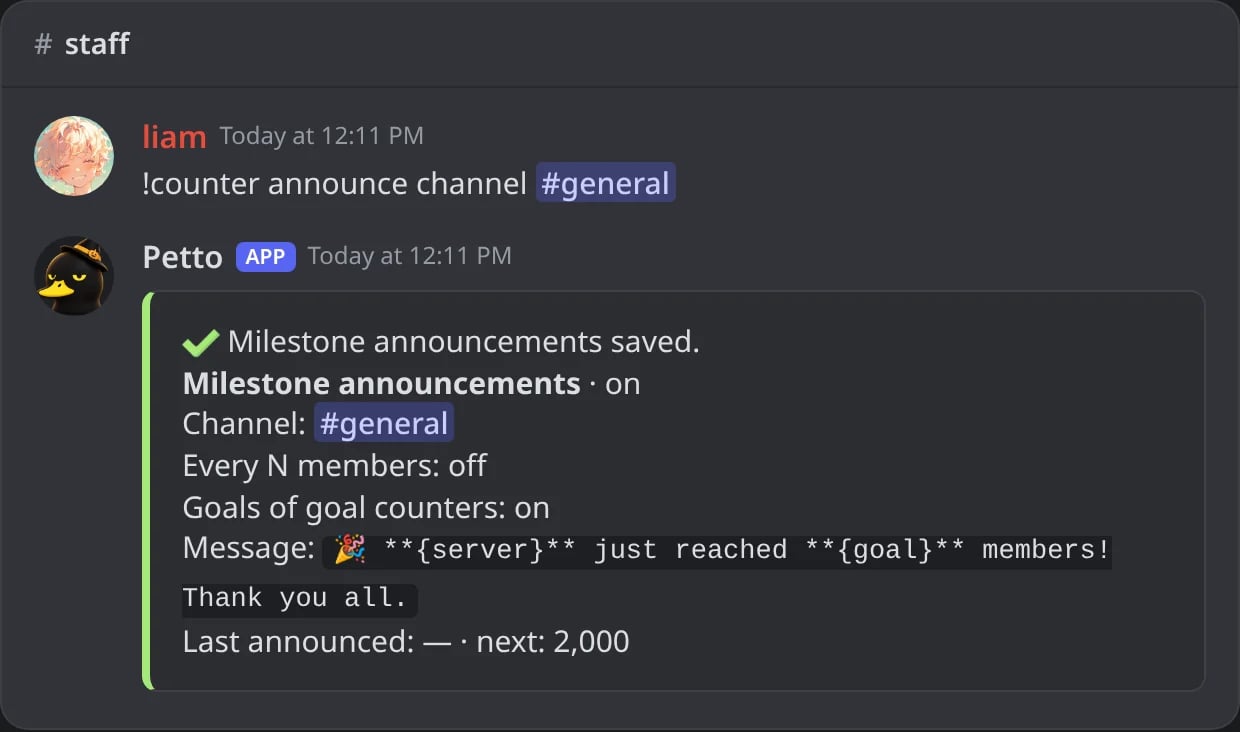
In Discord: setting the channel turns the announcements on.
!counter announce message
!counter announce message
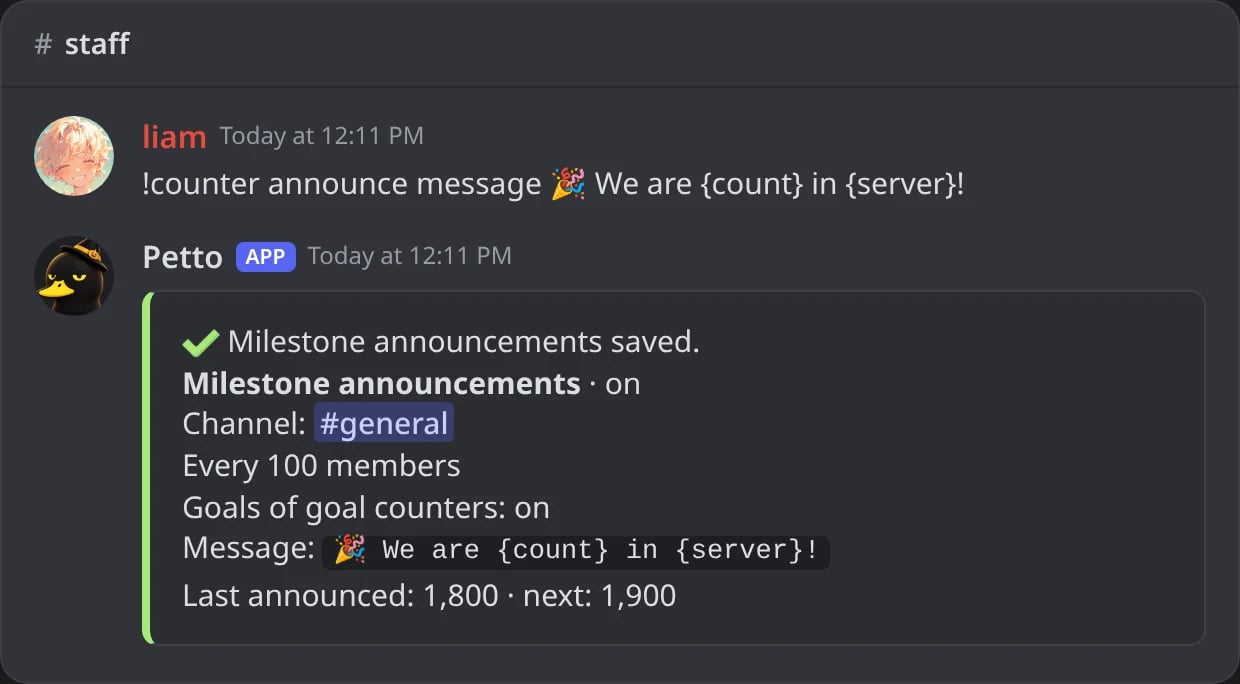
In Discord: a text of your own with {count} and {server}.
!counter announce embed
!counter announce embed
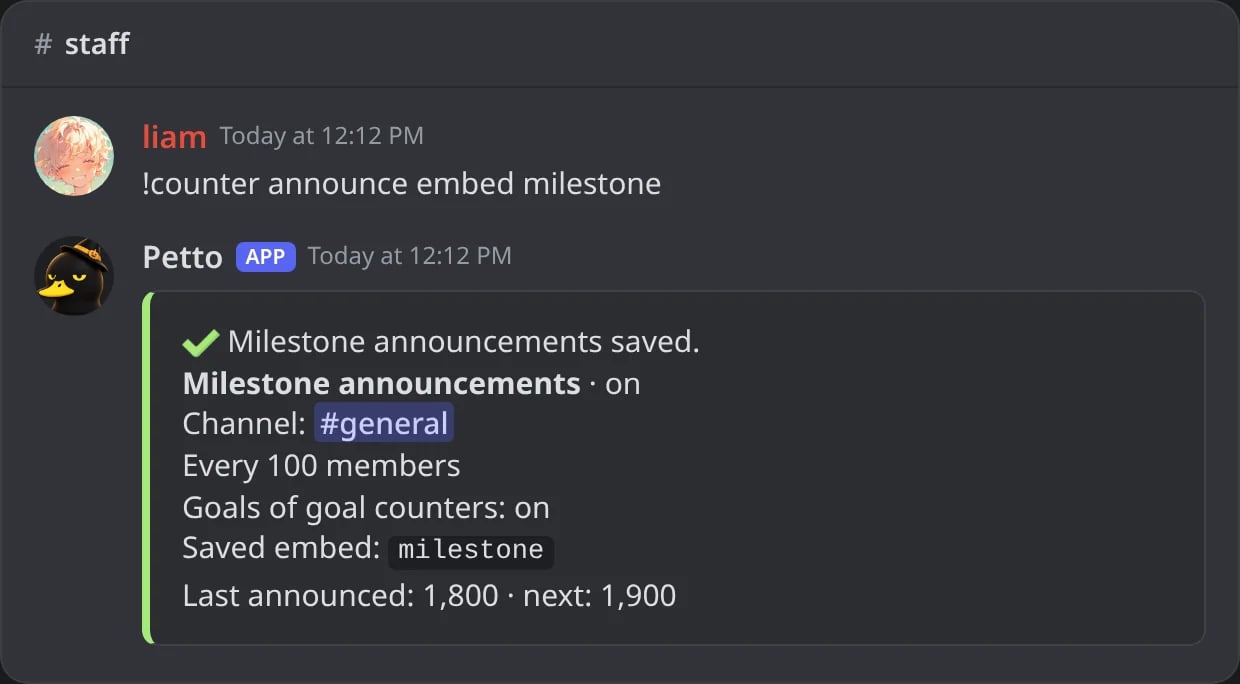
In Discord: a saved embed instead of the text.
!counter announce every
!counter announce every
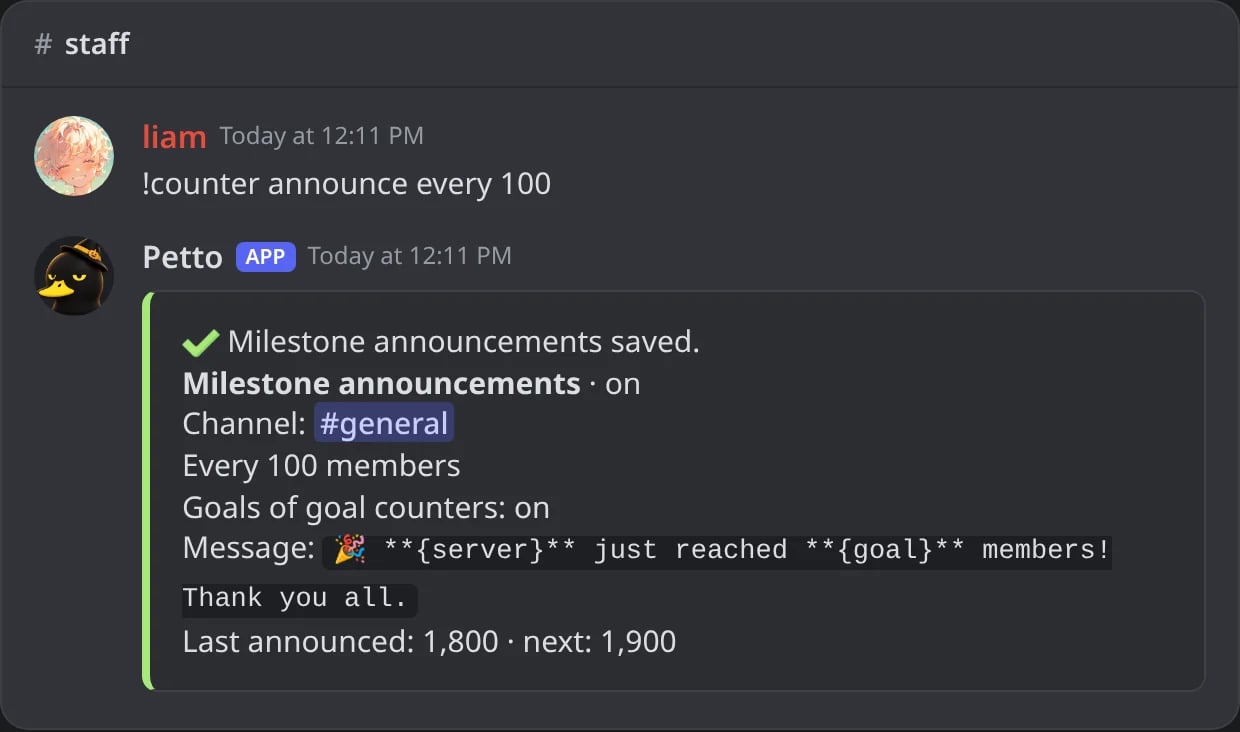
In Discord: an announcement every 100 members.
!counter announce goals off
!counter announce goals off
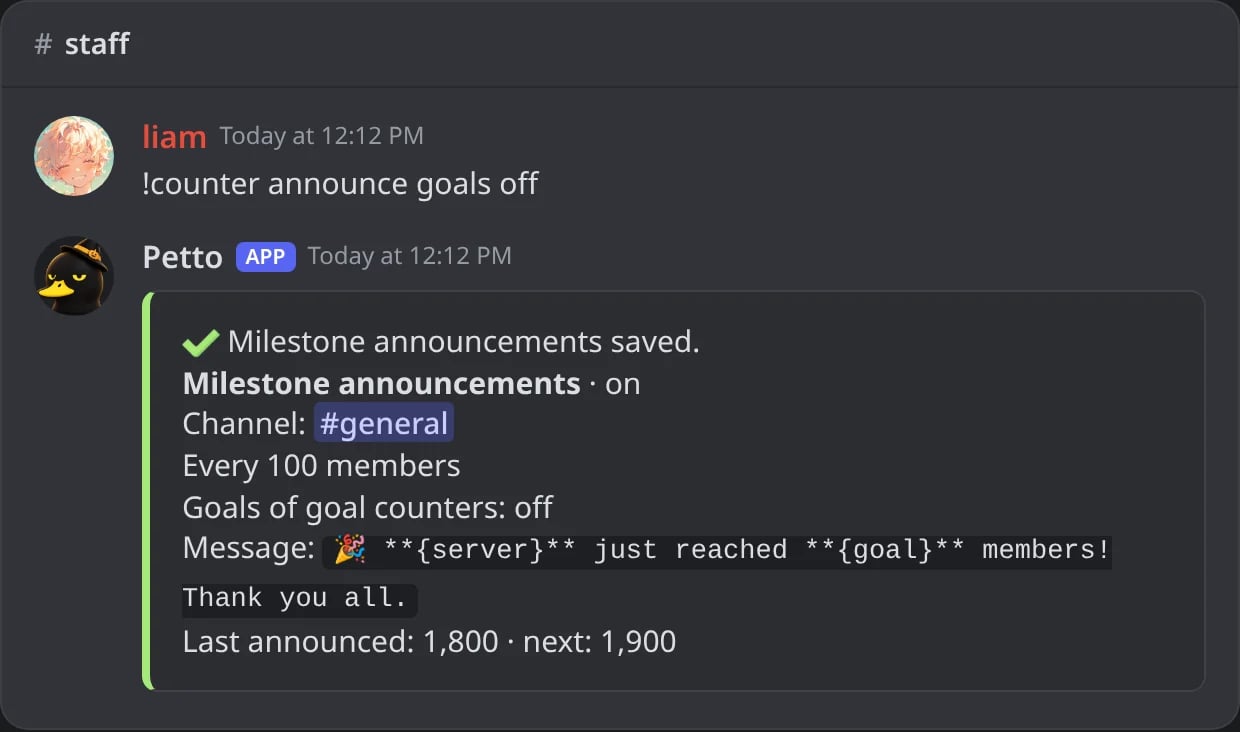
In Discord: the goals of goal counters are no longer announced.
!counter announce off
!counter announce off
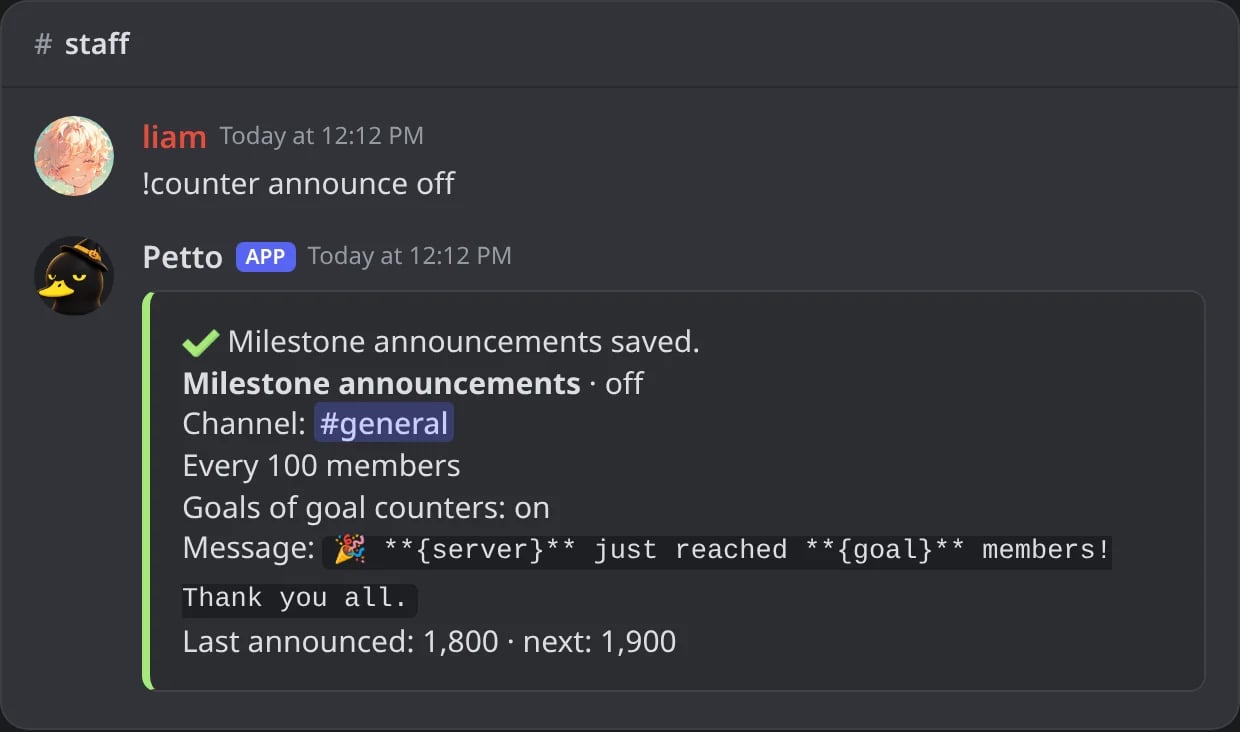
In Discord: the announcements stop and keep their settings.
!counter announce on
!counter announce on
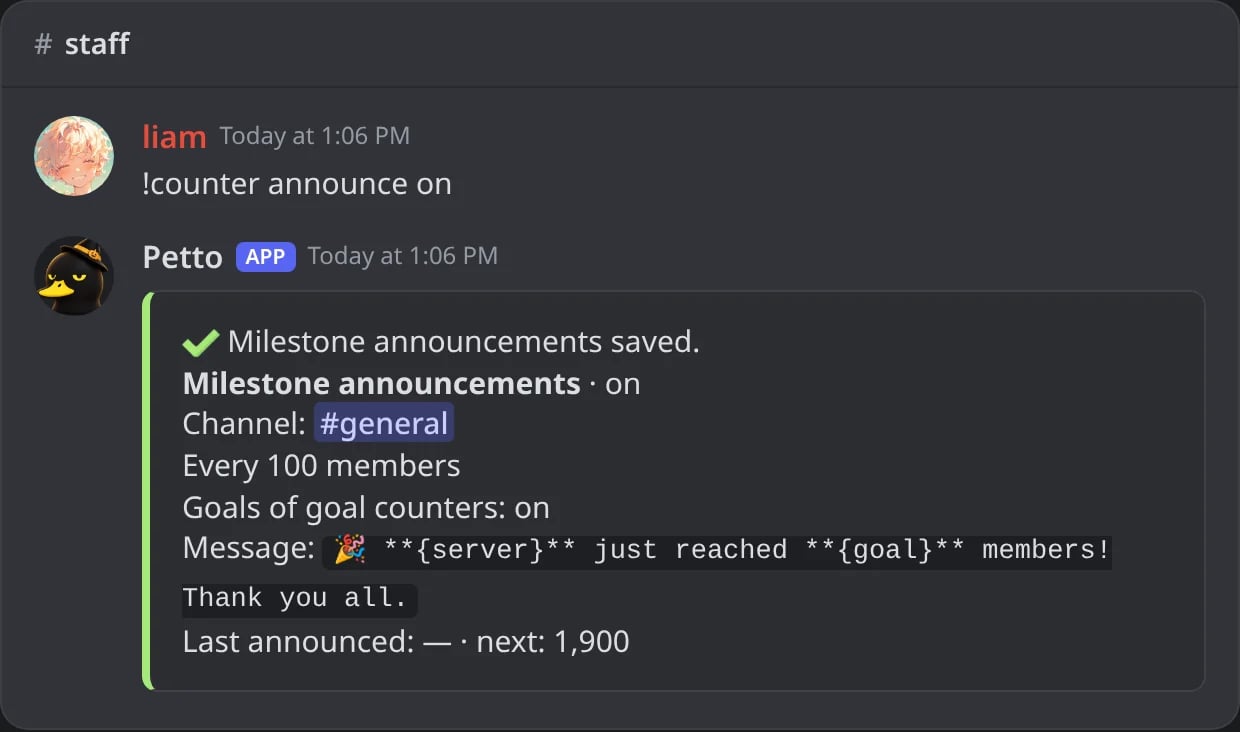
In Discord: the announcements back on, from the members of now.
!counter announce test
!counter announce test
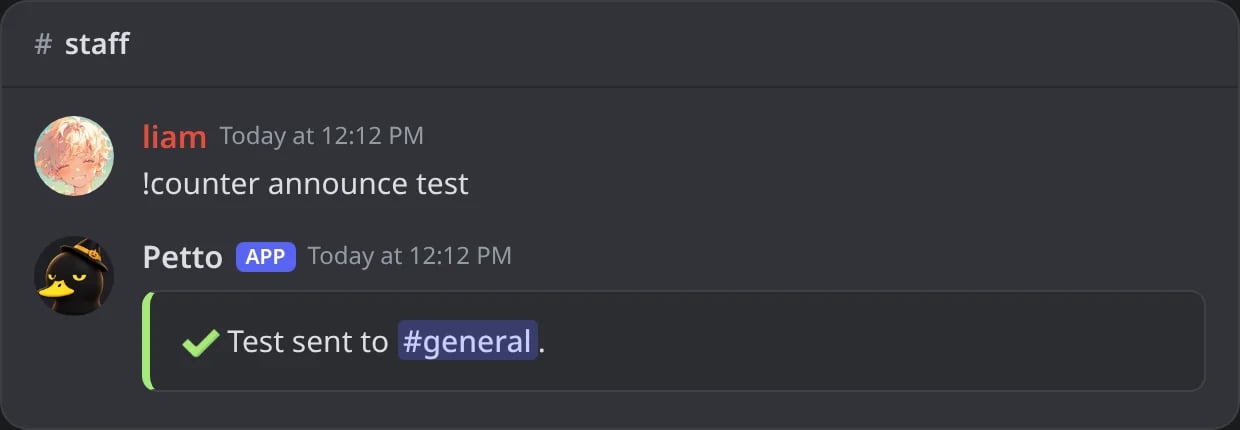
In Discord: a test is sent to the channel of the announcements.

In Discord: the message in #general, as a milestone sends it.
Dashboard
Dashboard → Integrations → Counters shows every counter with a live preview of its name, when it was last updated and when it updates next.- Packs: the same packs as
!counter setup, in a gallery with the names they will show. - Order: drag the counters (or use the arrows) and Petto moves the channels in Discord to match, inside their category.
- Rename: click a counter’s name to edit it with a live preview; Enter saves.
- Announcements: the same settings as
!counter announce, with a preview. - A small chart shows the members of the last 30 days.
Numbers and members chart
Numbers and members chart
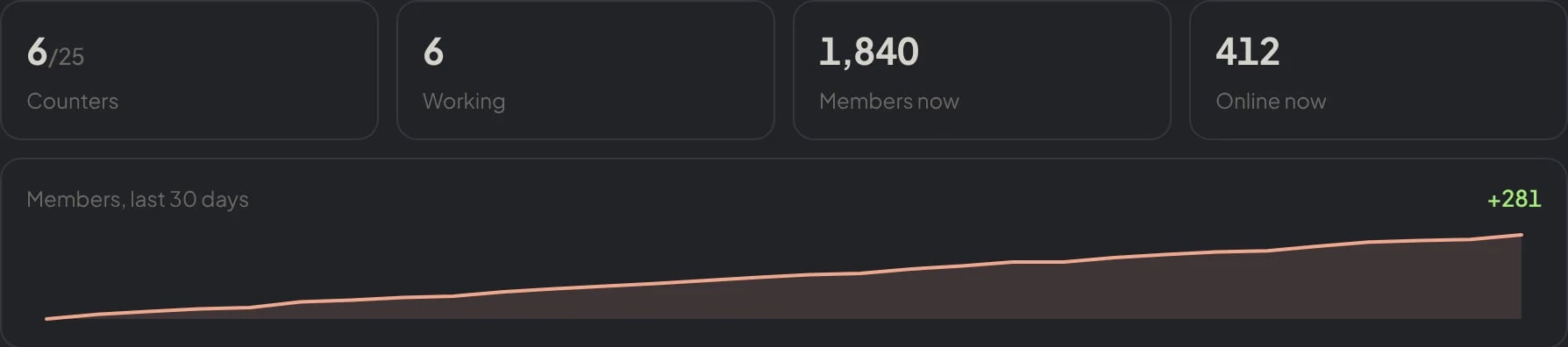
Dashboard → Integrations → Counters: the counters, how many work, the members and the online members now, and the members of the last 30 days.
Packs
Packs
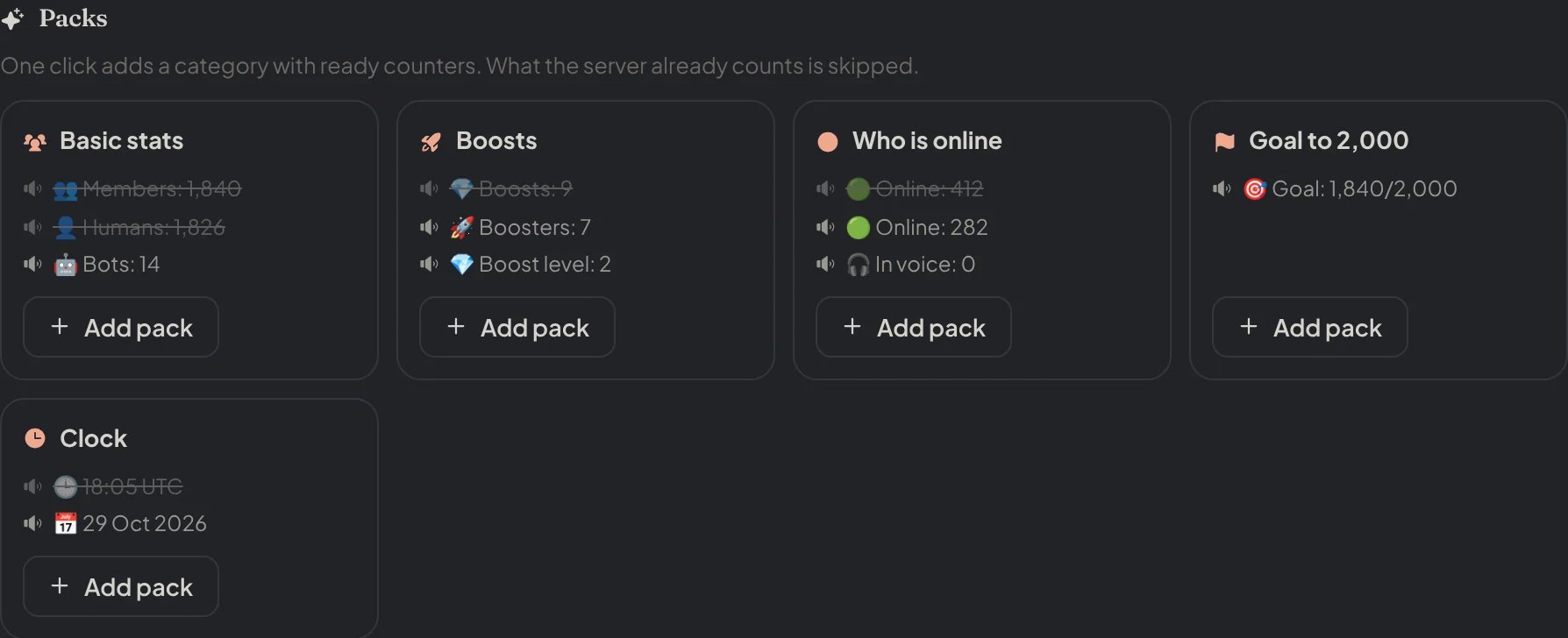
Dashboard → Integrations → Counters: the packs, with what the server already counts crossed out.
Order
Order
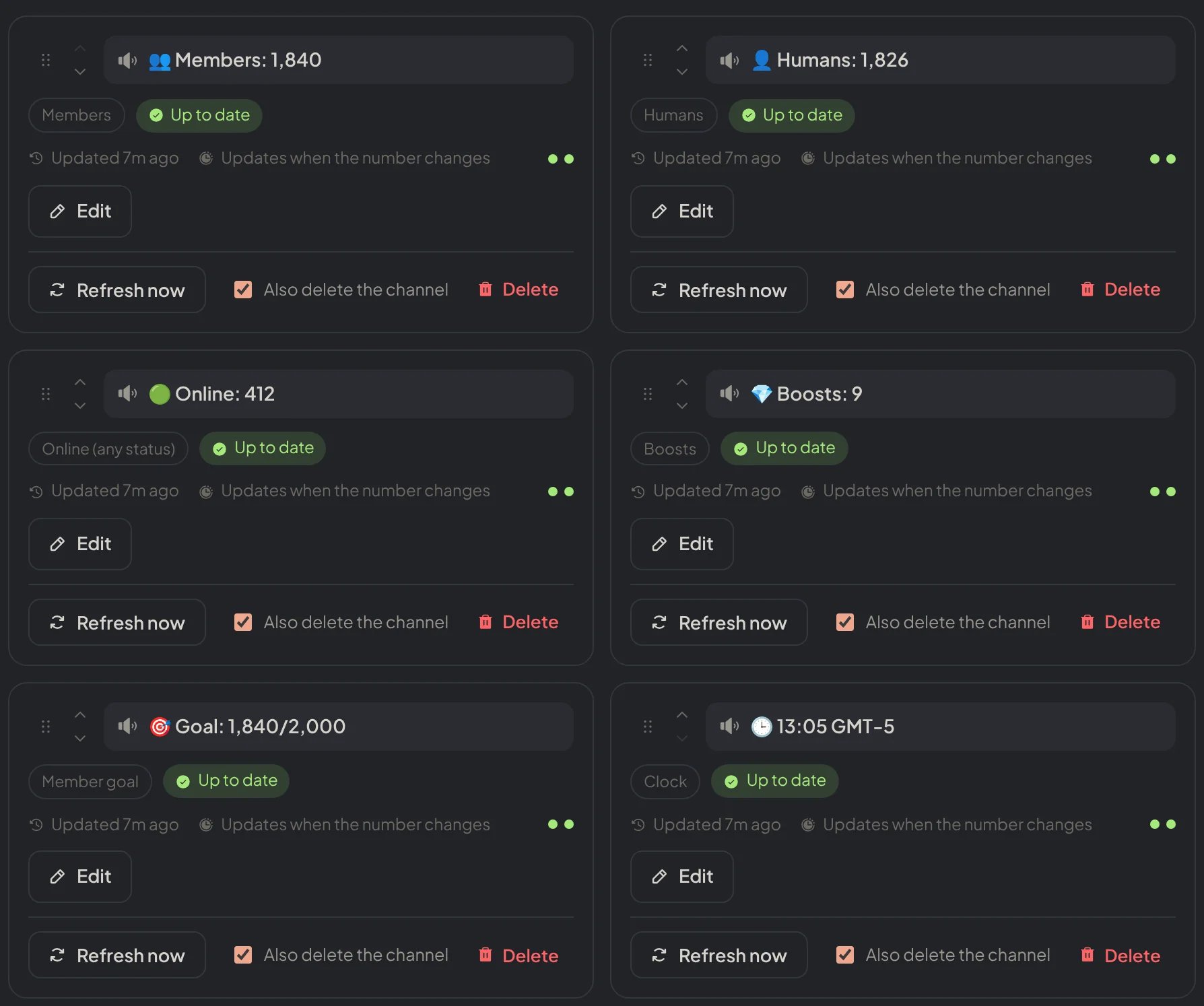
Dashboard → Integrations → Counters: the counters with their handle and arrows to change the order.
Rename
Rename
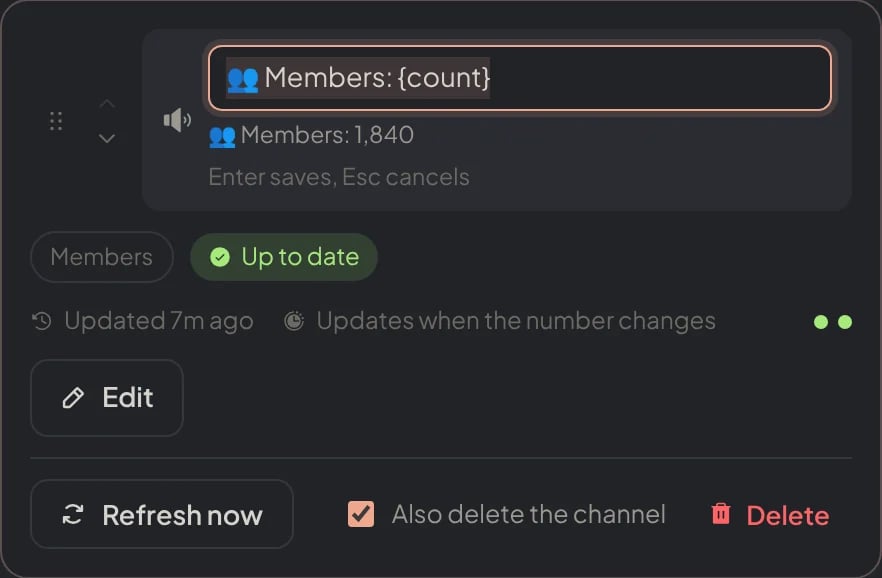
Dashboard → Integrations → Counters: a click on the name opens it for editing, with the live preview under it.
Edit
Edit
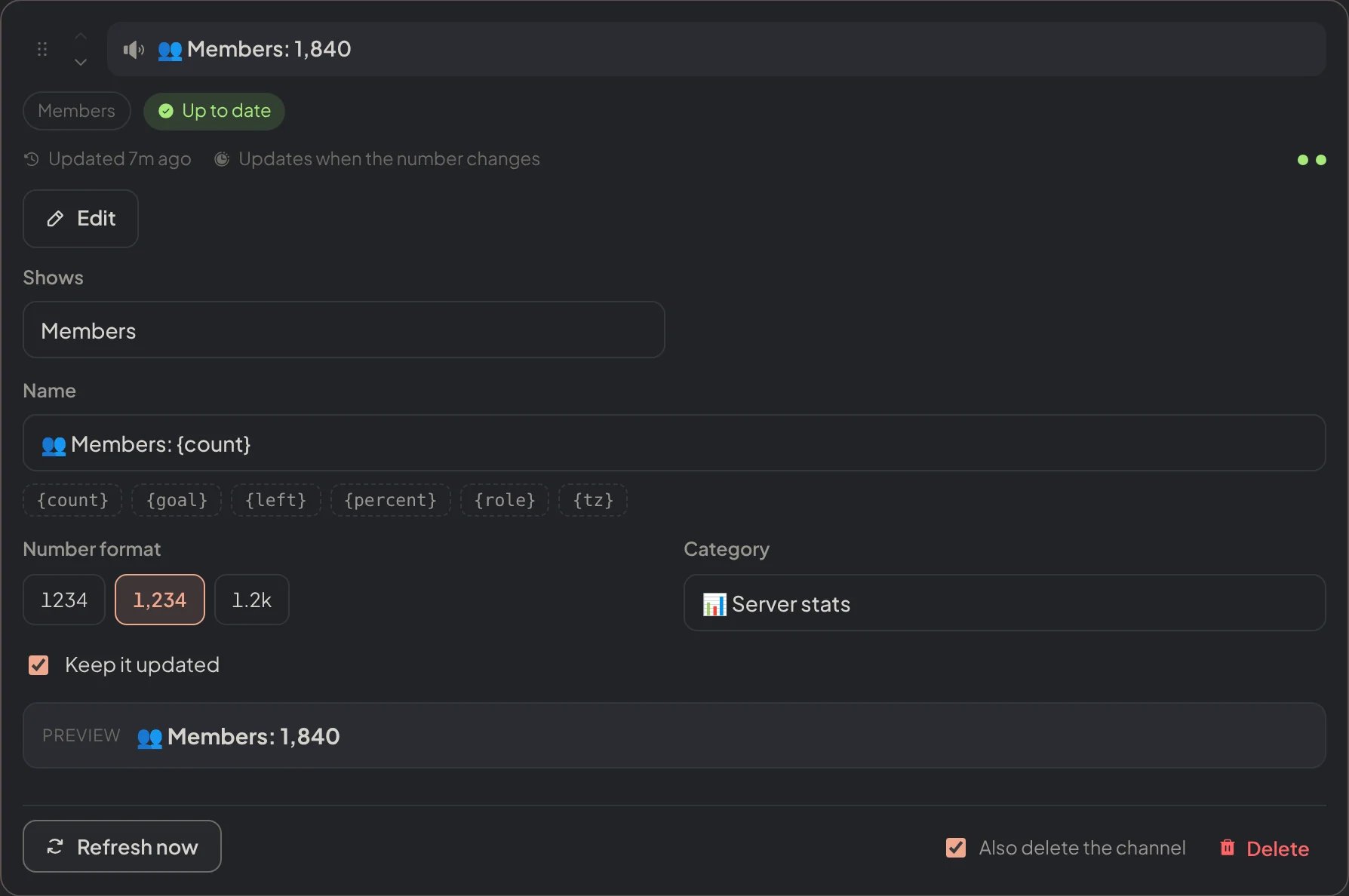
Dashboard → Integrations → Counters: Edit opens every setting of a counter with its preview.
Announcements
Announcements
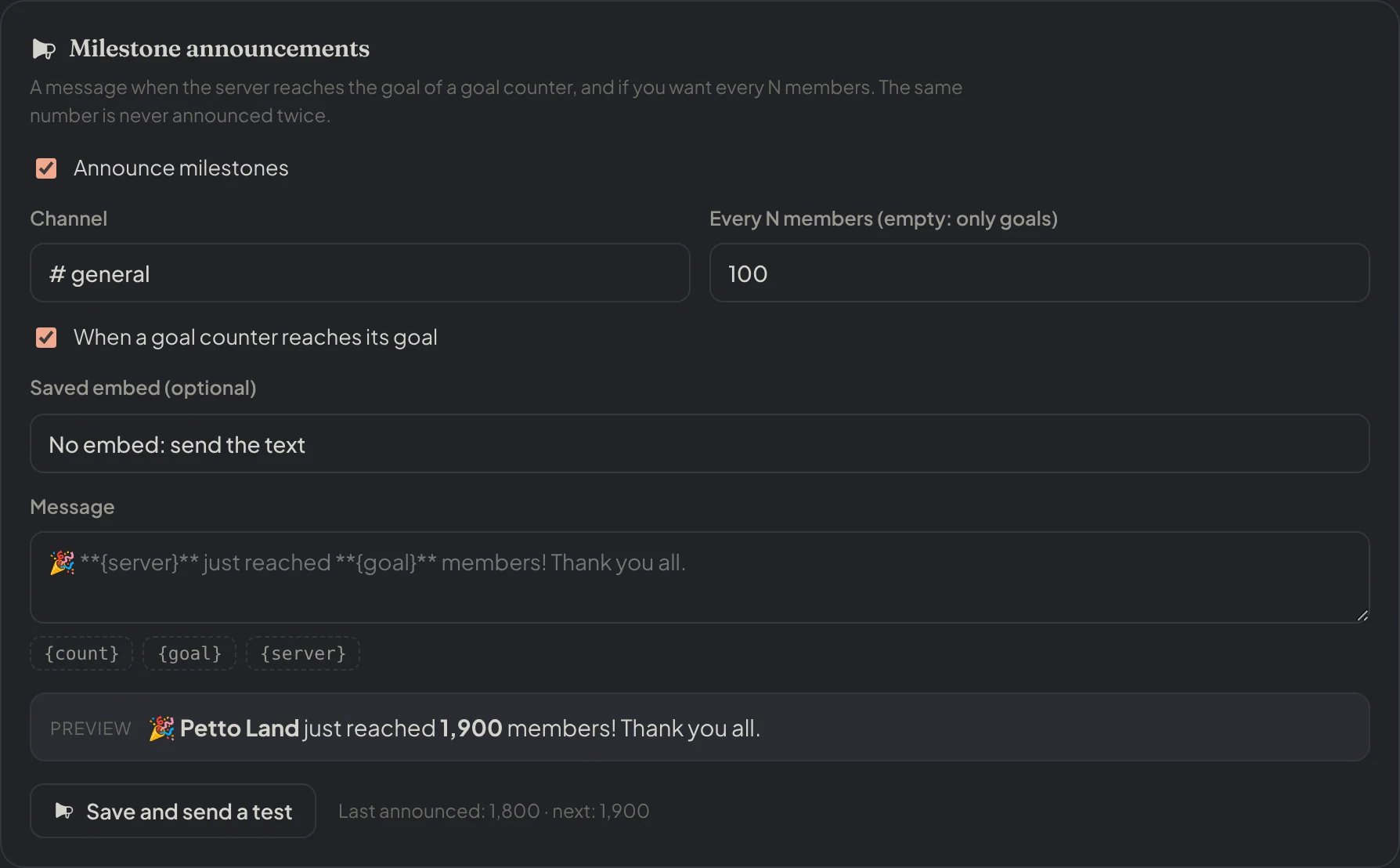
Dashboard → Integrations → Counters: the milestone announcements, with a preview of the message.
New counter
New counter
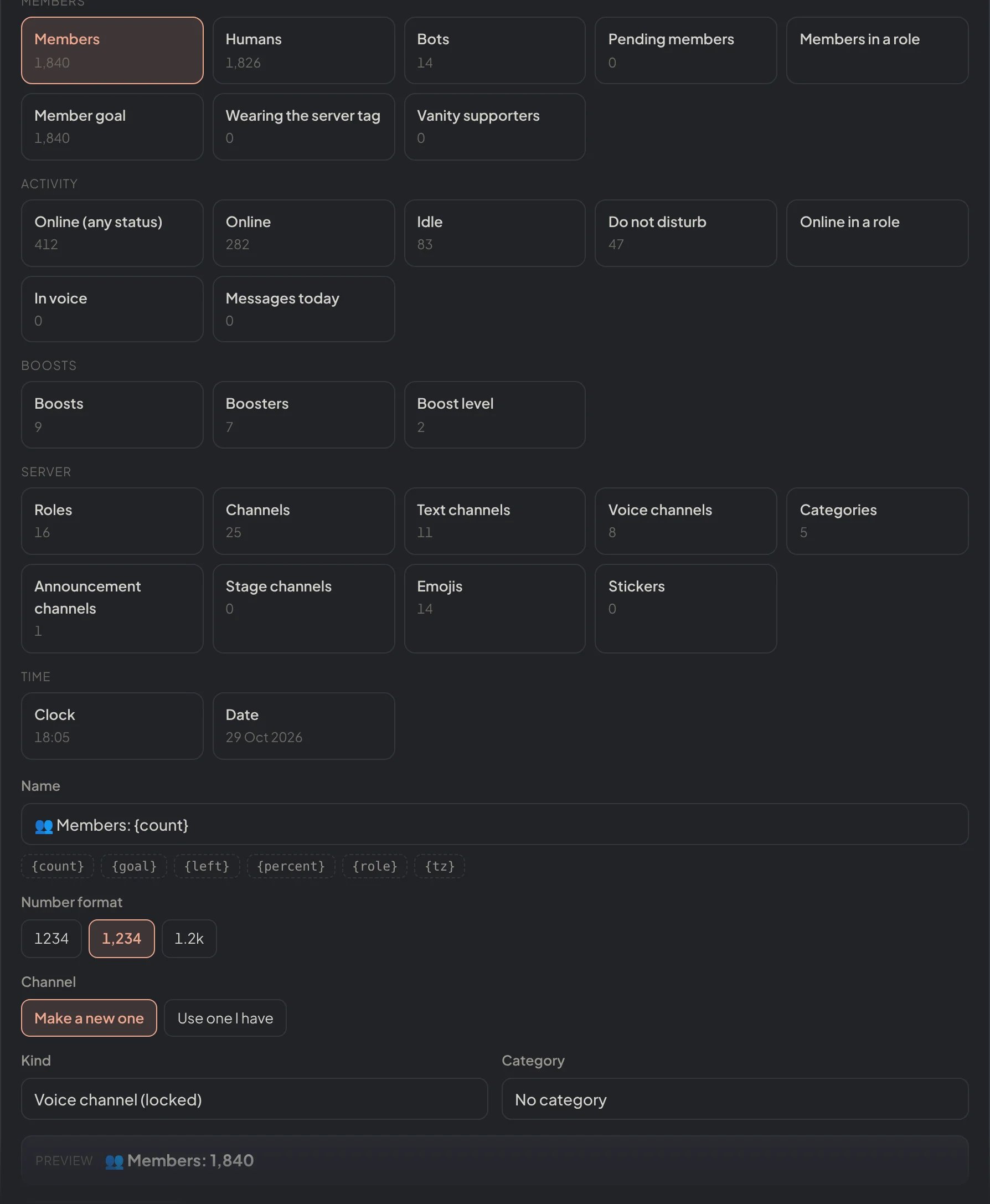
Dashboard → Integrations → Counters: a new counter: the type, the name, the format, the channel and a preview.
Limits
A Free server can have 25 counters and a Premium server 50.!counter create, !counter setup and the dashboard say when the limit is reached; see Premium.
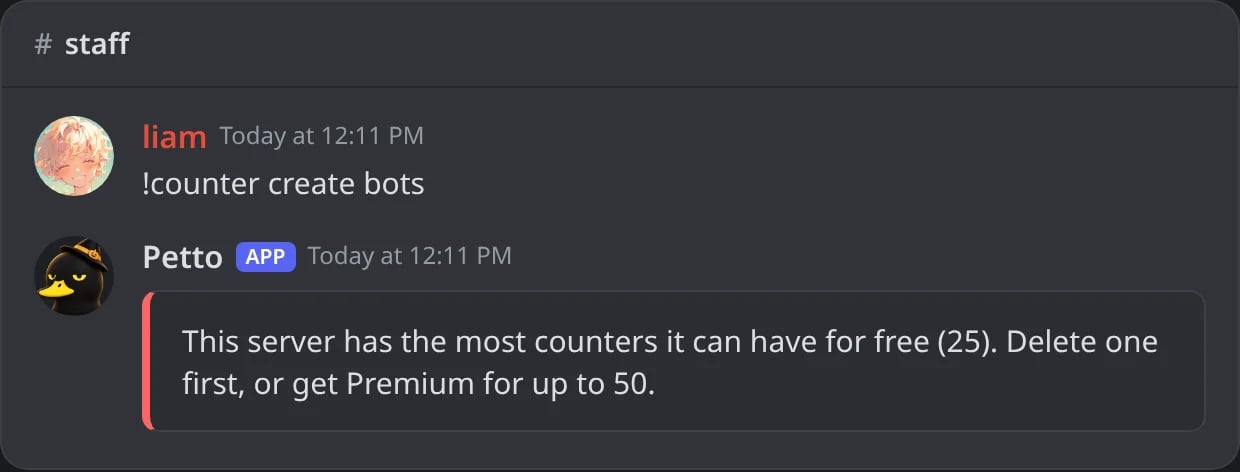
In Discord: a Free server with 25 counters cannot make another one.
Common issues
A counter is late
A counter is late
!counter list and the dashboard say when it changes next.An online counter shows 0 or is marked with a problem
An online counter shows 0 or is marked with a problem
A counter says its channel is missing
A counter says its channel is missing
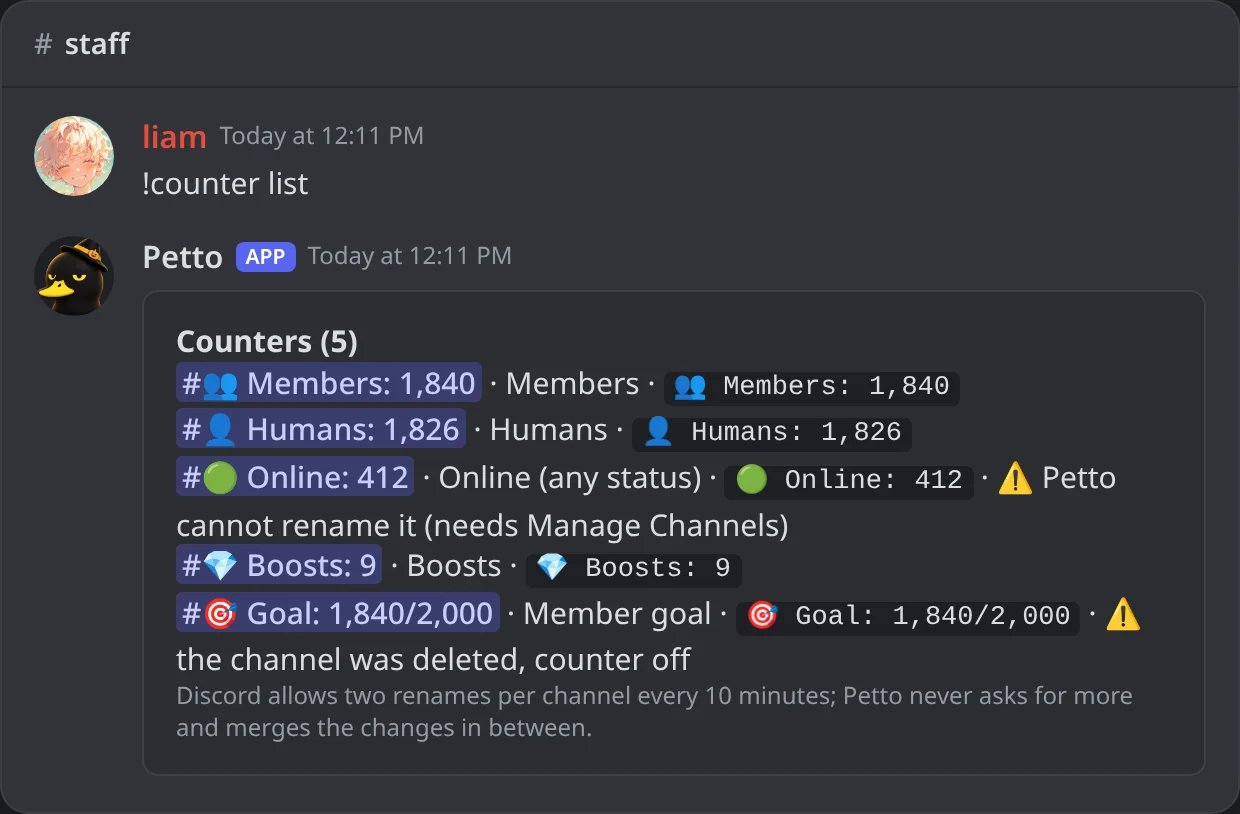
In Discord: !counter list shows the problem of each counter.
A counter says Petto has no permission
A counter says Petto has no permission