
Overview
Auto-reply whenever a message matches a trigger word or phrase. Use it for the questions your members ask every day (where to get help, how to get a role, what the rules are), for greetings, or to react with an emoji when someone says a word. The trigger can be anywhere in the message or match it exactly, it can be limited to some channels and roles, and the reply can quote the member, delete the message or replace its own previous reply.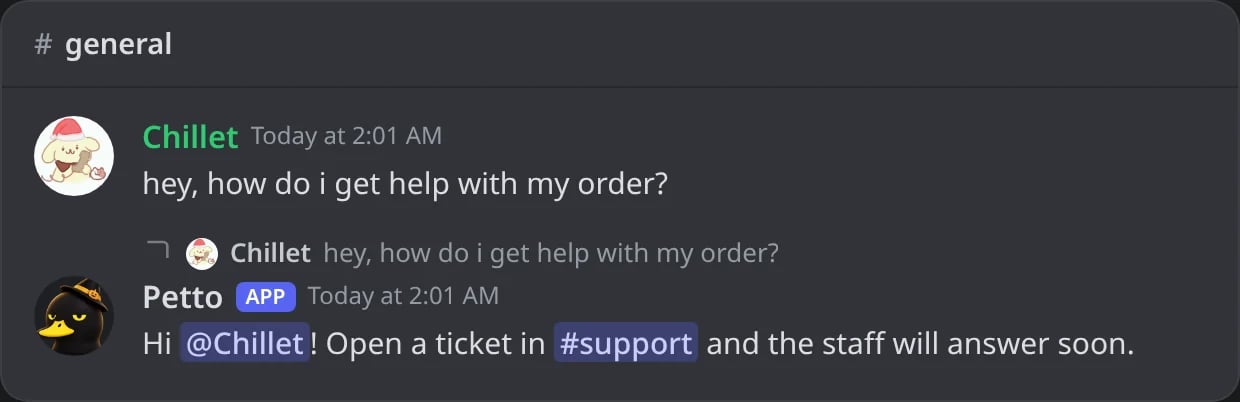
In Discord: a member asks for help and the autoresponder answers as a reply.
Commands
!autoresponder add
!autoresponder add
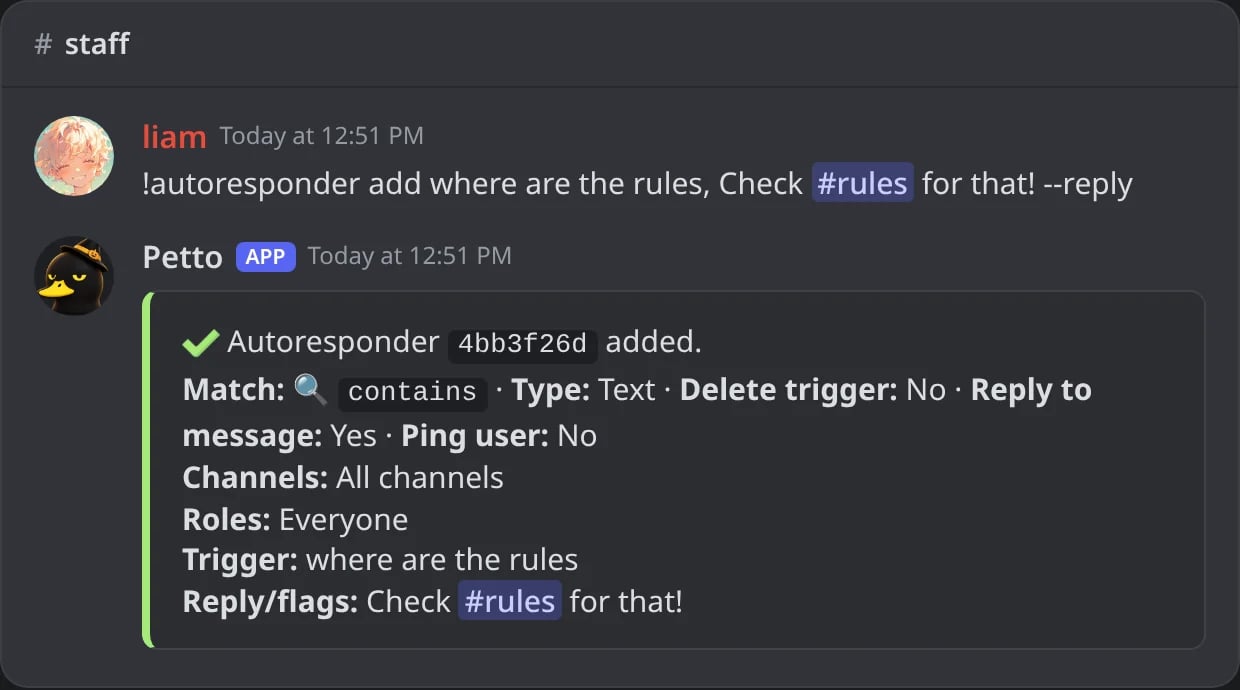
In Discord: a new autoresponder with its id and its settings.
!autoresponder add (embed code)
!autoresponder add (embed code)
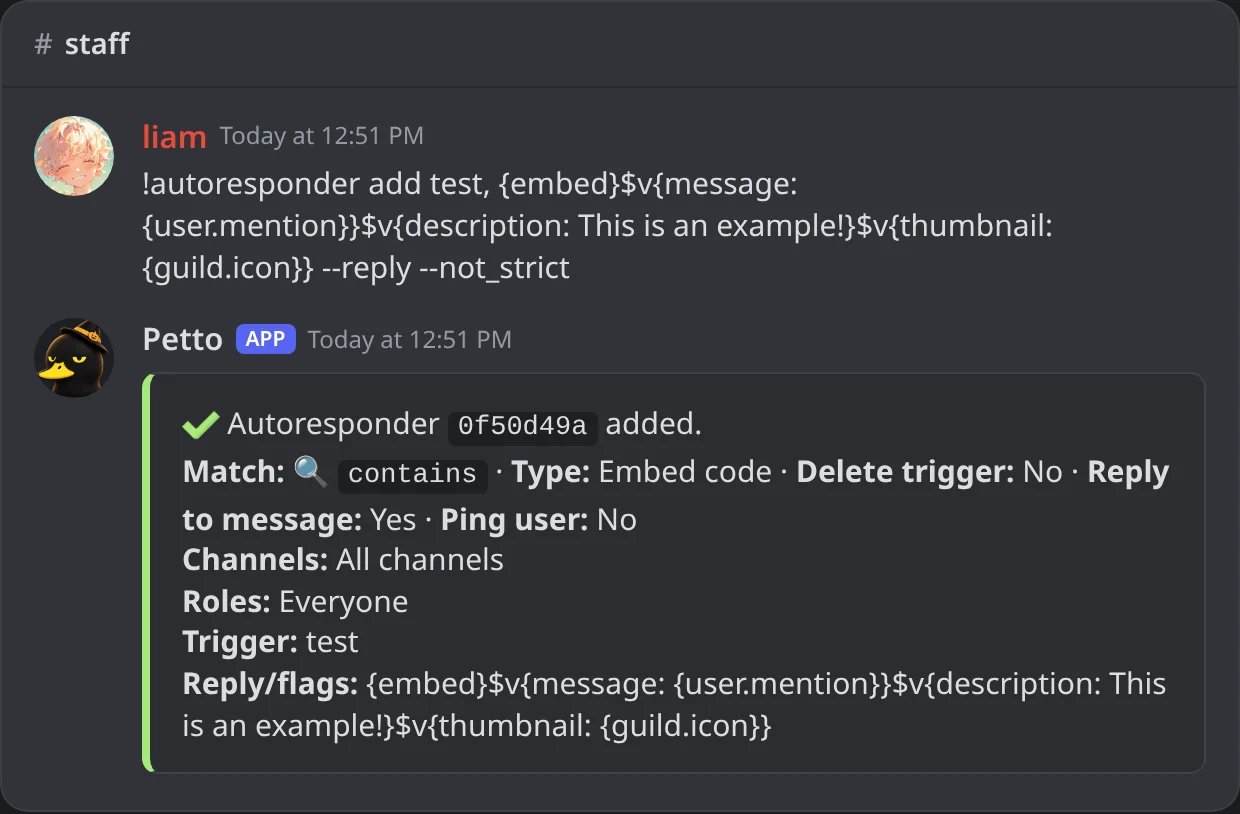
In Discord: an autoresponder whose reply is an embed code.
!autoresponder edit
!autoresponder edit
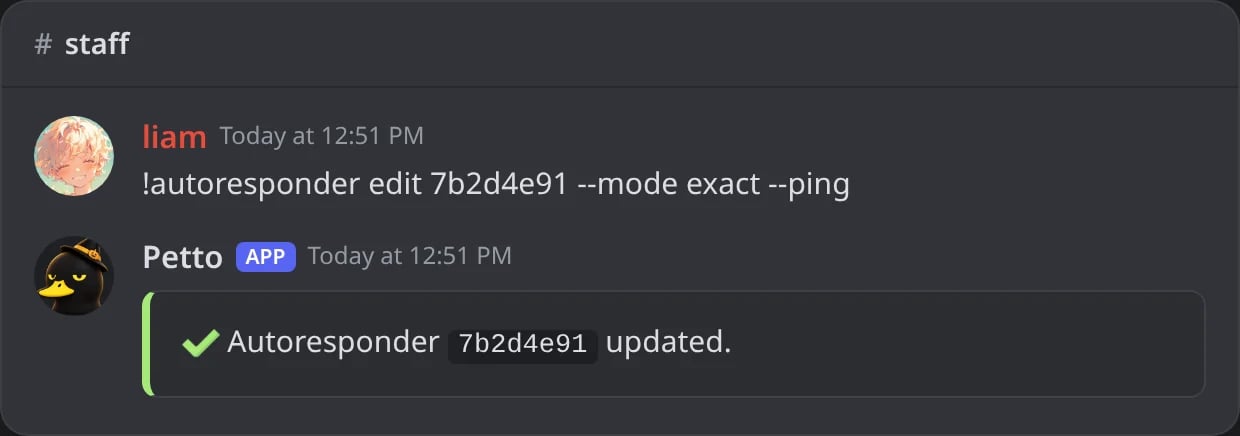
In Discord: the greeting changes to exact match and notifies the author.
!autoresponder remove
!autoresponder remove
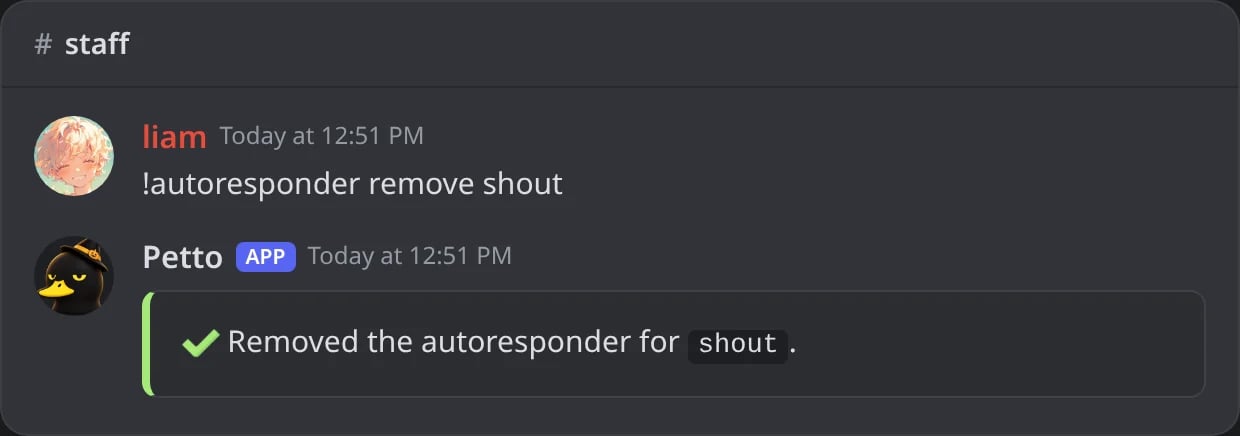
In Discord: an autoresponder removed by its trigger.
!autoresponder list
!autoresponder list
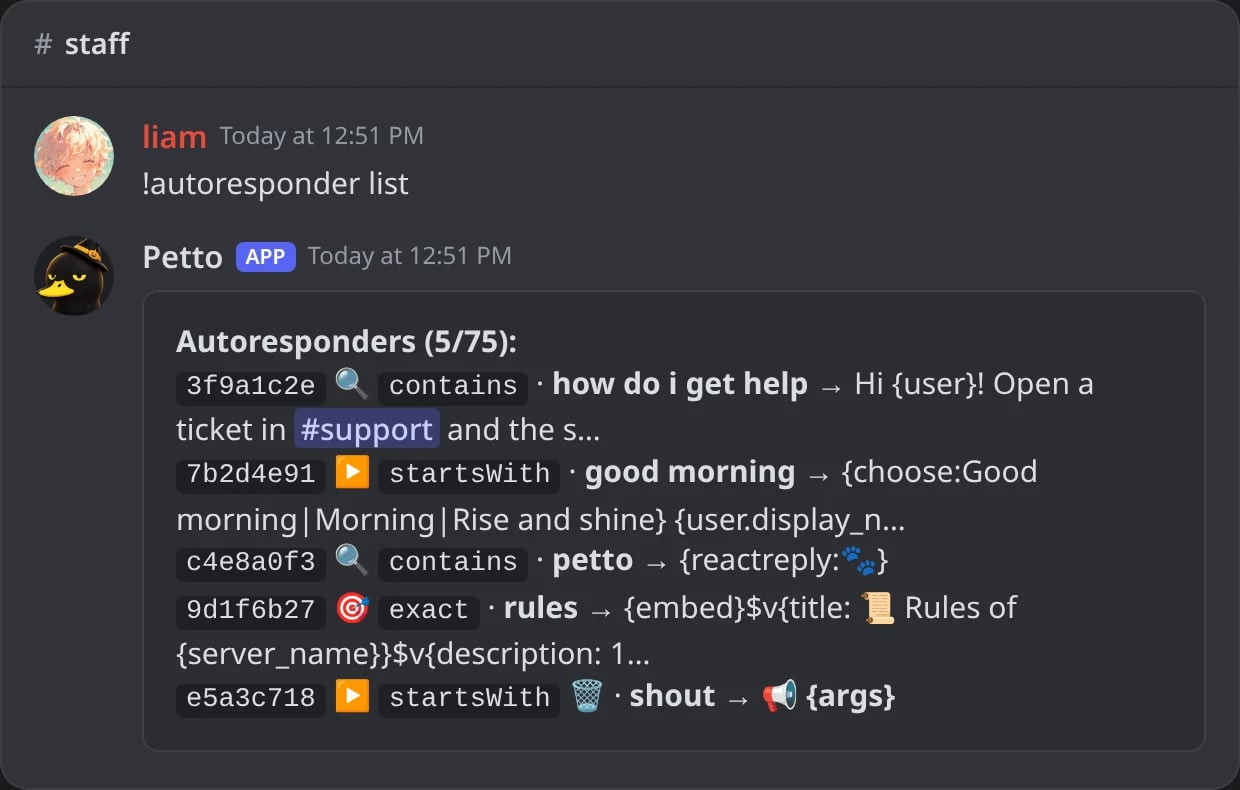
In Discord: every autoresponder with its id, its match mode and the start of its reply, out of 75.
!autoresponder show
!autoresponder show
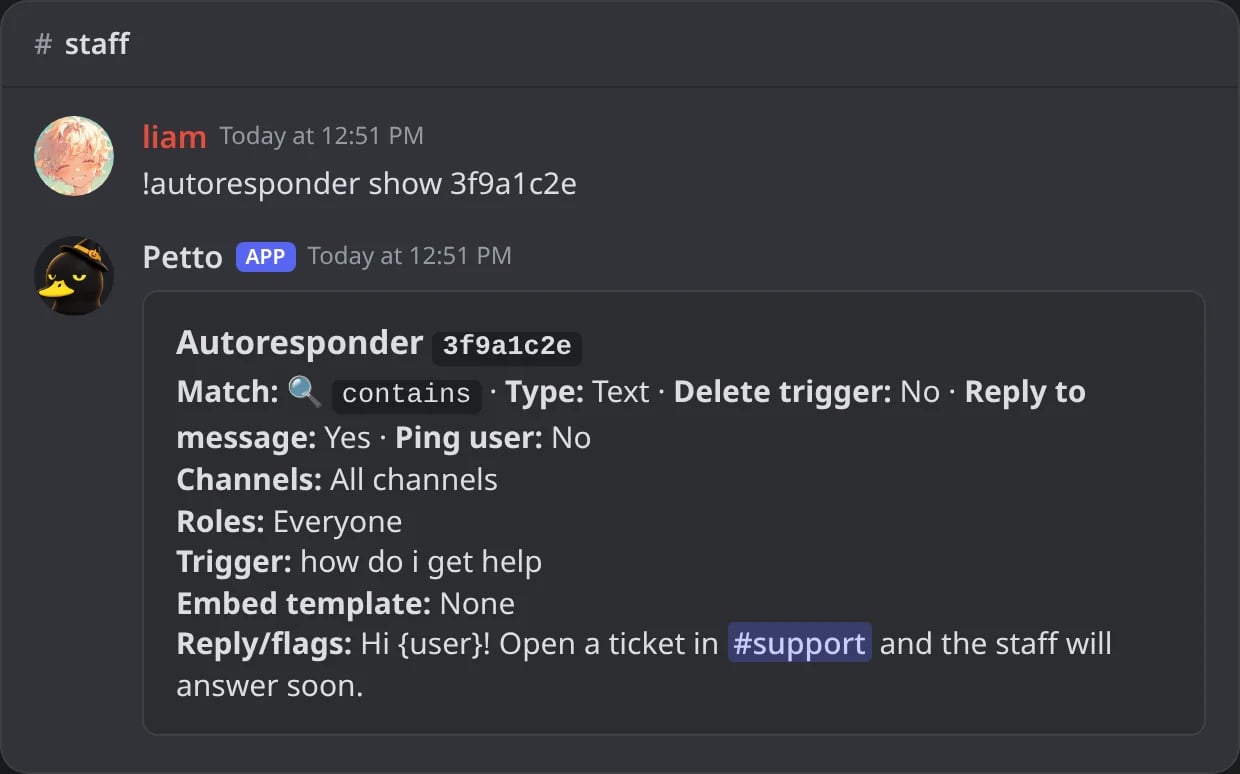
In Discord: all the details of one autoresponder.
!autoresponder reset
!autoresponder reset
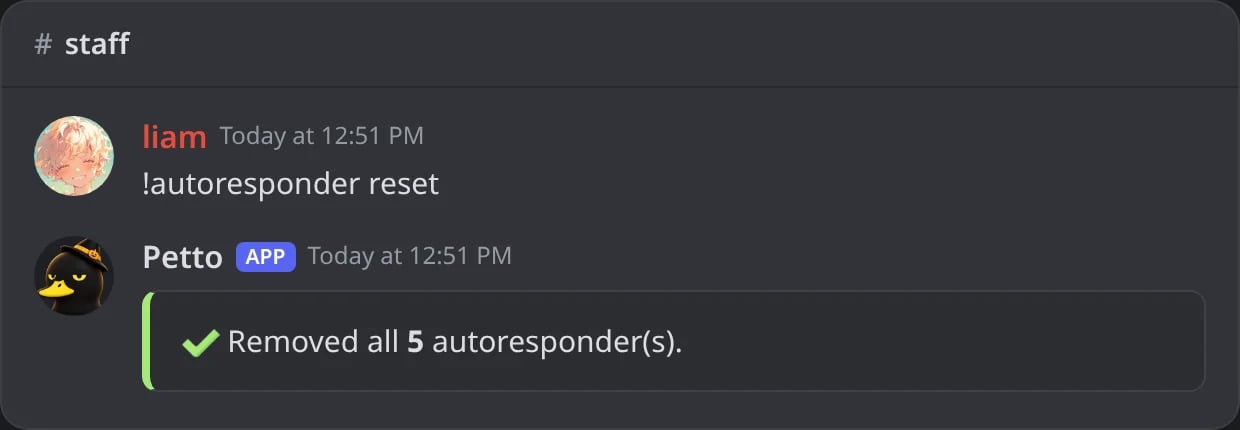
In Discord: every autoresponder of the server deleted at once.
reset deletes every autoresponder in the server, use carefully.
The trigger and the reply
A comma ends the trigger, so the trigger can have spaces:!autoresponder add good morning, Hello!. A trigger in “quotes” works too, and so does the old way without a comma, where the trigger is the first word (!autoresponder add hi Hello there). A comma only ends the trigger when it comes before the first { of the reply, so commas inside an embed code are safe.
The reply is plain text (with variables) or an embed code: text, up to 10 embeds and link buttons. The code is checked when it is saved: if Discord would refuse it, nothing is saved and the answer says why. Line breaks and quotes inside the code are kept.
Examples
- Help pointer
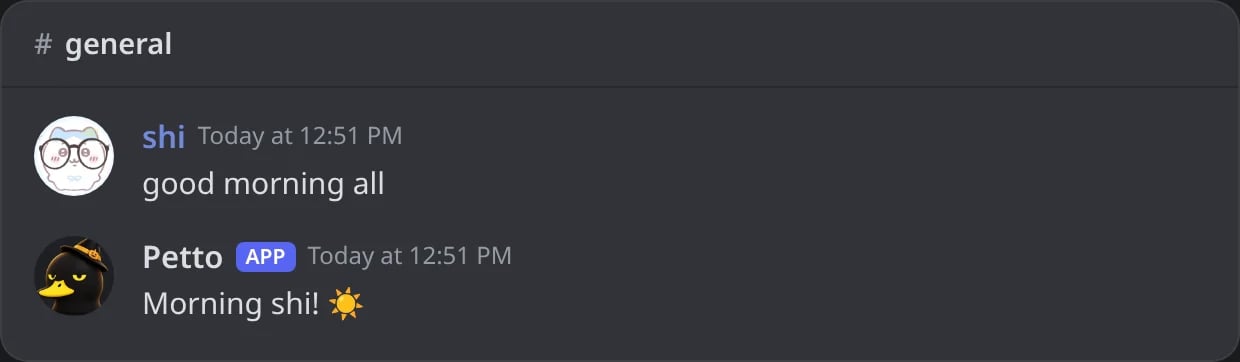
- Greeting
- Echo after the trigger
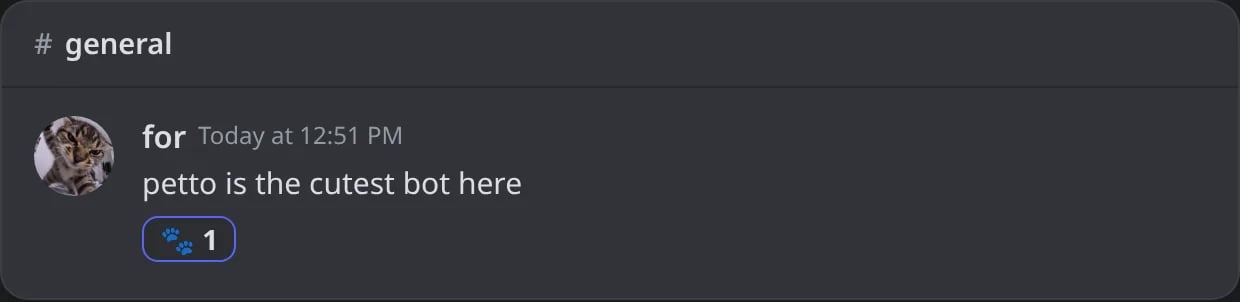
- React only
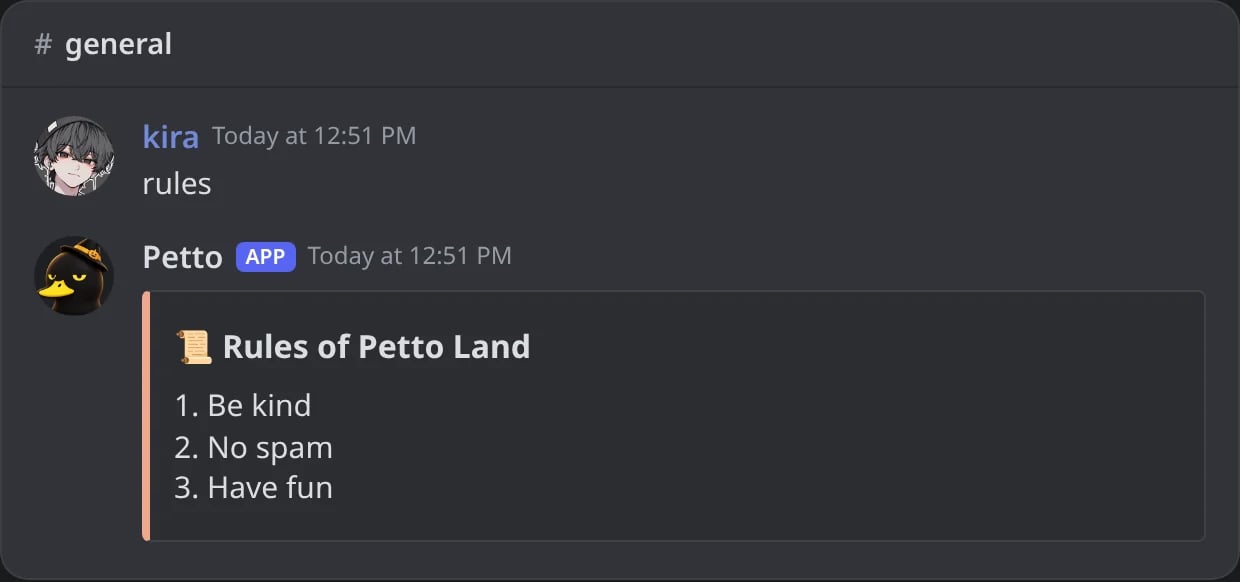
- Embed code
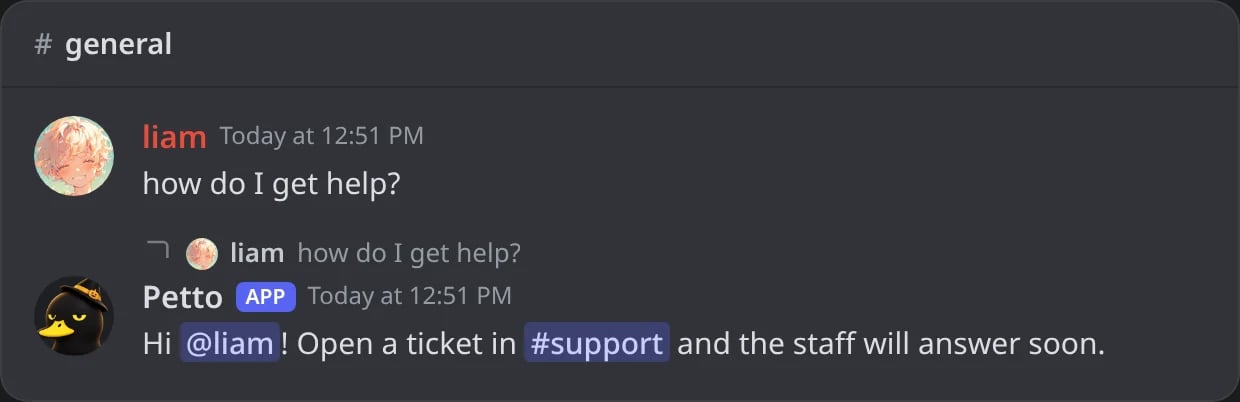
In Discord: the help pointer answers as a reply.

Variables in replies
Replies, embed codes and saved embeds take every variable. Besides the usual member and server ones, an autoresponder has:! before a mention in a reply (!@Role, !{user.mention}) to show it without notifying anyone: see Silent mentions.
Flags
Flags go at the end of the command, after the reply.--word inside an embed code stays part of the code.Match modes
contains (default)
contains (default)
startsWith / endsWith
startsWith / endsWith
exact
exact
regex
regex
Scoping to specific channels
!autoresponder channel add
!autoresponder channel add
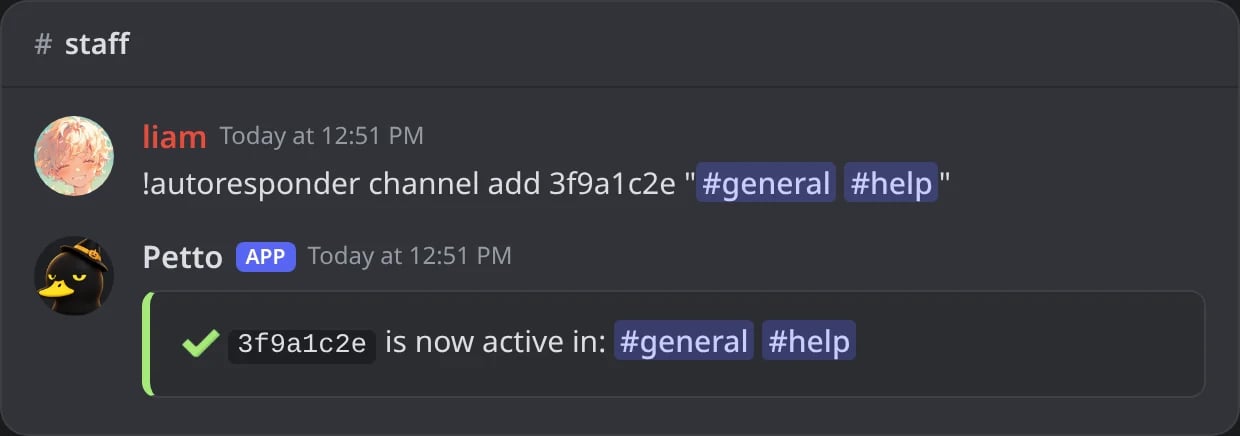
In Discord: the help pointer only answers in #general and #help.
!autoresponder channel remove
!autoresponder channel remove
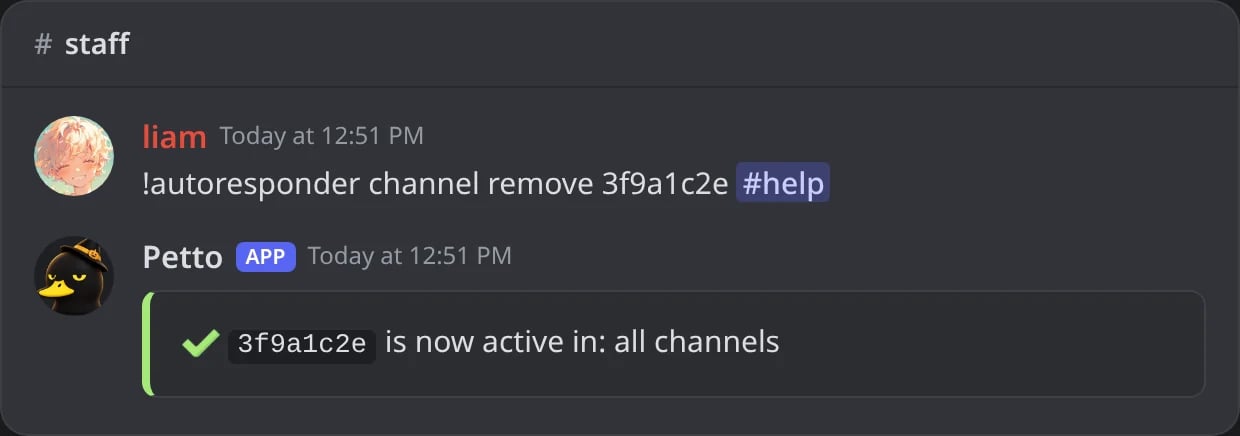
In Discord: one channel taken out of the list.
!autoresponder channel clear
!autoresponder channel clear
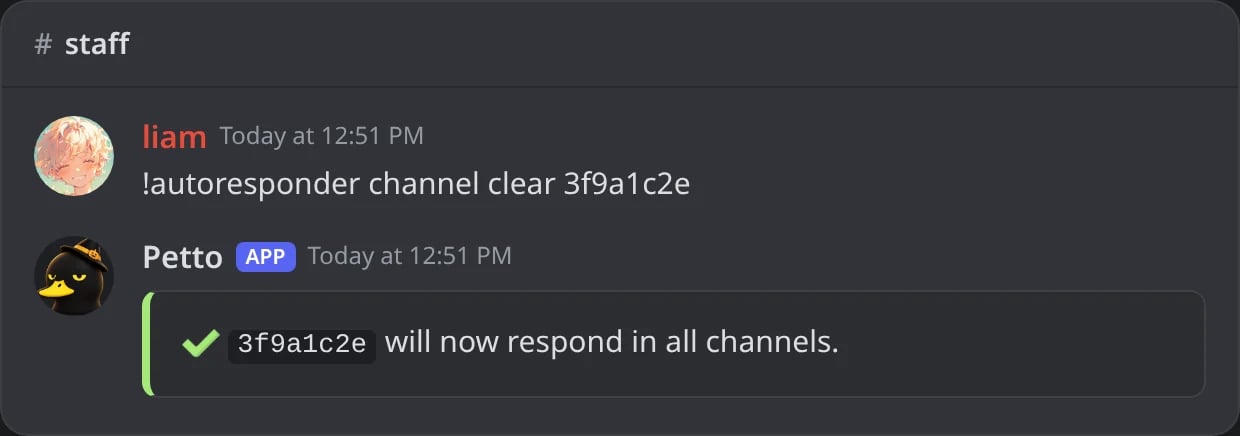
In Discord: the autoresponder answers in every channel again.
id is the code of 8 letters and numbers that !autoresponder list shows (like 3f9a1c2e). channel clear removes the restriction back to everywhere.
Members can be limited the same way: with roles, the autoresponder only answers members who have one of them.
!autoresponder role add
!autoresponder role add
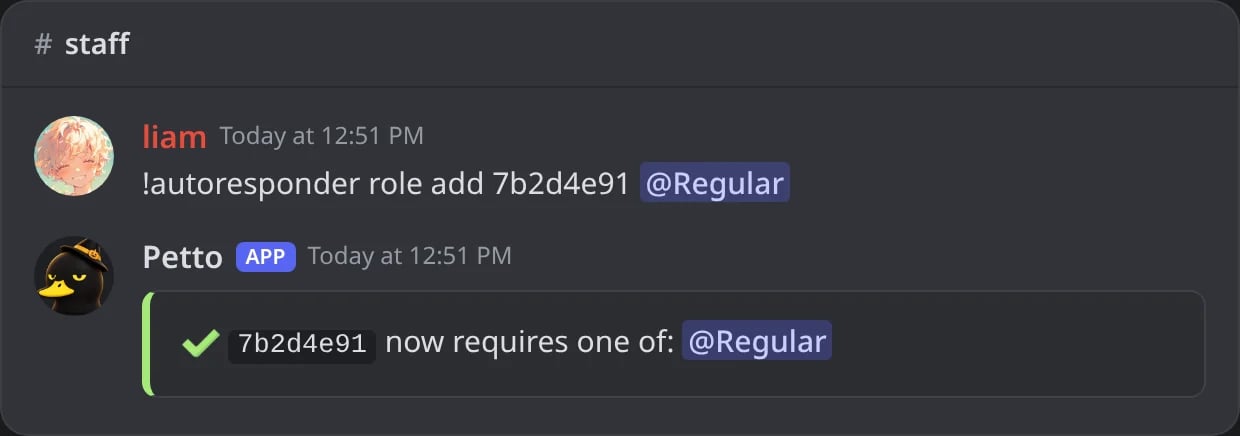
In Discord: the greeting only answers members with the Regular role.
!autoresponder role remove
!autoresponder role remove
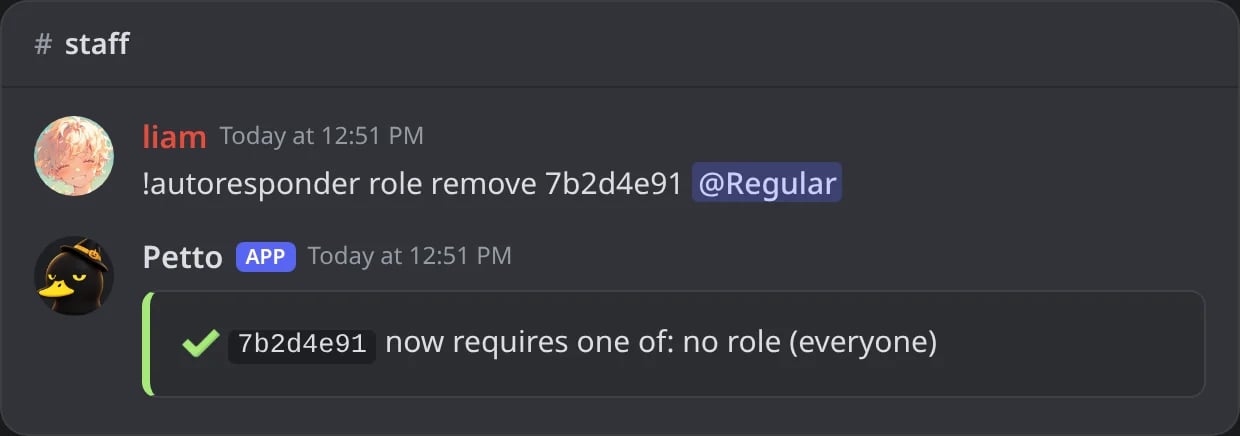
In Discord: the role taken out; with no roles left, it answers everyone.
!autoresponder role clear
!autoresponder role clear
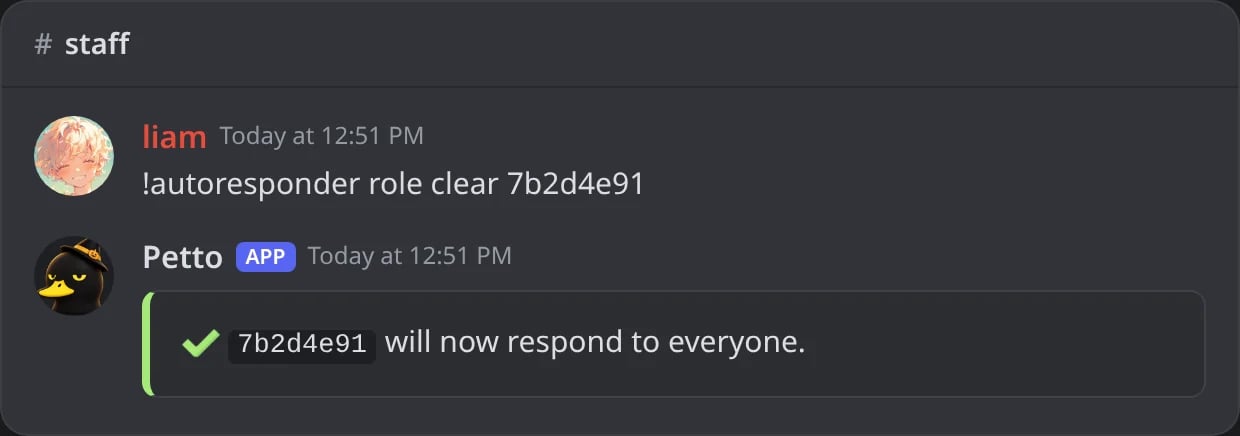
In Discord: every role restriction removed at once.
Deleting the triggering message
The--delete flag (the delete_trigger option) removes the message that triggered the response, useful for keyword-triggered cleanup.
Sending as an embed
The reply can go inside a simple embed instead of plain text, without a saved embed: theembed option of the slash command (/autoresponder add with embed: True), or Send as an embed in the dashboard, where it can also have a title, a color and a footer.
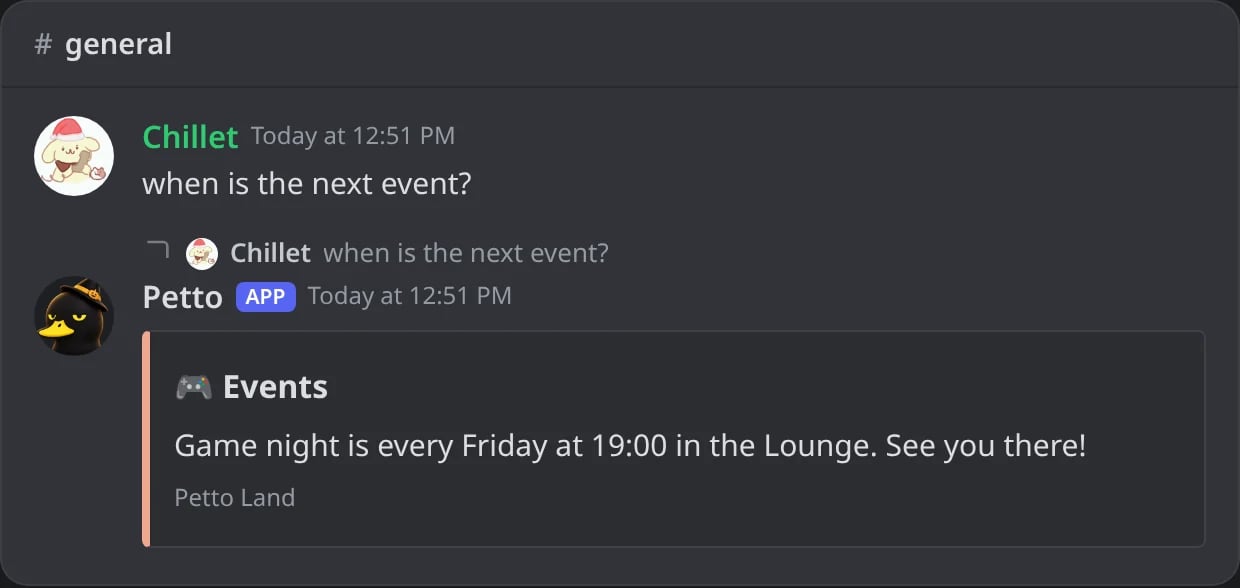
In Discord: a reply sent as a simple embed, with the title, color and footer set in the dashboard.
Limits
A Free server can have 75 autoresponders and a Premium server 150. See Premium.Dashboard
The same autoresponders are in Automation → Autoresponders of the dashboard: each one as a card with the trigger, Petto’s answer and its options, and Edit opens all of its settings (match mode, reply, the four checkboxes, plain text or embed with its title, color and footer, a saved embed, channels and roles). The form at the bottom adds one.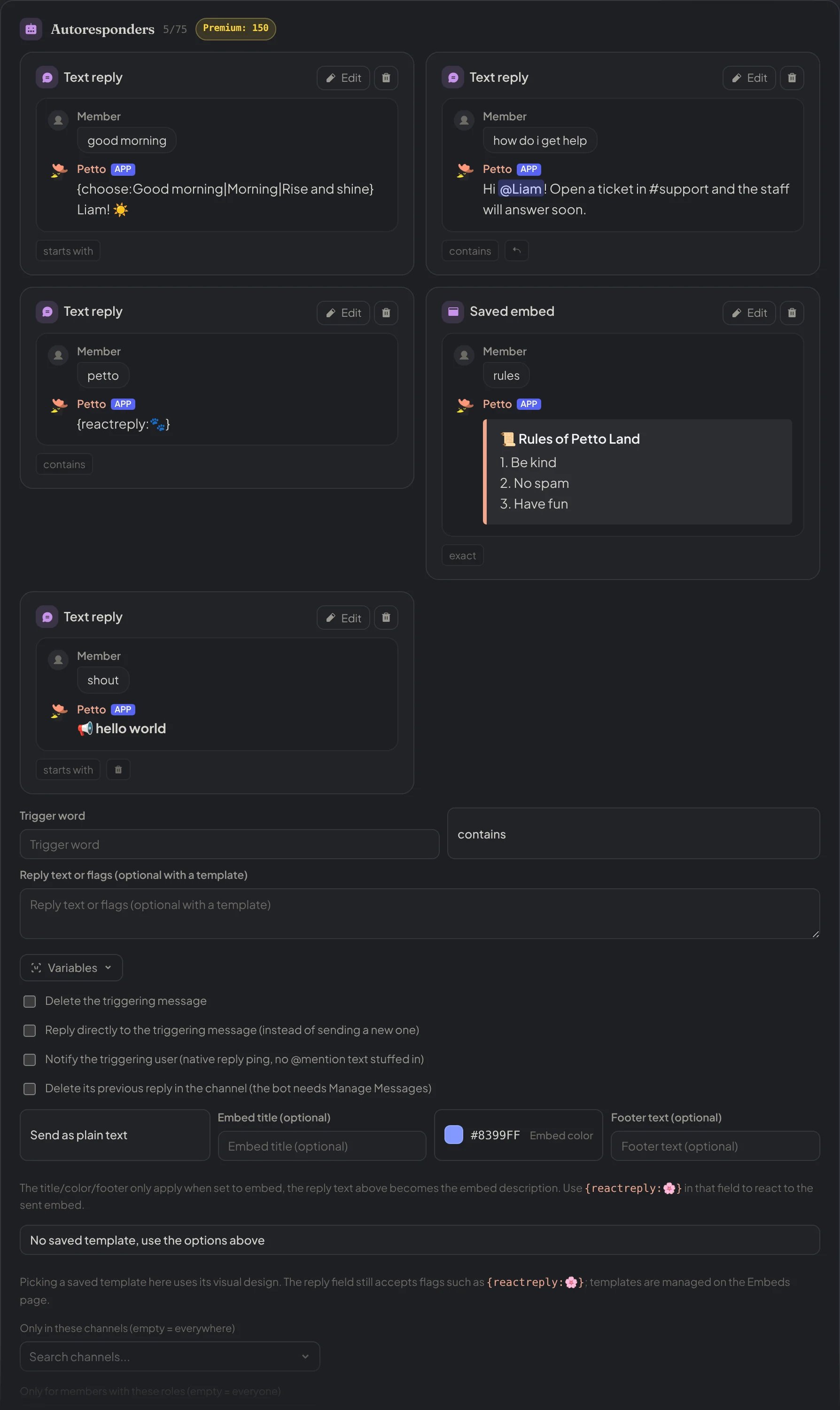
Dashboard → Automation → Autoresponders: a card for each autoresponder, with the trigger, Petto's answer and its options.
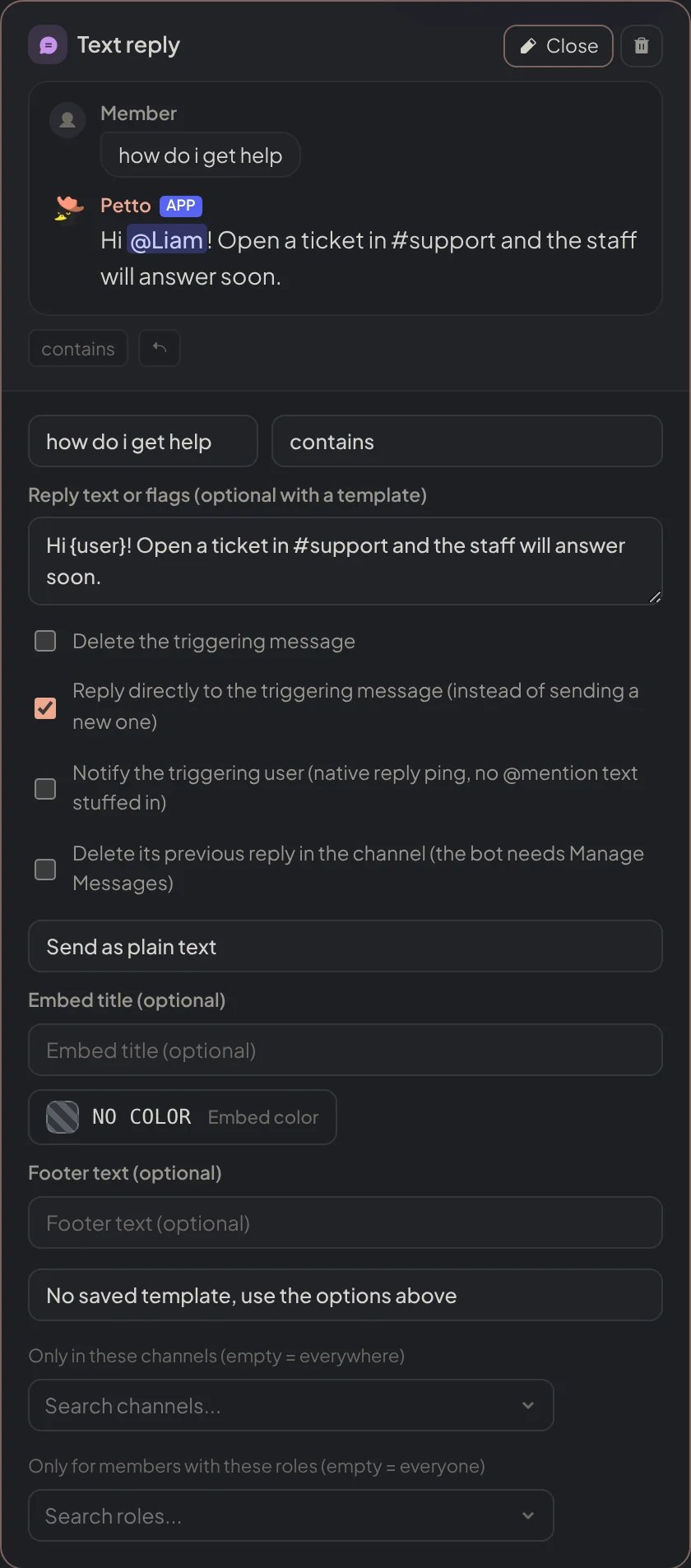
Dashboard → Automation → Autoresponders: Edit opens every setting of one autoresponder.