
What it does
Every server gets its own appeal page atpetto.sbs/appeal/<server id>. A member signs in with Discord, sees the punishments they have in your server (the ones you allow to show), opens a form and sends an appeal. The staff gets it in a channel with Accept, Reject and Reply buttons, and the member follows their appeal on the page and by DM.
Everything starts off. A server has no appeals until you turn Take appeals on, and the page says “closed” until then.
Set it up
In the dashboard open Appeals:Pick where appeals arrive
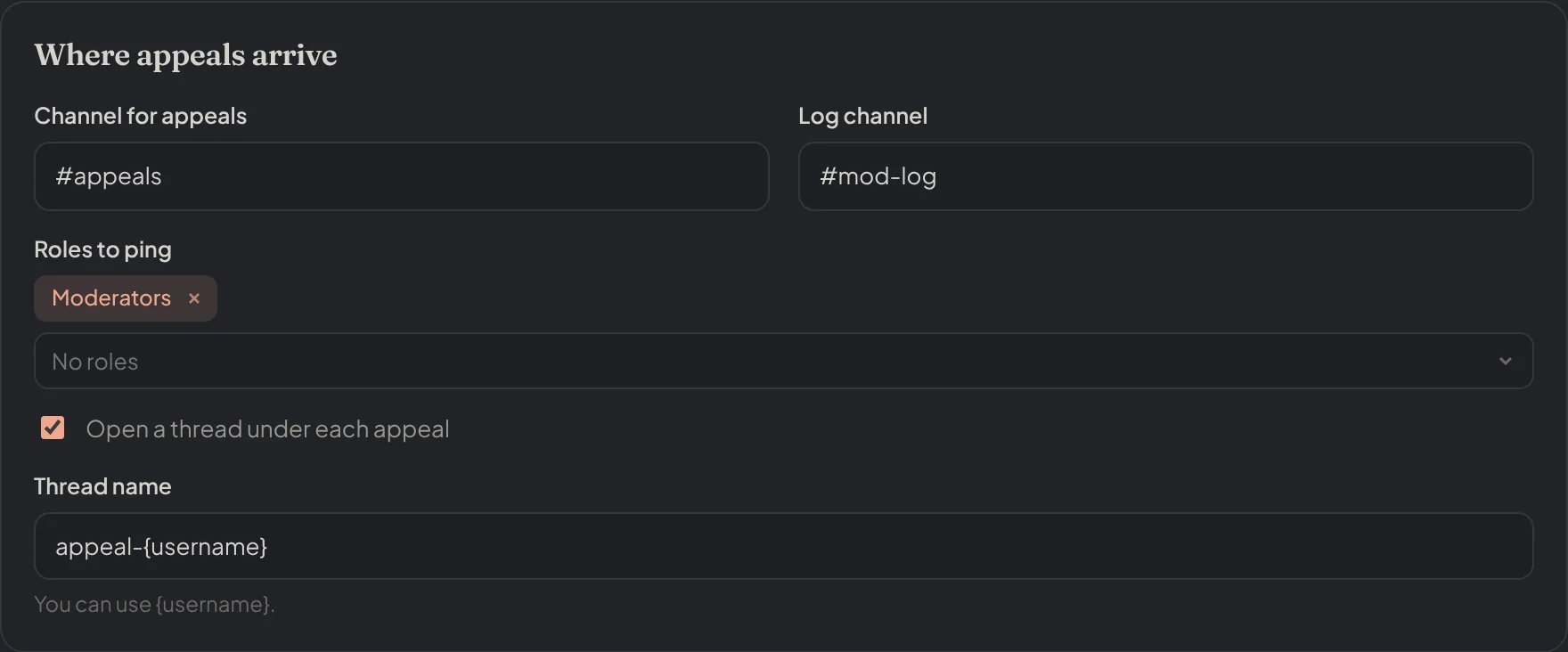
Dashboard → Appeals → Appeal settings: Where appeals arrive.
Make a form
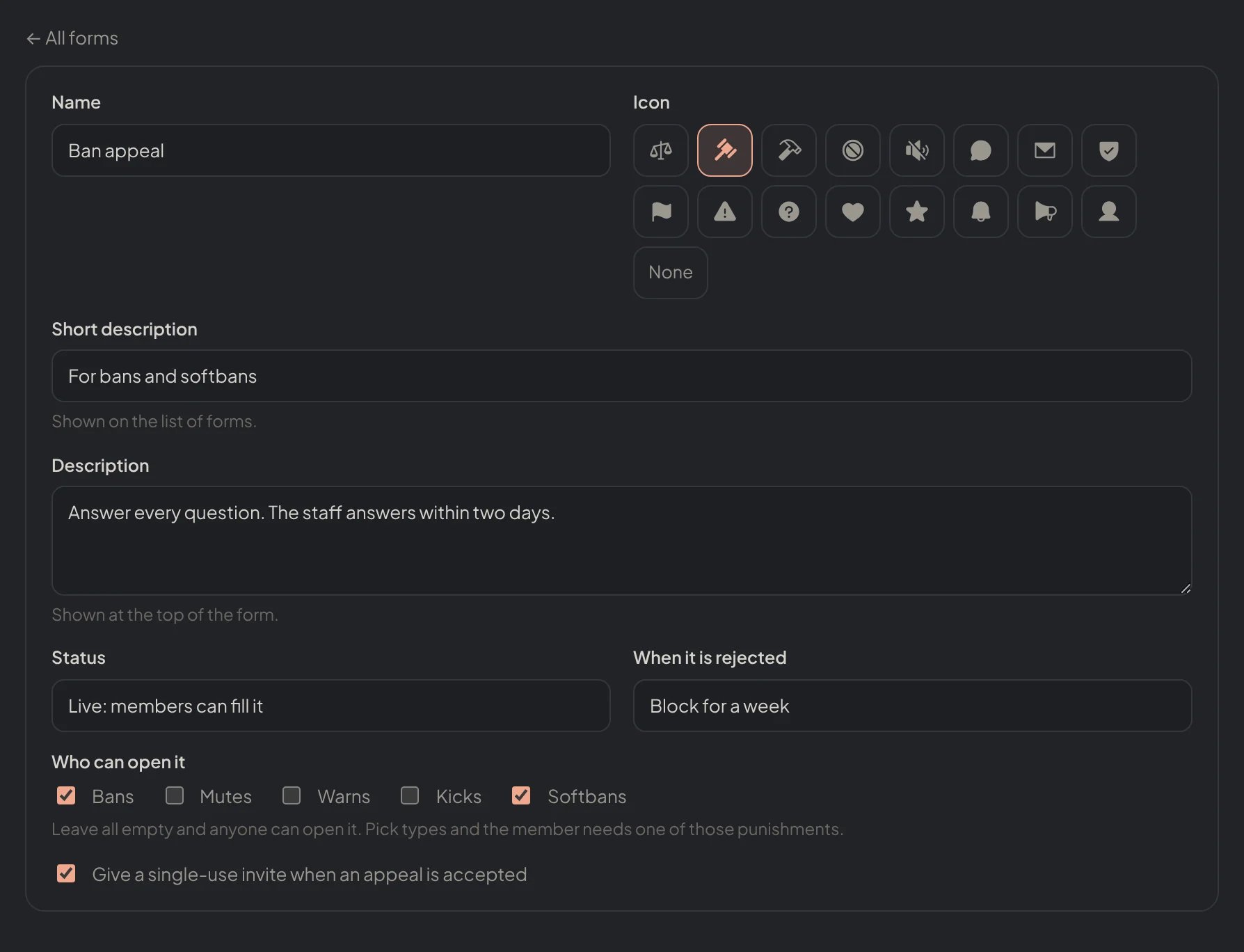
Dashboard → Appeals → Appeal forms: a form opened: its name, icon, status, who can open it and the invite.
Open it
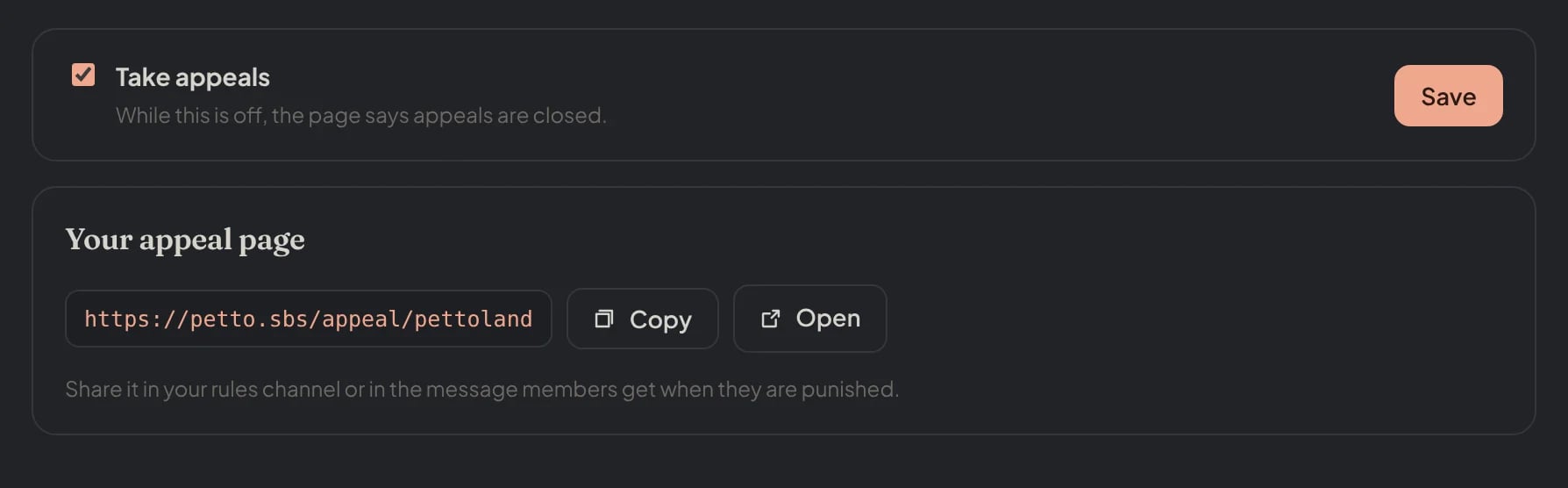
Dashboard → Appeals → Appeals: Take appeals turned on and the link of the page.
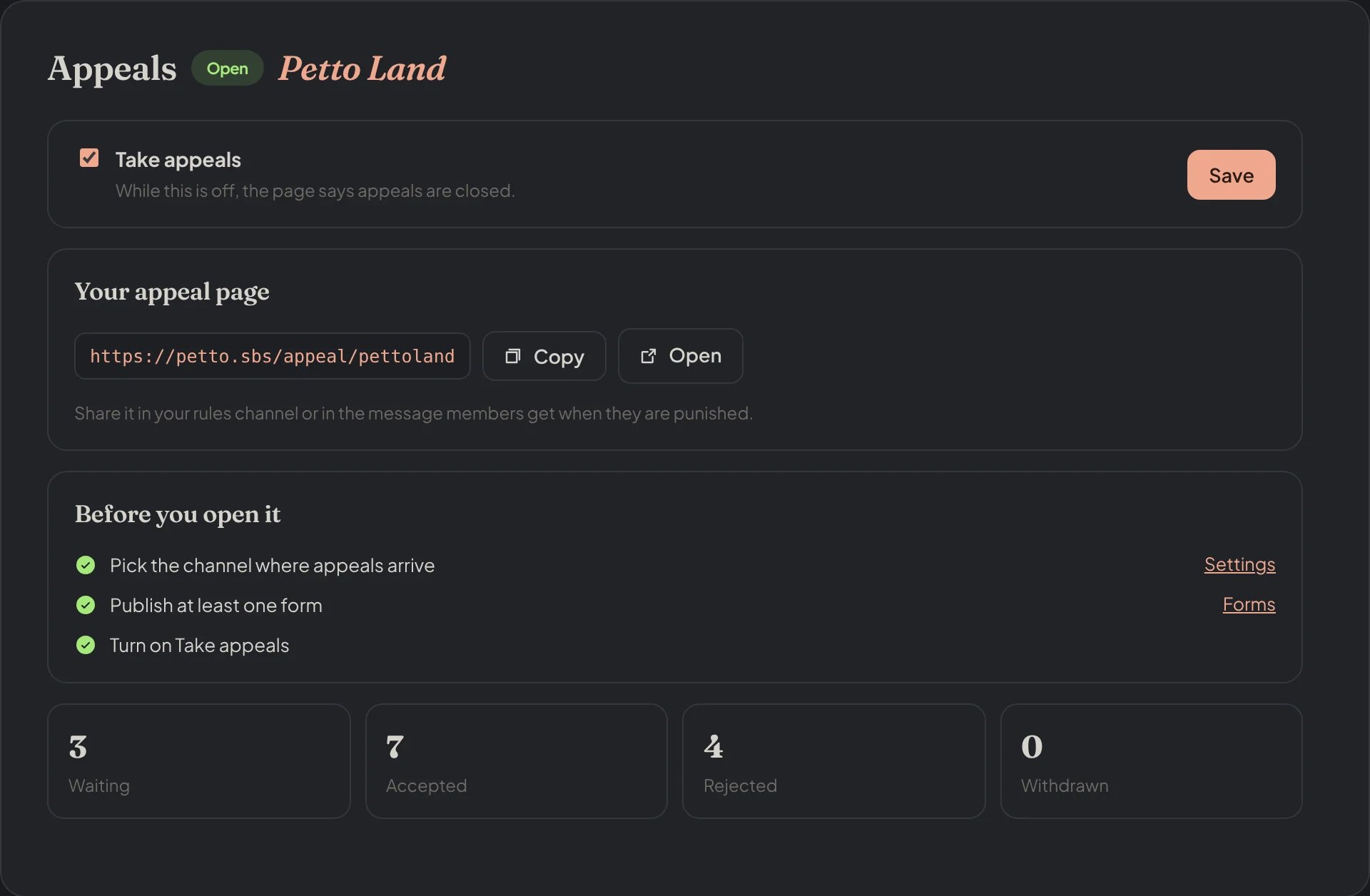
Dashboard → Appeals: the link of the page, the checklist and the appeals by state.
A name for your link
In Appeal settings you can pick a Link name, so the page ispetto.sbs/appeal/your-name instead of the server id. Use 3 to 32 letters, numbers or dashes. The link with the server id keeps working. Names that are only numbers, names that look like Discord, Petto or other brands and names with offensive words are not allowed, and two servers cannot share a name. The sanction messages and !appeals use your name when you set one.

Dashboard → Appeals → Appeal settings: the link name of the page.
If you change your name
The name you leave stays reserved for you for 30 days, so nobody else can take it. During that time the old link redirects to your new address, and the pages you shared keep working. After 30 days the name is free for anyone. The page, the forms and the appeals stay the same: only the address changes.If the name is taken
If another server already holds the name, Petto offers a request for the Petto team. Tell the team why it should be yours (at least 20 characters), add a link to see your server (an invite) and, if you have it, an extra proof such as your website or a social profile. A review takes from 1 hour up to 72 hours. While you wait, your page uses the link with the server id, and you can pick another name or cancel the request at any time. You can have one request open at a time. If the team accepts, the other server goes back to its server id link and the name is yours.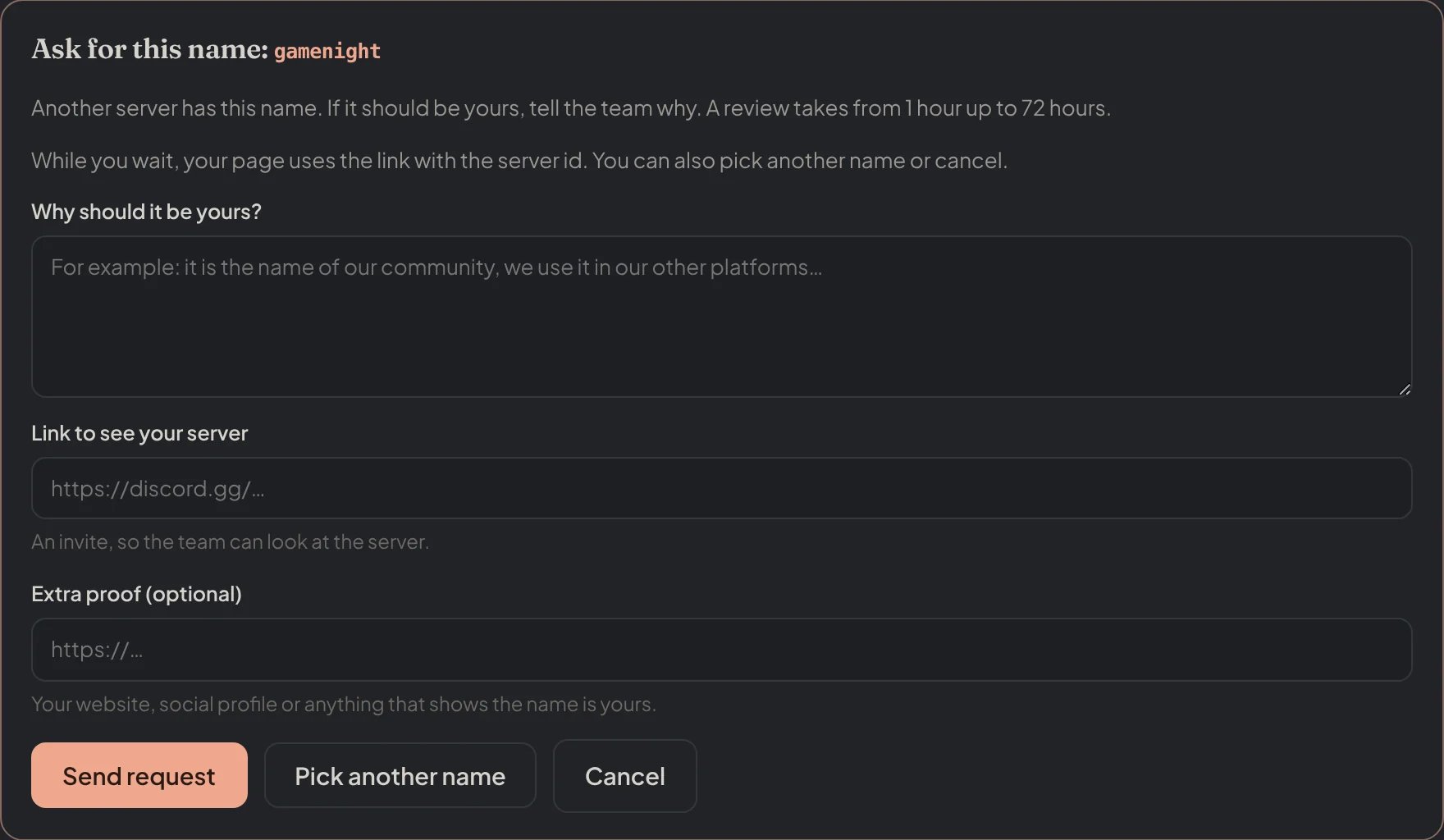
Dashboard → Appeals → Appeal settings: the request for a name another server has.
Names that stop being used
A name is freed by itself when Petto leaves the server, when appeals have been off and untouched for 30 days, or when they are on but no appeal arrived and nothing was changed for 90 days. The link with the server id never stops working.Forms
A form has up to 6 sections with up to 12 questions each. You also choose: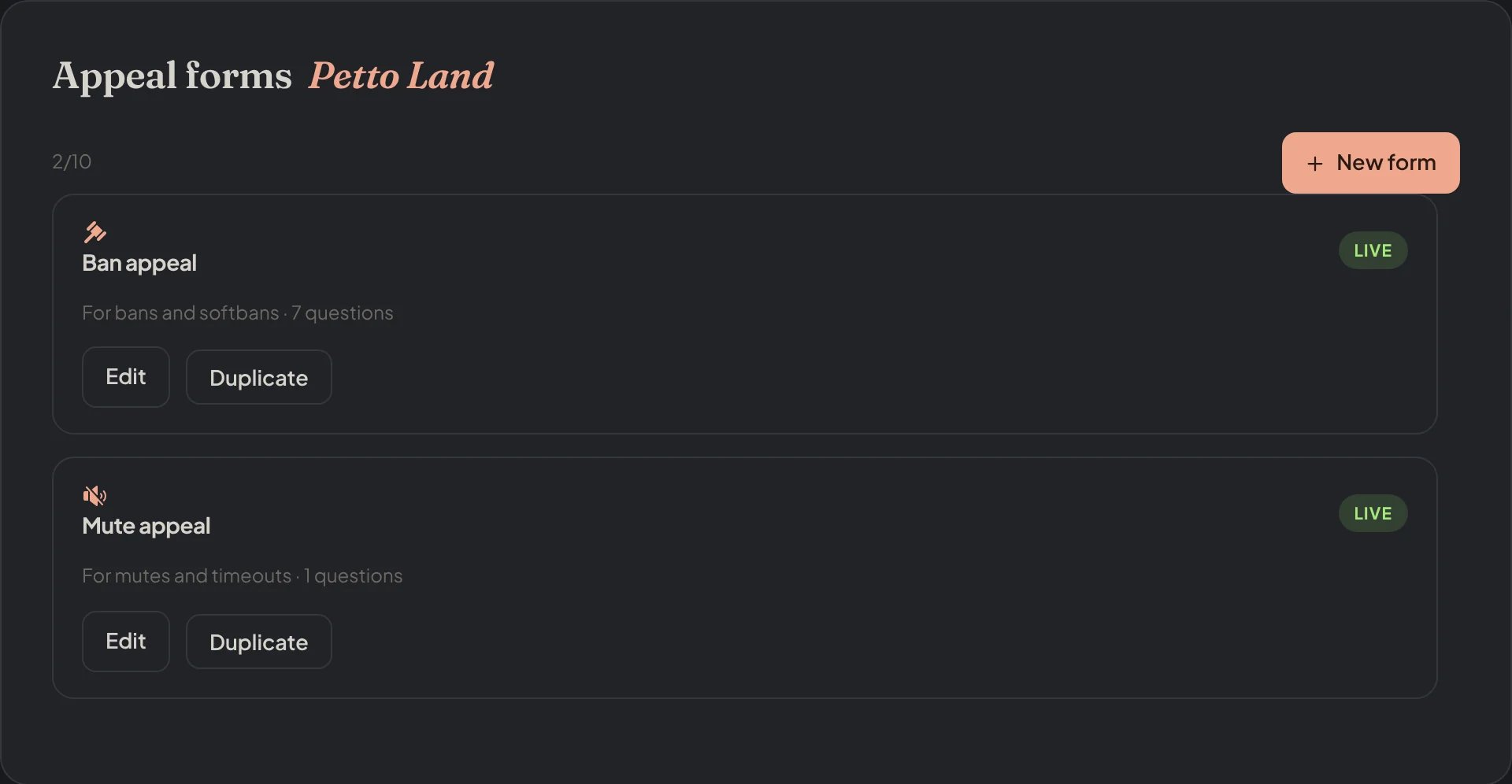
Dashboard → Appeals → Appeal forms: the forms of the server.
Kinds of question
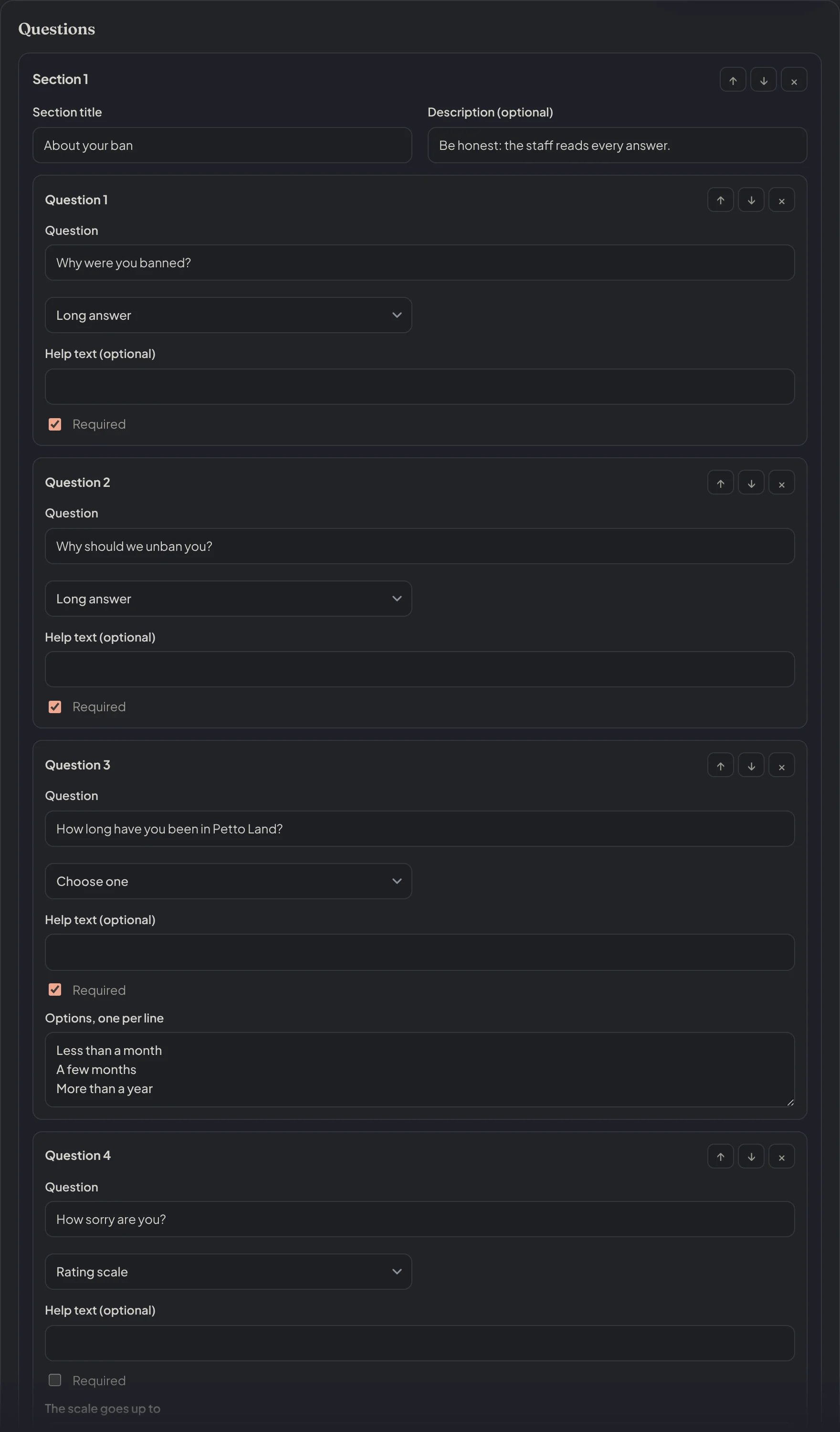
Dashboard → Appeals → Appeal forms: the questions of a form, each with its kind.
Answering
The card in your channel is a Components V2 card: the member’s picture and name, the state of the appeal, their punishments, every answer, the files they attached (pictures show on the card, up to 10 files and 8 MB in all; the rest are in the dashboard) and three buttons.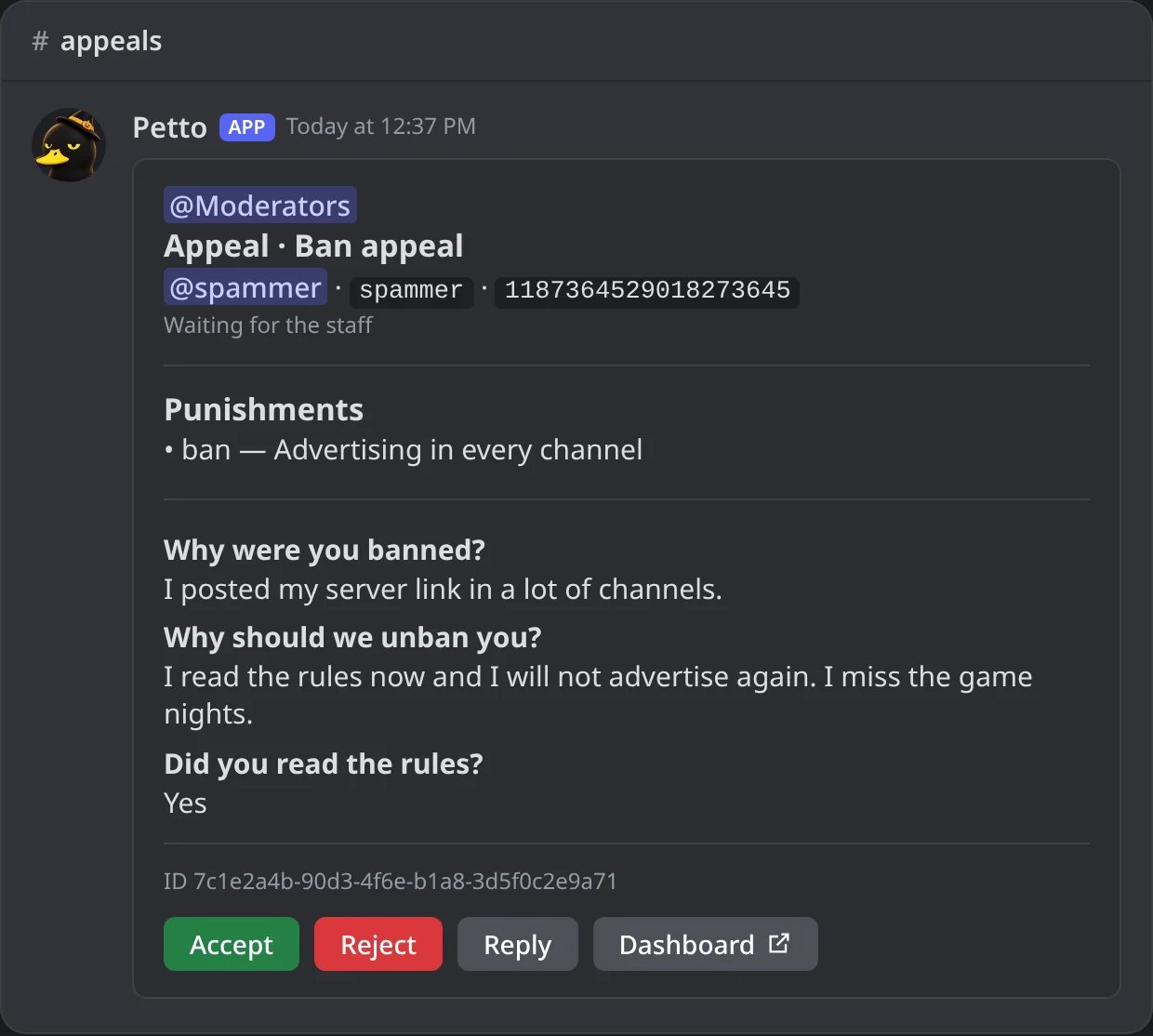
In Discord: a ban appeal as it arrives in the appeals channel.
- Accept asks for an optional reason, lifts what the member appealed (the ban, the timeout and the active Petto sanctions; a hardban is never lifted from here) and sends them the answer and the invite. For a softban there is nothing left to undo in Discord: the case is cleared and the member gets the invite back, the same as an accepted ban appeal.
- Reject asks for an optional reason, writes to the member and applies the block the form asks for.
- Reply writes to the member without deciding. They get it by DM and on their page, and can answer if you allow replies.
Accept
Accept
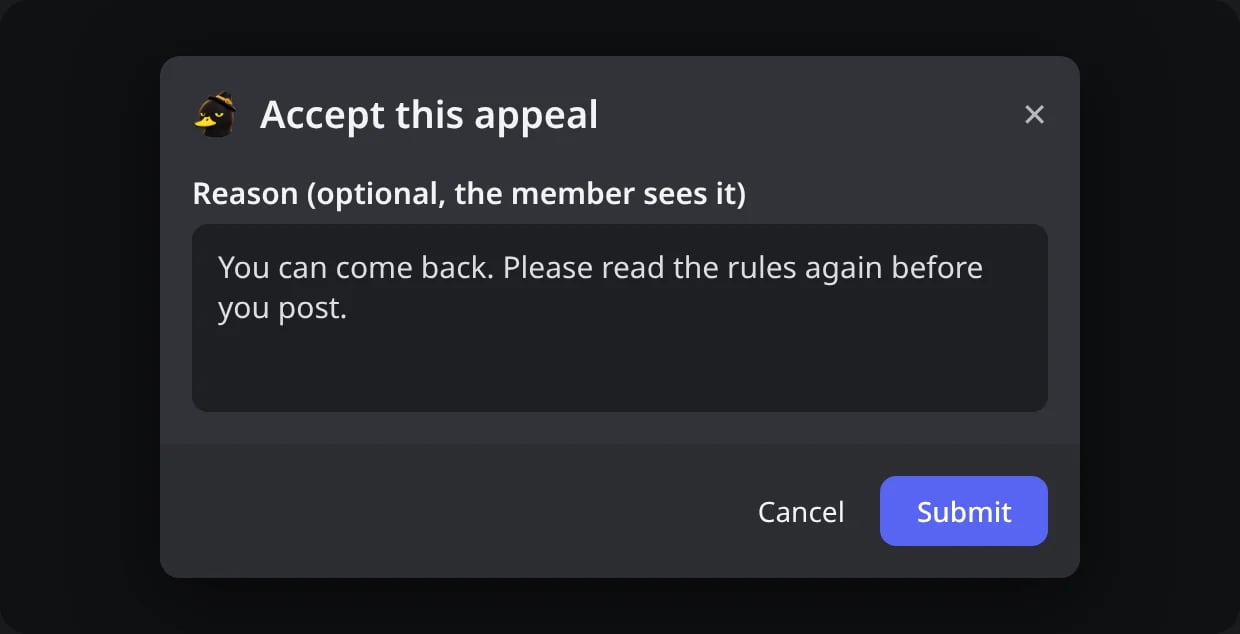
In Discord: Accept asks for an optional reason.
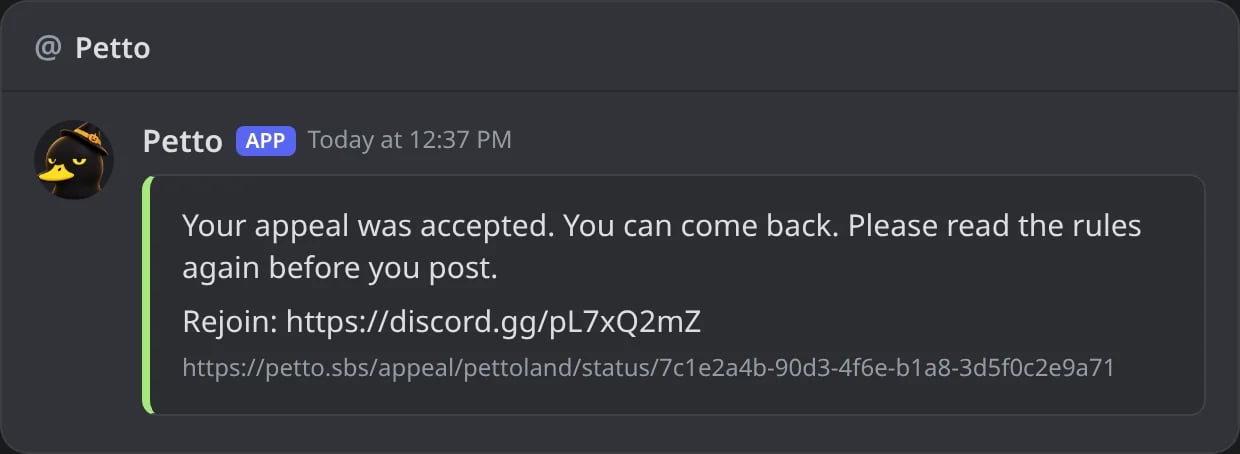
In Discord: the DM the member gets, with the invite and the link of their appeal.
Reject
Reject
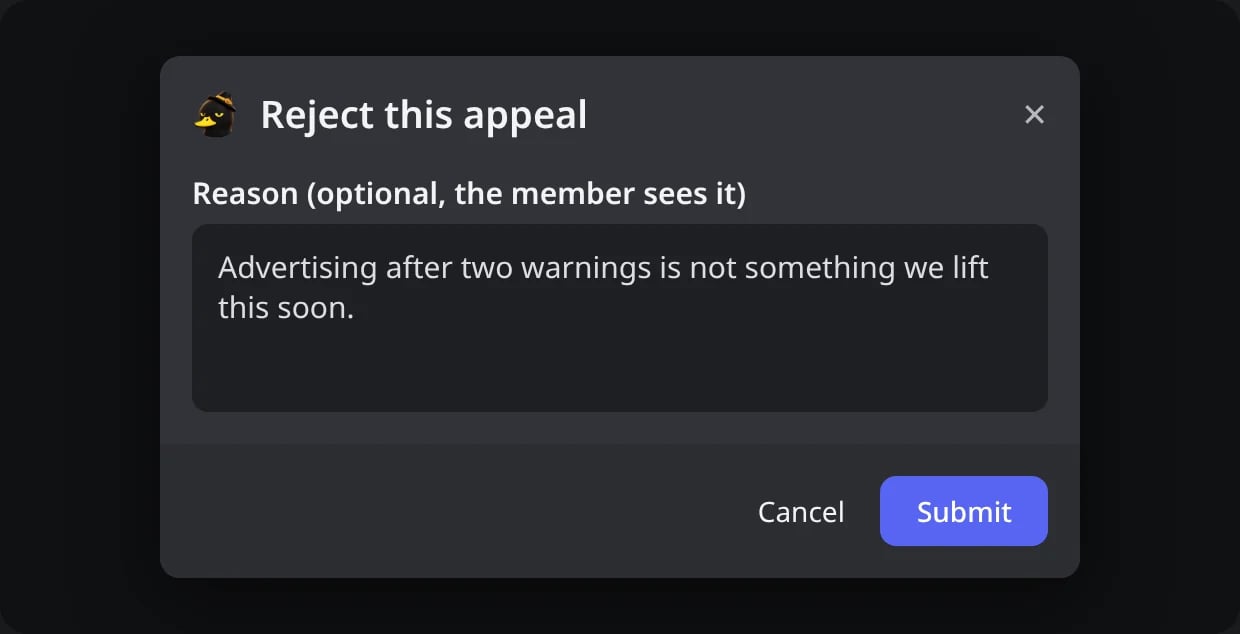
In Discord: Reject asks for an optional reason.
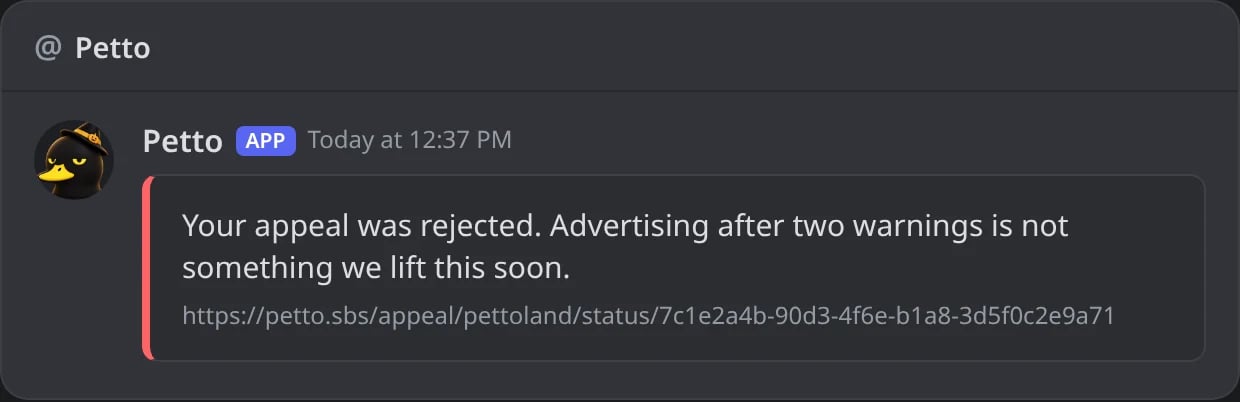
In Discord: the DM the member gets.
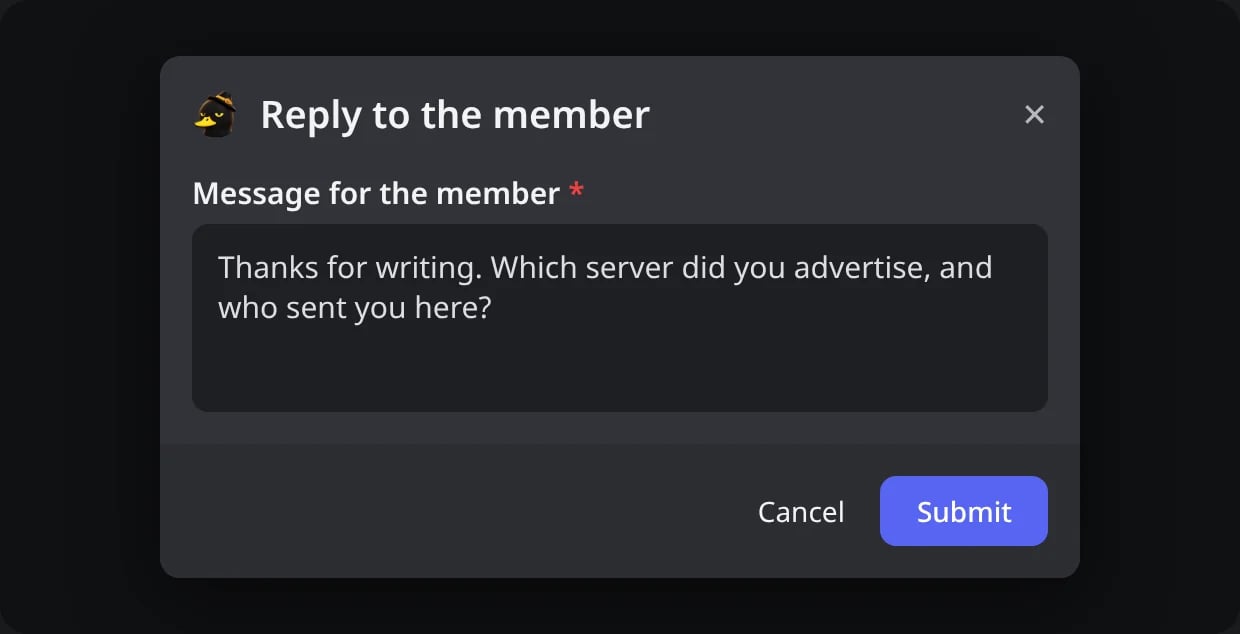
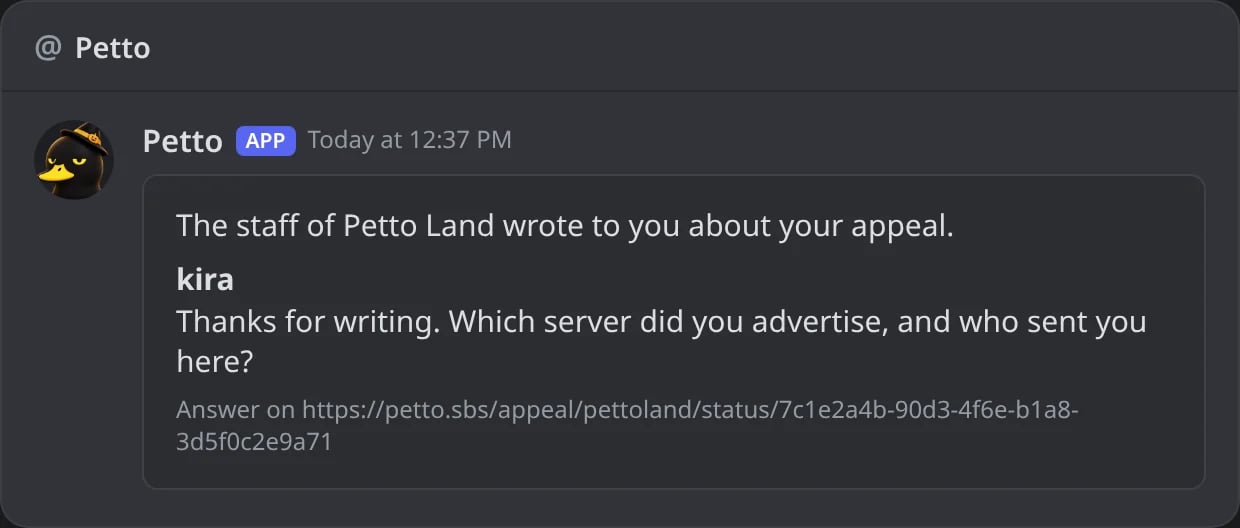
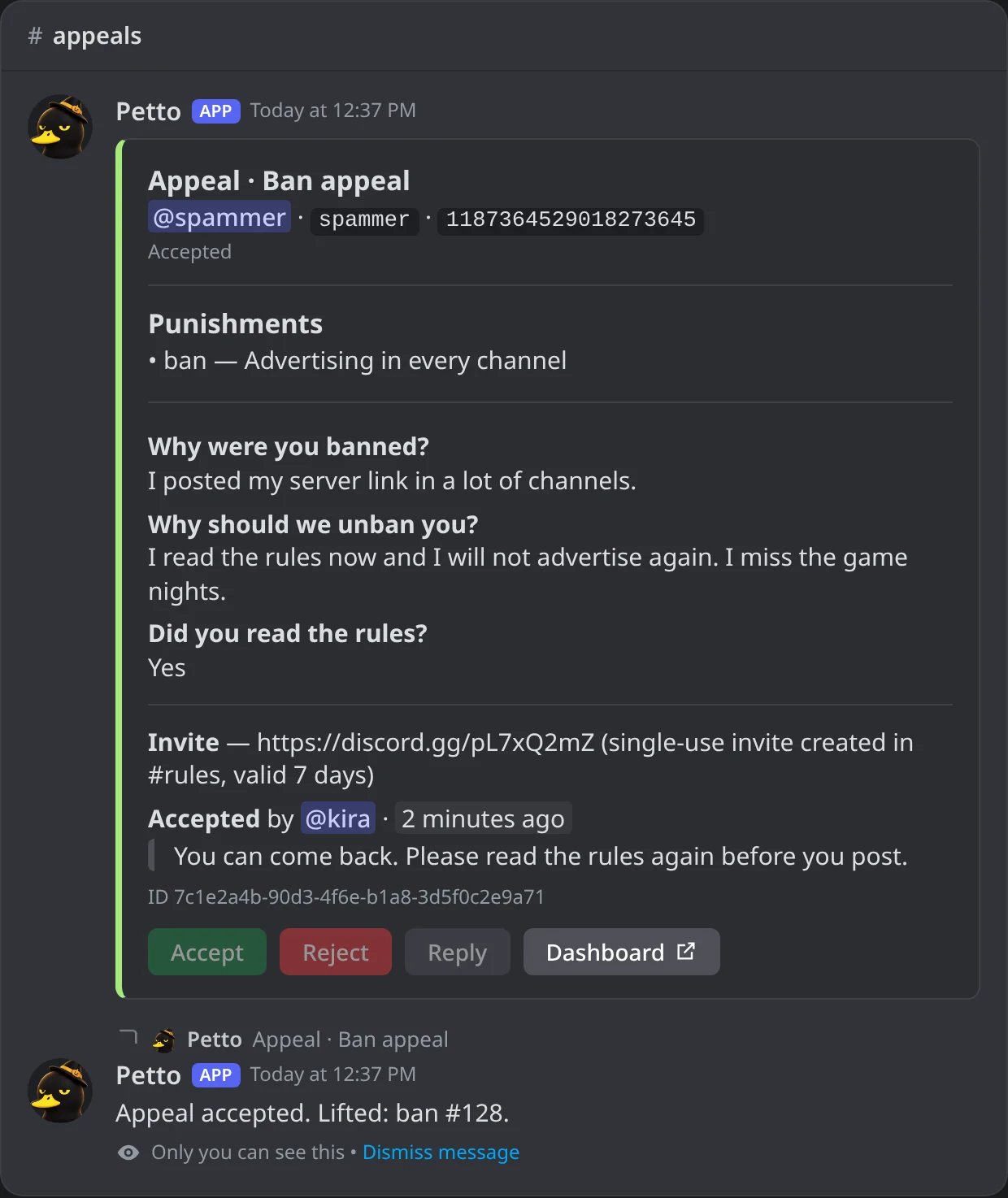
In Discord: after Accept the card is locked and says who answered; kira sees what was lifted.
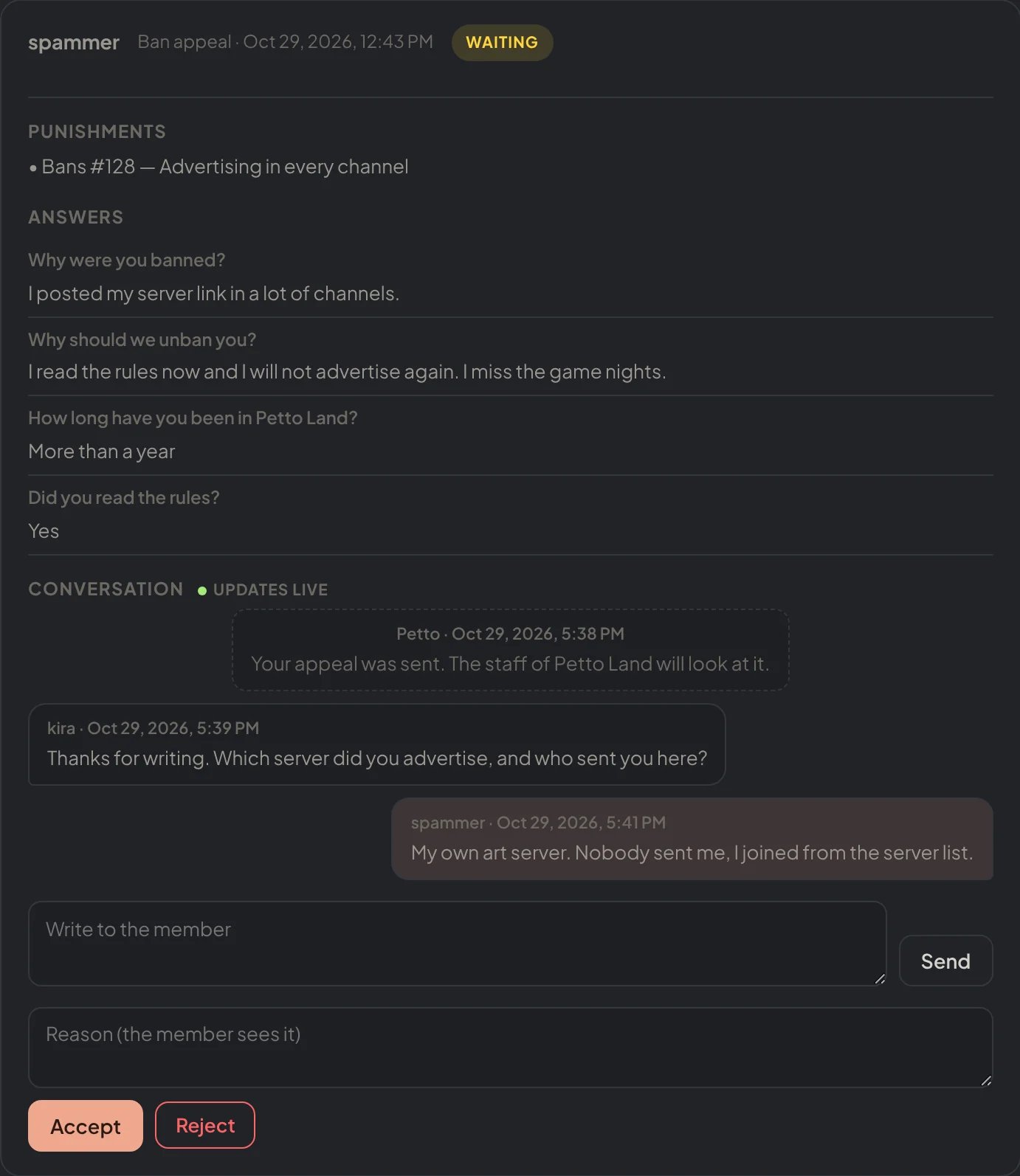
Dashboard → Appeals → Appeal submissions: an appeal opened: punishments, answers, the conversation, Accept and Reject.
What the member sees
You decide it in Appeal settings:- which punishment types show and can be appealed: bans, mutes, warns, kicks and softbans (from
!softbanor the Honeypot), each one on or off. Softbans start off. - which details show: reason, duration, moderator. Petto punishments also show their case number.
- where punishments come from: Petto, Discord (native bans and timeouts) or both
- how long warns and softbans count (older ones are not shown)
- a greeting at the top of the page and the language it opens in (the member can switch it)
- Wait before appealing: the hours a member waits after their latest punishment before they can appeal, from 0 (no wait, the default) to 720. Until then the page says from when they can appeal and the forms stay locked.
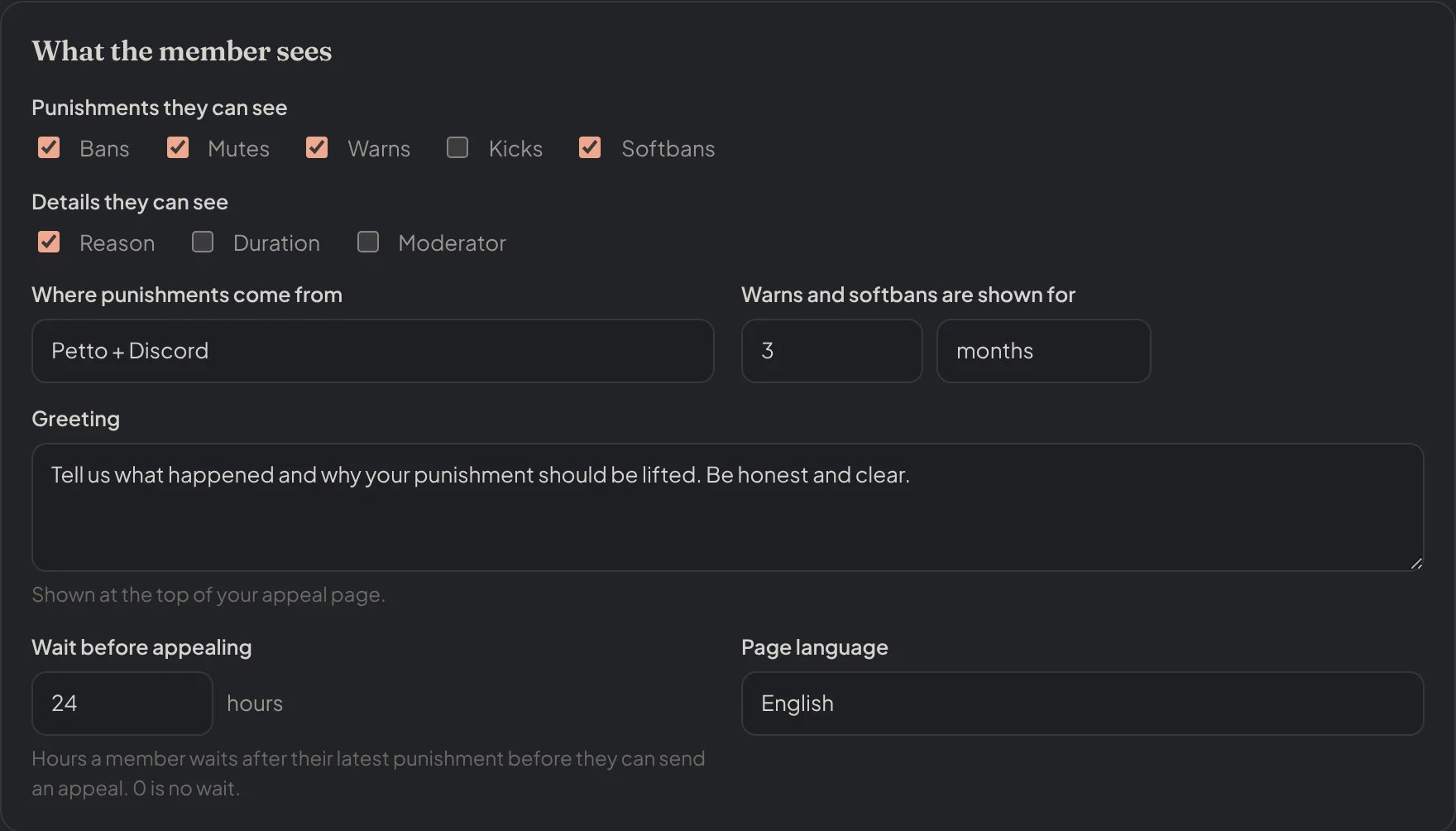
Appeal settings → What the member sees: softbans can be appealed, and members wait 24 hours.
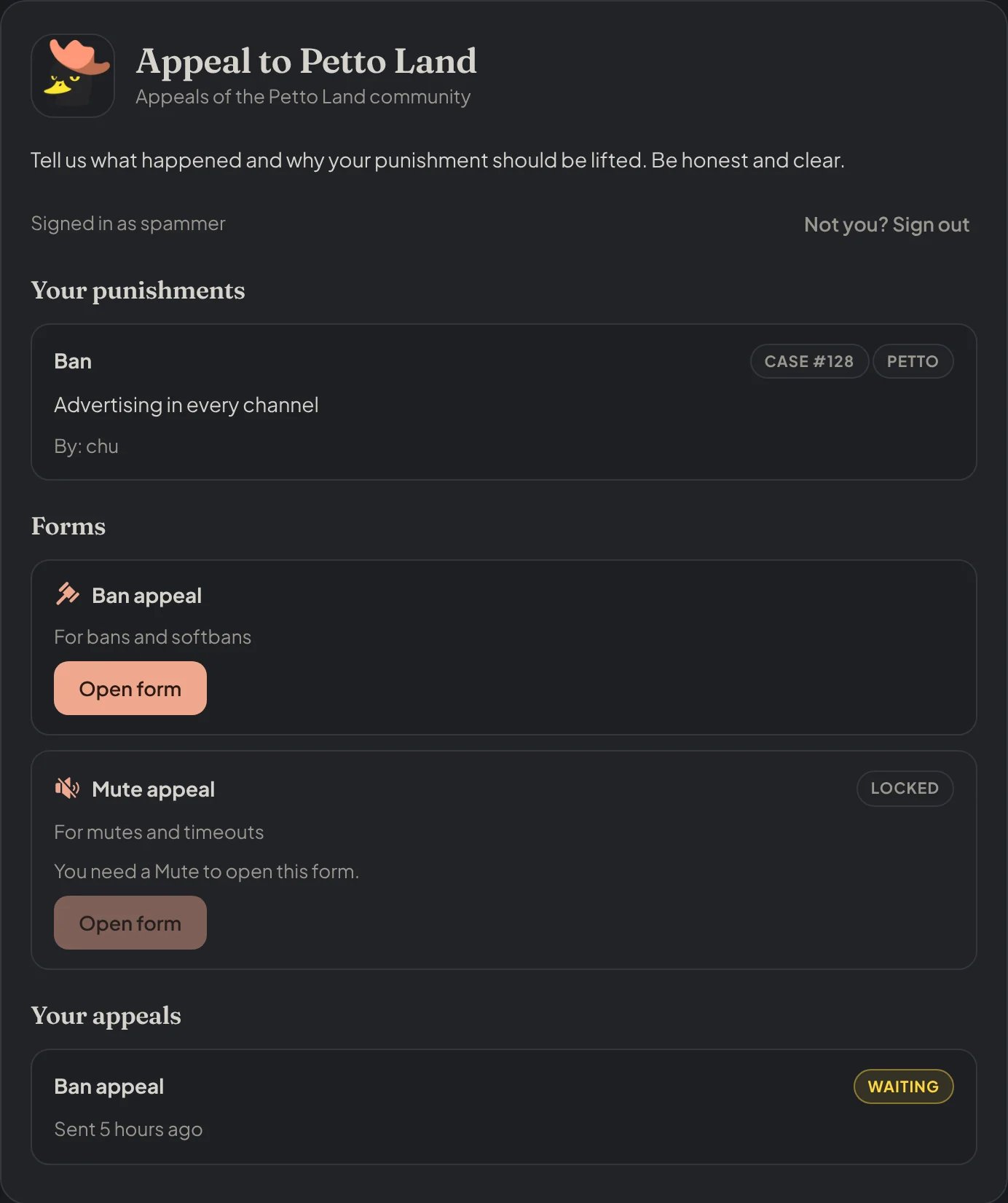
The appeal page a member sees after signing in: their punishment and the forms they can open.
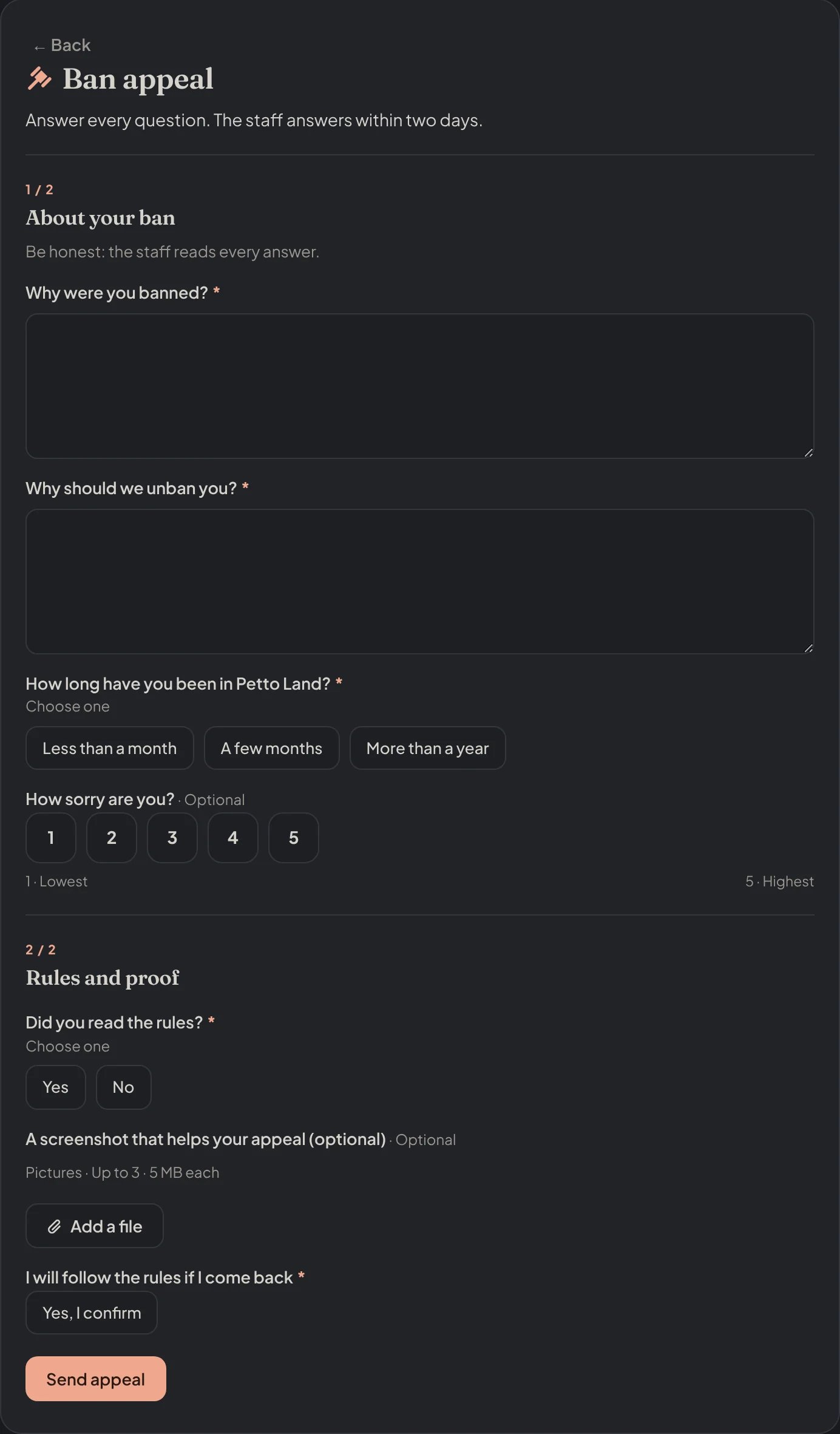
The form the member fills in, one section after the other.
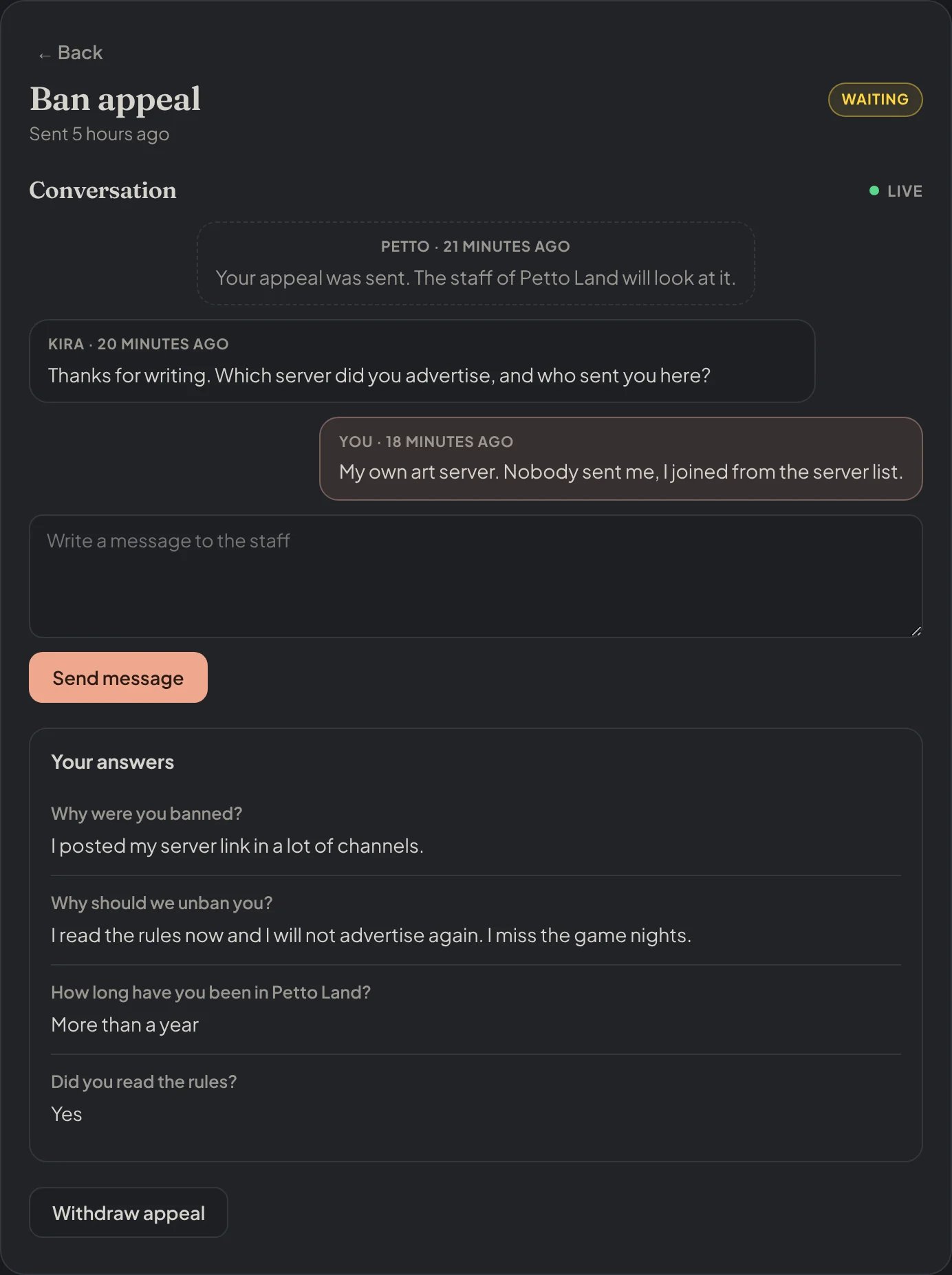
The page of a sent appeal: its state, the conversation with the staff and the answers.
Brand and link preview
Appeal brand makes the page yours: the name, a tagline, a banner, an icon and an accent color. It also controls how the link looks when it is pasted in Discord: title, description, image and side color, with a live preview. Banners and images must use HTTPS.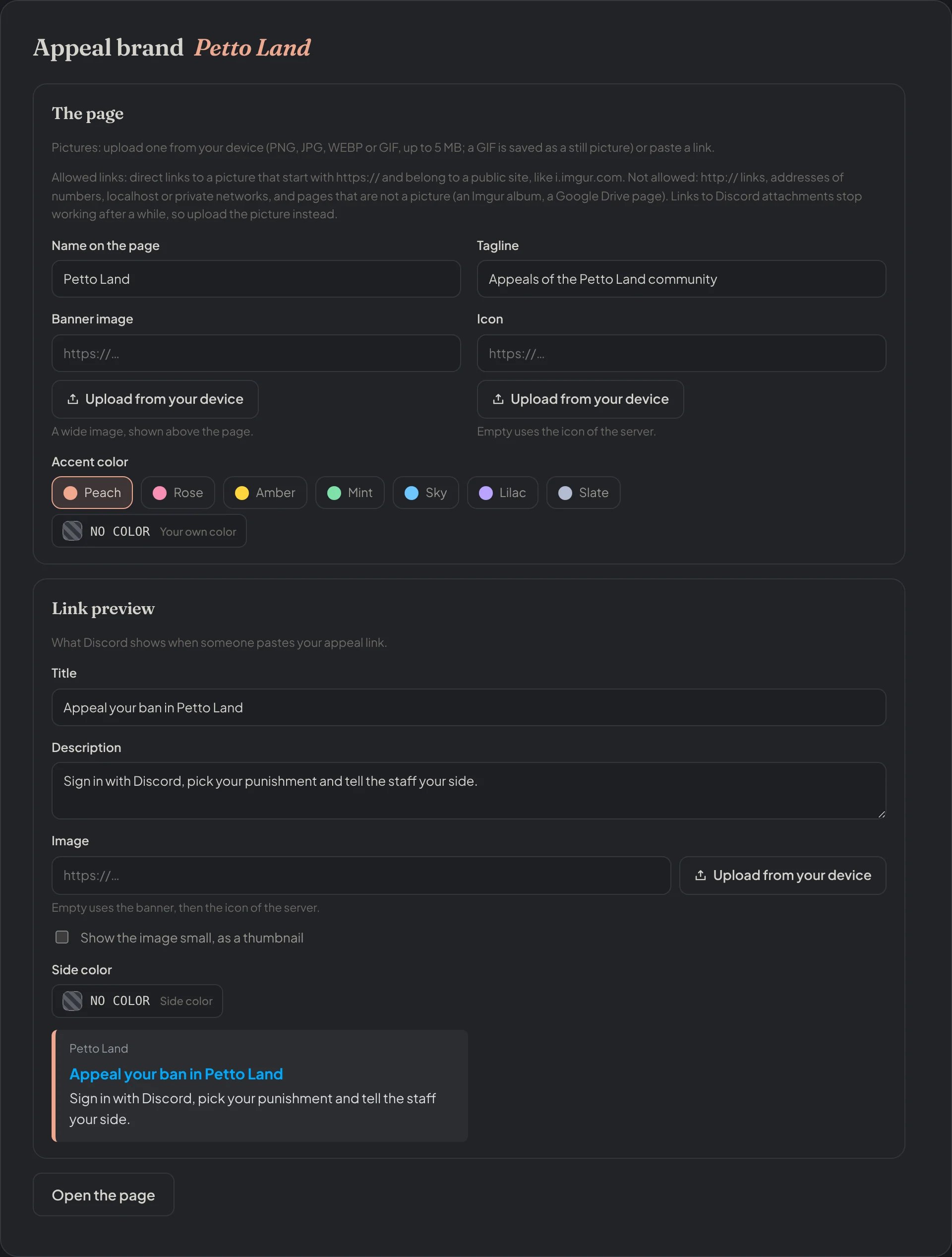
Dashboard → Appeals → Appeal brand: the page and how its link looks in Discord, with the preview.
https:// and belong to a public site, like i.imgur.com. Links with http://, addresses of numbers, localhost, private networks and pages that are not a picture (an Imgur album, a Google Drive page) are not allowed, and Petto tells you which link was rejected. Links to Discord attachments stop working after a while, so it is better to upload the picture.
Messages
Appeal messages sets what the member reads when the appeal is sent, accepted, rejected and when the staff writes. You can use{username}, {server}, {reason}, {form} and {link}.
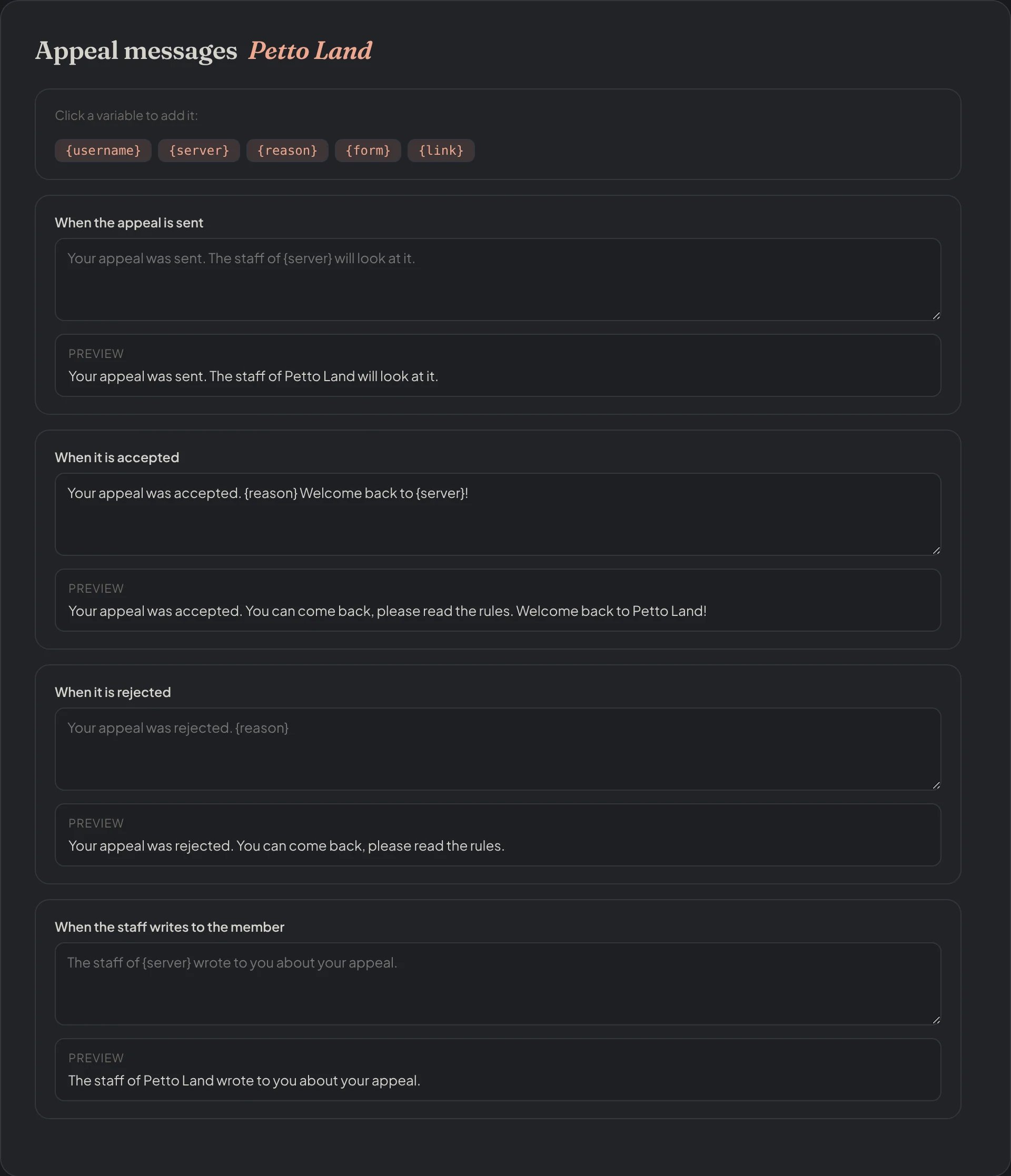
Dashboard → Appeals → Appeal messages: each message with its preview.
Sanction DMs
When appeals are on, the DM a member gets when they are punished can point to your appeal page. This covers every sanction DM: moderation commands, AutoMod, anti-scam, the Honeypot and warn escalation. In Appeal settings → Sanction DMs you choose: Like every DM from Petto, this one starts with a greyFrom <server> line and has info, delete and report buttons: see DMs from Petto.
- Send the appeal link: always (the default: for the sanctions members can appeal), never, or only for the sanctions I pick among bans, temporary bans, softbans, kicks, timeouts and mutes, and warns.
- Your line about appeals: your own sentence instead of Petto’s “Think this is a mistake? Appeal here”, up to 300 characters.
{link}is the appeal link (added at the end if you leave it out) and{server}the name of the server. Empty goes back to Petto’s sentence.
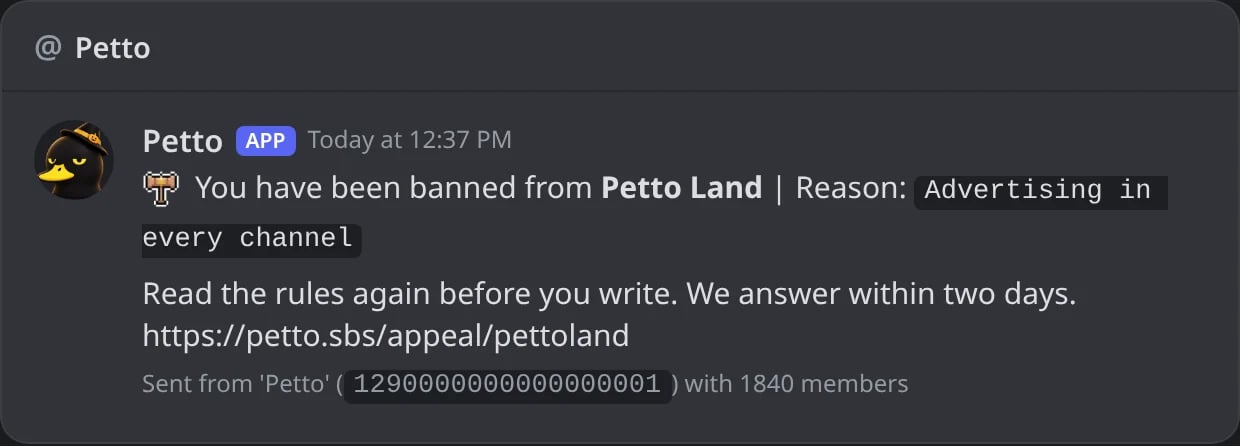
In Discord: a ban DM with the server's line and the appeal link.
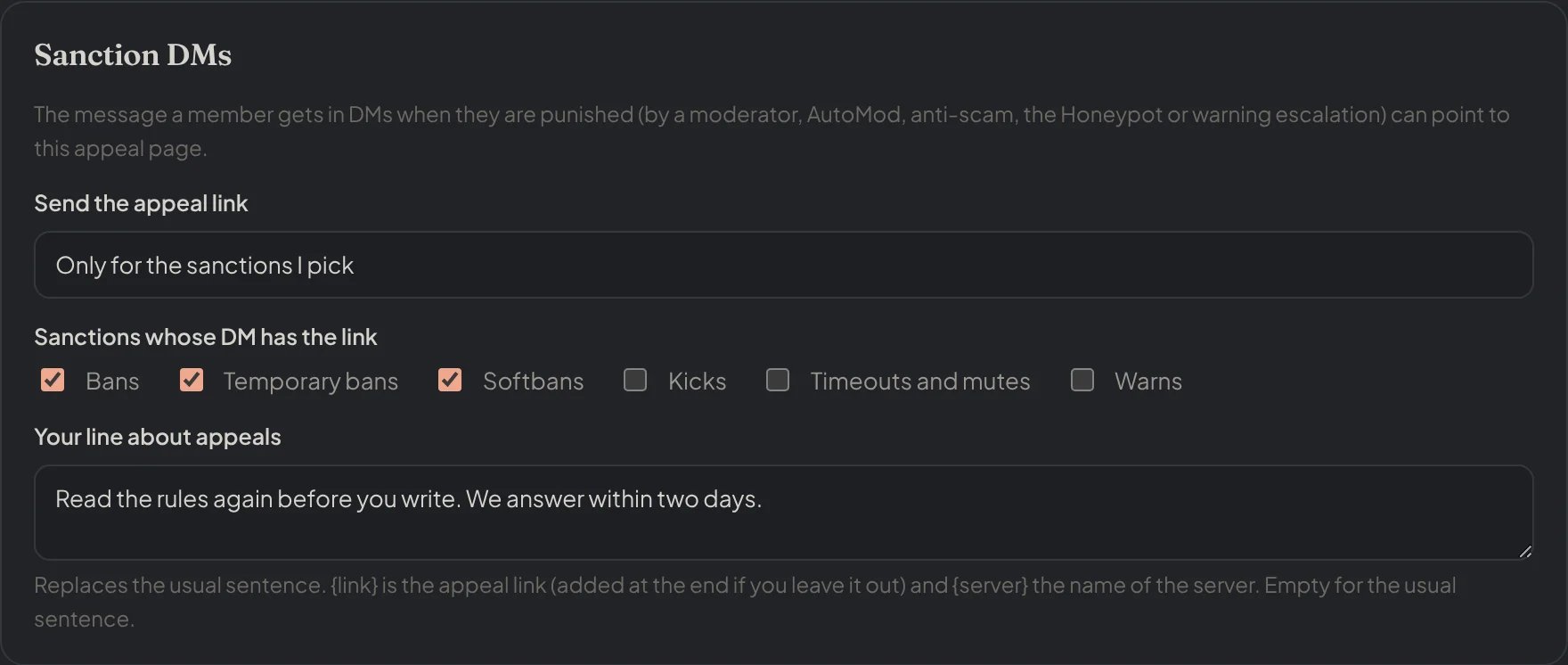
Appeal settings → Sanction DMs: the link only for bans and softbans, with the server's own line.
{case.appeal}. It follows the same rule: it is empty when appeals are off or that sanction gets no link.
The appeals command
!appeals shows the appeal link of your server, how many appeals wait for an answer and the settings below. With a setting and a value it changes it. It needs Manage Server.
!appeals
!appeals
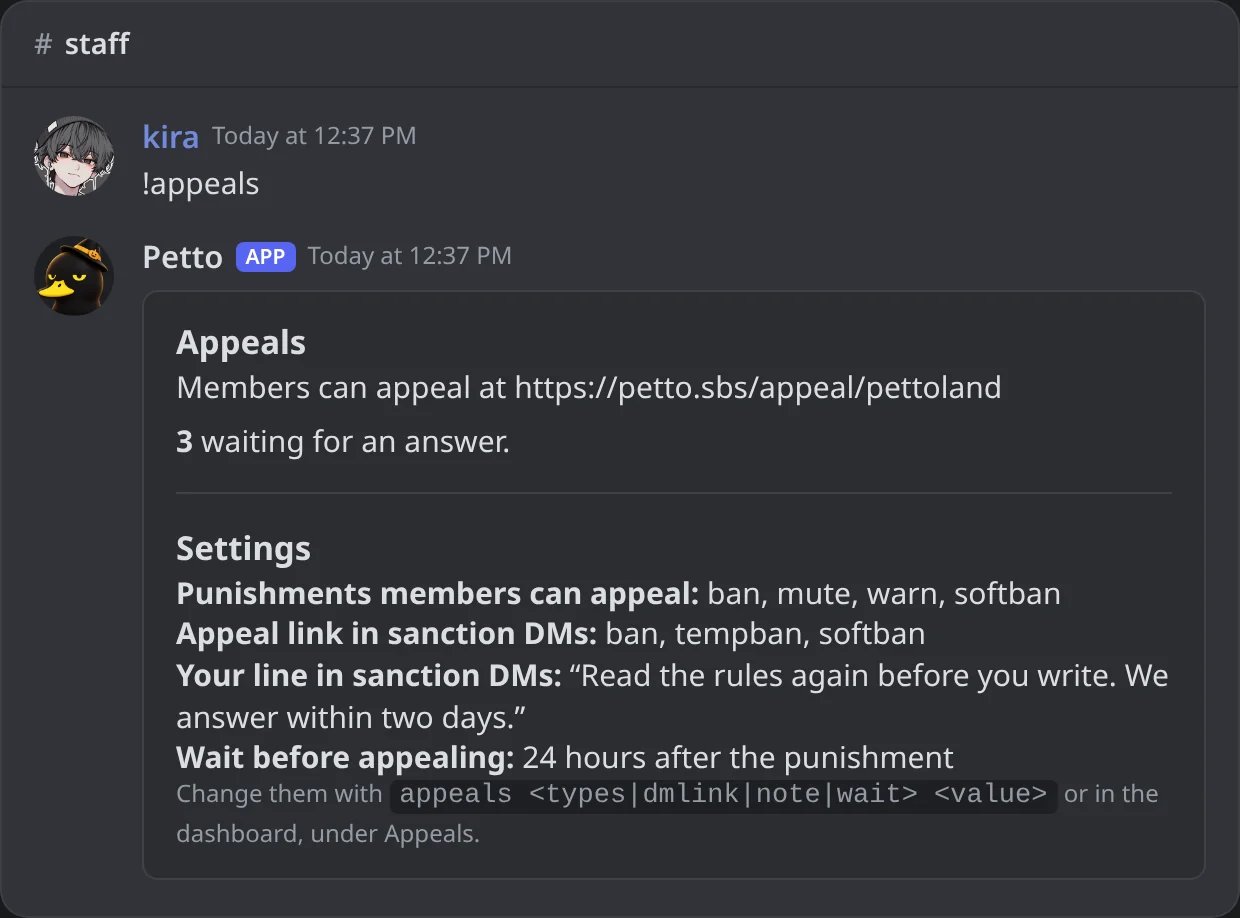
In Discord: the link of the page, the appeals waiting and the settings.
!appeals types
!appeals types
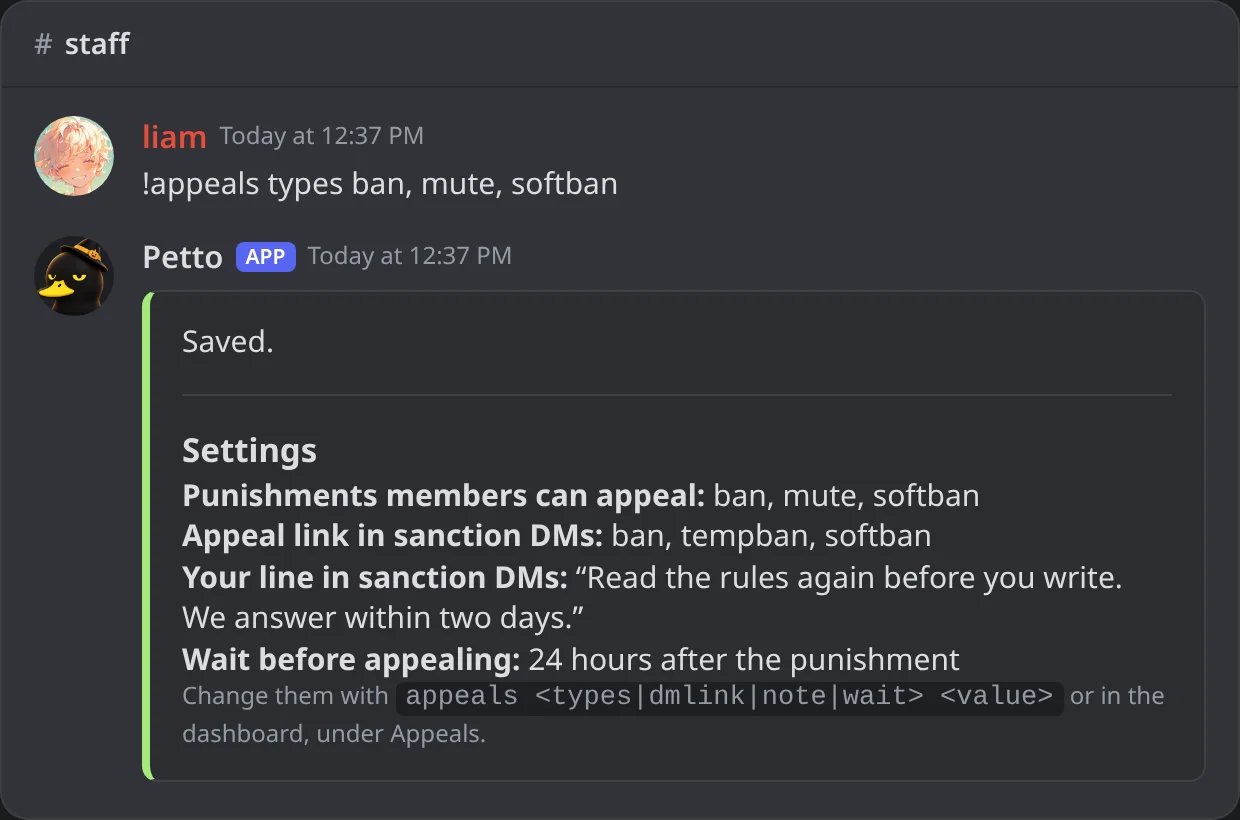
In Discord: bans, mutes and softbans can be appealed.
!appeals dmlink
!appeals dmlink
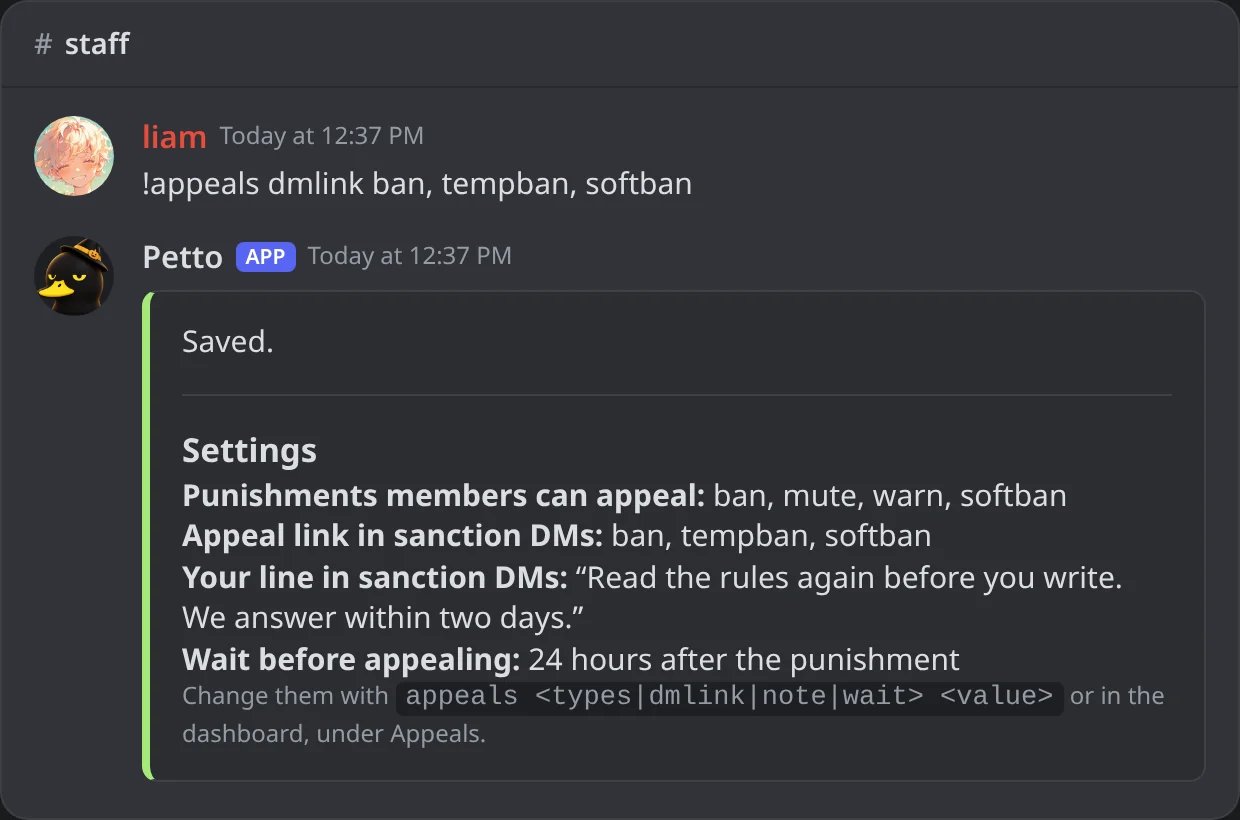
In Discord: the link only in the DMs of bans, temporary bans and softbans.
!appeals note
!appeals note
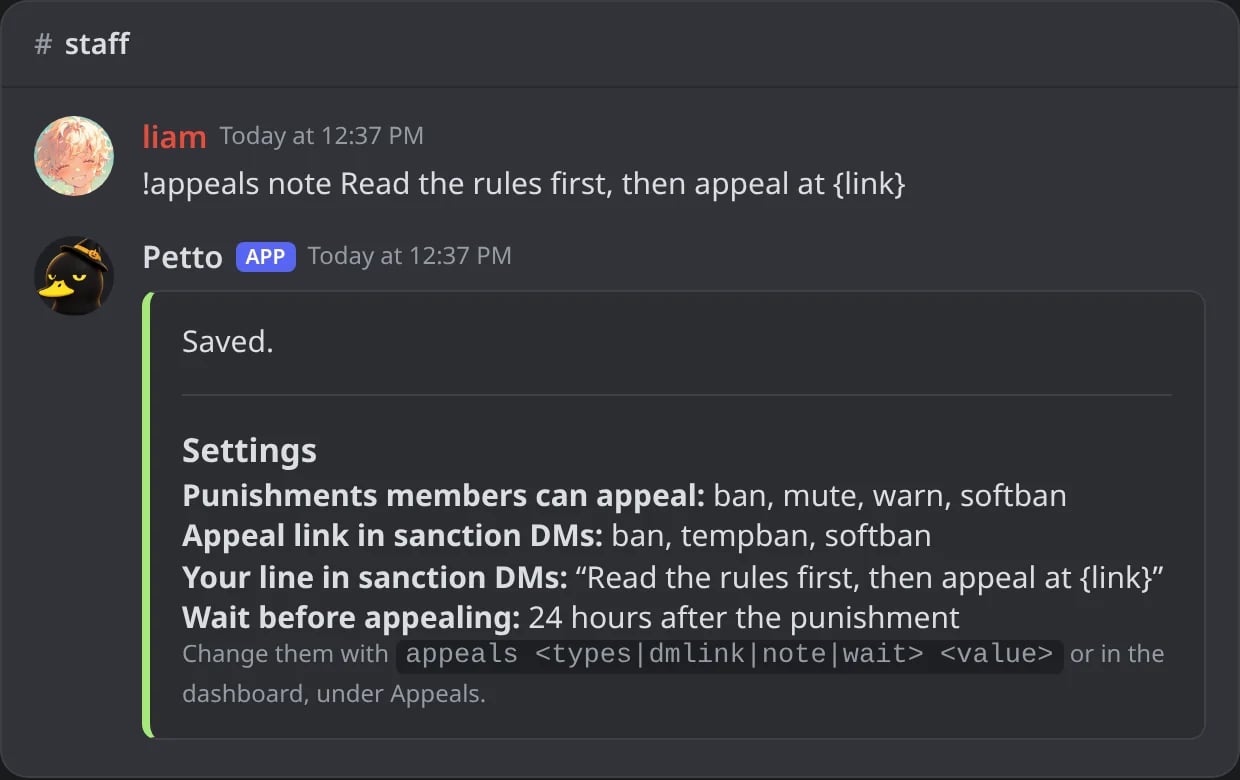
In Discord: your own line in the sanction DMs.
!appeals wait
!appeals wait
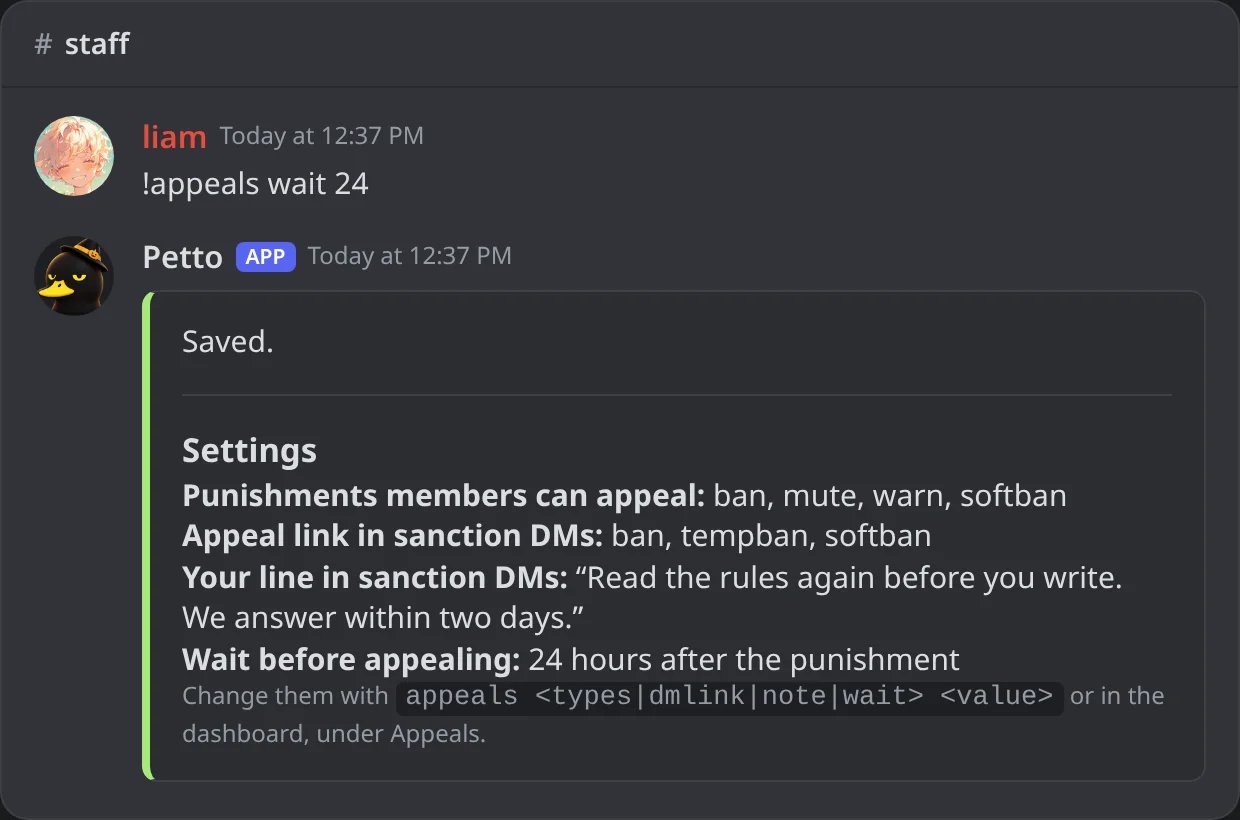
In Discord: 24 hours of wait before appealing.
The invite for accepted members
If you turn on Make a new single-use invite for each accepted appeal (or the same option in a form), Petto makes an invite that works once and lasts 7 days. The invite that was made is shown on the appeal card in Discord, in the log and in the appeal in the dashboard. If Petto cannot make one (it needs Create Invite in a text channel) it says why and sends the invite code from the settings instead, if you set one.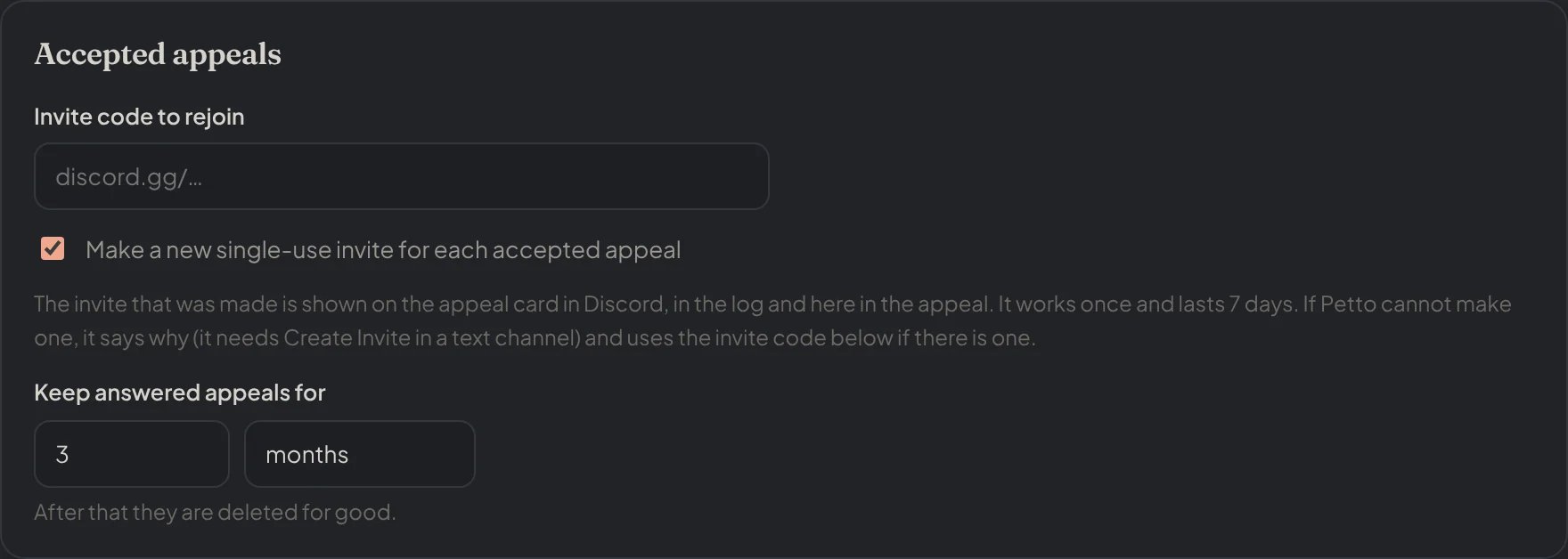
Dashboard → Appeals → Appeal settings: Accepted appeals: the fixed invite code, the single-use invite and how long appeals are kept.
Privacy and keeping data
- Members sign in with Discord. Petto reads who they are and nothing more, and a member only sees their own appeals.
- Answered appeals are deleted after the number of days you choose (7 by default). Delete all appeal data in Settings removes forms, appeals, messages and settings at once.
- You can hide the name of the moderator when they write.