
Overview
Petto’s embeds are saved templates: build one (in Discord or on the dashboard), give it a name, then point custom commands, autoresponders, welcome/leave/boost messages, giveaway messages, or ticket panels at it by name. Change the template once and everywhere that uses it updates.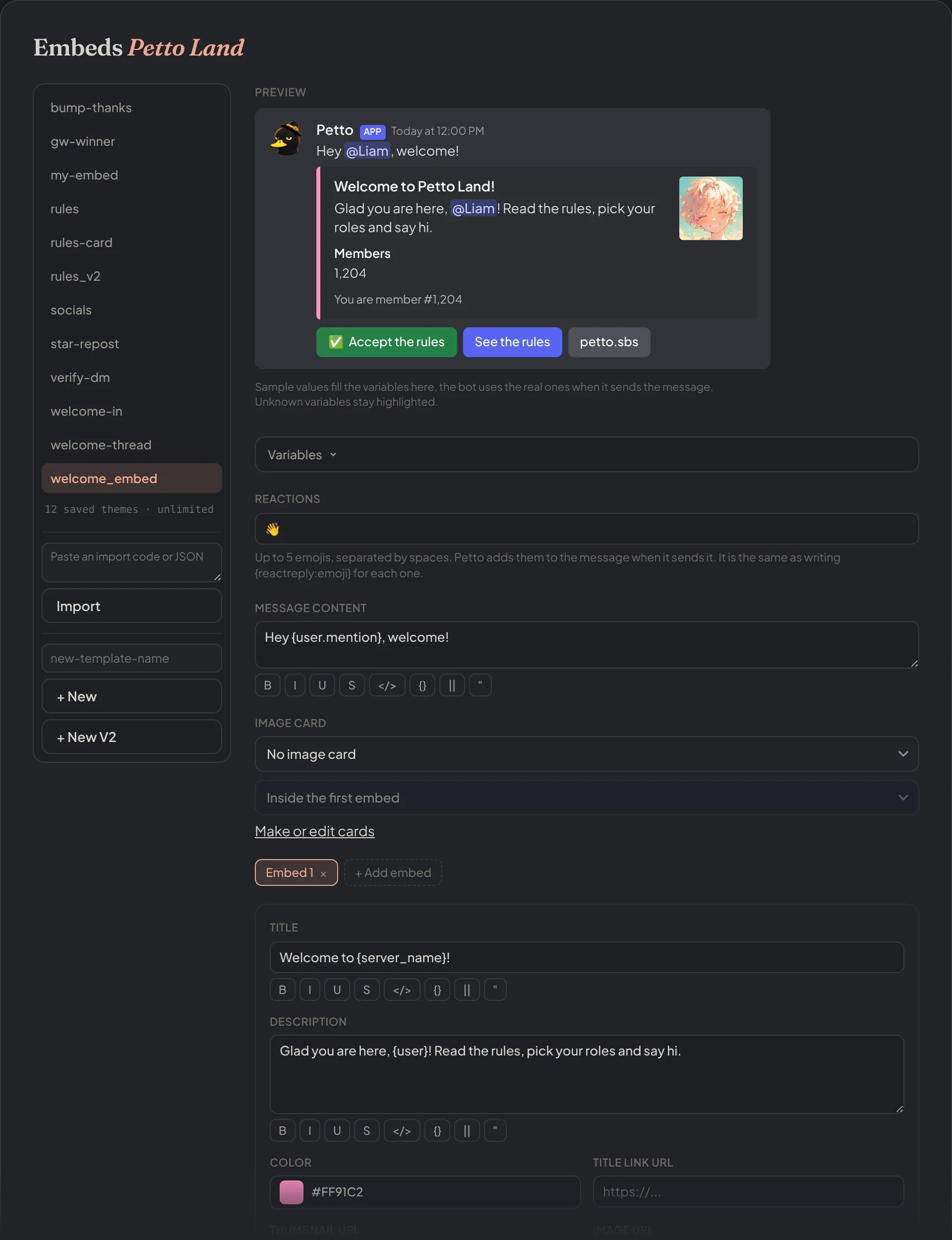
Dashboard → Design → Embeds: the visual builder, with the live preview above the fields of the message.
Creating and managing
!embed create
!embed create
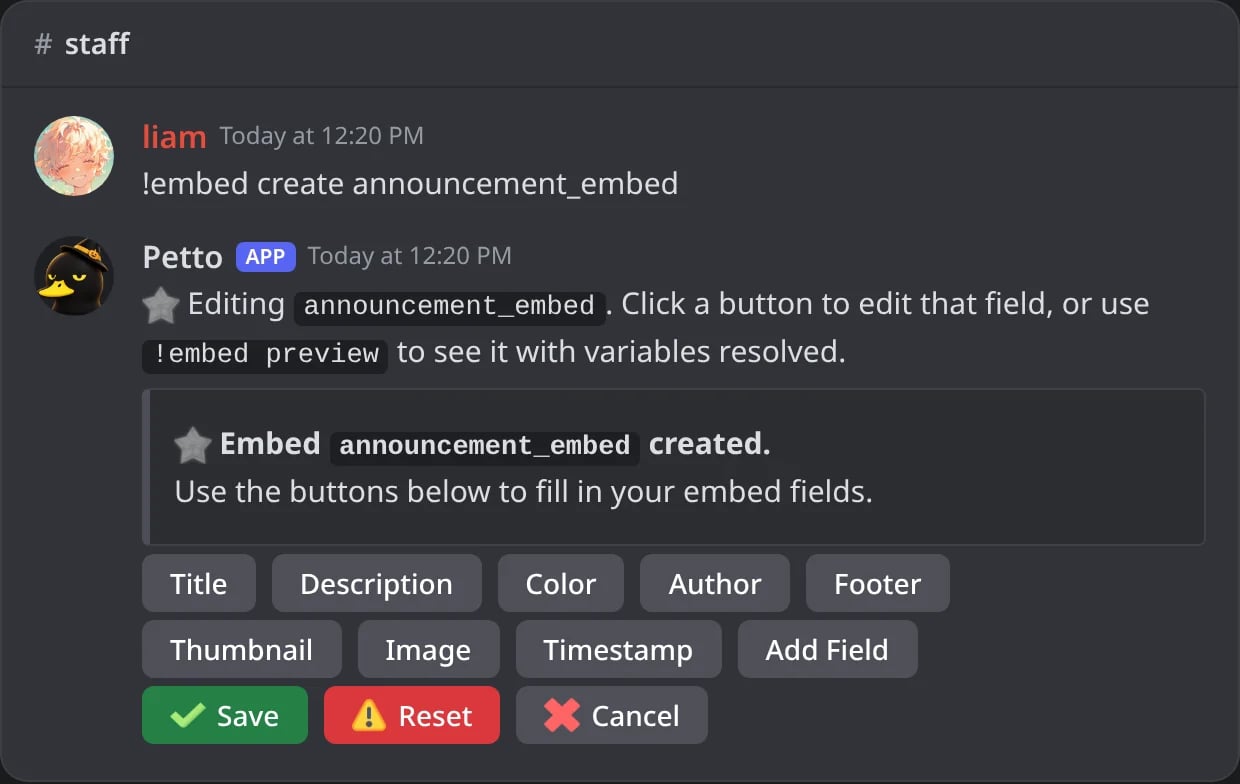
In Discord: !embed create opens the editing panel of the new embed.
!embed preview
!embed preview
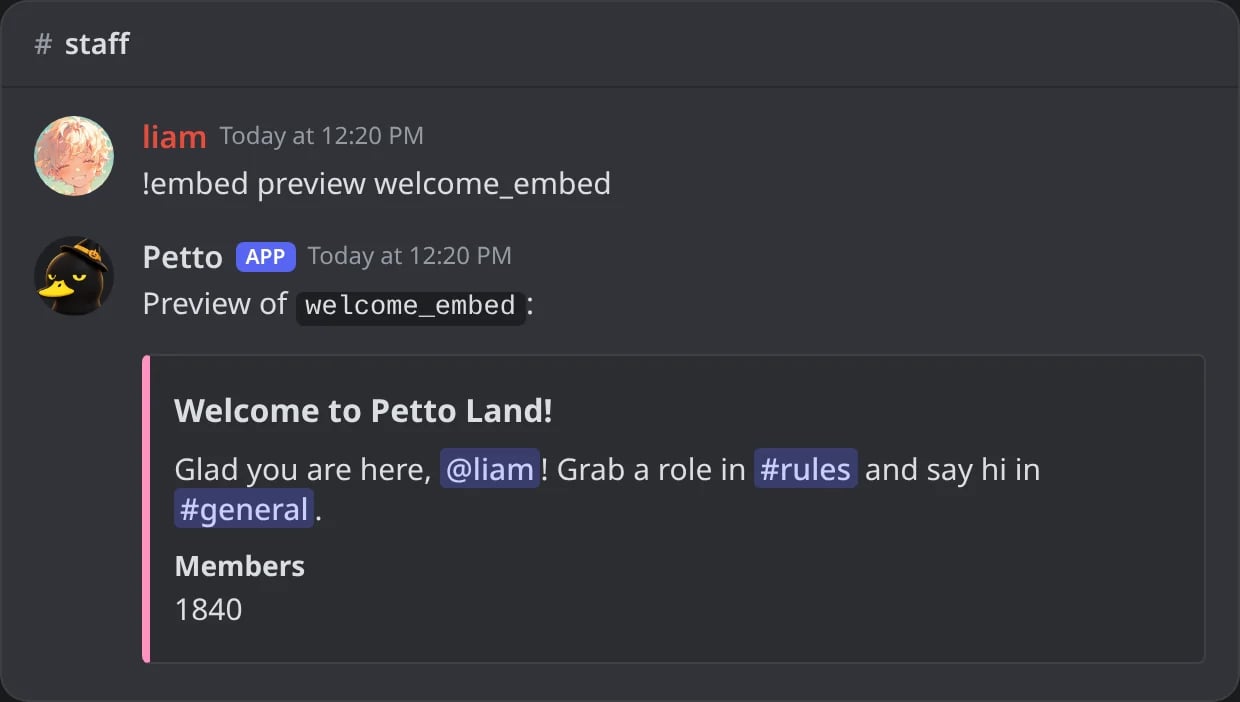
In Discord: !embed preview builds the saved embed with you as the member.
!embed preview (no such embed)
!embed preview (no such embed)
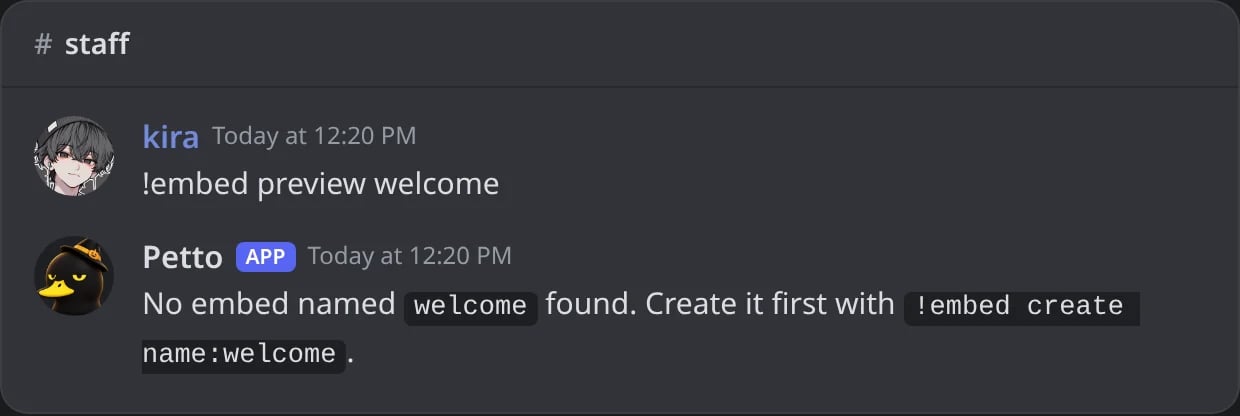
In Discord: a name that is not saved gets a hint to create it.
!embed send
!embed send
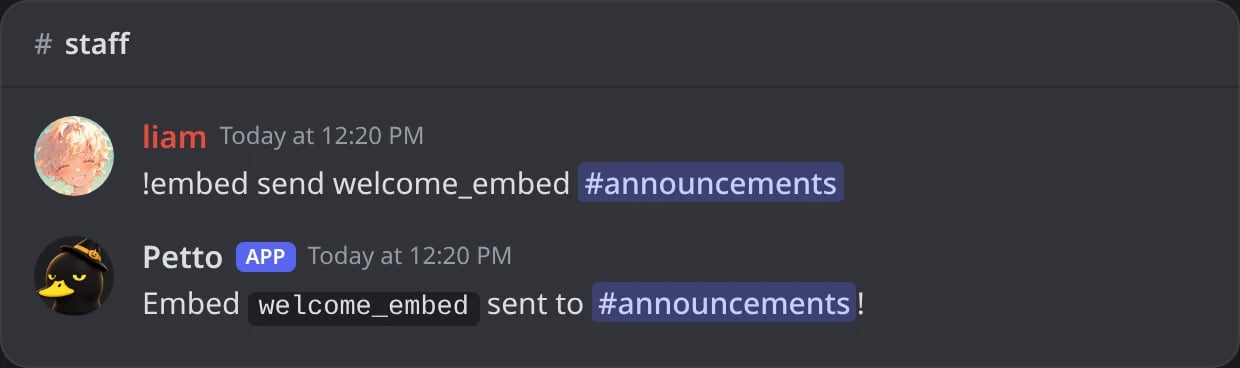
In Discord: !embed send confirms where the embed went.
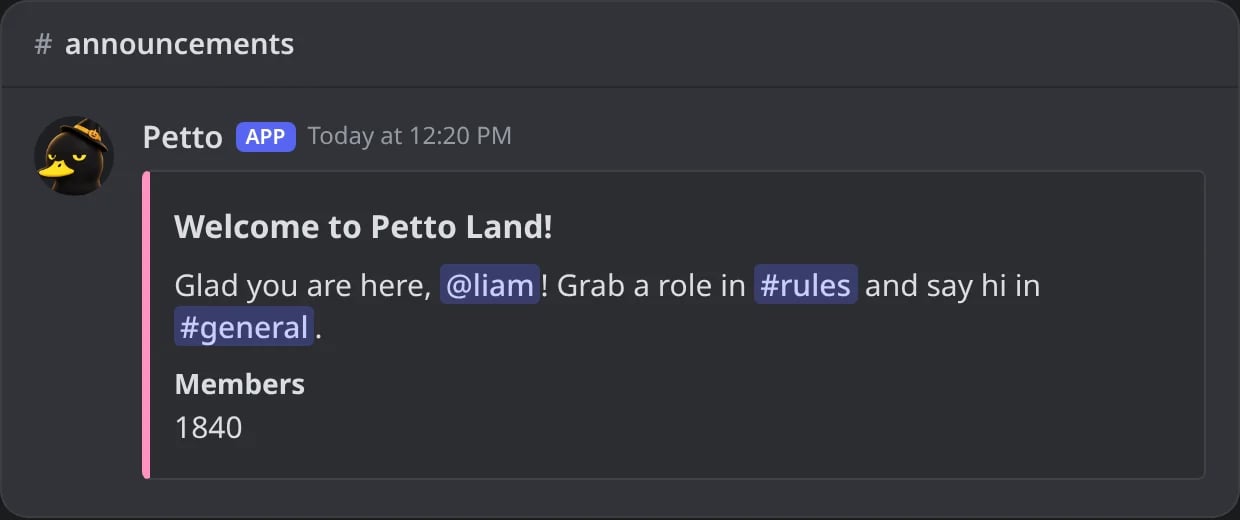
In Discord: the embed as members see it in the channel.
!embed delete
!embed delete
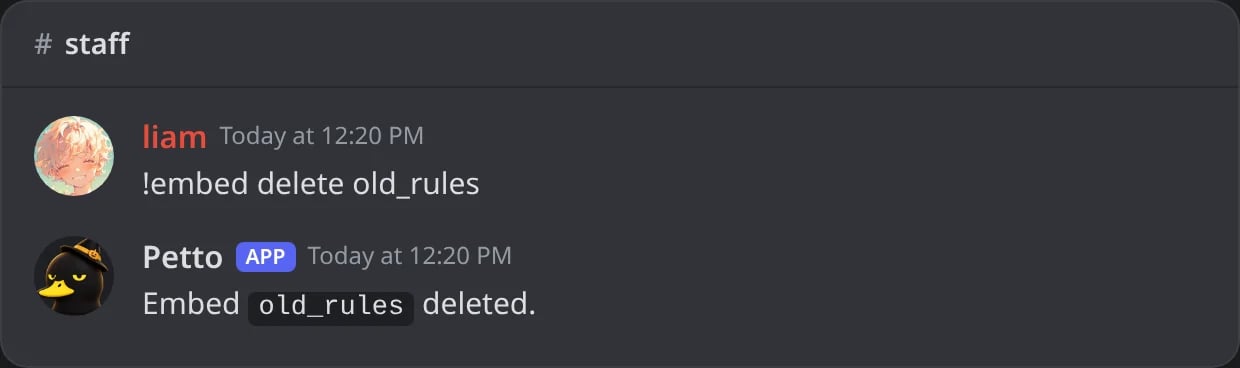
In Discord: !embed delete removes a saved embed.
!embed list
!embed list
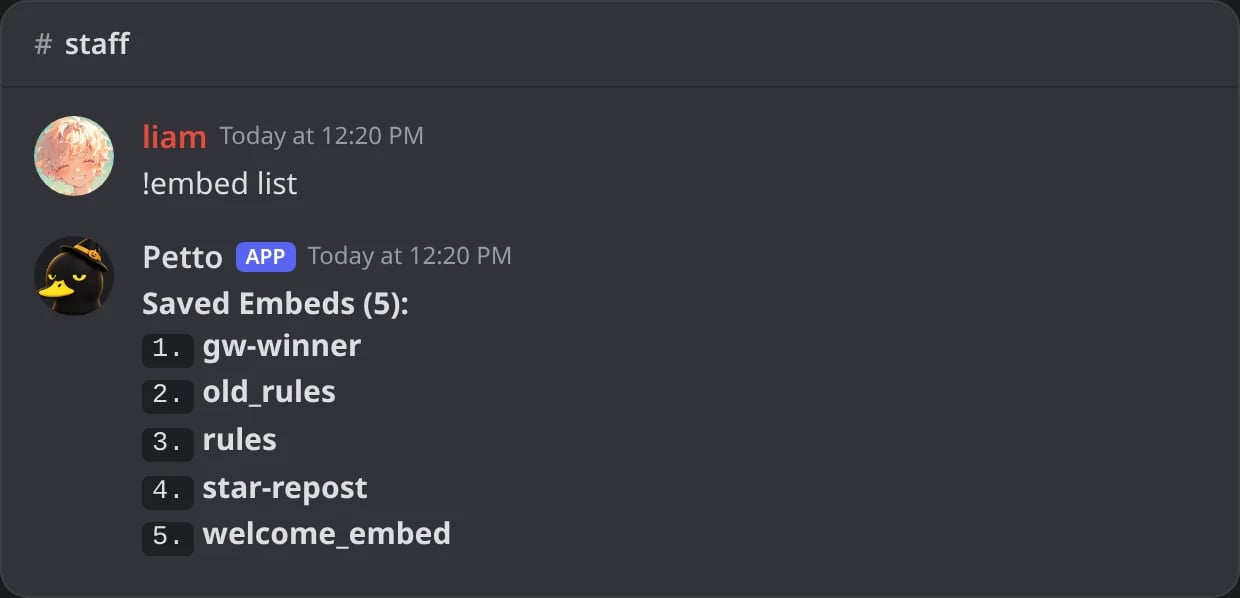
In Discord: !embed list shows the saved embeds of the server.
!embed vars
!embed vars
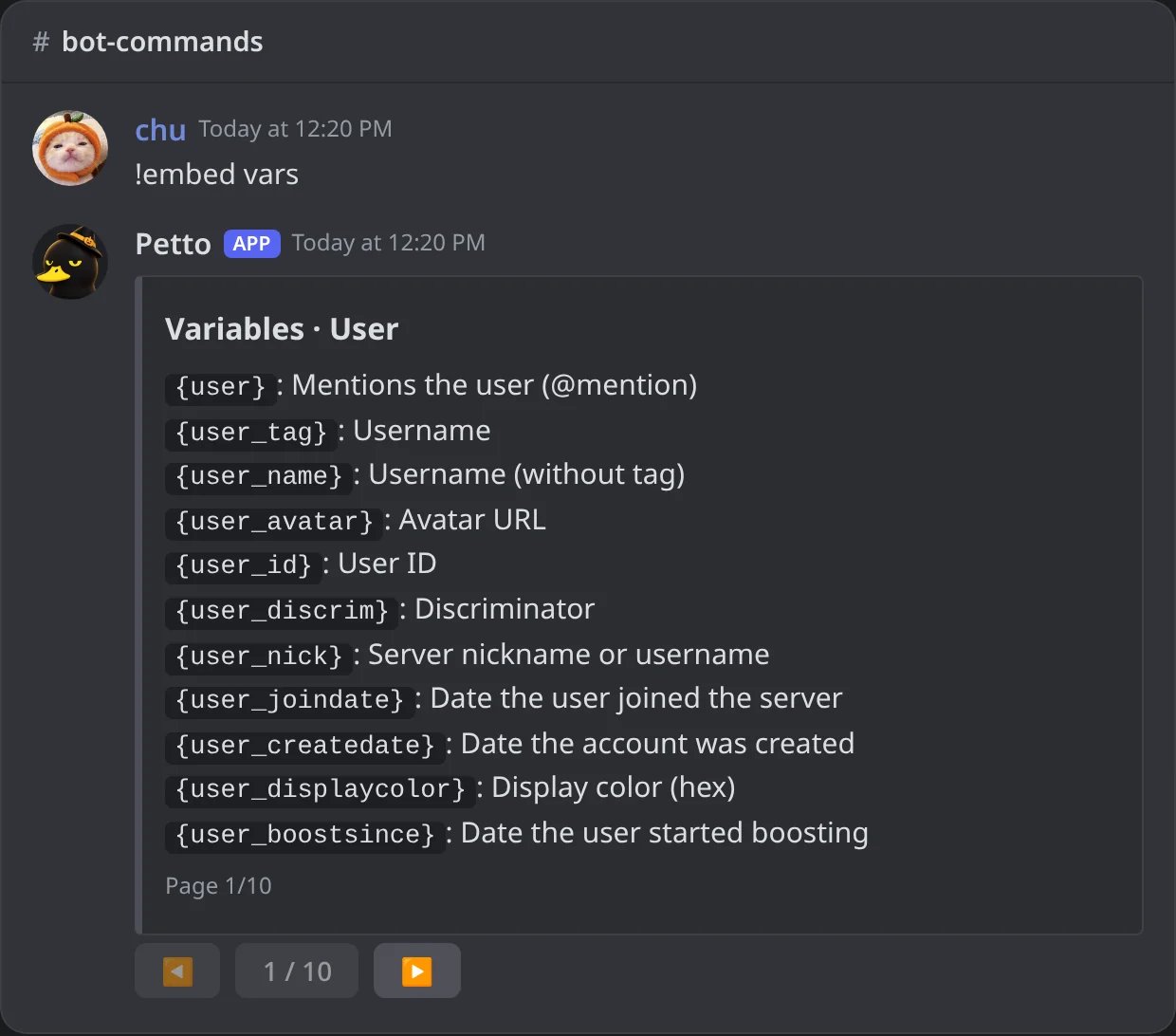
In Discord: !embed vars, the first page of the variables, with buttons to turn the pages.
!embed create opens an interactive editing panel with buttons for each field (title, description, color, fields, and so on), not a plain text reply.vars shows the variable reference directly in Discord, paginated.
Creating from one code
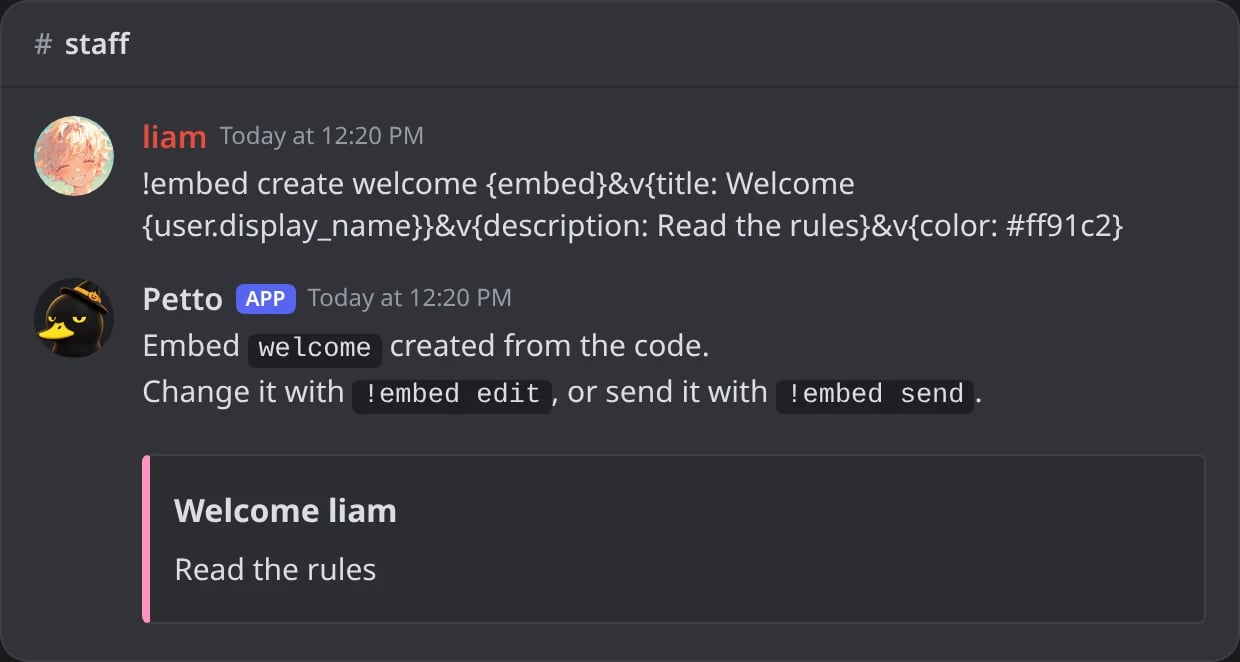
In Discord: an embed made from one code is saved and shown at once.
&v ($v is read too), && goes between the values of a block, and text before {embed} or {message: ...} is the message text. A code can hold up to 10 embeds: {embed}&v{...}&v{embed}&v{...}.
A Components V2 design can also be made from a code: paste the code that starts with p2. (the one the dashboard and the Embed Builder give you) in the same place, and the design is saved and shown at once.
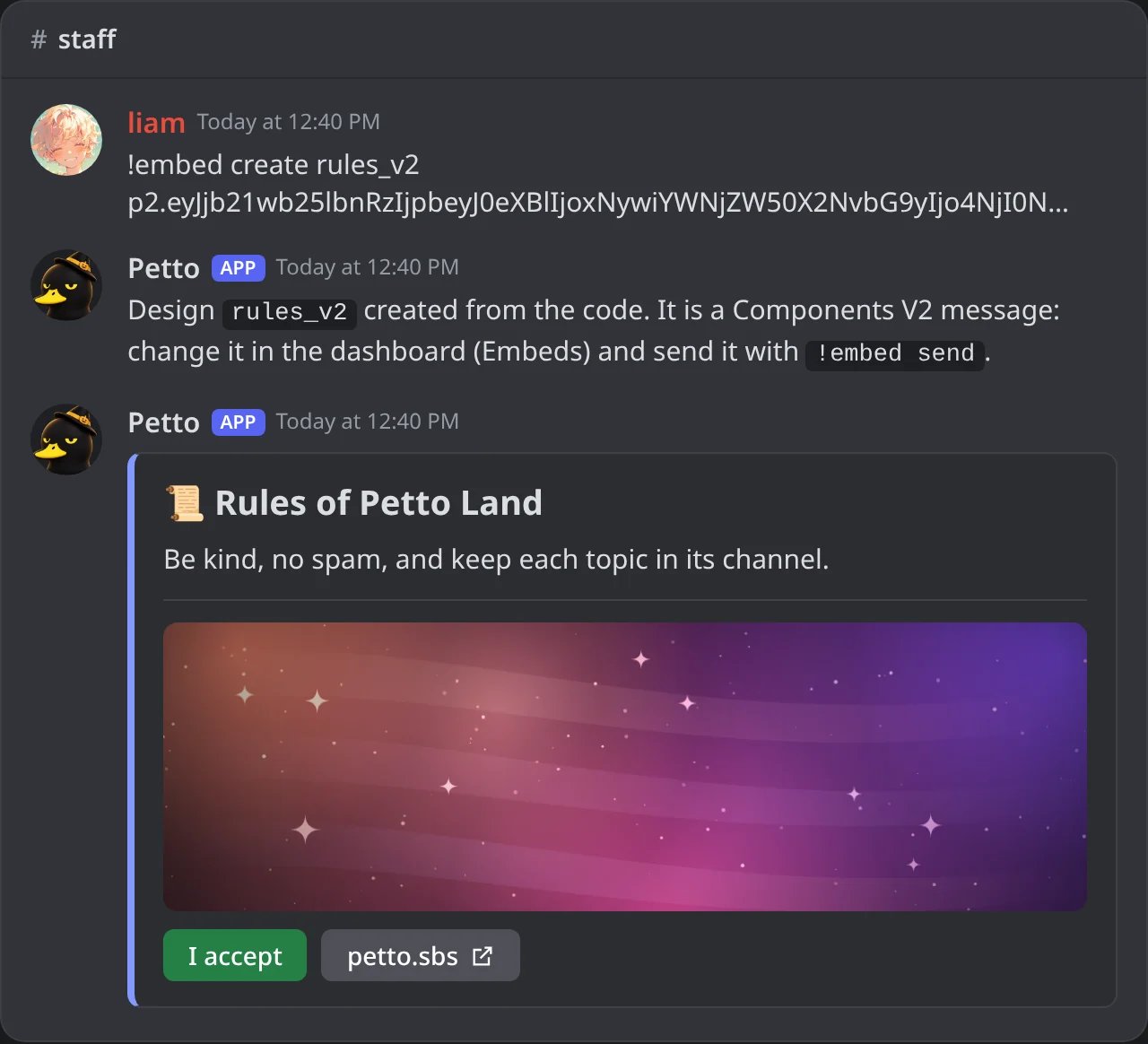
In Discord: a p2. code saves a Components V2 design and shows it.
{user} work inside values. Discord does not allow real line breaks in a command option, so write {newline}. !embed create without a code opens the editor panel as before. With the slash command, the code goes in its code option (/embed create name code:). A code with message text or buttons is saved in the dashboard’s format and is edited there. See !embed vars for the code page.
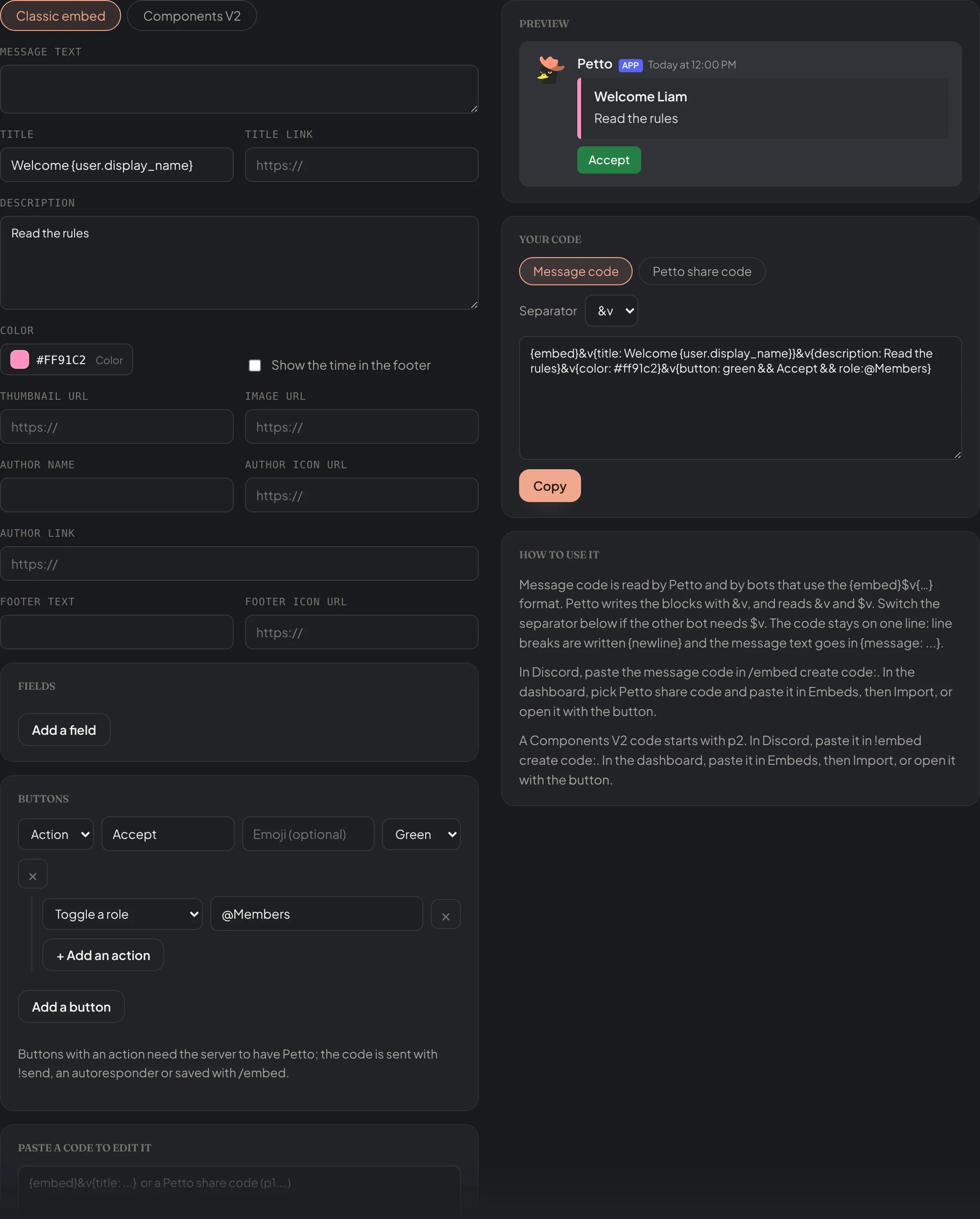
Embed code generator (petto.sbs/embed-code): the form, the preview and the code to copy.
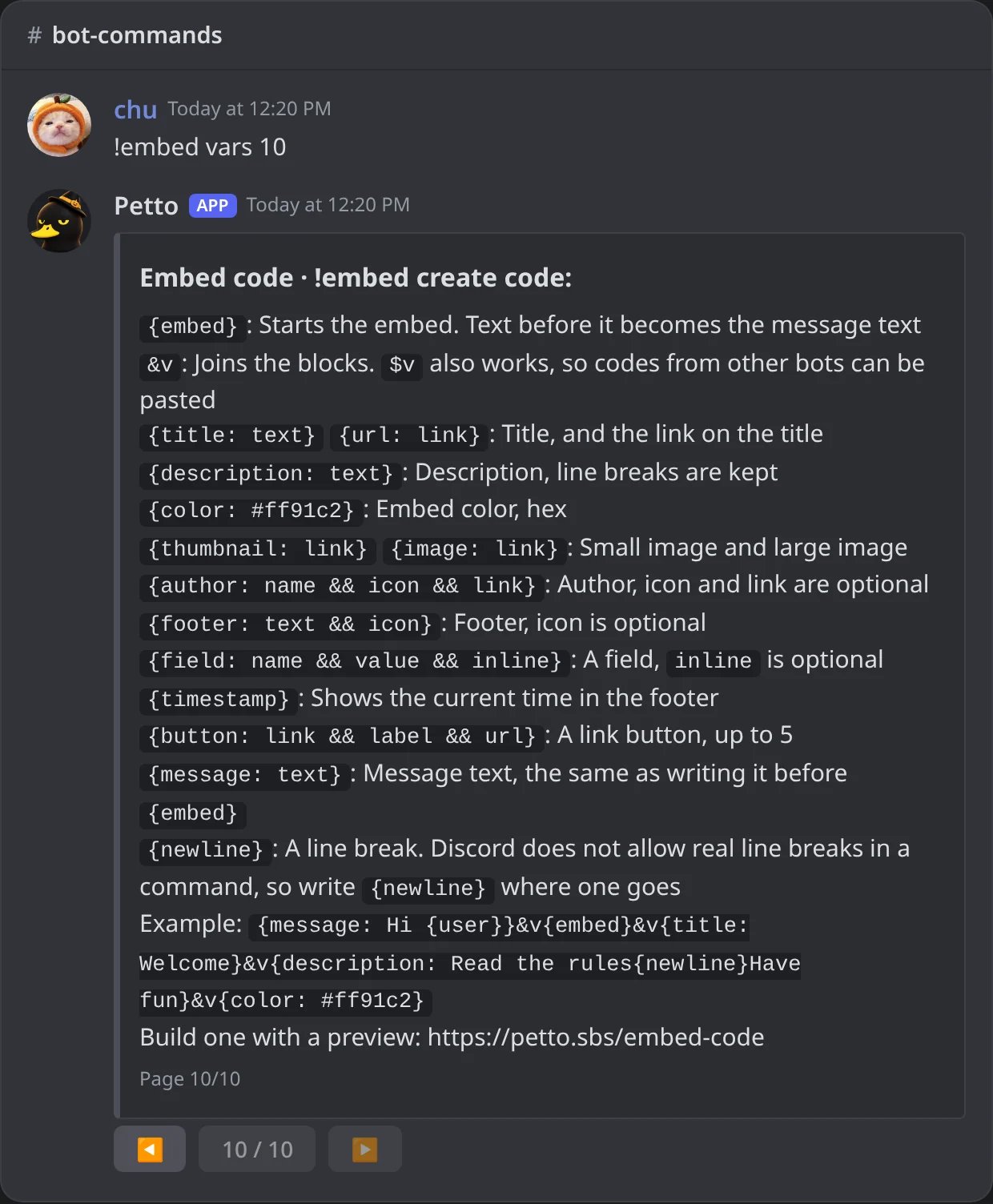
In Discord: the code page of !embed vars (page 10).
Sending and changing a code
An embed code works in more places than!embed create:
- Autoresponders: write the code as the reply,
!autoresponder add test, {embed}$v{description: Hi {user.mention}} --reply. See Autoresponder for the flags. - Changing a message Petto already sent:
!editembedreplaces it with a new code.
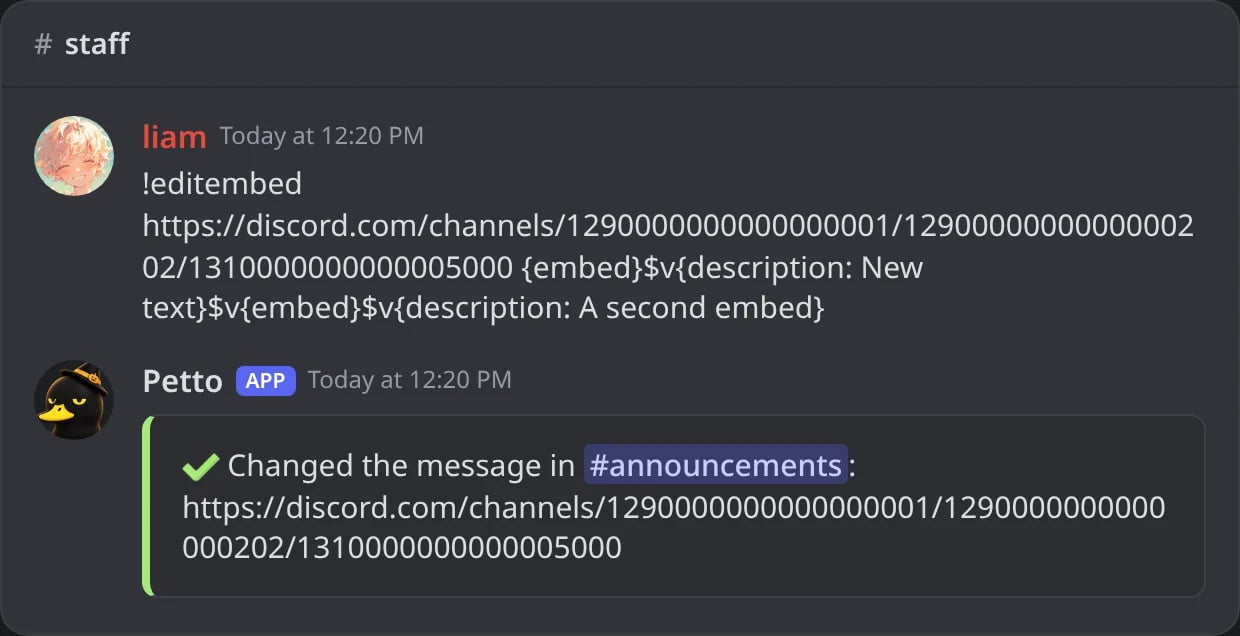
In Discord: !editembed confirms the change with a link to the message.
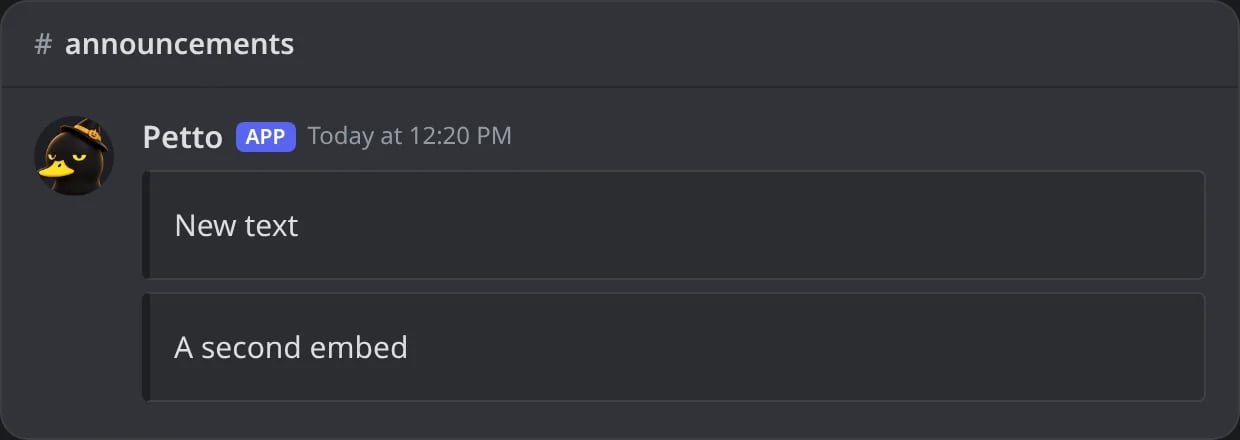
In Discord: the message after !editembed: exactly what the new code says.
!embed send.
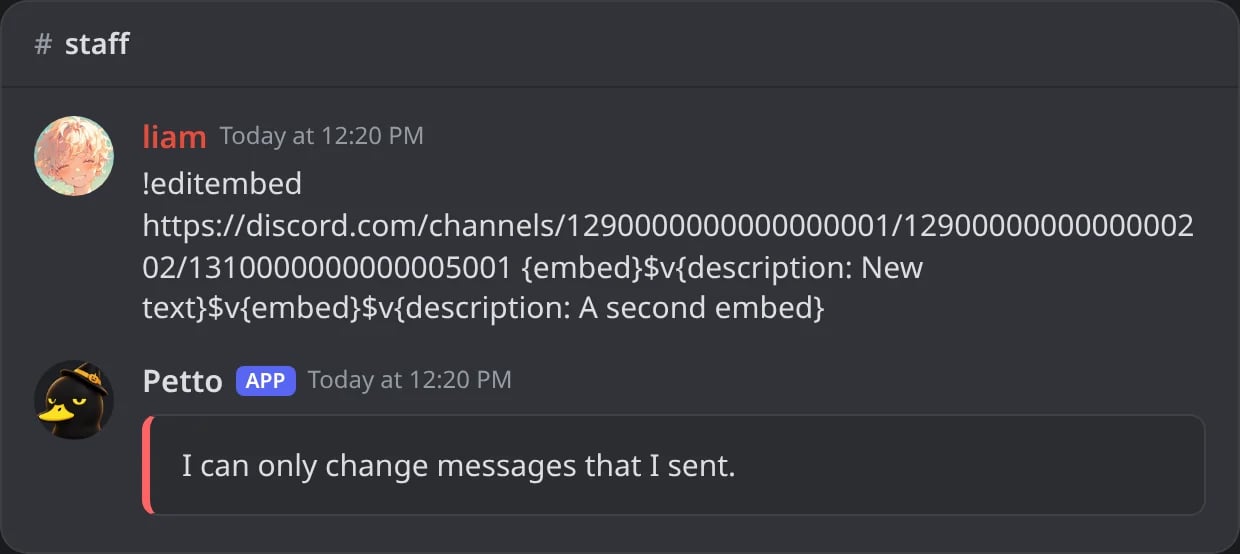
In Discord: !editembed refuses a message that Petto did not send.
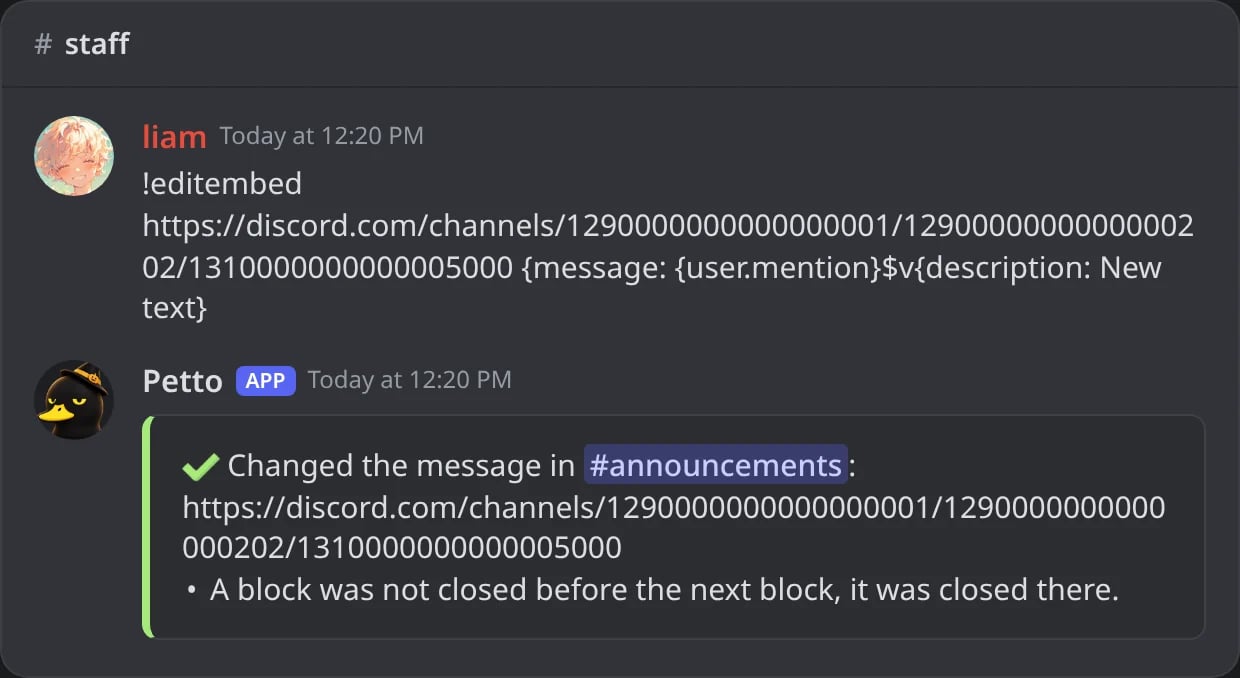
In Discord: a block without its closing brace: the message is changed and Petto says where the block was closed.
Buttons with actions
Besides link buttons, a code can have buttons that do something when they are clicked: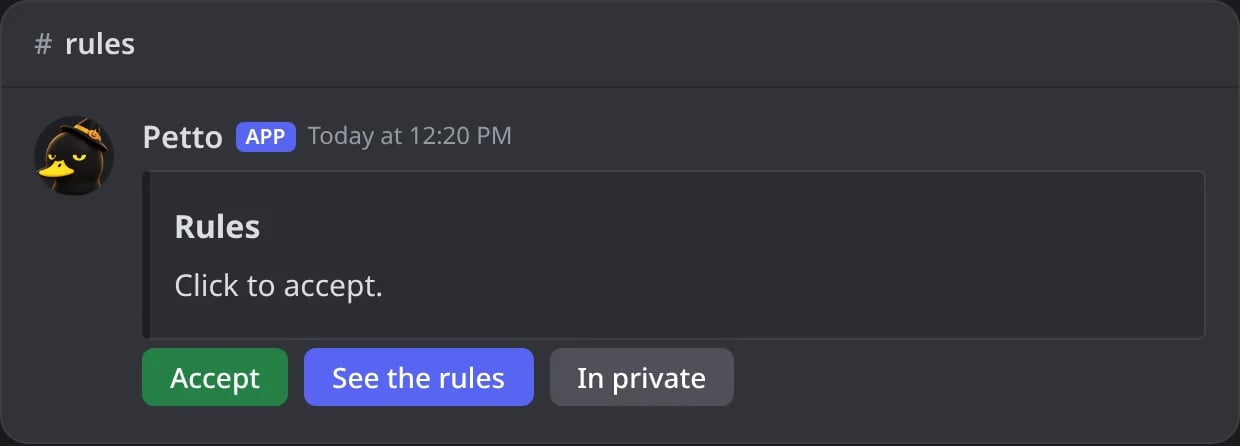
In Discord: the example code sent in the rules channel: three buttons with actions.
role:
role:
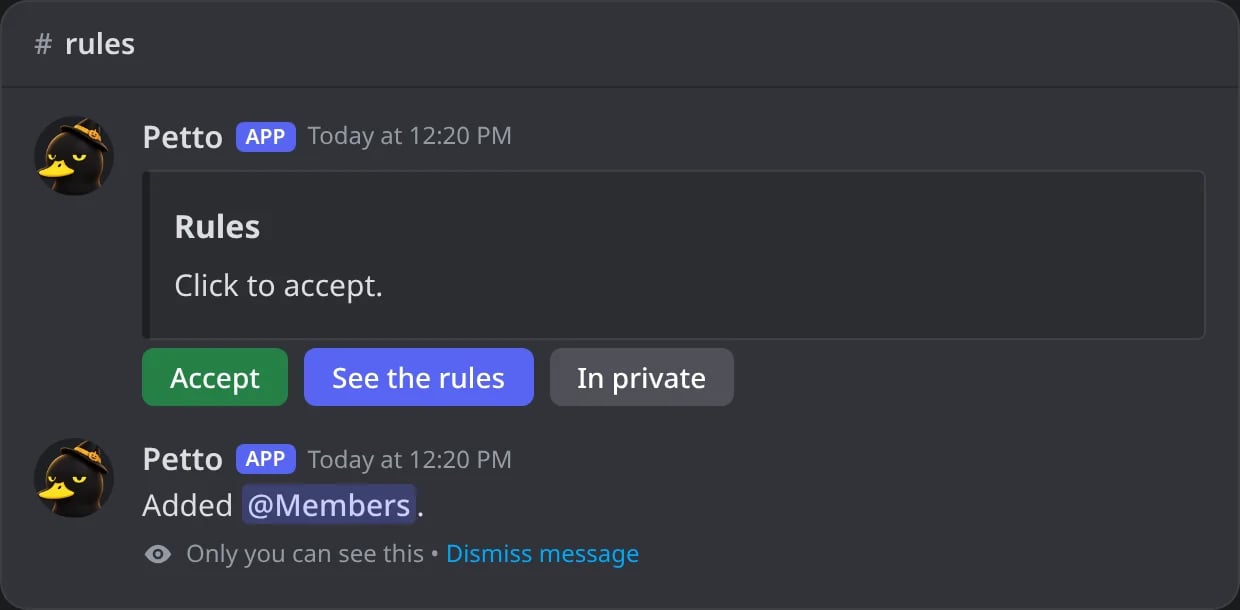
In Discord: a click on Accept gives the role, and only who clicked sees the answer.
embed:<name>
embed:<name>
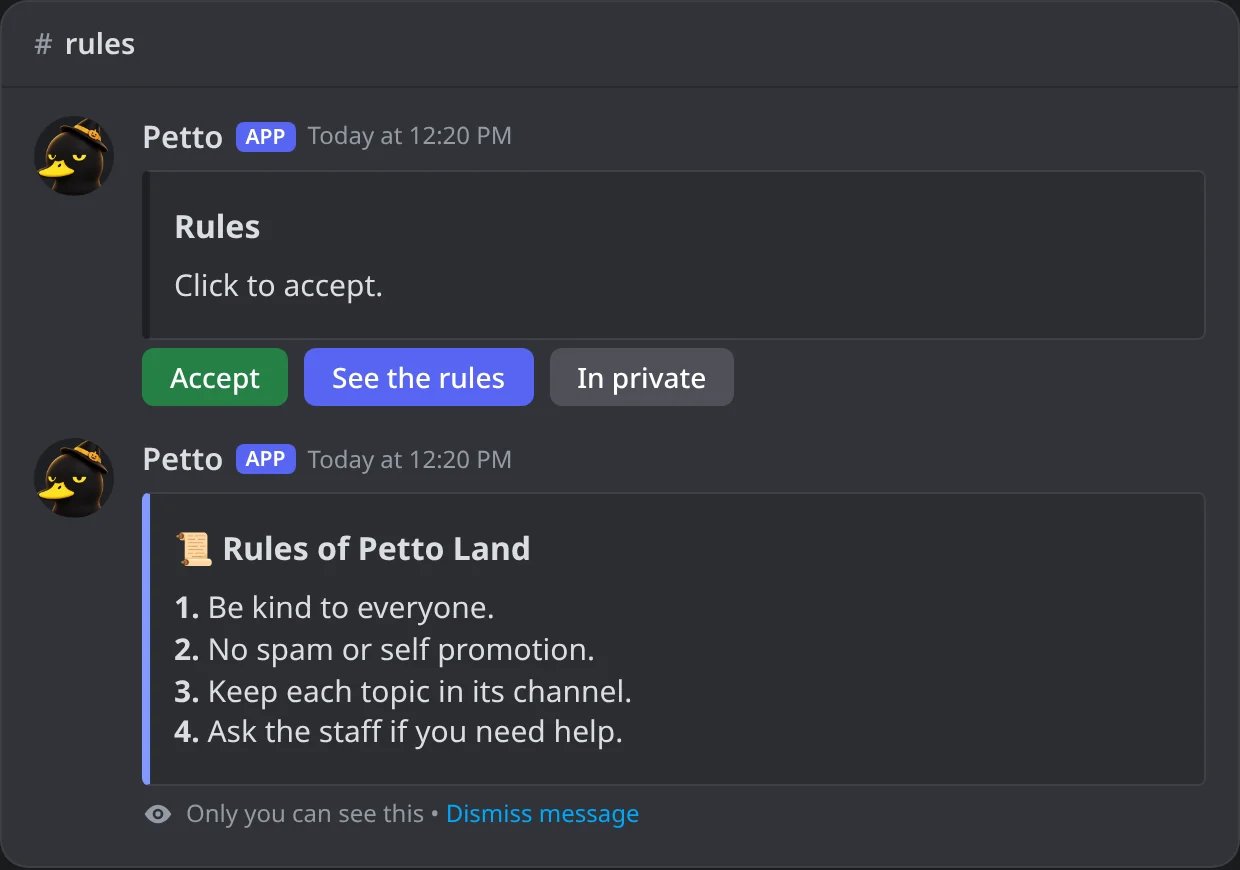
In Discord: See the rules answers with the saved embed, only to who clicked.
embed:<name>:dm
embed:<name>:dm
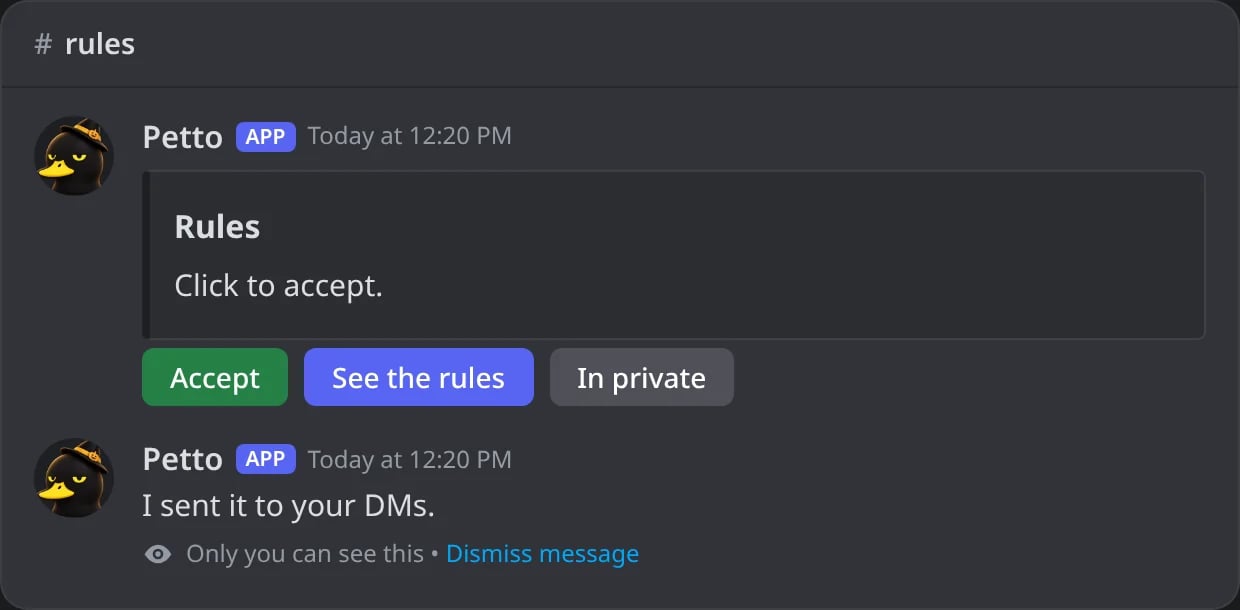
In Discord: In private sends the embed by DM and says so.
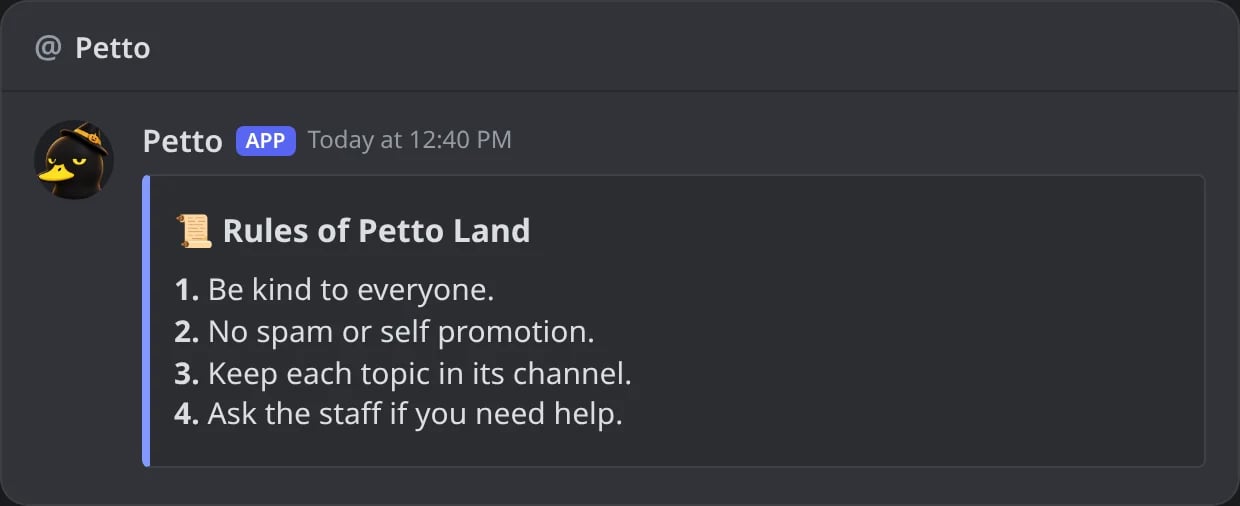
In Discord: the saved embed in the DMs of who clicked.
<role> is a mention, an ID or the name of the role. A button can have up to 4 actions (for example give a role and show an embed at once) and a code up to 5 buttons, in one row. Petto only changes roles that are below its highest role, that do not belong to an integration, and it needs the Manage Roles permission. What a button does is kept inside the button itself, so it keeps working after Petto restarts.
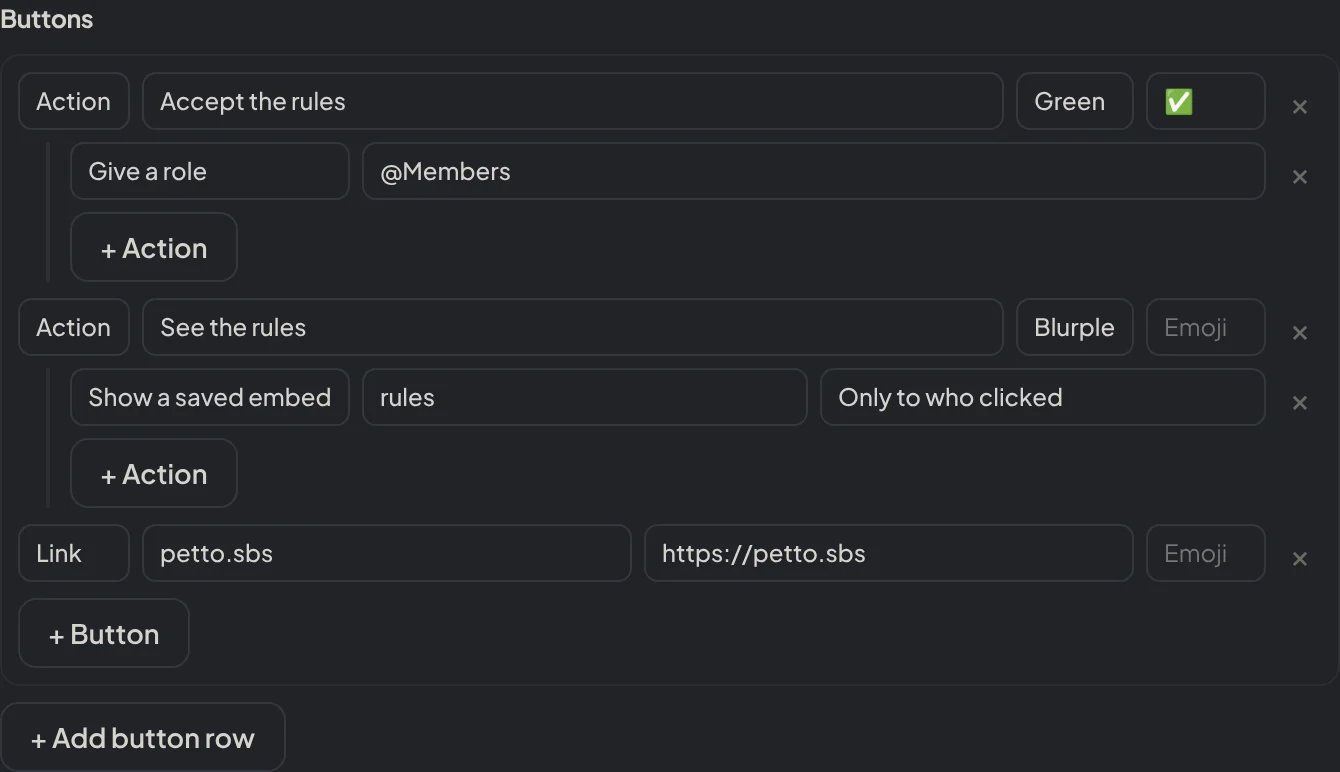
Dashboard → Design → Embeds: each button is a Link or an Action, with its color, emoji and actions.
Sending messages with !send
!send (and petto send, !message send and /message send). The permission is checked first, on every way of sending, and without it Petto refuses privately. Petto also needs to see and write in the channel.
!send (text and a role)
!send (text and a role)
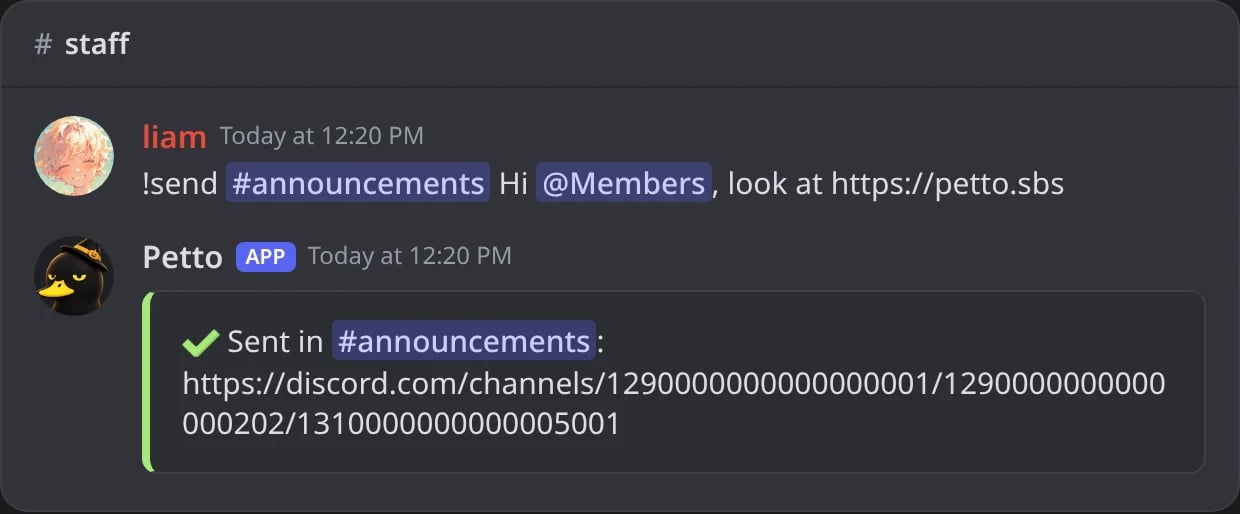
In Discord: !send confirms with a link to the message.

In Discord: the message as Petto sent it.
!send (an embed code)
!send (an embed code)
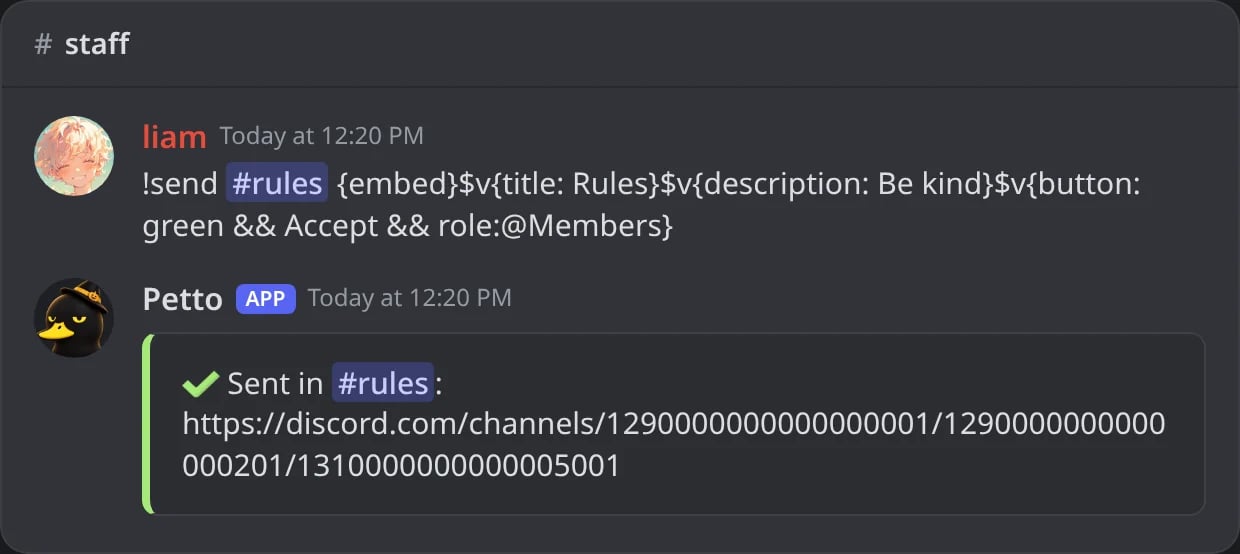
In Discord: an embed code with a button sent to the rules channel.
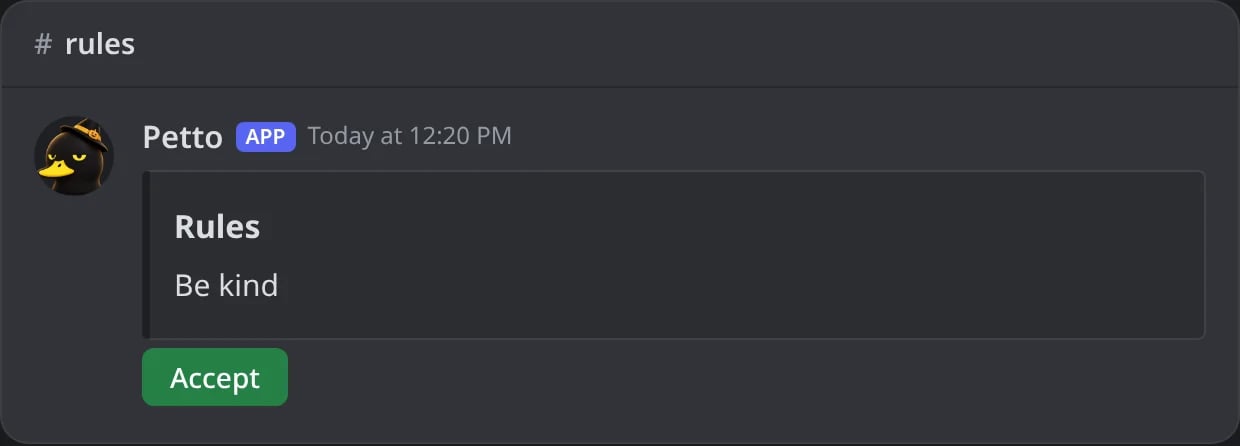
In Discord: the embed and its button in the channel.
- You need Manage Messages in that channel, and Petto needs to be able to write there (and Attach Files or Embed Links when needed).
- Pings follow your permissions: people always, a role only if it can be mentioned, and
@everyoneor locked roles only if you have Mention Everyone. - Variables like
{user.mention}and{server_name}are filled with you as the member. - A code with buttons that give or take roles needs you to have Manage Roles and those roles to be below your highest role; a button that shows an embed needs that embed to exist.
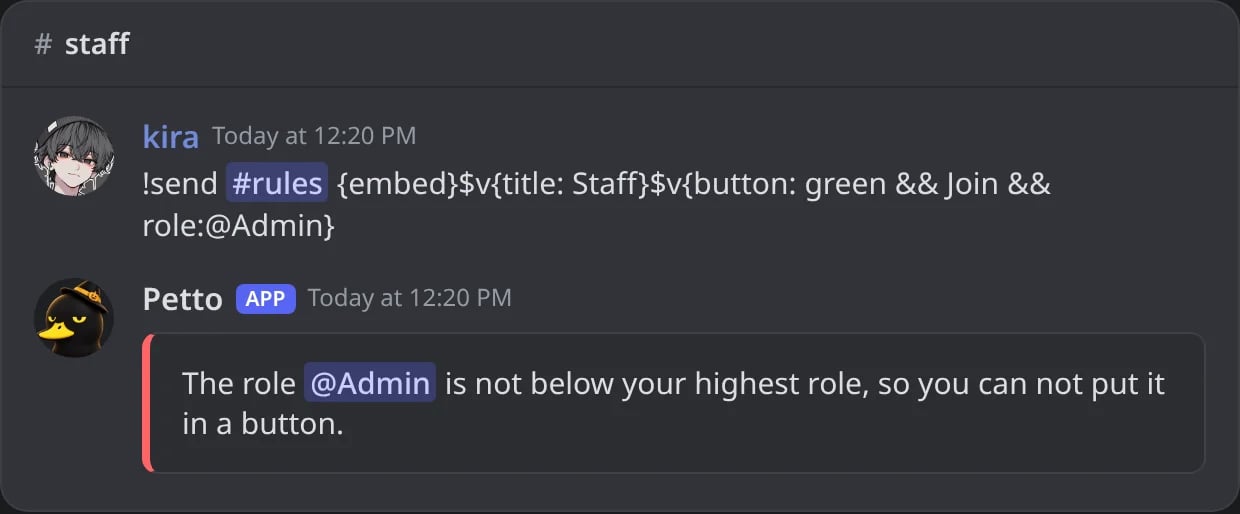
In Discord: a button with a role above your own highest role is refused.
Editing fields
!embed edit title
!embed edit title
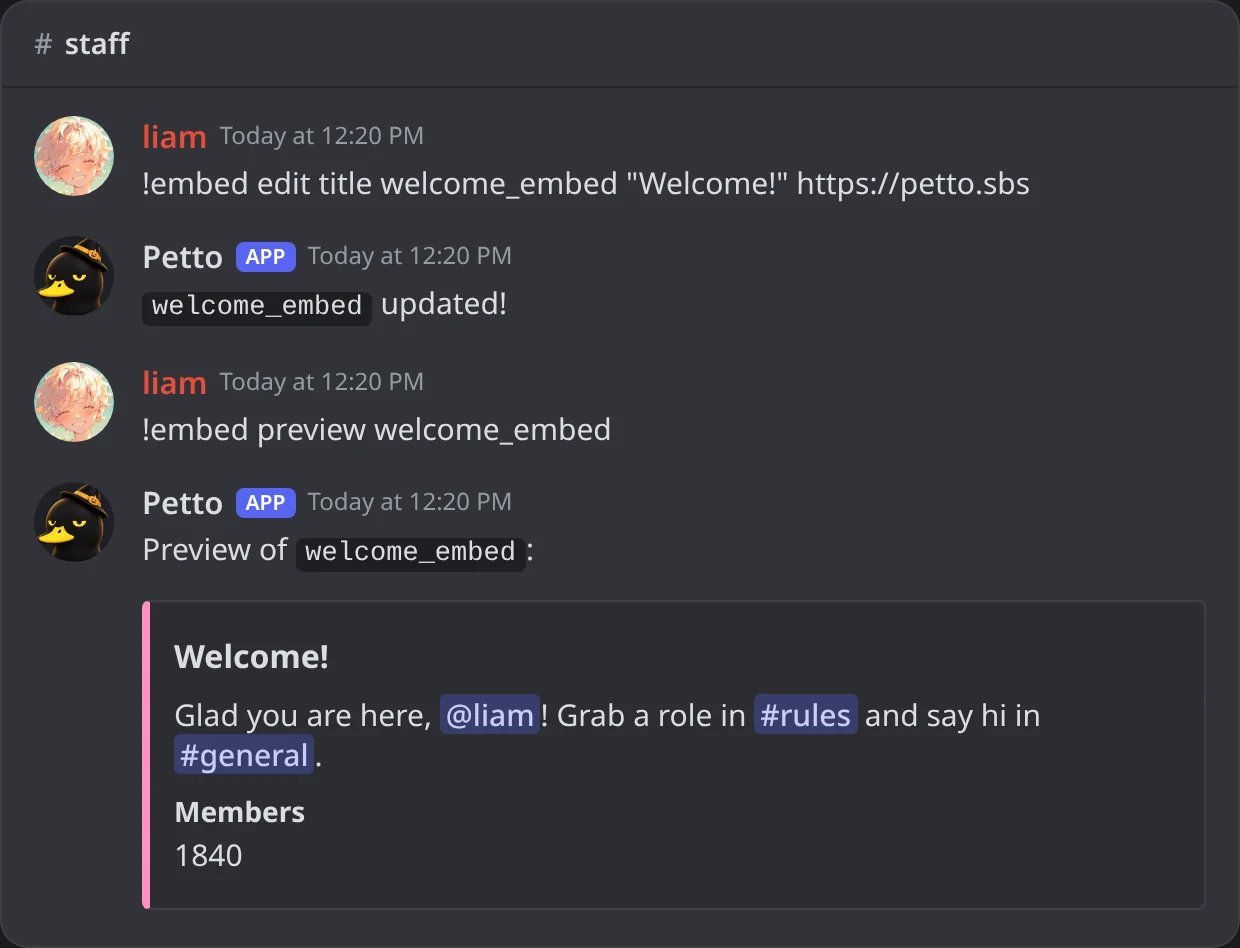
In Discord: !embed edit title, then !embed preview shows the new title, with its link, in the preview.
!embed edit description
!embed edit description
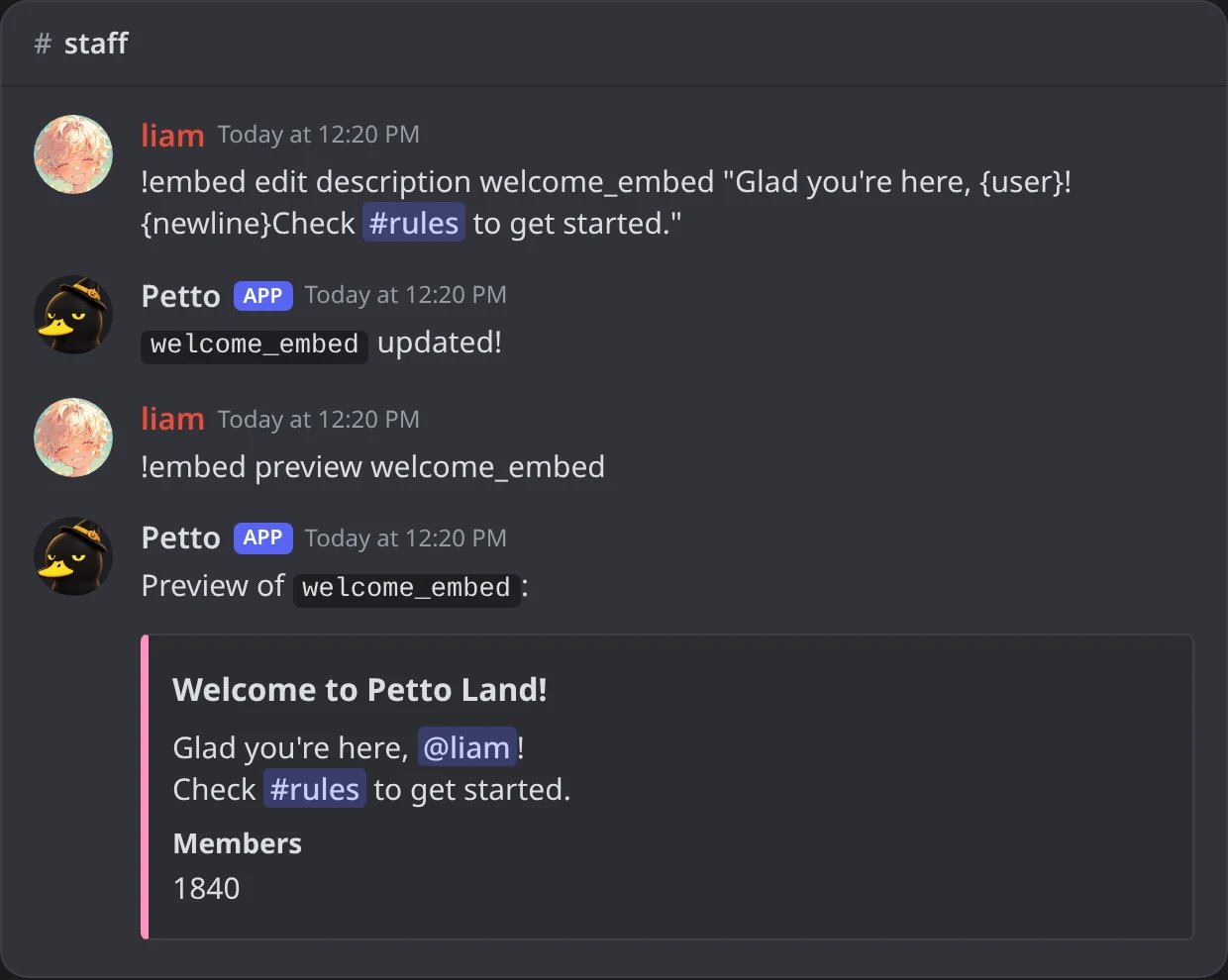
In Discord: !embed edit description, then !embed preview shows the new description, with its line break.
!embed edit color
!embed edit color
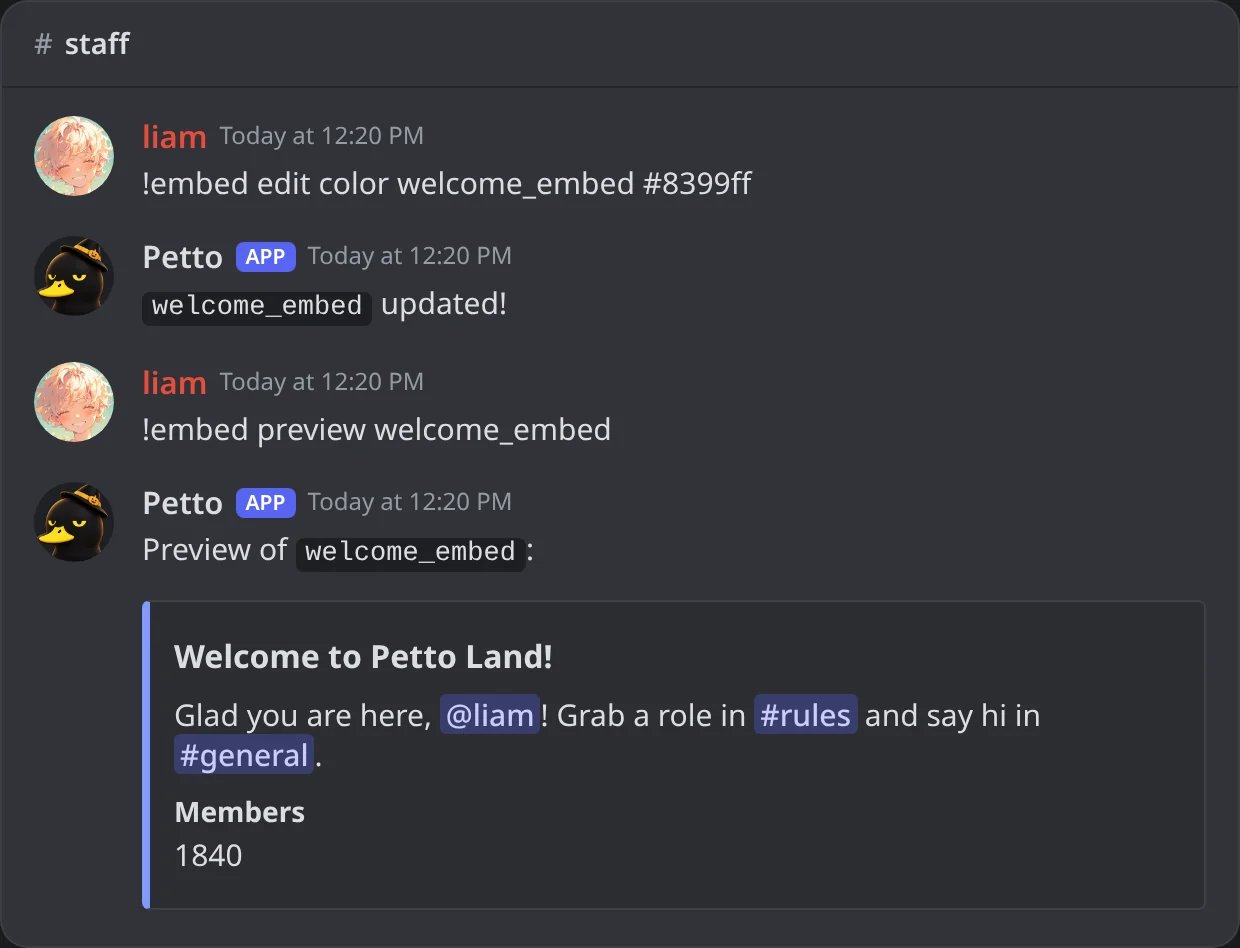
In Discord: !embed edit color, then !embed preview shows the new color of the side bar.
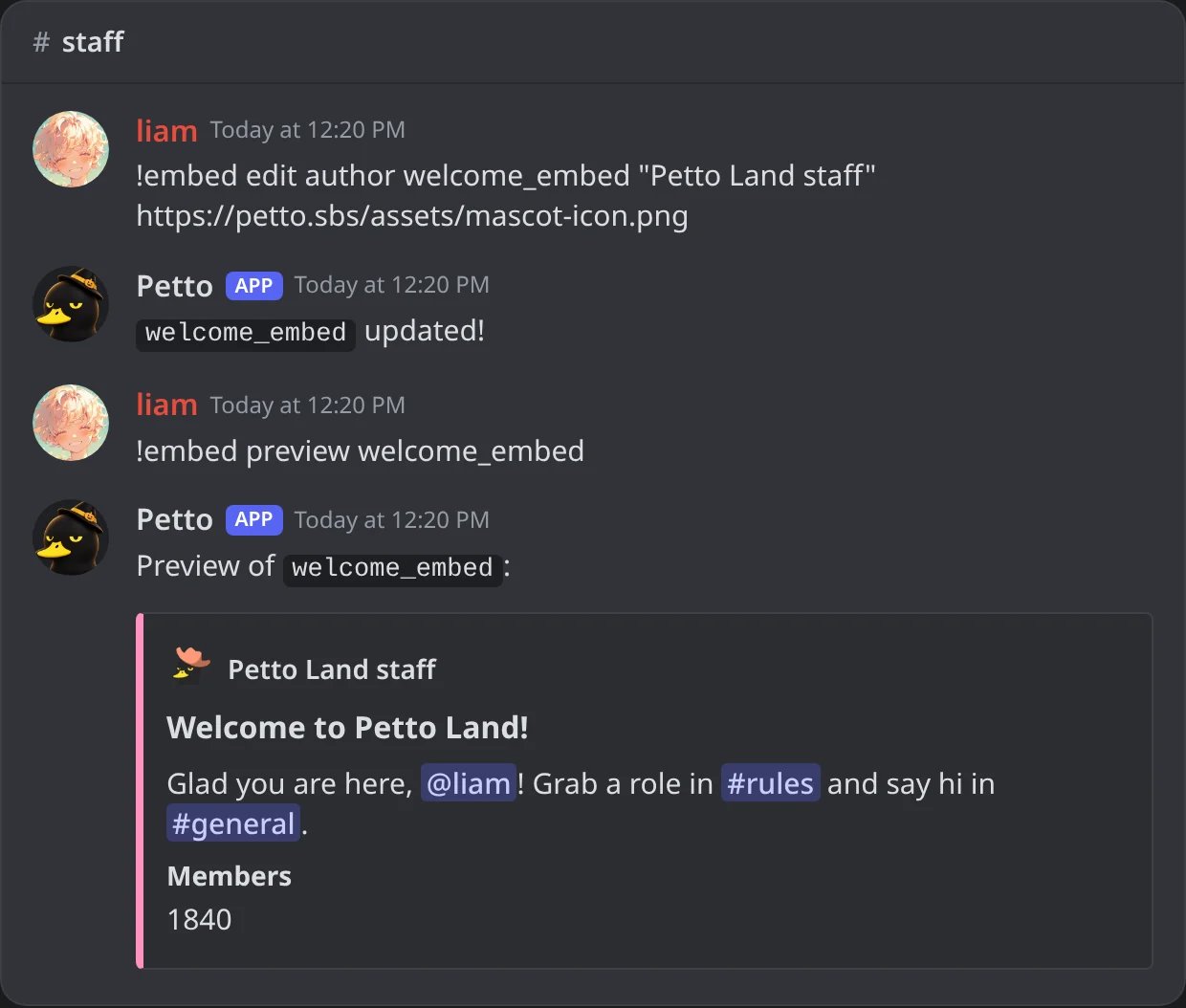
In Discord: !embed edit author, then !embed preview shows the author line with its icon.
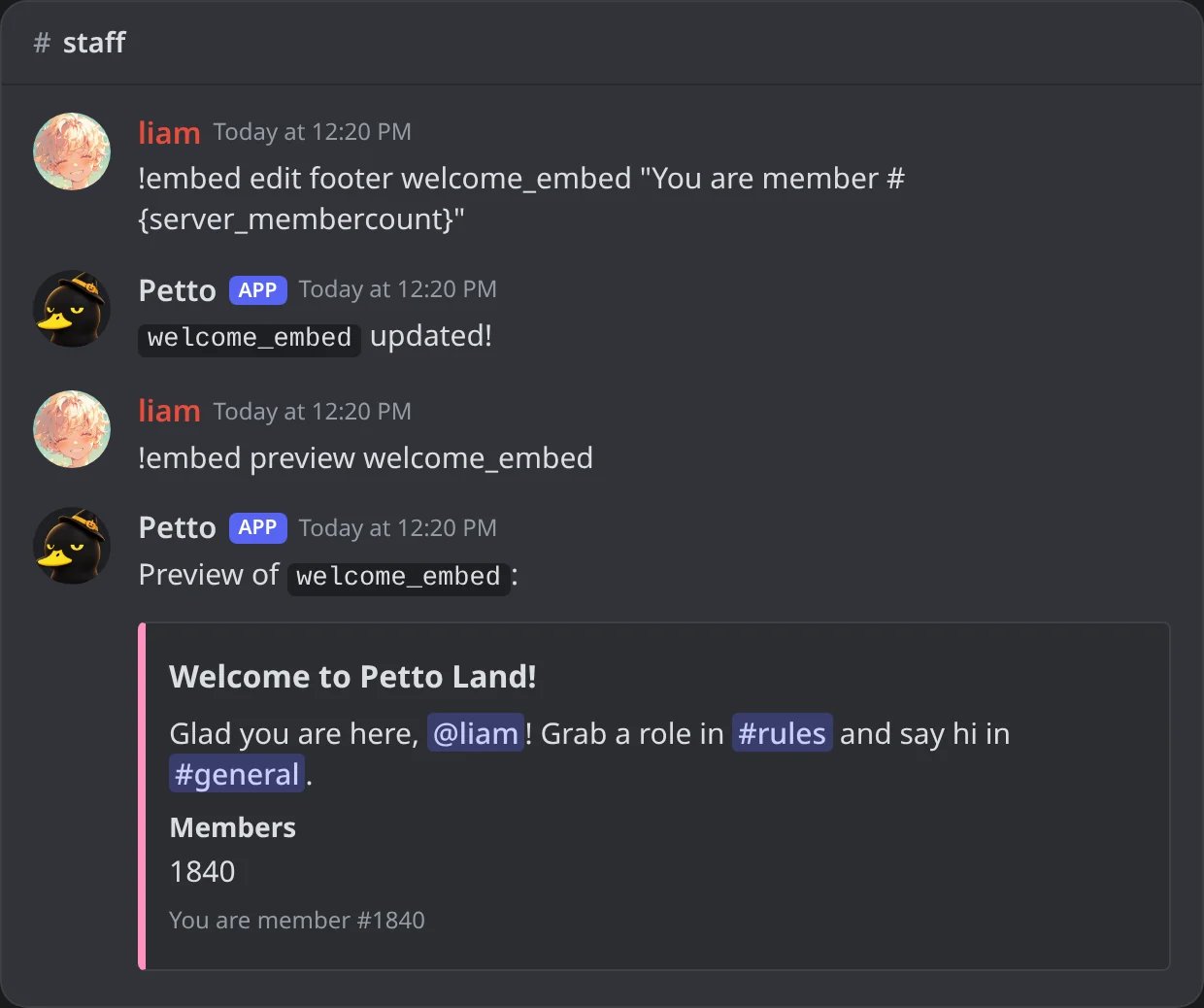
In Discord: !embed edit footer, then !embed preview shows the footer, with a variable filled in.
!embed edit thumbnail
!embed edit thumbnail
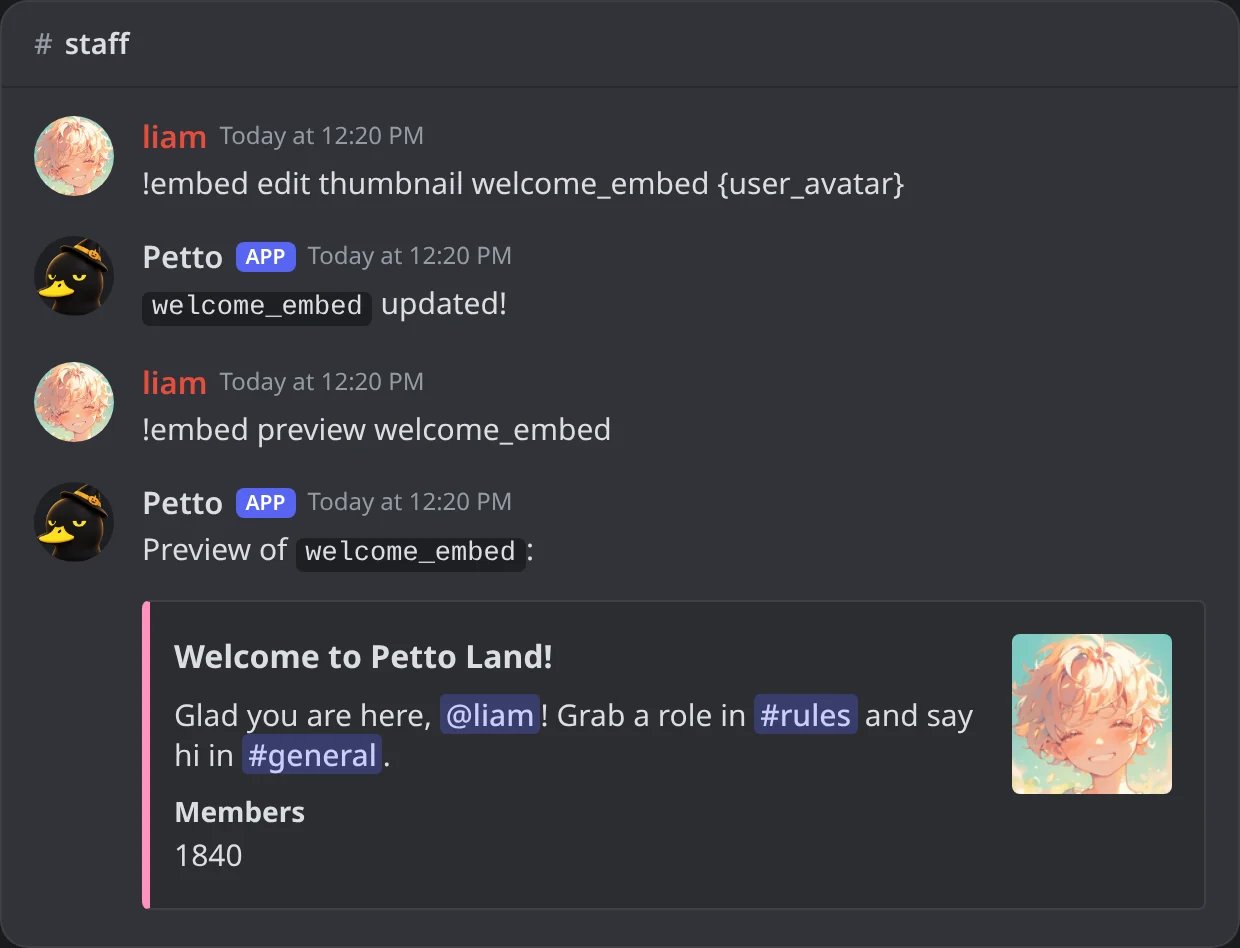
In Discord: !embed edit thumbnail, then !embed preview shows the small picture at the top right, from {user_avatar}.
!embed edit image
!embed edit image
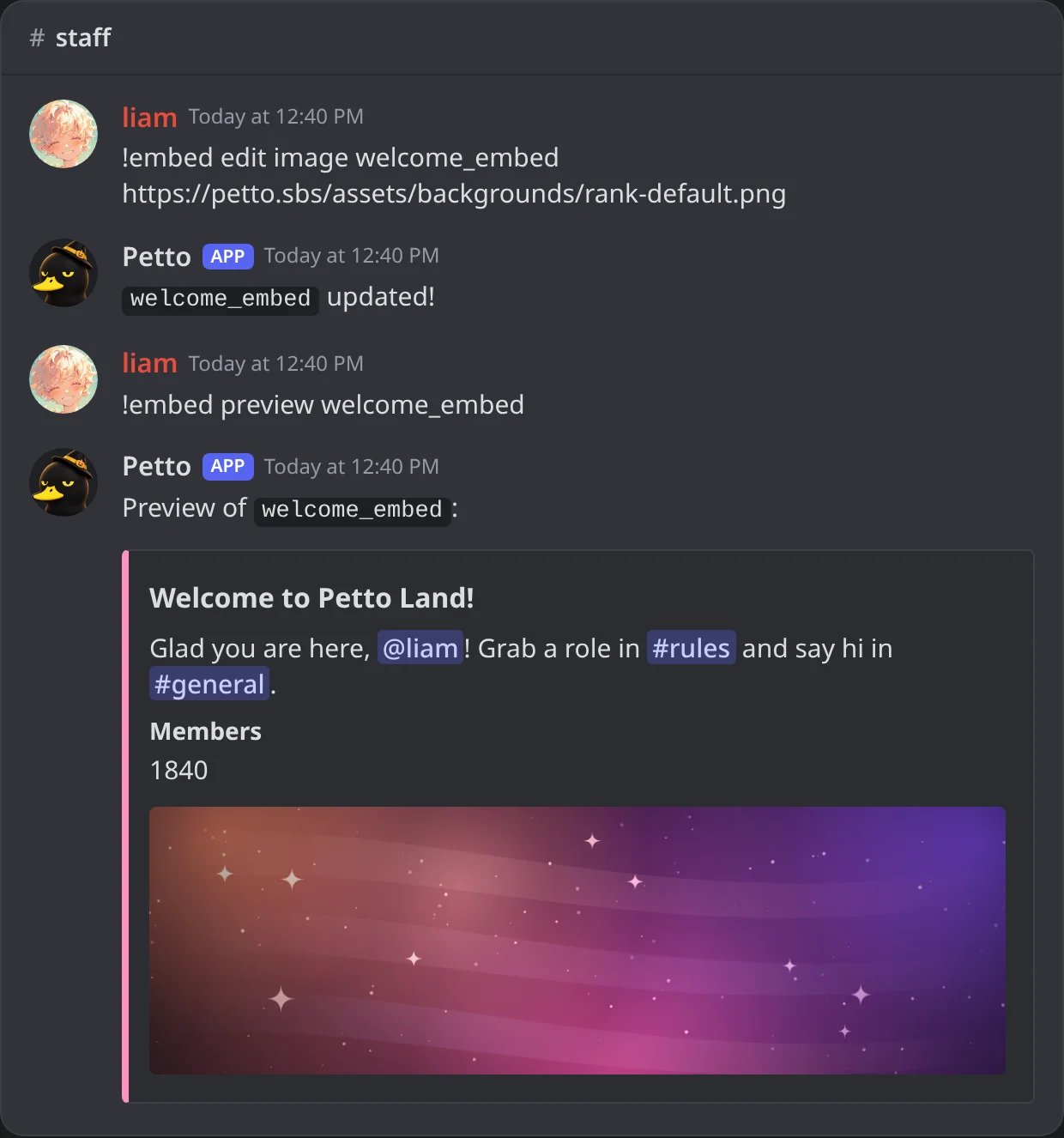
In Discord: !embed edit image, then !embed preview shows the large picture under the embed.
!embed edit timestamp
!embed edit timestamp
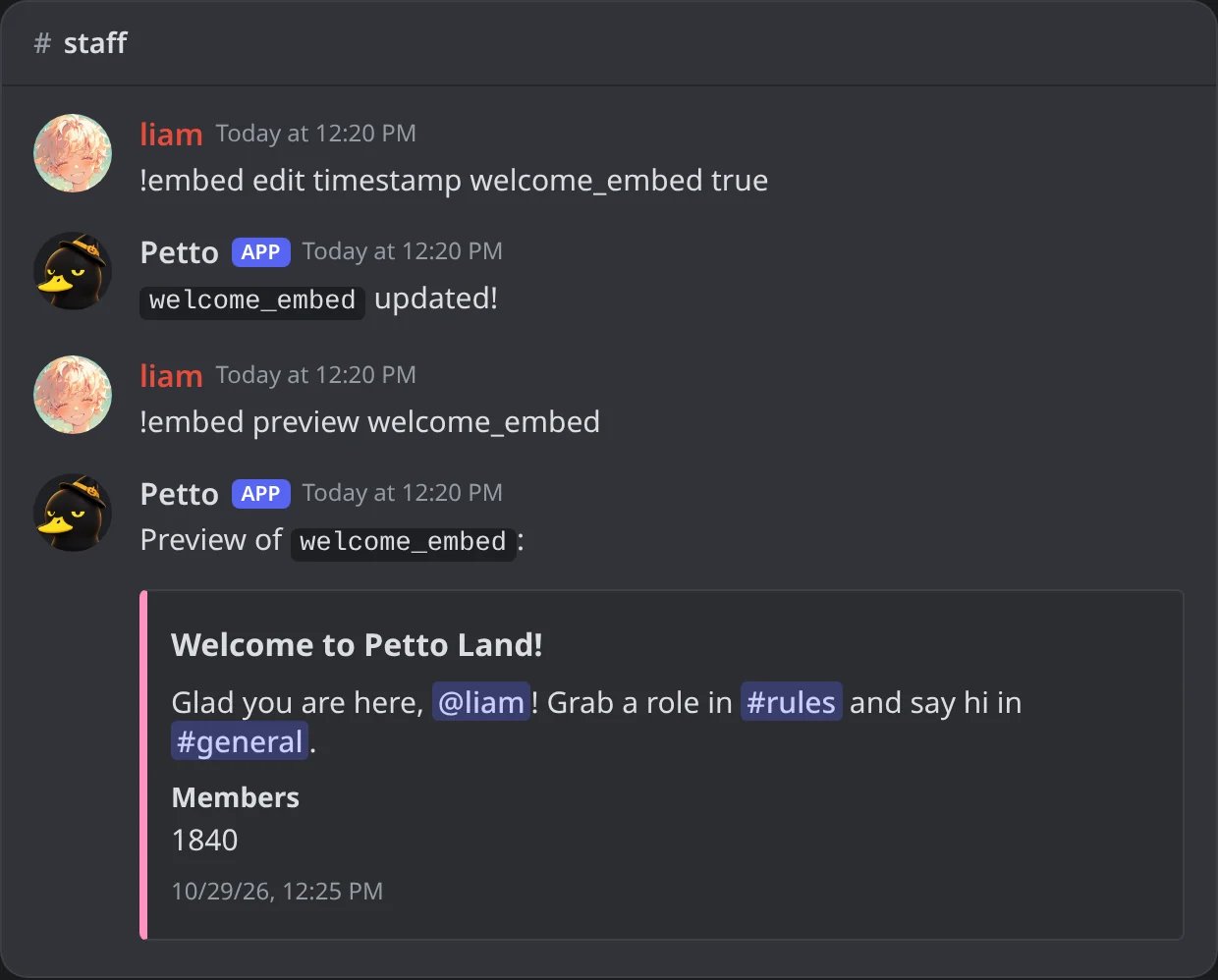
In Discord: !embed edit timestamp, then !embed preview shows the time of the message in the footer.
Fields (the name/value pairs)
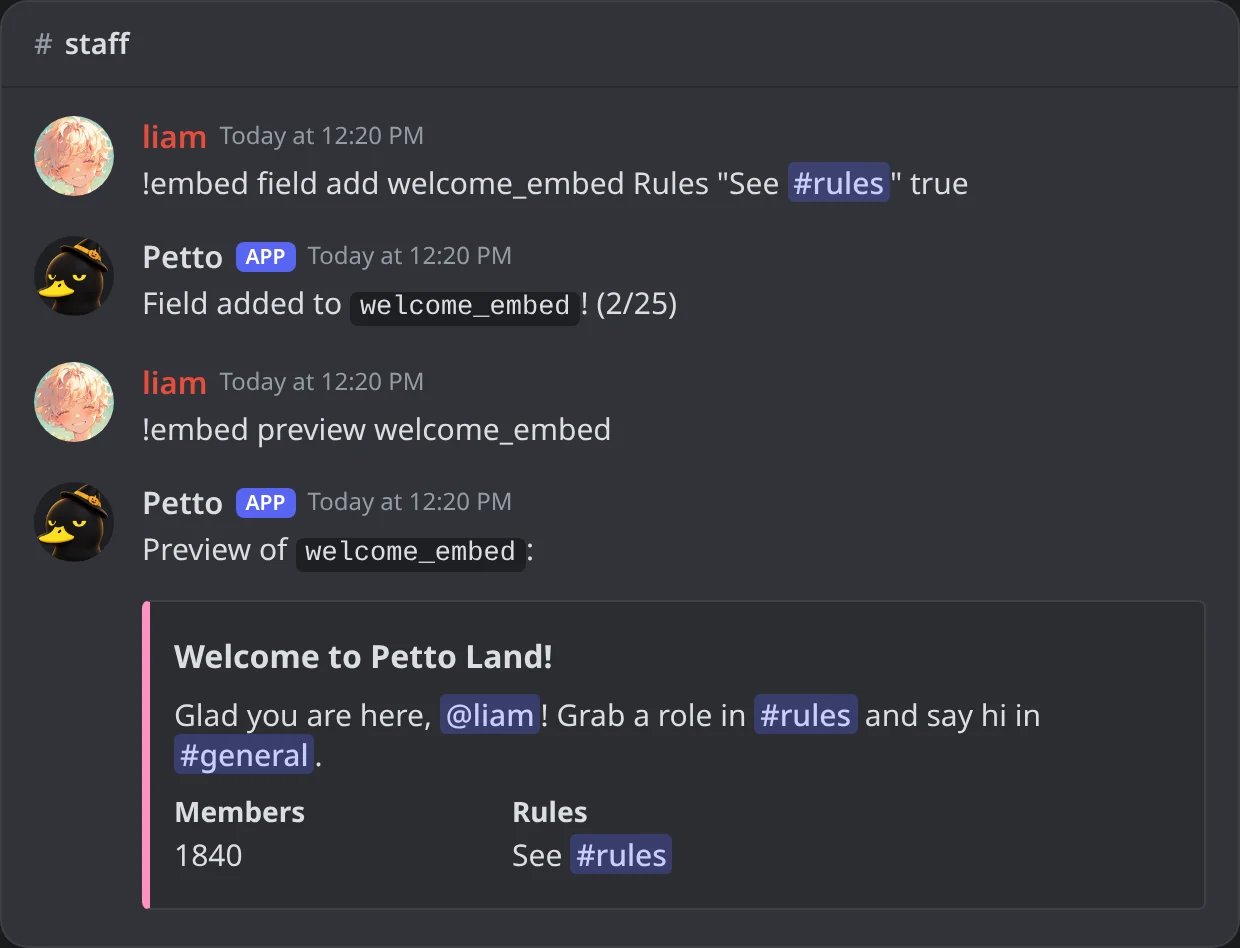
In Discord: !embed field add: the second field, Rules, in the preview.
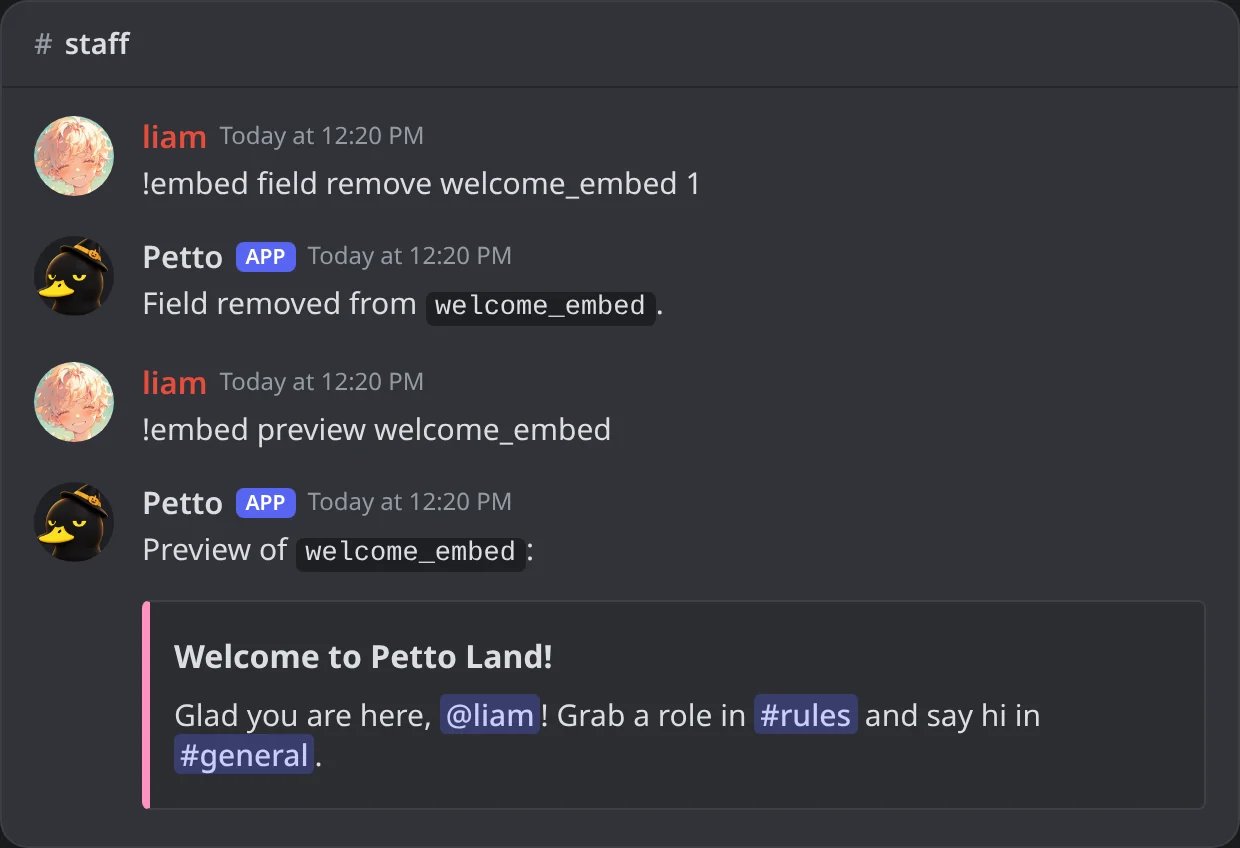
In Discord: !embed field remove 1: the first field is gone.
position is 1-based, from the order shown in !embed preview.
Using a saved embed
In a custom command
In a custom command
!customcommand at a saved embed instead of plain response text, embed_template takes priority over response.In an autoresponder
In an autoresponder
--embed_template), an embed code written as its reply, or the lighter inline embed mode (color, title, footer).In welcome/leave/boost/DM-on-join messages
In welcome/leave/boost/DM-on-join messages
setup subcommand (!welcome setup, !leave setup, !boost setup, !dmonjoin setup) has an embed option that takes priority over plain message. The message can also be an embed code written right there, so you set the channel and the embed (with its buttons) in one command.In a ticket panel or category
In a ticket panel or category
!ticket panel create and !ticket category add accept a saved embed for the panel message or the ticket welcome message.In a paginated message
In a paginated message
!pagination create #rules rules_general, then !pagination add. See Pagination.Reactions
A saved embed can carry up to 5 reactions: emojis that Petto adds to the message when it sends it. In the dashboard editor they go in the Reactions field, separated by spaces (a custom emoji is written<:name:id>). It is the same as writing {reactreply:emoji} in the text for each one, and both can be used together. They are put on the message when it is sent with !embed send, by autoresponders and custom commands, in sticky messages, panels, partner replies, the uploads welcome and a honeypot message.
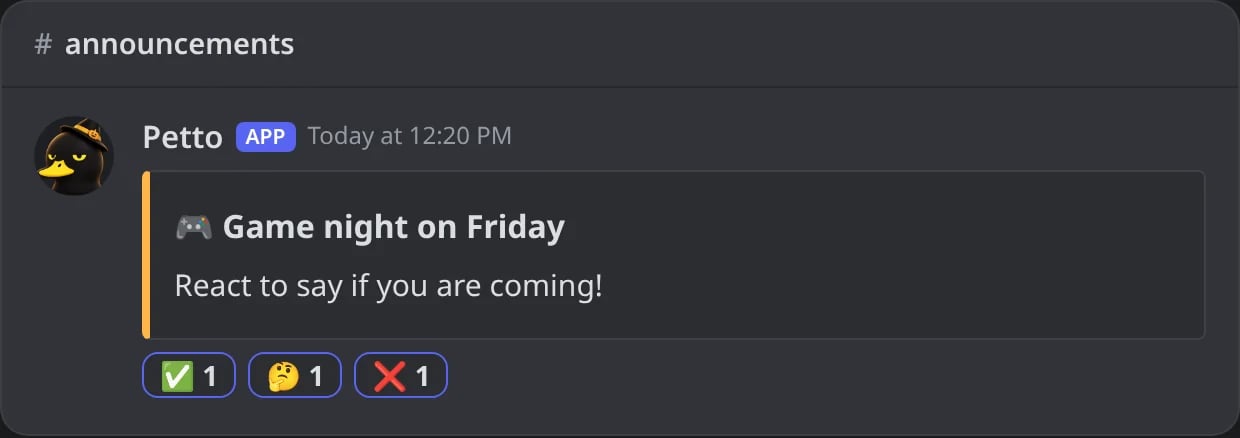
In Discord: a saved embed with three reactions, sent with !embed send.
Dashboard and the Embed Builder
A message made in the dashboard can be sent to the Embed Builder with a share code, and a message sent from the Embed Builder can be opened in the dashboard to keep editing it. The dashboard can also send a test message to a channel before you save it.
Dashboard → Design → Embeds: Test and share: send a test to a channel or your DMs, copy the share code or JSON, or open it in the Embed Generator.
Embeds V2
The dashboard’s Embeds page also has a V2 editor for Discord’s Components V2 messages: containers, text, pictures, sections, dividers and rows of buttons. A V2 design is saved like any other embed and can be used in Quest alerts, sanctions, the starboard, verification and bump messages, and with!embed send and !embed preview. Its texts and links use the usual variables. Anything Discord would refuse is cleaned before it is sent.
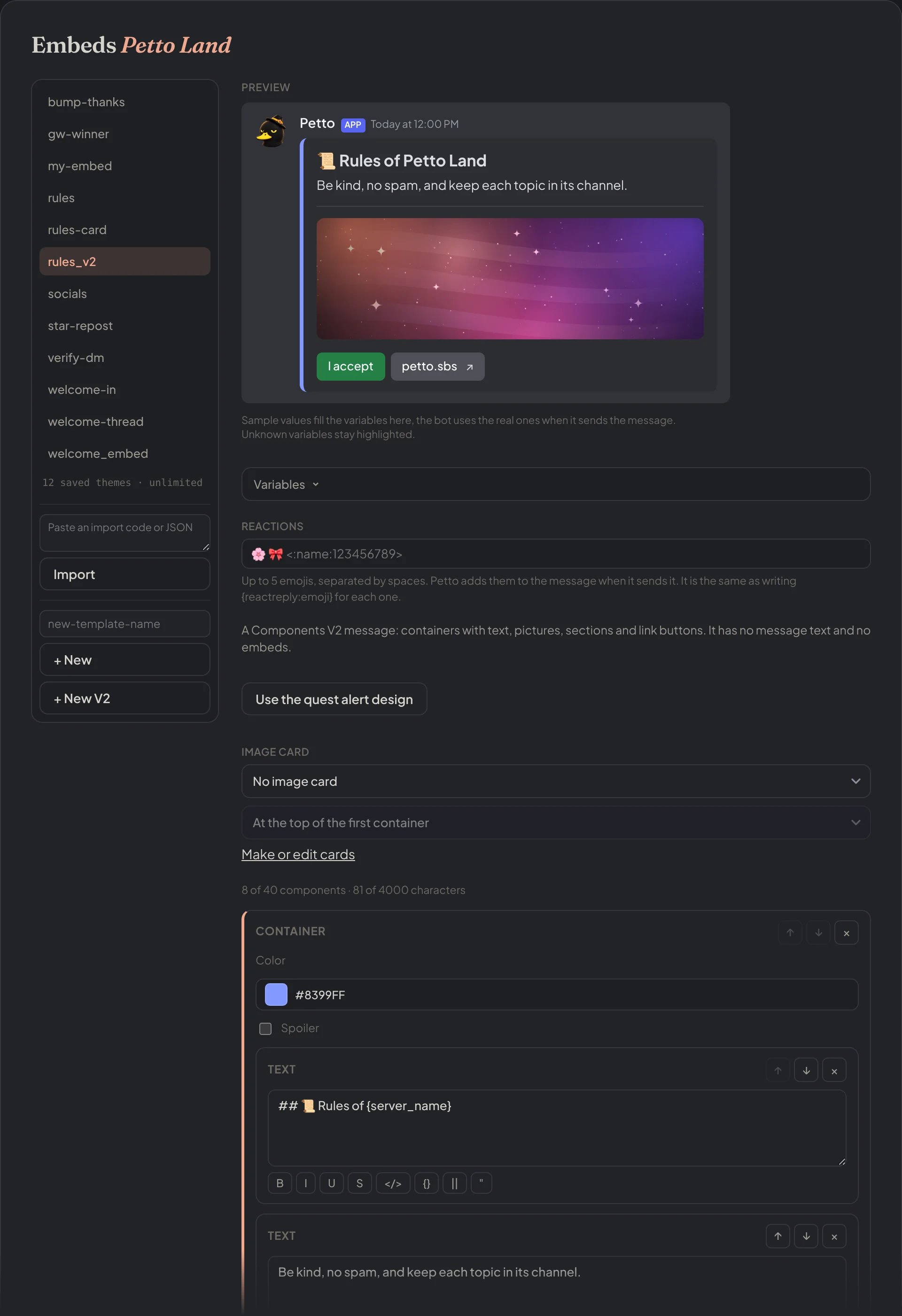
Dashboard → Design → Embeds: the V2 editor: the preview, then the container with its text, divider, picture and row of buttons.
p2..
A button of a V2 design (in a row of buttons, or next to a section) is a link or an action. An action button has a color (blurple, green, grey or red), an optional emoji and up to four actions: give, take or toggle a role, or show a saved embed (only to who clicked, in the channel or in their DMs), the same as the buttons with actions of embed codes. A button whose roles no longer exist is left out.
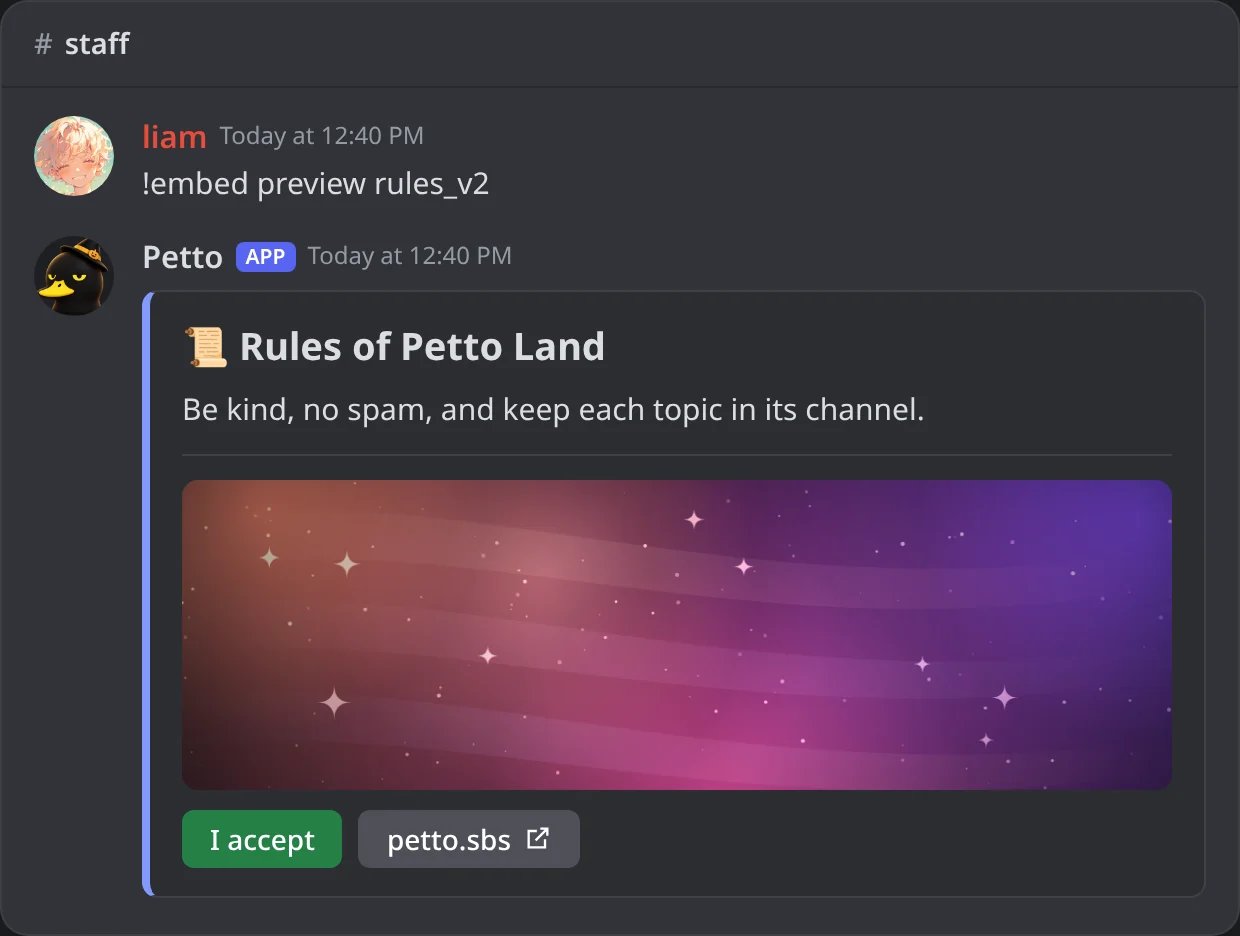
In Discord: a V2 design shown with !embed preview.
!@Role shows the mention without notifying anyone.
Variables inside embeds
Every text of an embed (message text, title, description, fields, author, footer, button labels) and every link (URL, thumbnail, image, icons) takes the variables. Which ones have data depends on what sends the embed: a welcome fills the new member, a giveaway the{gw.*} ones, a sanction the {case.*} ones.
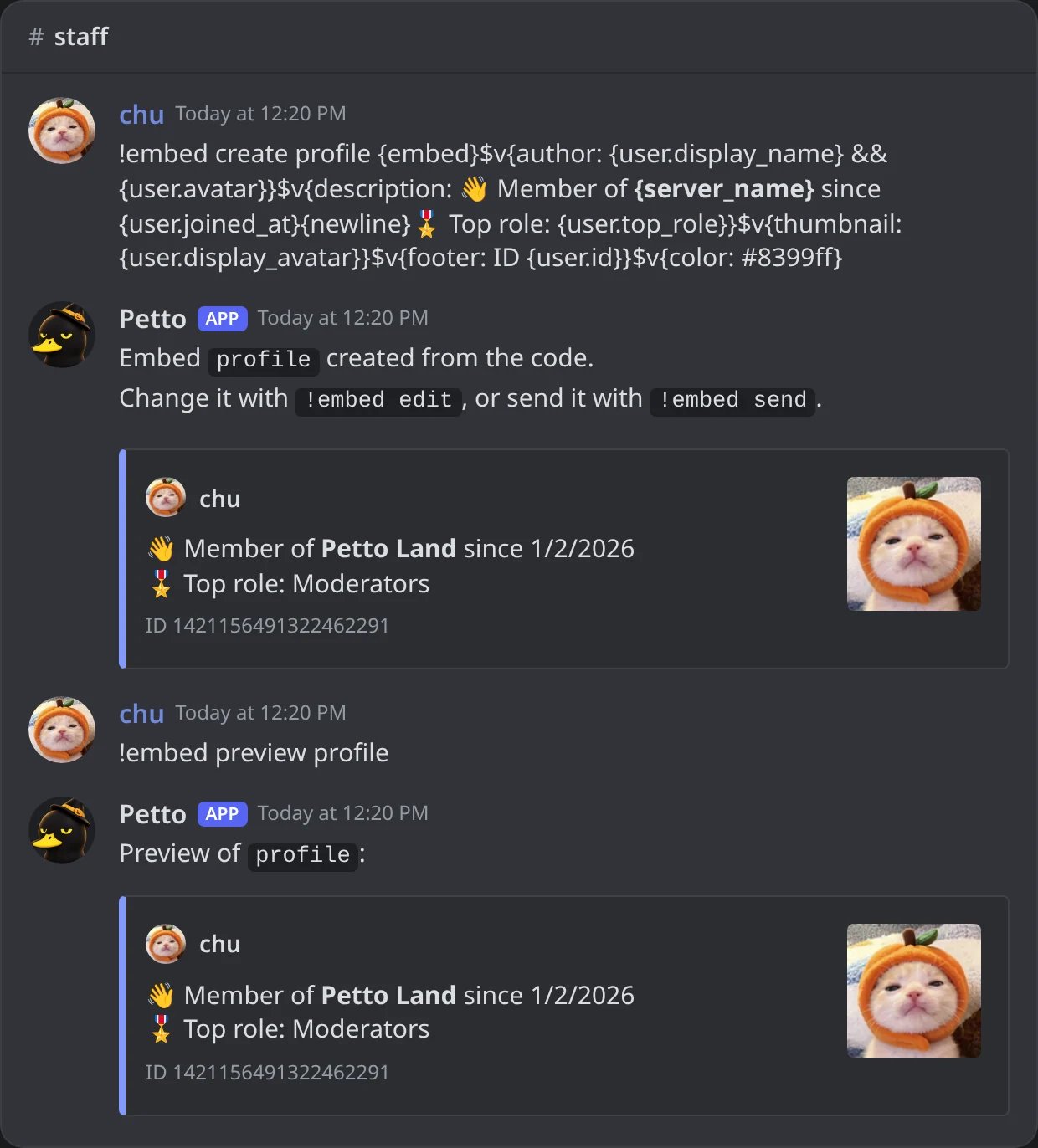
In Discord: the profile code, then !embed preview profile with chu as the member.
!embed previewfills the variables with you as the member and the current channel, so you see a real result. Variables of an event (a level, a case, a giveaway) stay empty there.- The dashboard’s live preview fills them with sample data (a member called Liam), and a test message sent from the dashboard uses your real account.
- Discord timestamps (
{timestamp},{gw.ends},{case.expires},<t:…>) are drawn in the message text, descriptions and field values. In titles, footers and author names Discord shows the raw code, so use{date}or plain words there. - A field whose name or value ends up empty is left out, so a field made only of a variable disappears when that variable has no data.
- A picture link that ends up empty or isn’t a valid link is simply left out.
! before a mention (!@everyone, !@Role, !<@&id>, !{user.mention}) shows it without notifying anyone, and \!@everyone shows the text. In the title, description, fields and footer of an embed a mention never notifies, so the ! is only removed. See Silent mentions.