
Overview
A Honeypot is a bait channel that looks like a normal member-visible channel but is not intended for regular conversation. Petto watches the channel and automatically moderates members or bots that send a message there. This is designed to catch compromised accounts and automated spam bots that blindly post while scanning a server. Petto ignores itself, but it checks other bot messages before the normal bot-message skip so spam bots can be caught too.softban— bans the user, removes their recent messages, and immediately unbans them.ban— permanently bans the user and removes recent messages according to Discord’s limits.kick— removes the user from the server without banning them.
softban. Each member is punished once; anything else they manage to post there is only deleted.
From the dashboard
Dashboard → Moderation → Honeypot does everything the command does, and only administrators can change it there too.Add a bait channel
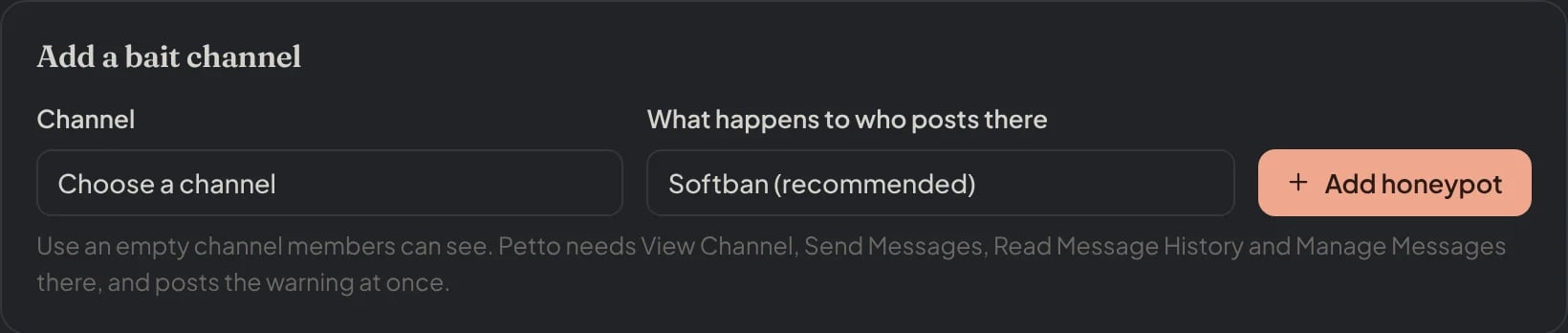
Dashboard → Moderation → Honeypot: Add a bait channel: the channel, what happens to who posts there and Add honeypot.
Choose the punishment
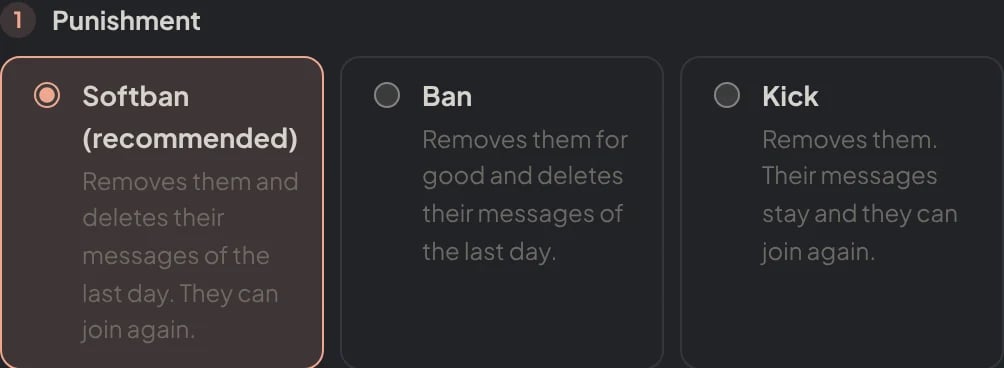
Dashboard → Moderation → Honeypot: step 1 of the card, the punishment.
Choose the message in the channel
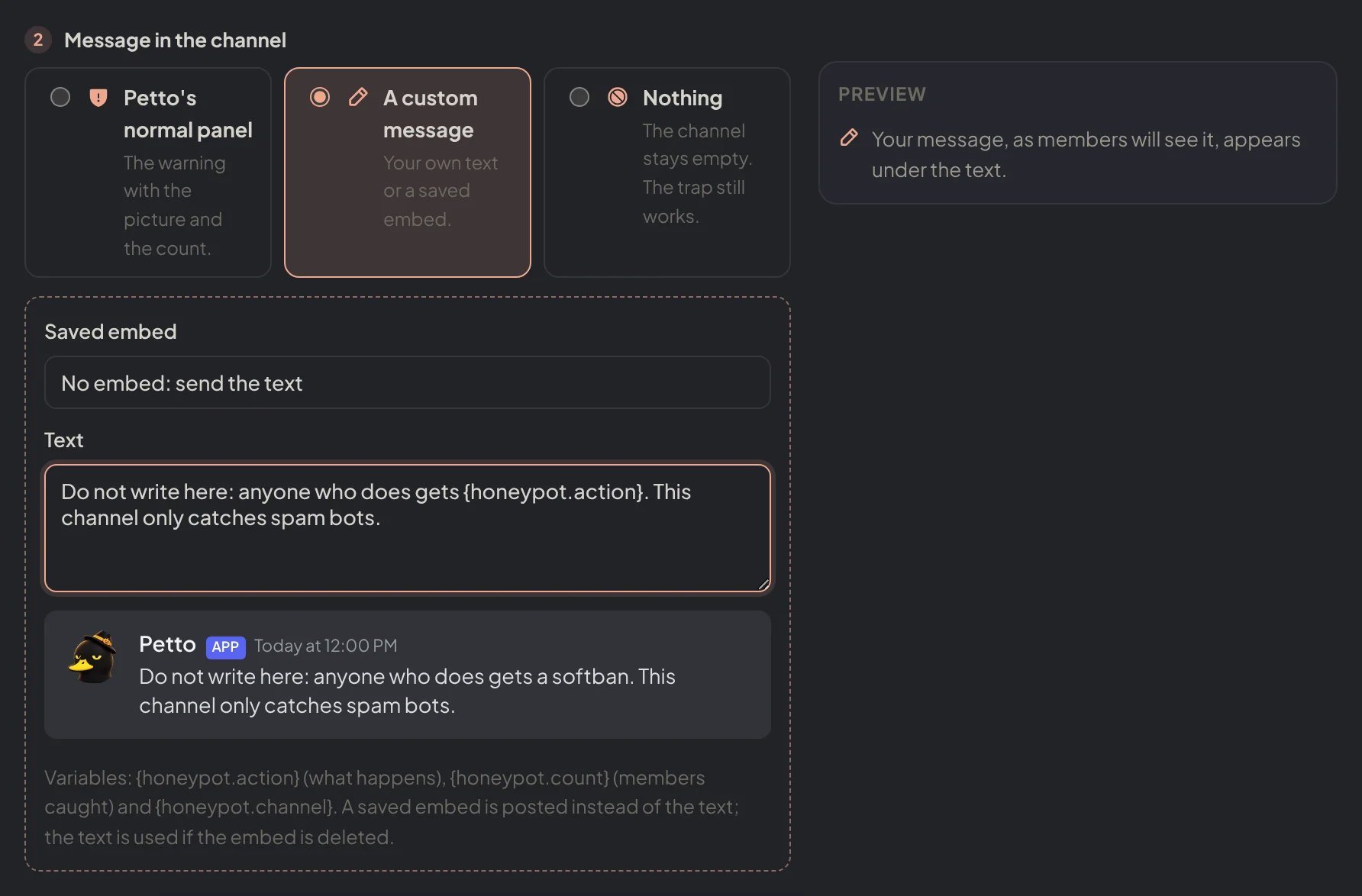
Dashboard → Moderation → Honeypot: A custom message, with the variables and the live preview.
Decide what the caught member gets
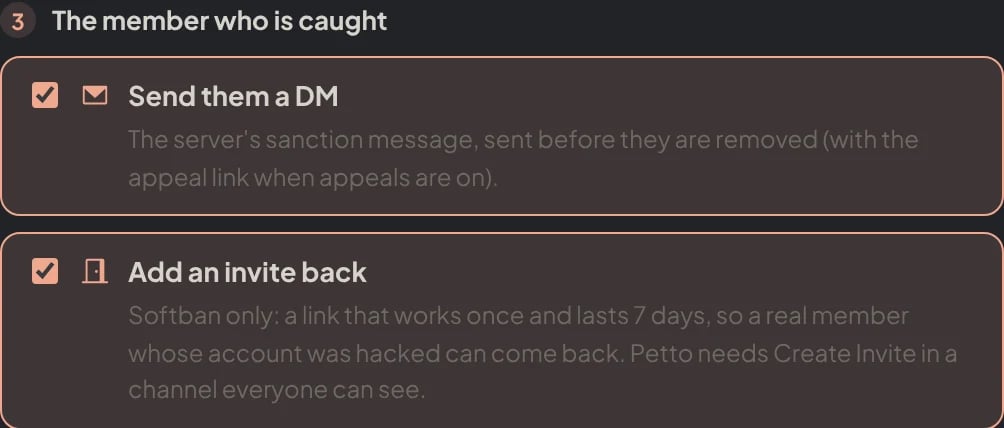
Dashboard → Moderation → Honeypot: step 3 of the card, the DM and the invite back.
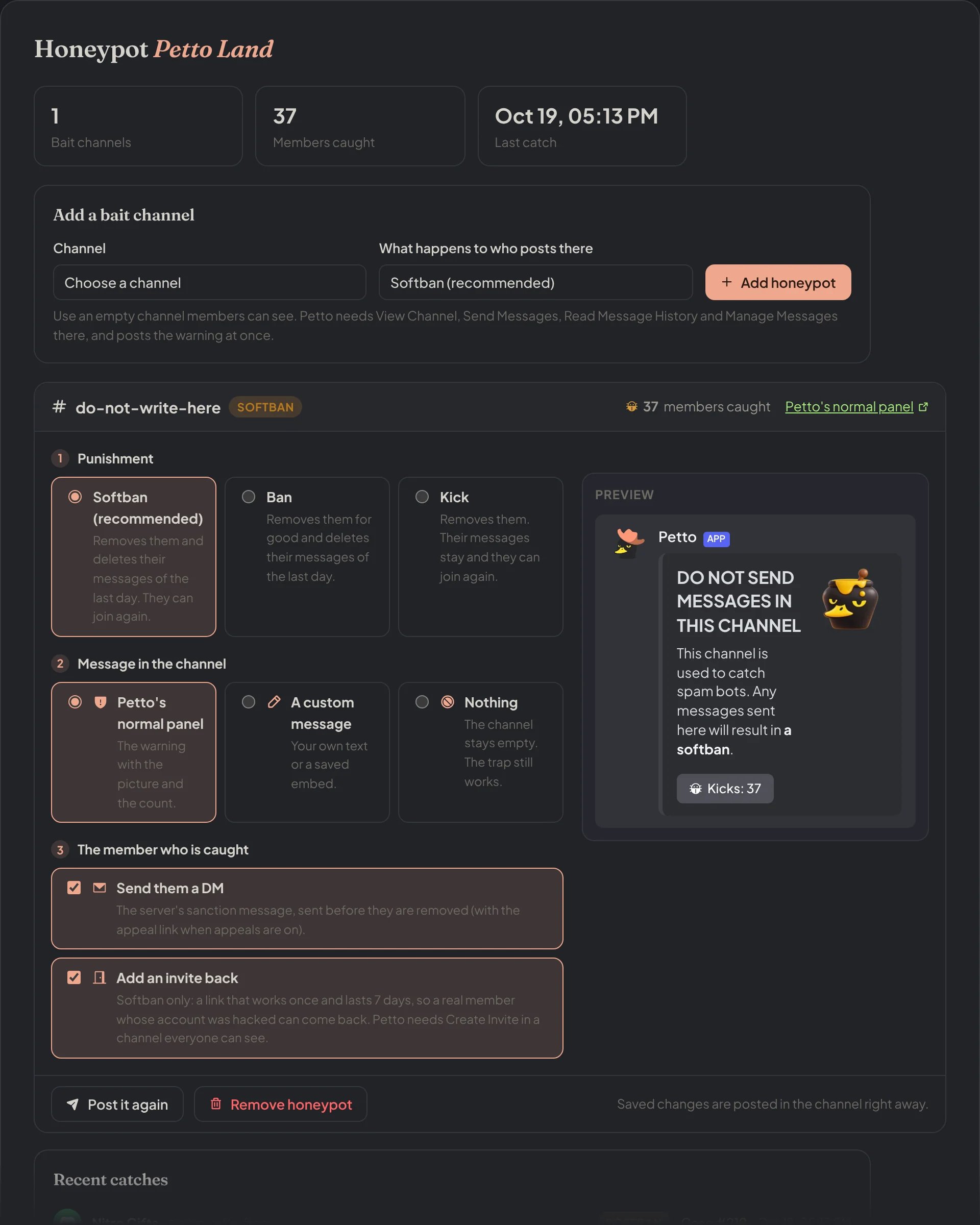
Dashboard → Honeypot: the counts, a new bait channel and the card of the bait channel with its preview.
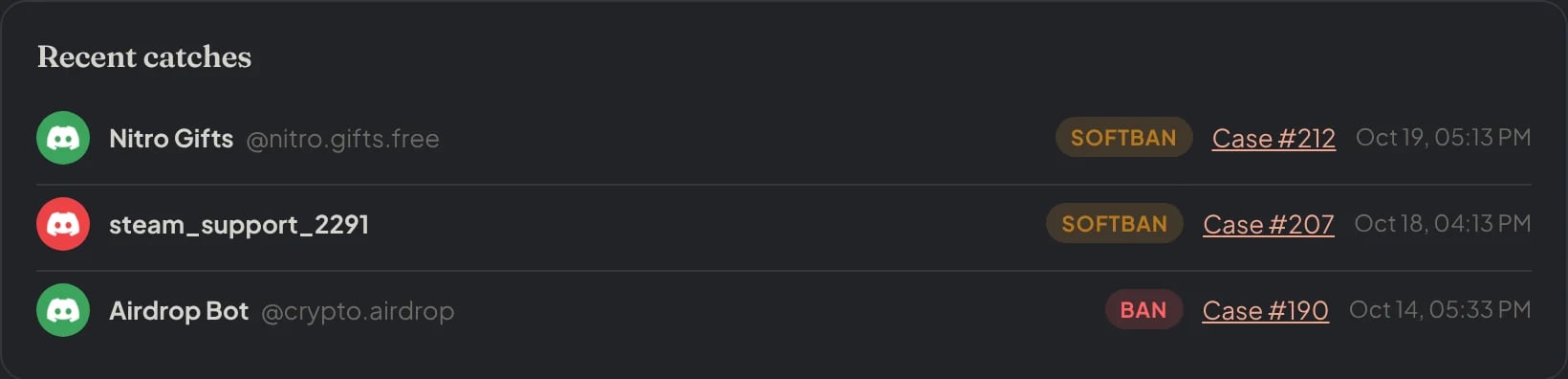
Recent catches, with the punishment and the case of each one.
Adding a Honeypot
Choose a text or announcement channel that members can see. Do not deny View Channel or prevent messages from reaching the channel, because Petto needs to receive a message there in order to detect it.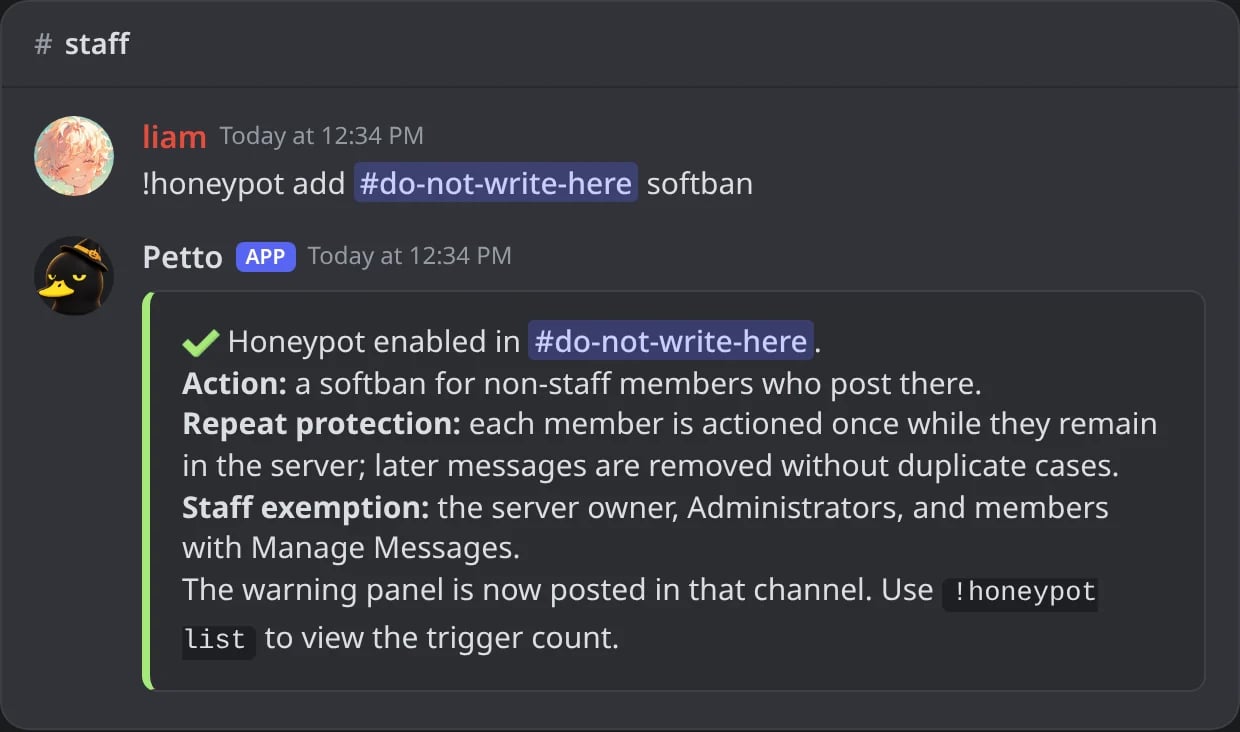
In Discord: a bait channel added with a softban.
add again updates its configured action and refreshes the warning panel. The panel includes Petto’s Honeypot artwork, a persistent trigger counter, and a counter button using <:petto_honeypot:1541493688054841405>.
The message in the channel
By default Petto posts its warning panel (the artwork, the warning and the counter). With!honeypot panel you can choose what is posted instead: your own text and/or one of your saved embeds, or nothing at all. The honeypot works the same in all three cases.
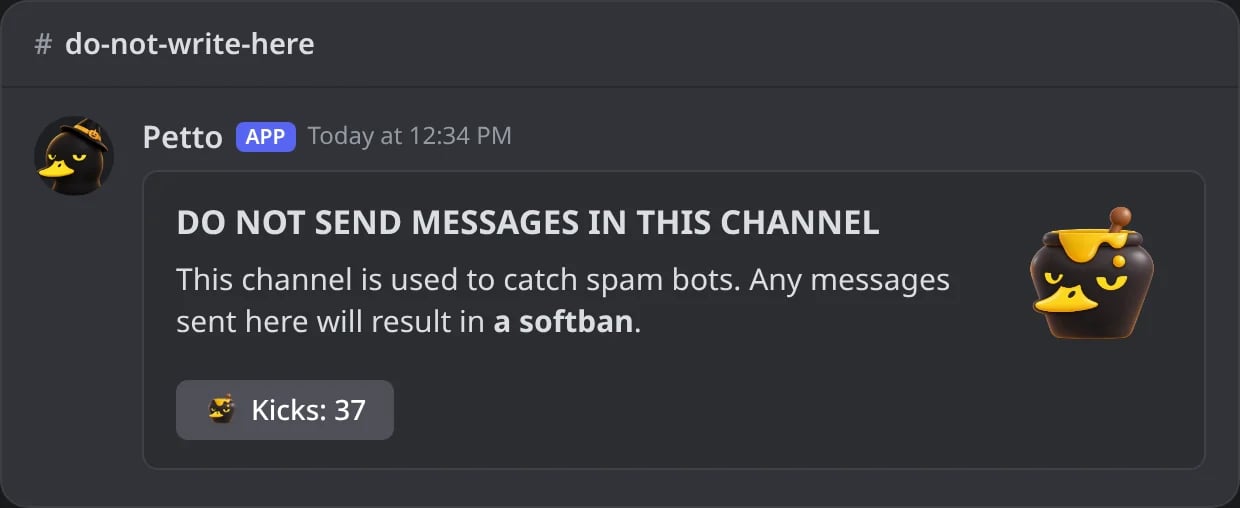
In Discord: Petto's warning panel in the bait channel.
!honeypot panel … custom "text"
!honeypot panel … custom "text"
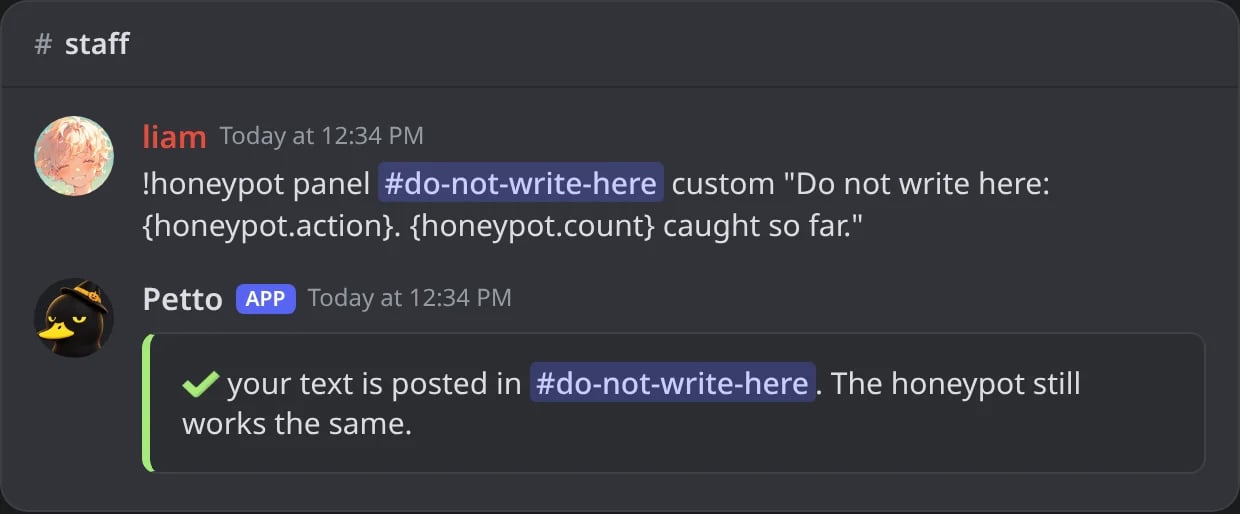
In Discord: your own text instead of the panel.

In Discord: the text as it is posted, with the variables filled in.
!honeypot panel … custom - warning-card
!honeypot panel … custom - warning-card
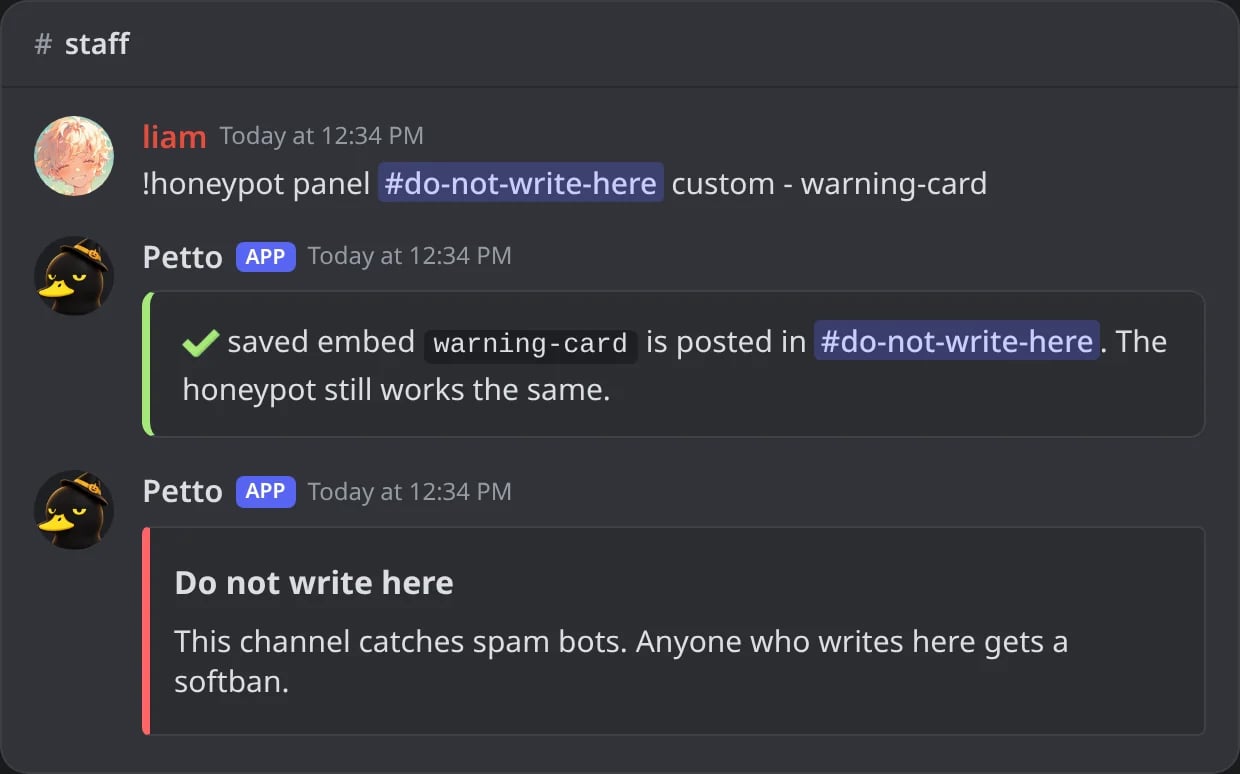
In Discord: a saved embed instead of the panel.
!honeypot panel … none
!honeypot panel … none
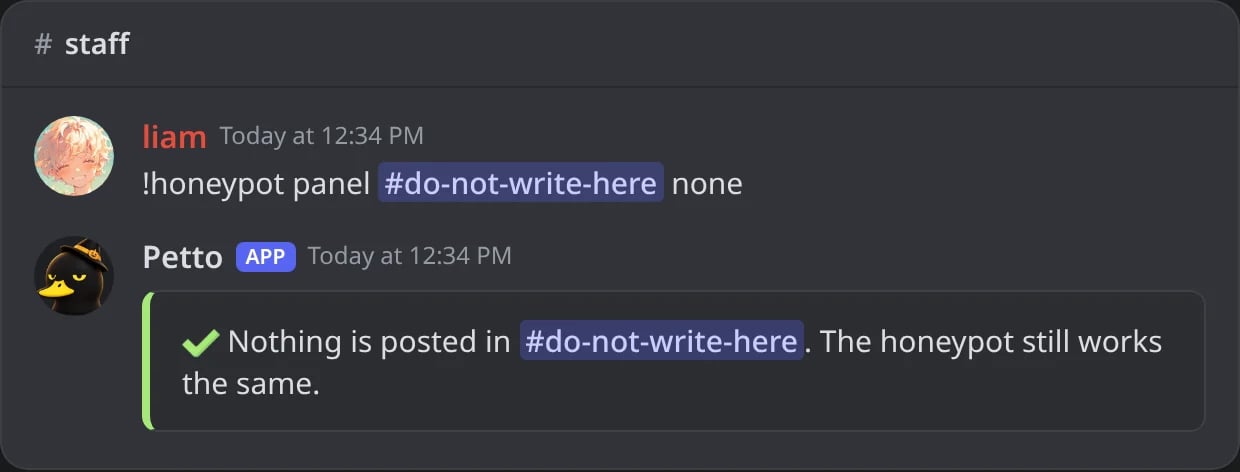
In Discord: nothing posted, the trap still works.
!honeypot panel … default
!honeypot panel … default
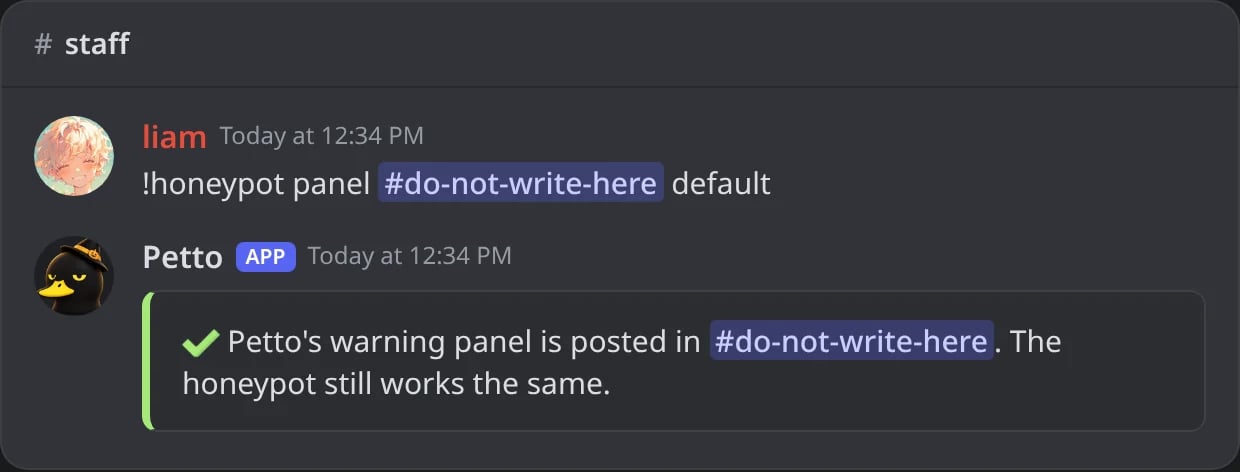
In Discord: back to Petto's panel.
The member who is caught
By default the caught member gets the server’s sanction DM before they are removed, with the appeal link when appeals are on. For a softban, Petto also adds an invite back: a link that works once and lasts 7 days, so a real member whose account was hacked can return once they have it back. A ban keeps them out, and a kicked member can join again with any invite, so only a softban gets one.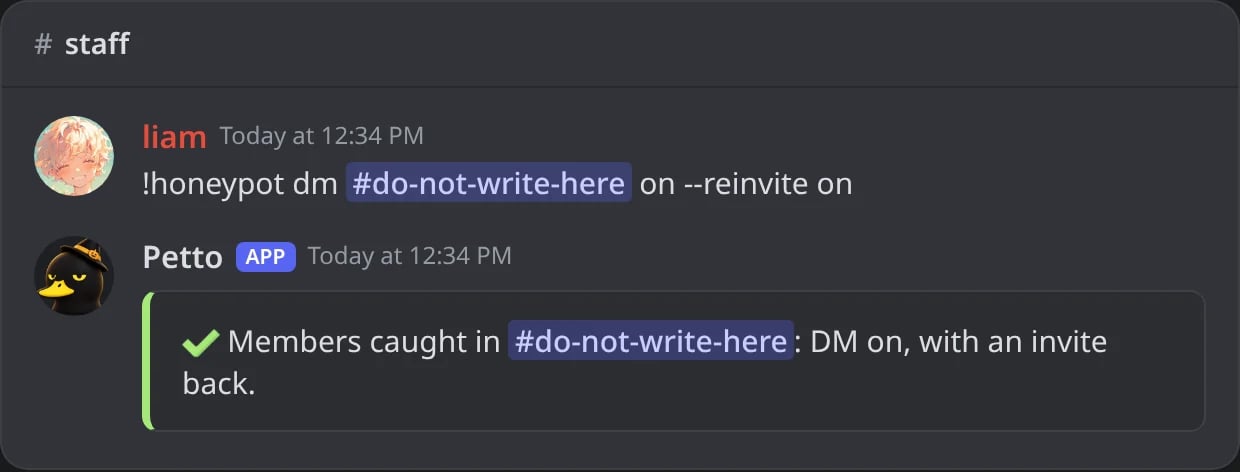
In Discord: the DM with the invite back turned on.
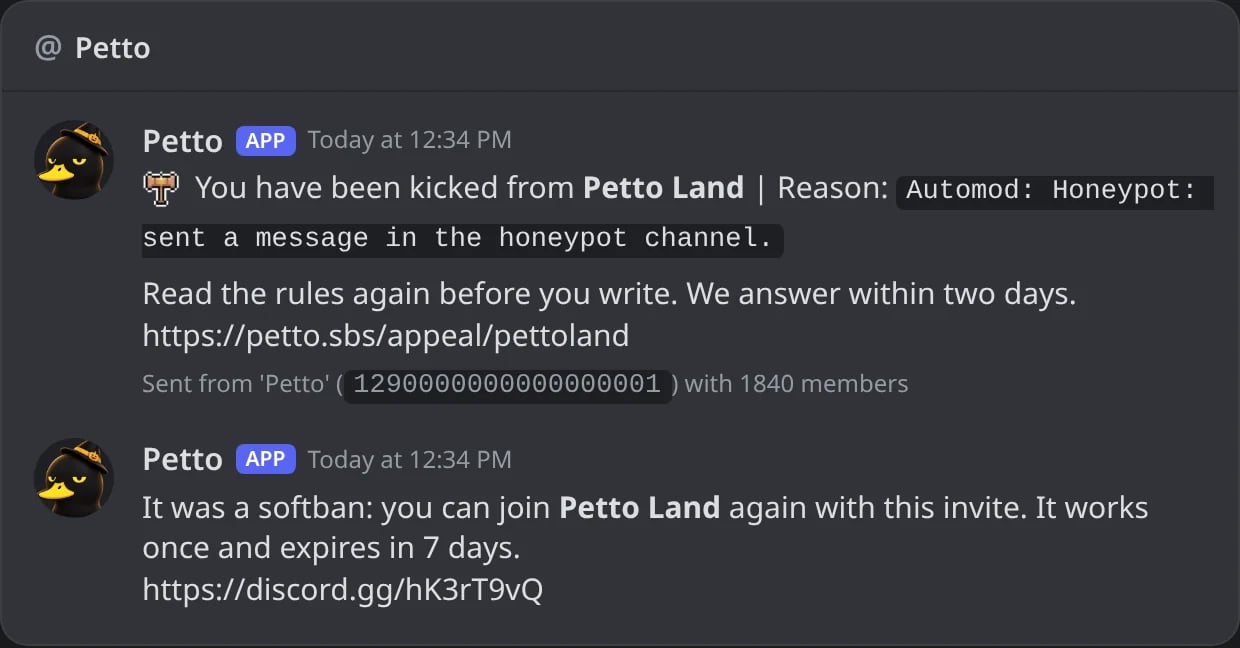
In Discord: what a softbanned member gets: the sanction DM and the invite back.
onsends the DM,offsends nothing.reinvite(onoroff) only matters for a softban. Both start on.
automod log of each catch says what happened with the DM: sent, sent with the invite, sent without it, or not delivered.
Listing Honeypots
View every active Honeypot in the current server, its configured punishment, its persistent trigger count, which message it posts and whether the caught member gets a DM.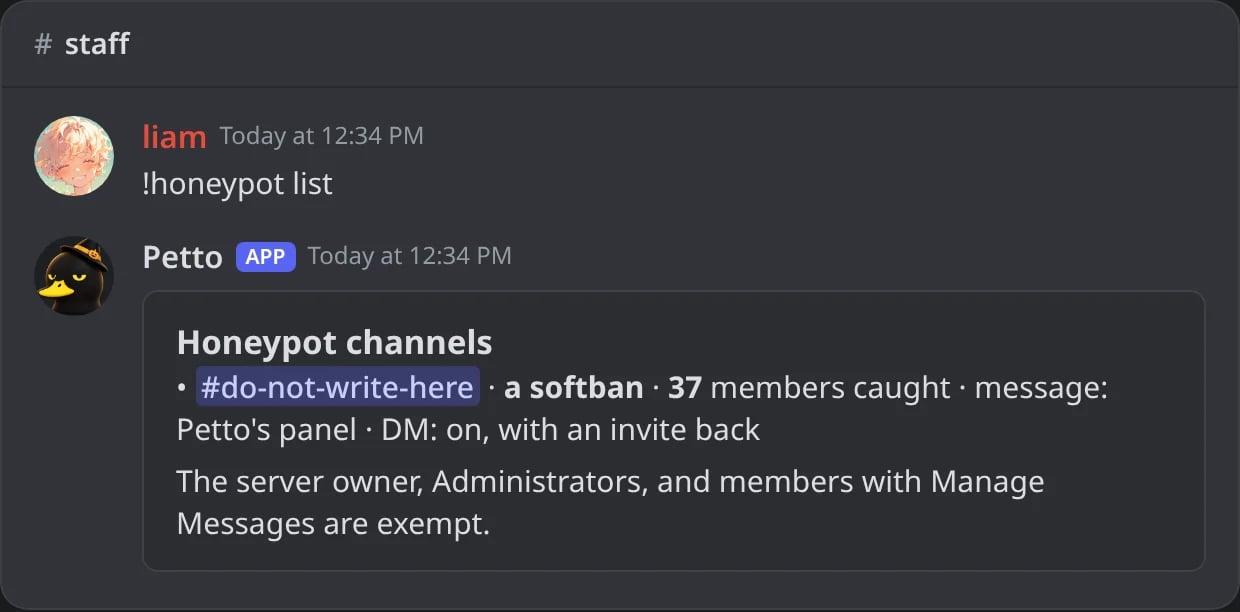
In Discord: every bait channel with its punishment, count, message and DM.
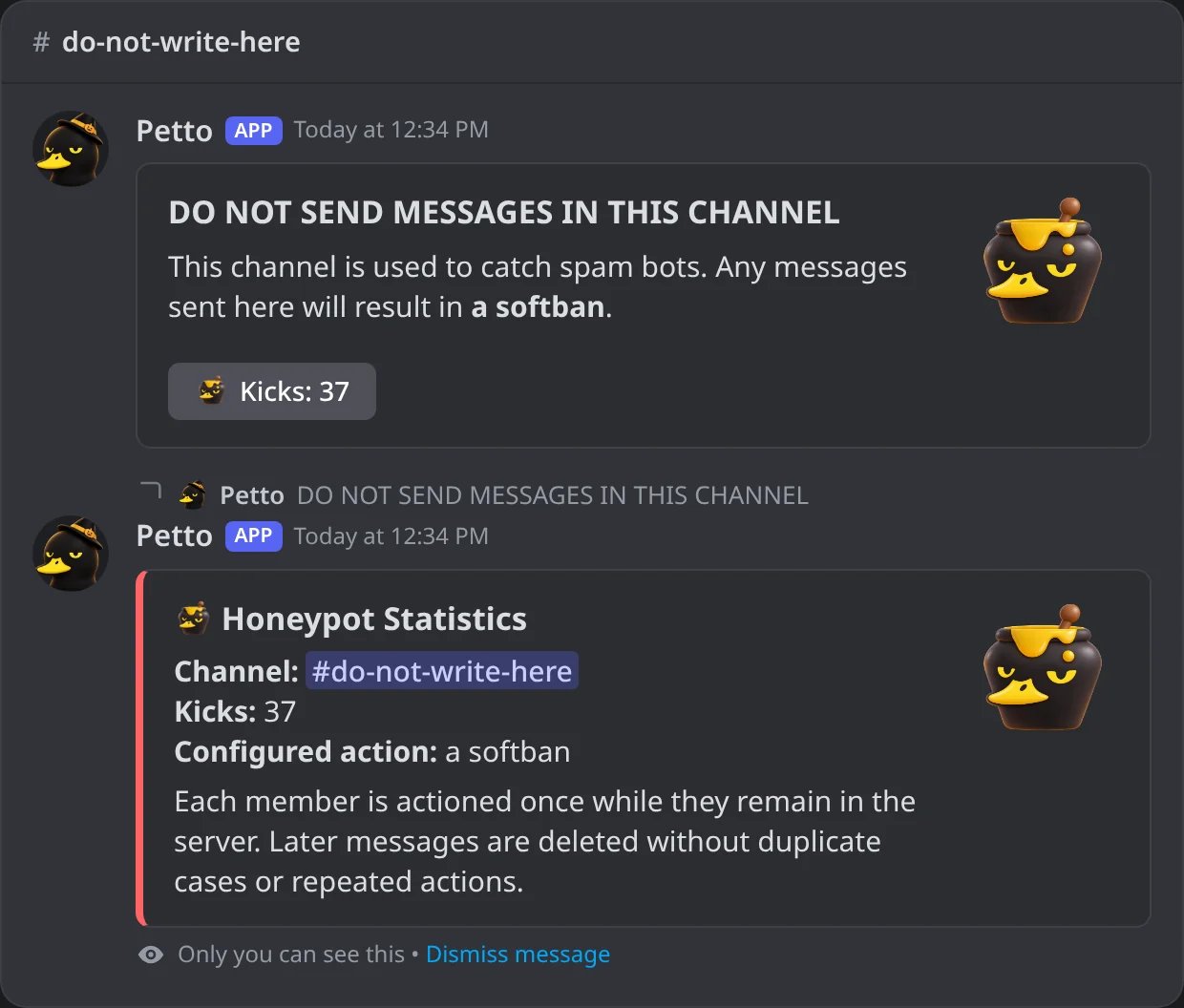
In Discord: the counter button of the panel answers privately.
Removing a Honeypot
Remove a channel from the server’s Honeypot configuration. Members will no longer be punished for sending messages there, and Petto removes the warning panel when it can access the message.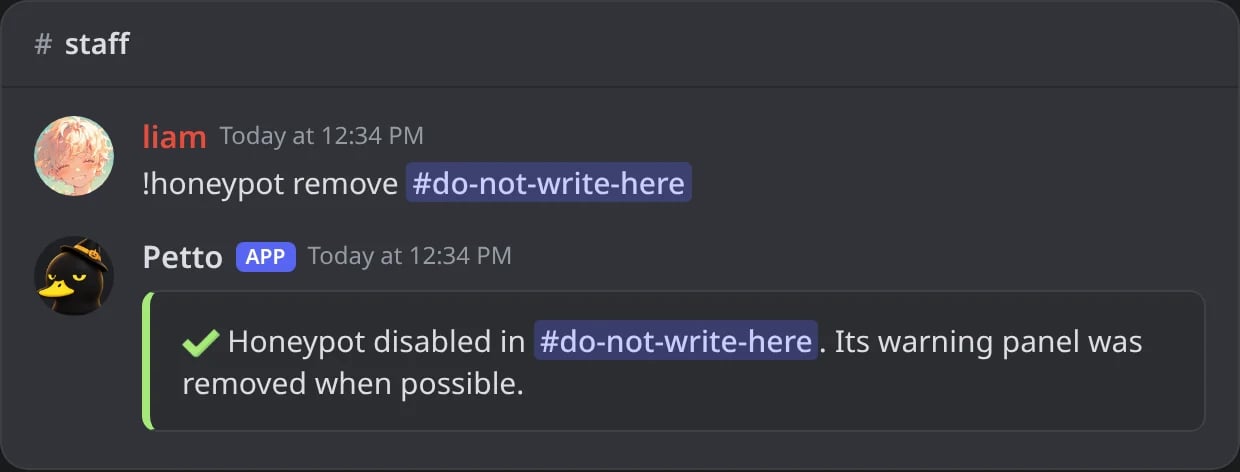
In Discord: a honeypot removed.
Exemptions and permissions
The following are exempt from Honeypot actions:- The server owner.
- Members with Administrator.
- Members with Manage Messages.
- Petto itself.
- View Channel
- Send Messages
- Read Message History
- Manage Messages
What gets logged
Every trigger deletes the message, increments the persistent counter, and attempts the configured action. A successful action creates a normal moderation case, so it appears in thesanctions log with a reason such as:
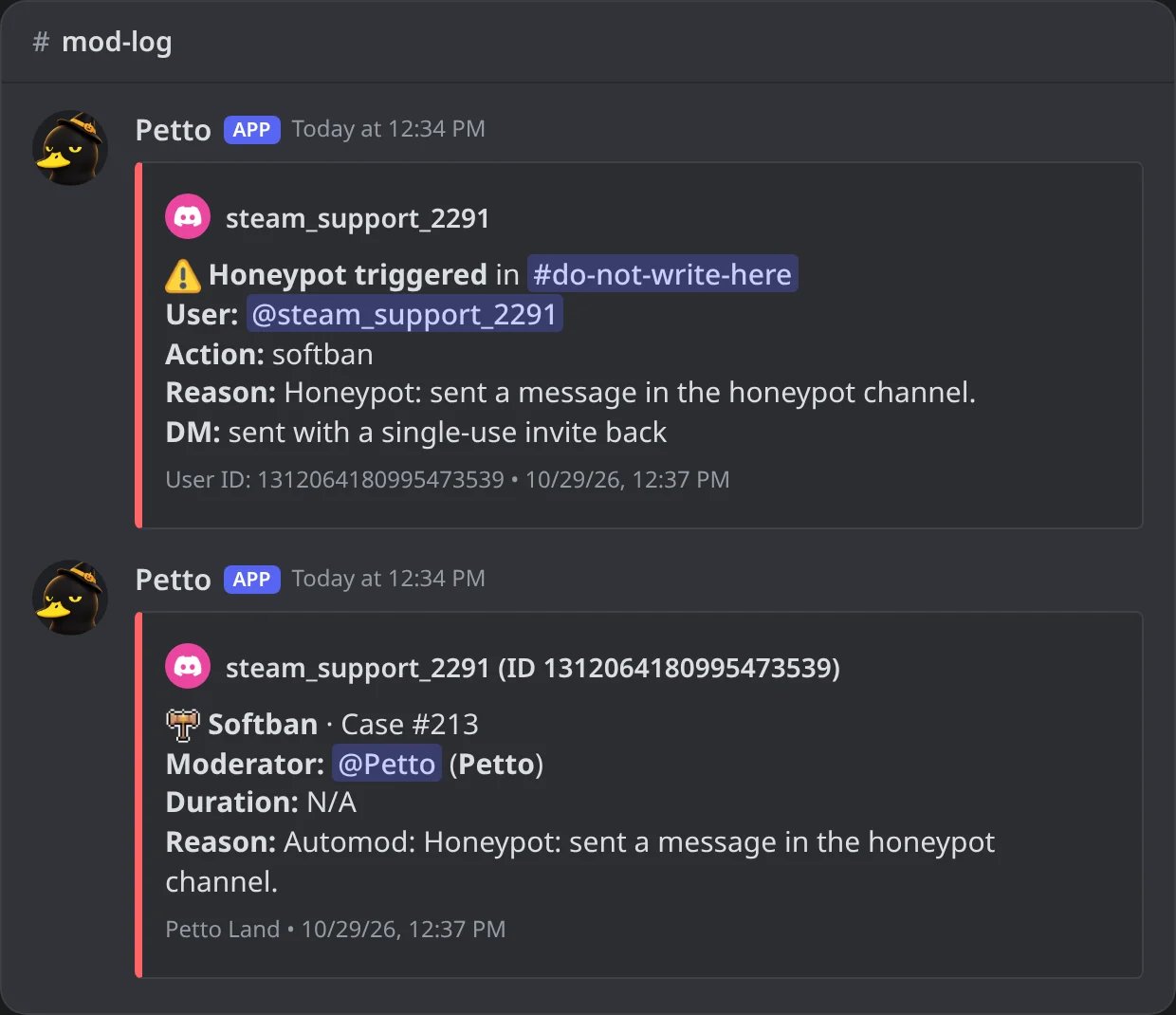
In Discord: a catch in the automod log and its case in the sanctions log.
automod log category. To keep these separate, route them to different channels:
Troubleshooting
The panel does not appear
Check that Petto can view and send messages in the selected channel and has Manage Messages. Run theadd command again after fixing permissions to recreate or refresh the panel.
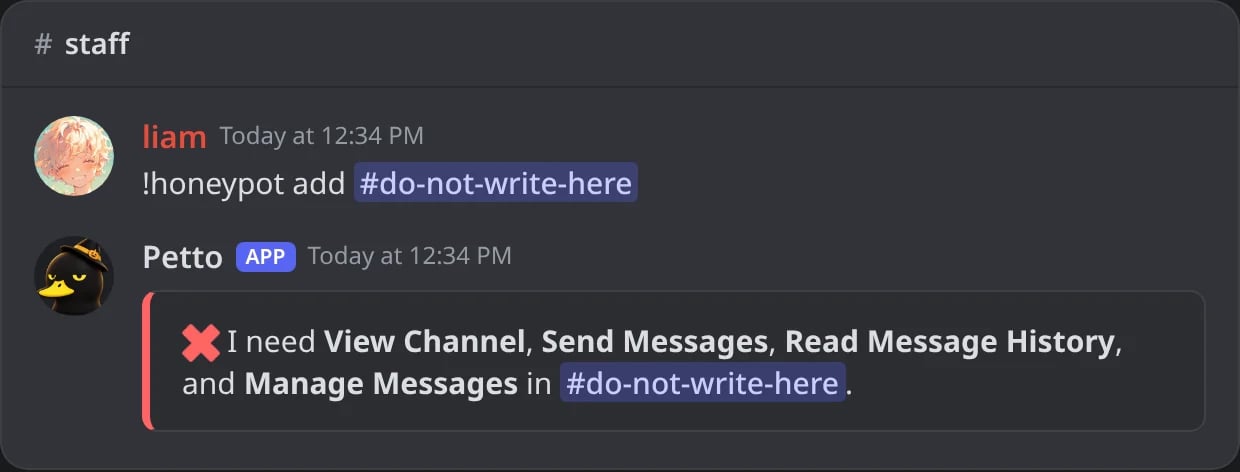
In Discord: Petto says which permissions it is missing in the channel.
The message is detected but the action fails
Check the matching Kick Members or Ban Members permission and move Petto’s role above the target member’s highest role. The trigger may still appear in theautomod log even when Discord rejects the punishment.