
Overview
Sent to a channel of your choice whenever a member leaves. Same variables and embed support as welcome messages.
In Discord: the message Petto posts when a member leaves.
Commands
!leave setup
!leave setup
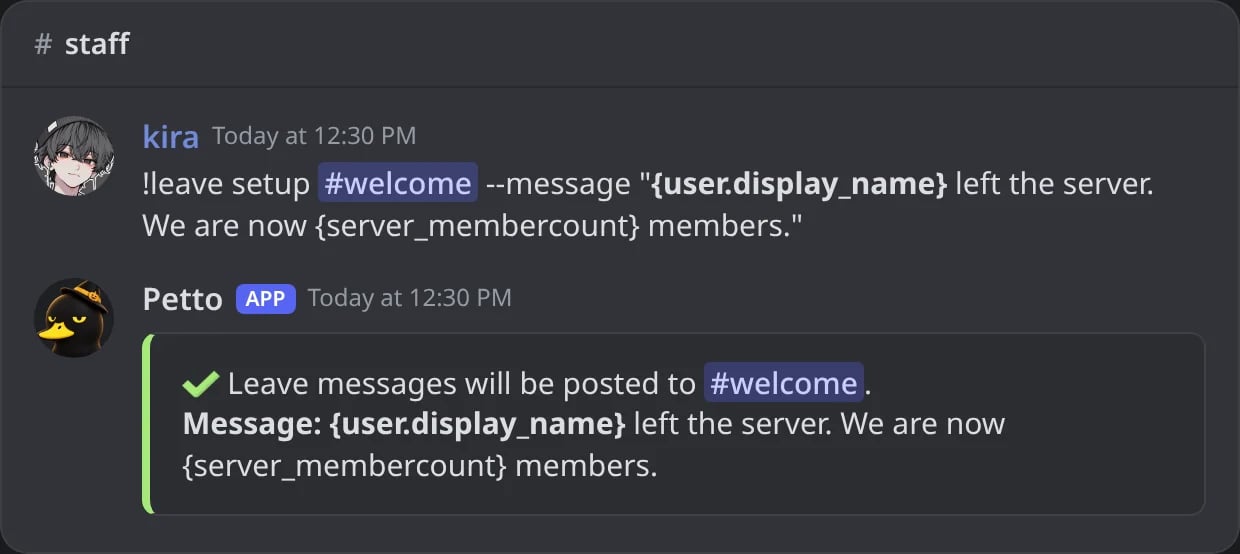
In Discord: the leave message is set to a text with --message.
!leave status
!leave status
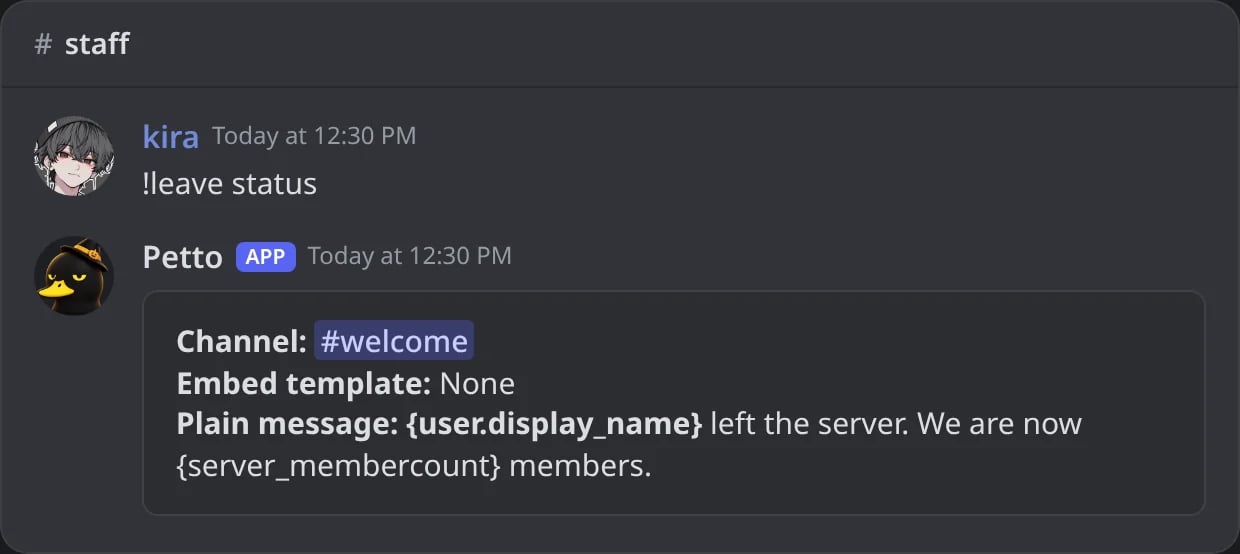
In Discord: the channel, the embed and the message of the leave message.
!leave test
!leave test
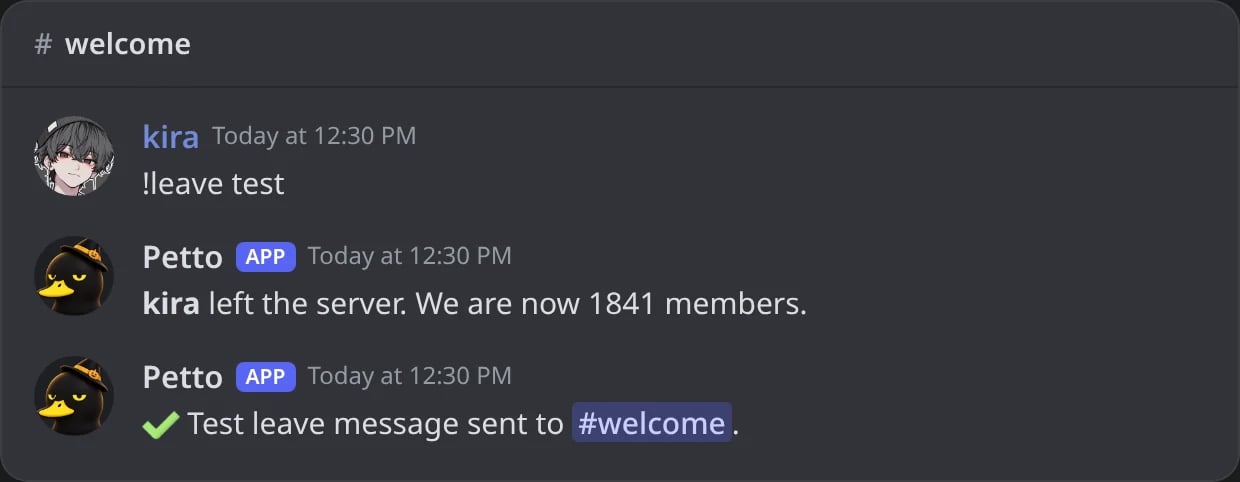
In Discord: the test posts the leave message with your own account, then confirms it.
!leave disable
!leave disable
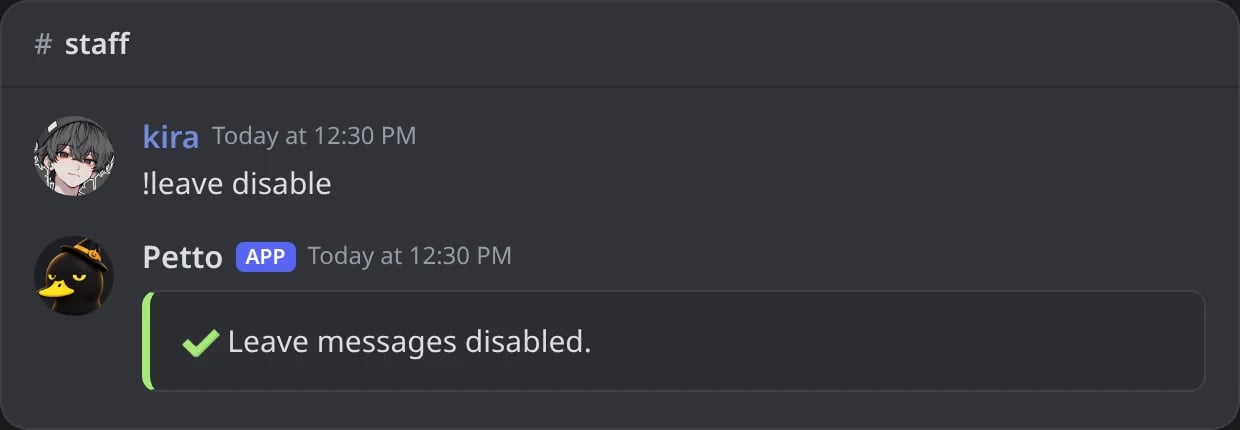
In Discord: the leave messages are turned off.
!leaveconfig
!leaveconfig
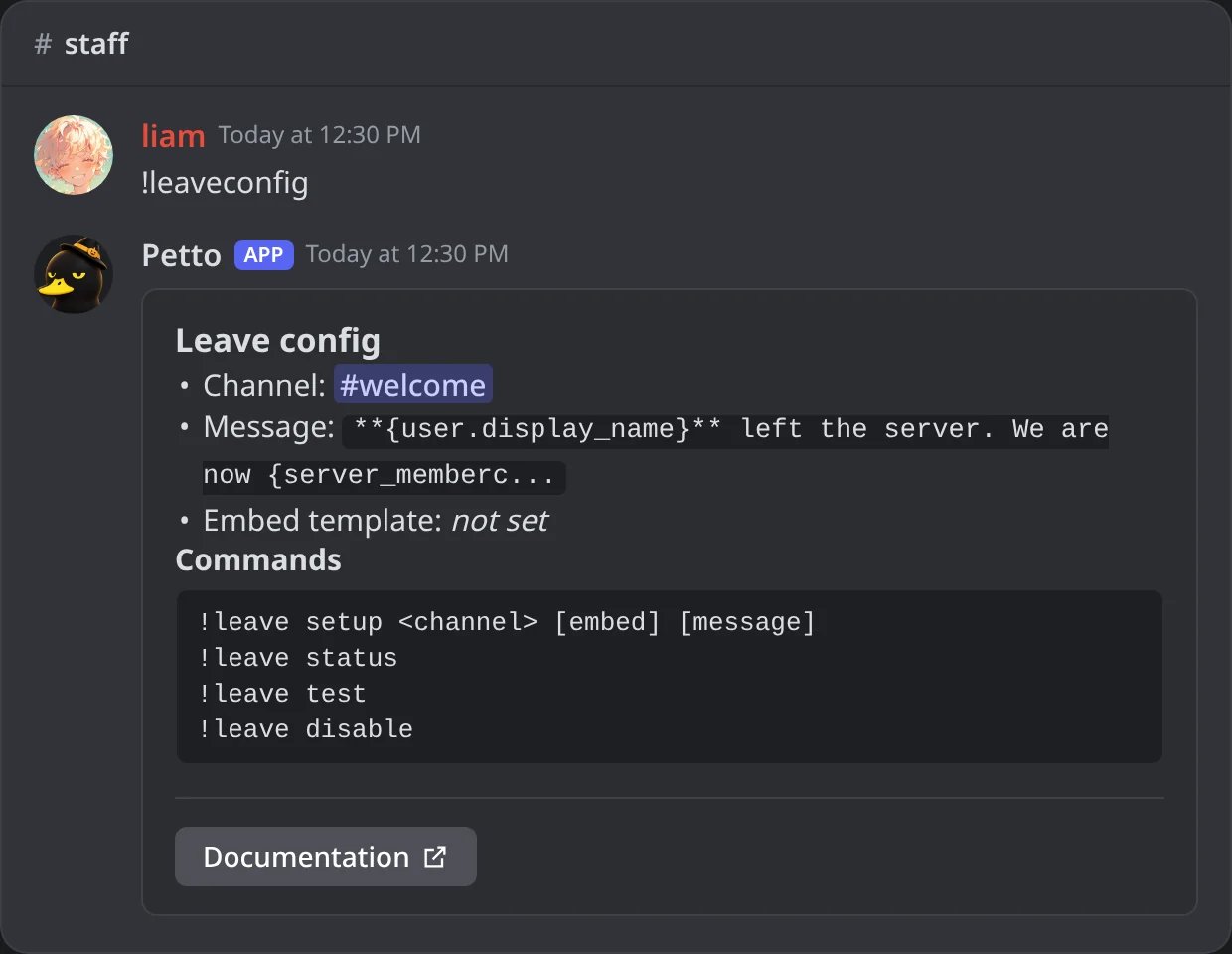
In Discord: !leaveconfig, the settings of the leave messages and the commands to change them.
test sends the message with your own account as the member who left. !leave also works as !lv. !leaveconfig shows what is set now for the leave messages and every command to change it. As with welcomes, put --message before a text message, or the first word is read as the name of a saved embed. You can also write an embed code as the message, with buttons.
Examples
- Simple
- How long they stayed
- Staff log
Command
Result
The member has already left, so a mention like
{user} may show as an ID for people who never saw them. Names ({user.name}, {user.display_name}) are safer in leave messages.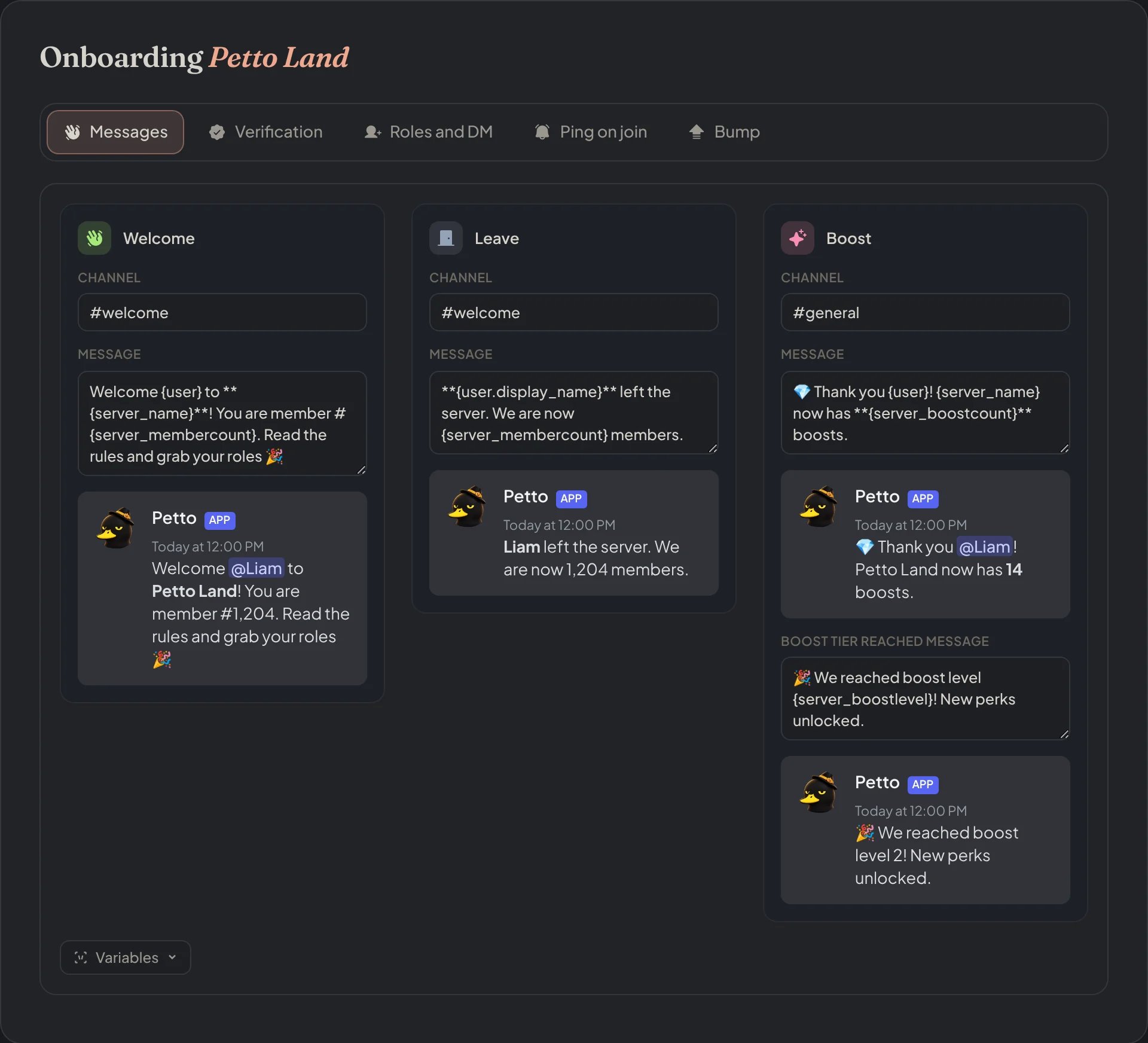
Dashboard → Security → Join Gate → Messages: the welcome, leave and boost messages, each with a live preview.

Dashboard → Security → Join Gate → Messages: the Leave card, with its channel, its message and the preview.
! before a mention (!@Moderators) to show it without notifying anyone: see Silent mentions.