
Overview
Keeps a message always at the bottom of a channel, Petto reposts it every time new activity pushes it up. It needs Manage Messages, and!sticky is the short name. Use it for what everyone should see before writing in a busy channel: the rules, where to ask for help, an invite. When people write, Petto deletes the old copy and sends it again a few seconds after the last message, so a burst of messages moves it once.
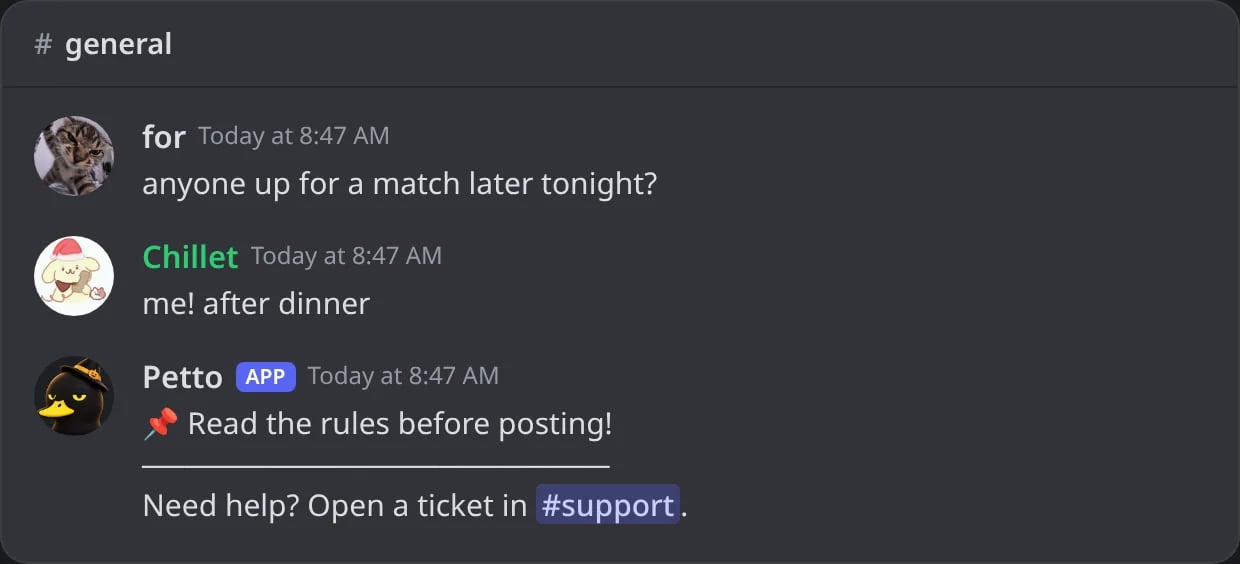
In Discord: the sticky message of the example, back under the conversation.
Commands
Result
!stickymessage set
!stickymessage set
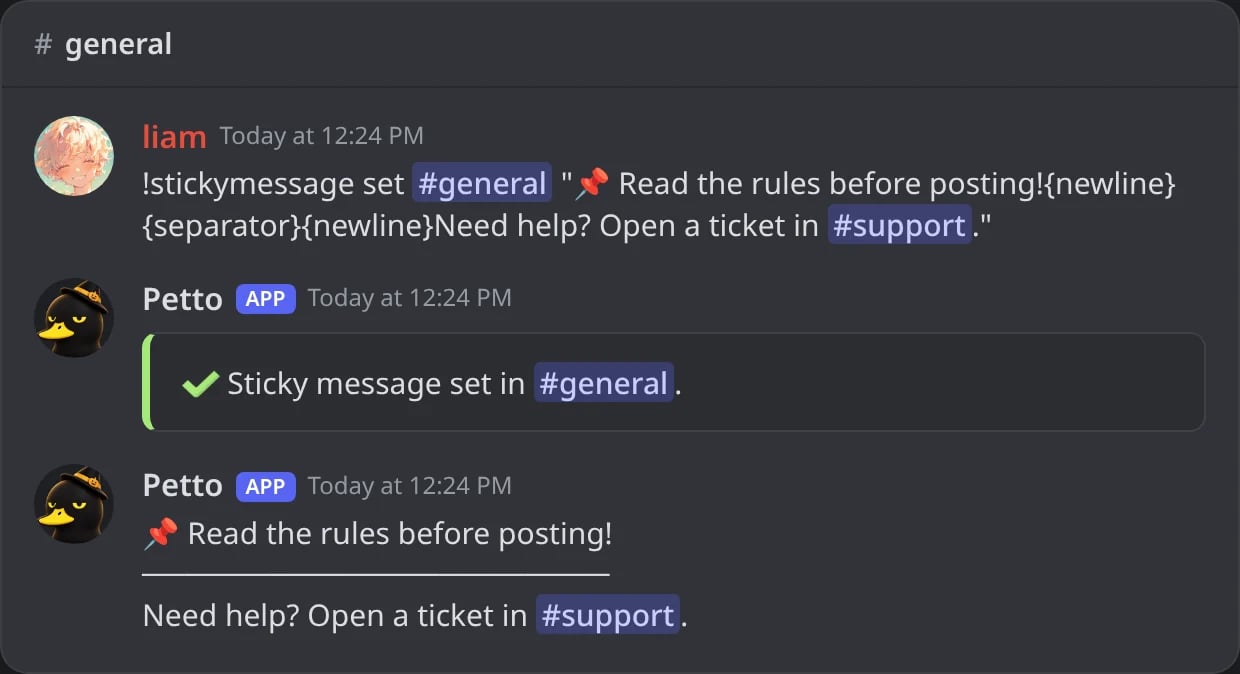
In Discord: the sticky message is set in #general and Petto posts it at once.
!stickymessage set (saved embed)
!stickymessage set (saved embed)
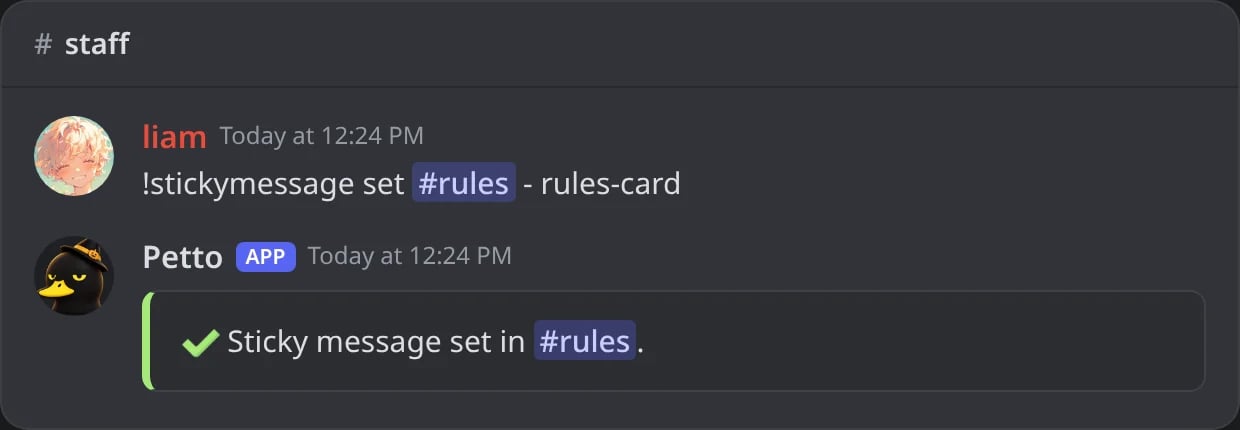
In Discord: the saved embed rules-card as the sticky message of #rules.
!stickymessage remove
!stickymessage remove
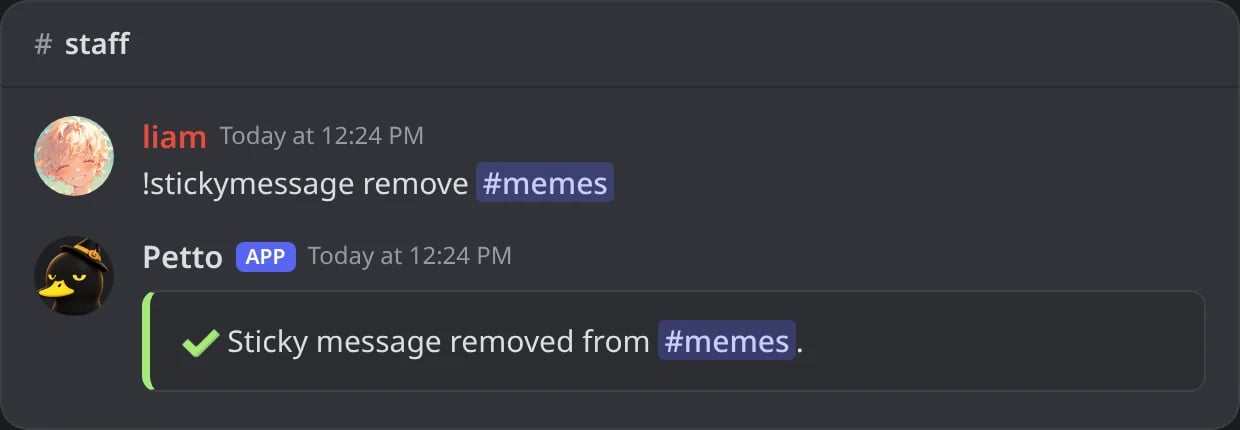
In Discord: the sticky message of #memes is removed.
!stickymessage list
!stickymessage list
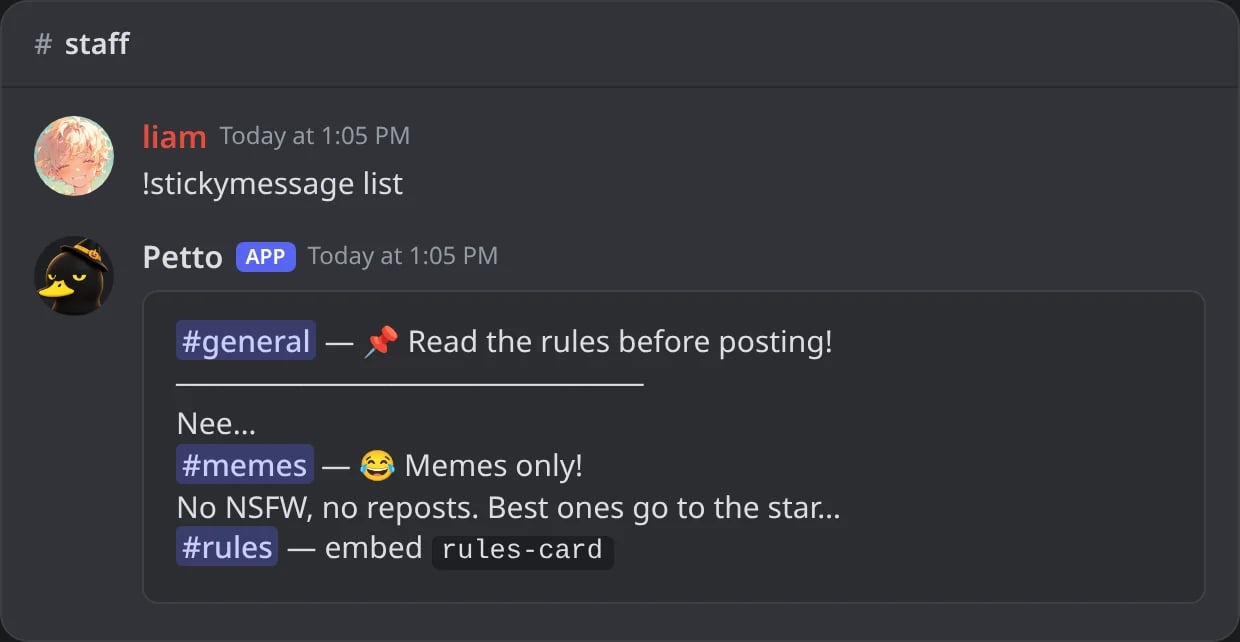
In Discord: the sticky messages of the server, one per channel.
{newline} (a line break) and {separator} (a divider line). Other variables are not filled in plain text, they stay as written. For variables, use a saved embed: there they are filled for the member whose message made the sticky move down, so {user} greets whoever wrote last.
- Plain text
- Saved embed with variables
Command
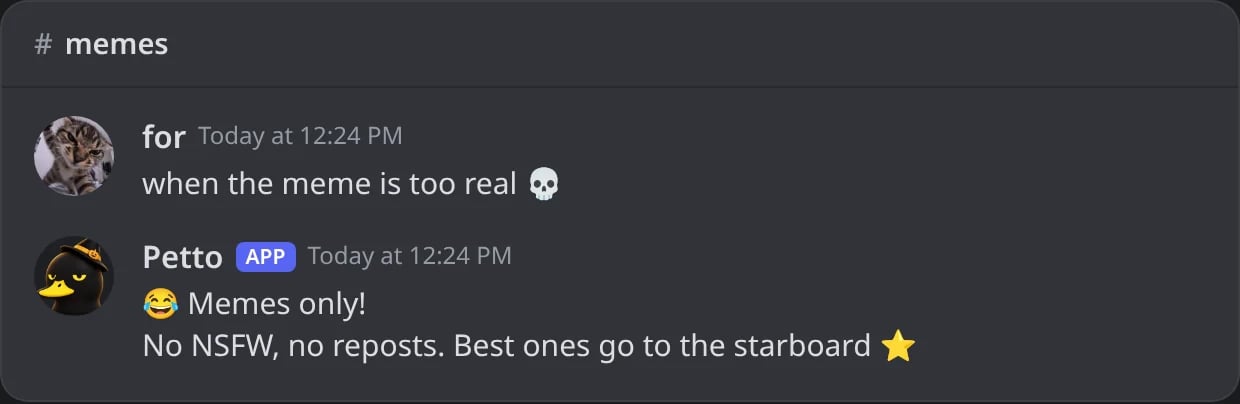
In Discord: someone posts in #memes and the sticky moves back under the new message.
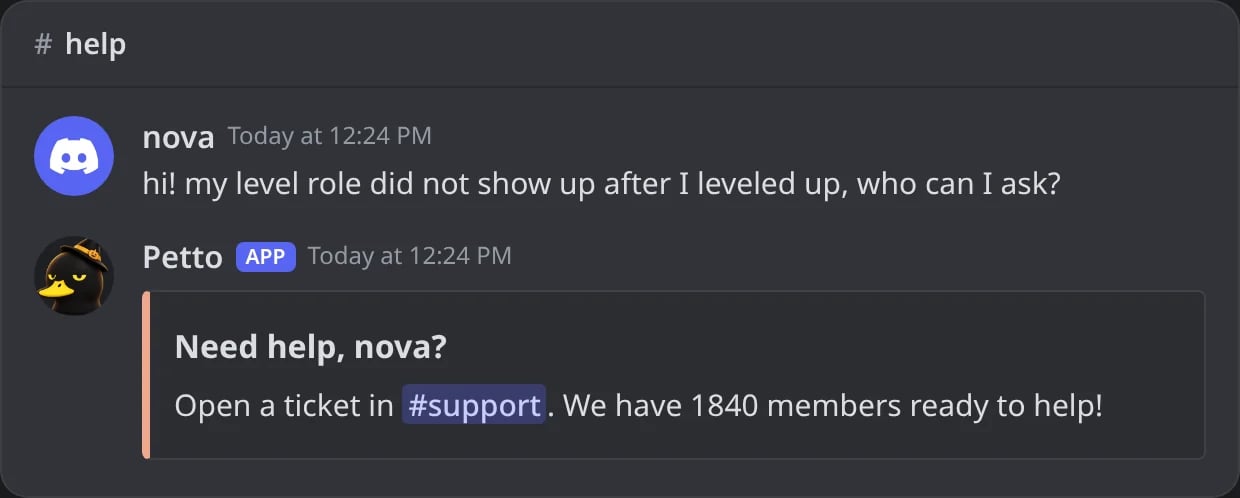
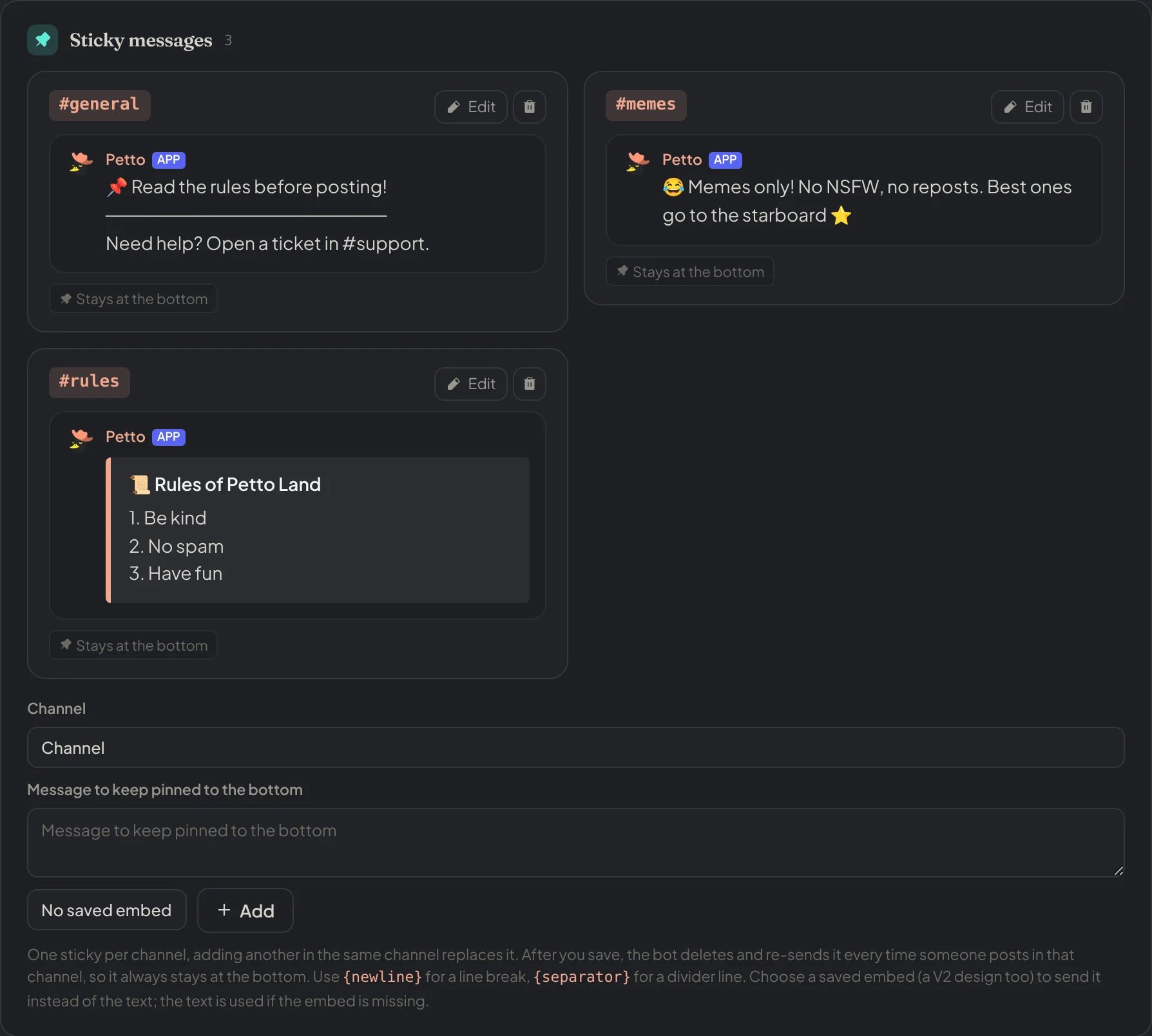
Dashboard → Automation → Sticky Messages: a card for each channel with a preview of its sticky, and the form to add one.
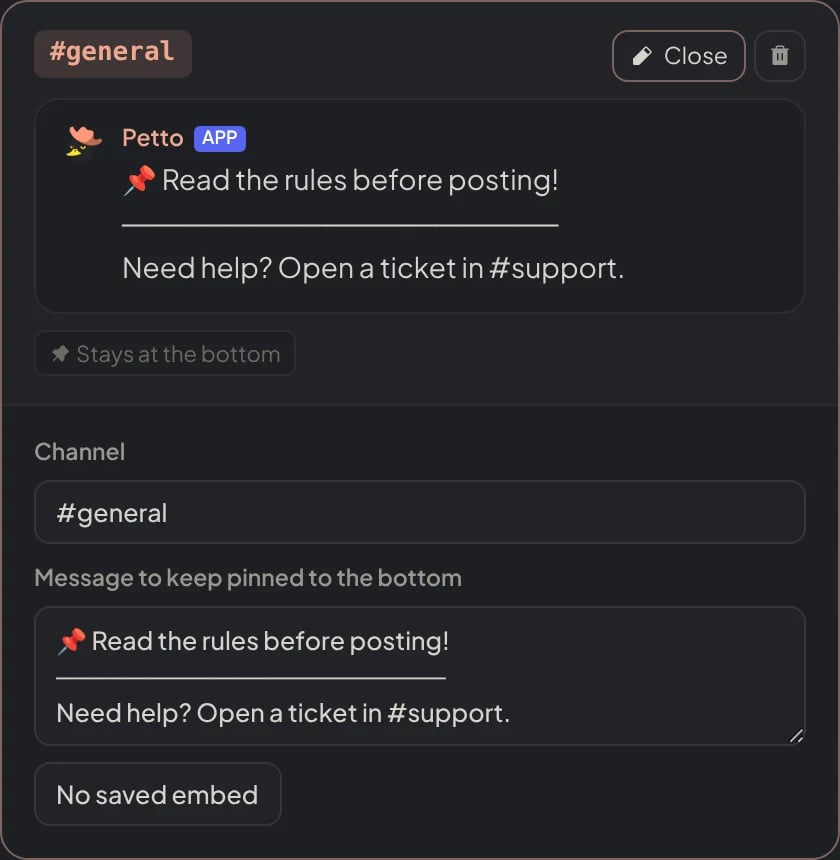
Dashboard → Automation → Sticky Messages: a sticky open to edit it in place.
template (write - as the content to use only the embed). If the embed is missing, the text is sent. The Sticky messages section of the dashboard can edit a sticky in place and choose its embed.