
Overview
Info commands are public lookups that anyone can run, and most of them default to yourself or to this server. Three exceptions need staff:/setup needs Manage Server, !snipe needs Manage Messages and !steal needs Manage Expressions (Petto too). /setup is a slash command only.
/server and /user
Two commands gather the lookups below, so you can find them by typing/server or /user in Discord. Each subcommand runs the same code as the command it names, with the same options, answers and checks, and the old commands keep working. With the prefix, !server info and !user avatar @Someone work the same way, and !server or !user alone is its info, so !server, !user and !user @Someone do what they always did.
/server icon, /server banner and /server splash (the picture on the invite page) show the picture of the server big, in the same card as !avatar, with links in every size Discord serves (128 to 4096) and buttons for the original, PNG, JPG and WEBP (a GIF is the original when the picture moves). If the server has none set, Petto says so. They are also !servericon, !serverbanner and !serversplash.
The rules of a server reach the subcommands. A rule from !disablecommand or !restrictcommand on the old command (serverinfo, avatar…) also stops its subcommand, server or user turns off the whole command, and servericon, serverbanner and serversplash turn off one of the new ones. Every subcommand has a short alias too, see Short aliases.
Member & account
user is omitted.
!avatar
!avatar
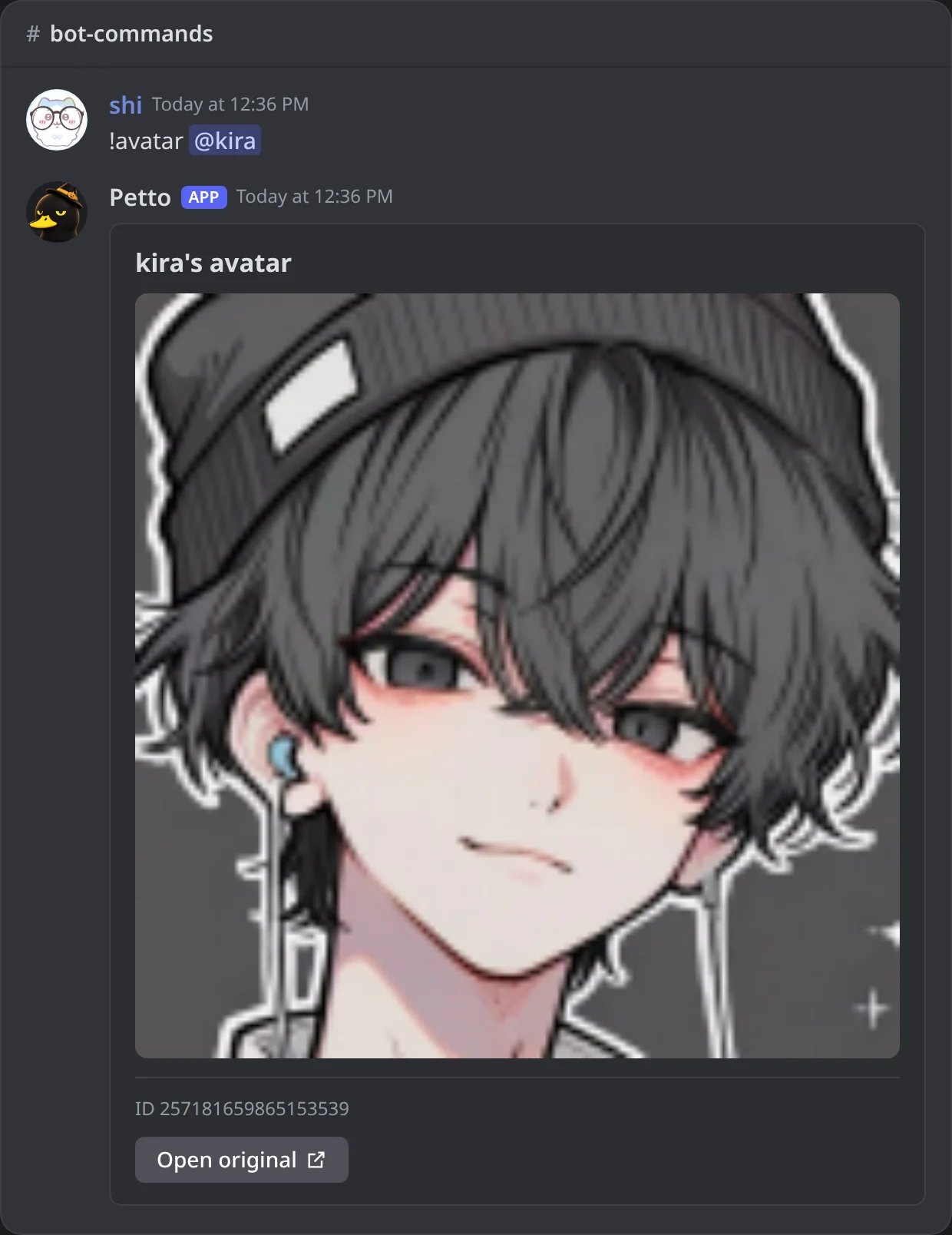
In Discord: a member's avatar, big, with a link to the original.
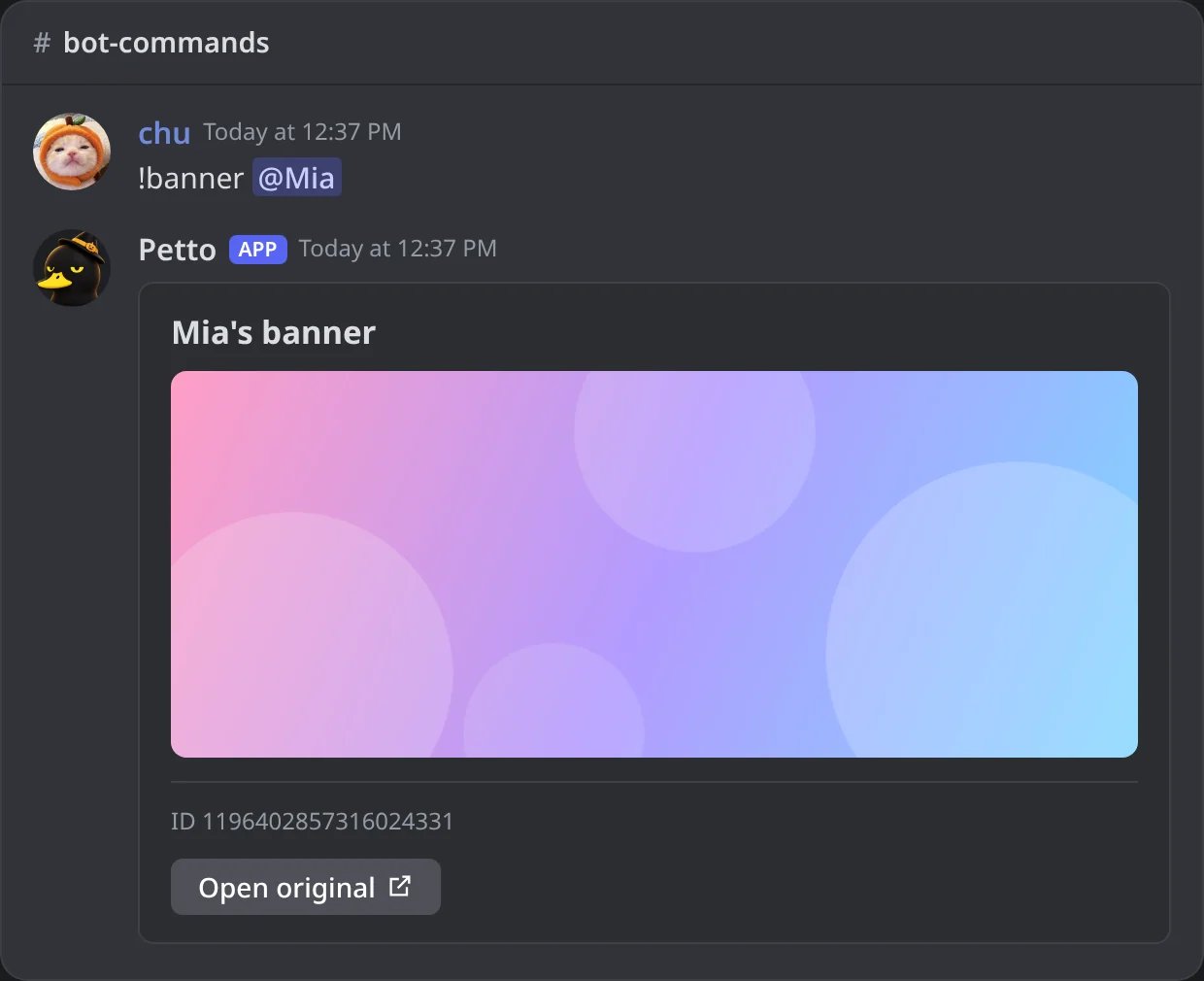
In Discord: a member's profile banner.
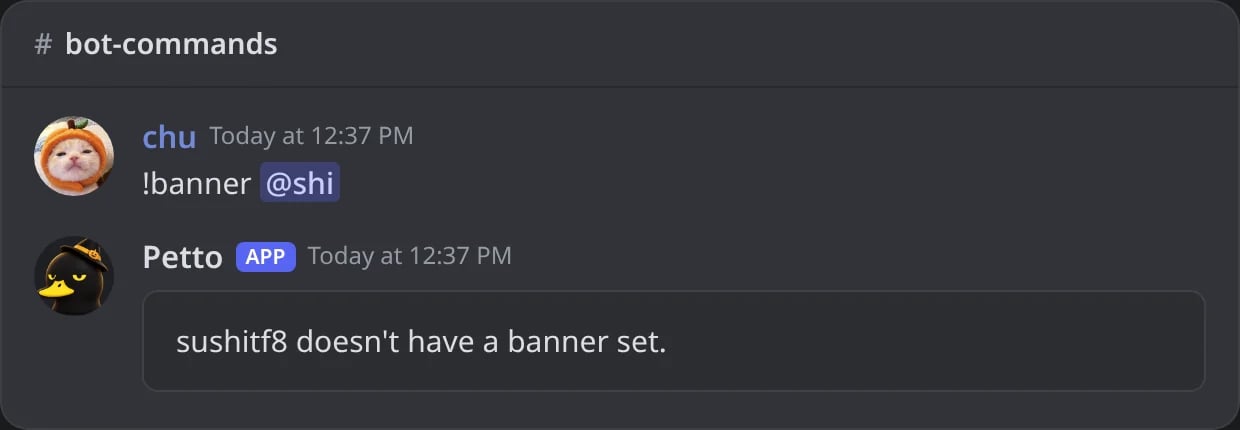
In Discord: when the member has no banner, Petto says so.
!permissions
!permissions
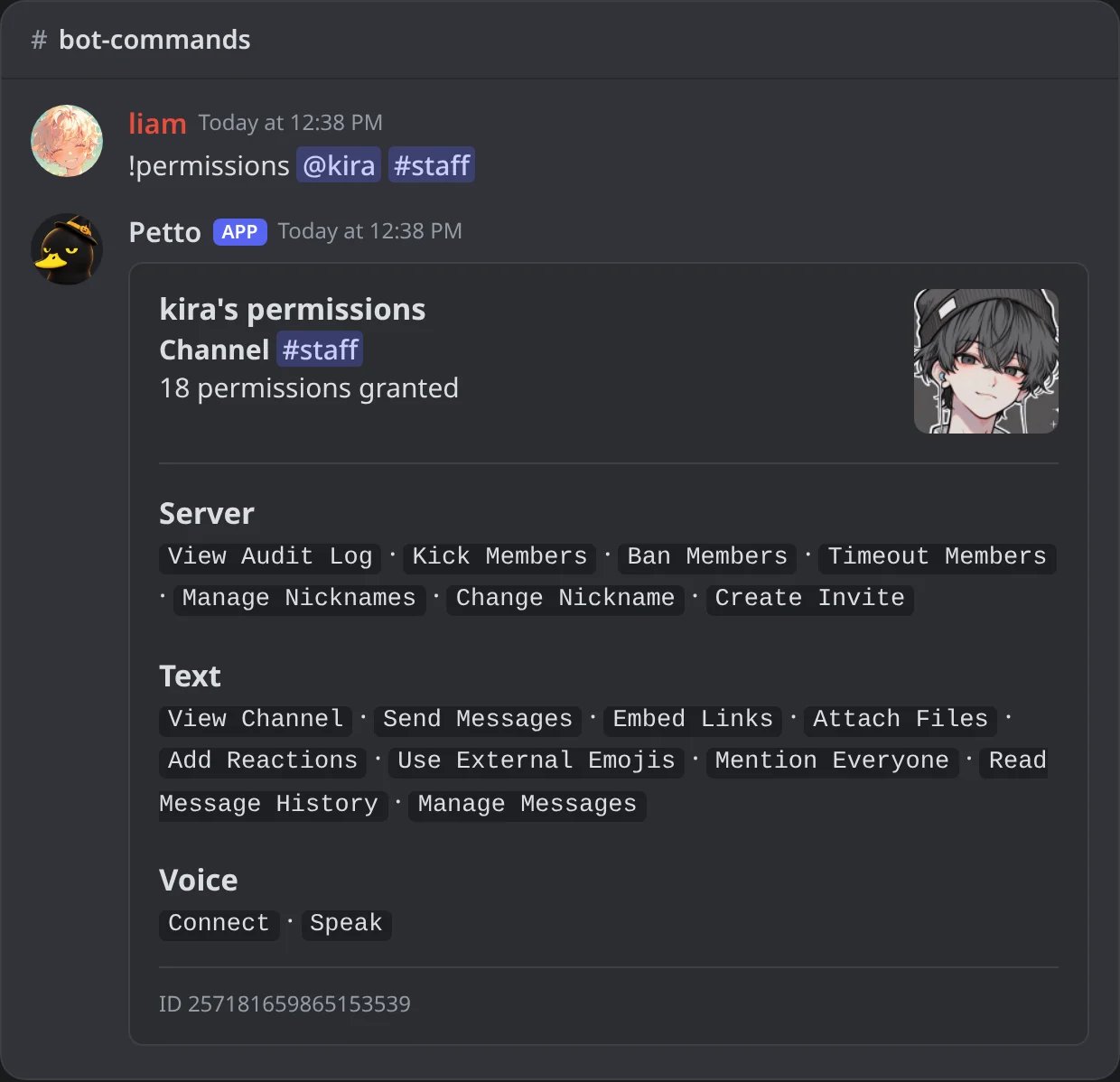
In Discord: what a member can do in a channel, by group.
!userinfo shows the account and the member in one card: dates, roles, and the badges as icons only. The badges Petto can see are the public ones Discord gives to a profile: Staff, Partner, HypeSquad (Bravery, Brilliance, Balance and Events), Bug Hunter (both levels), Early Supporter, Early Verified Bot Developer, Moderator Programs Alumni, Active Developer, Supports Commands and Verified App. It adds Nitro when a person’s account has an animated avatar or a banner (only Nitro gives those, and apps are never shown with it), and the server booster badge when the member boosts. Discord does not tell bots the Nitro or boost level, so those cannot be shown.
The card has no color on its side. The avatar is drawn with its decoration, as Discord shows it, and the server tag sits next to the name. A line points to !usercosmetics when the member has any of these (the nameplate picture is only there, to save room).
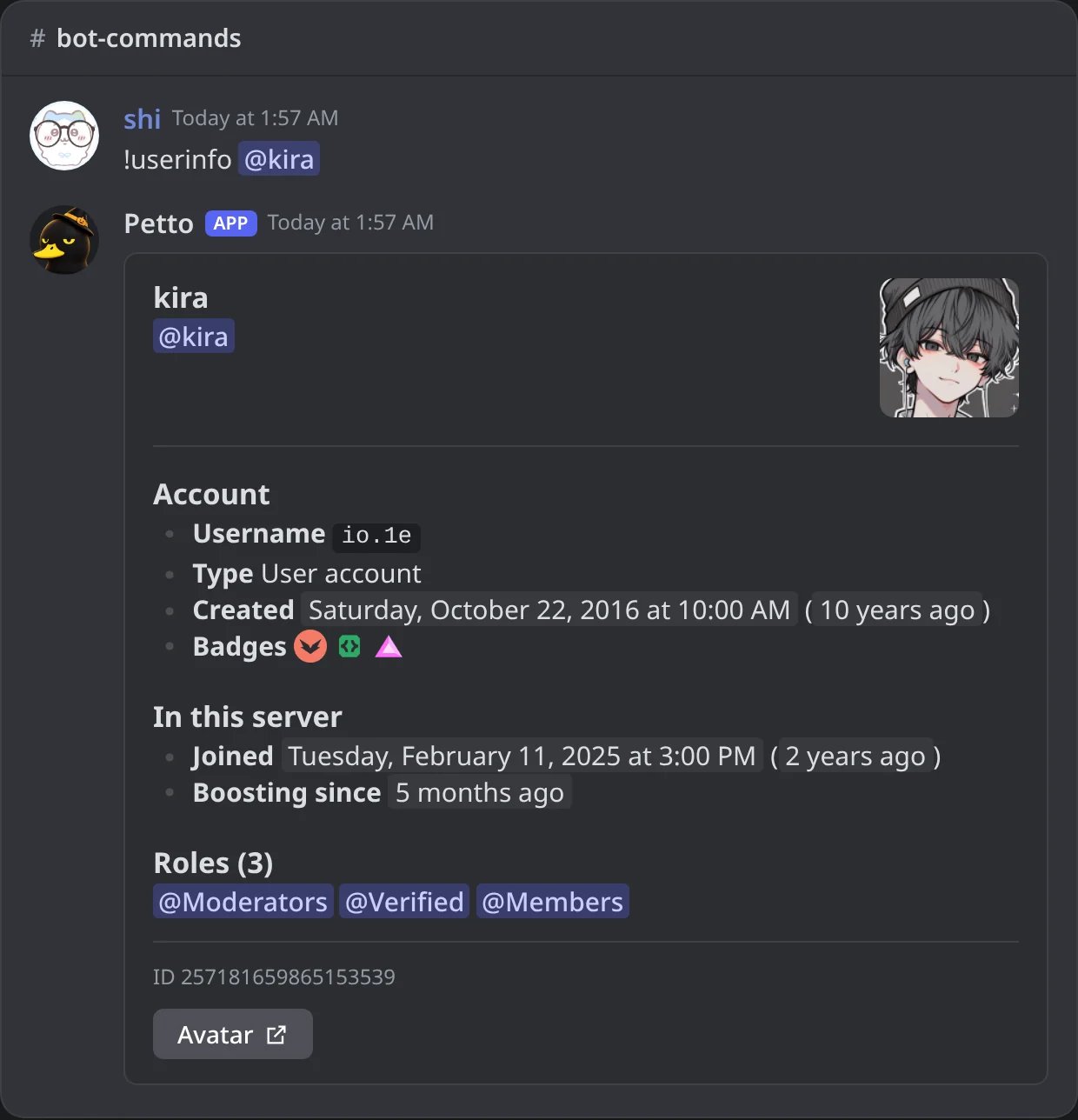
In Discord: the !userinfo card of a member.
!usercosmetics (also !uc and !cosmetics) shows only the cosmetics of a member in one picture, like the row of a profile in Discord: the nameplate behind, the avatar with its decoration (moving when the decoration moves; Discord decides how it plays an animated picture a bot sends), and the name with the server tag. Under it come the details and link buttons to each picture. A member with none of them says so.
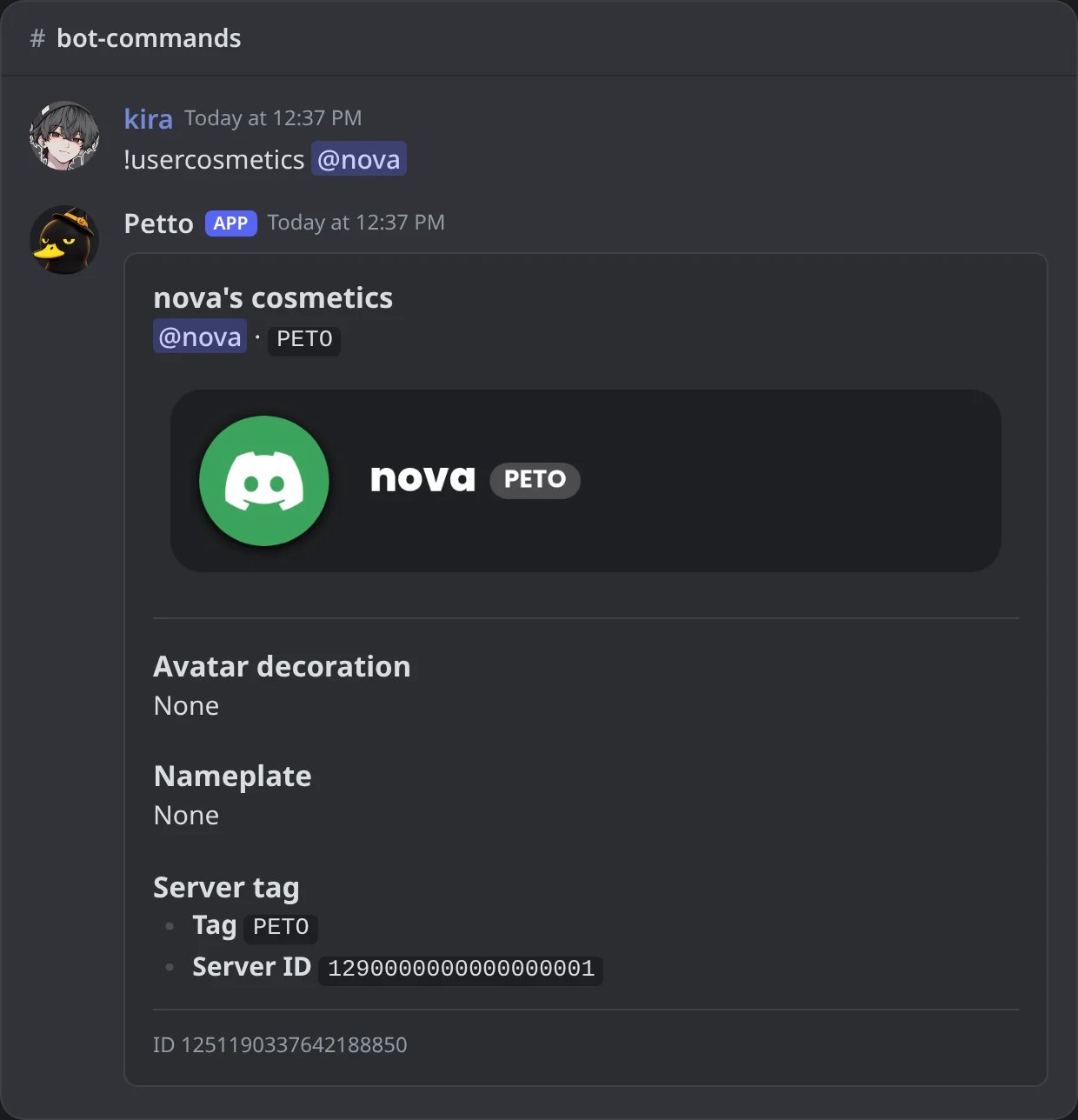
In Discord: !usercosmetics of a member who shows a server tag.
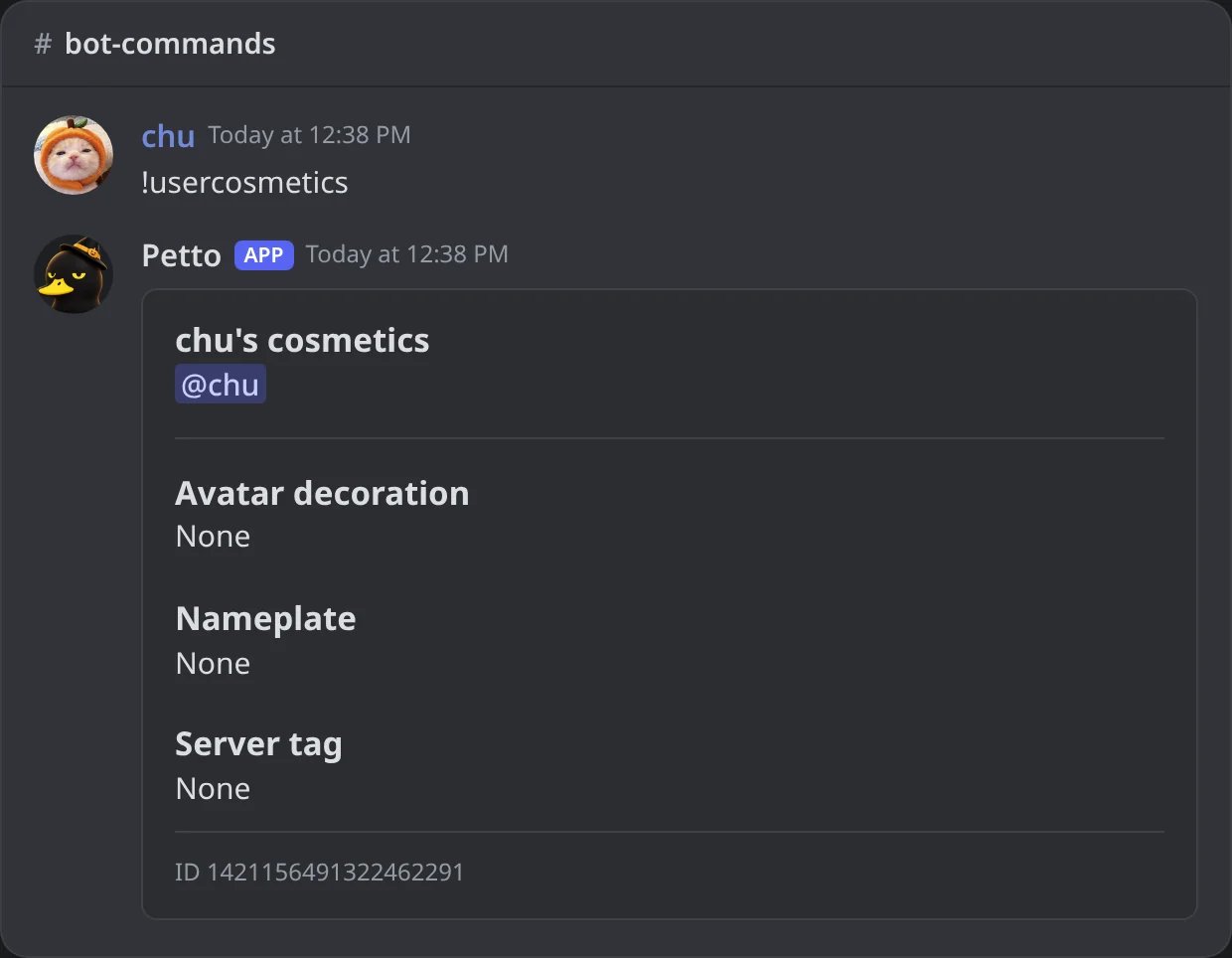
In Discord: a member with none of them.
!serverinfo has no color either: it is organized in two blocks, one for the people and channels and one about the server (boosts, safety, content and features), and it shows the invite splash when the server has one.
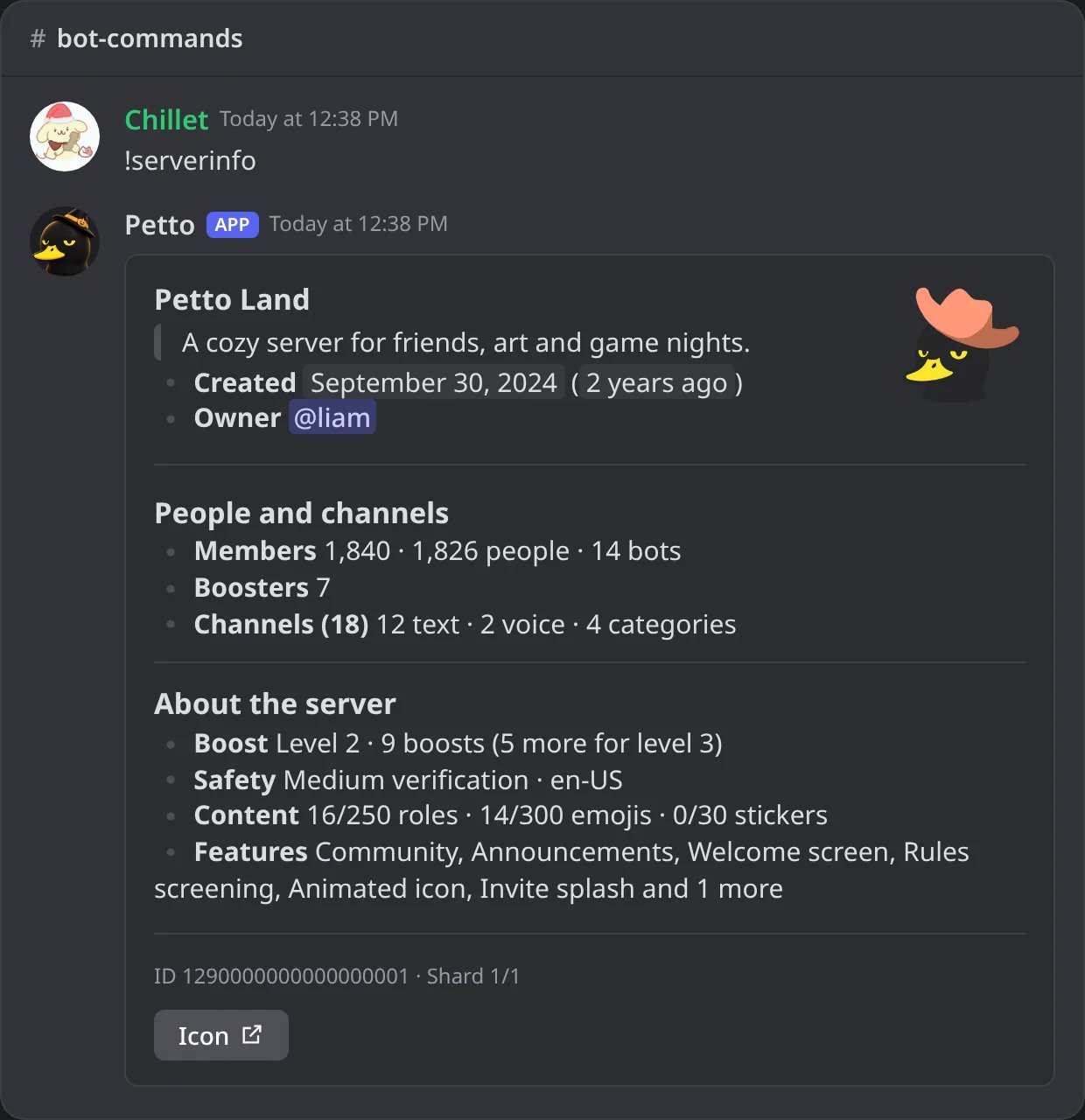
In Discord: the !serverinfo card of Petto Land.
Setup status
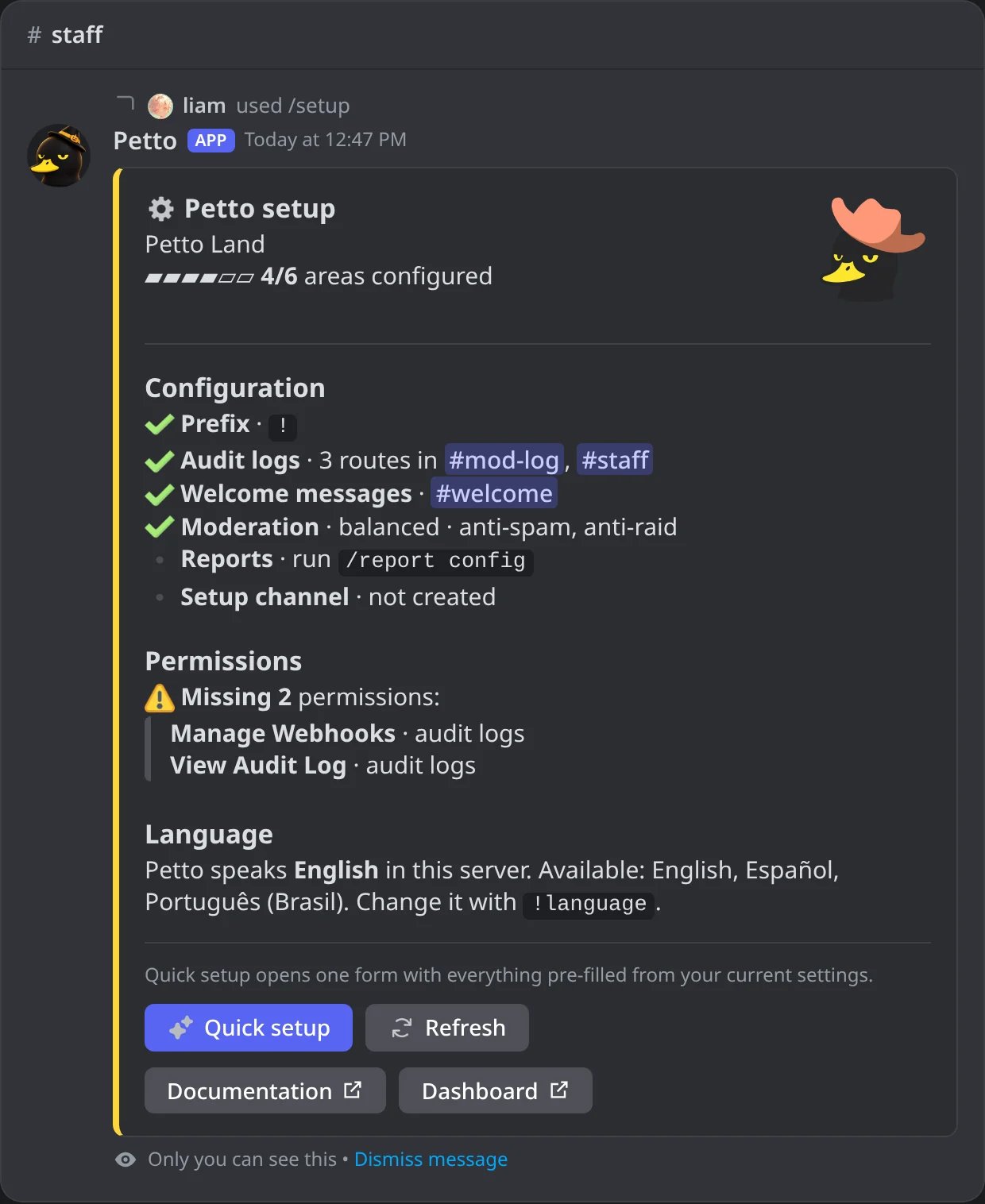
In Discord: the panel of /setup, only for whoever ran it.
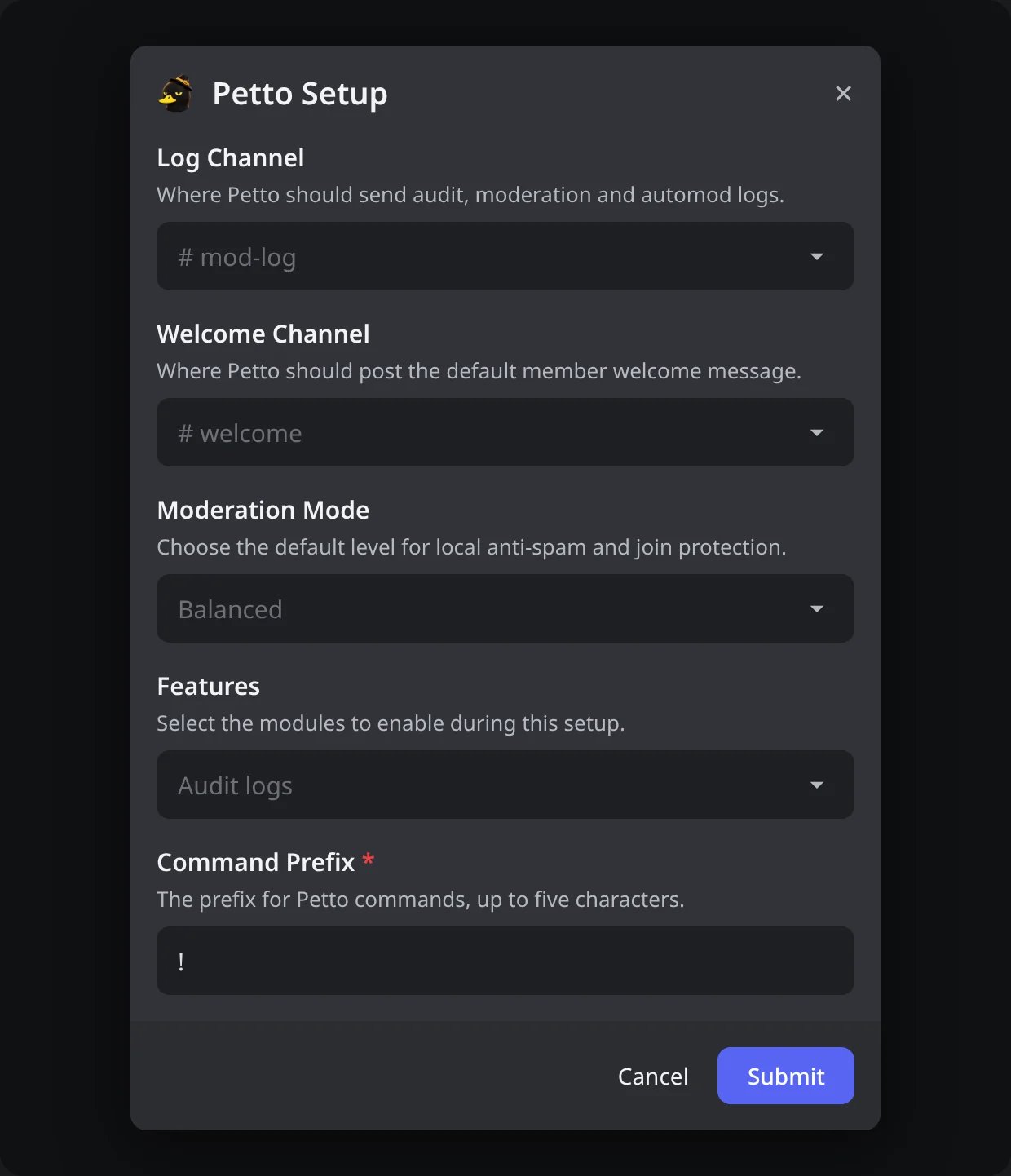
In Discord: the Quick setup form, filled with the current settings.
Server
!roles, !emojis, !channels, !boosters and !inrole (also !members) show a page at a time with buttons. A menu on top sorts or filters the list: roles by members, newest, oldest or name, only roles with a color or without members; emojis still or animated; channels by kind; members of a role people only, bots only or newest first. Only the person who ran the command can use the buttons, and they keep working after Petto restarts.
!bots (also !botlist and /server bots) lists the bots of the server, for everybody and with no permission needed: the name, the ID, whether it is Verified, Petto marked, and when each one joined, the oldest first, ten to a page. It never pings anybody. In a very big server Petto only lists the bots it already knows, and the list says so.
!roles
!roles
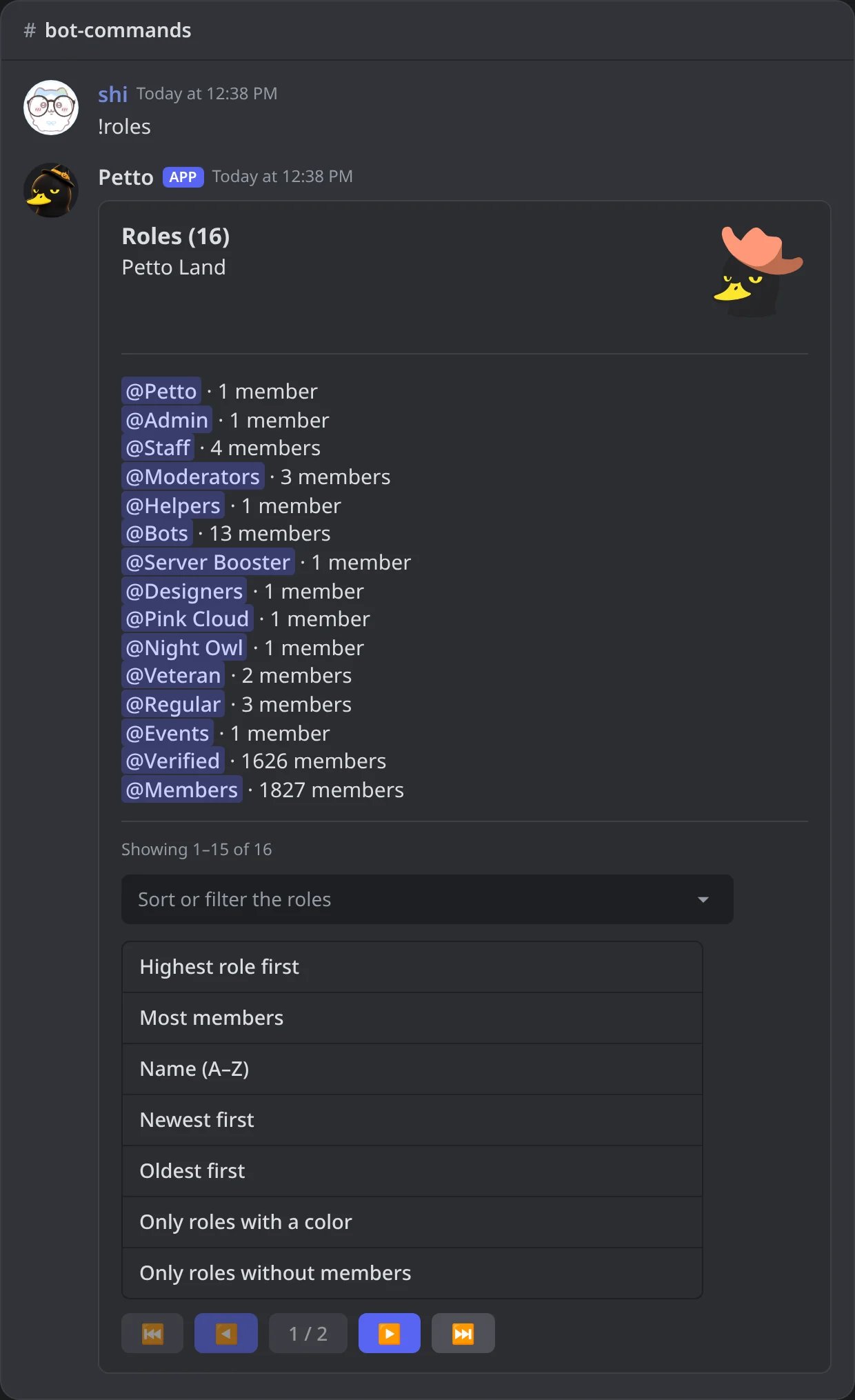
In Discord: the roles a page at a time, with the menu to sort them open.
!emojis
!emojis
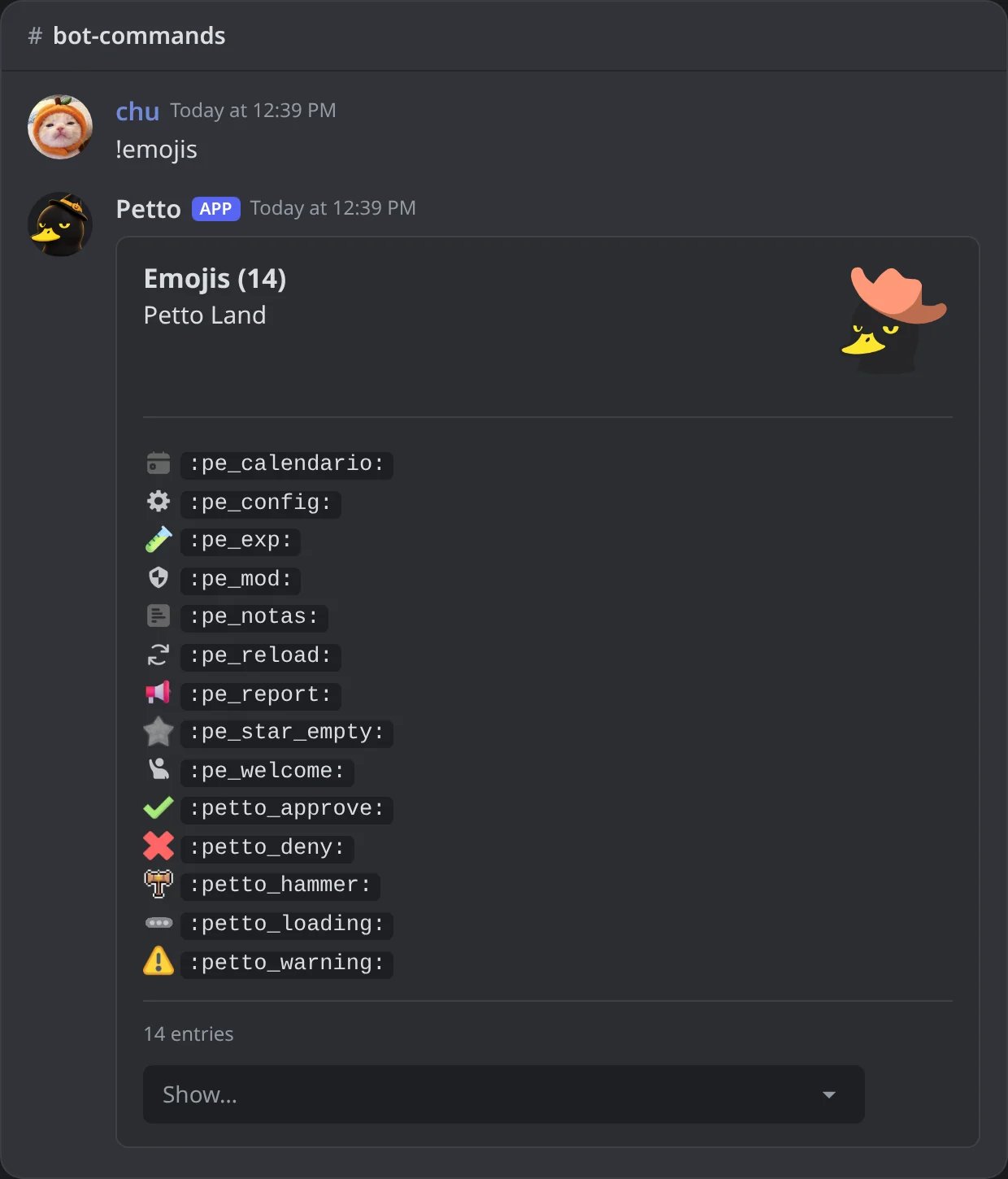
In Discord: the custom emojis of the server.
!channels
!channels
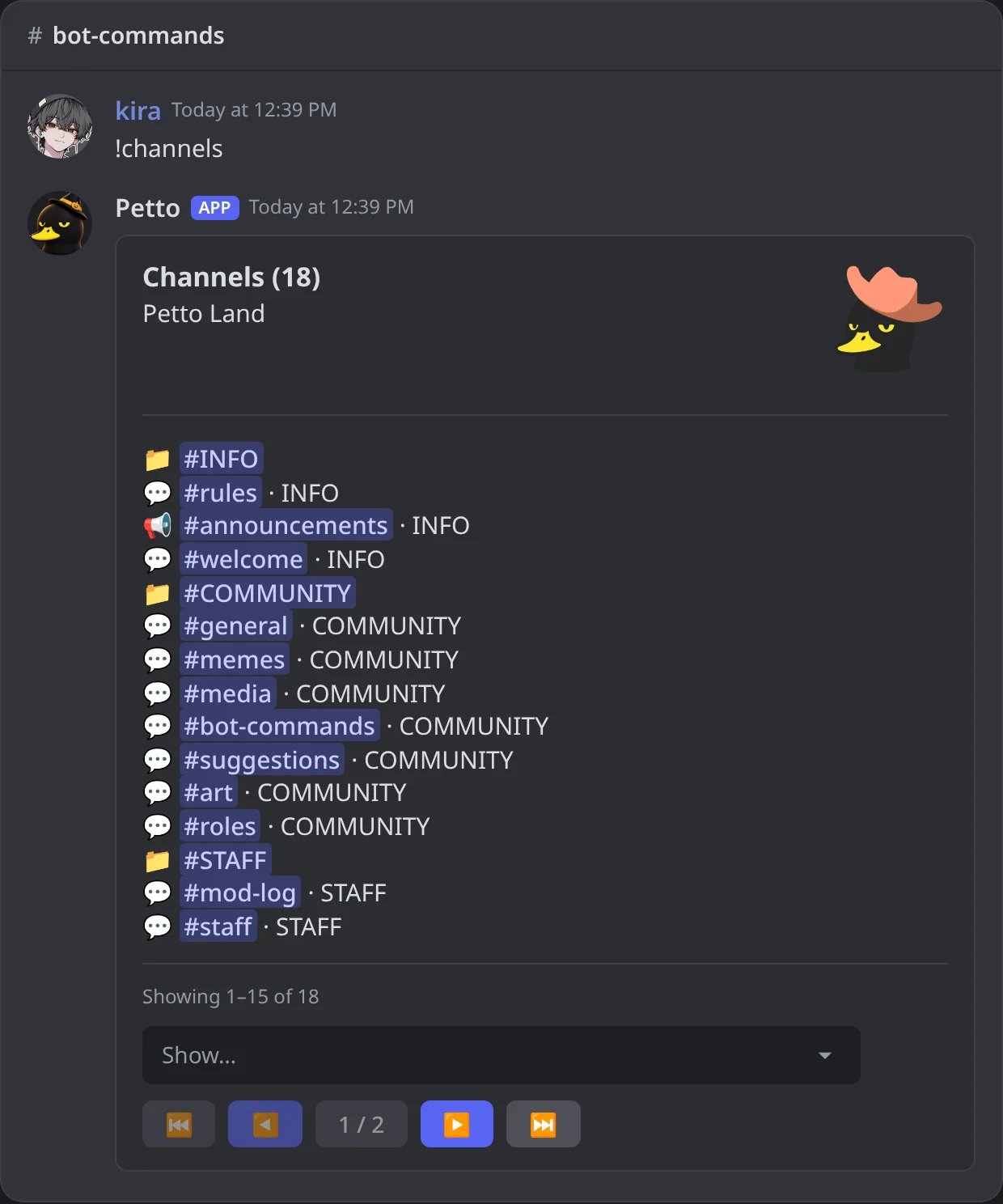
In Discord: the channels by category, a page at a time.
!boosters
!boosters
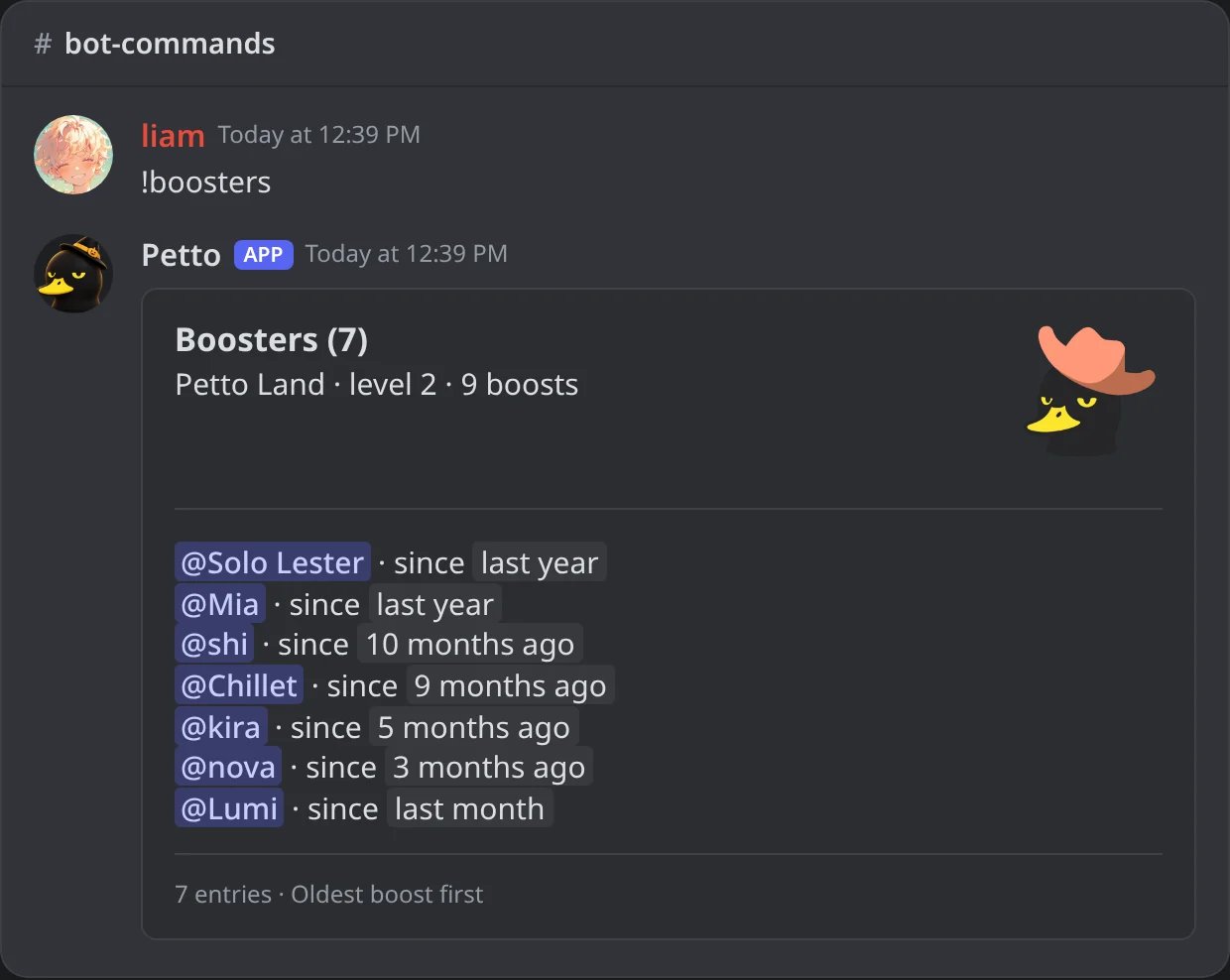
In Discord: who boosts the server and since when.
!inrole
!inrole
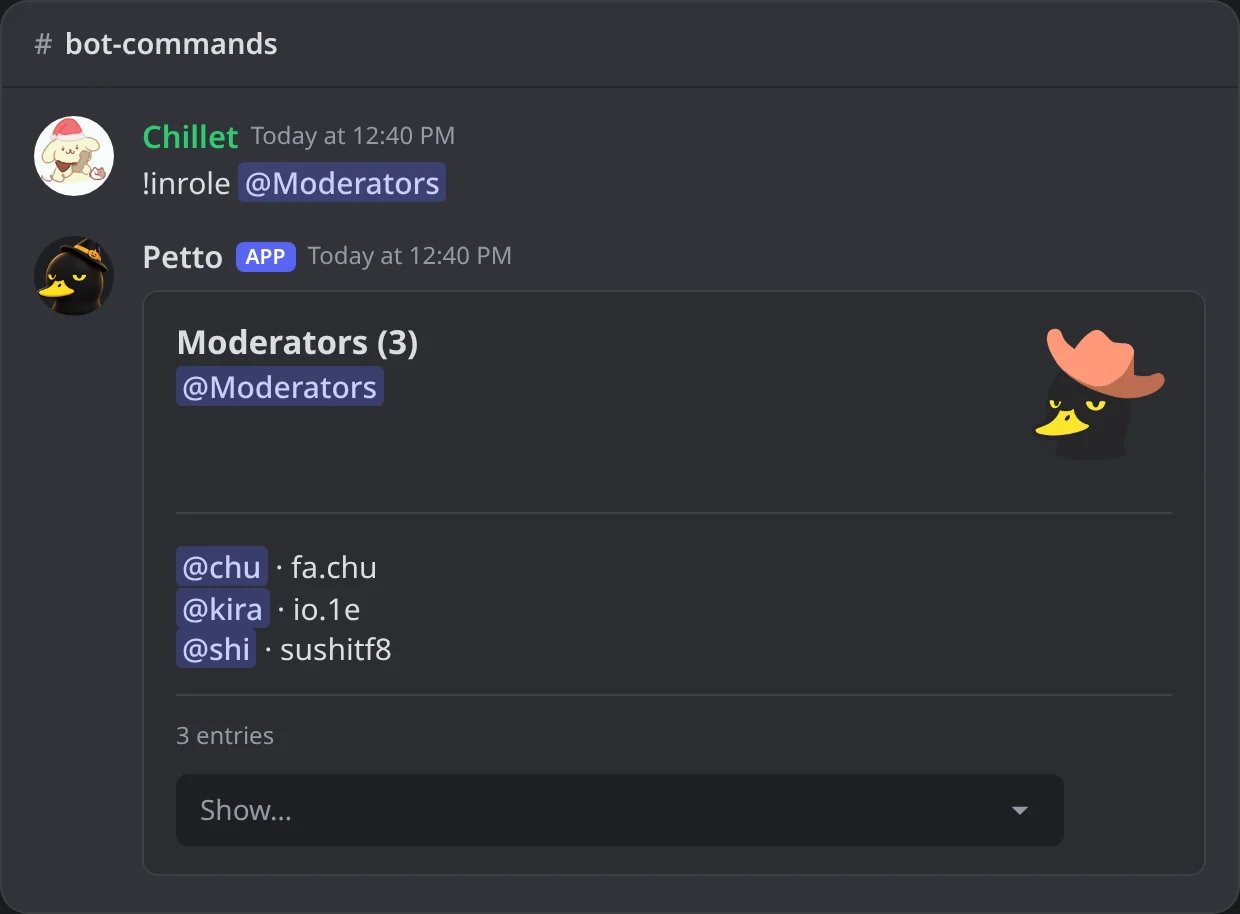
In Discord: the members of a role.
!roleinfo
!roleinfo
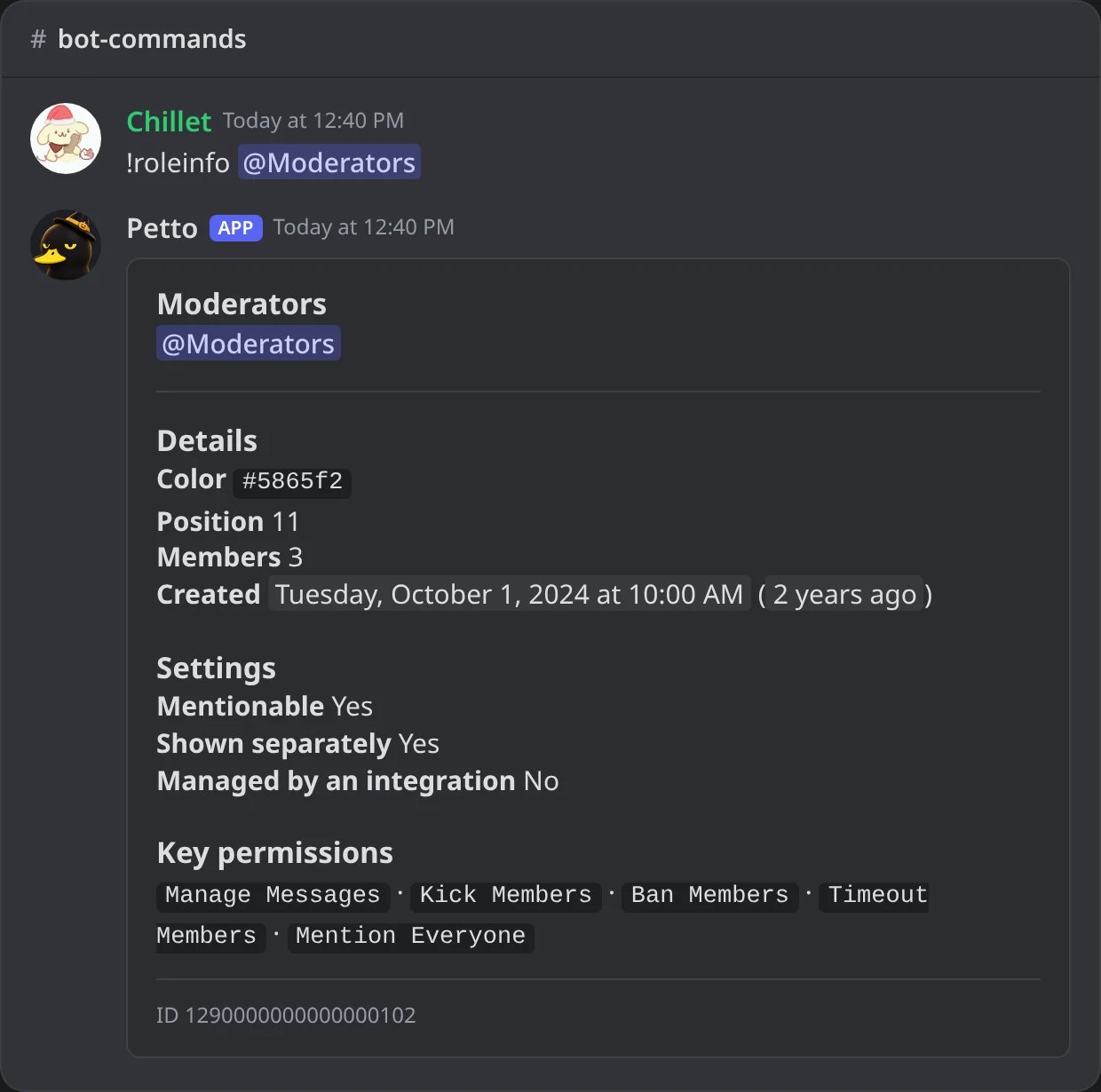
In Discord: a role: its color, position, members, settings and key permissions.
!channelinfo
!channelinfo
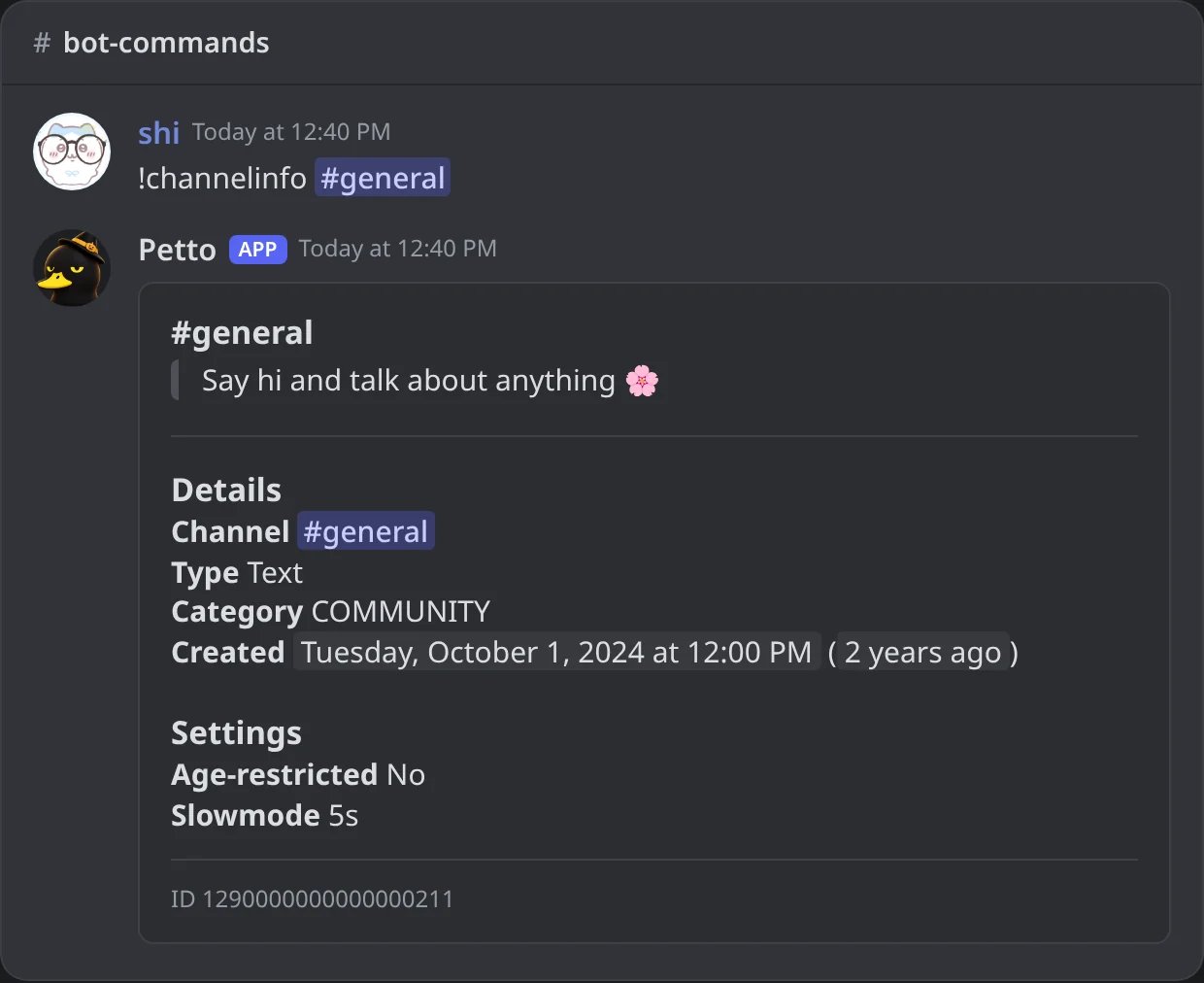
In Discord: a channel: its topic, kind, category and settings.
!emojiinfo
!emojiinfo
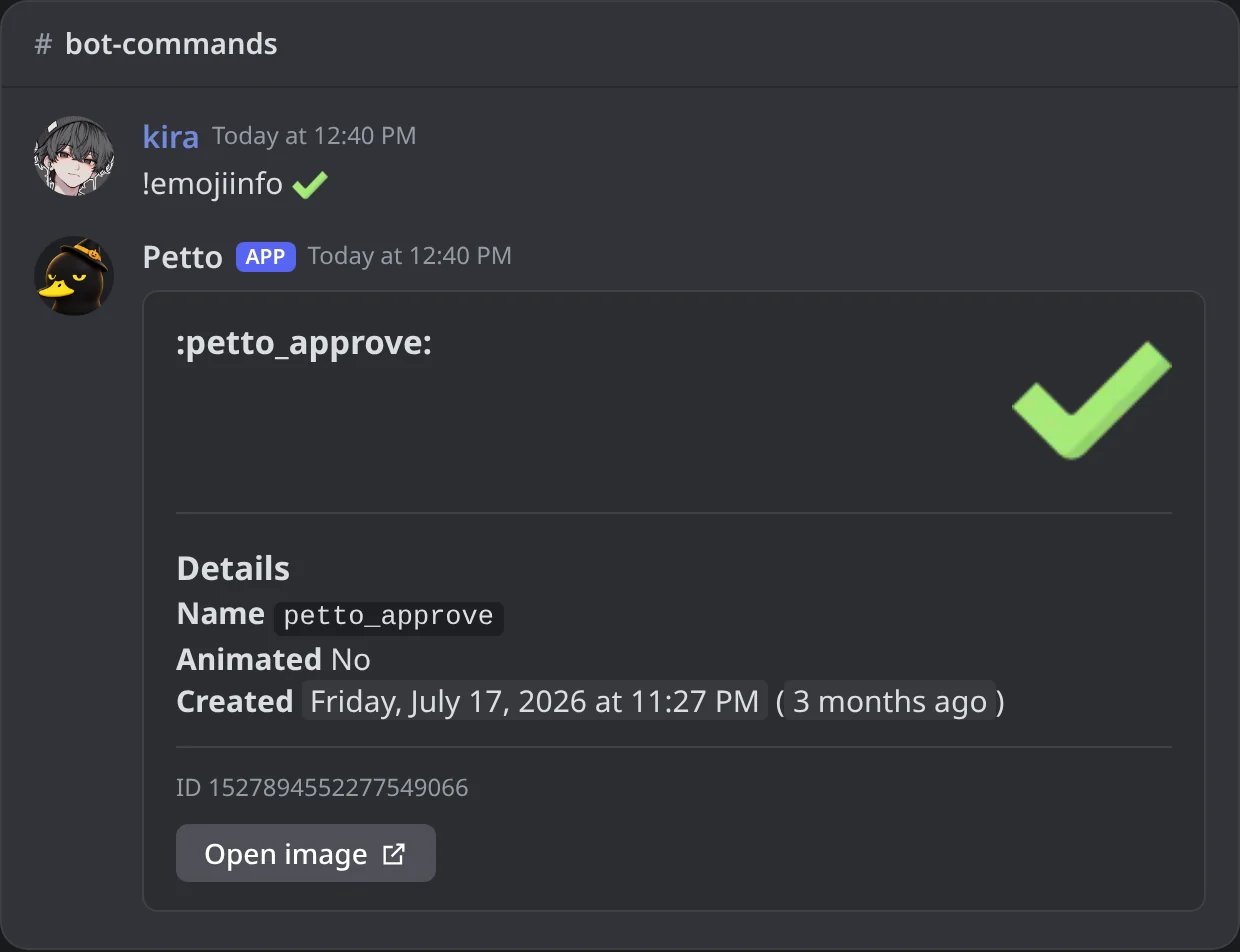
In Discord: a custom emoji, with a link to its picture.
!firstmessage
!firstmessage
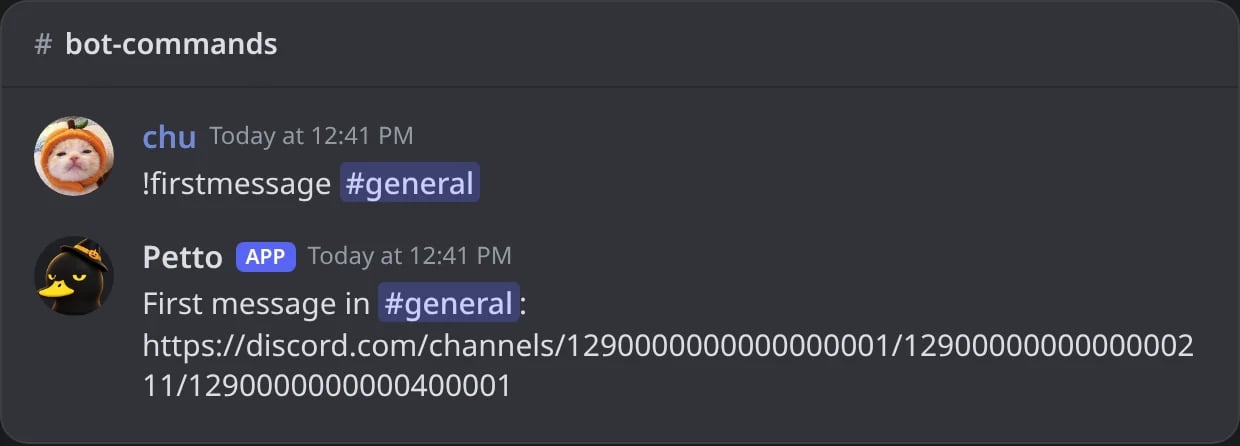
In Discord: a link to the first message of a channel.
Petto’s own stats
!ping answers with a card: the Guild Ping (how long Petto takes to answer in the server), the API Ping (the connection to Discord), links to the status page and the support server, and the size of Petto (shard and guilds). The card is green when it is fast, yellow when it is slow and red when it is bad.
Also live and public at petto.sbs/status, reported directly by the bot.
!botinfo
!botinfo
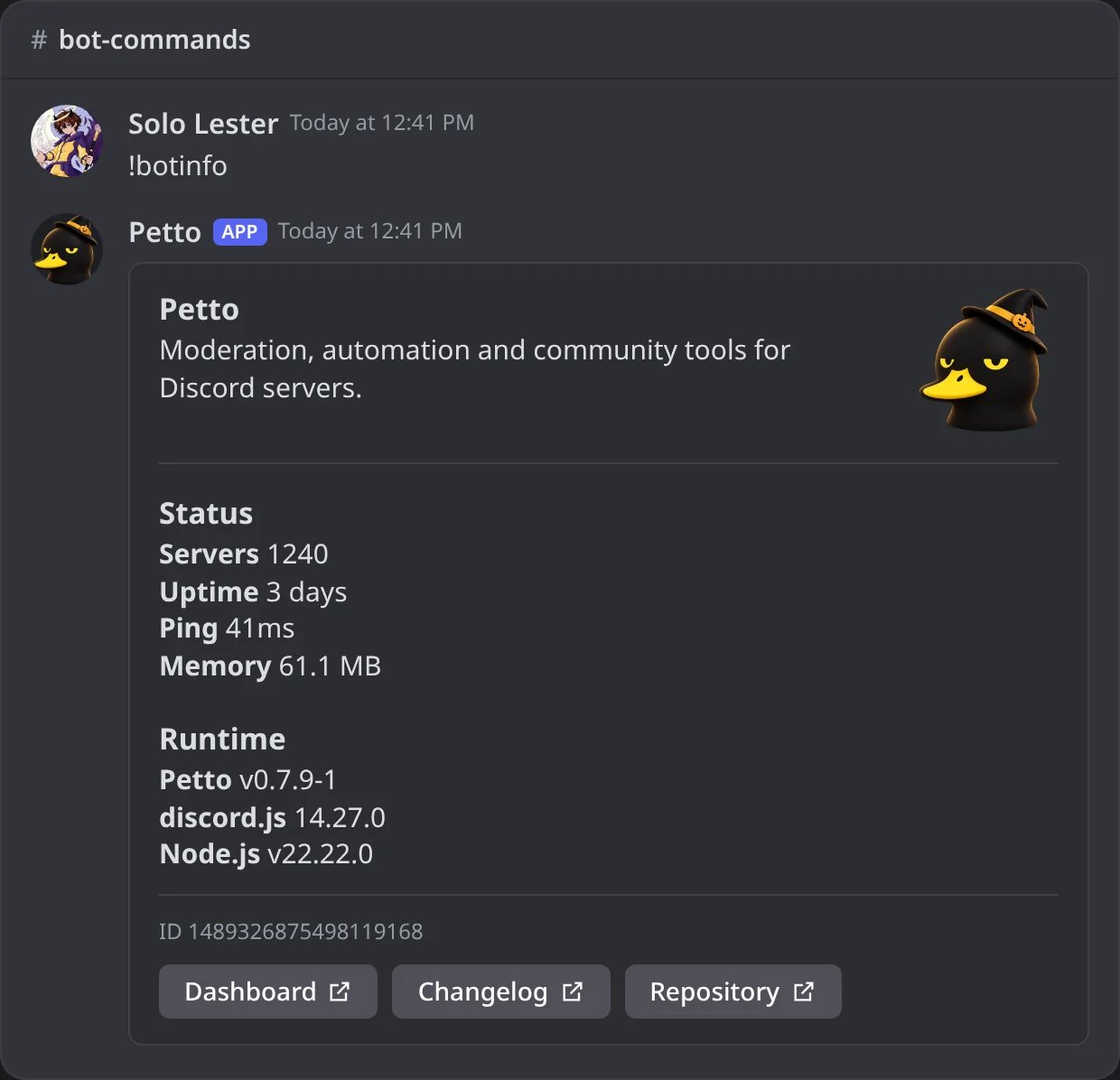
In Discord: Petto's status and versions.
!ping
!ping
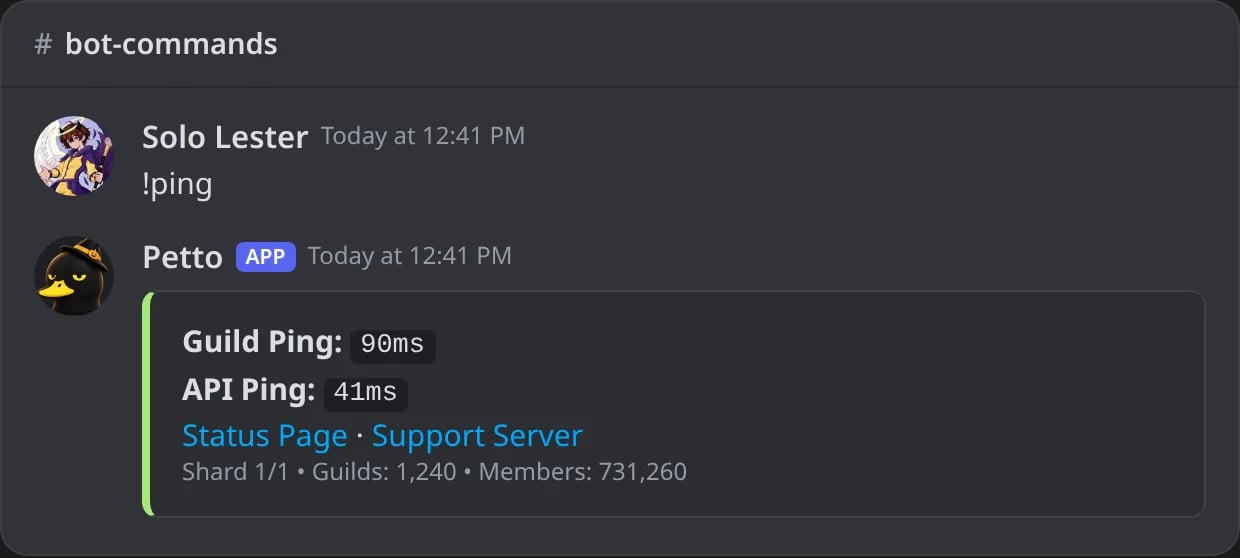
In Discord: the Guild Ping, the API Ping and the size of Petto, on a green card.
!uptime
!uptime
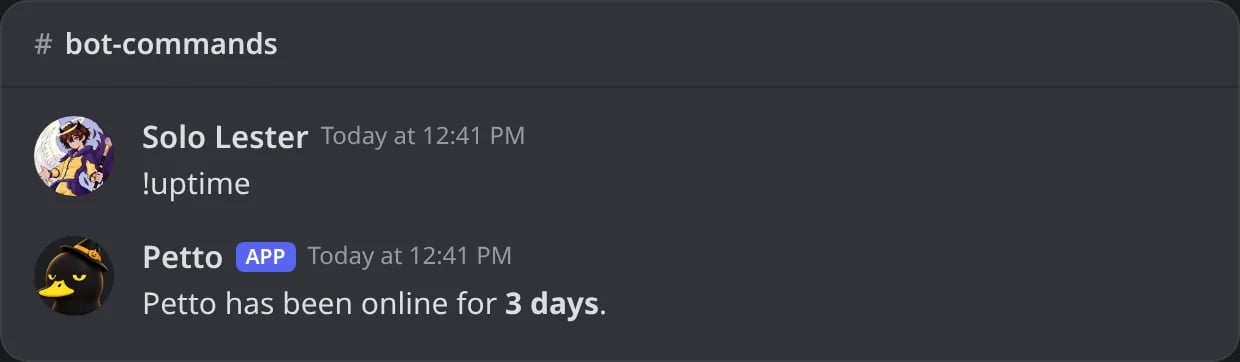
In Discord: how long Petto has been online.
Small lookups
color (also !hex and !clr) shows a hex color with its RGB, HSL and decimal values. Without a hex code it finds the main color of a picture: an attached or replied image, a link, a member’s avatar or your own. See Main color of a picture.
snowflake decodes the creation timestamp embedded in any Discord ID (user, channel, role, message).
!snowflake
!snowflake
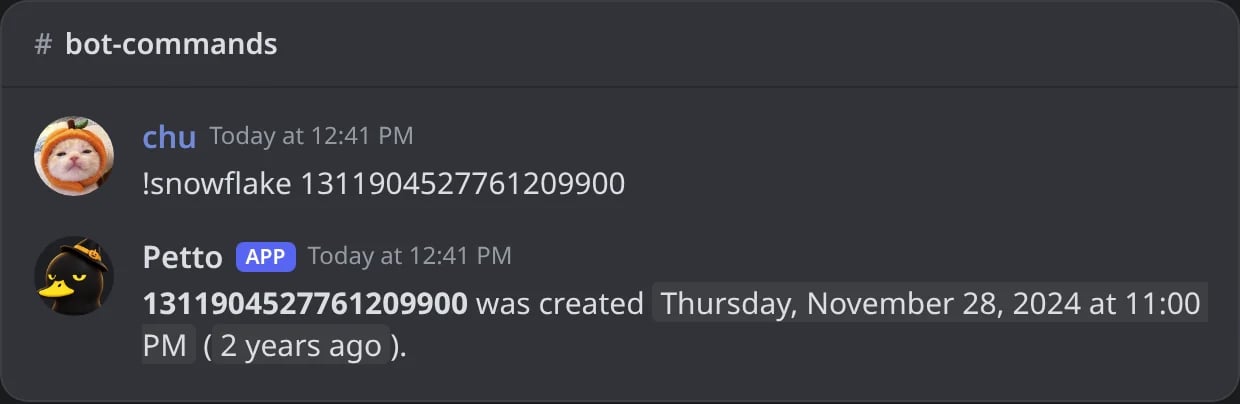
In Discord: the date hidden in a Discord ID.
!color
!color
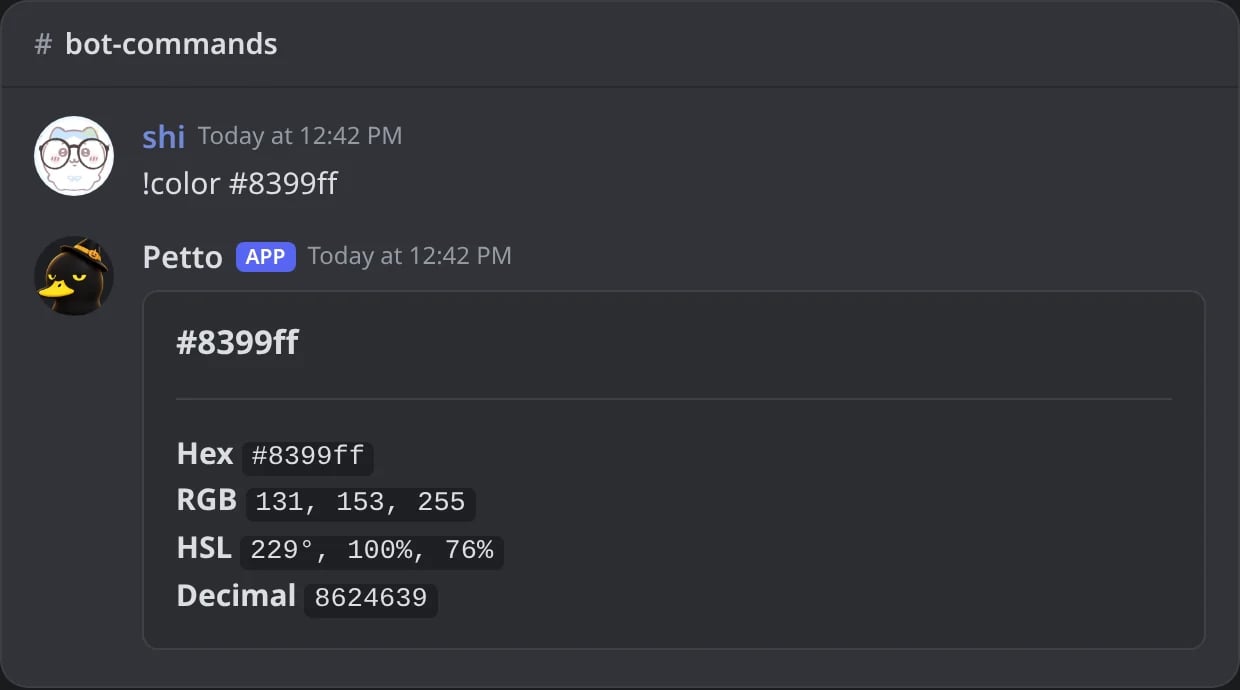
In Discord: a hex color with its values; with a picture it finds its main color.
!inviteinfo
!inviteinfo
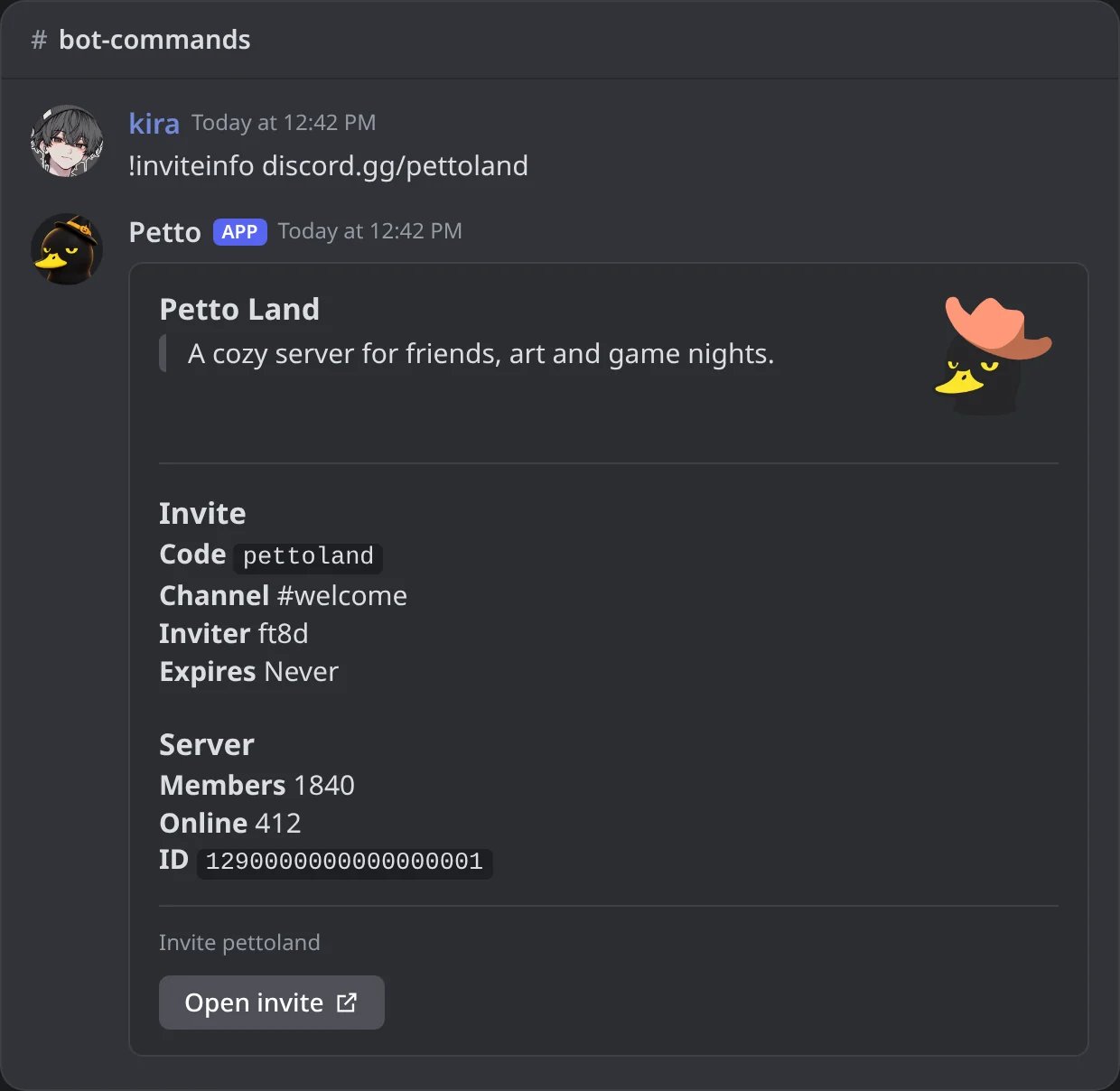
In Discord: an invite and its server.
New utilities
calc accepts safe arithmetic with parentheses, powers, percentages, multiplication, division, addition, and subtraction. It never evaluates JavaScript. time also responds to the aliases !tz and !clock, accepts country names in English or Spanish, and understands exact IANA zones such as America/Bogota. For countries with several time zones, a country name uses a representative main zone, so use the IANA zone when you need a specific city or region. wiki searches the official Petto Wiki in the language of the server and answers with a card: the page that matches best, with its description and a picture of it, up to four related pages with a small picture each, and the buttons Open page and Wiki home. A command name finds its page, so !wiki ban shows Moderation first. When a page has no picture, or Discord cannot load it, the card is the same without it. With nothing after it, !wiki shows where to start, and when nothing matches it suggests the closest pages and the support server.
wiki also answers questions about the terms and conditions. !wiki terms lists the sections of the Terms of Service, each one linked to its place on the page. Add a question, such as !wiki terms can my server be banned, !wiki privacy delete my data or !wiki can I get a refund, and Petto shows the best one to three points of the Terms of Service, the Privacy Policy, the Purchases and Refunds page or the Cookie Policy: the heading of the section, the exact words of the page and a link to that section. Nothing is reworded, so it is the text of the page and not an interpretation of it. The pages come in the language of the server (English, Spanish or Portuguese). If nothing in them answers the question, Petto says so and points to the support server. The card ends with the buttons Terms, Privacy, Refunds, Cookies and Support server. Petto reads the pages when they are asked for and keeps only the extracted text for 30 minutes; if a page cannot be read, it answers with the plain links.
weather uses Open-Meteo to look up current conditions for a city or country and does not require a key. summary shows the activity of the server for 1 to 365 days (7 by default), with a picture: the numbers of the period (messages, active members, voice time, joins, leaves and joins through invites), the bars day by day and the hours of the day with the busiest one lit. Under it come the most active hour (GMT-5), the best day, the top channels and members, the growth in members and the top inviters. Add messages, voice, joins, leaves, invites or sanctions to look at just one thing: sanctions shows how many bans, mutes, warns, kicks and jails there were, who applied them (moderators, AutoMod, the honeypot, warn escalation, automatic expiry or anti-nuke), and the most active moderators and most sanctioned members. All times are GMT-5. The aliases !weekly and !digest use the same report. For a deeper analysis (the busiest hours of the week, growth, a period against the one before, one member) use !stats. Joins, leaves, the active members and the hours are counted from the moment the feature was added. It does not expose message content. The same numbers are on the dashboard’s Statistics page.
!calc
!calc
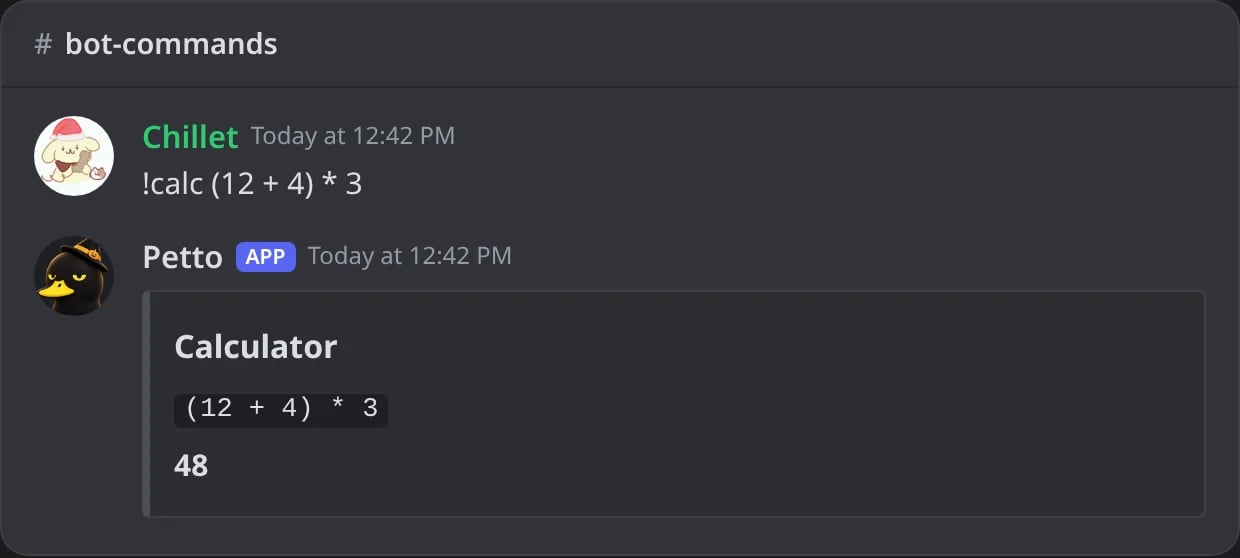
In Discord: a calculation, never JavaScript.
!time and !tz
!time and !tz
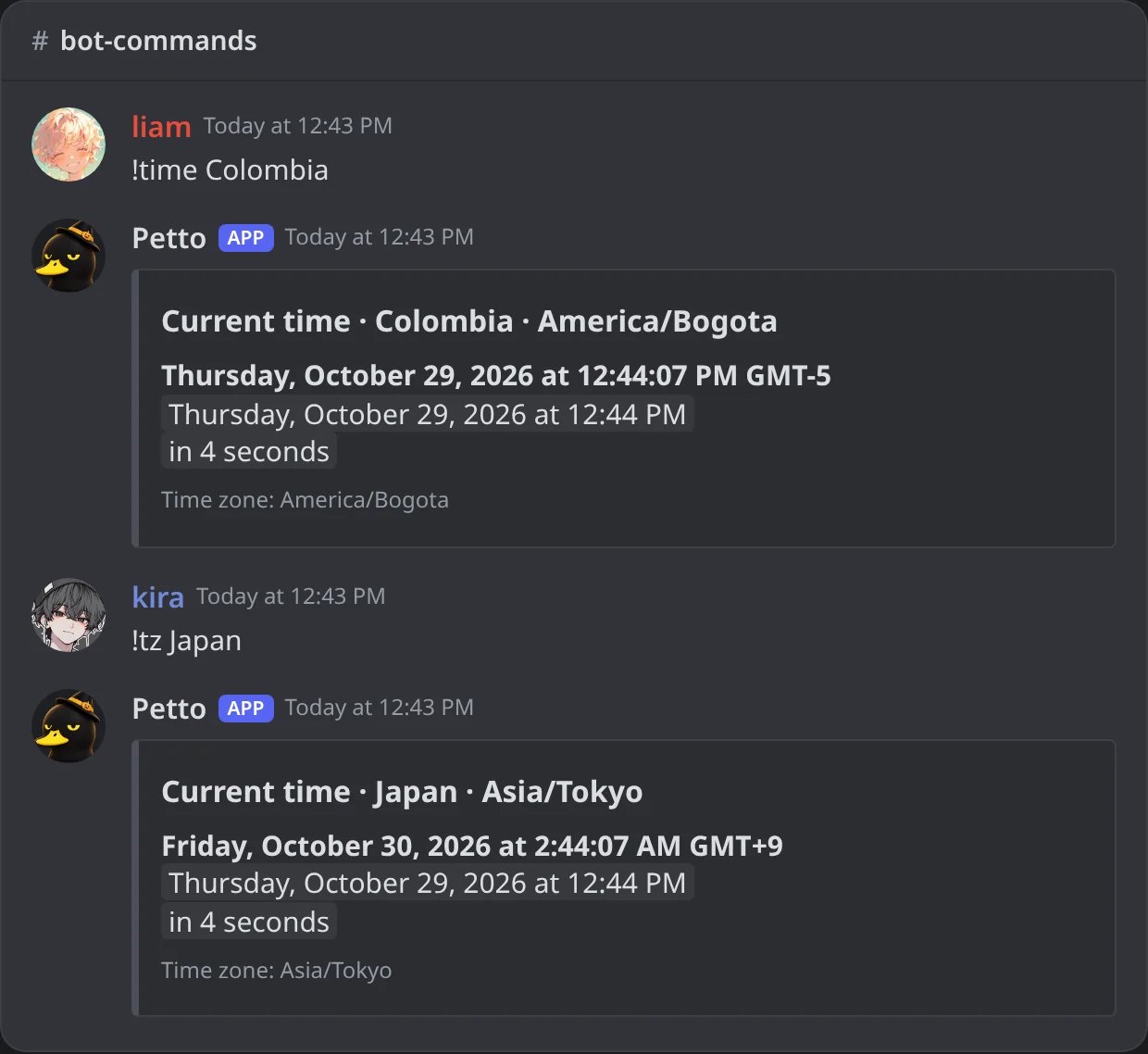
In Discord: the time of a country, by its name in English or Spanish.
!weather
!weather
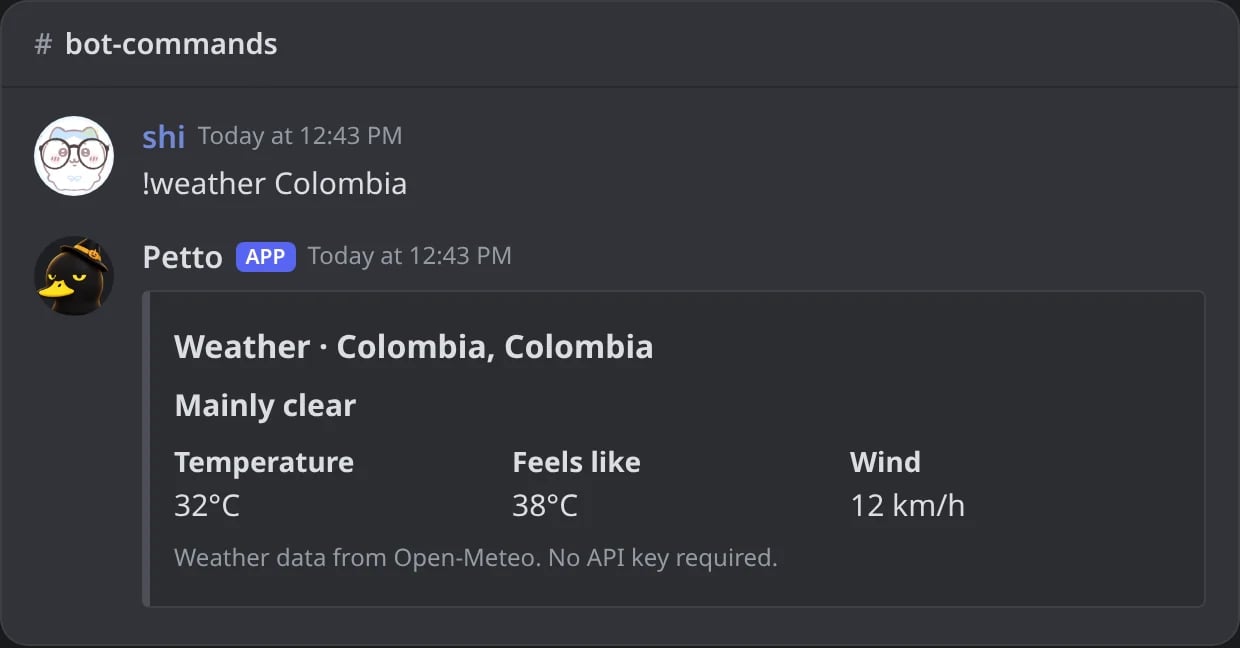
In Discord: the weather now, from Open-Meteo.
!wiki
!wiki
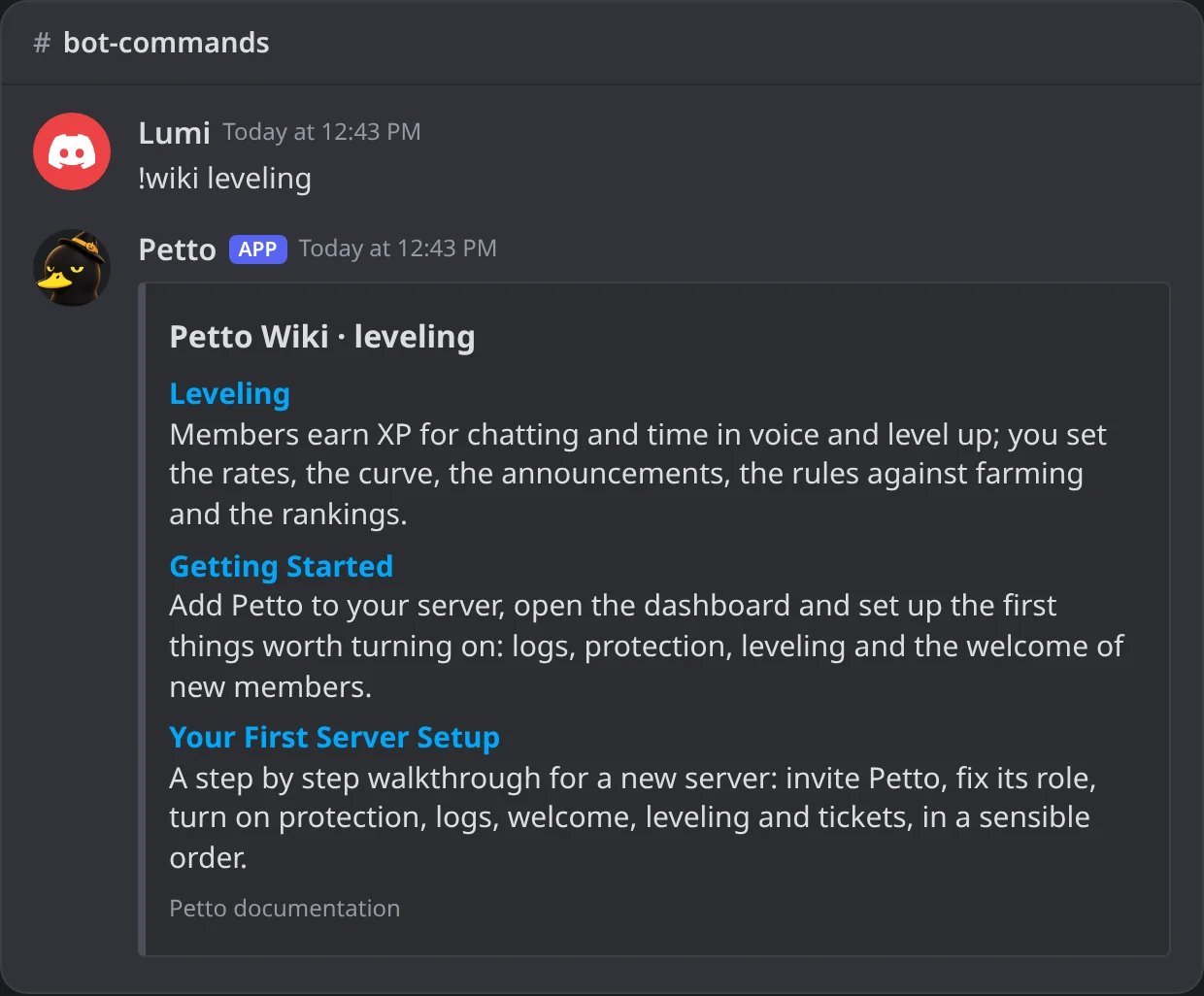
In Discord: the pages of this wiki that match.
!summary
!summary
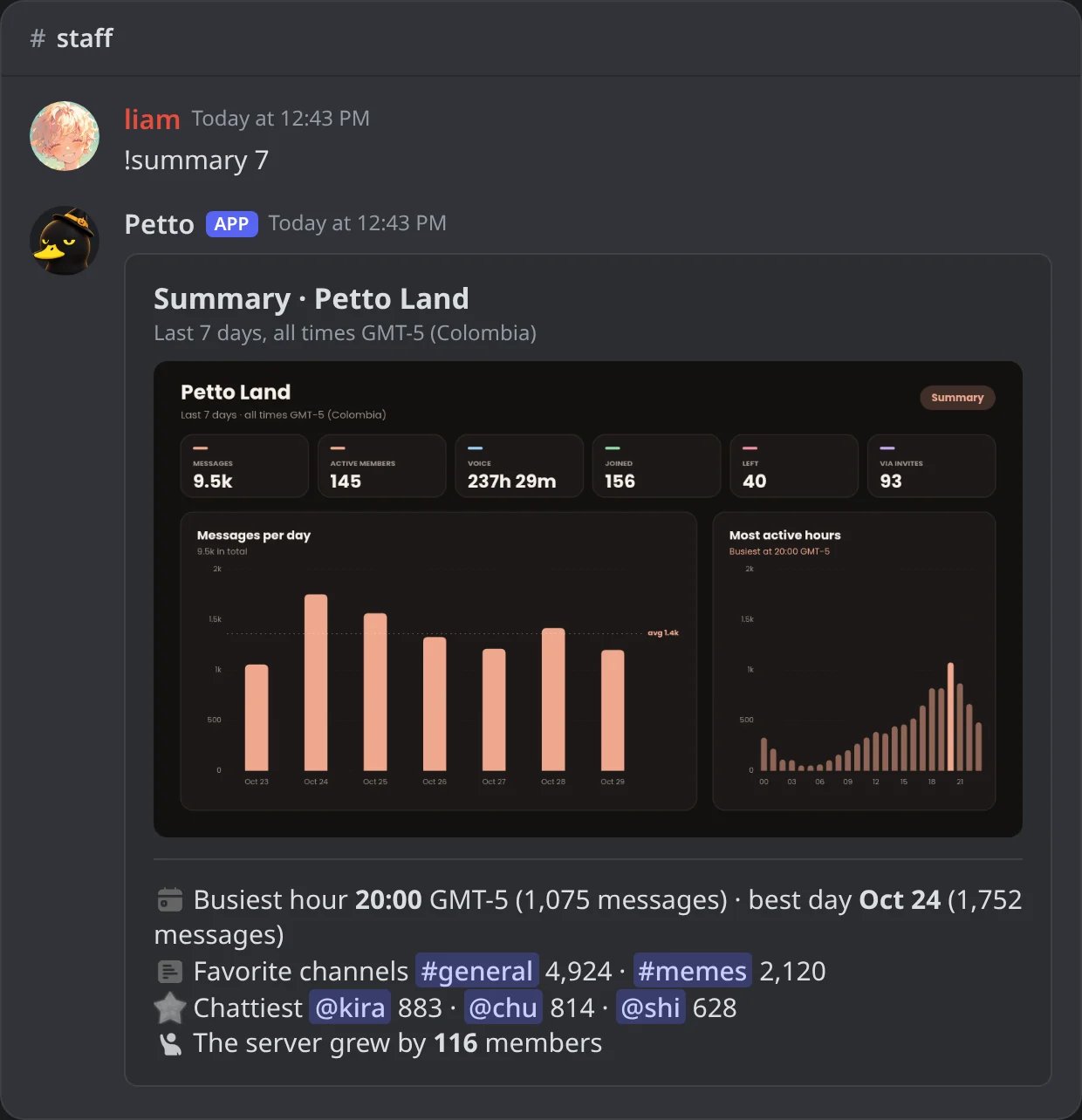
In Discord: the report of the last 7 days, with its picture.
!summary messages
!summary messages
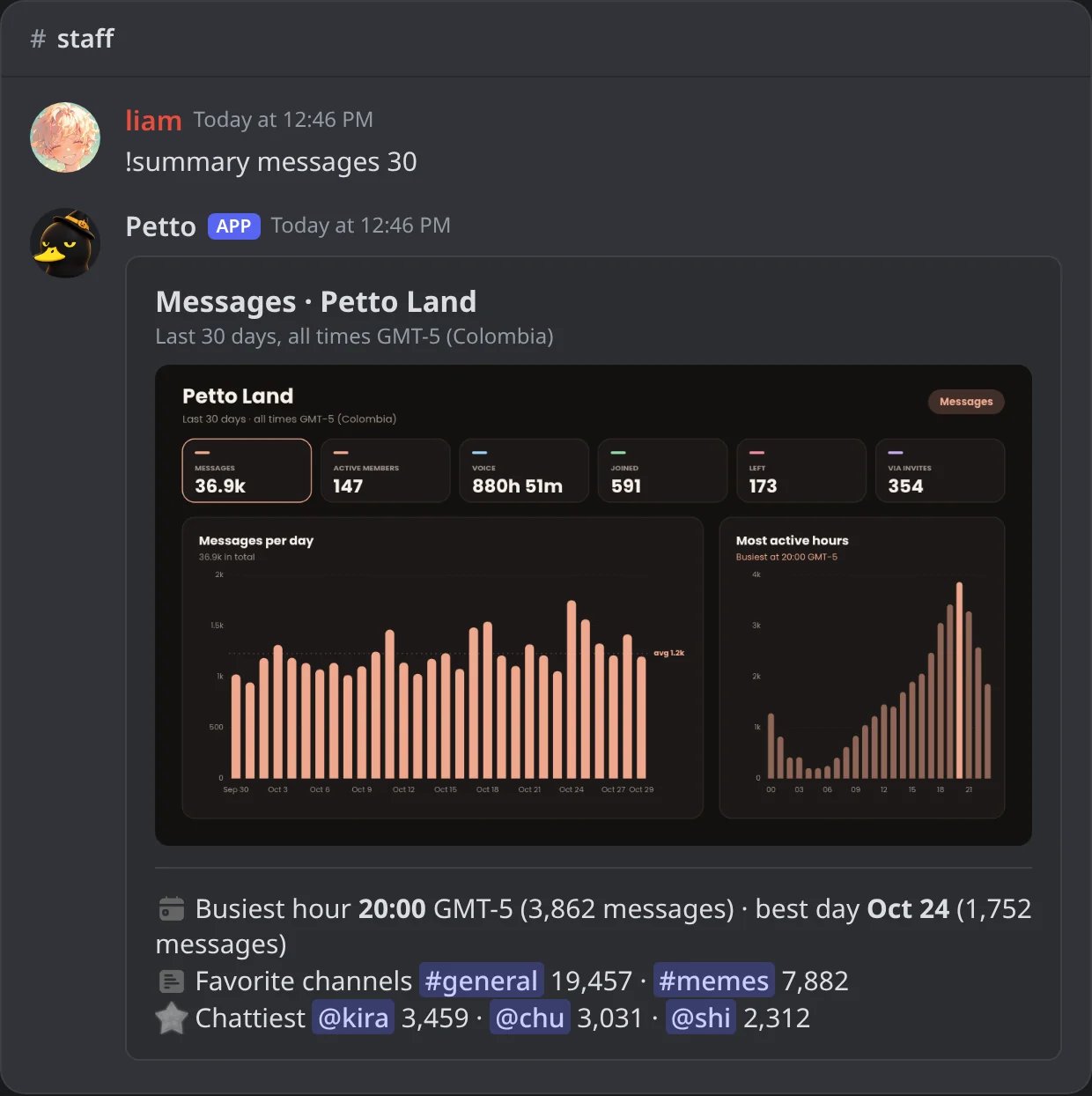
In Discord: only the messages, in 30 days.
!summary voice
!summary voice
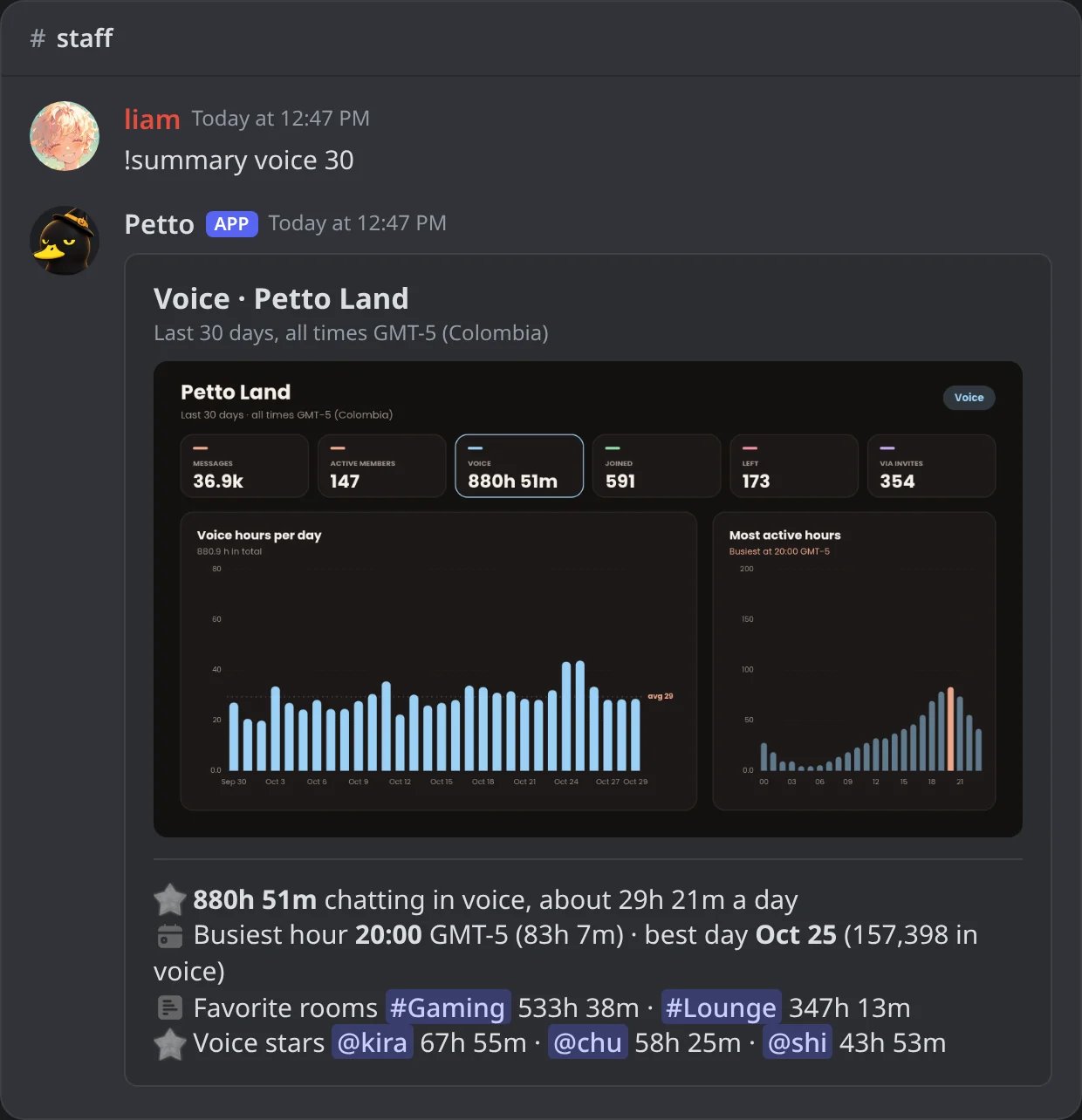
In Discord: only the voice time, in 30 days.
!summary joins
!summary joins
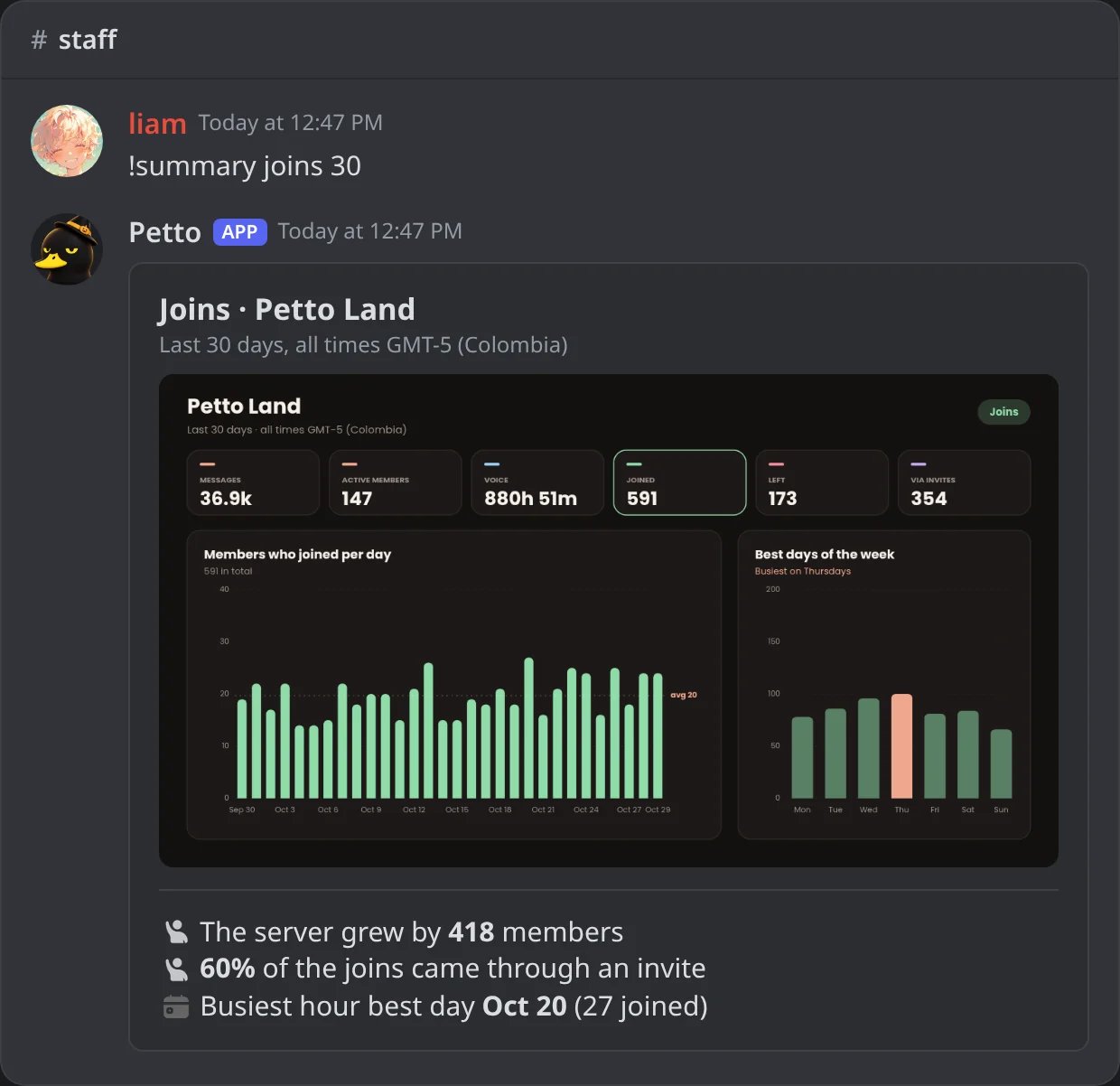
In Discord: only the joins, in 30 days.
!summary leaves
!summary leaves
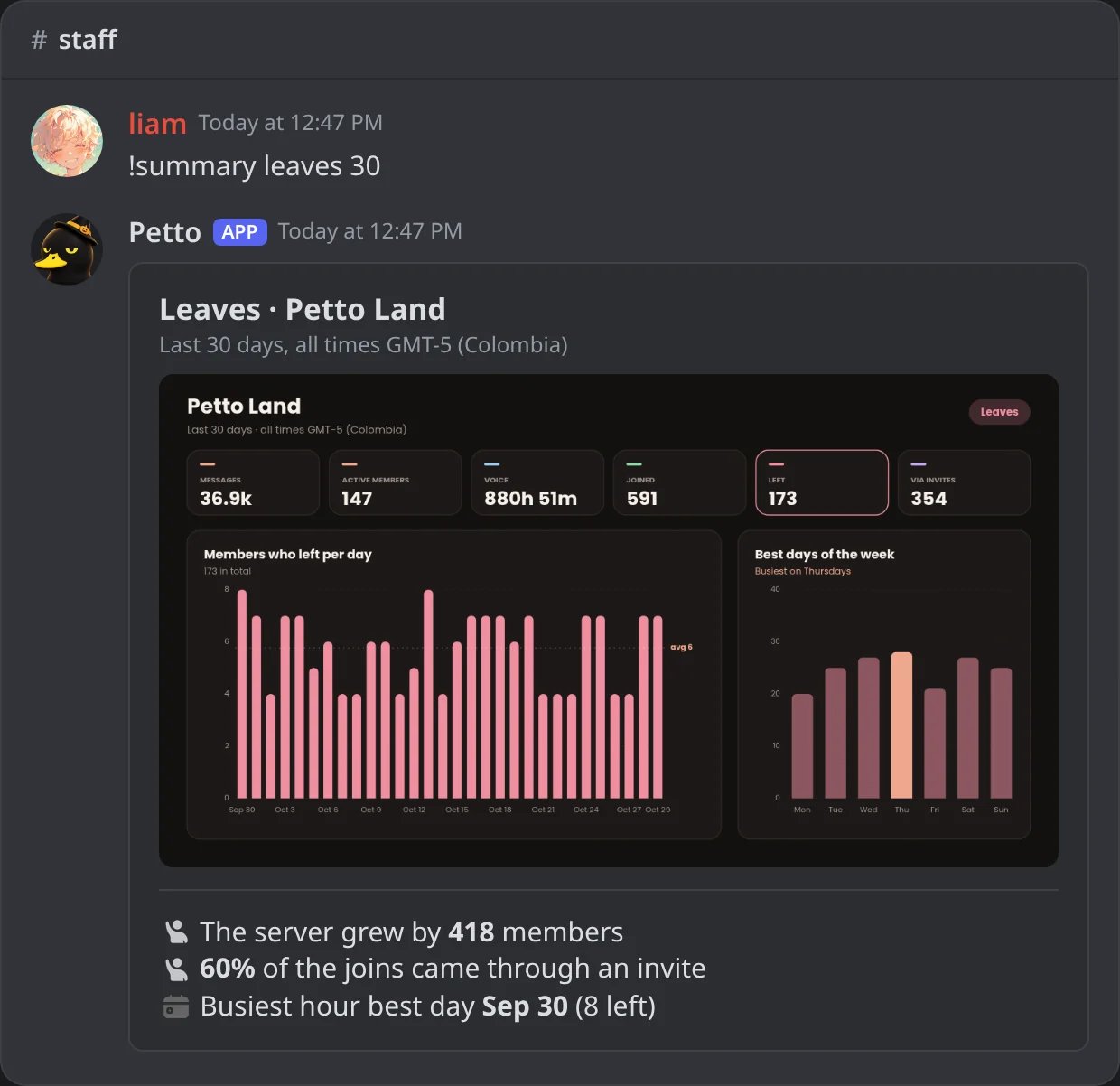
In Discord: only the leaves, in 30 days.
!summary invites
!summary invites
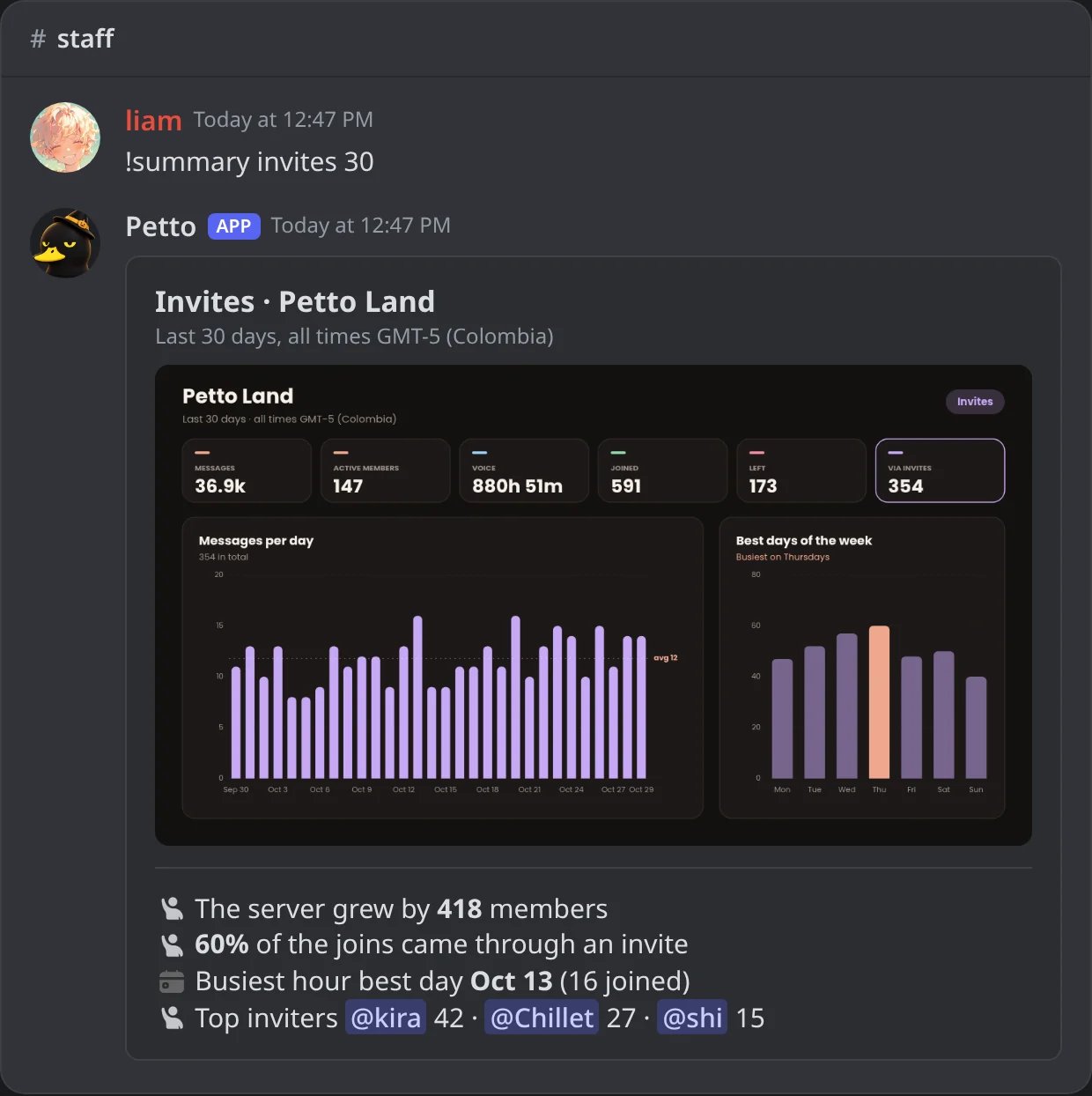
In Discord: the joins through invites and the top inviters, in 30 days.
!summary sanctions
!summary sanctions
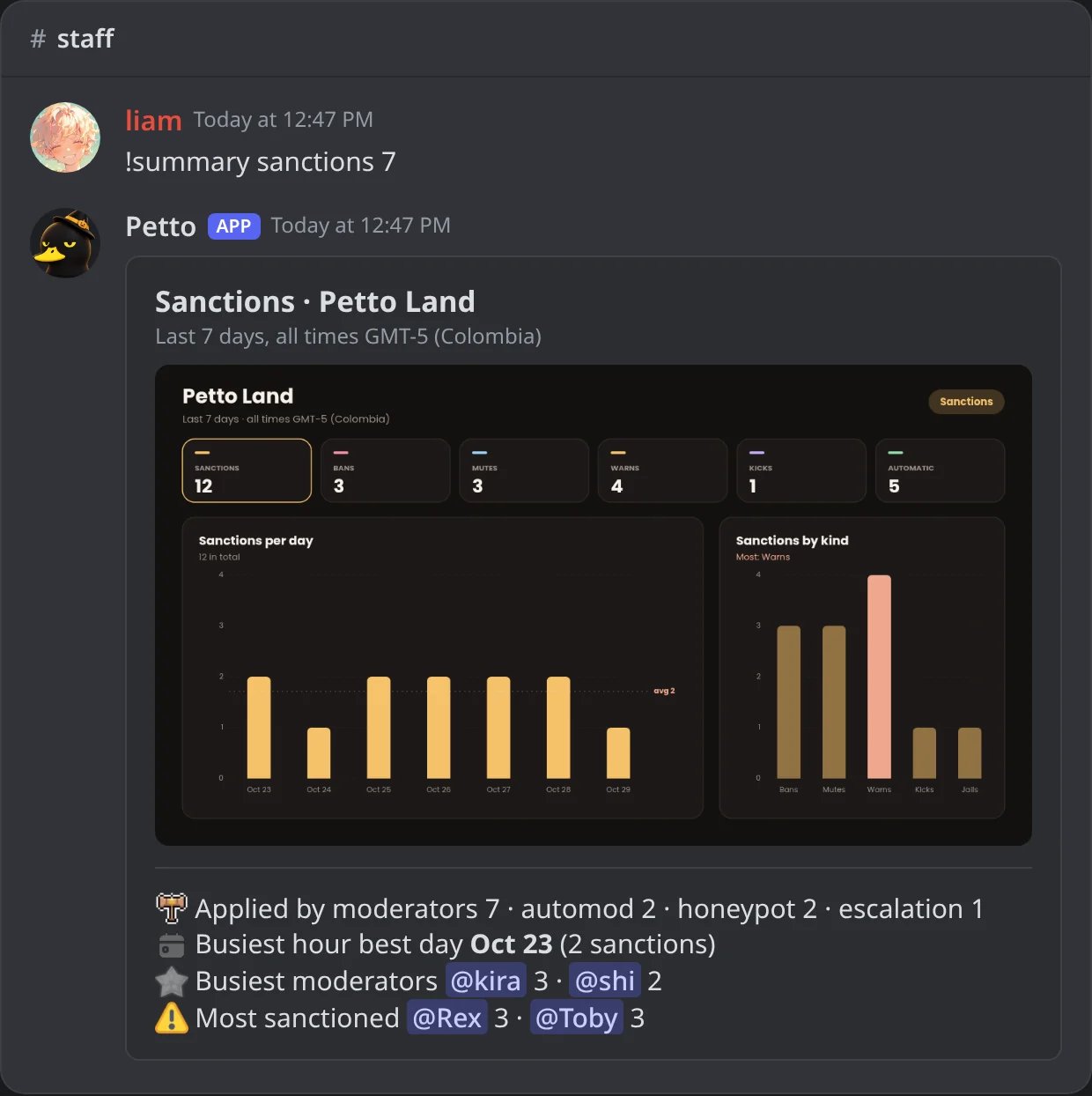
In Discord: the sanctions of the week: who applied them and who got them.
Activity, Spotify and releases
!activityshows a card with what a member is doing right now in Discord: playing a game, watching, listening, competing or streaming (Spotify has its own command). Without a user it is you:!activity viewalone shows yours. It also works as!ac.!spotifyshows a card with the song, the artist, the album art and the progress bar of what a member is listening to on Spotify. It also works as!sp.- Both read the member’s status, so they only work when the person shows their activity and is in the server. They tell you when there is nothing to show.
!version(also!releaseand!releases) opens the release center: the list of Petto releases and what changed in each, with buttons to browse them. It is a prefix command only.
!activity view
!activity view
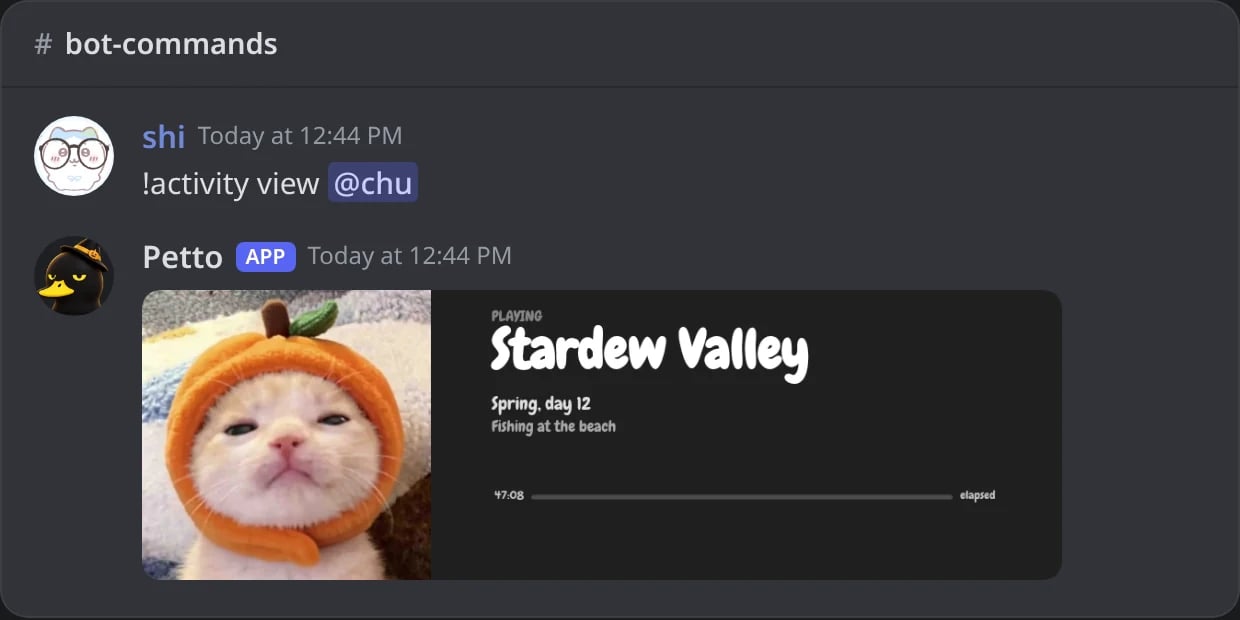
In Discord: the card of what a member is playing.
Nothing to show
Nothing to show
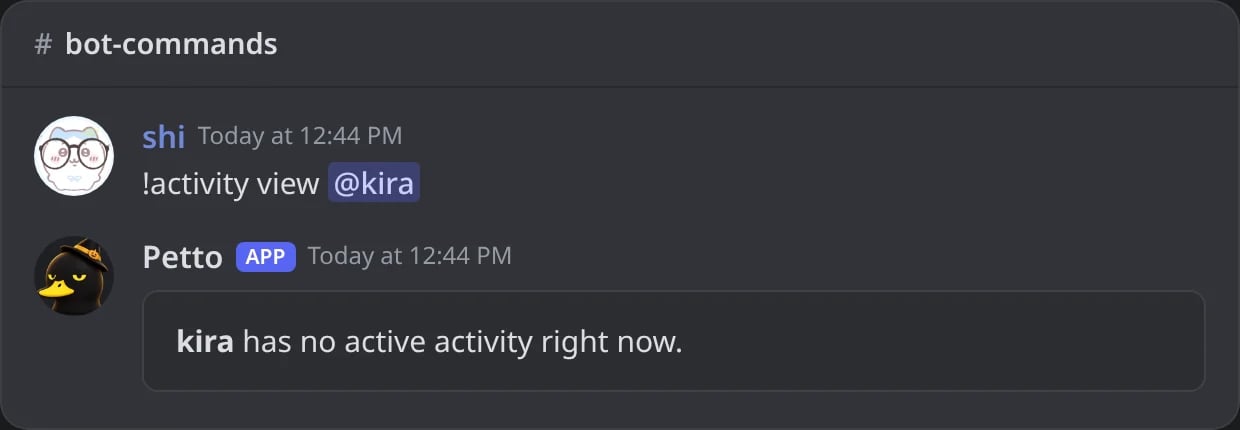
In Discord: when the member is not doing anything, Petto says so.
!spotify view
!spotify view
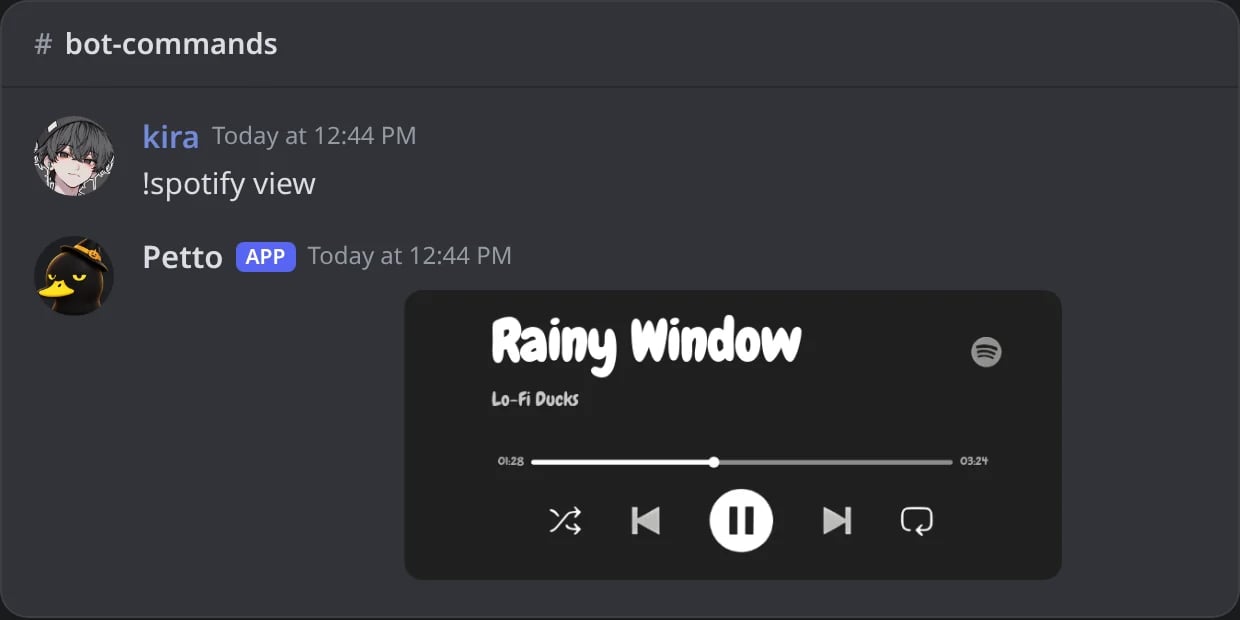
In Discord: the song a member is listening to, with its progress.
!version
!version
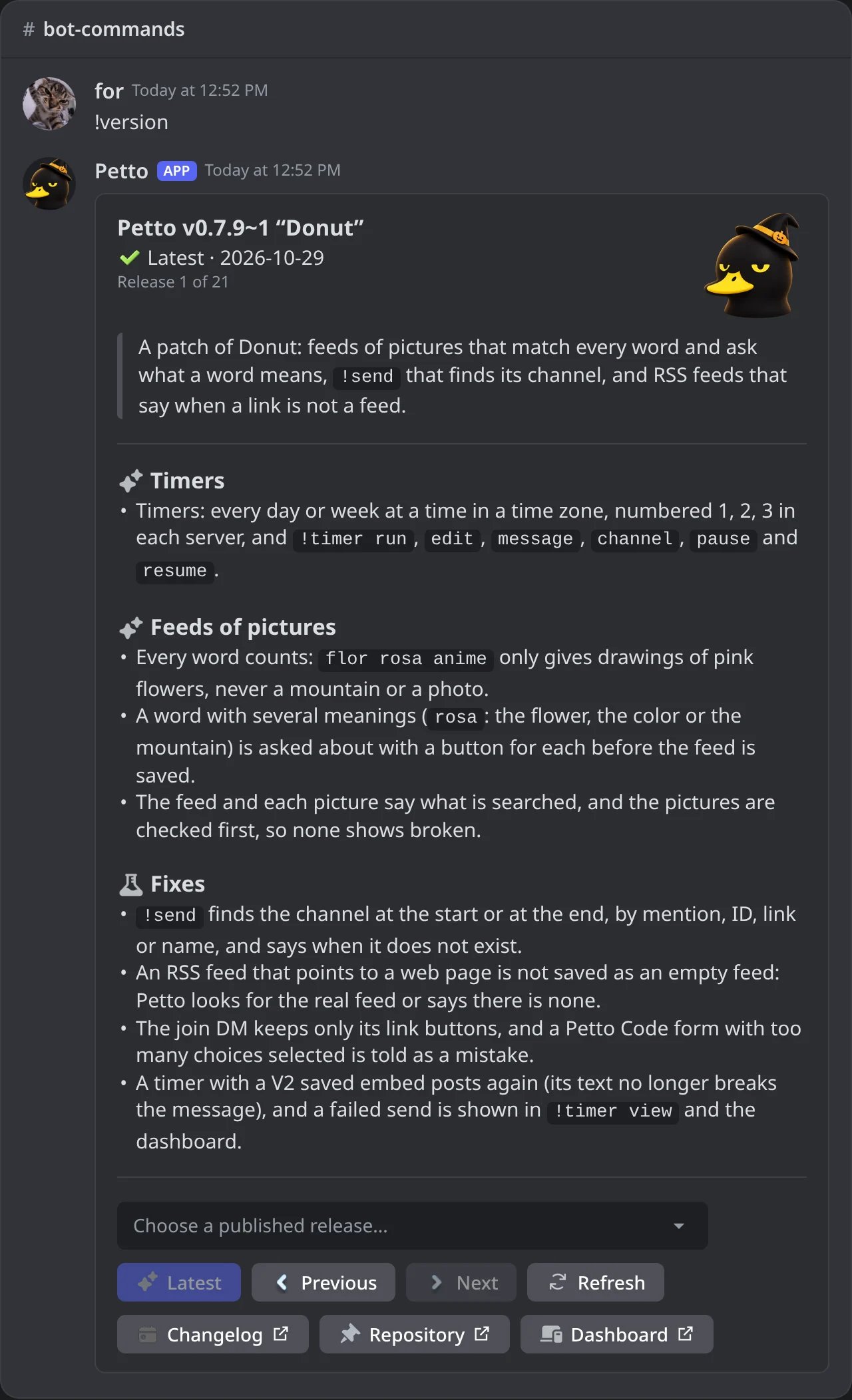
In Discord: the release center: the latest release and a menu with the others.
Snipe
!snipeshows the last deleted message, and!snipe 3the third from last.!snipe deleted 3is the same.!snipe edited [index](or!editsnipe,!esnipe) shows a message before and after it was edited.!snipe reactions [index](or!reactionsnipe,!rsnipe) shows the last reactions taken off a message: the emoji, who removed it and a link to the message. Reactions that bots remove are not kept.!snipe clear [all|deleted|edited|reactions](or!clearsnipe,!csnipe) forgets what is saved for the channel. Every part of the command needs Manage Messages, and the answer pings nobody.
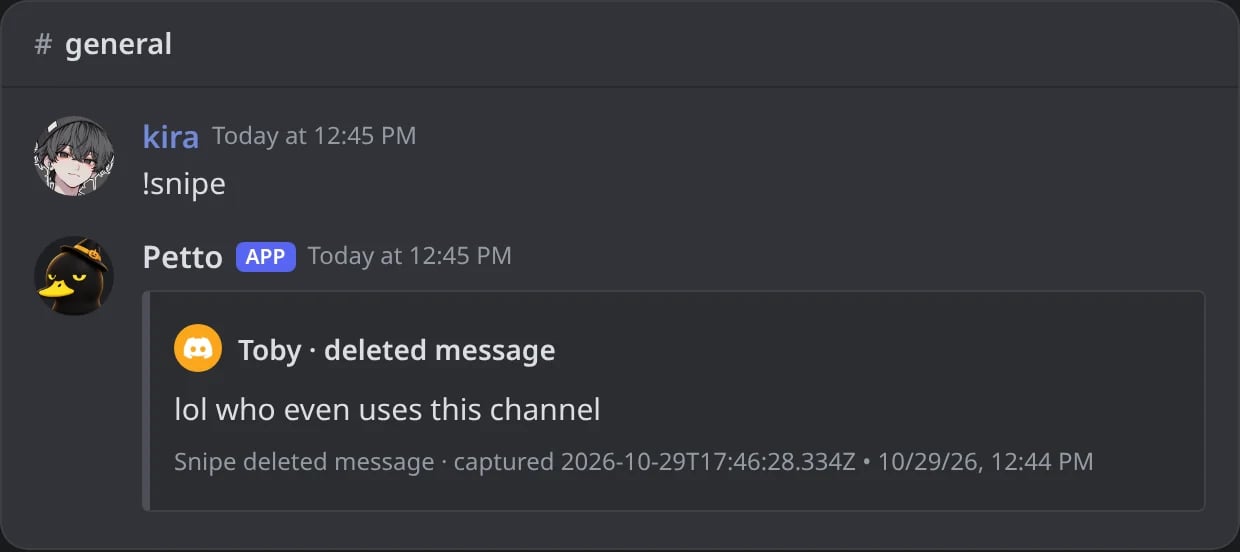
In Discord: the last deleted message of the channel.
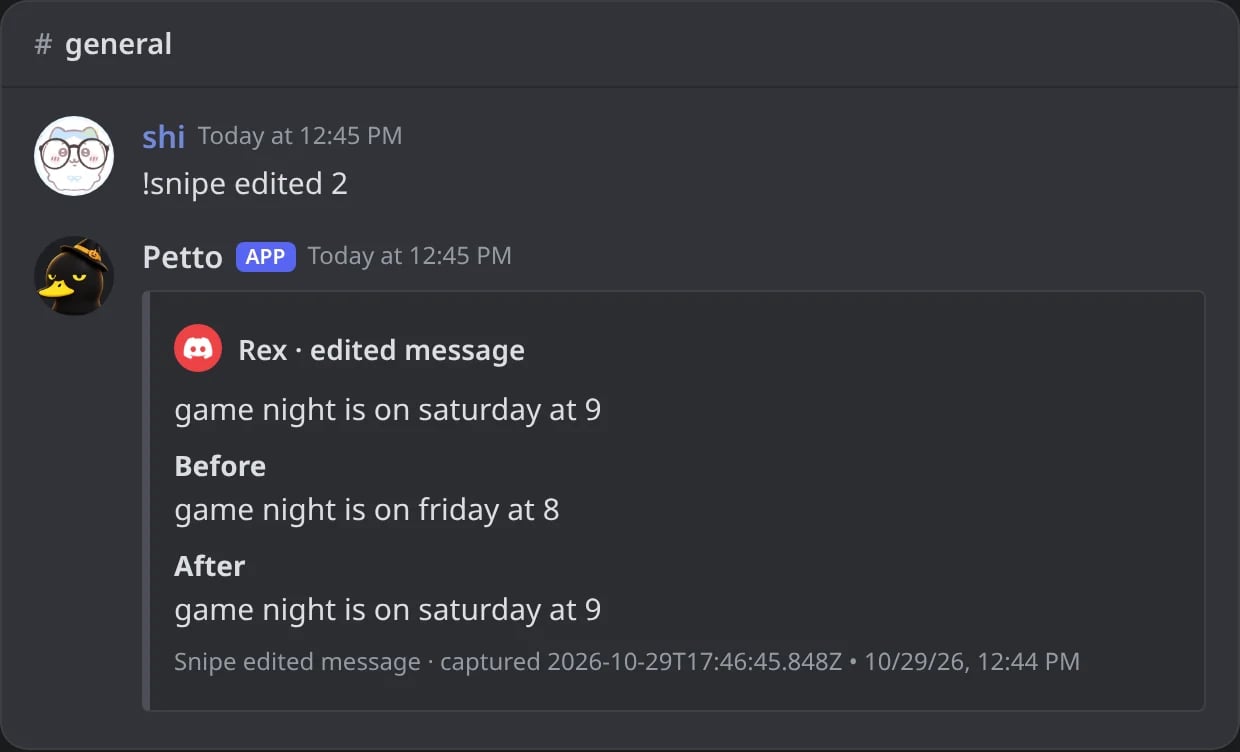
In Discord: the second to last edited message, before and after.
Leveling
!rank also accepts !nivel and !lvl. !top also accepts !leaderboard, !lb, and !ranking. Both commands can read message XP or voice XP independently.
Emoji & sticker theft
!steal on its own: Petto takes the custom emojis in that message’s text, its embeds and its reactions (up to 20 at a time), or its sticker. Emojis you type after the command come first.
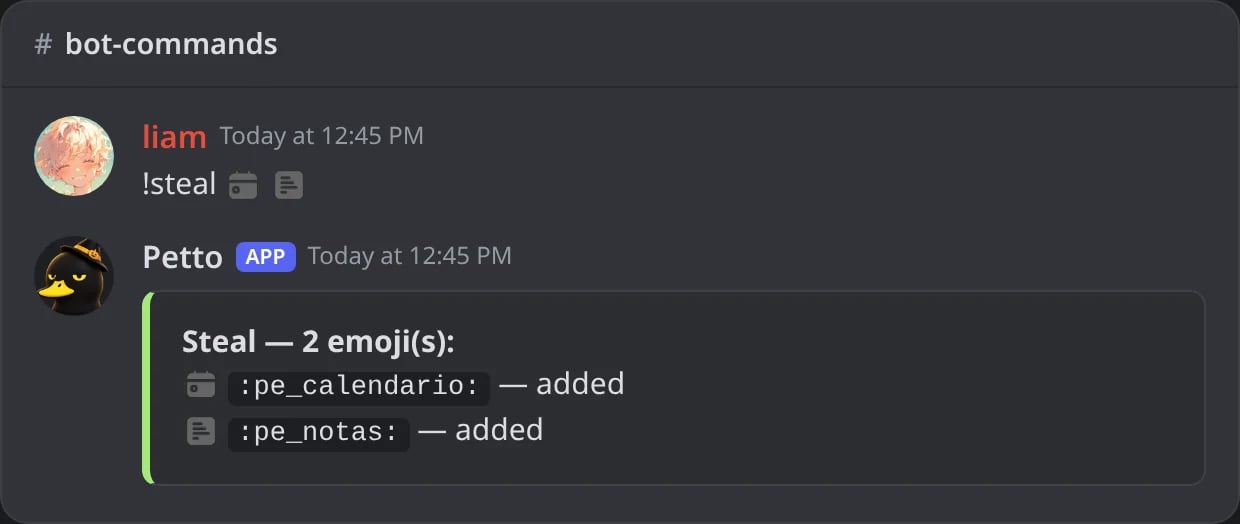
In Discord: two emojis added at once.
!jumbo (also !bigemoji and !enlarge) shows an emoji or a sticker big: one you write after it, or the one in the message you reply to. The card says its name, kind and creation date, with a link to the original picture. For a custom emoji or a sticker this server does not have yet, the Steal button adds it (it needs Manage Expressions, from you and from Petto), and the card then says Stolen.
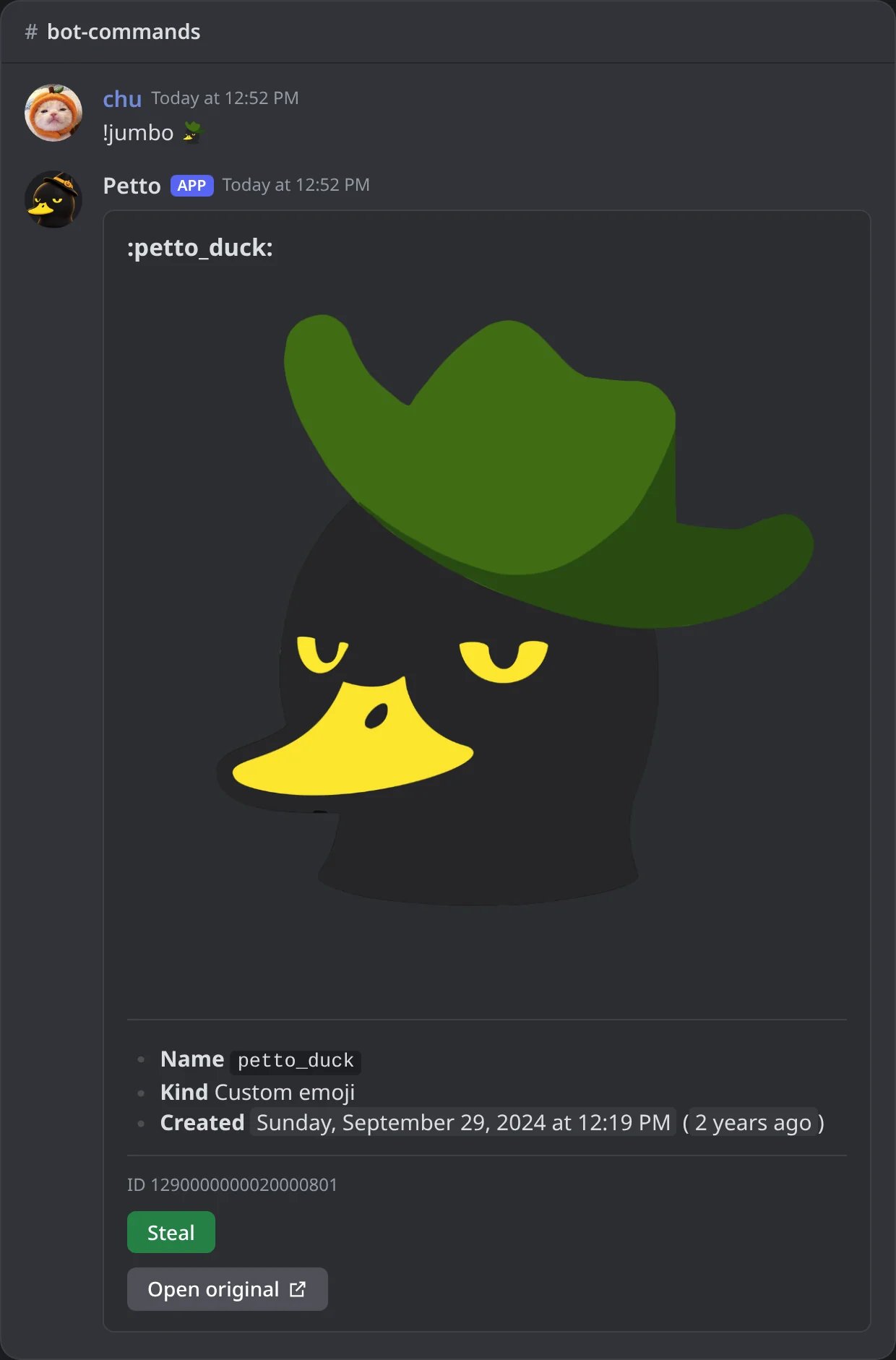
In Discord: !jumbo shows a custom emoji big, with the Steal button.
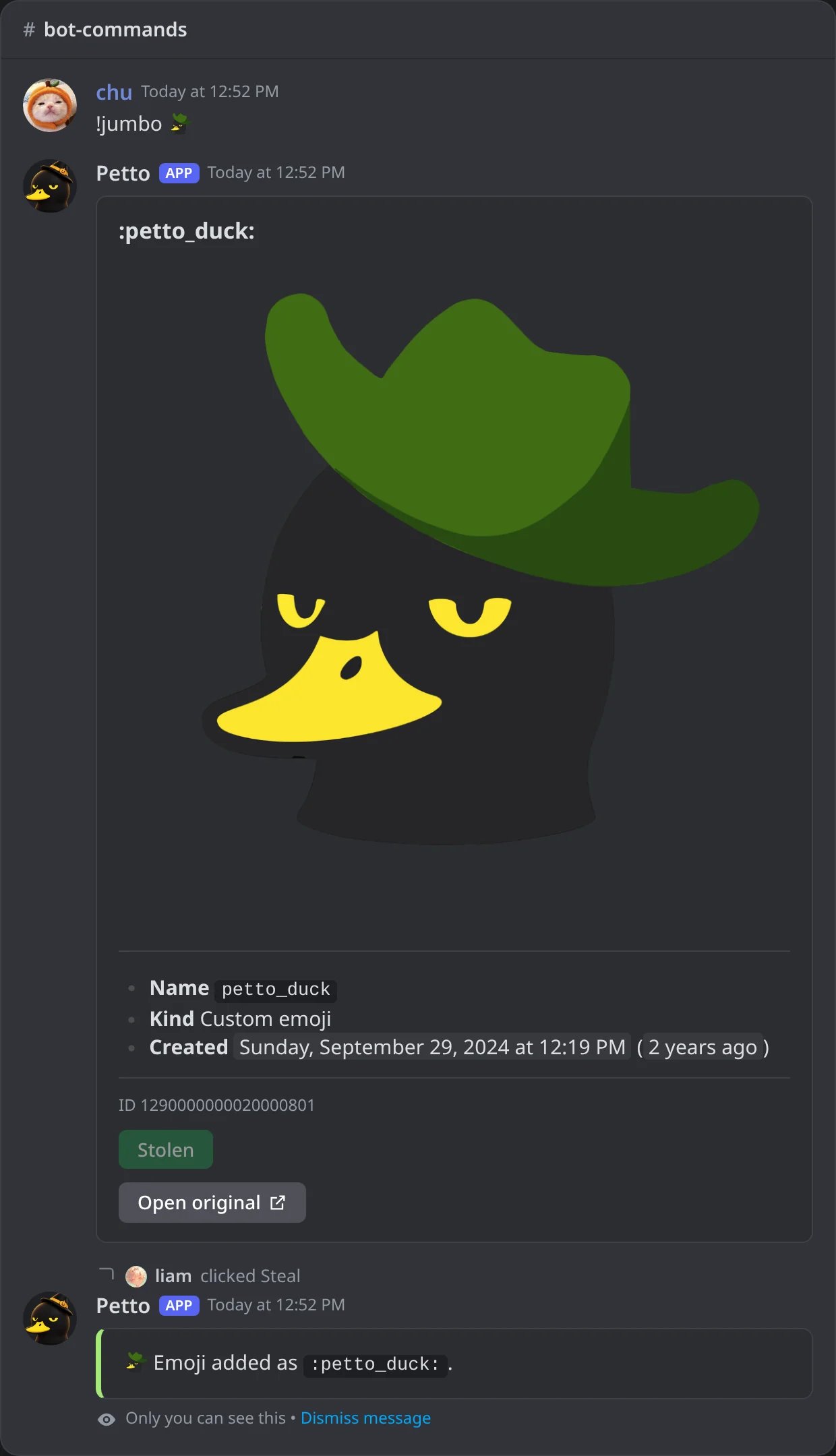
In Discord: Steal pressed: the card says Stolen and only the one who pressed it sees the answer.
Getting help
!help with nothing after it opens the browser of categories and menus shown below. Under the menus there are four link buttons: the dashboard, these docs, All commands (the Commands page of the website, which lists every command with how to write it) and the support server. !help <command> looks one command up directly, including a specific subcommand. /help opens the same browser, just for you.
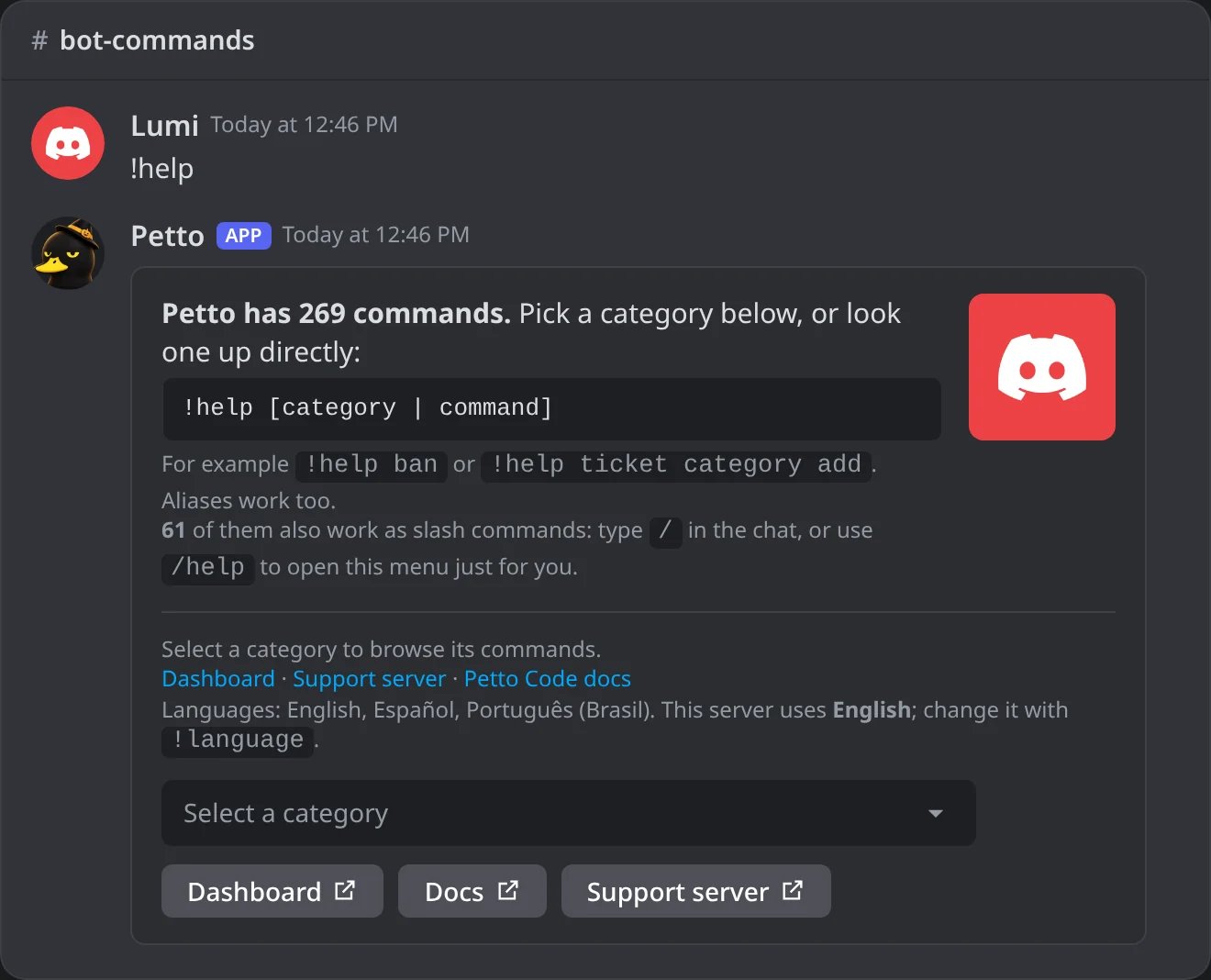
In Discord: !help: the categories and how to look a command up.
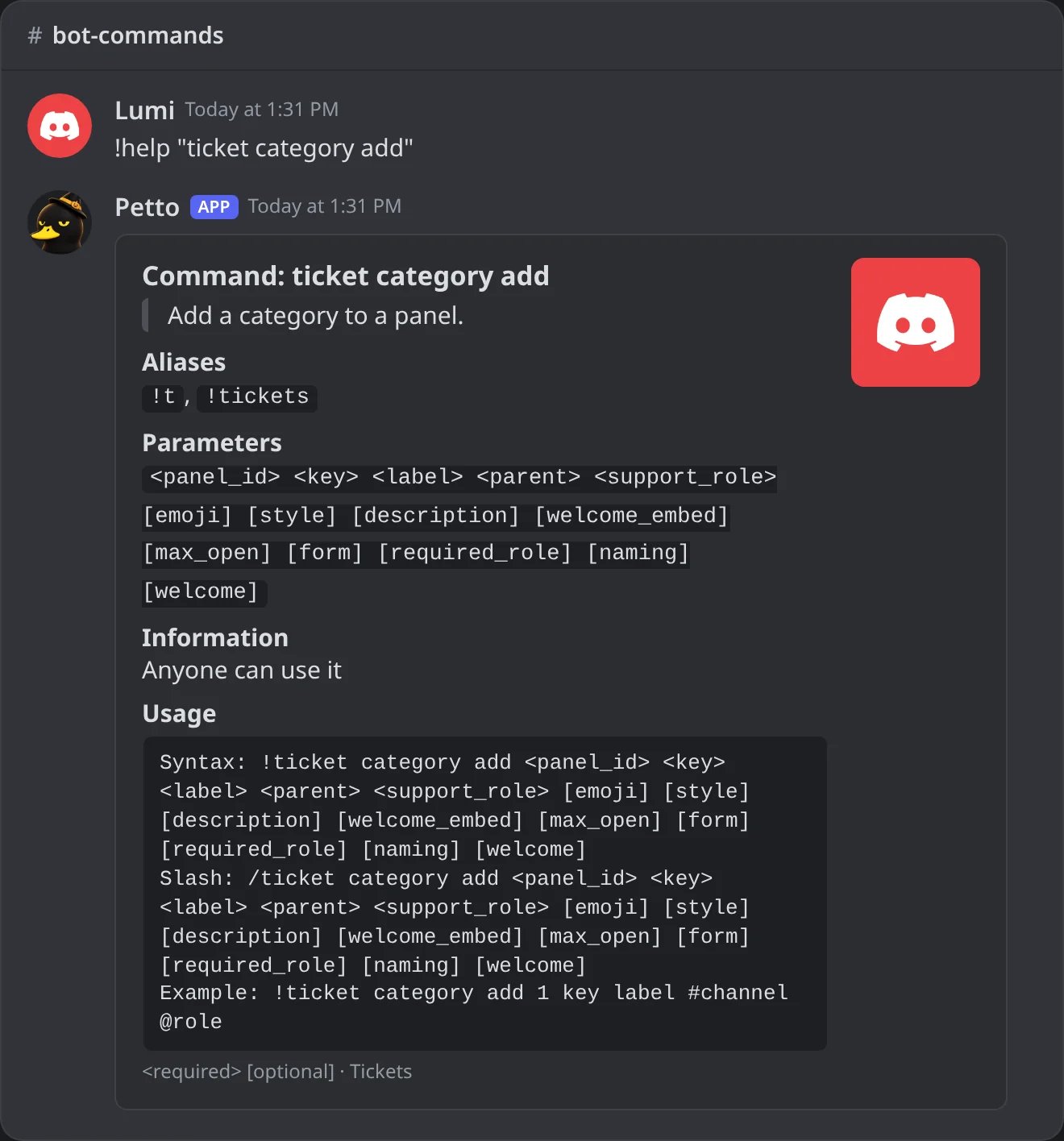
In Discord: one subcommand looked up directly.