
Overview
Two separate, independently configurable messages:- Boost message: fires every individual boost (a member can apply more than one).
- Level-up message: only fires when the server’s boost level itself goes up.

In Discord: the boost message, and the level-up message when that boost reaches a new level.
Commands
!boost setup
!boost setup
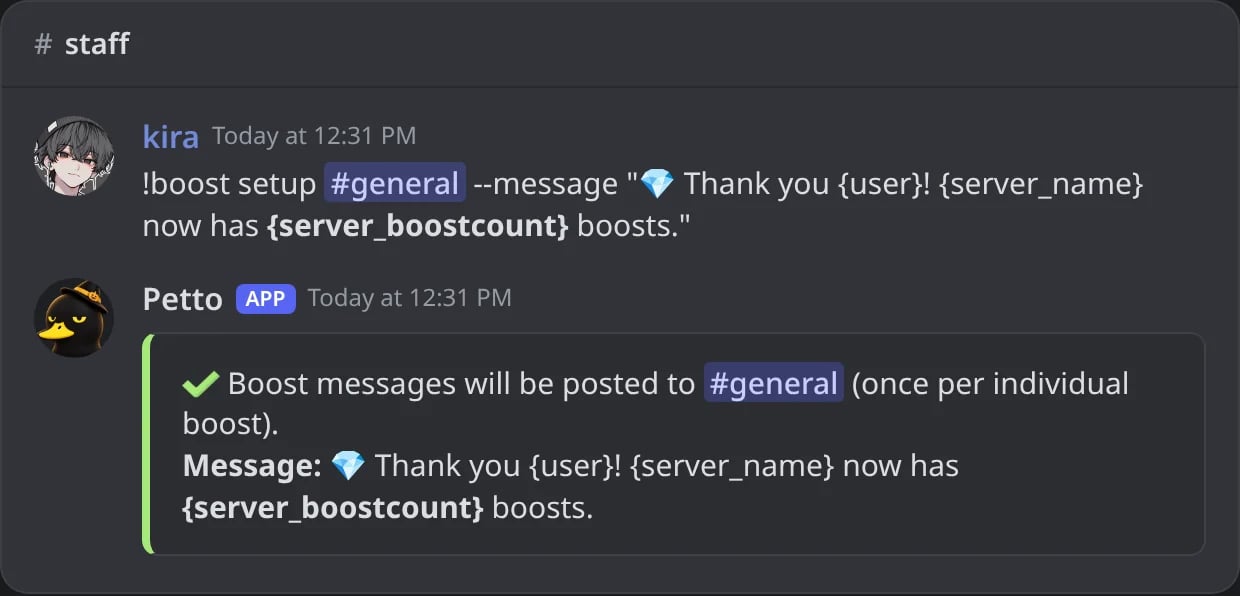
In Discord: the message for every boost, in #general.
!boost level-up
!boost level-up

In Discord: the message for a new boost level, in the same channel.
!boost level-up (no boost channel yet)
!boost level-up (no boost channel yet)
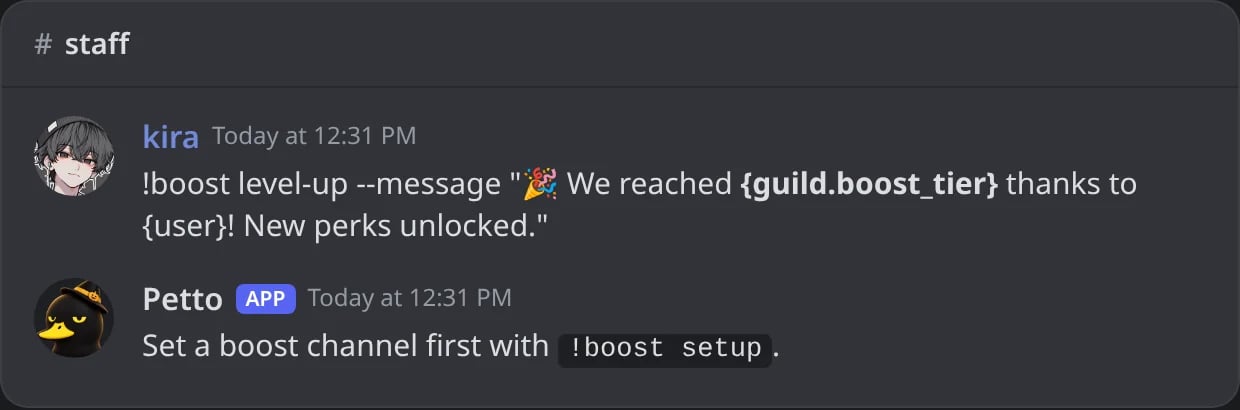
In Discord: level-up before setup asks for a boost channel first.
!boost status
!boost status
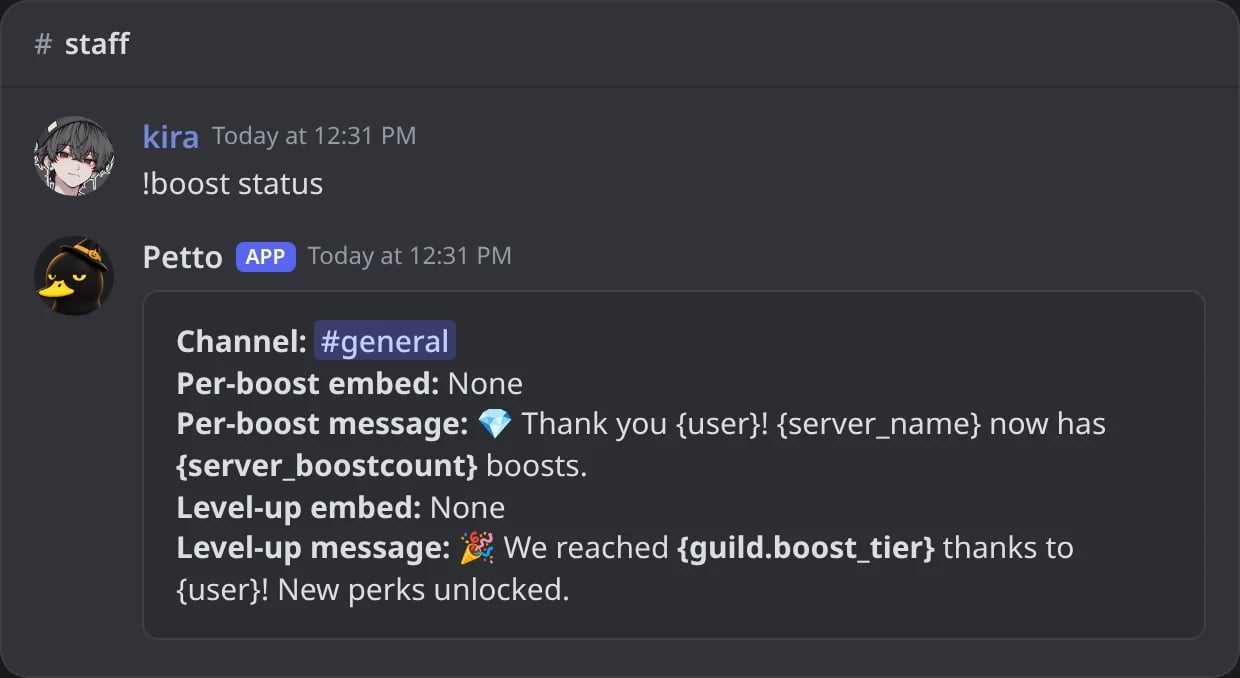
In Discord: the channel and both messages.
!boost test
!boost test
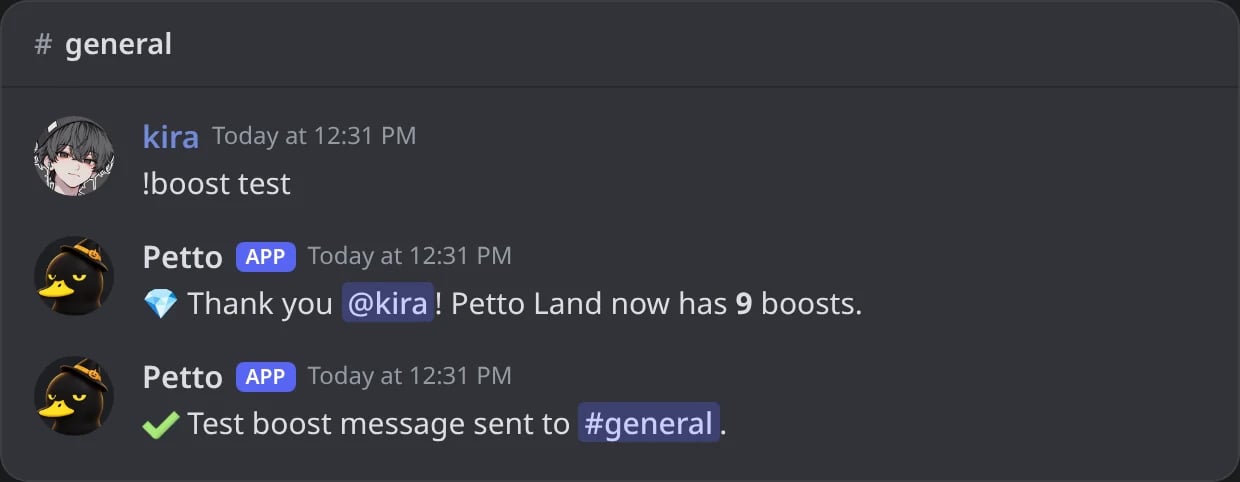
In Discord: the test posts the boost message with your own account.
!boost disable
!boost disable

In Discord: the boost messages are turned off.
!boostconfig
!boostconfig
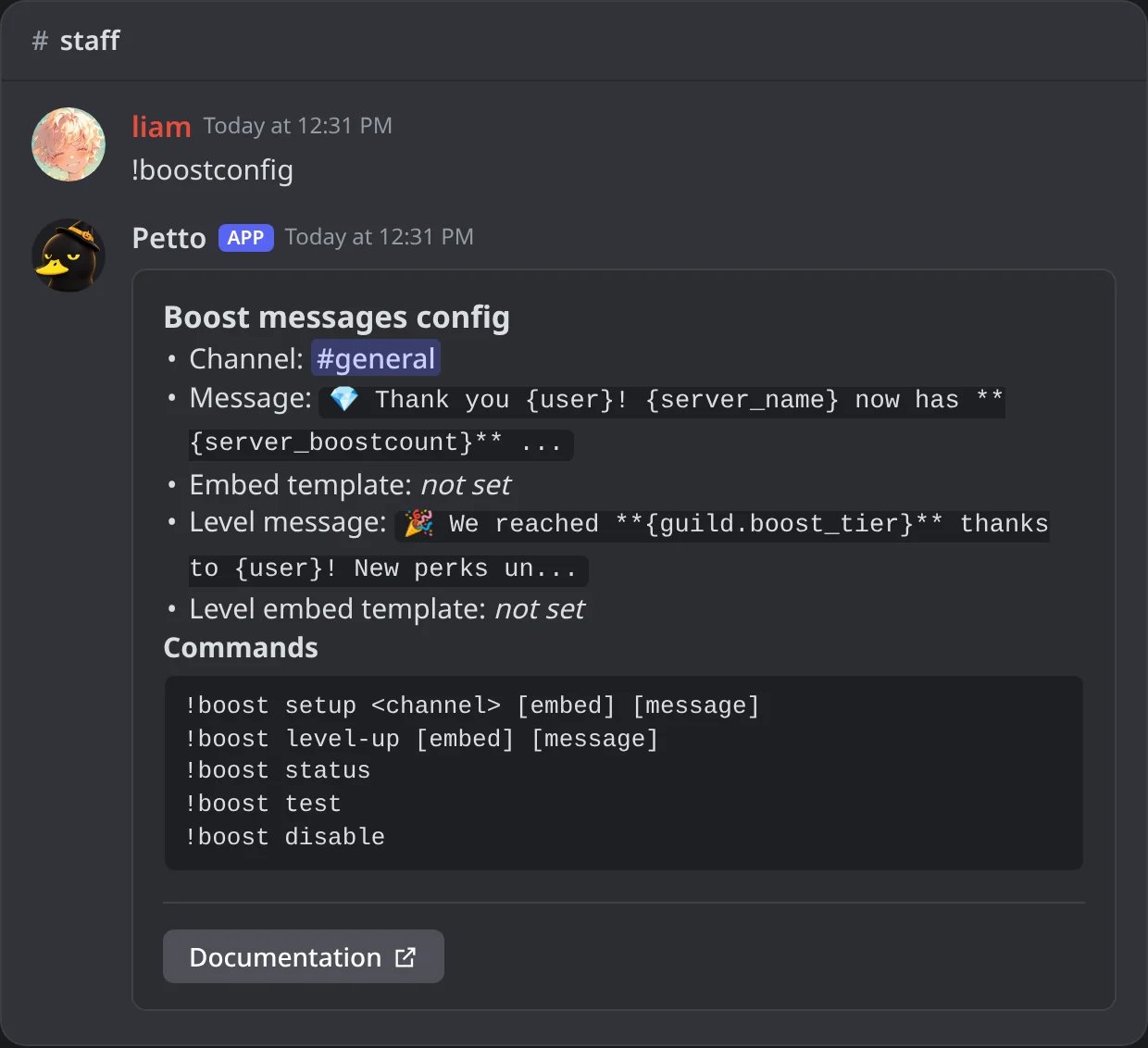
In Discord: !boostconfig, the settings of the boost messages and the commands to change them.
level-up needs the boost channel of setup first. !boost also works as !bst. !boostconfig shows what is set now for the boost messages and every command to change it.
Examples
- Thank the booster
- Next level goal
- Level-up
{user} is the member who boosted. {user.boost_since} shows since when they boost. test sends the boost message with your own account. As with welcomes, put --message before a text message, or the first word is read as the name of a saved embed. You can also write an embed code as the message, with buttons.
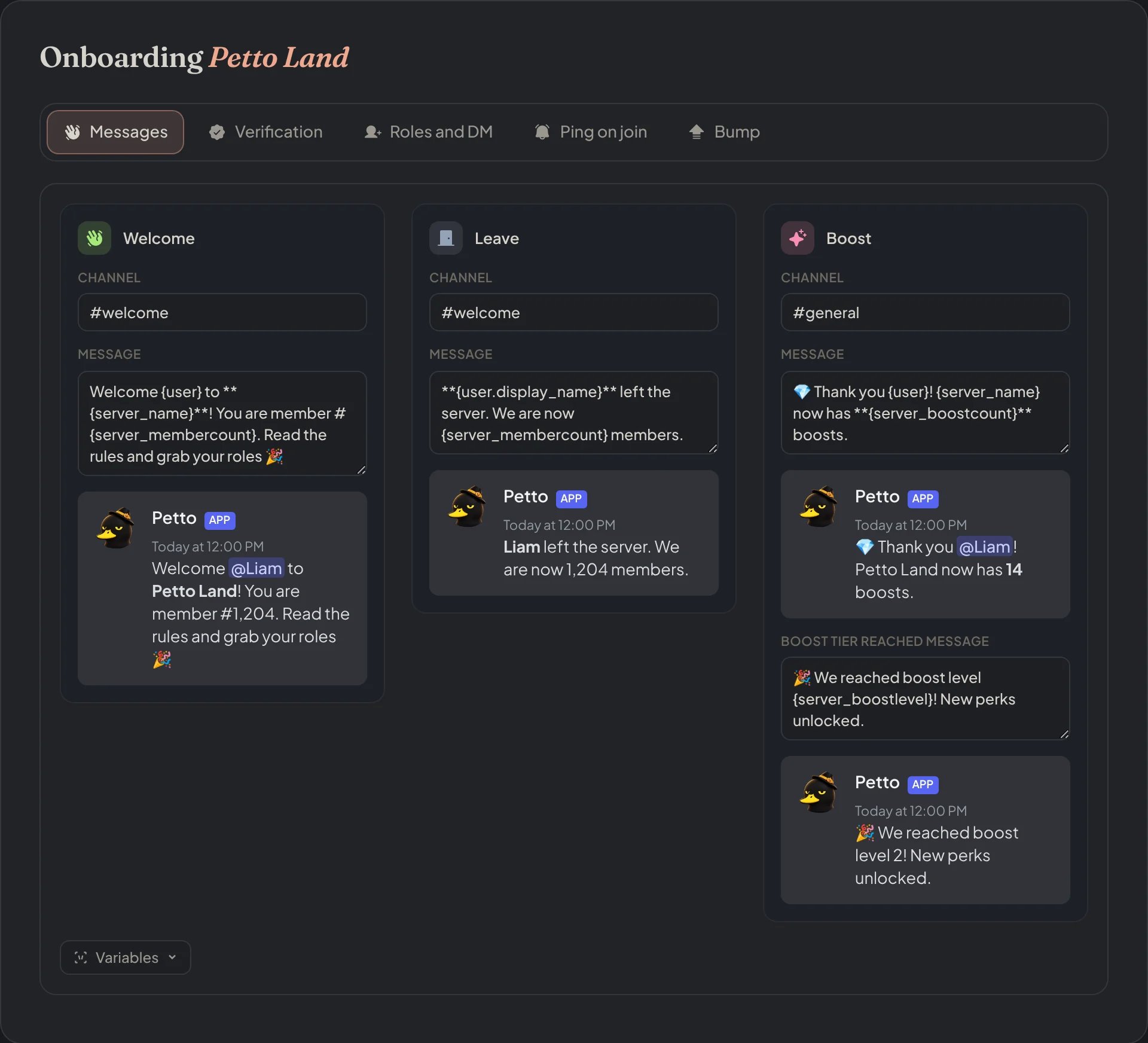
Dashboard → Security → Join Gate → Messages: the welcome, leave and boost messages, each with a live preview.
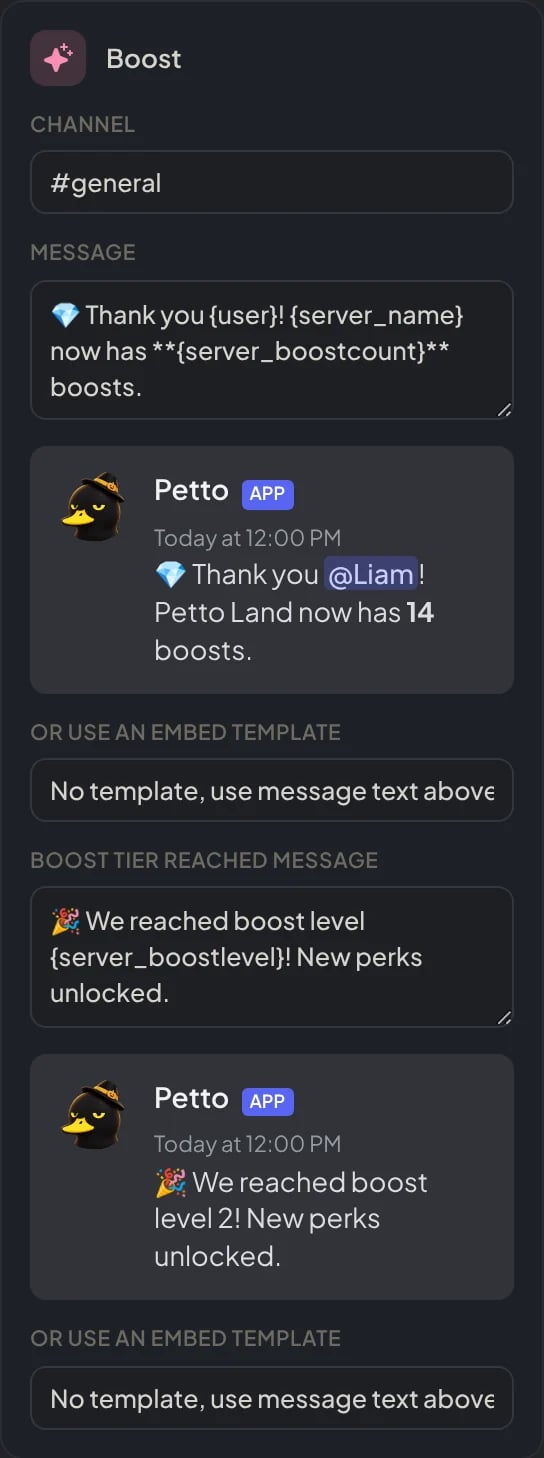
Dashboard → Security → Join Gate → Messages: the Boost card, with the boost message, the level-up message and their previews.