
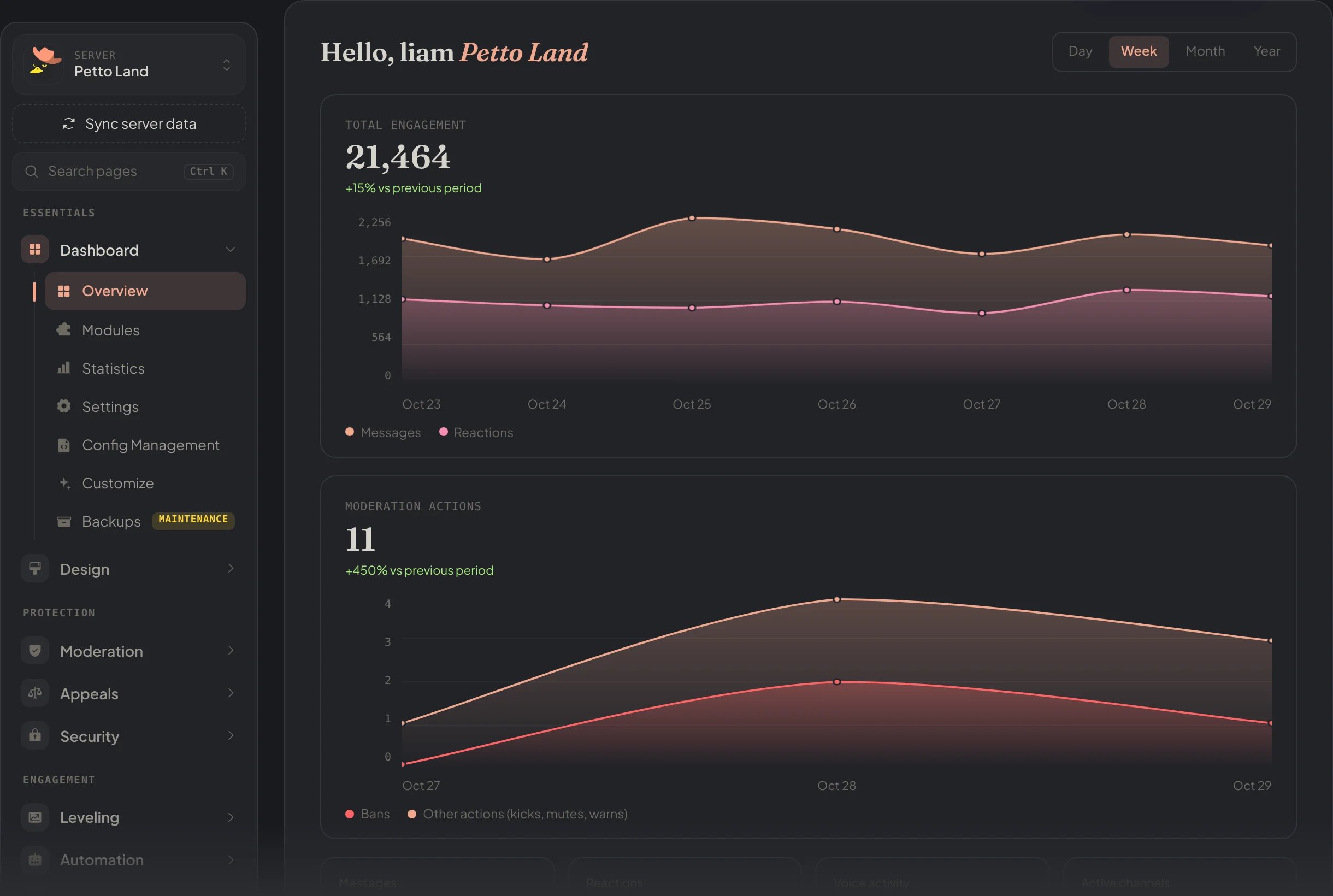
Dashboard → Overview: the menu on the left, messages and reactions, and moderation actions.
The menu
The menu on the left groups the pages like this:
Your Premium and its server slots are in petto.sbs/dash/premium, see Premium.
Settings
Dashboard → Settings holds what every other module builds on: the prefix, the language of Petto in the server, the mute role (none uses Discord’s timeout) and whether the server shows by name in the public ranking.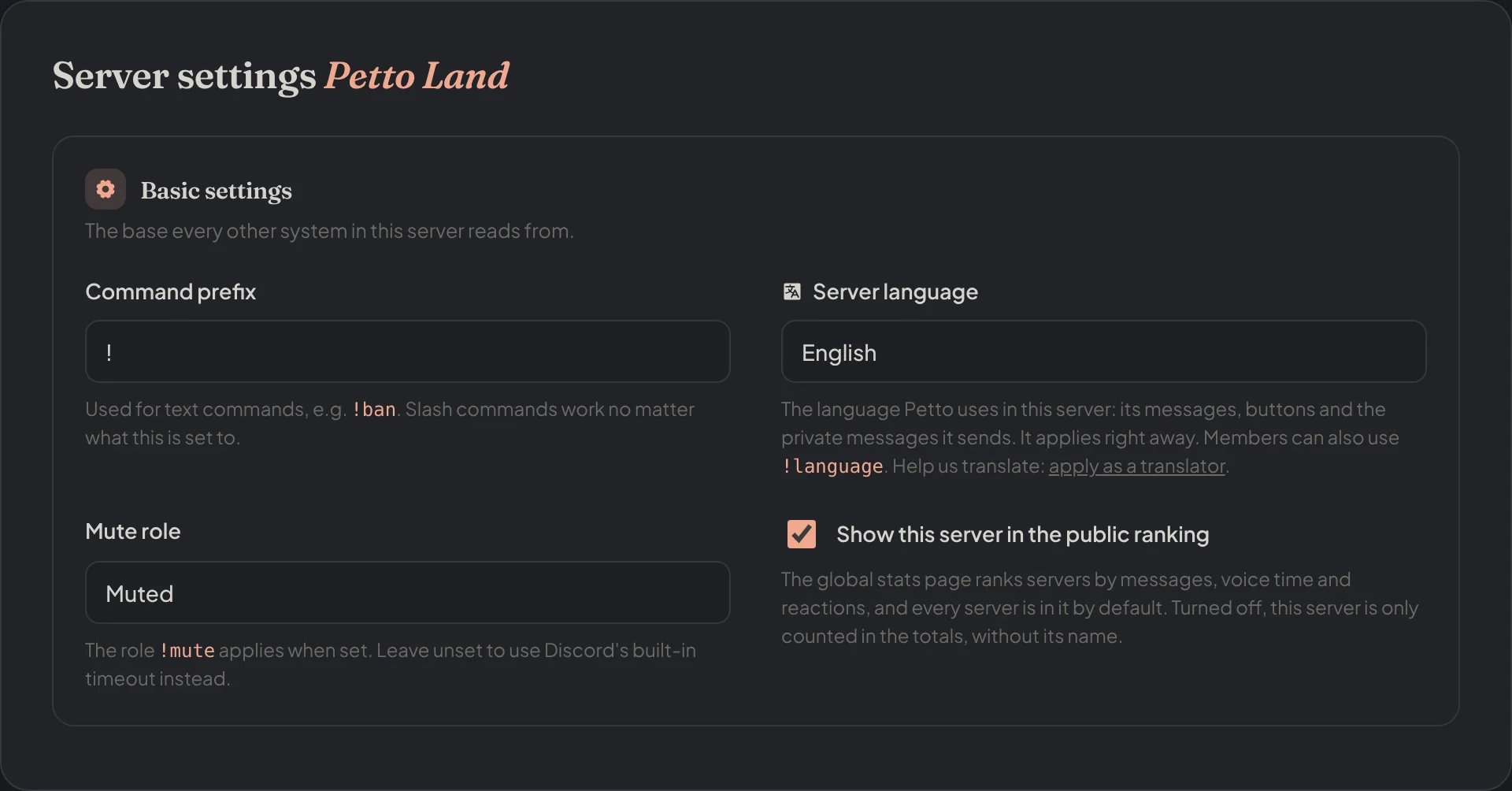
Dashboard → Settings: prefix, server language, mute role and the public ranking.
Modules and the setup guide
Dashboard → Modules lists everything Petto can do in your server in one place. Each module has a card that says what it does, whether it is on or still to set up, and goes straight to its page. Use the search (press/ to jump to it), the filters by category, or To set up to see what is missing.
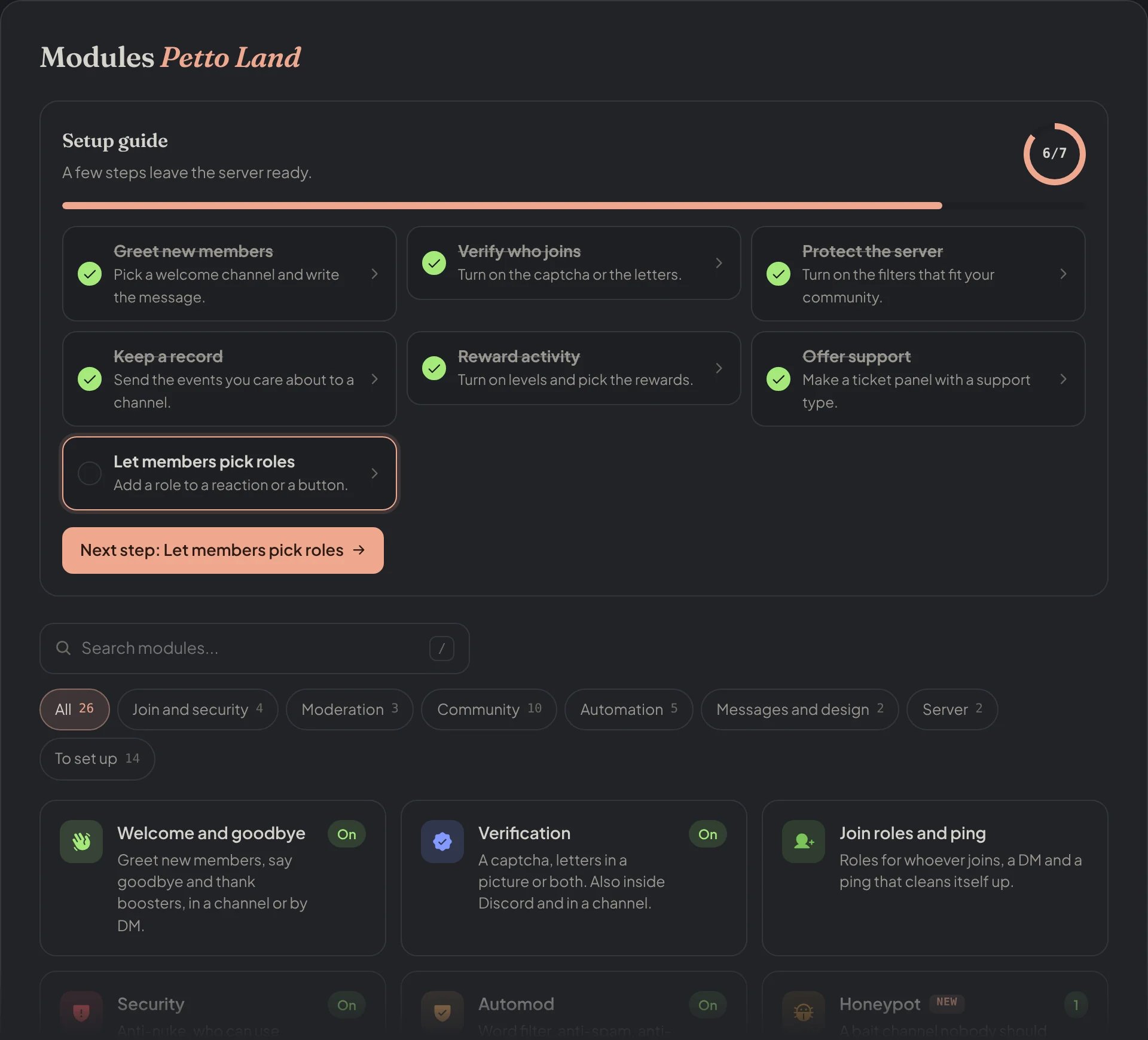
Dashboard → Modules, with the setup guide on top.
One Save for everything
The bar at the bottom shows when you have changes that are not saved. It follows every section you touched, not only the last one, says how many there are, and saves them all with one press. Ctrl+S (or Cmd+S) does the same, and Discard puts every field back as it was.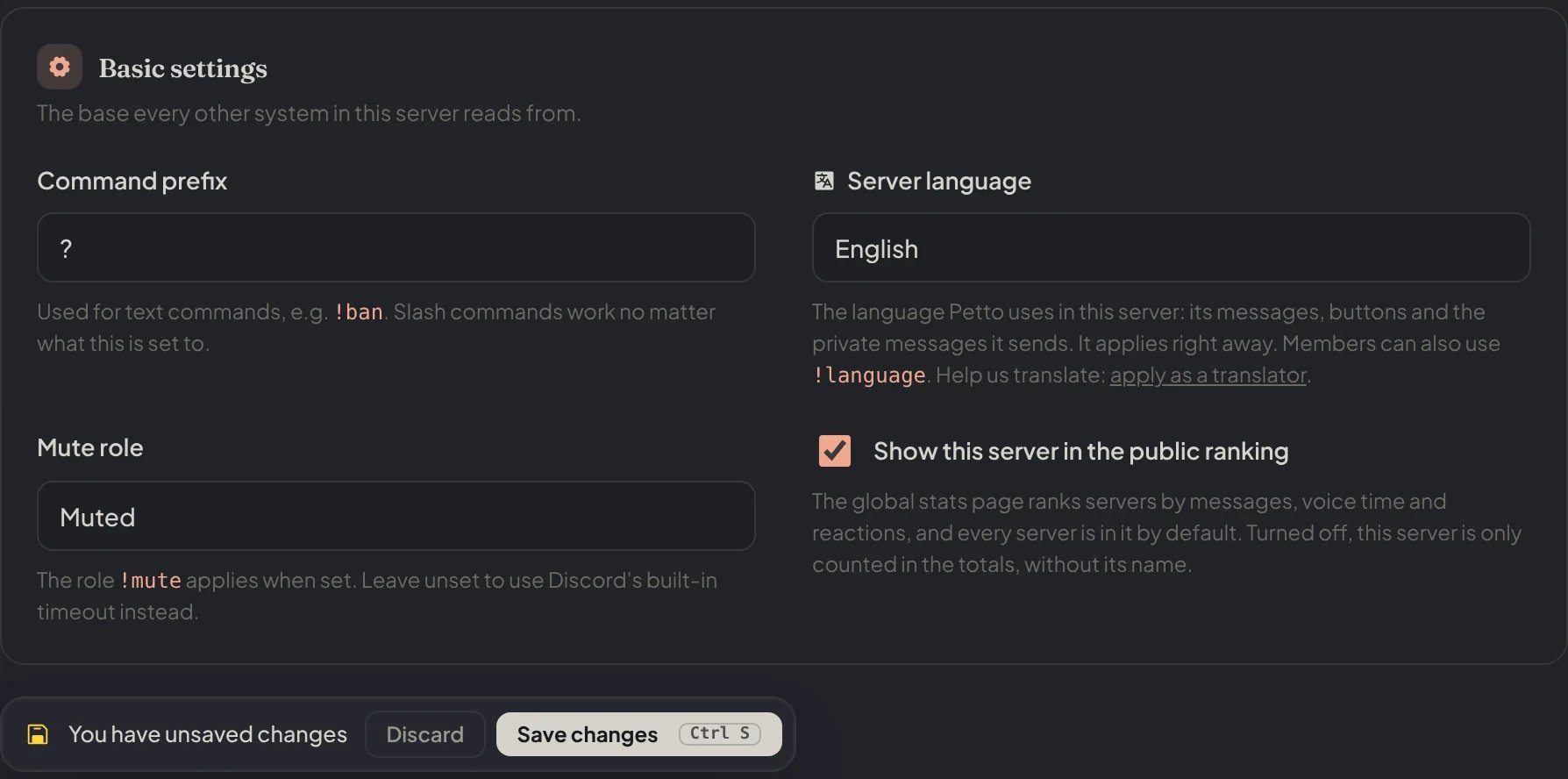
Dashboard → Settings: the prefix changed and not saved yet, and the bar with Discard and Save changes.
Tabs
Long pages are split in tabs, and a dot on a tab means it has changes not saved yet. Onboarding has Messages, Verification, Roles and DM, Ping on join and Bump. Logging groups its events in Members and moderation, Server changes and Activity, and has a tab for the ignored users and channels. The tab you were on is kept when you save.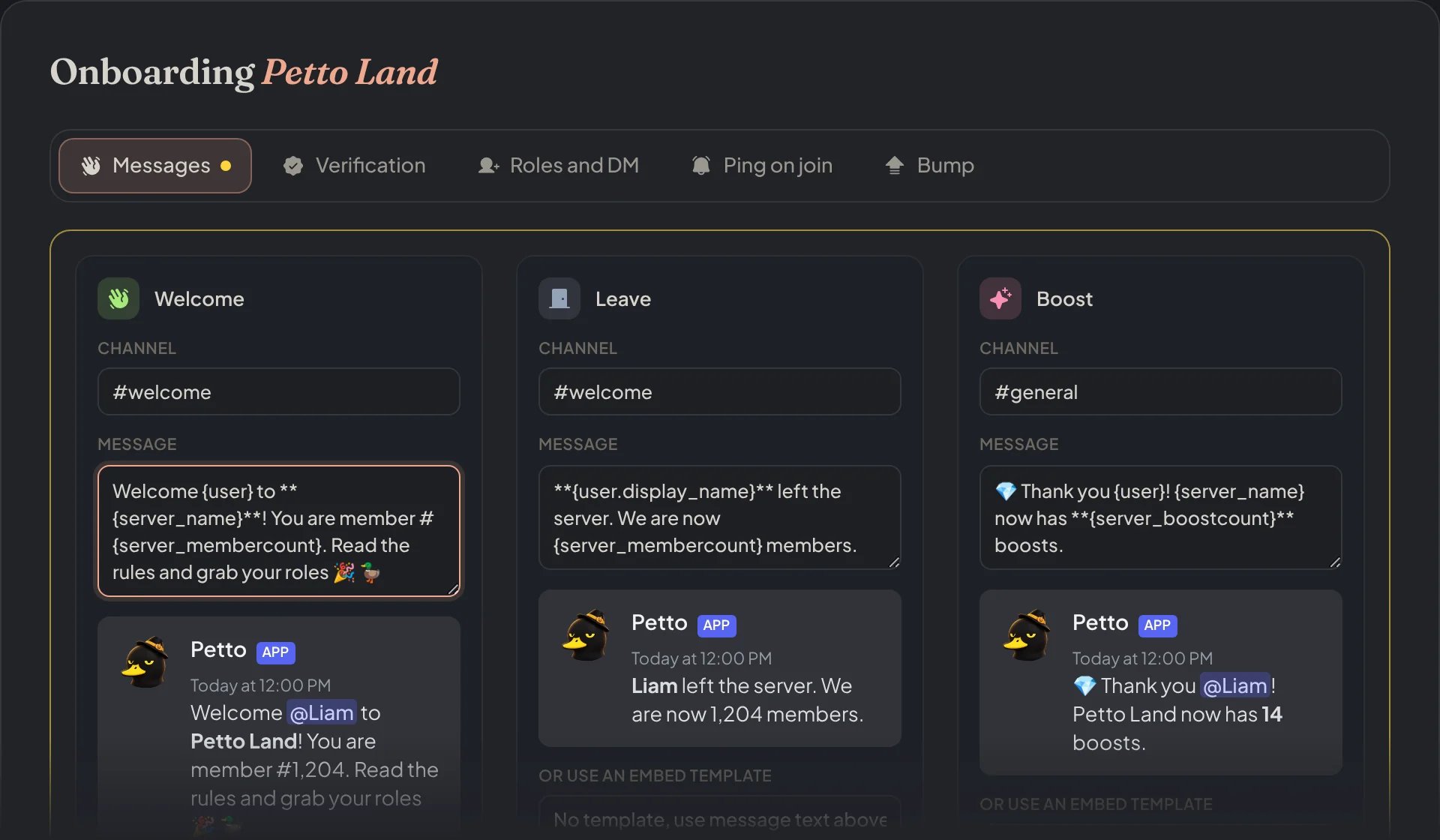
Dashboard → Security → Join Gate: the dot on Messages means that tab has changes not saved.
Previews
The message fields show how they will look in Discord while you write: the welcome, leave and boost messages, the DM on join, the birthday message, the verification DMs, and the starboard and monkeyboard designs (with the usual look when you pick no design).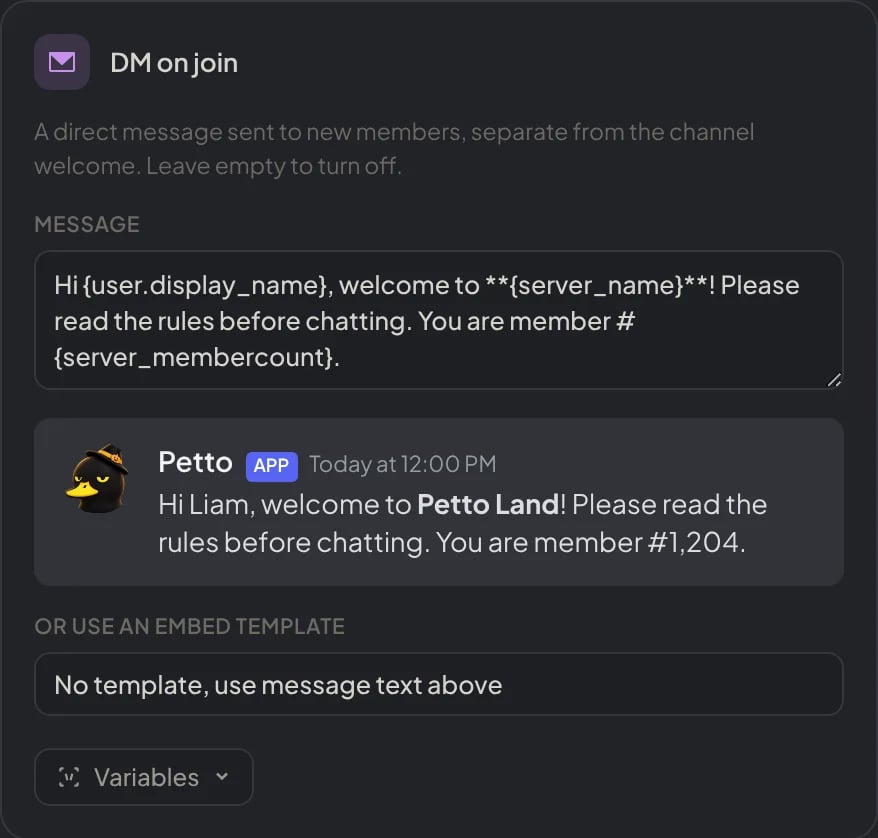
Dashboard → Security → Join Gate → Roles and DM: the DM on join and its preview, with the variables filled in.