
How Petto decides
When someone uses a command, Petto checks, in this order:- Not disabled.
!disablecommandturns a command off in the server or in some channels. Nobody skips this. - Discord permission. Commands that change the server ask for the Discord permission of the action, like Ban Members for
!ban. - Petto level. A command can need a level from 0 to 100. Members get the level of their groups; everyone has the level of the
@everyonegroup. - Role restriction.
!restrictcommandlets only some roles use a command.
1. Disabled
1. Disabled
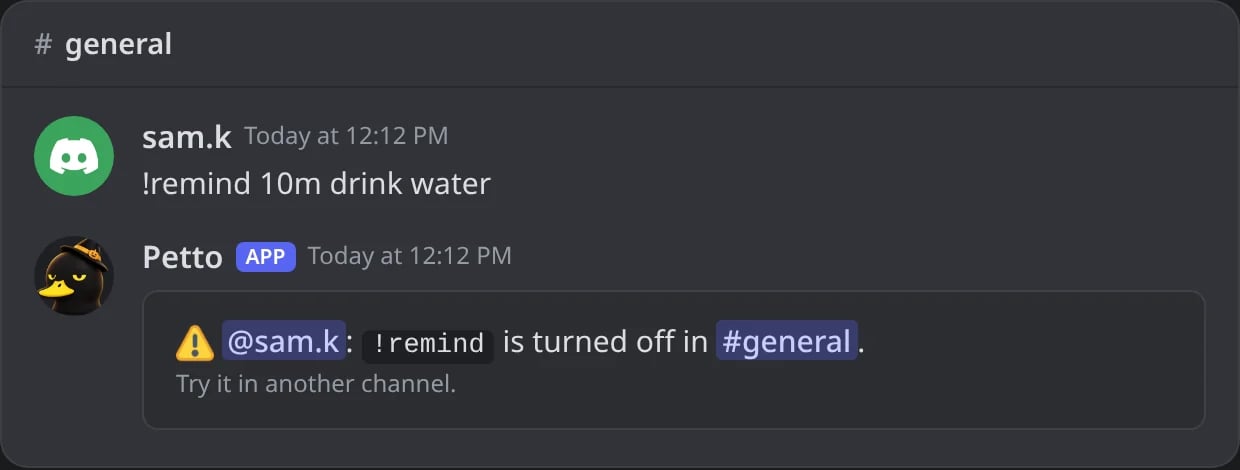
In Discord: a command turned off in this channel.
2. Discord permission
2. Discord permission
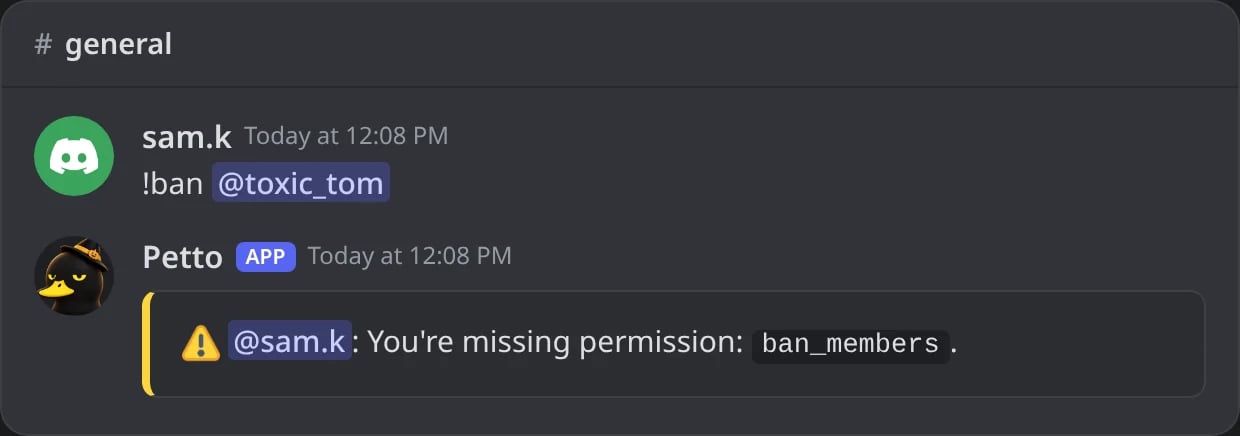
In Discord: a member without Ban Members tries !ban.
3. Petto level
3. Petto level
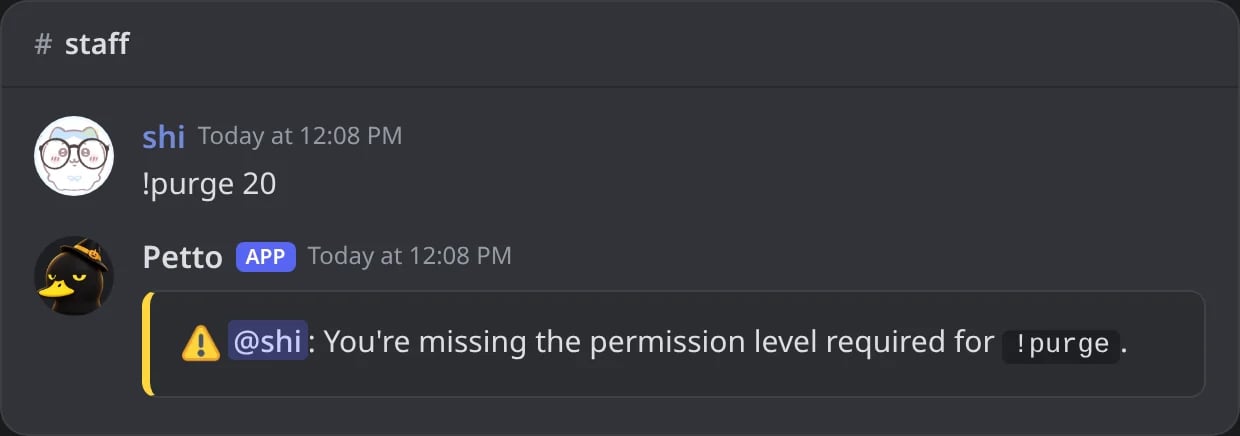
In Discord: !purge needs level 20 and shi is in no level group.
4. Role restriction
4. Role restriction
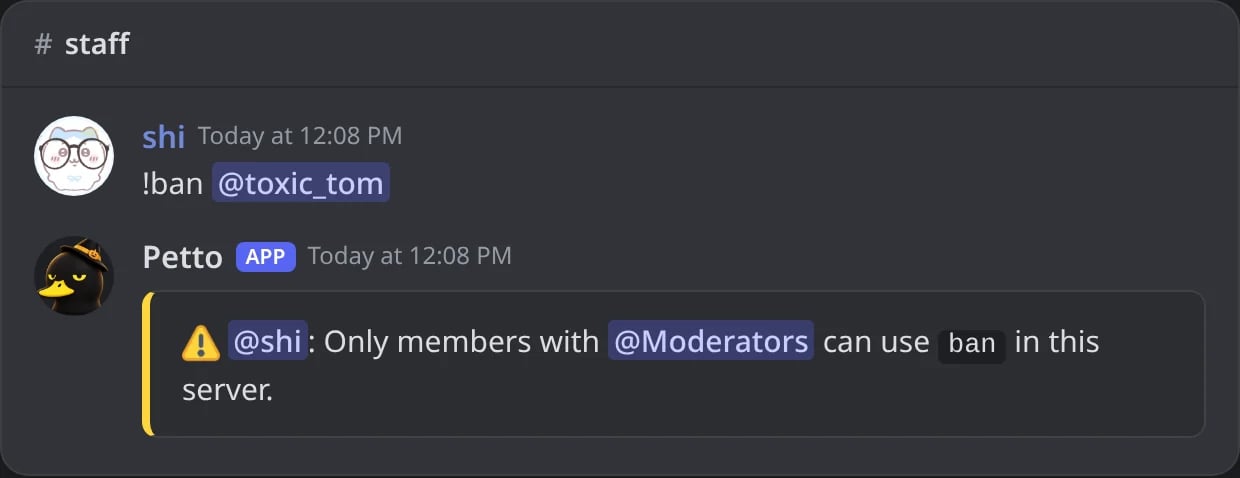
In Discord: !ban is only for Moderators here.
! prefix. The same checks run when a command is used with /: see Slash commands below.
Levels
!permission group create
!permission group create
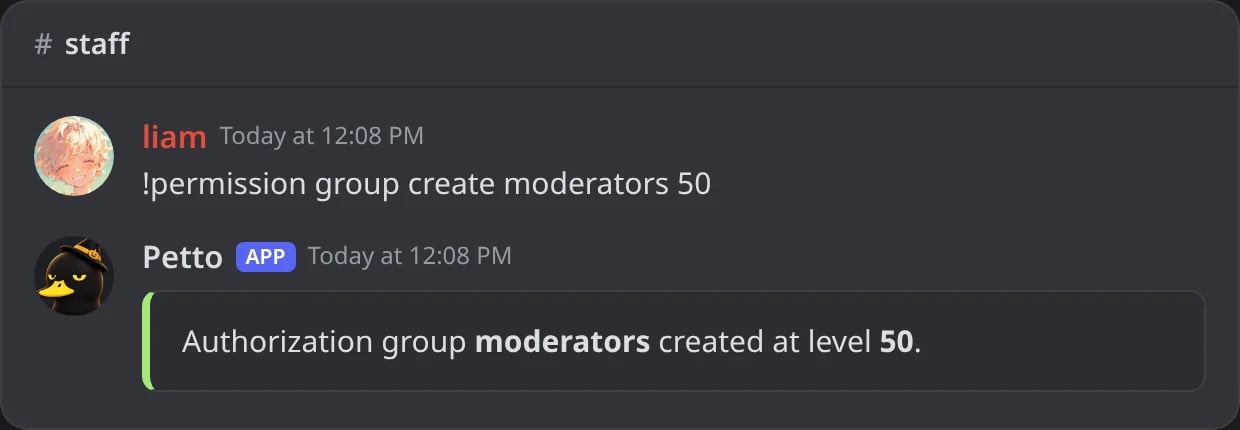
In Discord: a level group made.
!permission group add-role
!permission group add-role
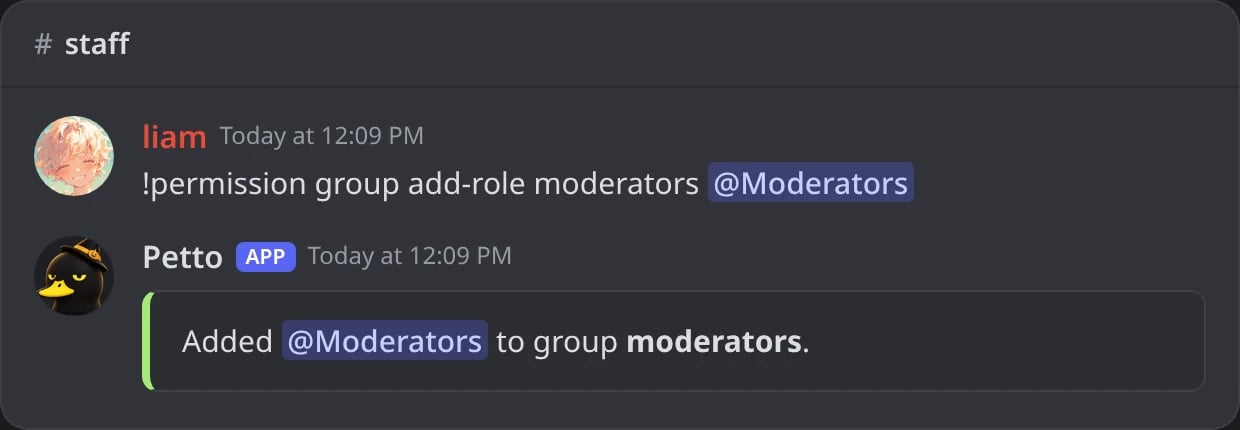
In Discord: a role put in a group.
!permission command set
!permission command set
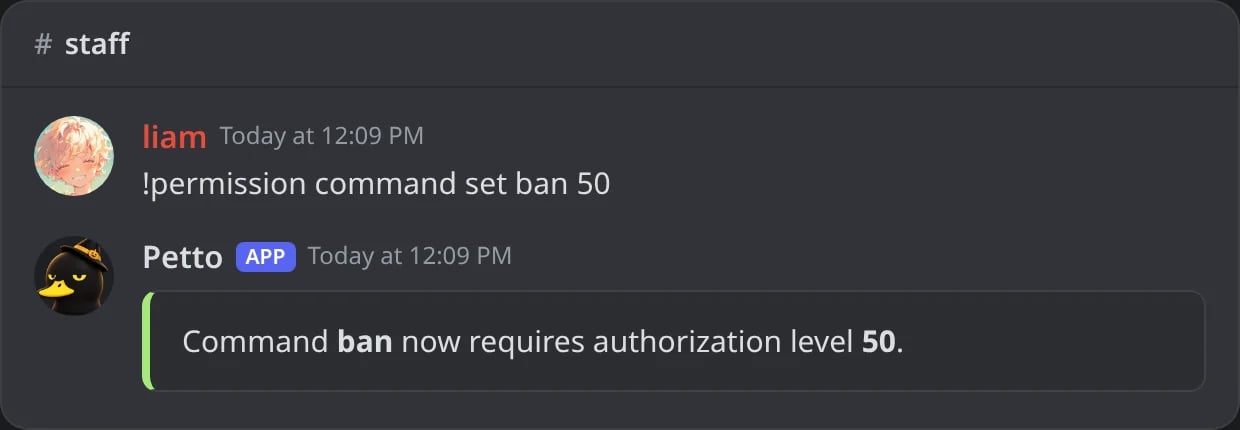
In Discord: a level required for a command.
!permission command list
!permission command list
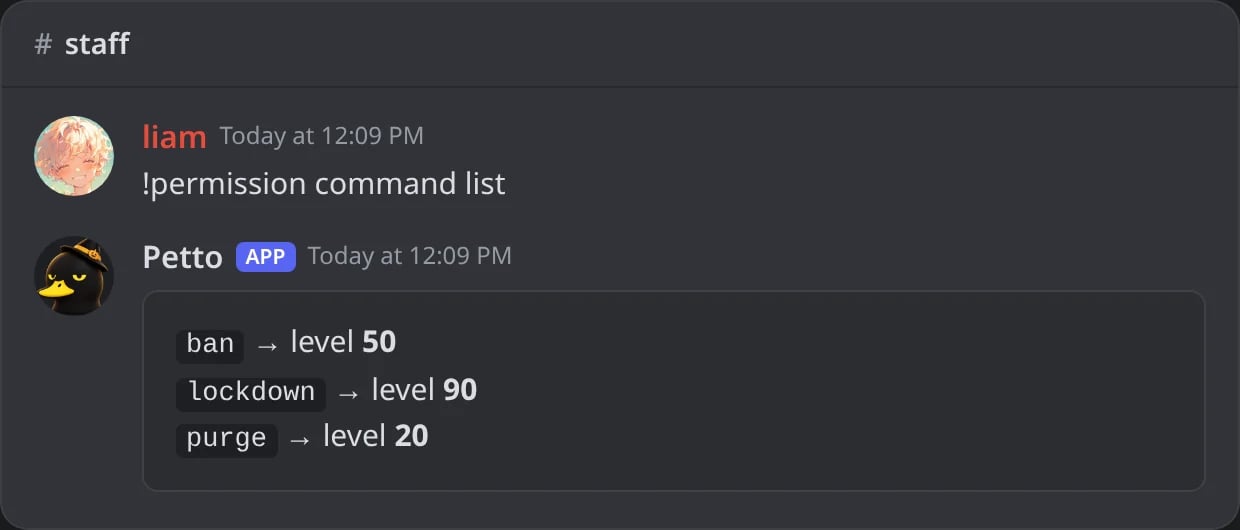
In Discord: the commands that need a level.
group create <name> <level>makes a group, andgroup level <name> <0-100>changes its level.group add-role/remove-roleandgroup add-user/remove-userdecide who is in it.group view <name>shows them, andgroup delete <name>removes it.command set <command> <level>requires a level for a command (0makes it public again).command listshows the commands with a level.mylevelshows your own level.
!permission group level
!permission group level
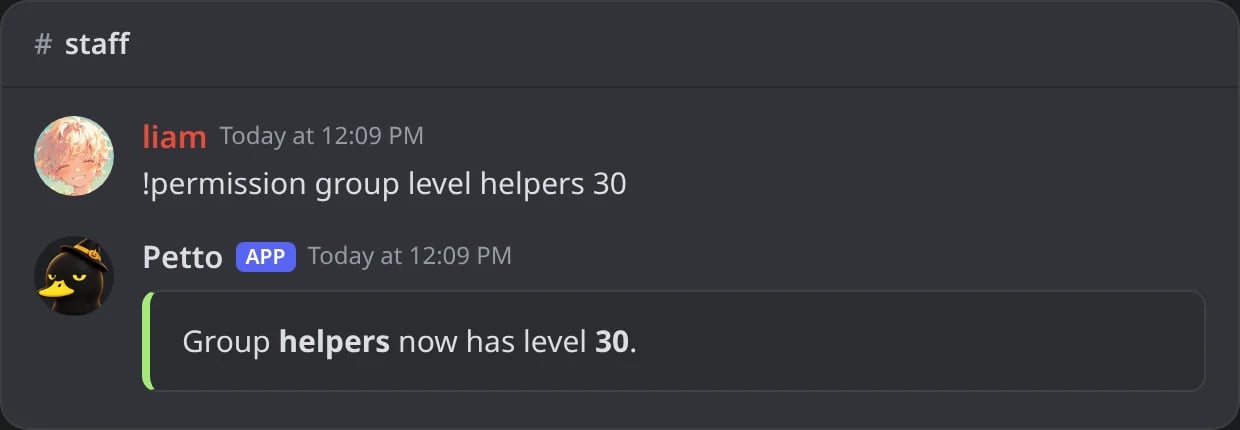
In Discord: the level of a group changed.
!permission group remove-role
!permission group remove-role
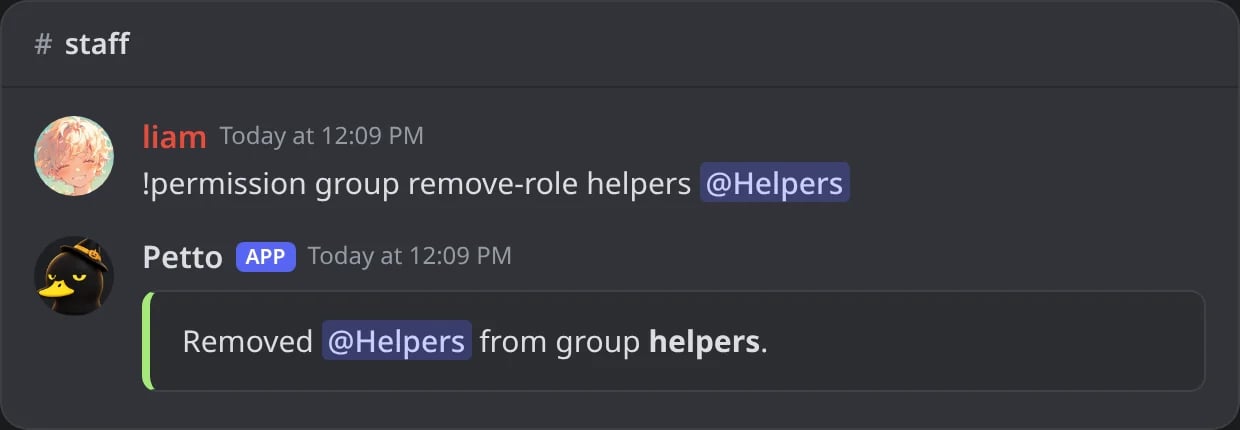
In Discord: a role taken out of a group.
!permission group add-user
!permission group add-user
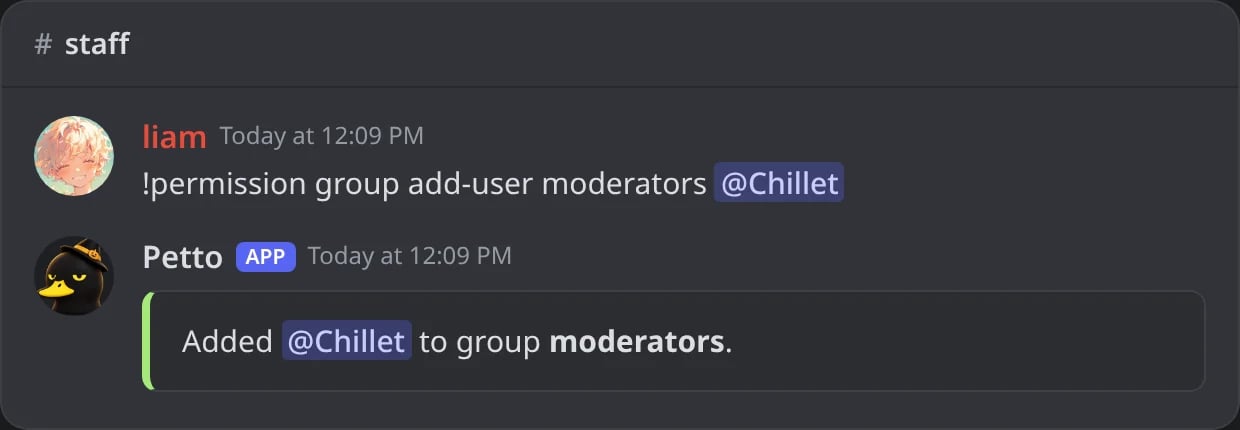
In Discord: one member put in a group.
!permission group remove-user
!permission group remove-user
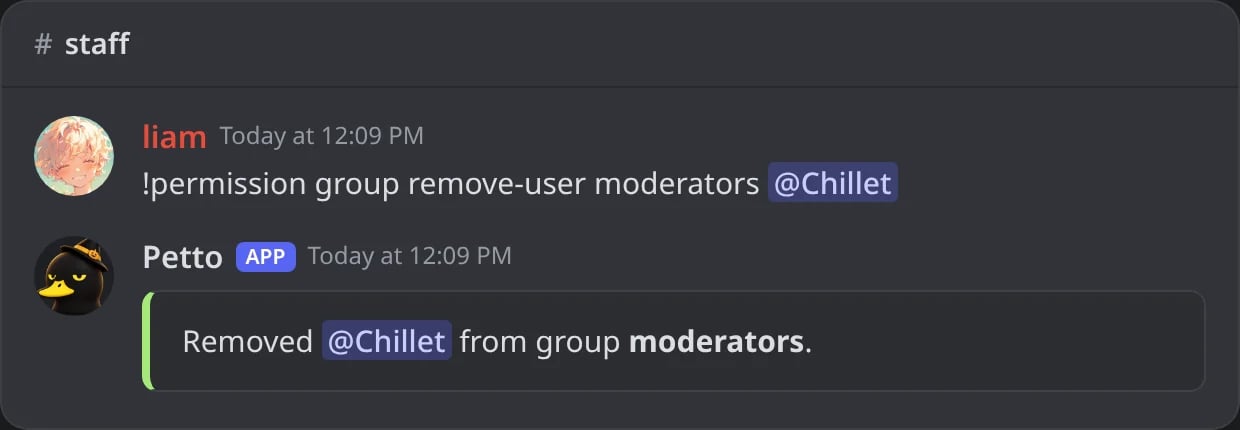
In Discord: one member taken out of a group.
!permission group view
!permission group view
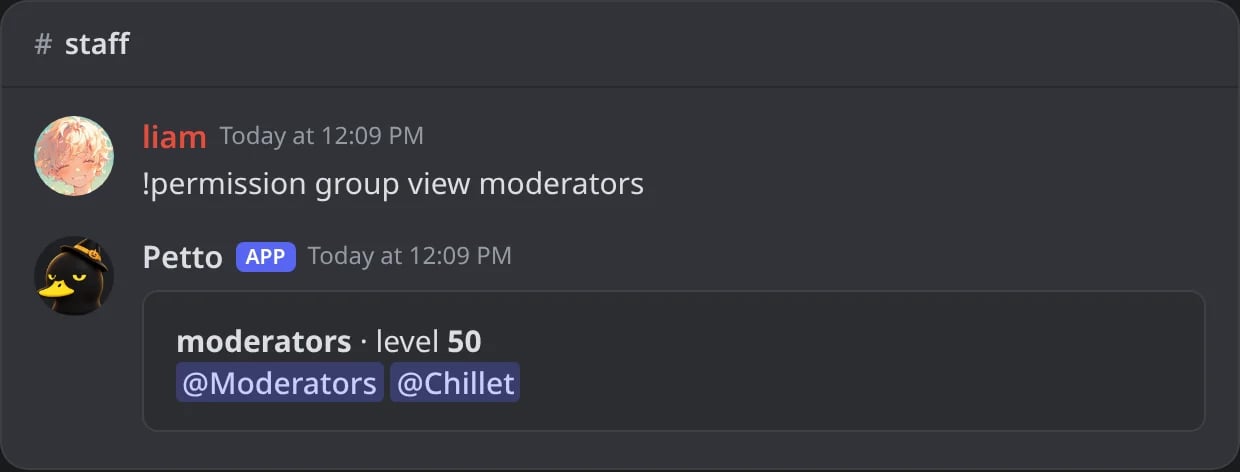
In Discord: the level, roles and members of a group.
!permission group delete
!permission group delete
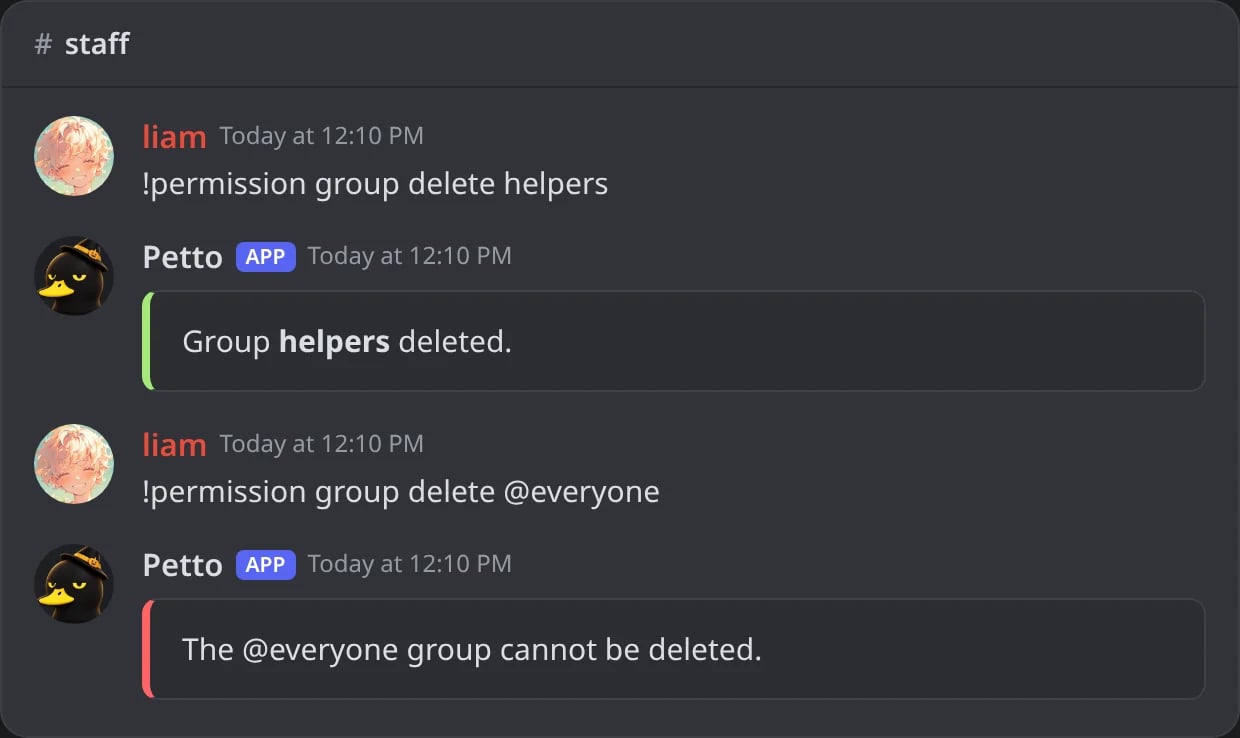
In Discord: a group deleted; the @everyone group cannot be.
@everyone group (level 0 at the start) that everybody is in; it cannot be deleted. A command with no level is open to members who pass its Discord permission check.
!permission needs Manage Server (aliases !auth and !pgroup).
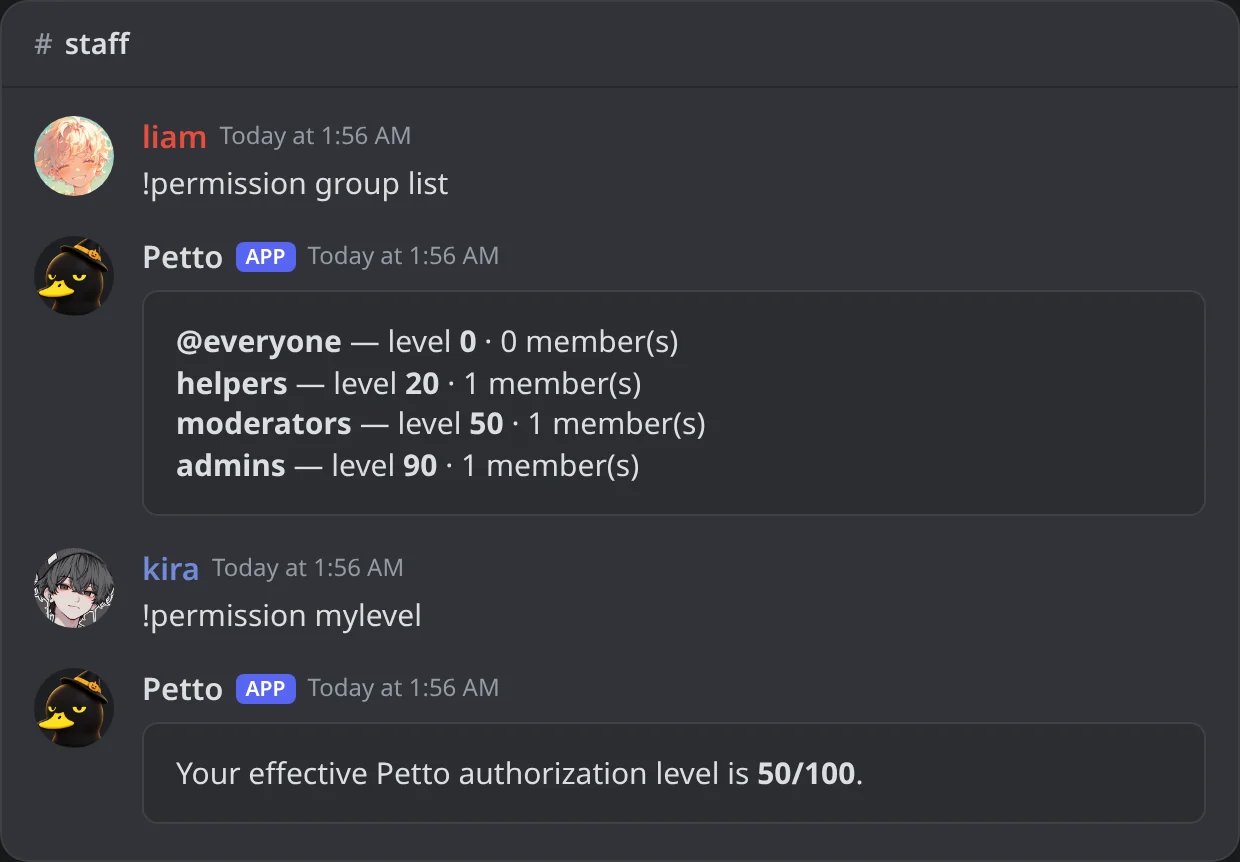
In Discord: the level groups of the server, and a moderator's own level.
Role restrictions
!restrictcommand (aliases !rc, !restrict, !restrictcmd) makes a command usable only by members with one of the roles you choose, as a prefix or a slash command.
!rc ban @Moderators
!rc ban @Moderators
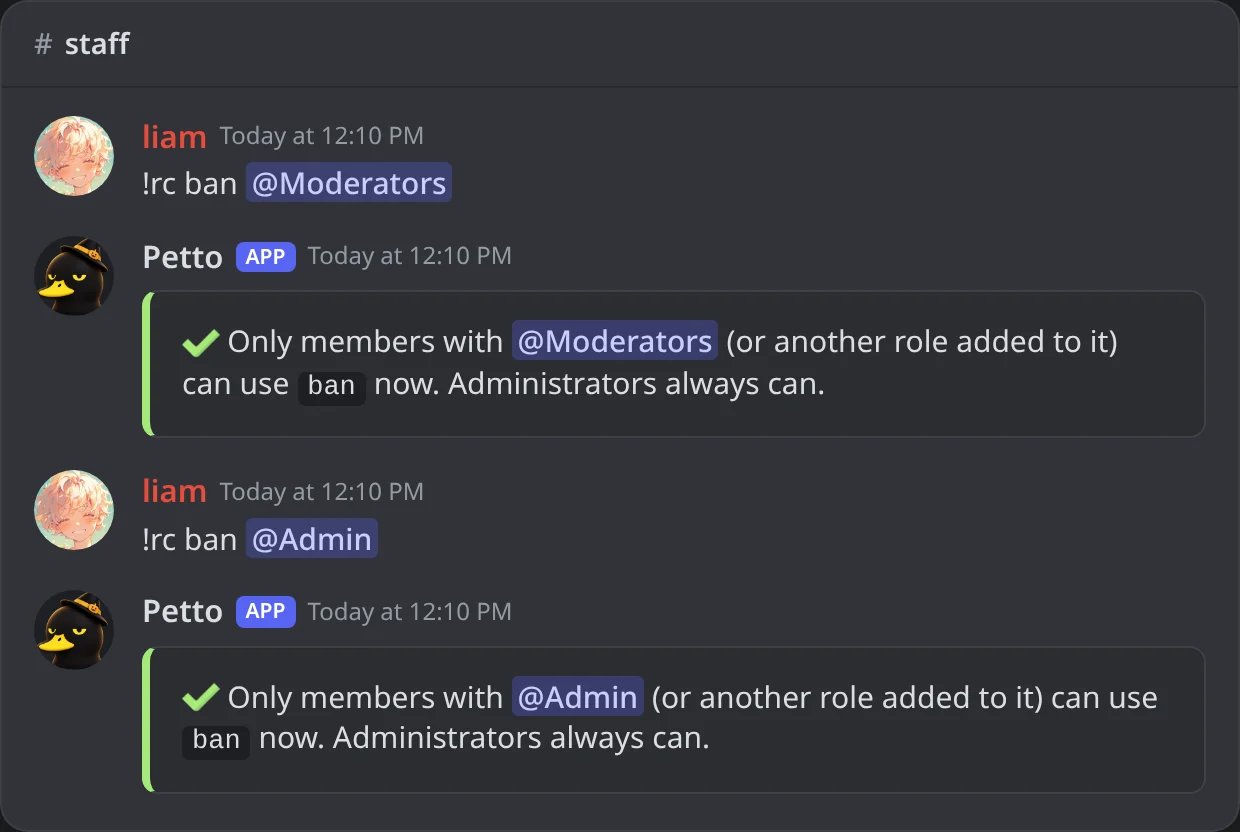
In Discord: !ban restricted to Moderators, then Admin added (add is the default).
!rc remove
!rc remove
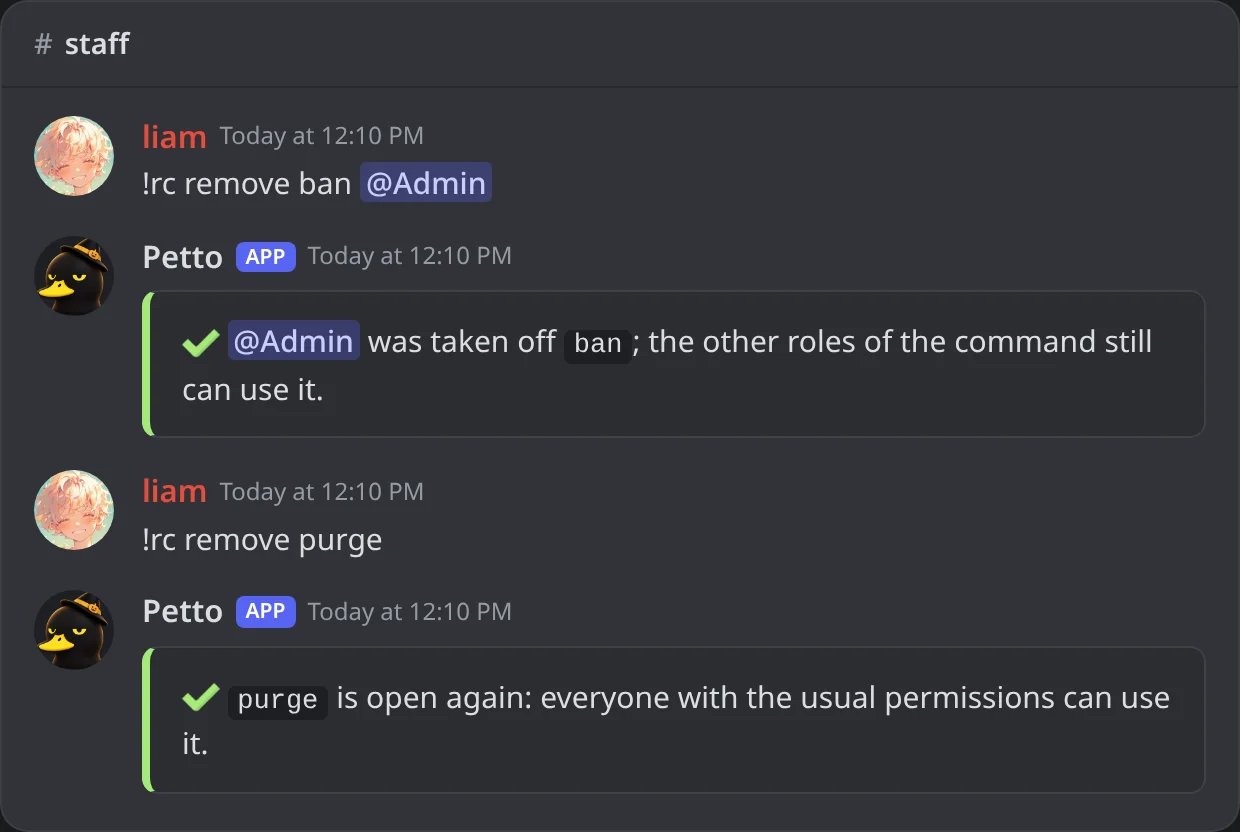
In Discord: one role taken off a command, then a command opened to everyone again.
!rc list
!rc list
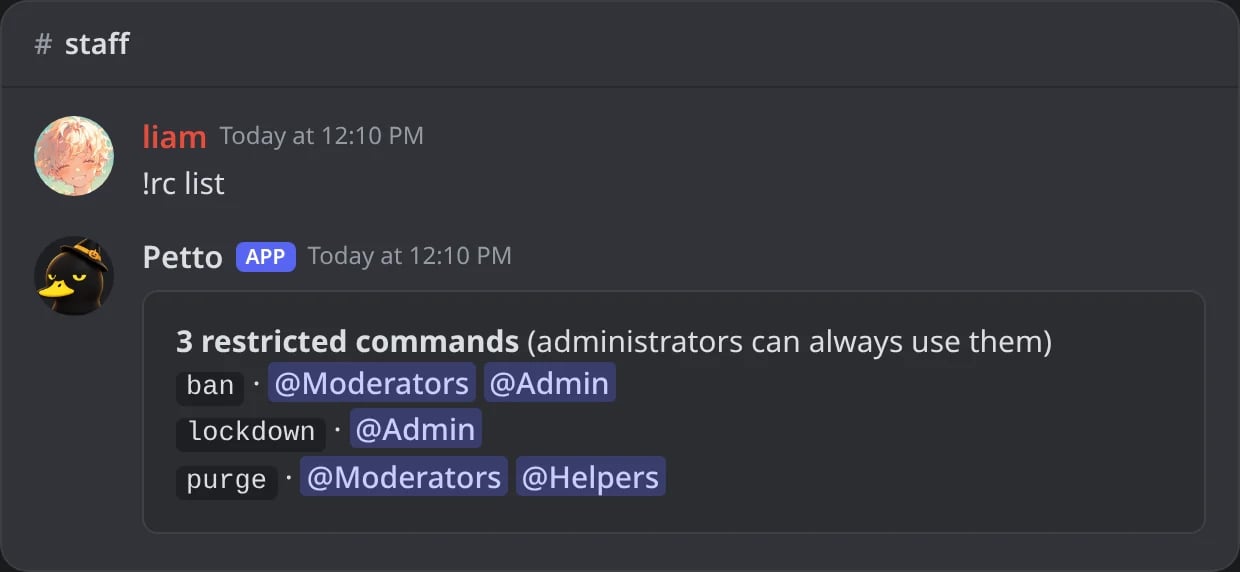
In Discord: every restricted command and its roles.
!rc reset
!rc reset
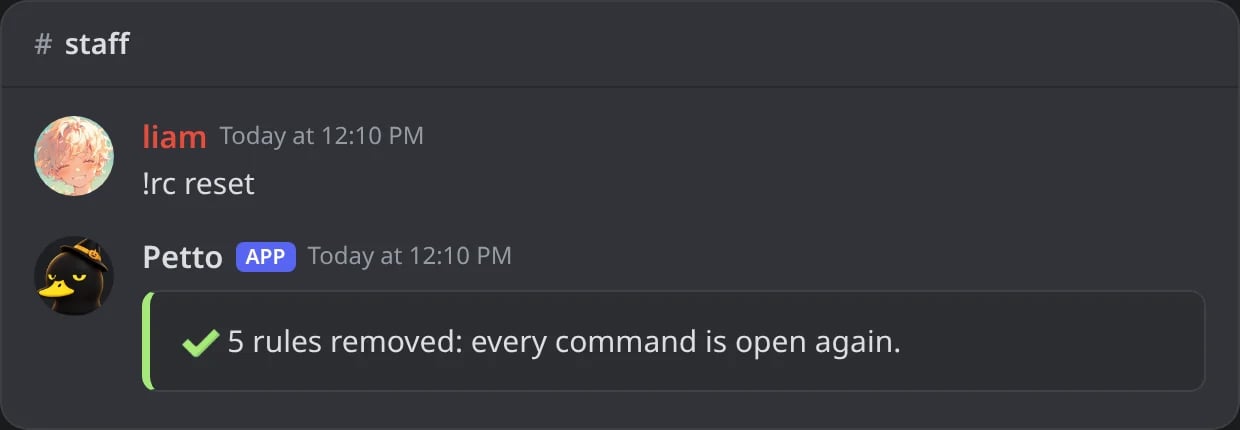
In Discord: every restricted command opened at once.
Refused
Refused
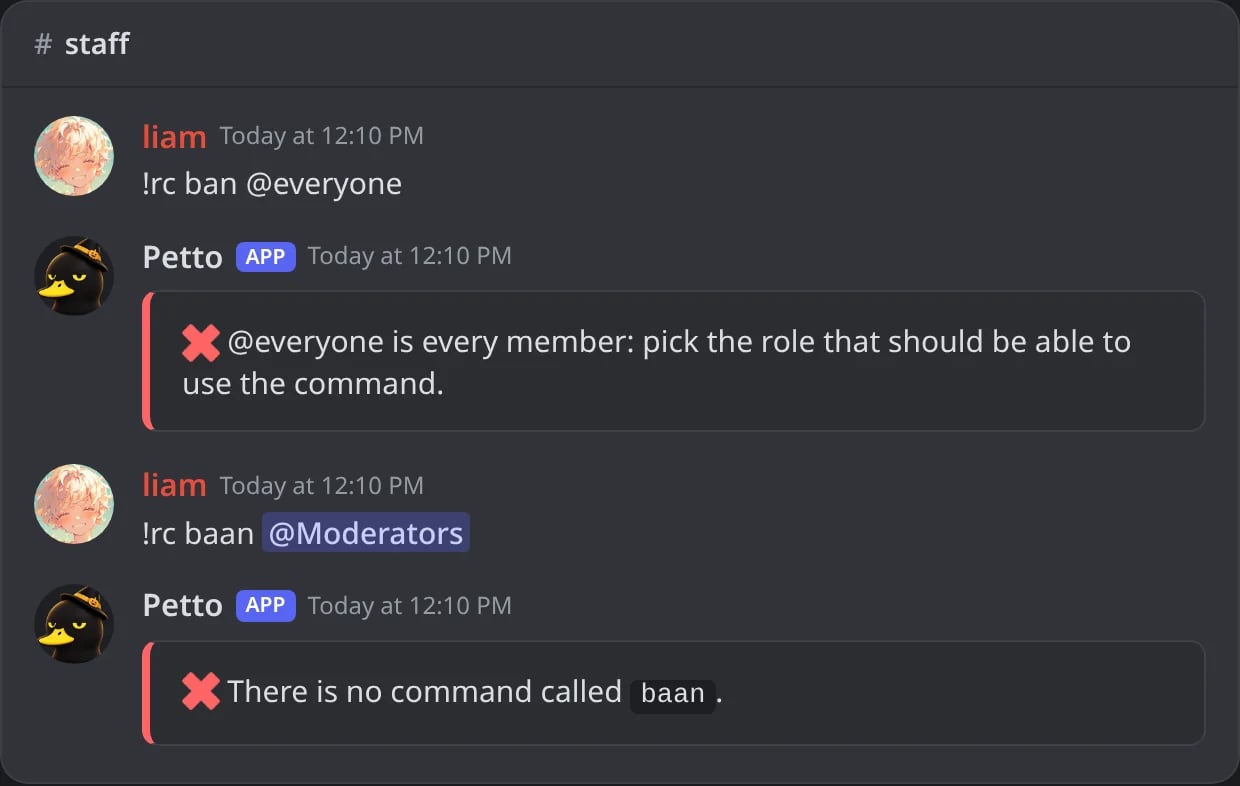
In Discord: @everyone, and a command that does not exist, are refused.
add is the default, so !rc ban @Moderators is the same as !rc add ban @Moderators. Adding more roles to the same command lets any of them use it. remove without a role opens the command to everyone again, and reset opens every restricted command. The owner and administrators can always use them. Needs Manage Server.
The Permissions page
Dashboard → Security → Permissions shows the four steps above and lets you:- Level groups: make groups, set their level, and add roles or members (by ID). The
@everyonegroup is the level of everybody. - Who can use what: pick a role and see, command by command, whether its members can use it and why (disabled, needs a Discord permission, needs a level, only for some roles). Filter by commands with a level, restricted to roles or open to everyone, and search by name or alias.
- See the commands with a level, the role restrictions and the disabled commands, including the ones set from Discord.
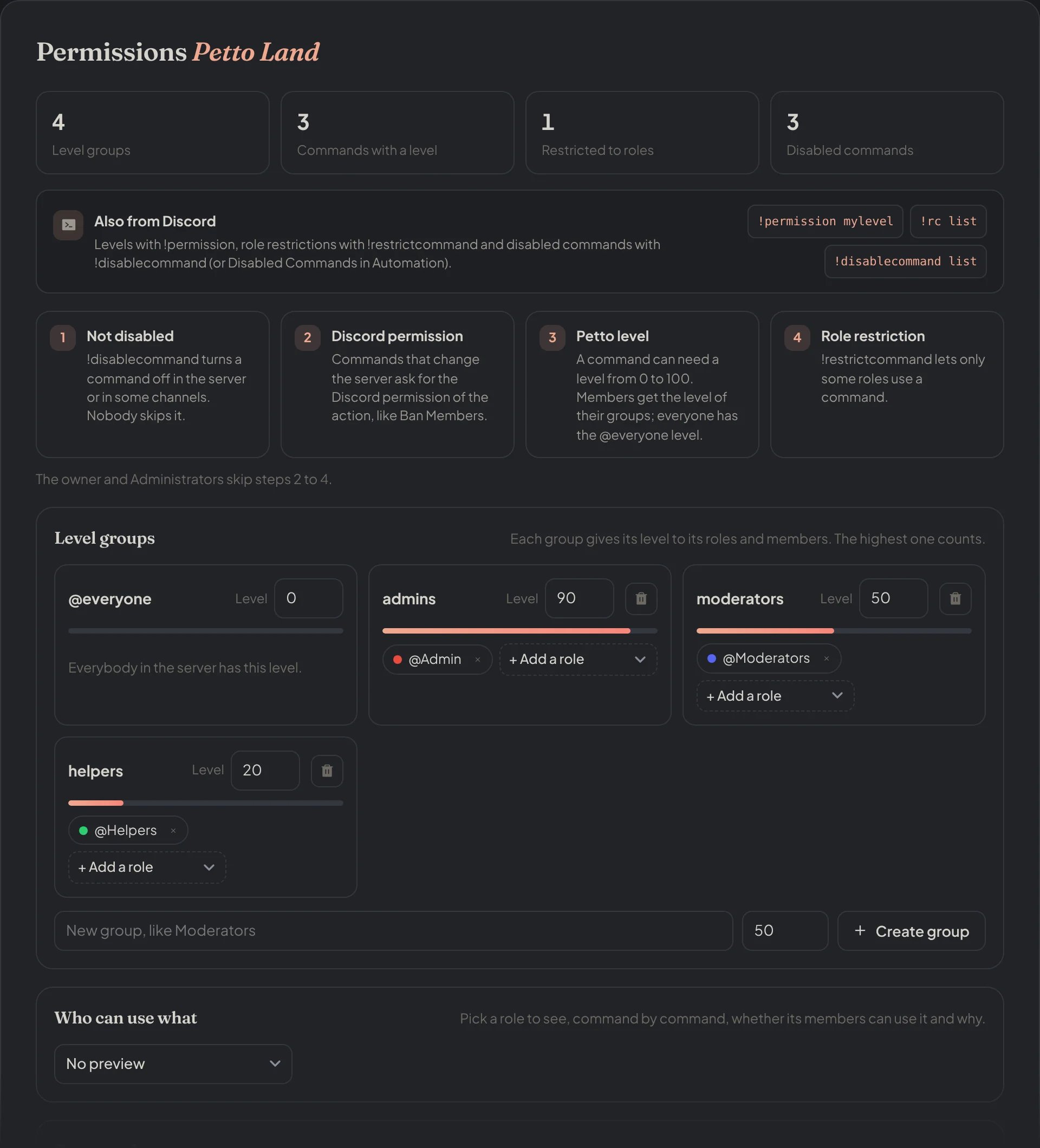
Dashboard → Security → Permissions: the counts, the four steps and the level groups.
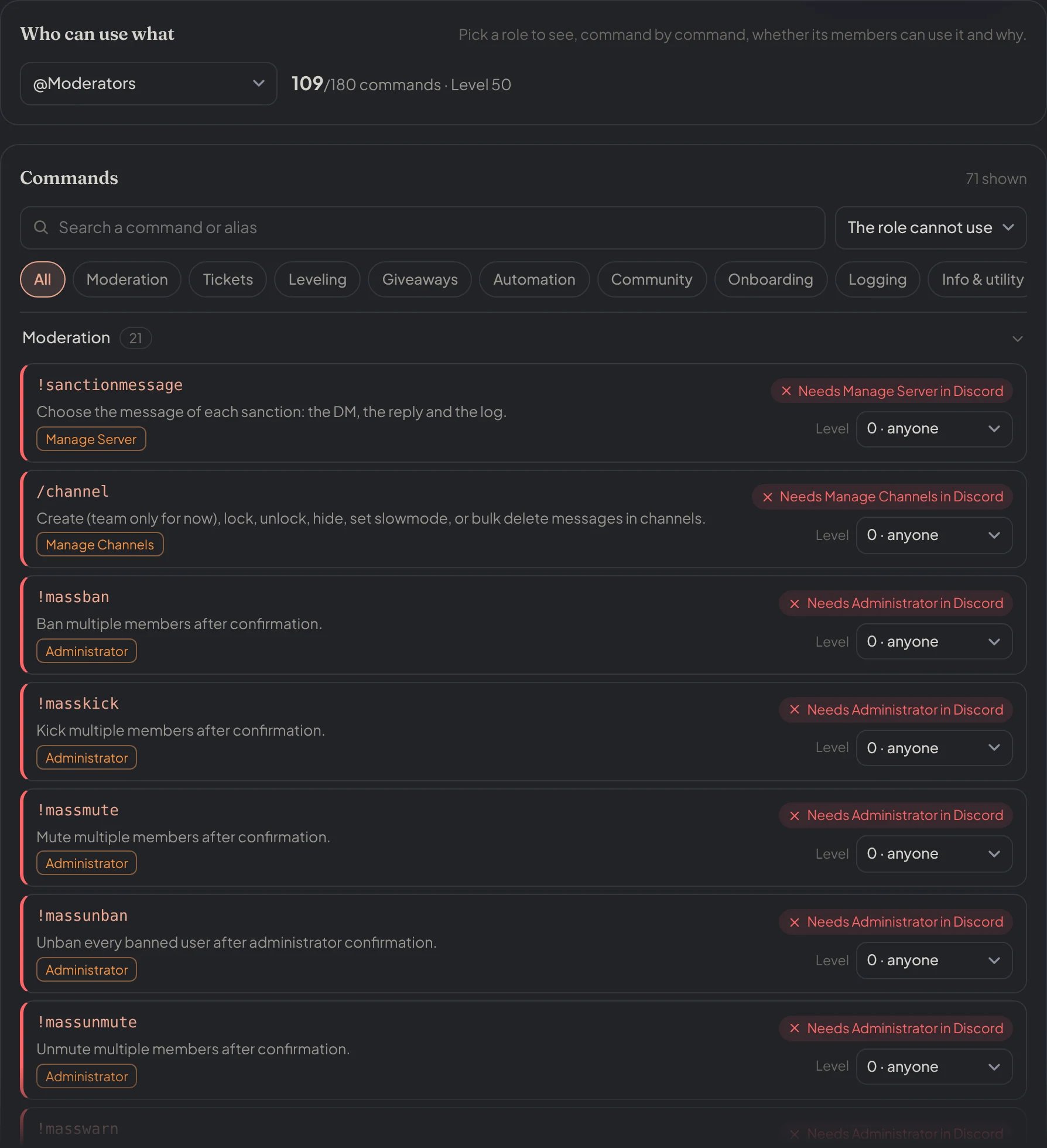
Dashboard → Security → Permissions → Who can use what: Moderators previewed, with the commands they cannot use and why.
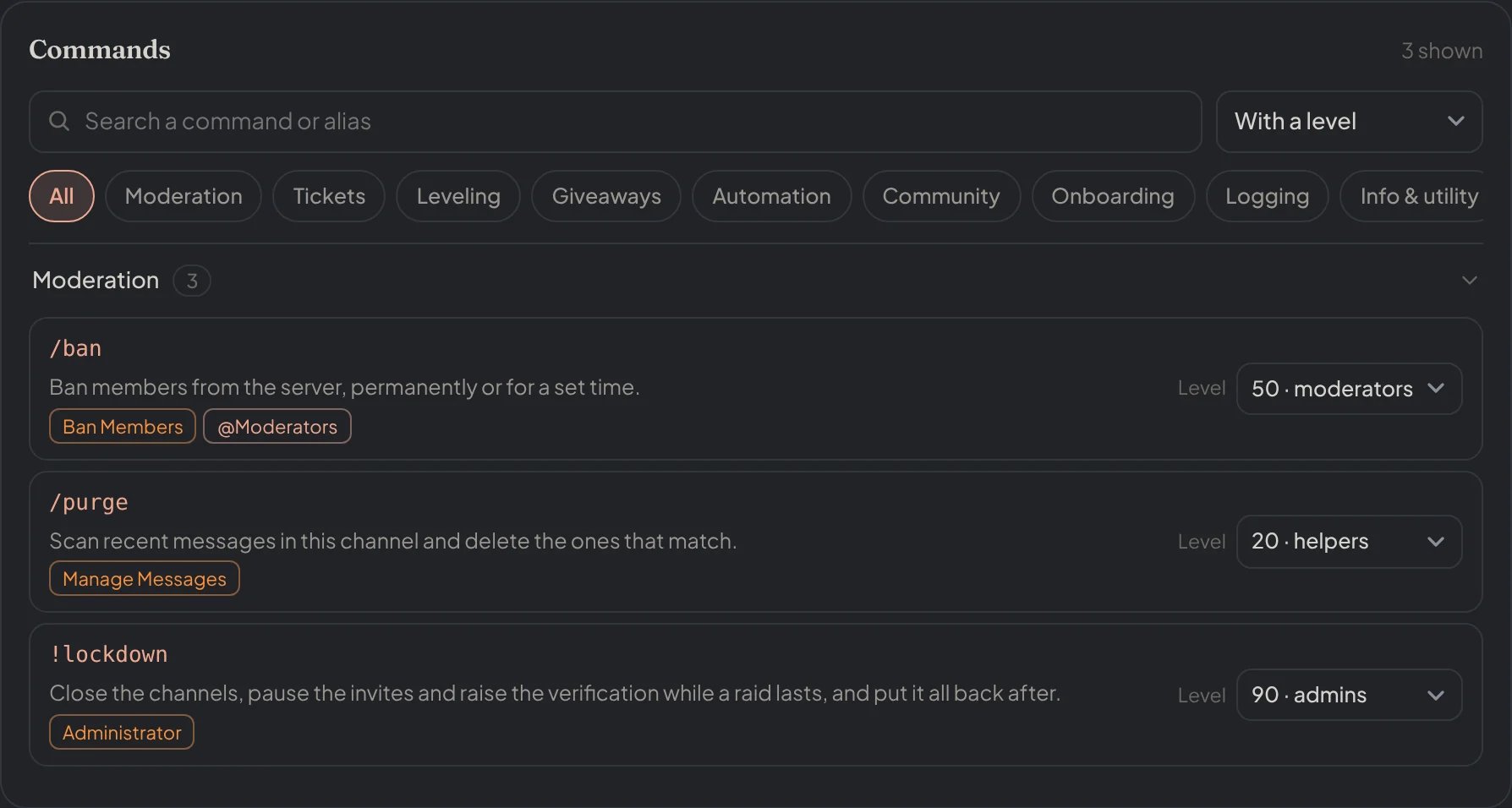
Dashboard → Security → Permissions → Commands: filtered by With a level, each with its Discord permission, roles and level.
Slash commands
The everyday commands (/ban, /purge, /channel, /ticket, /embed and the rest) also work from Discord’s / menu. Two things decide whether a member can use one:
- Discord shows it or hides it. Each moderation slash command asks Discord for the permission of its action, so the menu hides
/banand/unbanfrom members without Ban Members,/kickwithout Kick Members,/warnand/timeoutwithout Moderate Members,/purgewithout Manage Messages and/channelwithout Manage Channels./embed,/giveaway,/setup,/vanityand/guildtagneed Manage Server. - Petto checks it exactly as it checks the prefix form: disabled commands, levels and role restrictions apply the same way.
ban in !moderation), allow the command for that role in Server Settings → Integrations → Petto. Discord then shows it to them, and Petto’s own checks decide the rest. The prefix form never depends on this setting.
Command coverage
Dashboard → Security → Command coverage shows how the staff commands are protected: how many of them have a Petto level, a role restriction or are disabled, and which ones only rely on the Discord permission of the action. Each command says which of these protects it, and Set levels and roles takes you to the Permissions page.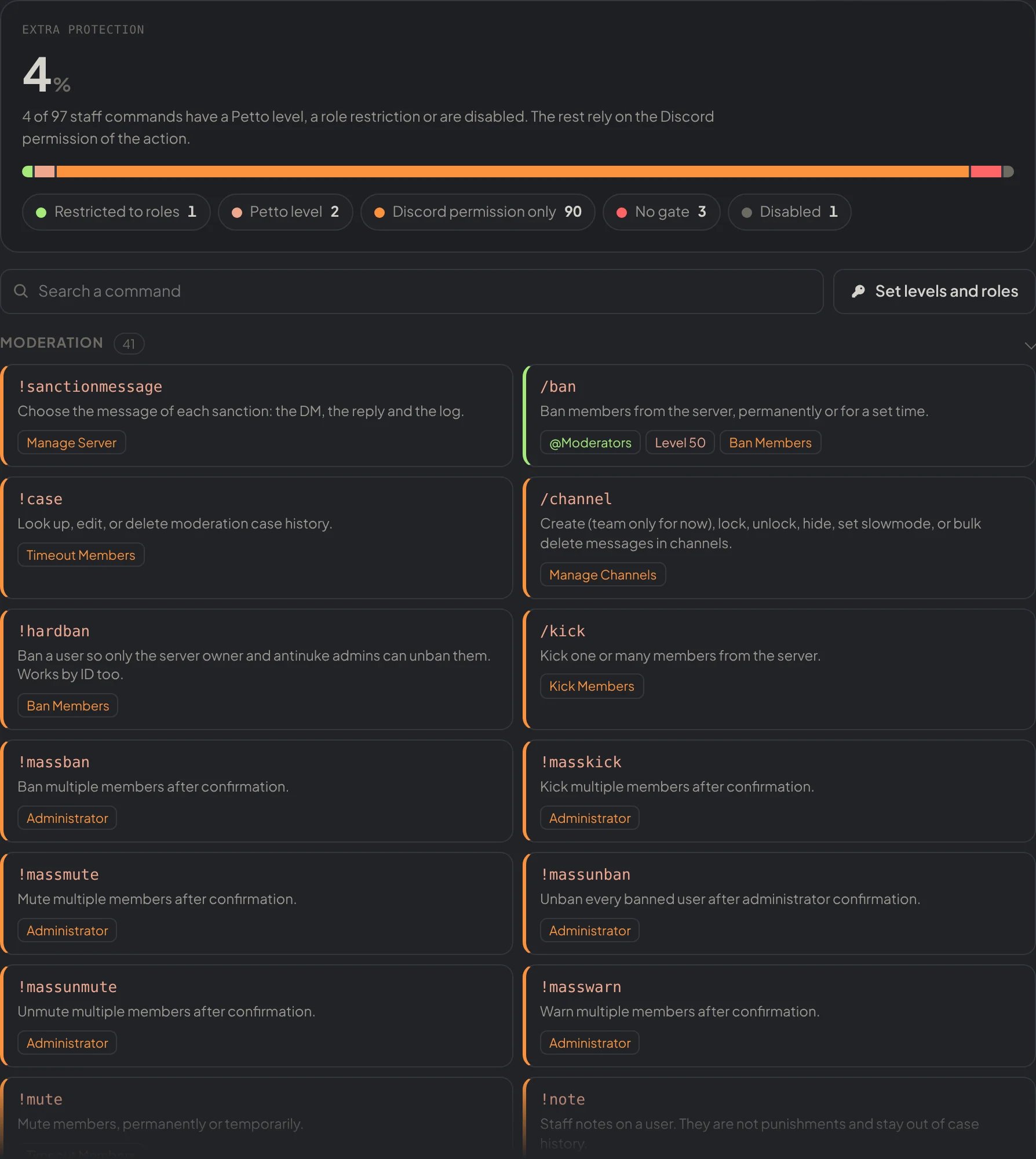
Dashboard → Security → Command Coverage: how the staff commands are protected, command by command.
!ban that only senior moderators can use even though more roles have Ban Members.
Related
- Moderation access by role: let a role use one moderation action without giving it Administrator.
- Disable commands
- Dashboard access: who can open the dashboard, not who can use commands.
- Permissions and hierarchy