
The scam
Almost always a hijacked account that sends a fake image (a MrBeast giveaway, a “withdrawal” of USDT, a casino promo) to many channels at once, with a link to a site that asks for a “fee” or steals data. The messages come from real accounts, so the people reading them trust them. Discord does not let a bot read the text inside a picture, so Anti scam looks at how the scam behaves:- Same message in several channels: the same picture (same file name and size) or the same text in 3 or more channels within 30 seconds. The most reliable signal and the one that has almost no false positives.
- Scam wording: lines like MrBeast, claim your reward, USDT, withdrawal, casino, promo code, free credits. One kind of word alone is not enough; a celebrity plus another kind, three kinds, or two kinds with a picture or link is.
- New accounts: an account younger than 72 hours that sends a picture or link with scam wording or pings everyone.
Turning it on
It starts off, and when you turn it on it only alerts the staff, so you can watch what it catches for a few days before it acts alone.!antiscam status
!antiscam status
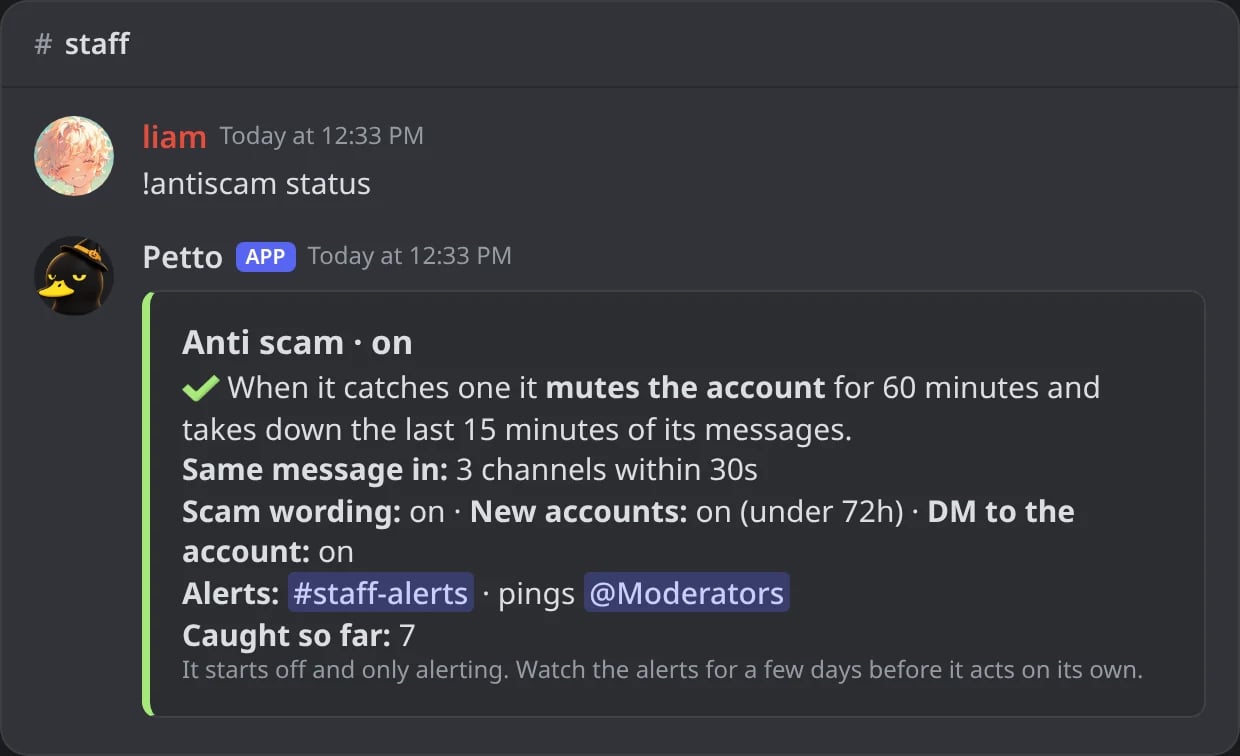
In Discord: how the anti scam is set.
!antiscam set
!antiscam set
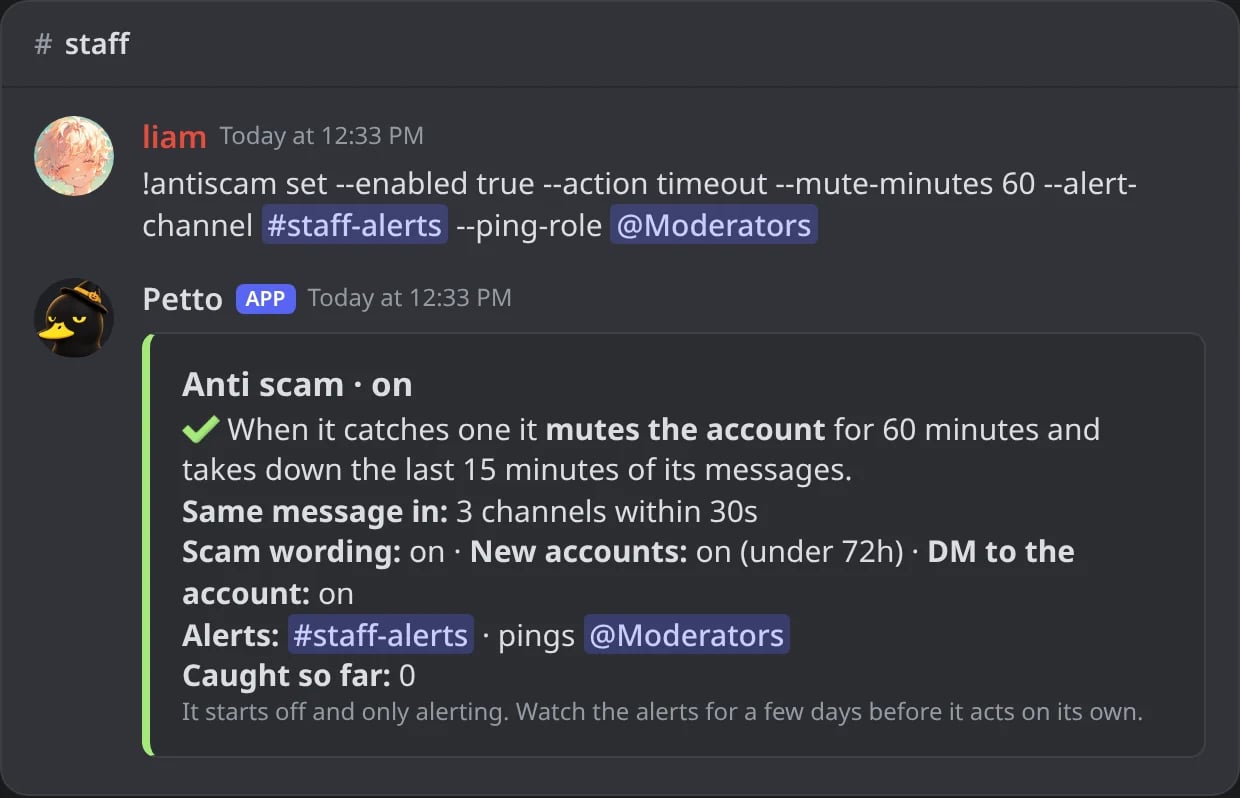
In Discord: turned on with a mute, the alert channel and a role to ping.
!antiscam exempt add
!antiscam exempt add
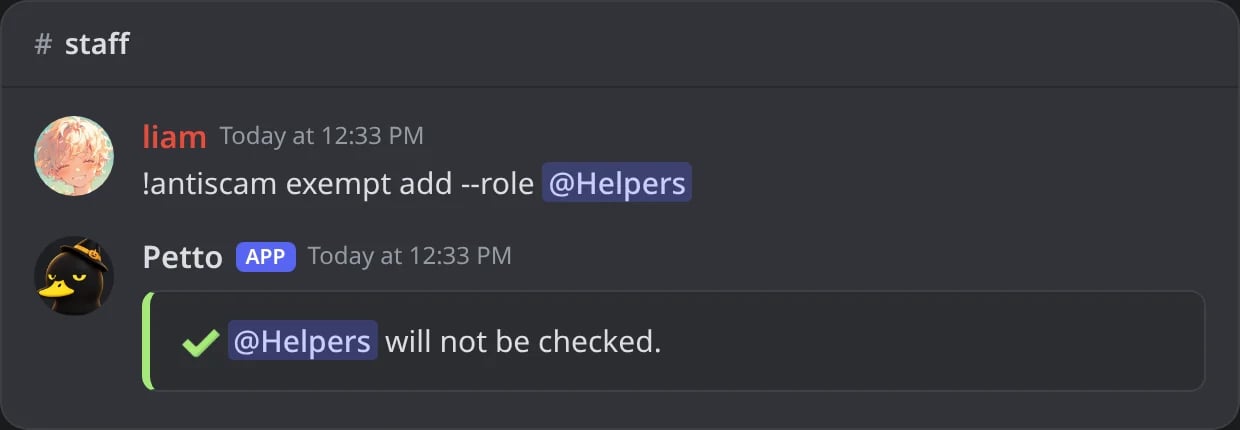
In Discord: a role that is never checked.
!antiscam exempt remove
!antiscam exempt remove

In Discord: a channel checked again.
!antiscam exempt list
!antiscam exempt list
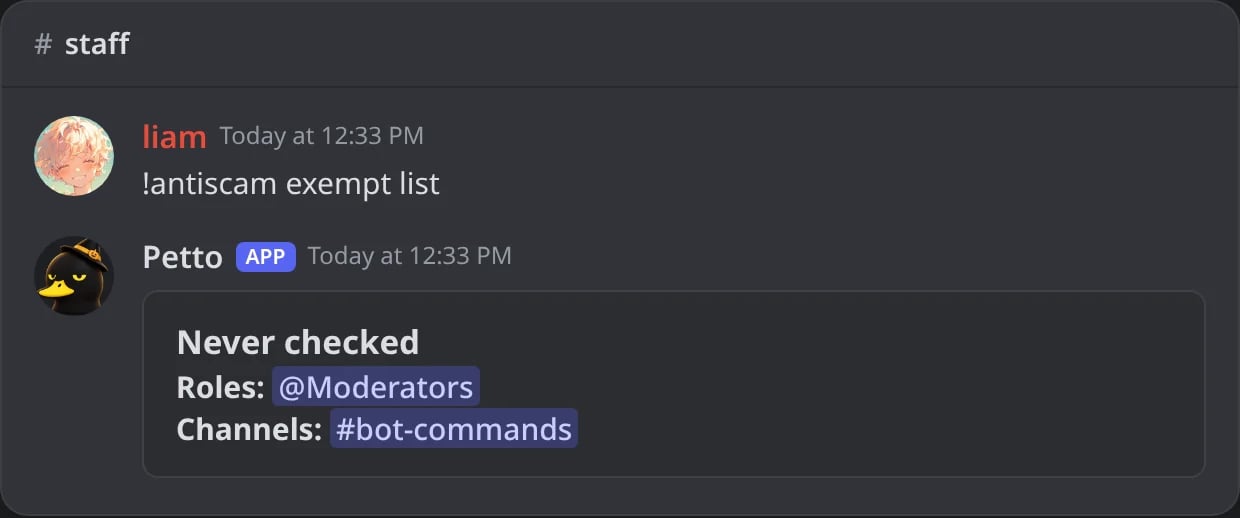
In Discord: the roles and channels never checked.
!antiscam log
!antiscam log
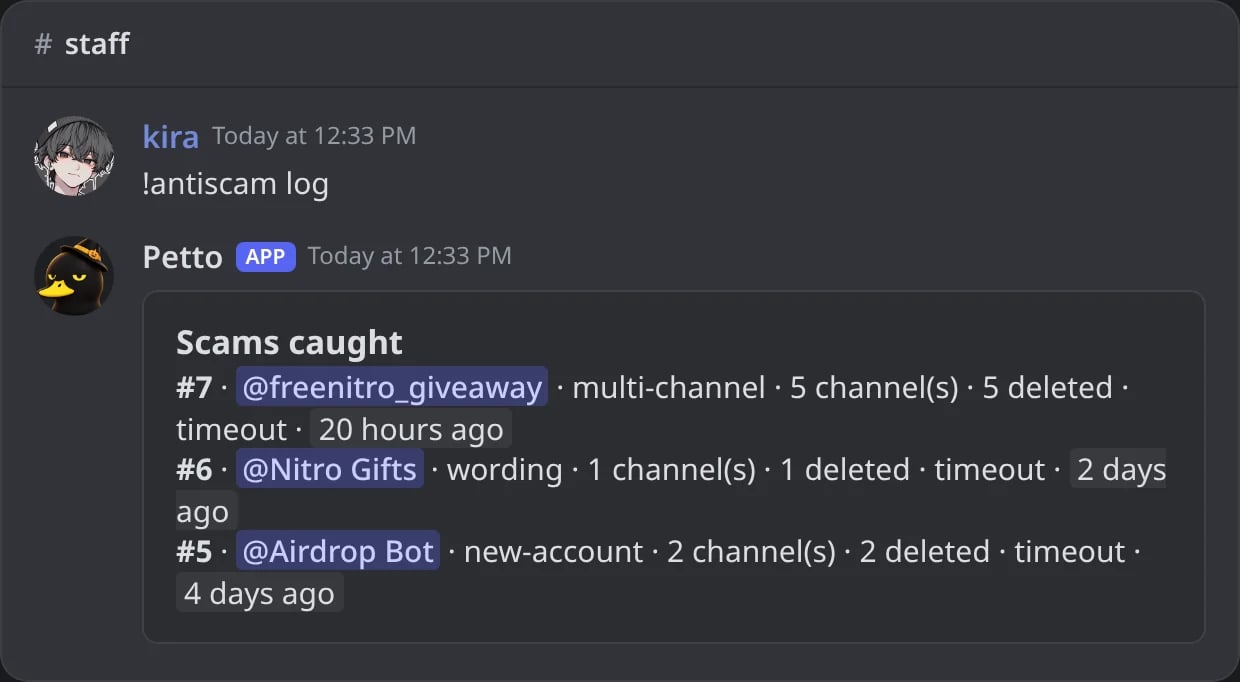
In Discord: the last scams caught.
action is alert (default), timeout (mute, 120 minutes by default), kick or ban. The command needs Manage Server, and letting it punish needs Administrator. !scam and !mrbeast are other names of !antiscam, and !antiscam alone shows the status.
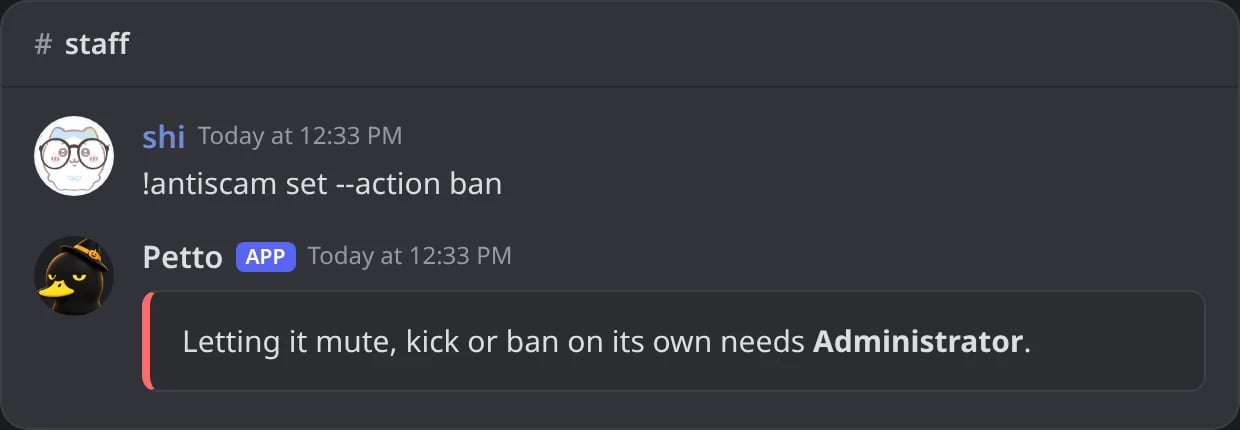
In Discord: letting it punish is refused without Administrator.
What it does when it catches one
- Takes down what the account sent in the last minutes, in every channel.
- Applies the action. Mutes, kicks and bans make a normal case (source “antiscam”) that shows in the case log and the sanctions log.
- When it mutes, kicks or bans, sends the account a DM saying it may be hacked, with what to do (change the password, turn on two-factor, remove unknown apps, log out of all devices).
- Sends the staff an alert with three buttons: Undo (lifts the mute or the ban), Ban and Not a scam. It can ping a role.

In Discord: the staff alert when a hijacked account posts the same message in five channels.
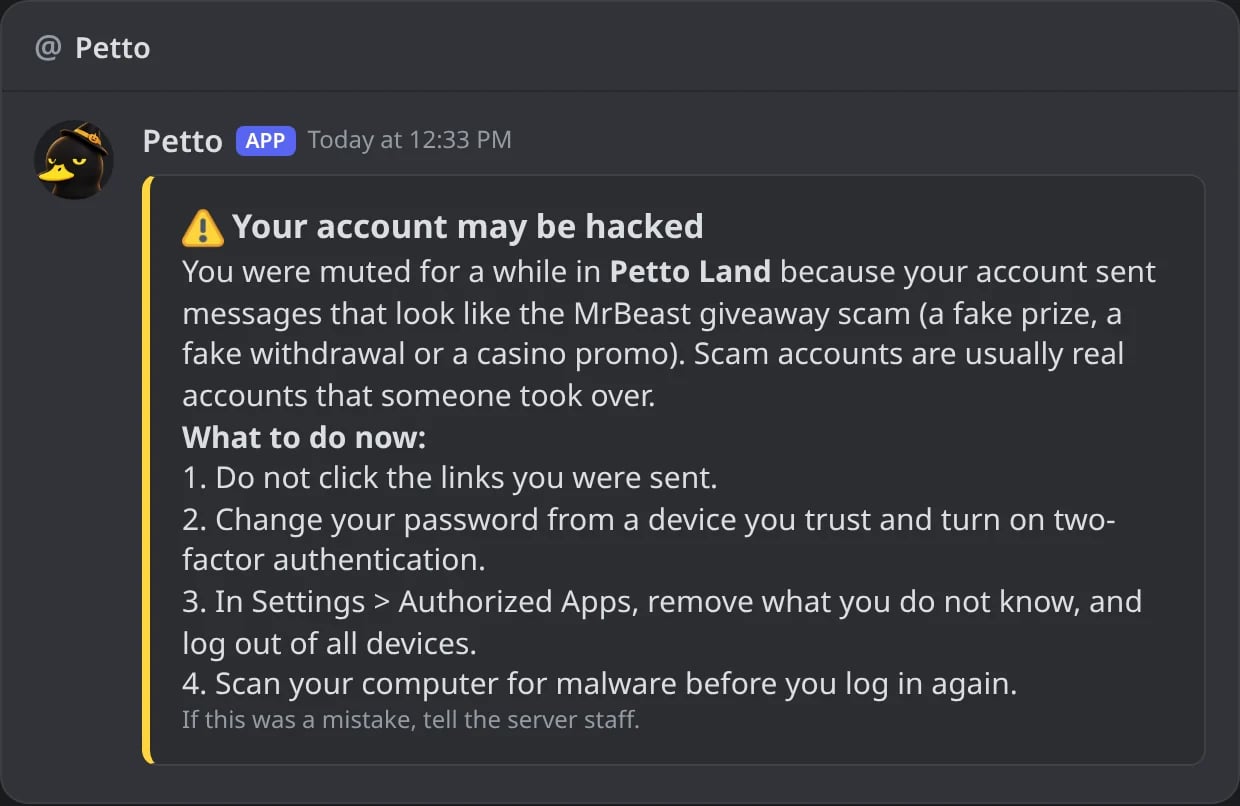
In Discord: the DM the hijacked account gets.
Undo
Undo
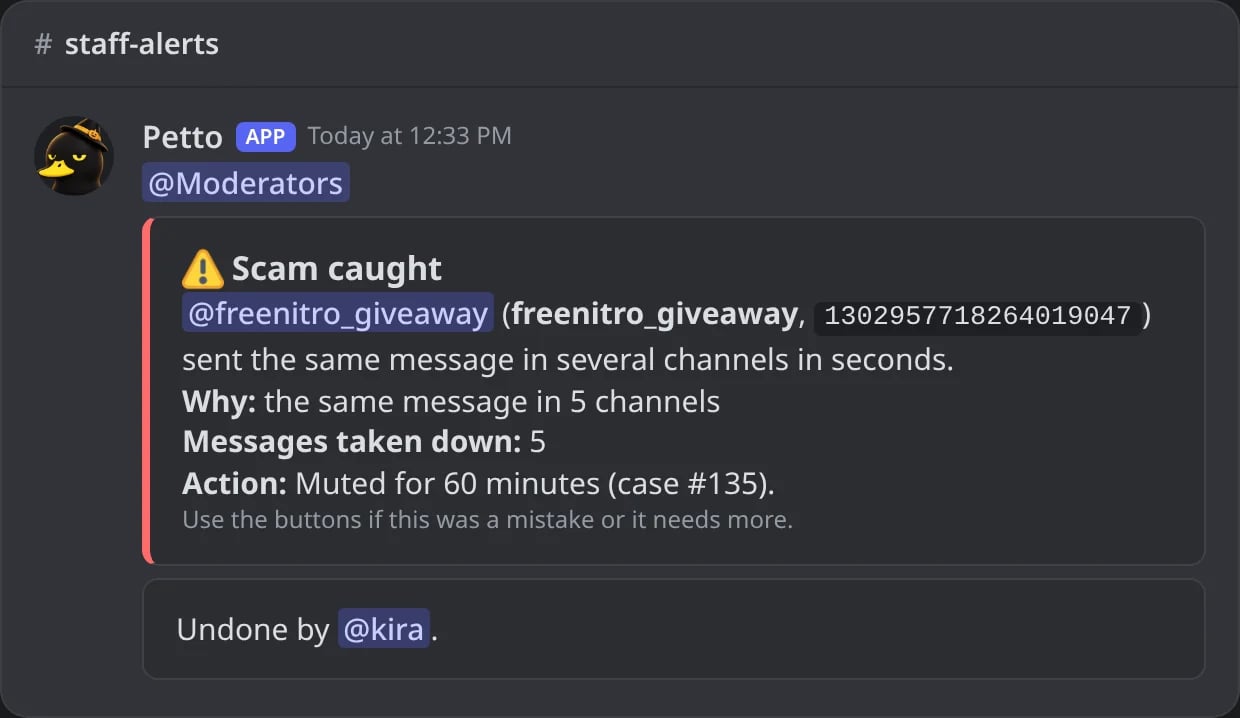
In Discord: Undo pressed: the mute is lifted and the alert says who did it.
Ban
Ban
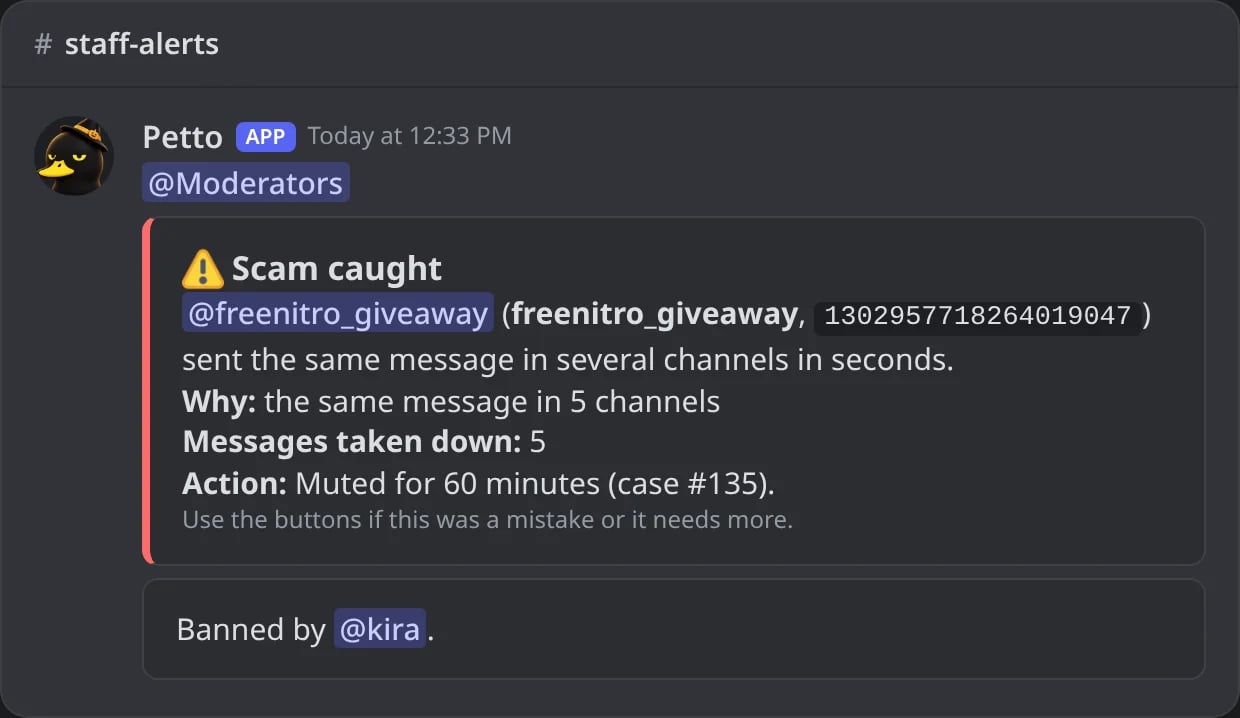
In Discord: Ban pressed: the account is banned.
Not a scam
Not a scam
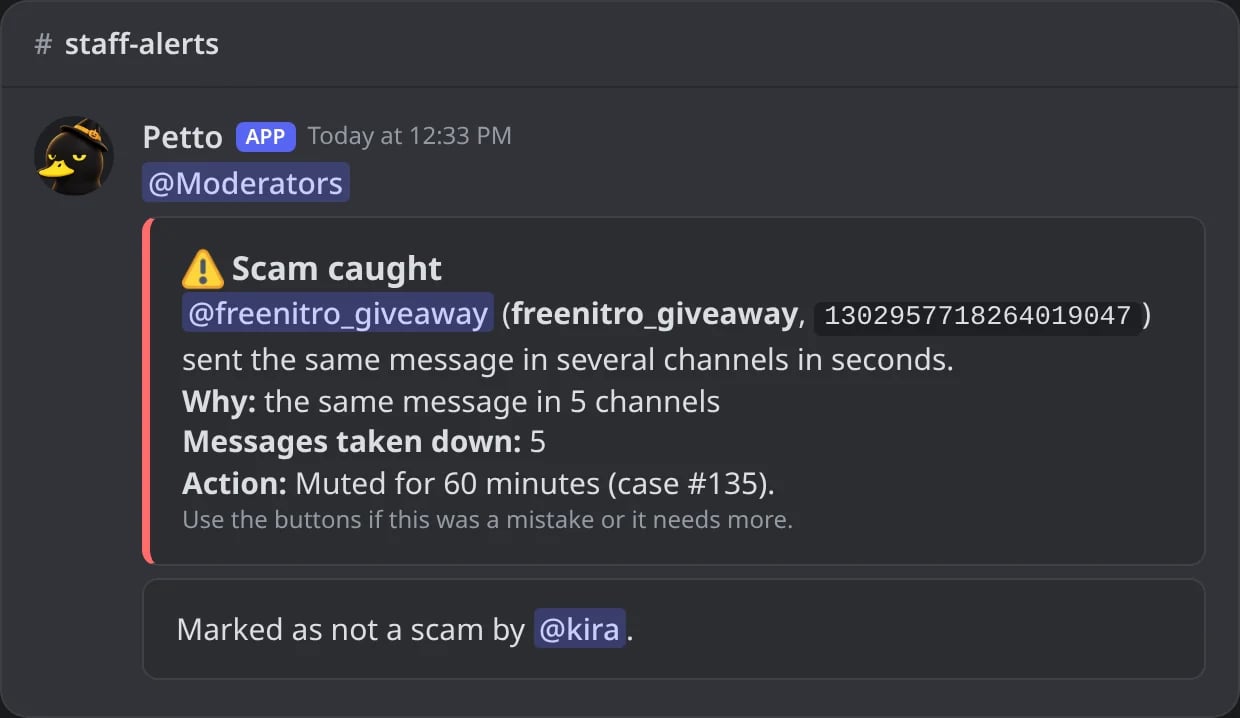
In Discord: Not a scam pressed: the mute is lifted and the alert is marked.

Dashboard → Moderation → Anti scam: the counts, every option and the latest scams caught.