
Overview
Anti-nuke is a separate, more serious layer than the rest of the automod: it watches for a burst of destructive actions by one account and answers once the account crosses the limit. Every protection has its own switch, limit, window, action, alert channel and trusted accounts and roles. Everything starts off.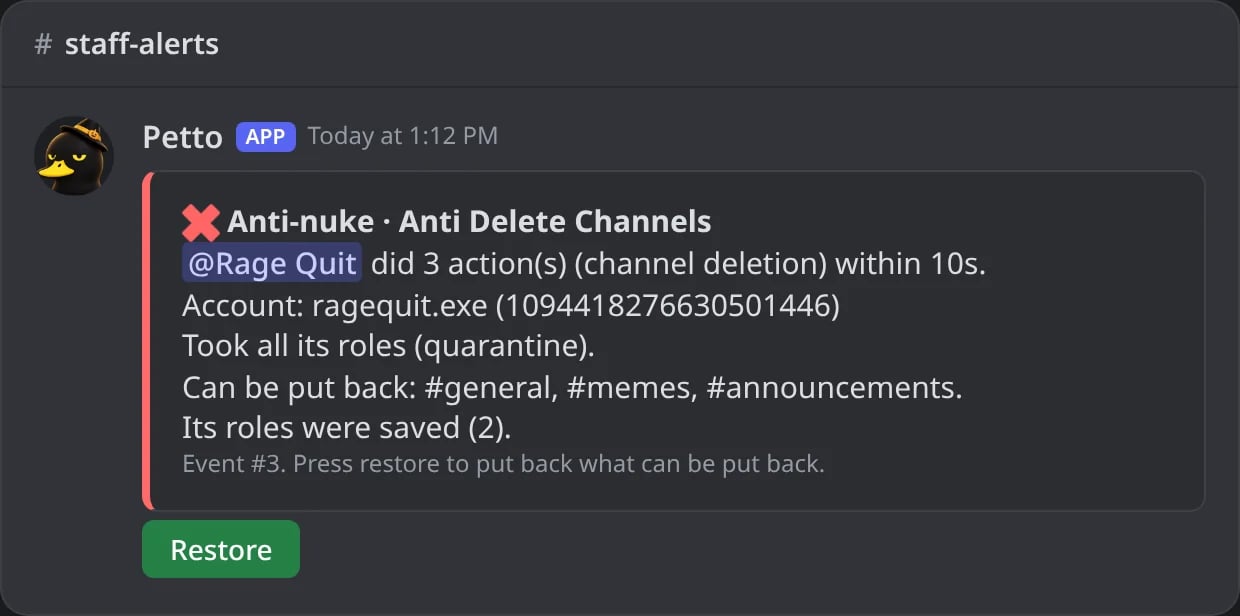
In Discord: the alert when an account deletes three channels in ten seconds.
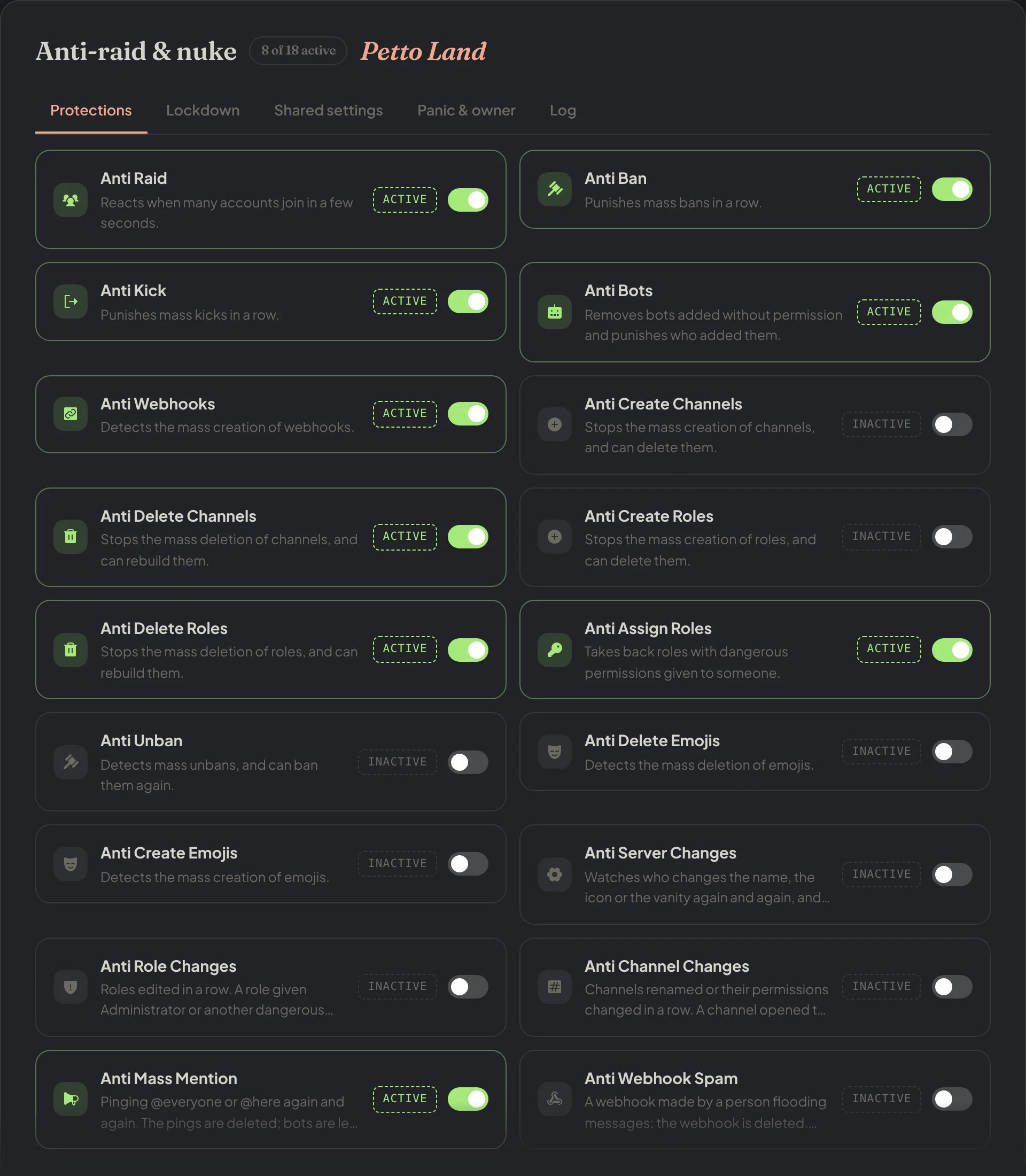
Dashboard → Moderation → Anti-raid & nuke: each protection with its own switch.
Protections
alert), take all their roles (quarantine, the default), kick (kick) or ban (ban). A bot is always banned, unless the action is only alert. The server owner, Petto, anyone trusted and any account whose role is at or above Petto’s are never touched. A quarantine keeps the roles Discord manages (booster, integrations).
After a protection answers, what the same account still does in that window is undone too, without a second alert. When Discord’s audit log is late, Petto reads it again a moment later, and an entry is never counted twice.
Dangerous permissions for Anti Role Changes are Administrator, Manage Server, Manage Roles, Manage Channels, Manage Webhooks, Ban, Kick, Timeout and Mention Everyone. When it answers, the roles go back to how they were before the first edit. Anti Channel Changes watches Manage Channels, Manage Roles, Manage Webhooks, Manage Messages and Mention Everyone given to @everyone, and puts back the old name, topic and permissions. Anti Webhook Spam leaves the webhooks of bots and apps (PluralKit, interactions, followed channels) alone.
Dashboard
Anti-raid & nuke in the dashboard shows every protection in one list, like a switchboard: open a row to change its limit, window, action, alert channel and trusted accounts and roles. The Shared settings tab sets who is trusted by all of them and the default alert channel, and the Panic & owner tab has panic mode, owner only, the trusted admins and the owner’s DM. Anti Raid and Anti Alt (accounts joining) are in the same list.Protections: a protection opened
Protections: a protection opened
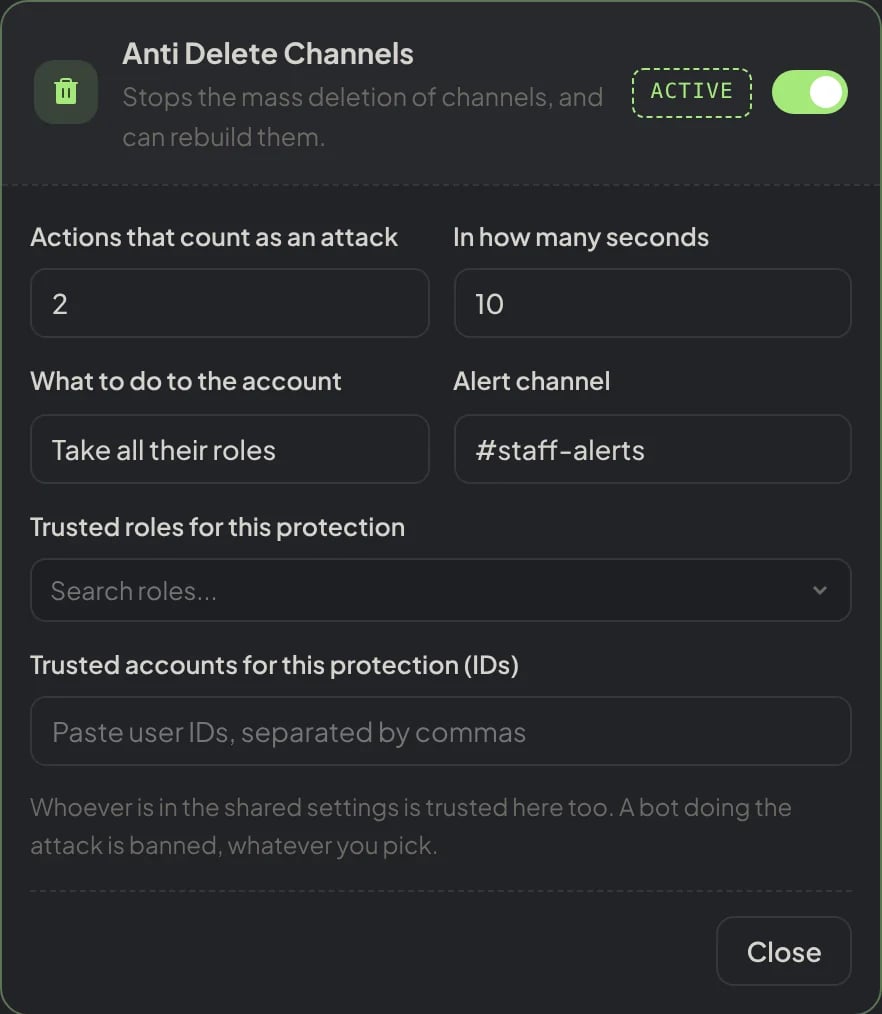
Dashboard → Moderation → Anti-raid & nuke: Anti Delete Channels opened with its limit, window, action, alert channel and trusted roles and accounts.
Protections: Anti Raid and Anti Alt
Protections: Anti Raid and Anti Alt
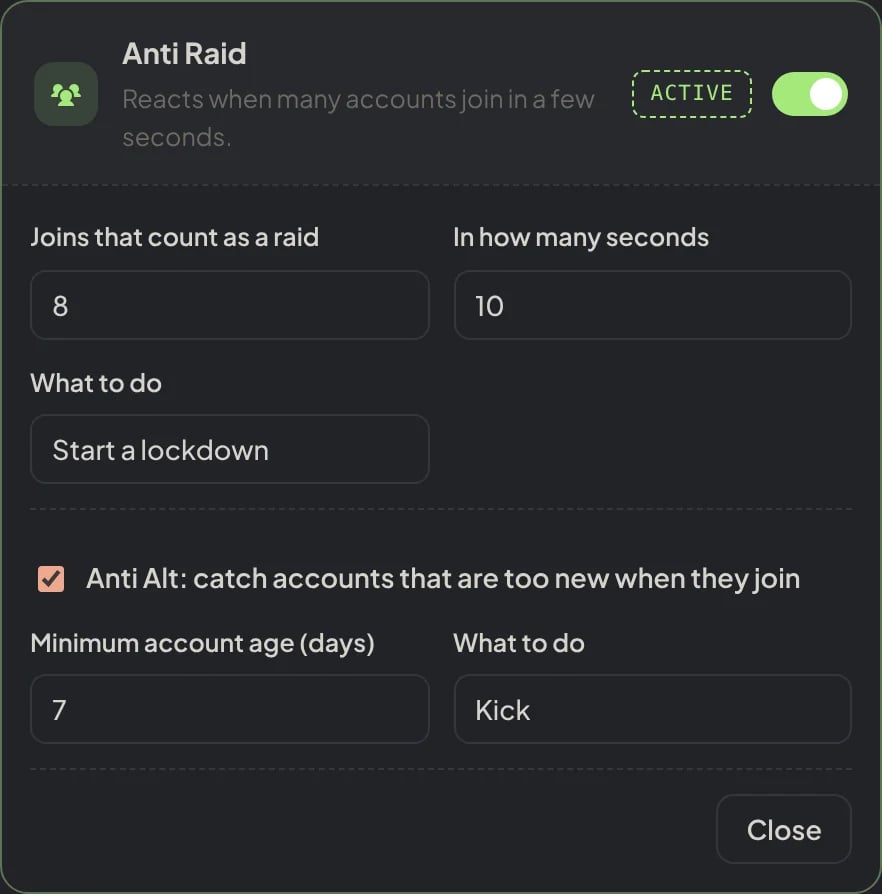
Dashboard → Moderation → Anti-raid & nuke: Anti Raid opened, with Anti Alt in the same row.
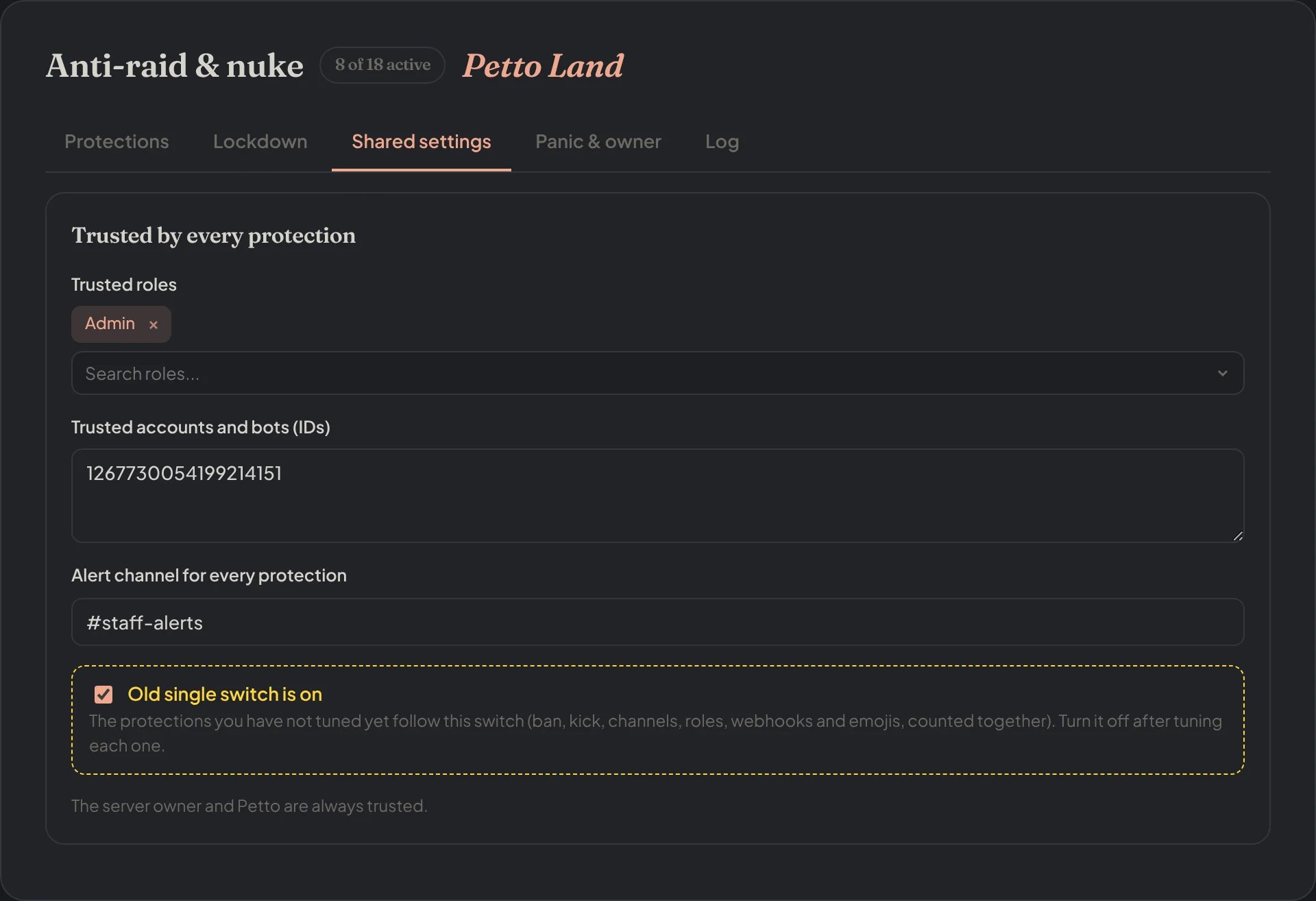
Dashboard → Moderation → Anti-raid & nuke → Shared settings: who every protection trusts and the default alert channel.
Panic & owner
Panic & owner
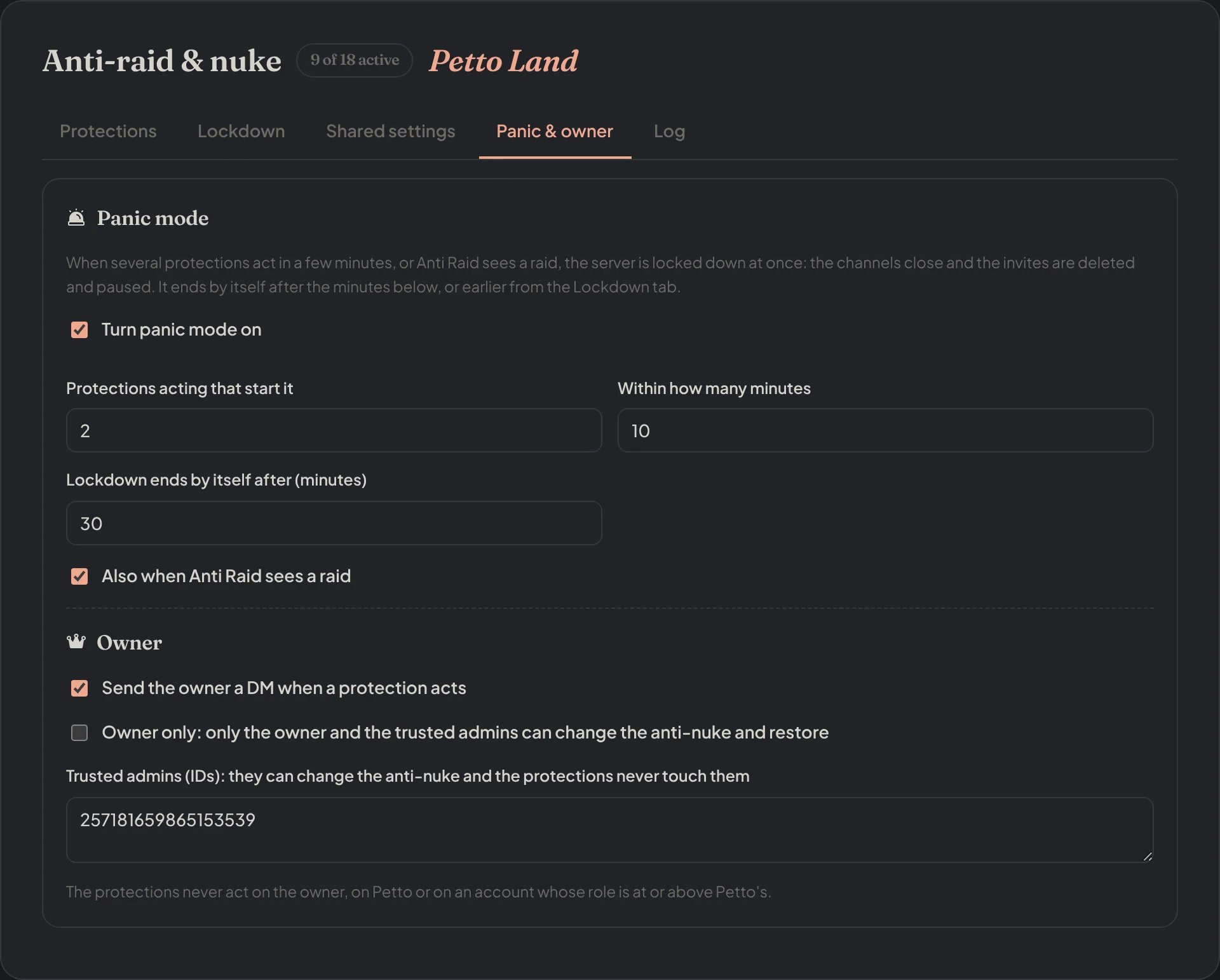
Dashboard → Moderation → Anti-raid & nuke → Panic & owner: panic mode, the owner's DM, owner only and the trusted admins.
Commands
Every!antinuke command (alias !an) needs Administrator. With owner only on, only the owner and the trusted admins can change it.
!antinuke status
!antinuke status
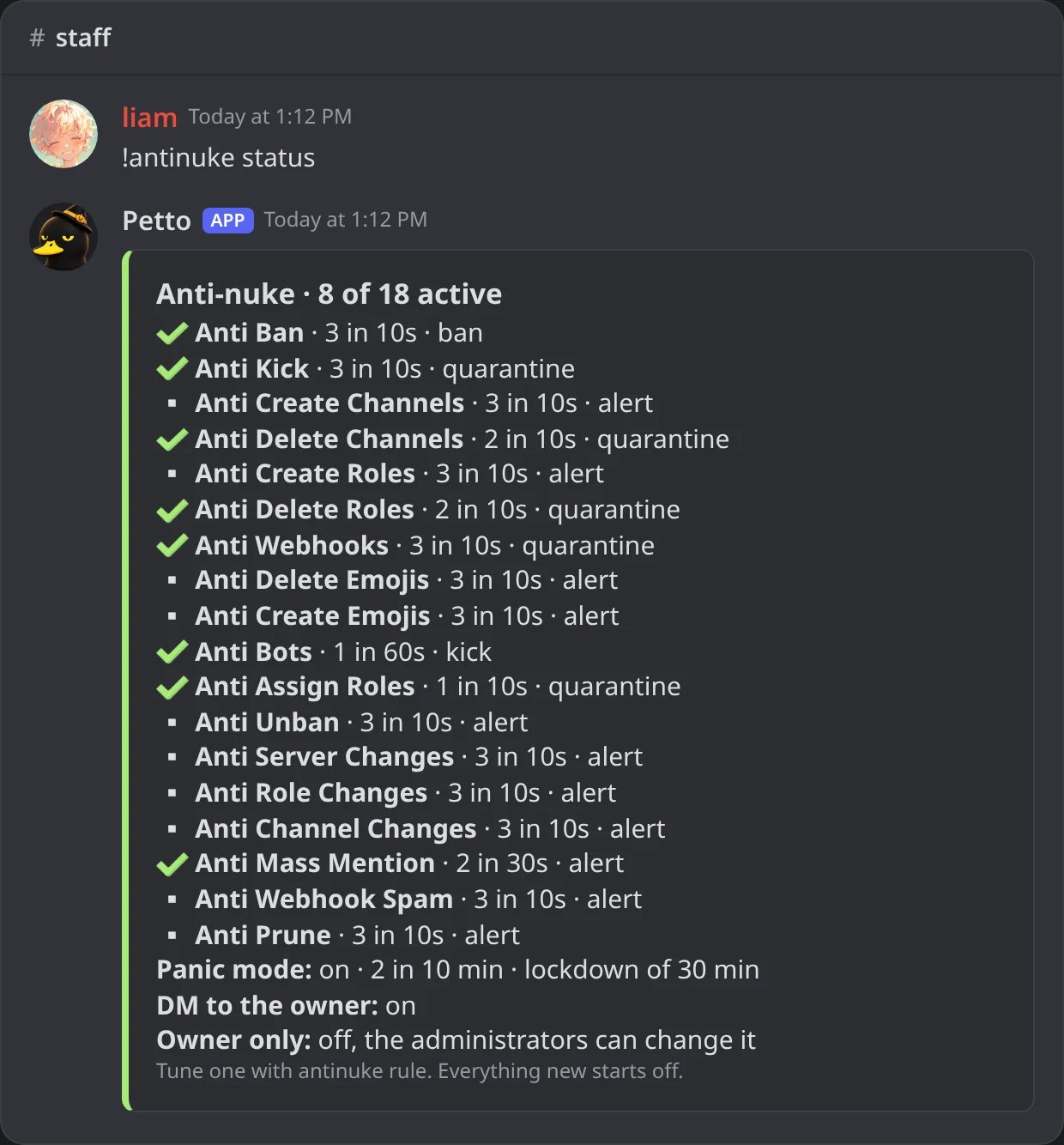
In Discord: every protection with its limit and action, panic mode, the DM and owner only.
!antinuke rule
!antinuke rule
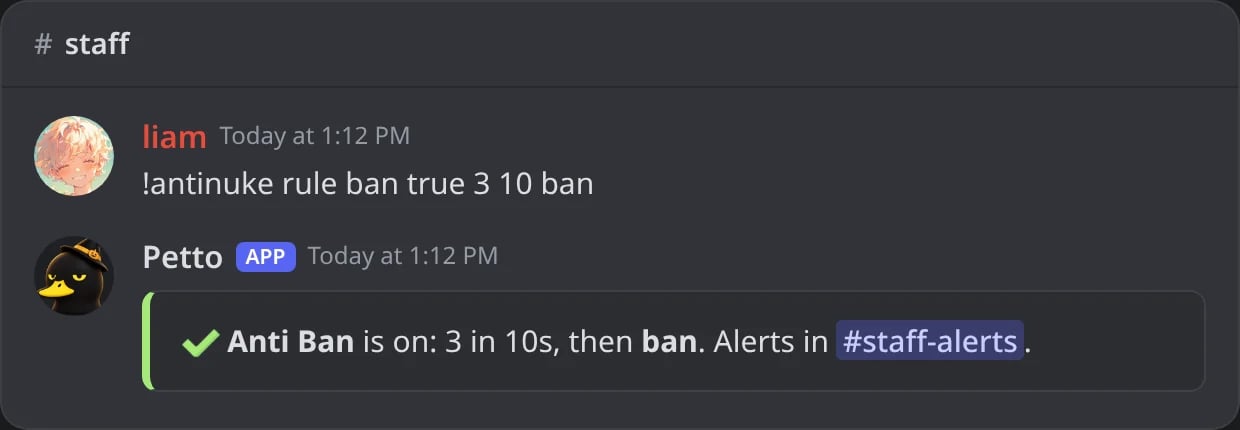
In Discord: Anti Ban tuned to ban after 3 bans in 10 seconds.
!antinuke whitelist add
!antinuke whitelist add
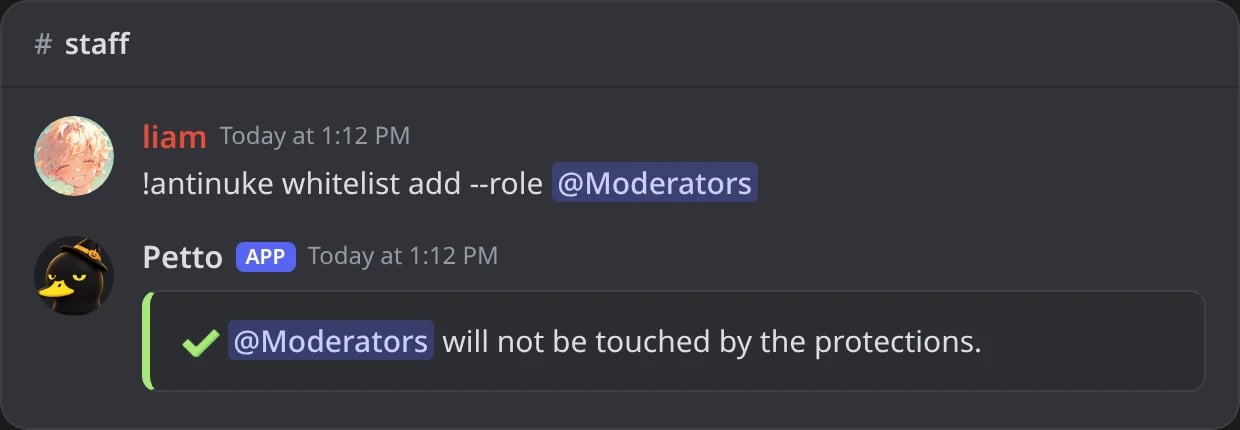
In Discord: a role trusted by every protection.
!antinuke whitelist remove
!antinuke whitelist remove
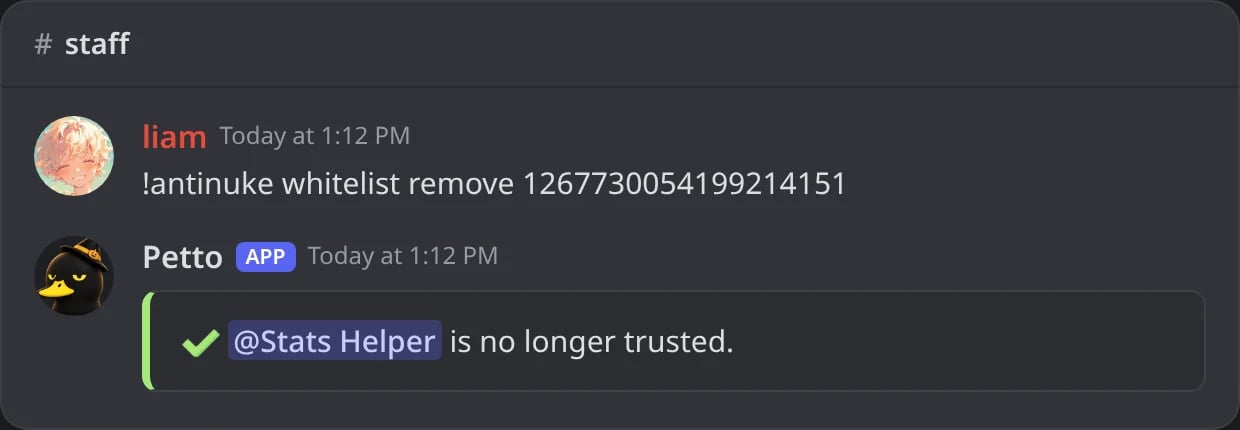
In Discord: an account that is no longer trusted.
!antinuke whitelist list
!antinuke whitelist list
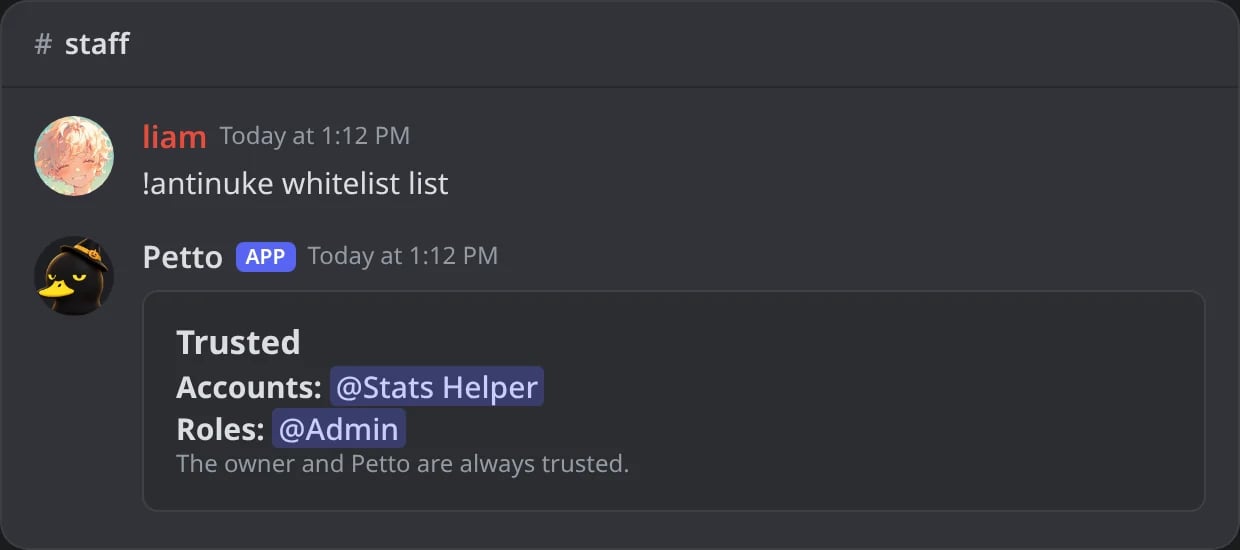
In Discord: the trusted accounts and roles.
!antinuke panic
!antinuke panic
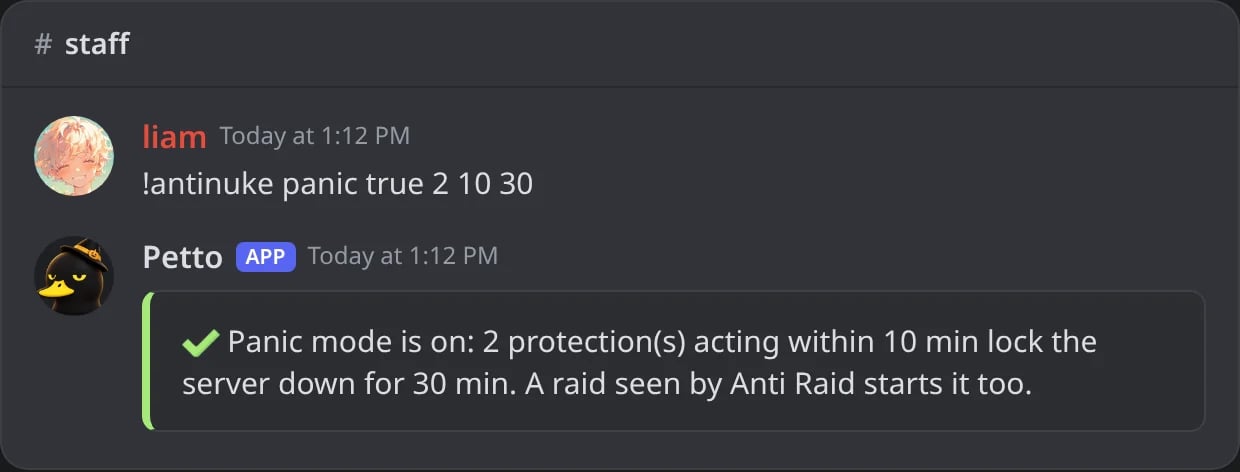
In Discord: panic mode turned on.
!antinuke settings
!antinuke settings
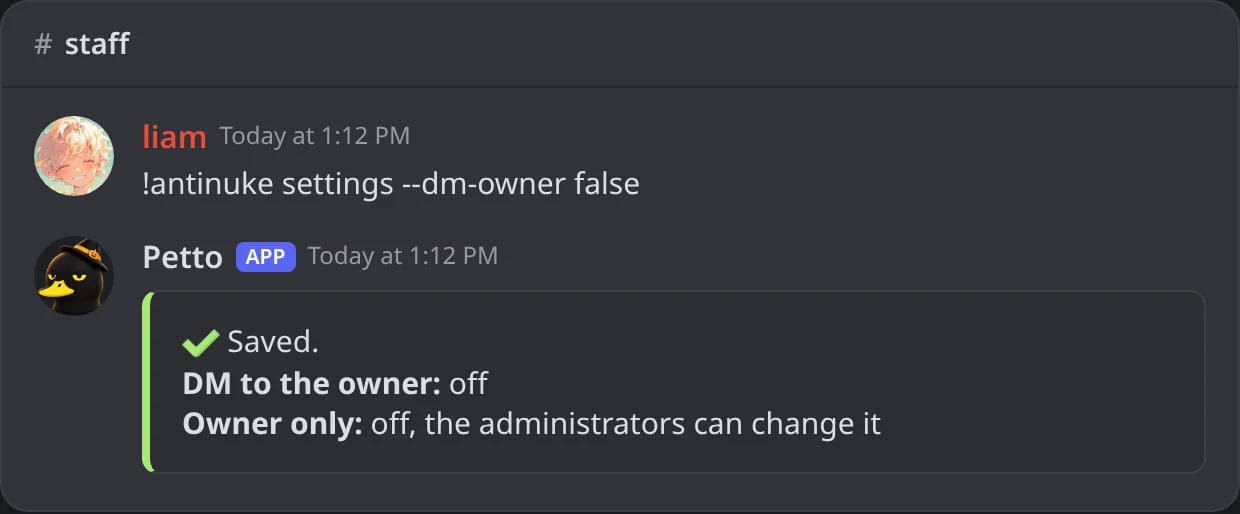
In Discord: the owner's DM turned off.
!antinuke admins add
!antinuke admins add
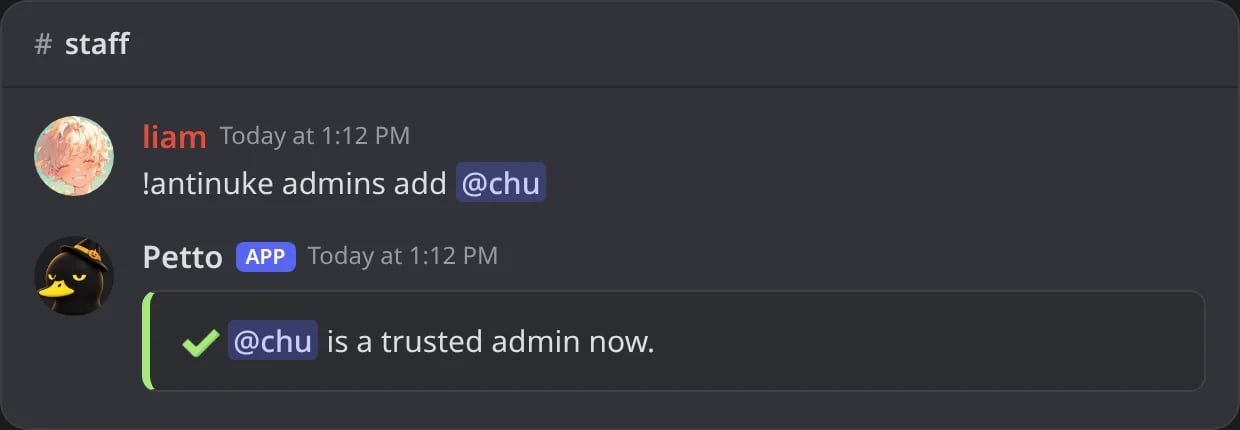
In Discord: a trusted admin named by the owner.
!antinuke admins remove
!antinuke admins remove
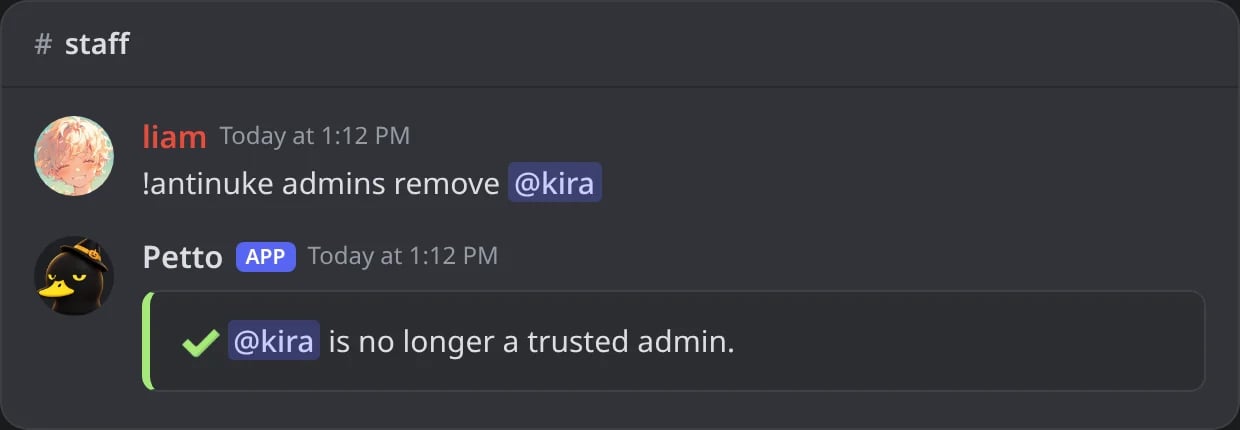
In Discord: a trusted admin removed.
!antinuke admins list
!antinuke admins list
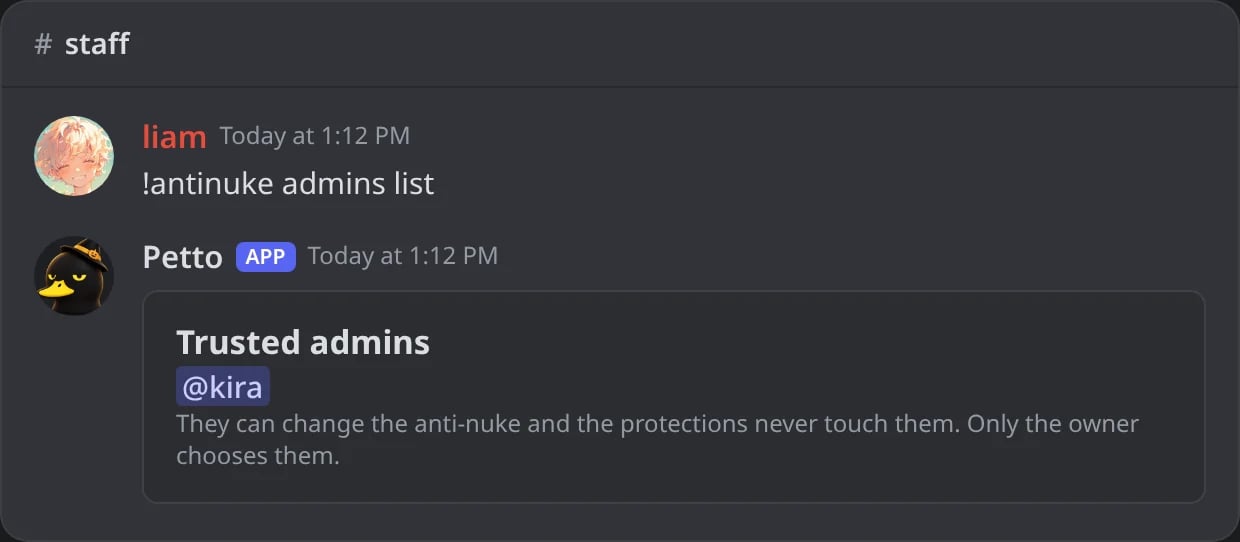
In Discord: the trusted admins.
!antinuke log
!antinuke log
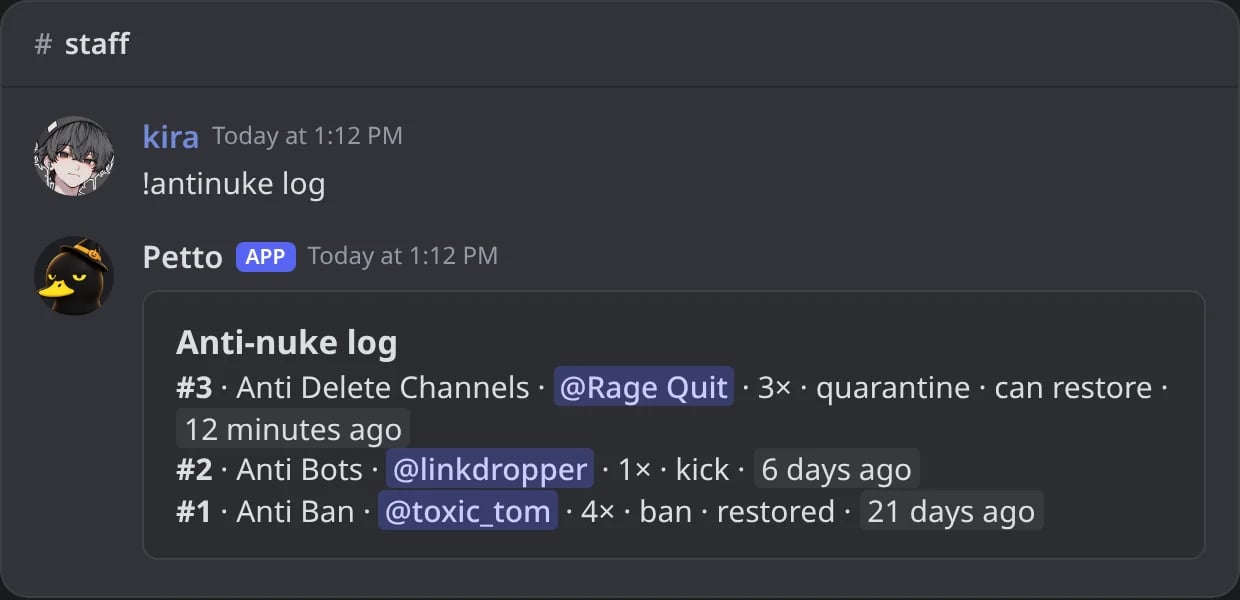
In Discord: the last times a protection acted, and what can still be restored.
!antinuke restore
!antinuke restore
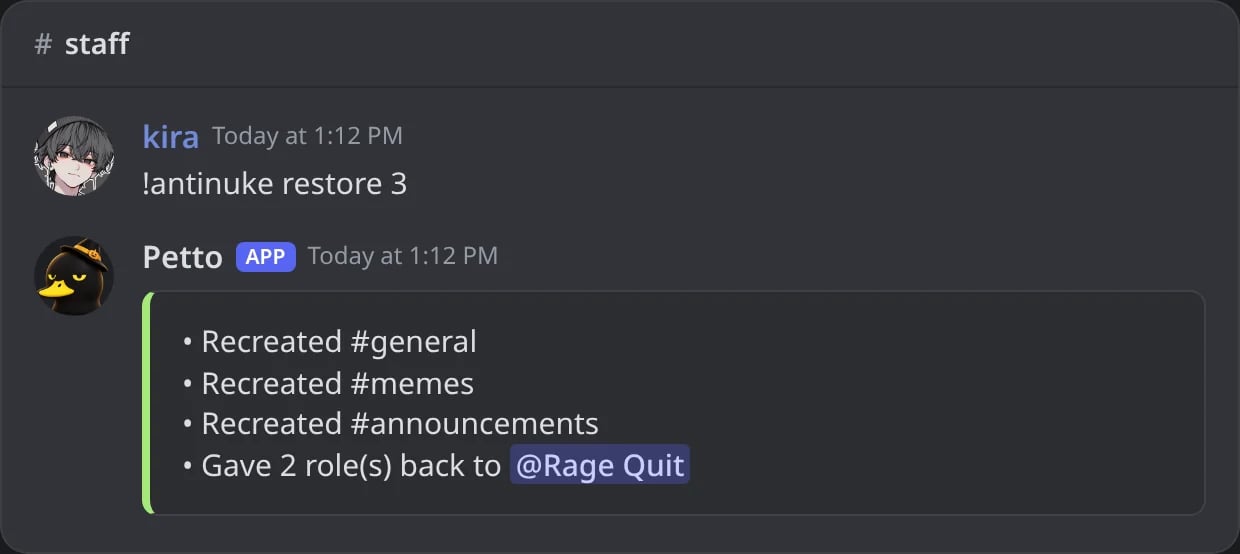
In Discord: event 3 put back: three channels rebuilt and the roles given back.
protection is one of ban, kick, bot_add, webhook, channel_create, channel_delete, role_create, role_delete, role_assign, unban, emoji_delete, emoji_create, guild_update, role_update, channel_update, mention_everyone, webhook_spam and prune. The limit goes from 1 to 50 and the window from 2 to 600 seconds. Options can be written in order or with their name, like --limit 3.
Panic mode
With panic mode on, when several protections act within a few minutes (2 in 10 minutes by default), or Anti Raid sees a raid, the server is locked down at once: the channels close and the invites are deleted and paused, like!lockdown. The lockdown ends by itself (after 30 minutes by default), or earlier with !lockdown end or the dashboard. It is off until you turn it on.
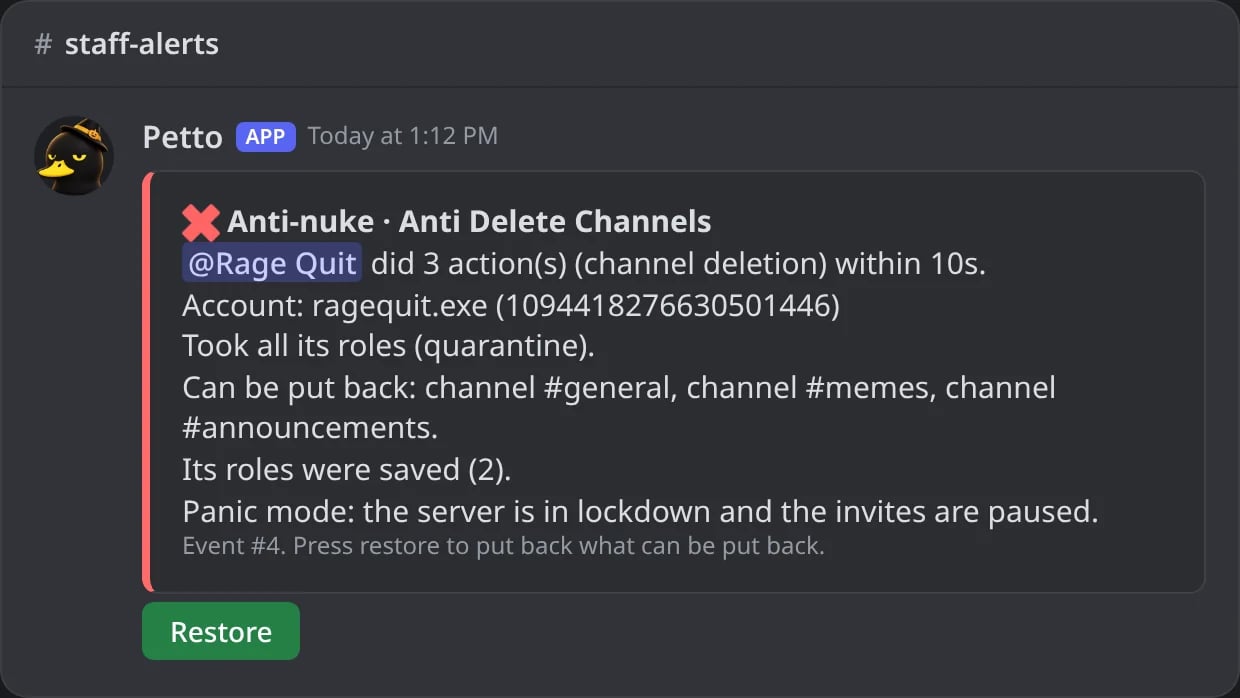
In Discord: with panic mode on, the alert says the server is in lockdown.
Trusted admins, owner only and the owner’s DM
- Trusted admins (
!antinuke admins add) are named by the owner: the protections never touch them and they can change the anti-nuke. - Owner only (
!antinuke settings --owner-only true): only the owner and the trusted admins can change the anti-nuke and press Restore. Other administrators can still read it. - DM to the owner: the owner gets a DM when a protection acts, at most once a minute. It is on by default;
!antinuke settings --dm-owner falseturns it off. The alert card names the account and its ID.
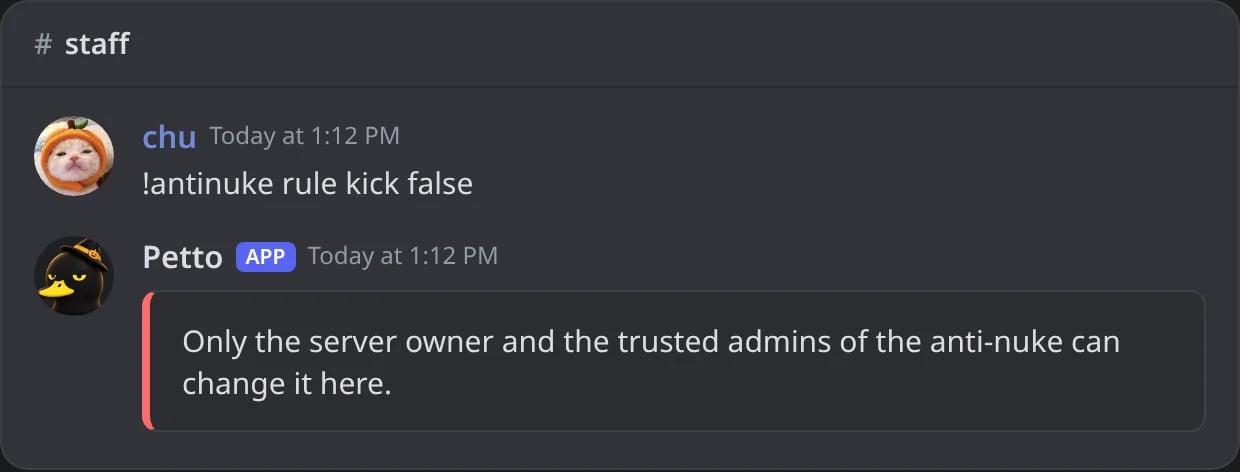
In Discord: with owner only on, an administrator who is not trusted is refused.
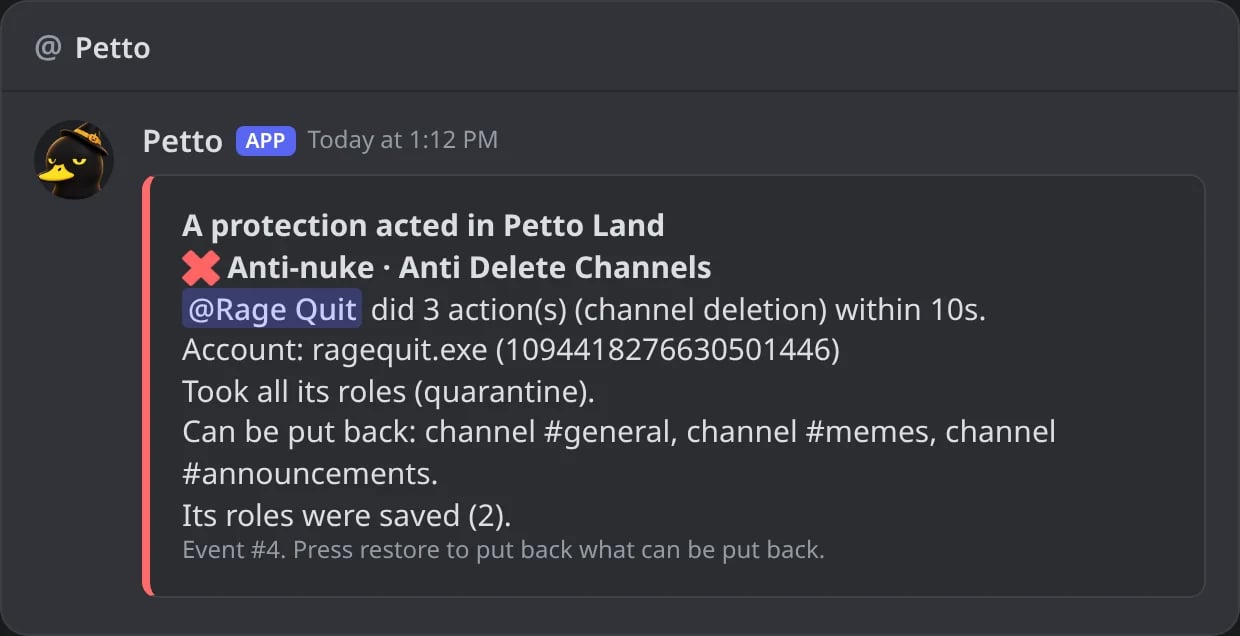
In Discord: the DM the owner gets when a protection acts.
Log and restore
Every time a protection acts it saves an event with what it can put back, and the alert has a Restore button. Restoring (button, dashboard log or!antinuke restore) can:
- rebuild deleted channels and roles with their settings (not their messages)
- lift mass bans, or ban again after mass unbans
- delete the channels and roles that were created in a burst
- give back the roles taken from the account that was quarantined
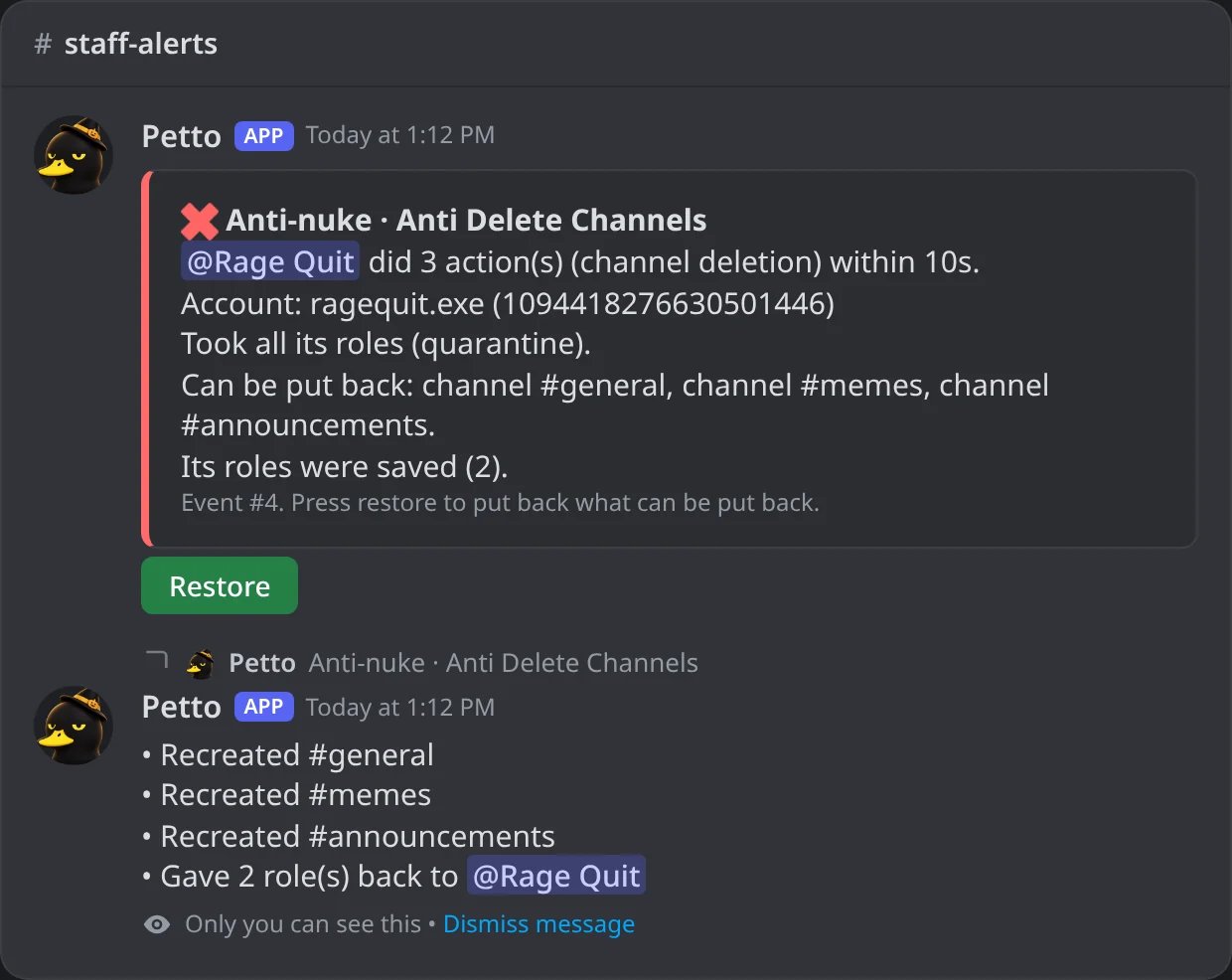
In Discord: Restore pressed on the alert: only the person who pressed it sees what was put back.
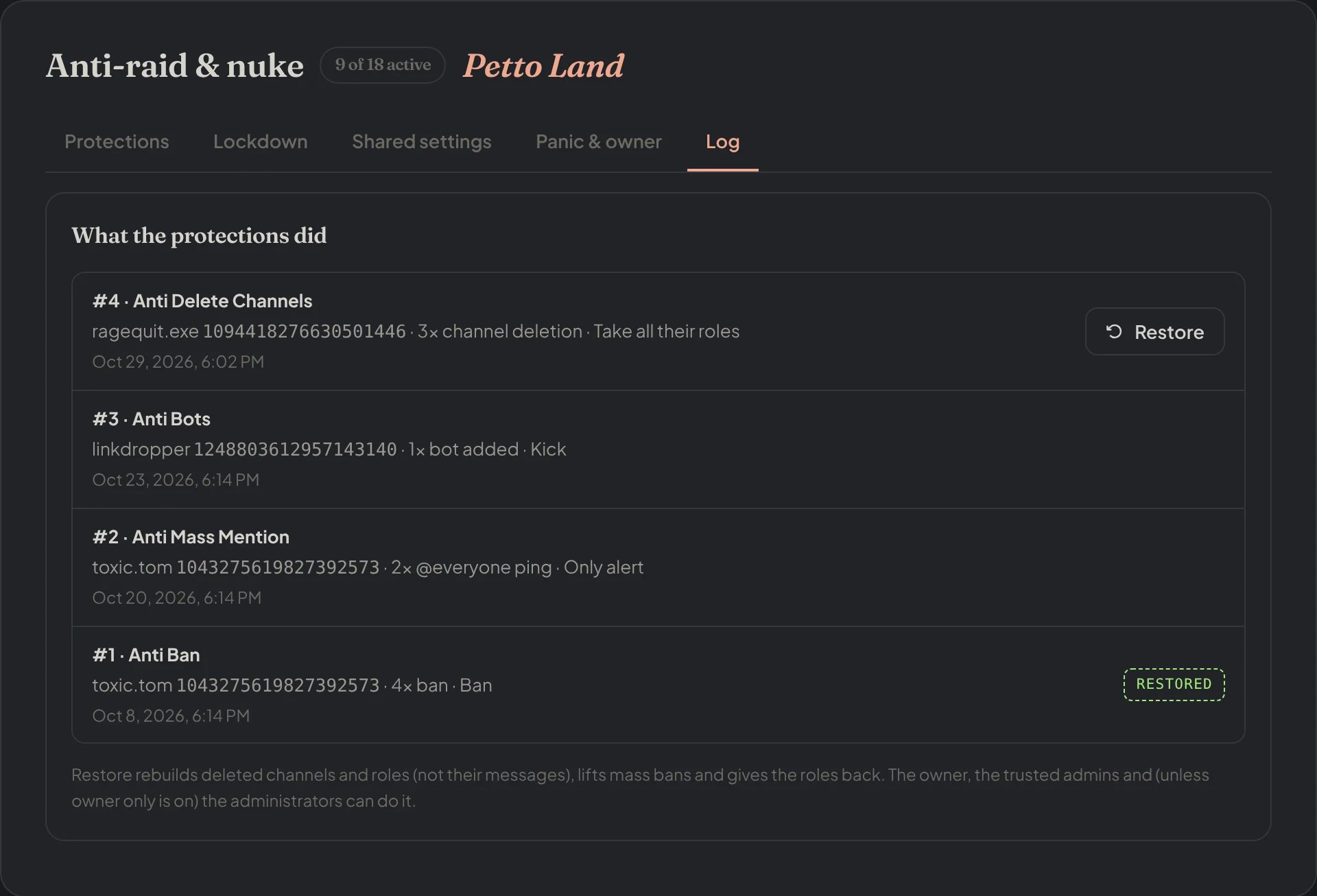
Dashboard → Moderation → Anti-raid & nuke → Log: every event, with Restore where something can still be put back.
Old command
The first version still works:!automod antinuke <enabled> [threshold] [window_seconds] is the old single switch.
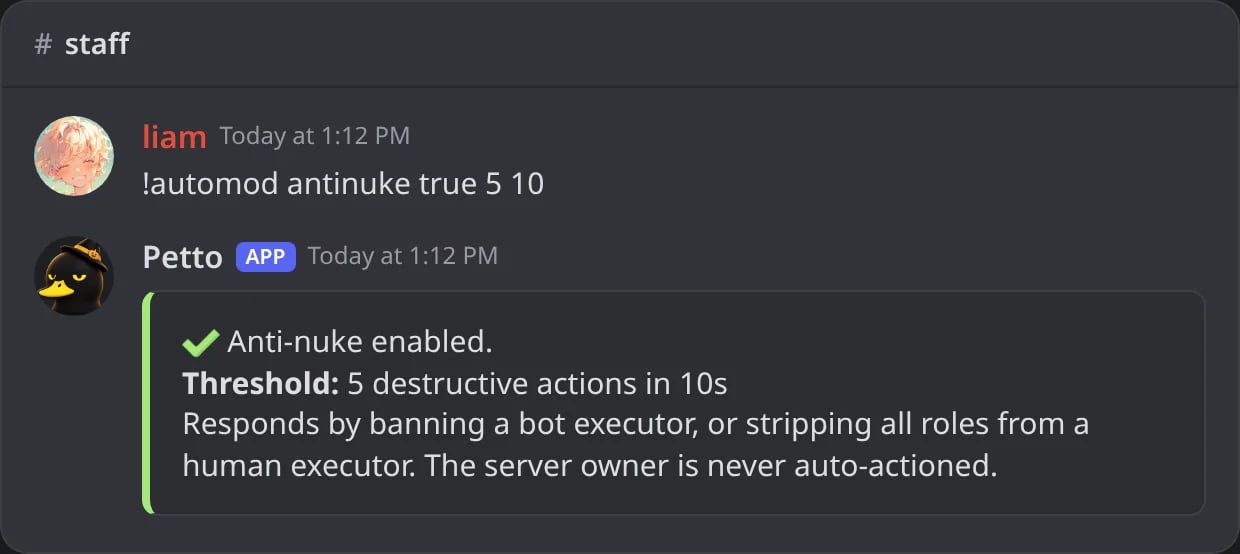
In Discord: the old single switch.
Whitelist
Users, bots and roles exempt from anti-nuke tracking entirely. In the commands above,!antinuke whitelist also takes roles; the old !automod antinuke-whitelist takes accounts.
!automod antinuke-whitelist add
!automod antinuke-whitelist add
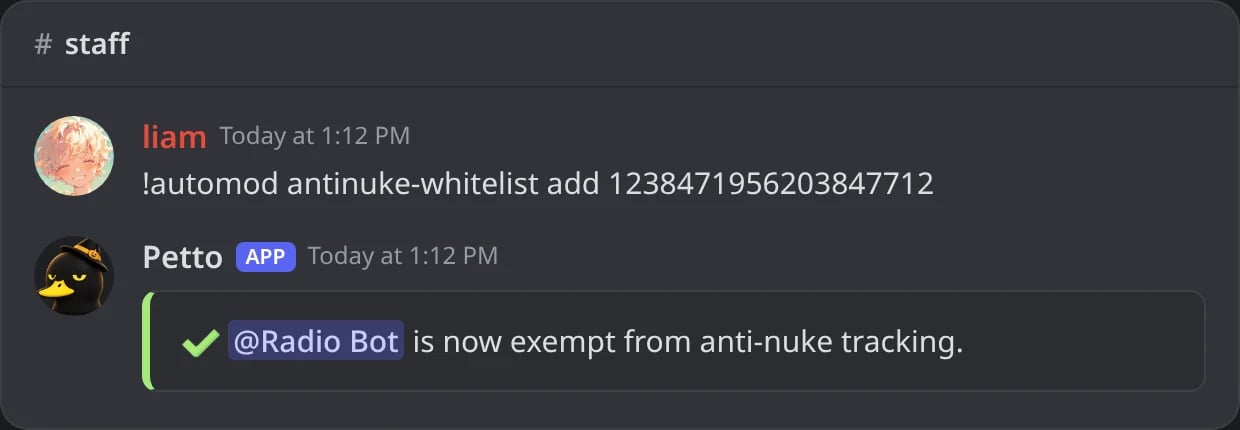
In Discord: an account exempt from the anti-nuke.
!automod antinuke-whitelist remove
!automod antinuke-whitelist remove
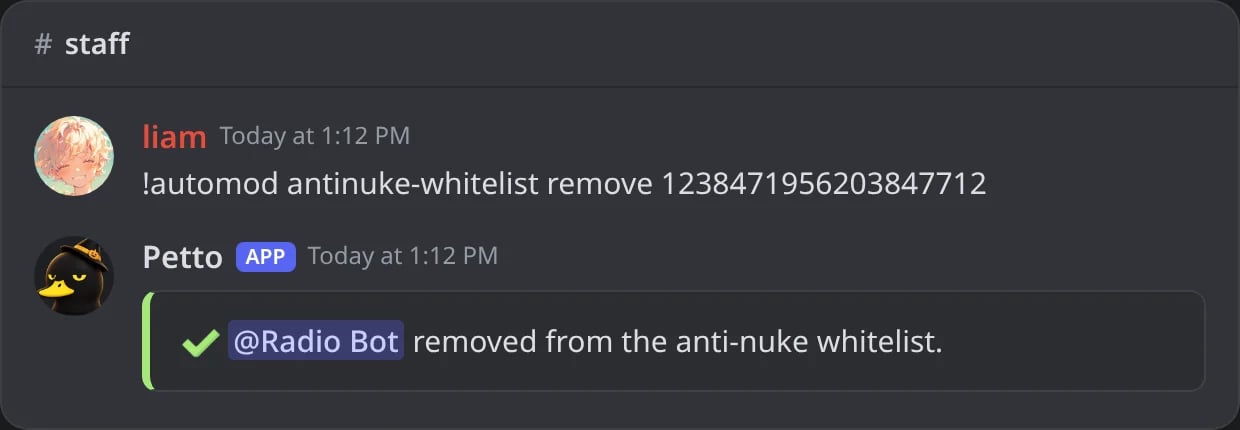
In Discord: an account taken off the list.
!automod antinuke-whitelist list
!automod antinuke-whitelist list
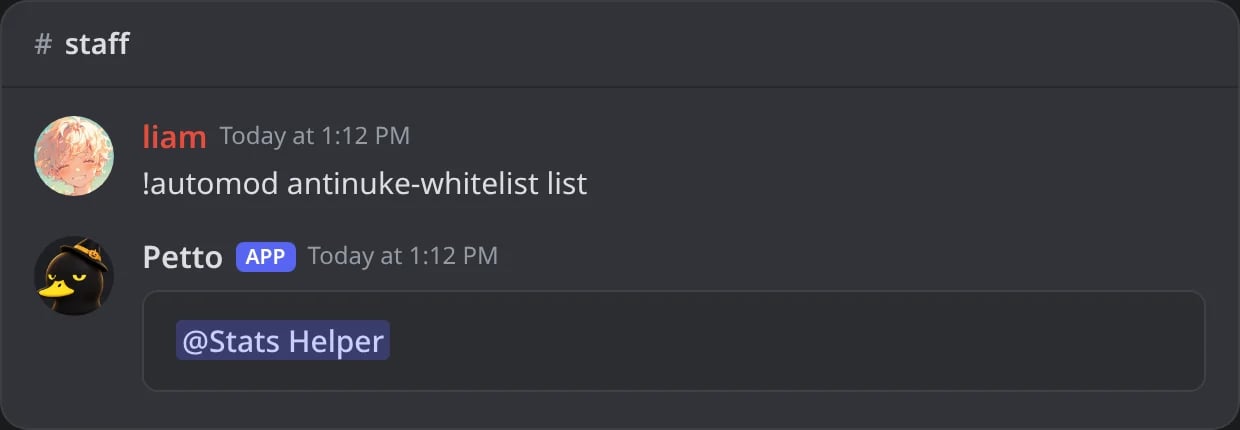
In Discord: the exempt accounts.