
Security scan
Petto can review the server without changing anything. It checks elevated roles, dangerous@everyone permissions, anti-nuke, anti-spam, anti-raid, verification, audit logs, and Petto’s audit-log access.

In Discord: the result of !security.
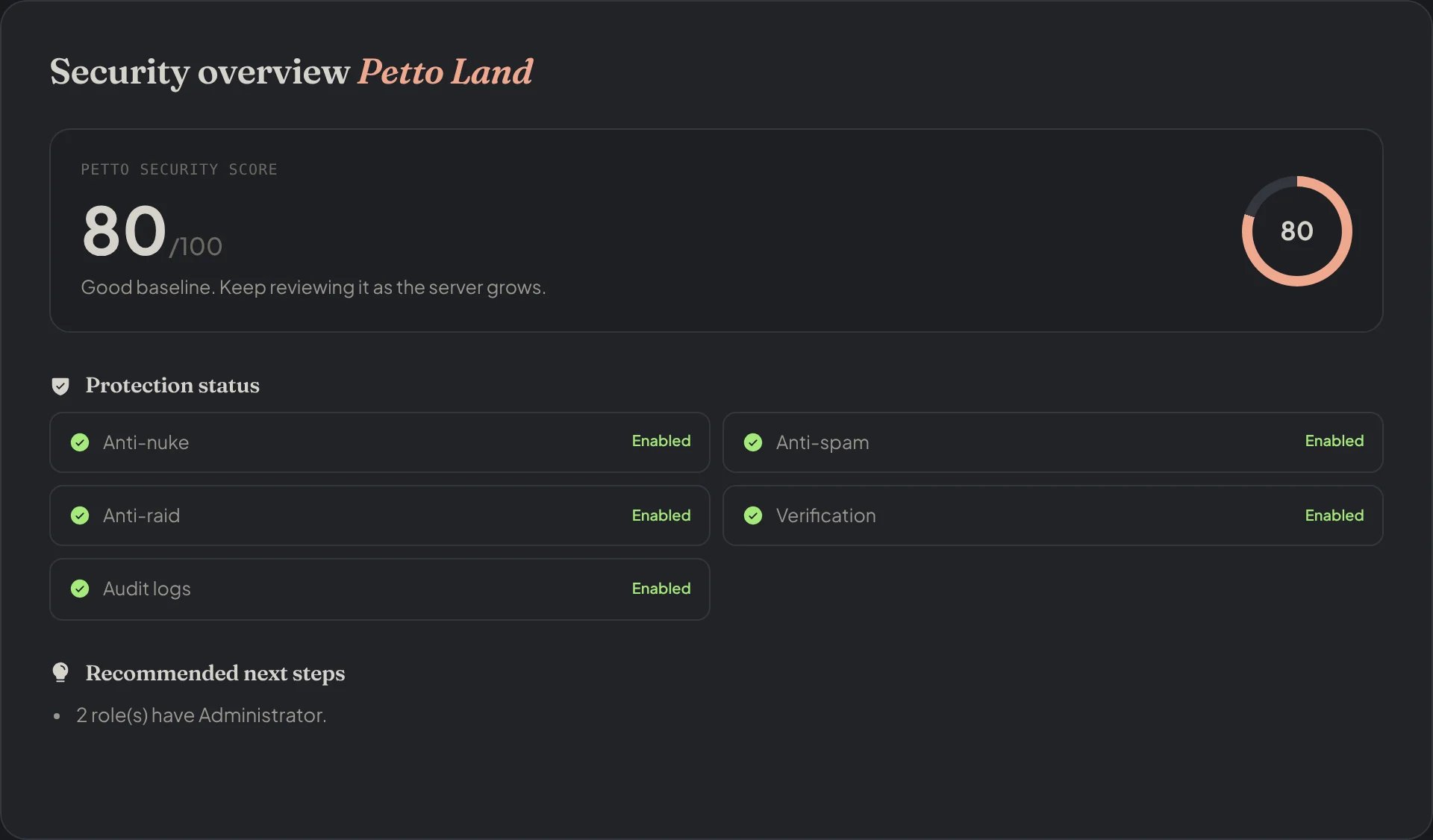
Dashboard → Security → Security: the score, each protection and what to do next.
Permission simulator
Preview the dangerous permissions on a role before changing it: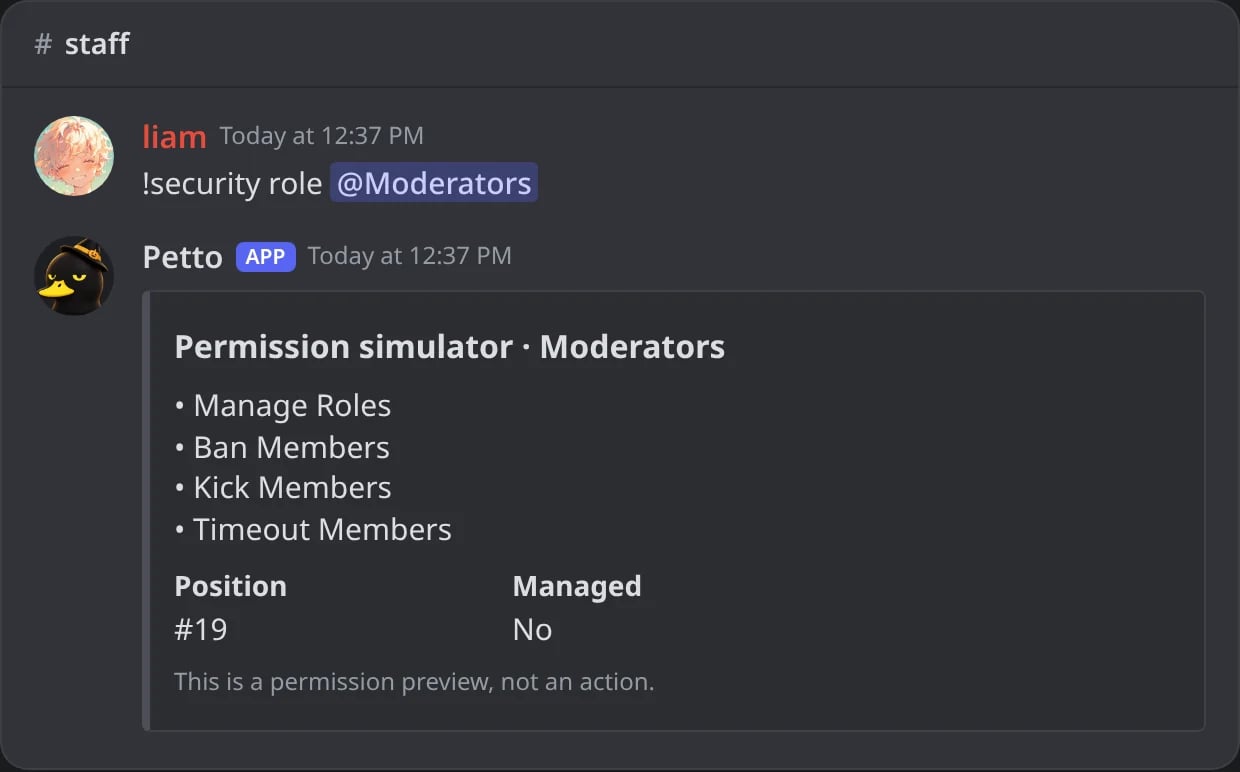
In Discord: what the Moderators role can do.
!security and !security role need Manage Server.
In the dashboard
Dashboard → Security has three views:- Security overview: the Petto Security Score, the state of each protection and the recommended next steps.
- Elevated roles: the roles that can moderate, manage the server or reach @everyone. That is not necessarily wrong, but review who has them.
- Command coverage: how the staff commands are protected (a Petto level, a role restriction, disabled, or only the Discord permission of the action). See Command permissions.

Dashboard → Security → Security: Elevated roles: who can moderate, manage the server or reach everyone.

Dashboard → Security → Command Coverage: how each staff command is protected.
Configuration backups
Backups of roles, channels, permissions, emojis, stickers, AutoMod rules and server settings live in Petto Vault:!backup create, !backup list, !backup export and a safe restore. Creating and exporting need Manage Server; restoring and deleting need Administrator. See Petto Vault.
Weekly summary
!summary is a human-readable activity report, not a message archive:
!summary messages (or voice, joins, leaves, invites, sanctions) shows only one of them. The aliases !weekly and !digest use the same report. Petto does not include message text in the report.