
Overview
!stats shows how a server is doing and how it changed: six numbers with their change against the period before, the busiest hours of the week, the top channels and members, how the server grows and how long the members who left had stayed, and what one member did. Every answer is a picture, so it looks the same for everyone.
Everything is counted per server (never across servers), in GMT-5. Petto only keeps numbers, never what was written, and nobody is counted who asked not to be.
!stats used to be another name of !summary. !summary stays as it was (!digest and !weekly too); !stats is now this analysis, with its own aliases !analytics and !analysis.Commands
days is a number from 1 to 180 (7 by default; 30 and 30d mean the same). The period before it has the same length, so !stats 30 compares the last 30 days with the 30 before them. A cooldown of a few seconds keeps the command from being spammed, because each answer adds up many numbers.
!stats top, !stats hours, !stats vs, !stats retention, !stats me, and others.
!stats
!stats
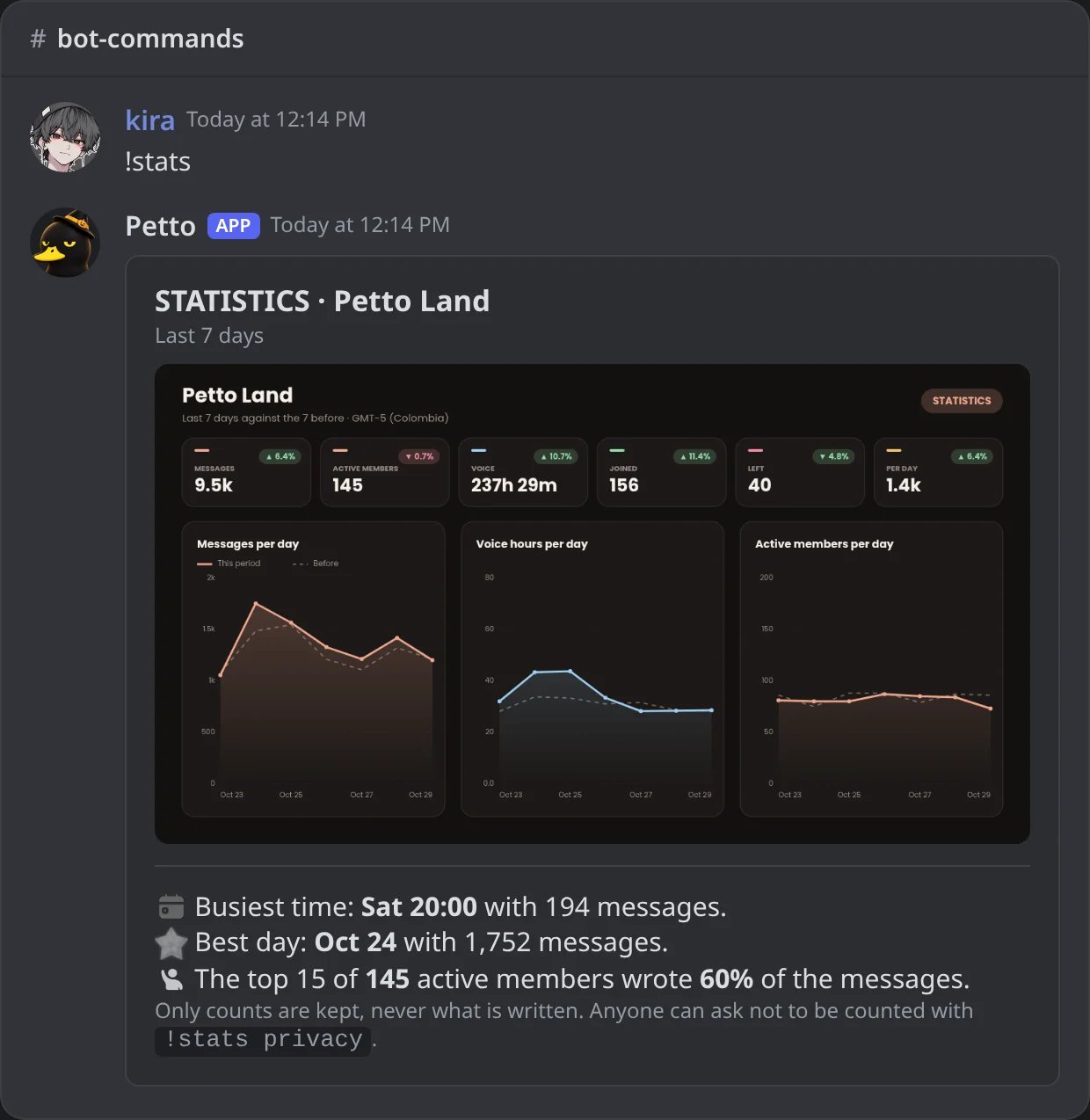
In Discord: the server at a glance, against the 7 days before.
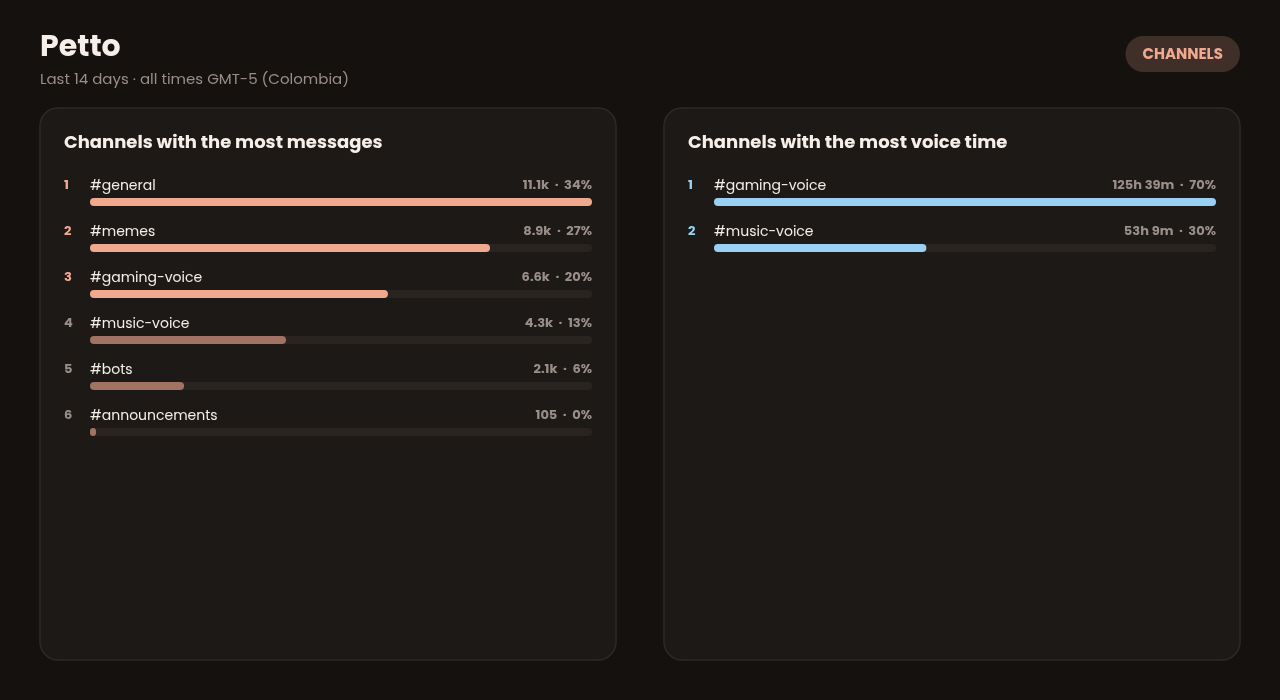
!stats channels
!stats channels
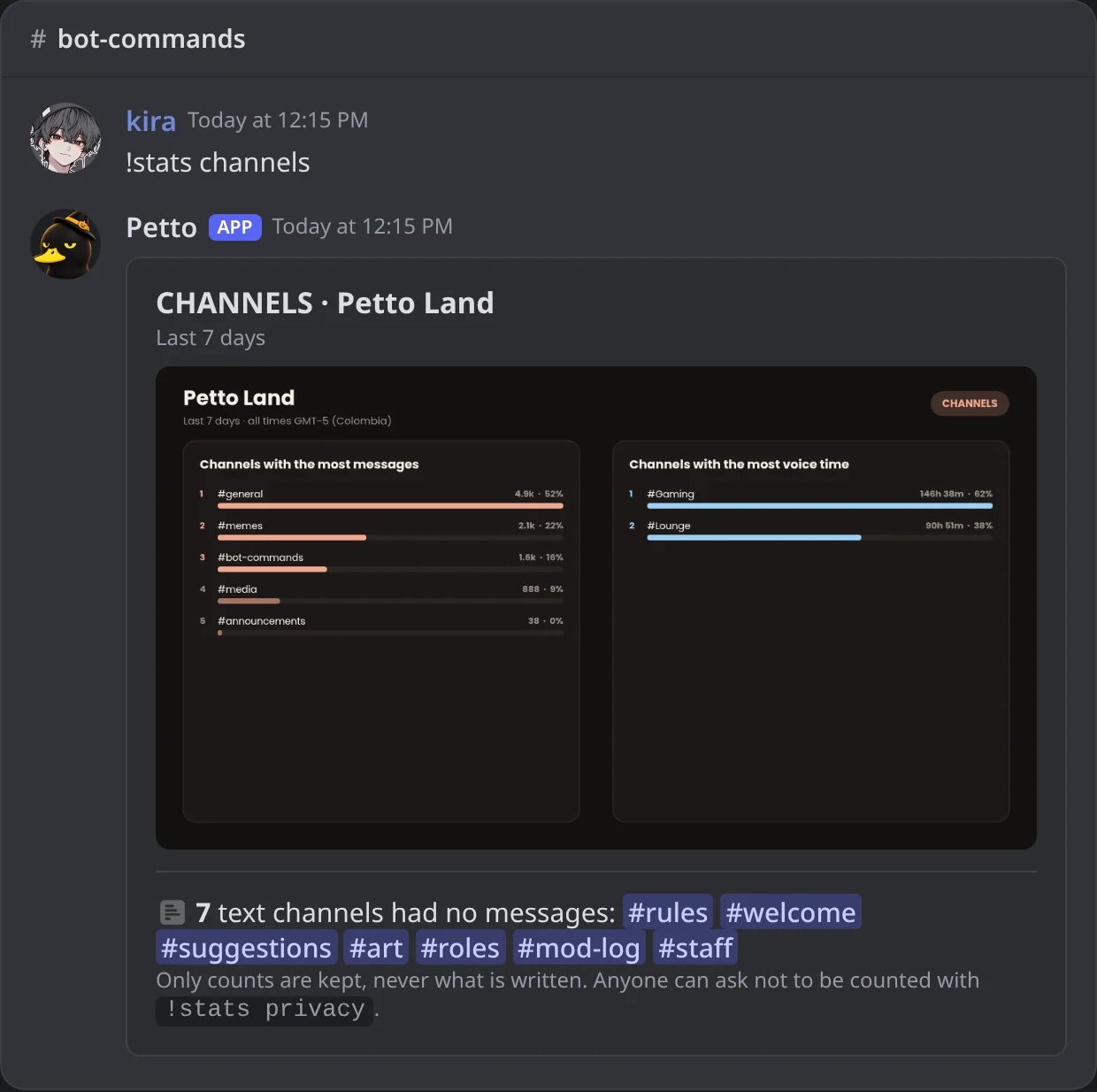
In Discord: the channels with the most messages and voice time, and the quiet ones.
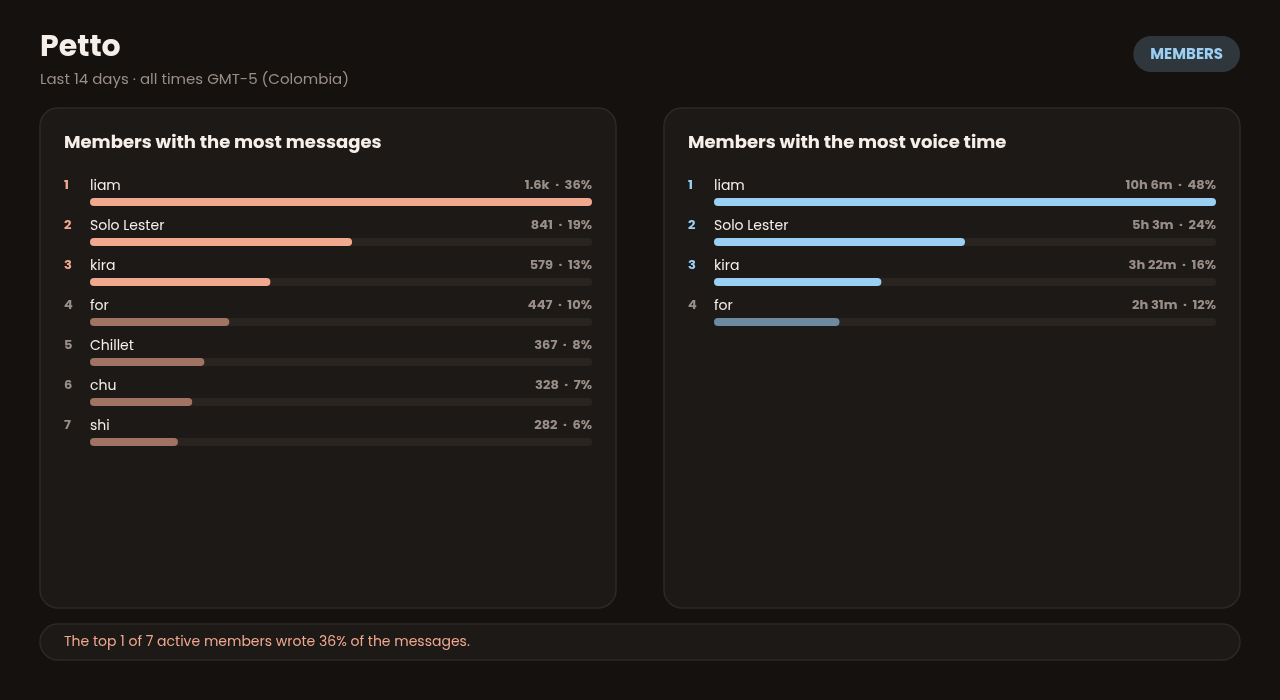
!stats members
!stats members
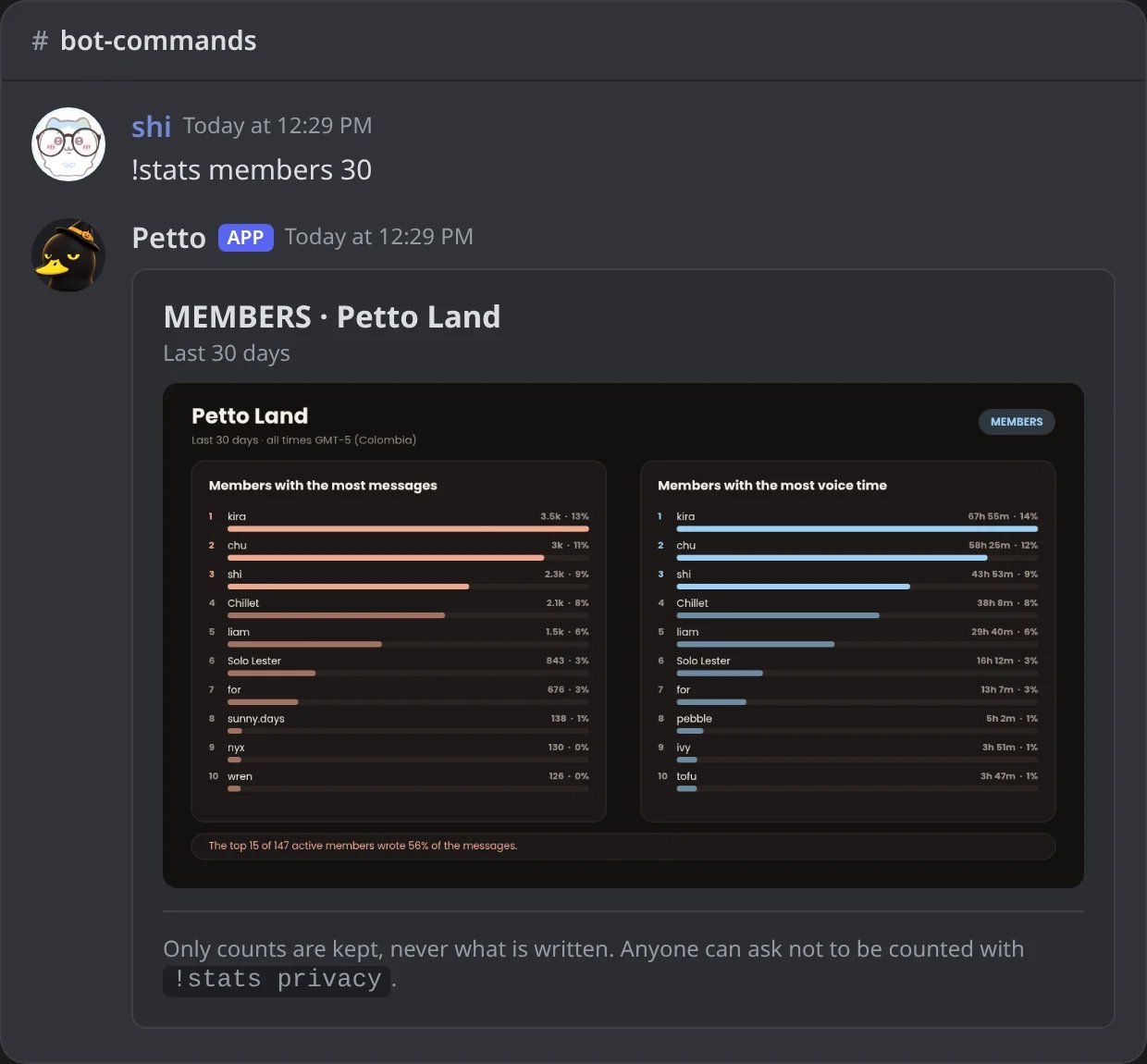
In Discord: the members with the most messages and voice time in 30 days.
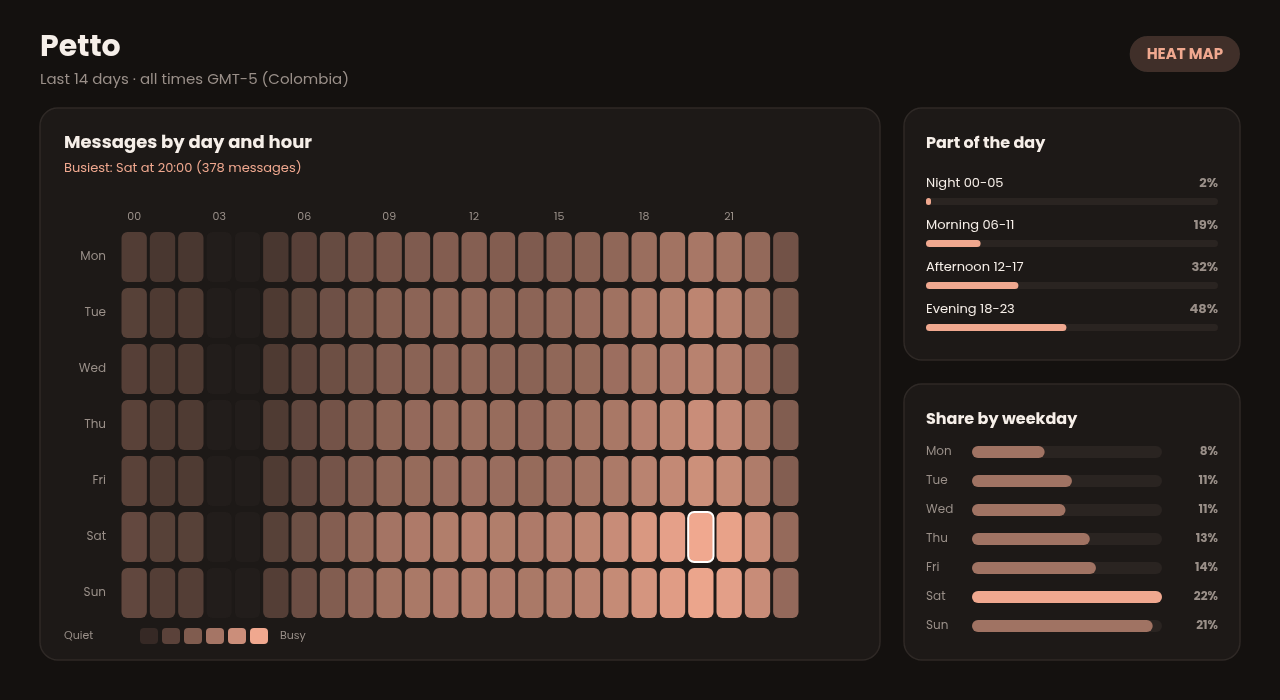
!stats heatmap
!stats heatmap
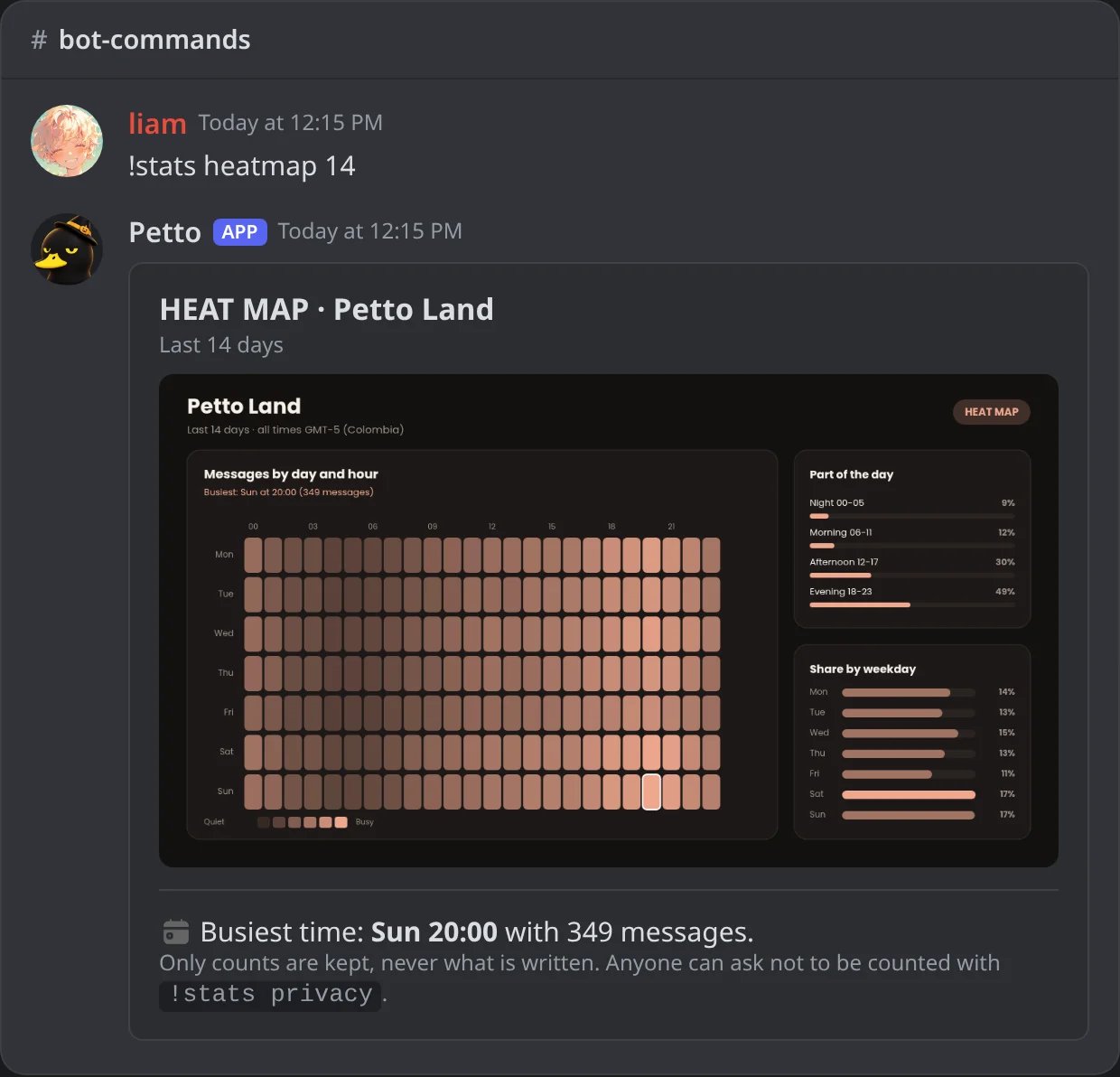
In Discord: the messages of each hour of each weekday in 14 days.
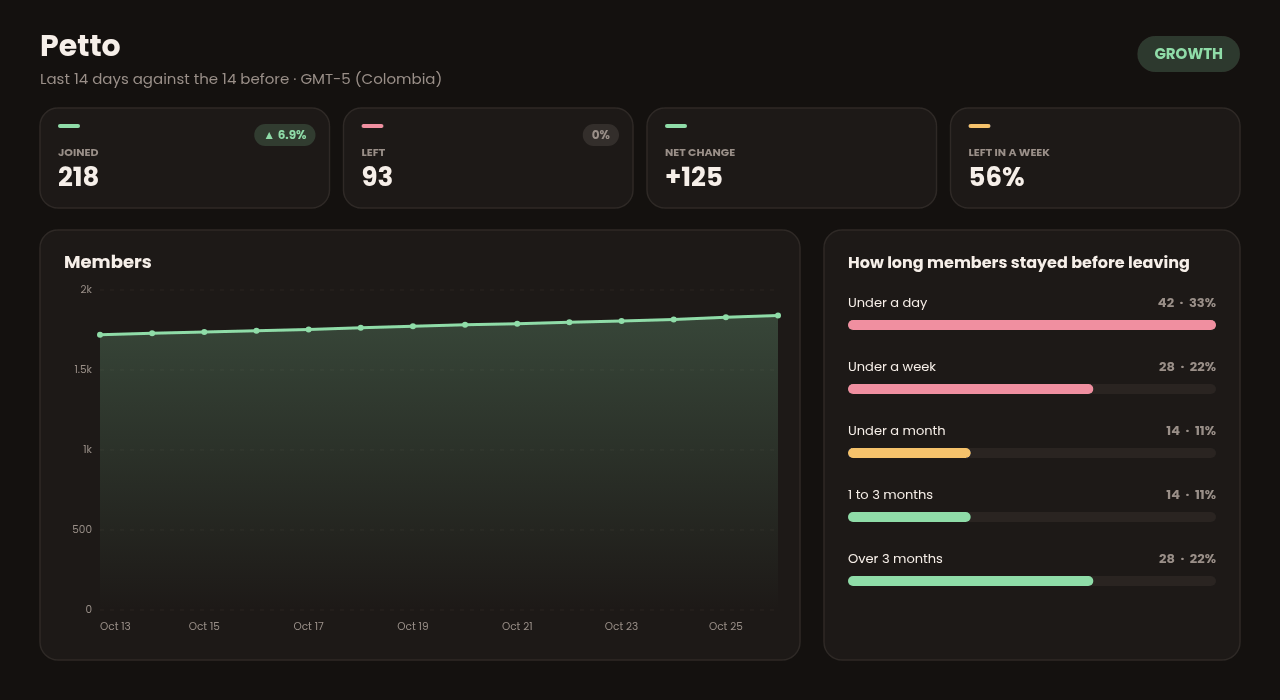
!stats growth
!stats growth
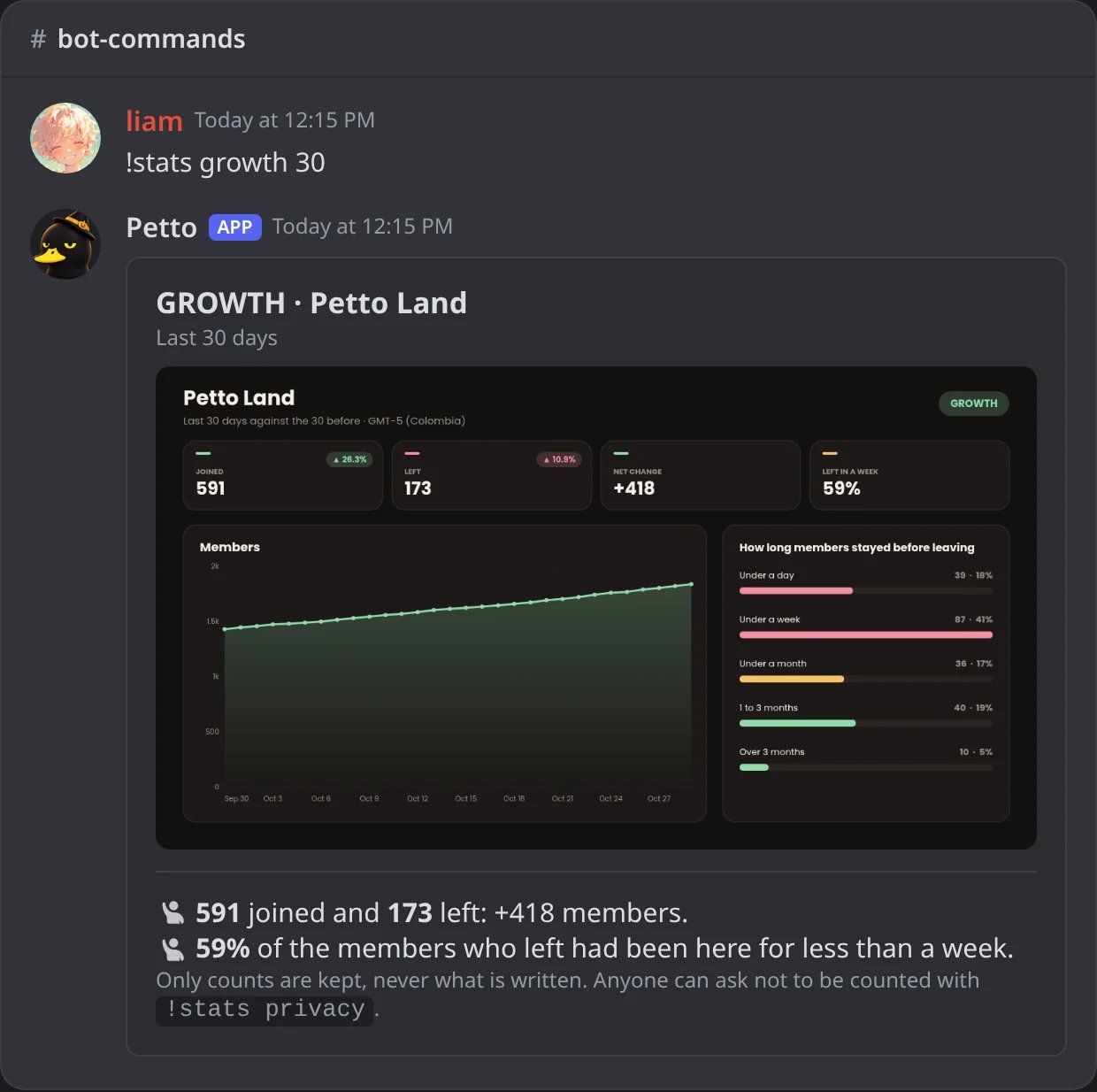
In Discord: joins and leaves, the members line and how long the ones who left had stayed.
!stats compare
!stats compare
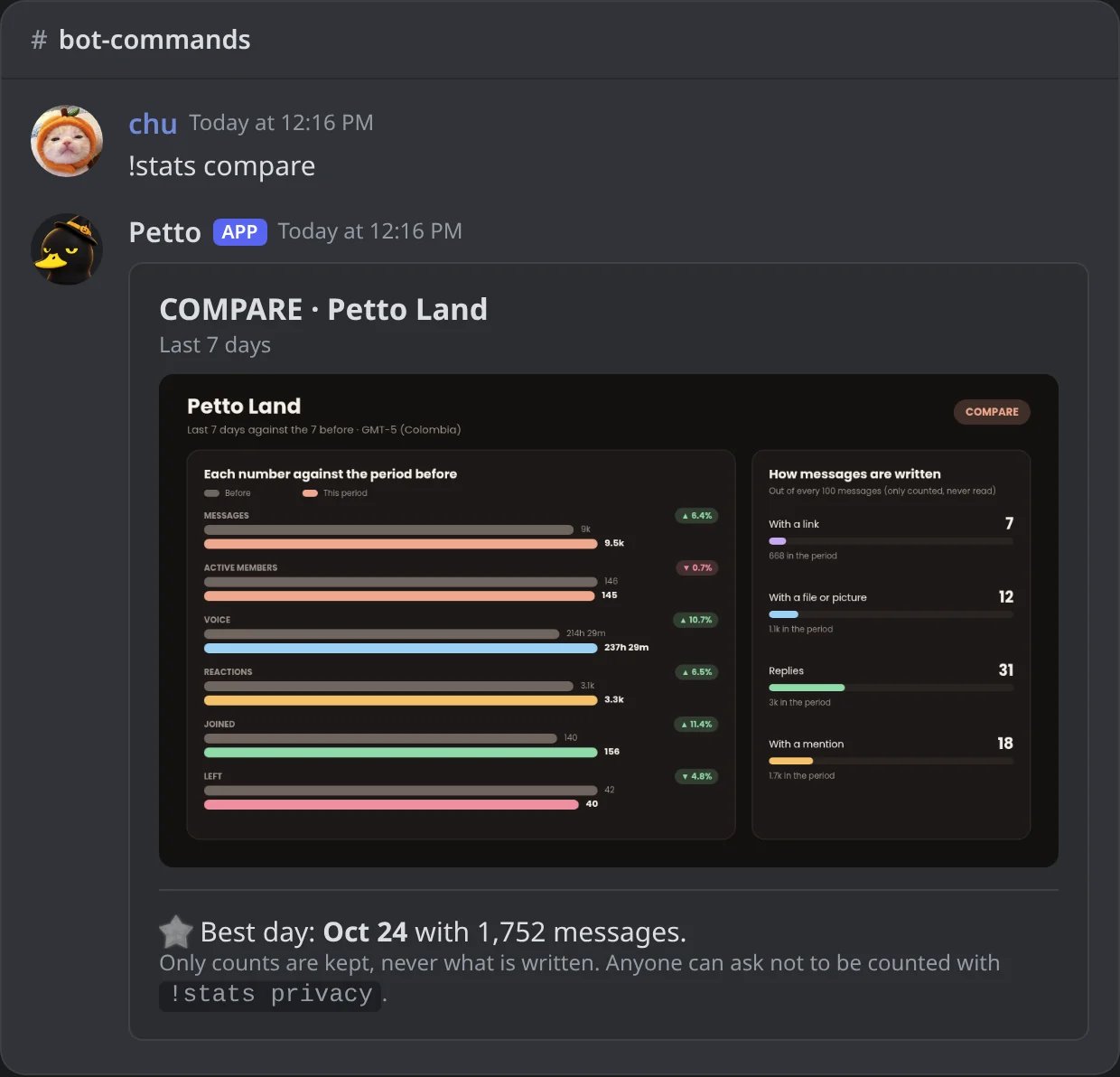
In Discord: every number next to the period before, and how messages are written.
!stats @member
!stats @member
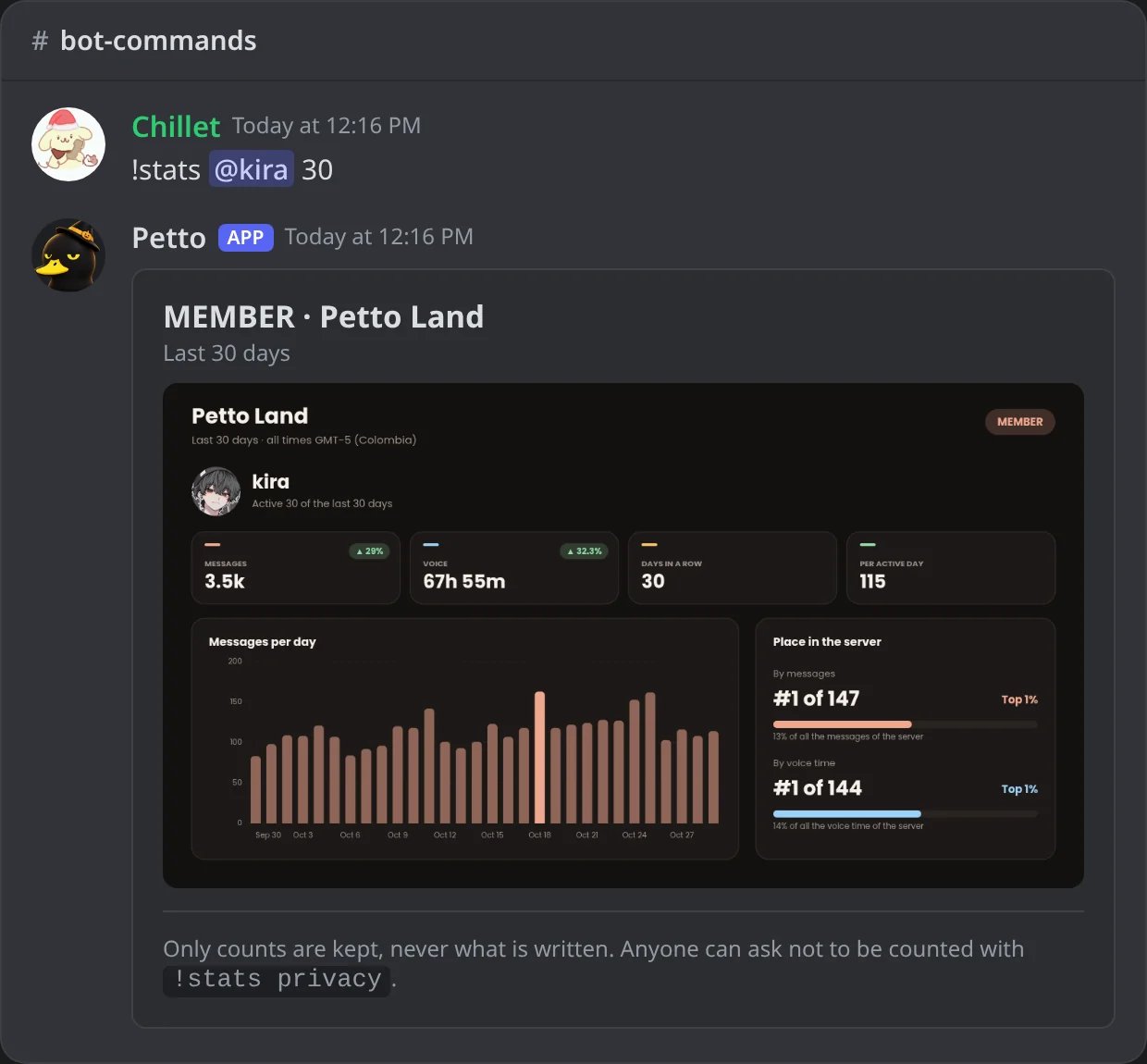
In Discord: what one member did in 30 days.
What the pictures look like
- Overview
- Heatmap
- Channels
- Members
- Growth
- Compare
- Member
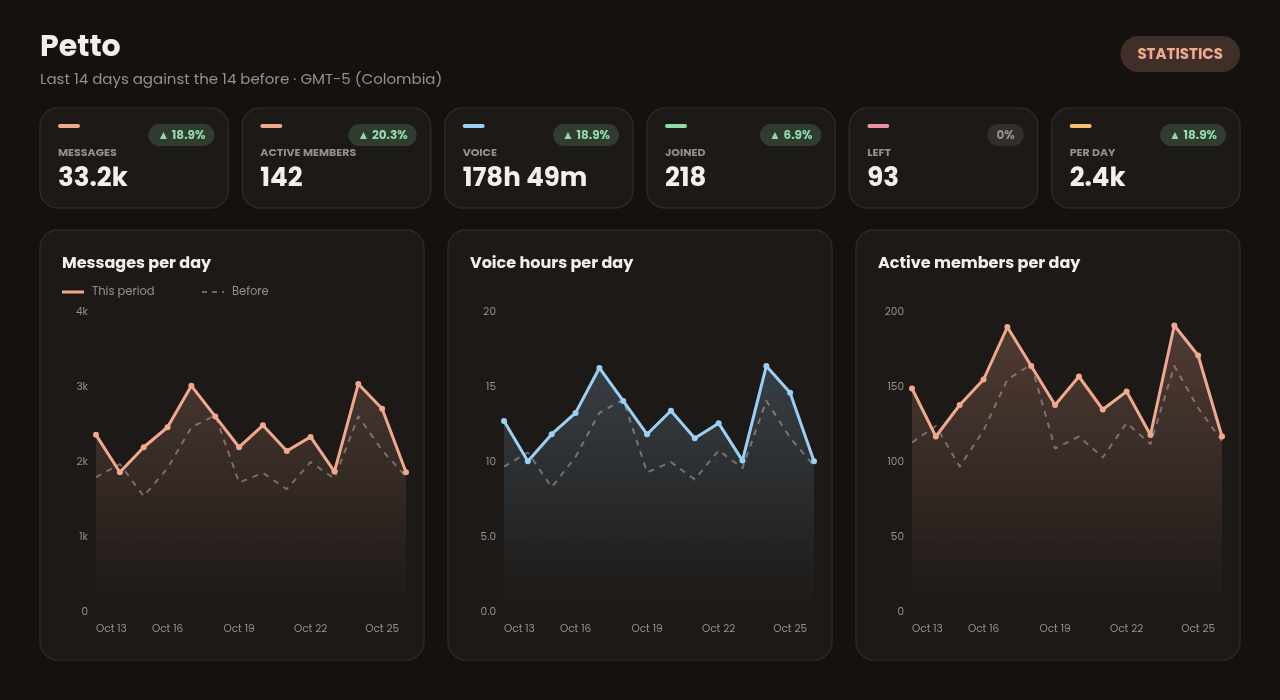
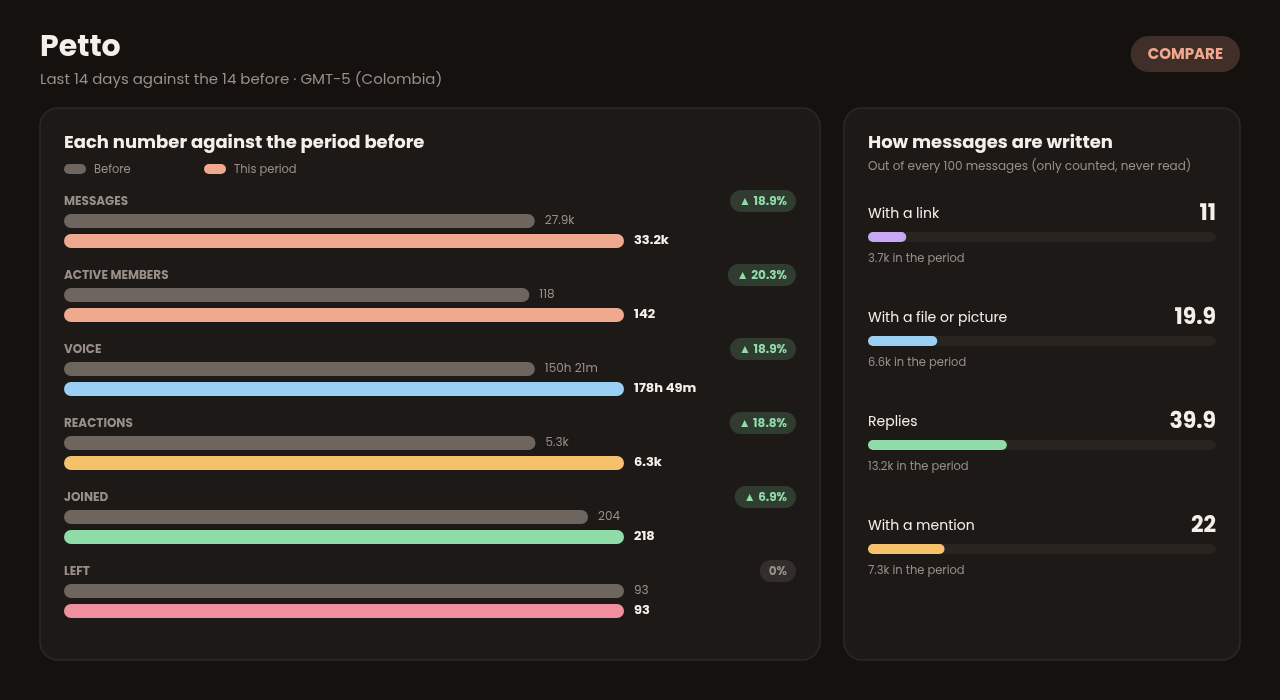
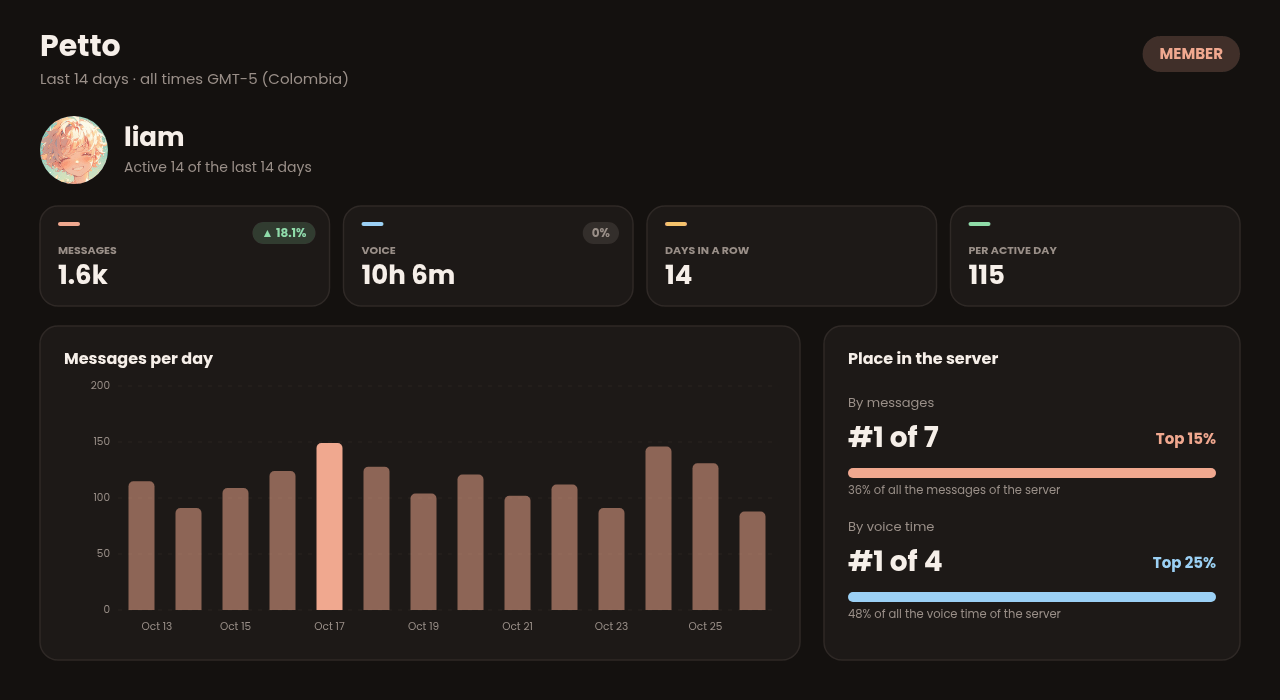
12.3k, 4.6m) and a change above 999% is shown as >999%.
For members: choose not to be counted
Each person decides about their own numbers with!stats privacy. Petto answers with a panel that says if you are counted, with two buttons that only work for the person who asked:
- Do not count me: from now on nothing about you is counted in any server (messages, voice time, reactions, joins or leaves), and what was already counted about you is deleted. Once you are out, the button becomes Count me again, so you can come back whenever you want.
- Delete my counts: deletes what was counted about you so far, and you stay counted from now on.
!stats @member, and your activity does not add to the totals of the servers. The same choice is explained in the Privacy Policy.
!stats privacy
!stats privacy
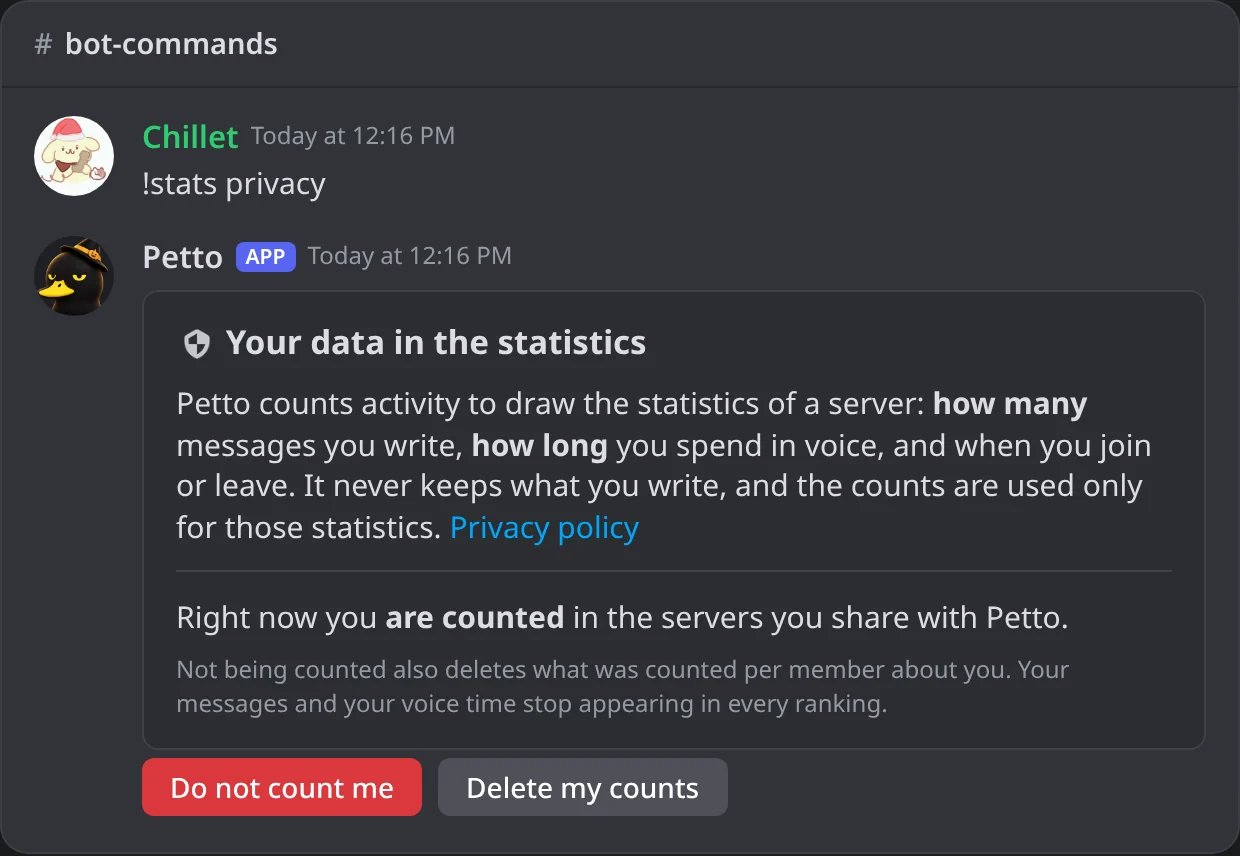
In Discord: the panel of !stats privacy, with its two buttons.
Do not count me
Do not count me
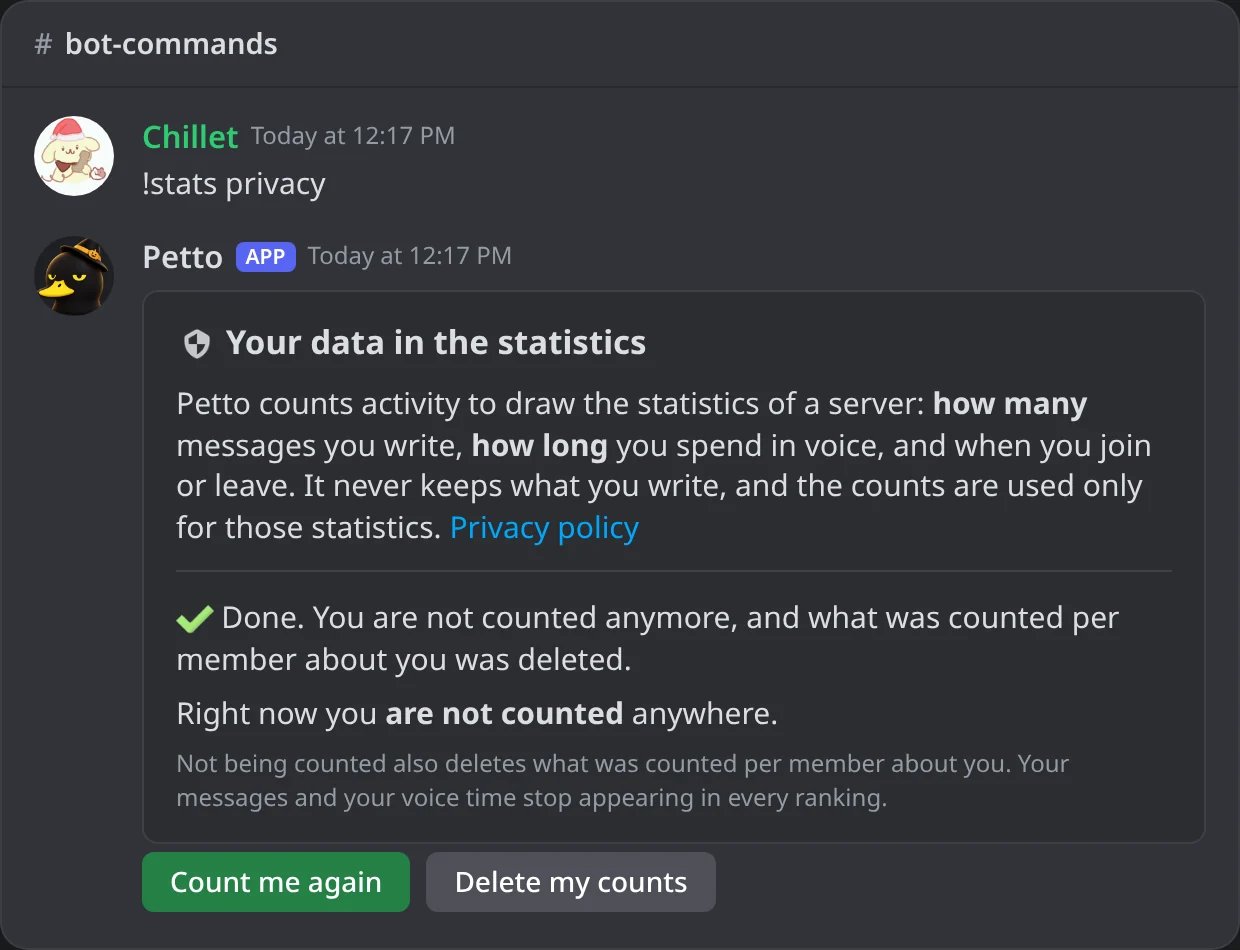
In Discord: after Do not count me, the panel says so and offers Count me again.
Delete my counts
Delete my counts
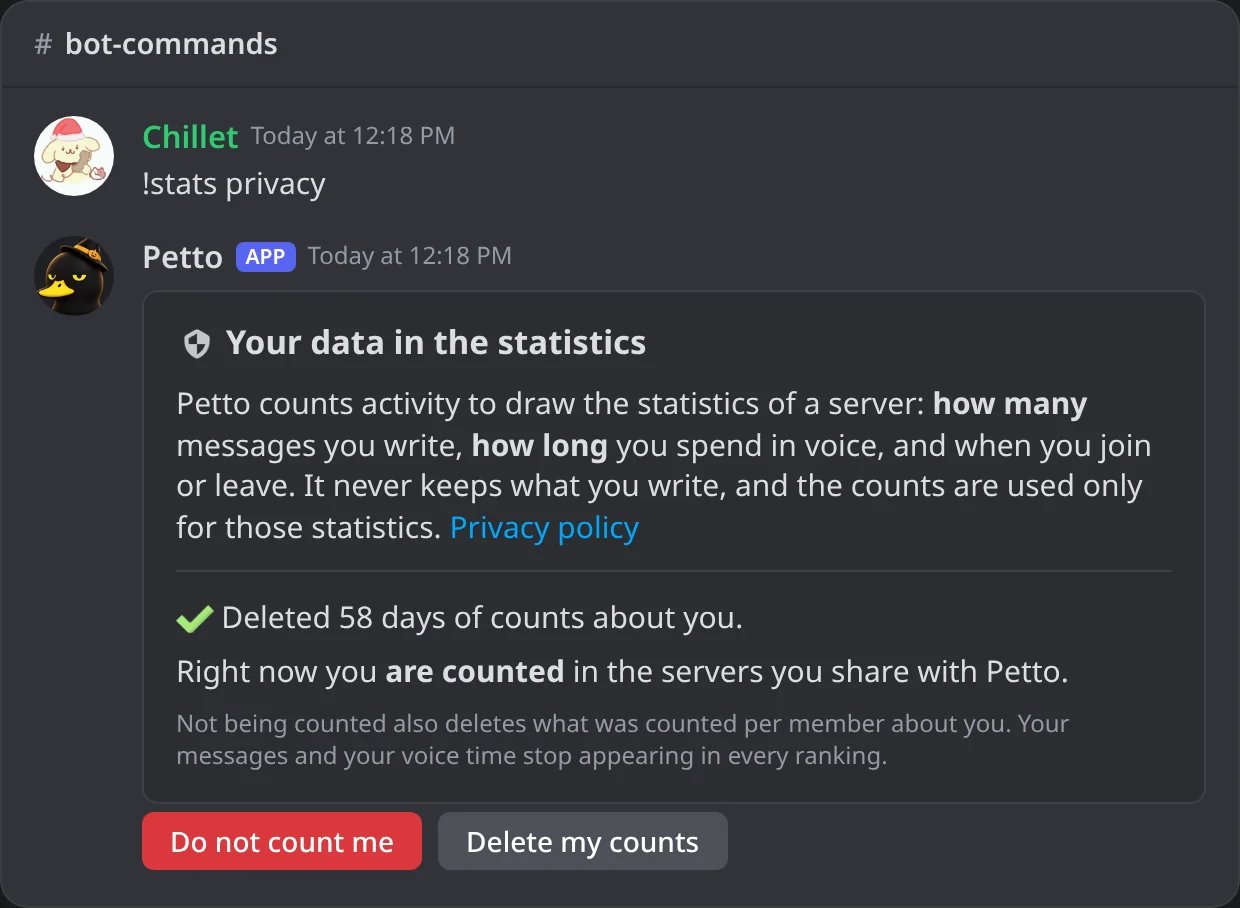
In Discord: Delete my counts deletes the days counted about you.
Someone else presses it
Someone else presses it
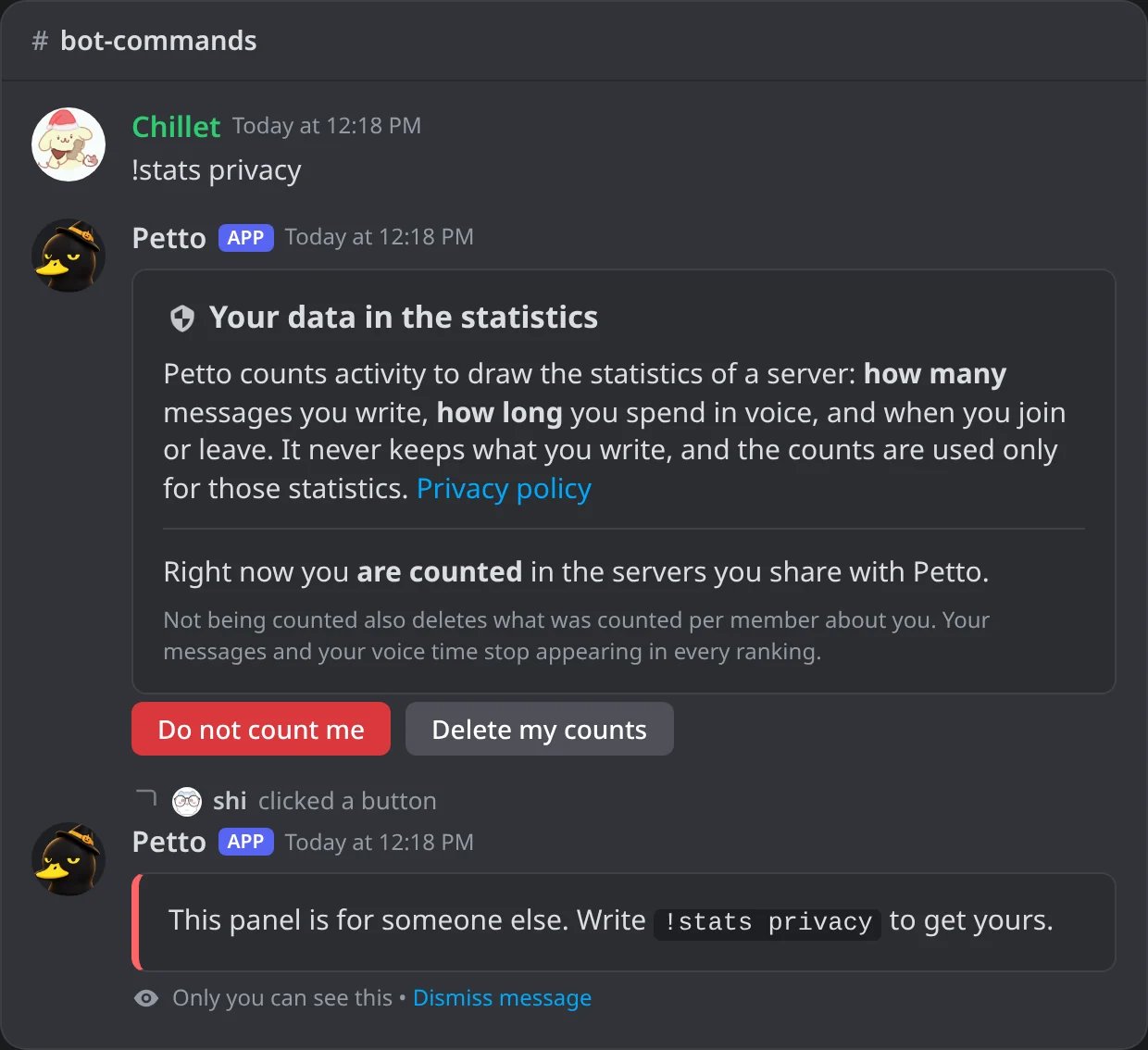
In Discord: only the person who asked can use the panel.
For administrators
Everything below needs Manage Server. The same switches are on the Statistics page of the dashboard, in the Data and privacy tab.!statsconfig alone shows what is counted and what is kept. The other names are !statconfig and !analyticsconfig.
!statsconfig
!statsconfig
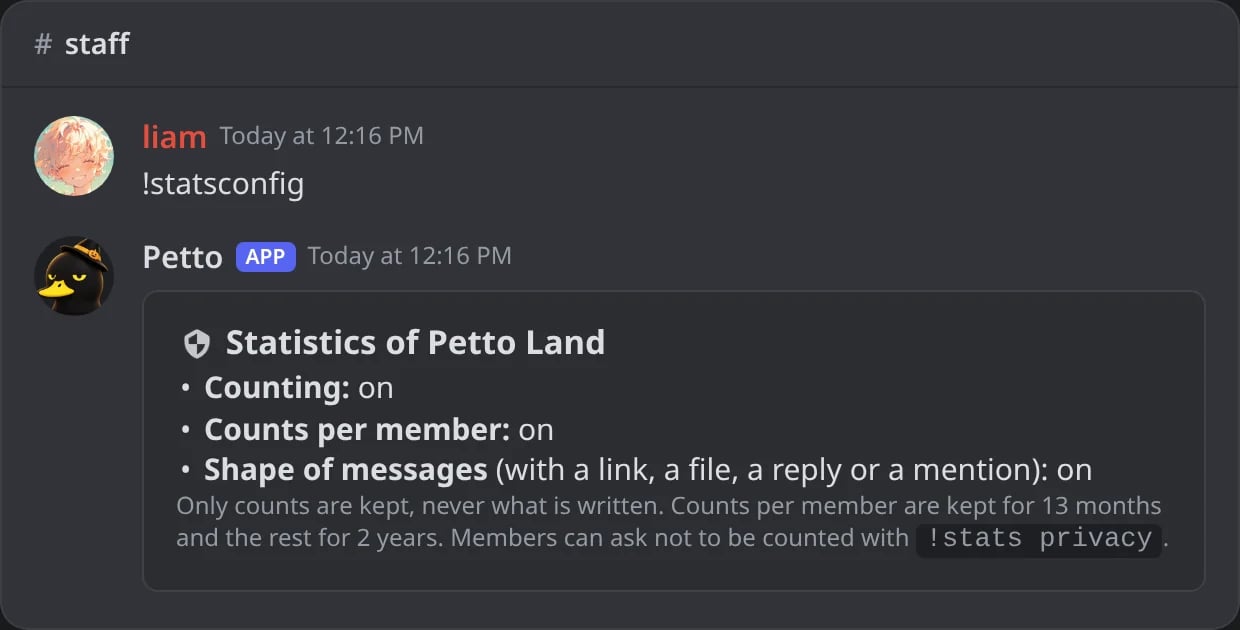
In Discord: what the server counts and how long it is kept.
!statsconfig enable
!statsconfig enable
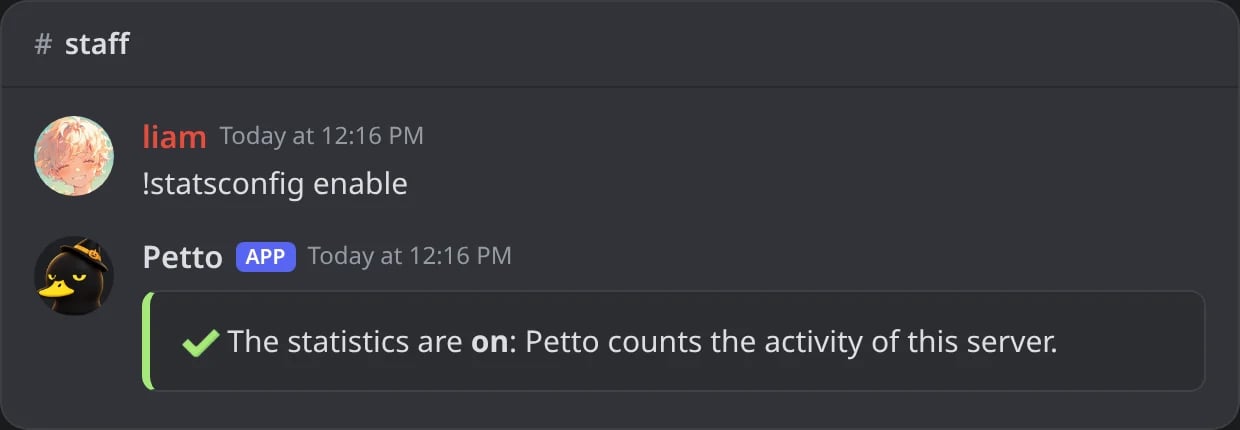
In Discord: the statistics turned on.
!statsconfig disable
!statsconfig disable
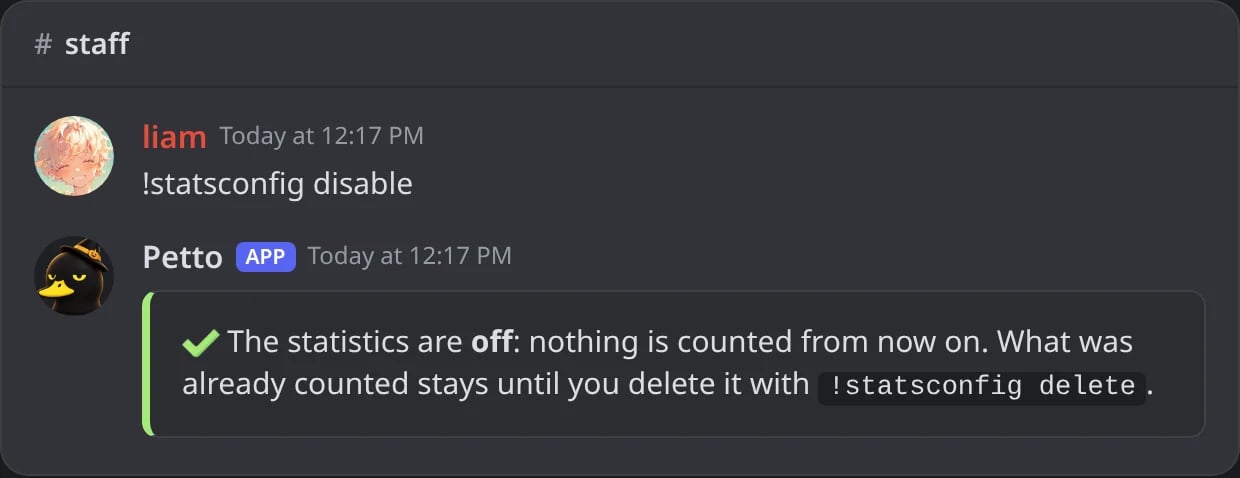
In Discord: nothing new is counted; what was counted stays until it is deleted.
!stats with the statistics off
!stats with the statistics off
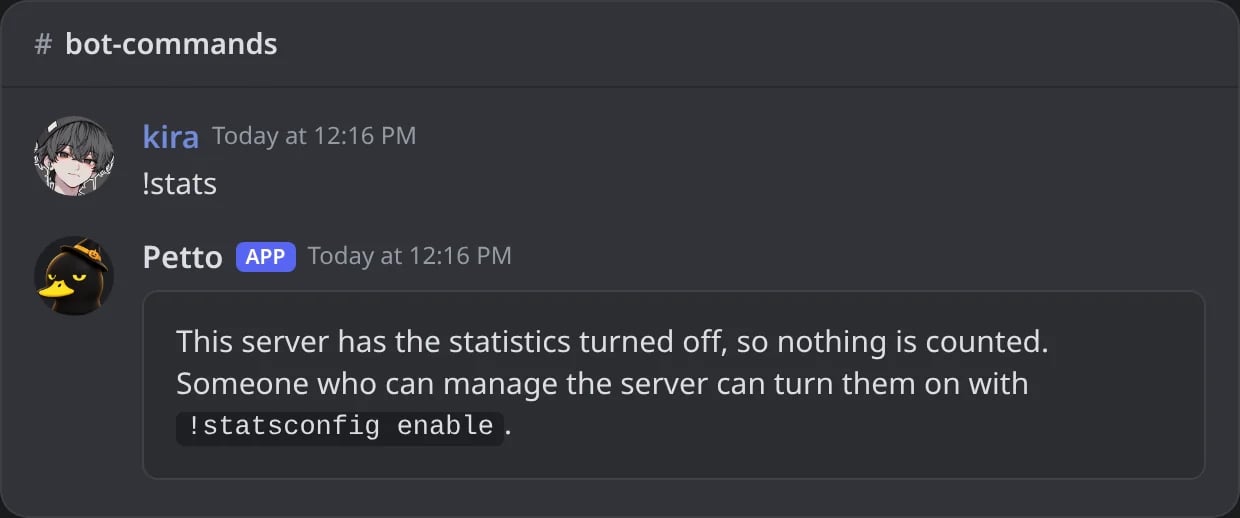
In Discord: while the statistics are off, !stats says so.
!statsconfig members off
!statsconfig members off
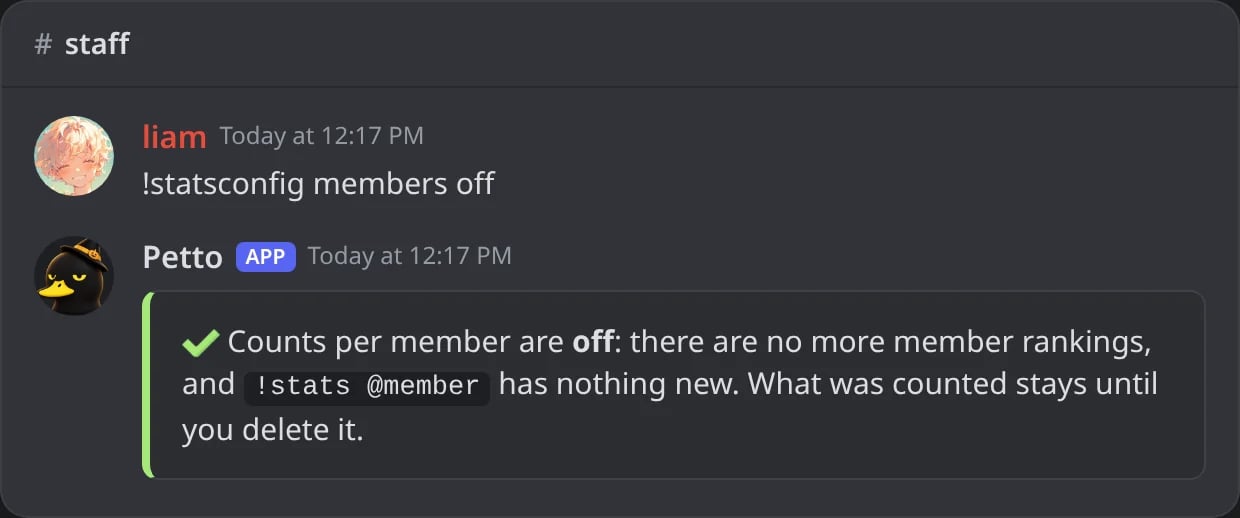
In Discord: no more counts per member.
!statsconfig content off
!statsconfig content off
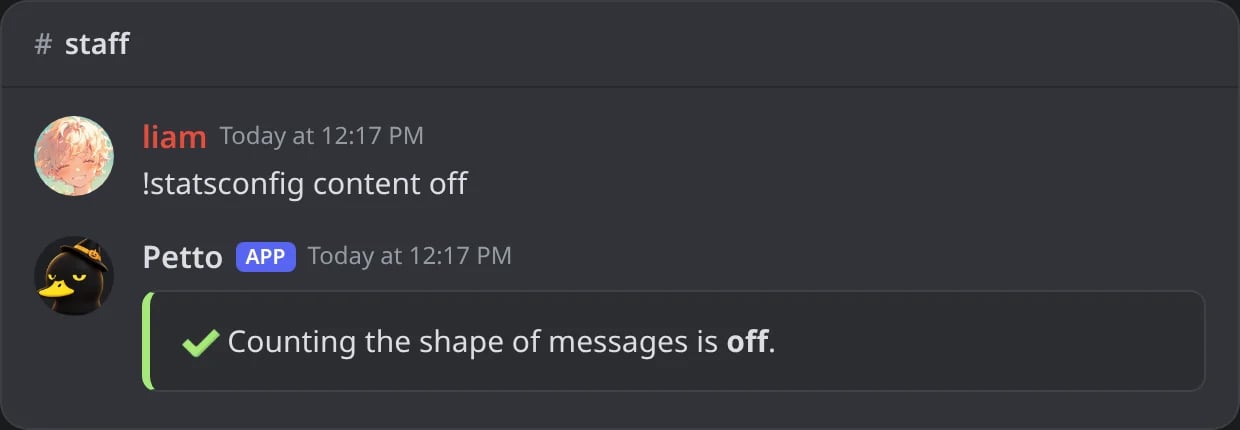
In Discord: the shape of messages is no longer counted.
!statsconfig delete
!statsconfig delete
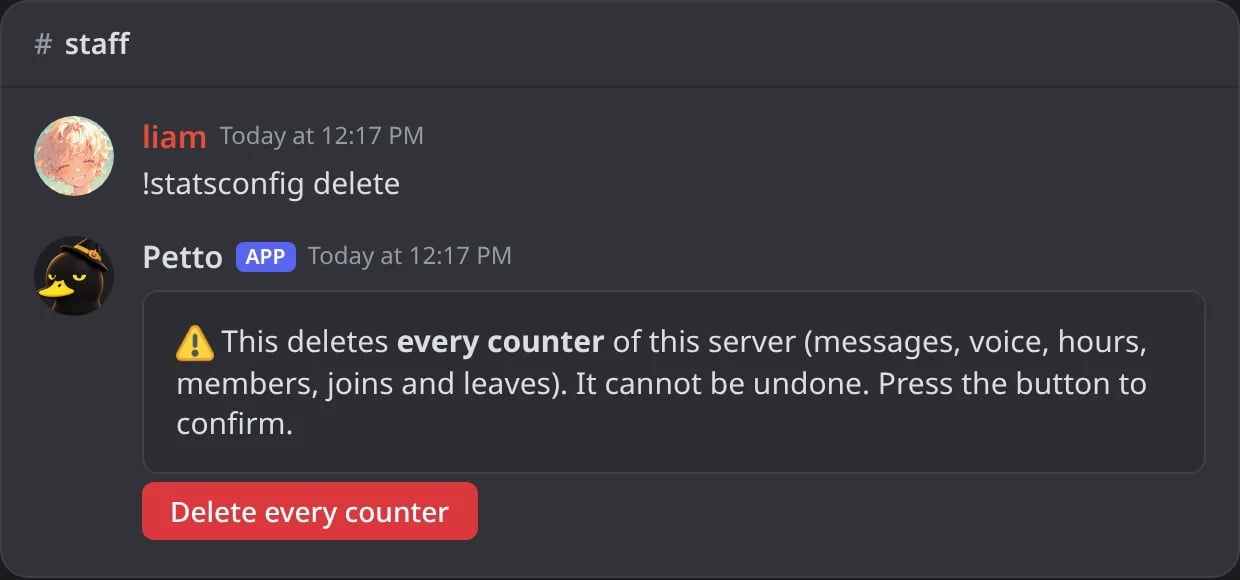
In Discord: Petto asks first, with a button.
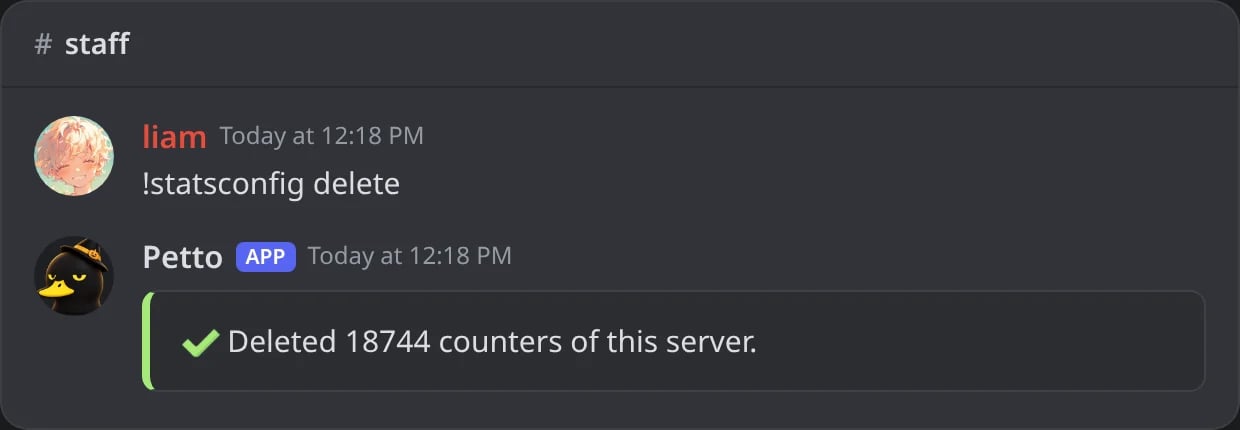
In Discord: after the button, how many counters were deleted.
What is counted and for how long
- Counted: messages and voice time per channel and per hour, reactions, members who joined and left (and how long they had stayed), and how many messages had a link, file, reply or mention. Nothing is counted for people who opted out, and per-member numbers only exist if the server keeps them.
- Never kept: what was written, attachments, who someone talked to, or anything outside the server.
- For how long: per-member numbers are kept for 13 months and the totals of the server for 2 years. A daily job deletes what is older.
- Counting starts when the feature is on: there are no numbers before that, so a young server shows a short history.
Dashboard
The Statistics page of the dashboard has the same analysis in tabs: Heat map, Growth, Compare and Data and privacy, next to the ones that already existed (Overview, Messages, Voice, Joins, Leaves, Invites and Sanctions). Data and privacy has the same switches as!statsconfig and the button to delete the counters. The Invites tab also has a leaderboard you can filter by all time, this week or this month, a search for one member, and the invite settings: see Invites.
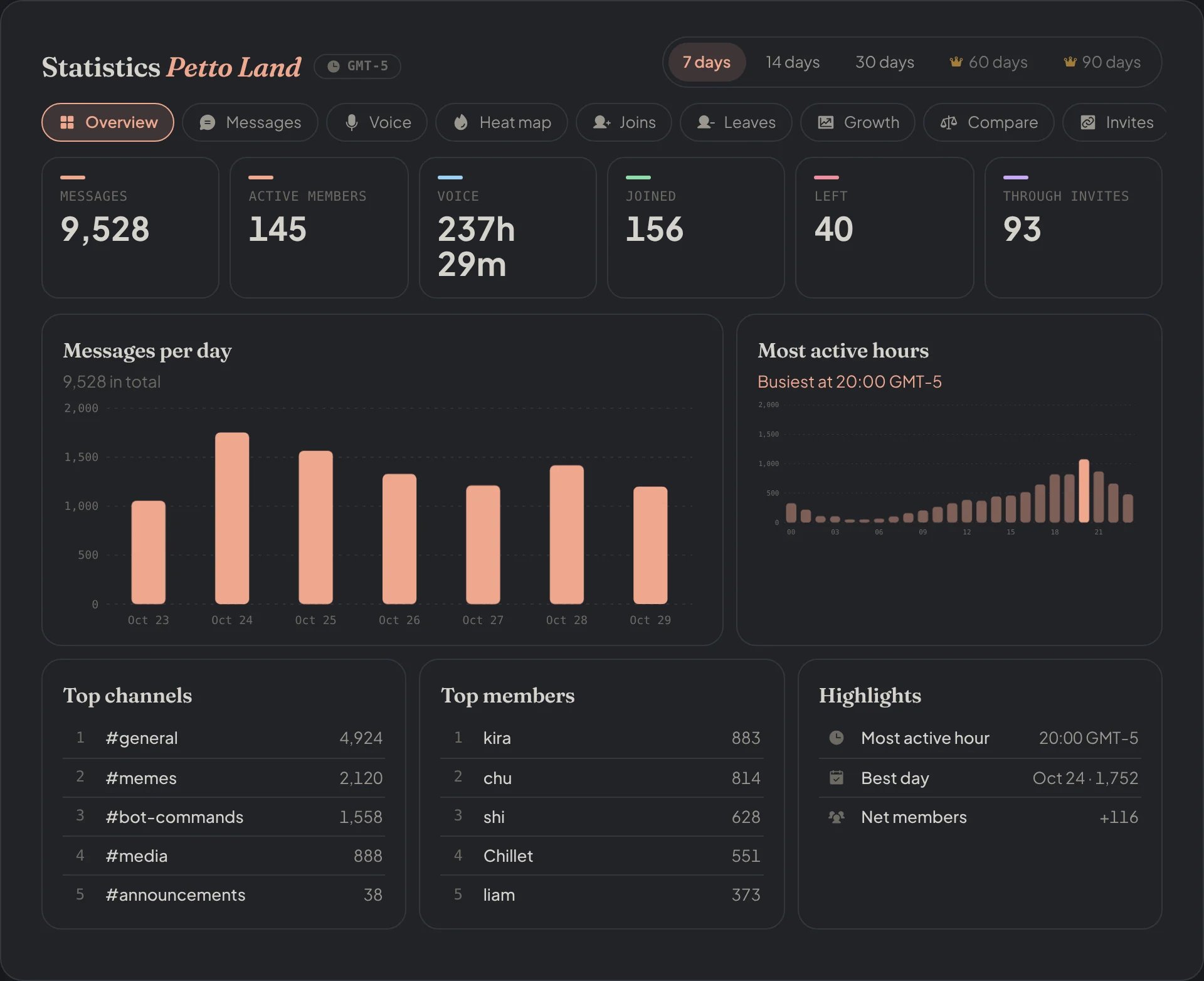
Dashboard → Dashboard → Statistics: the numbers of the last 7 days, the messages per day, the busiest hours and the top channels and members.
Messages
Messages
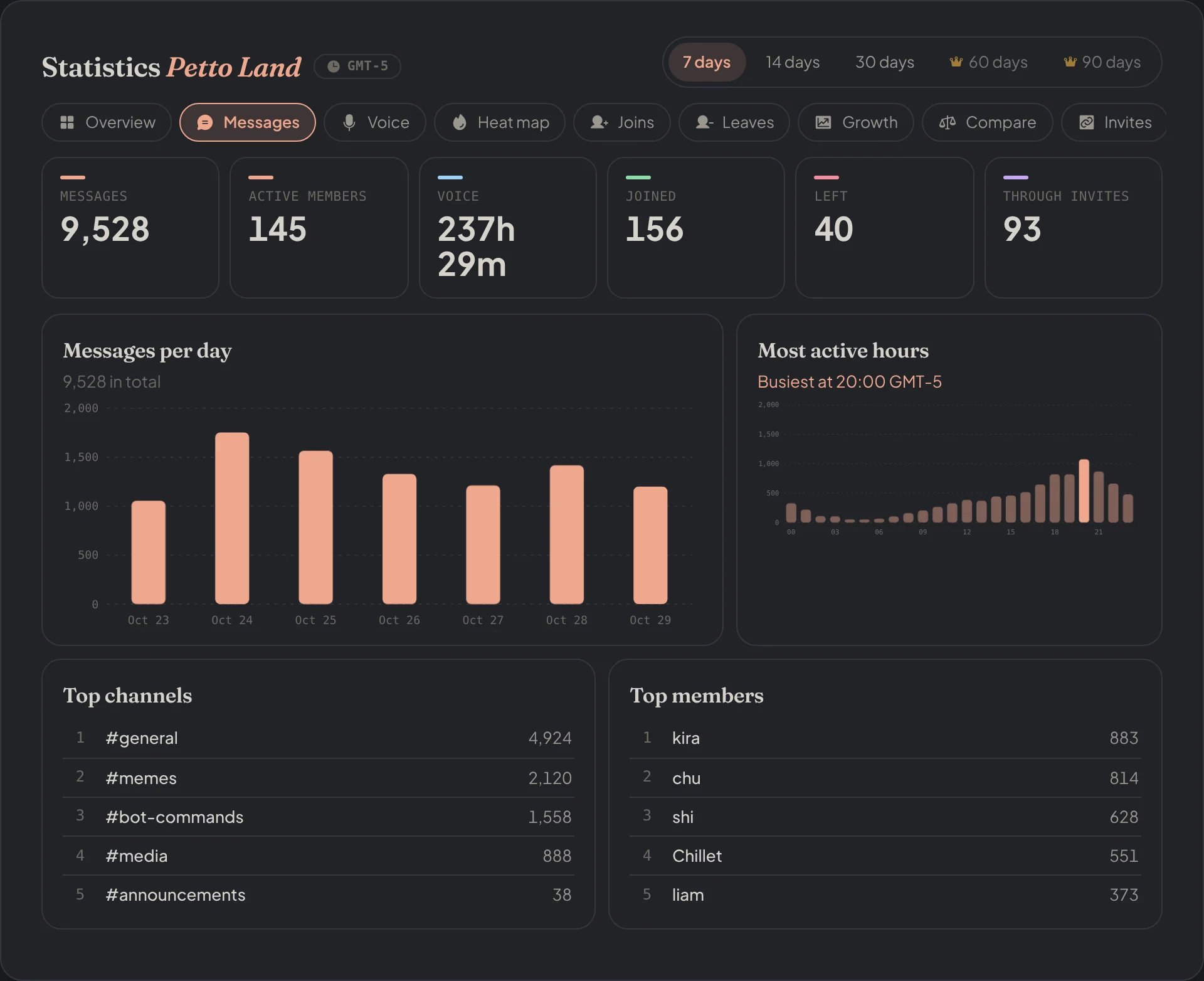
Dashboard → Dashboard → Statistics → Messages: the messages per day and the most active hours.
Voice
Voice
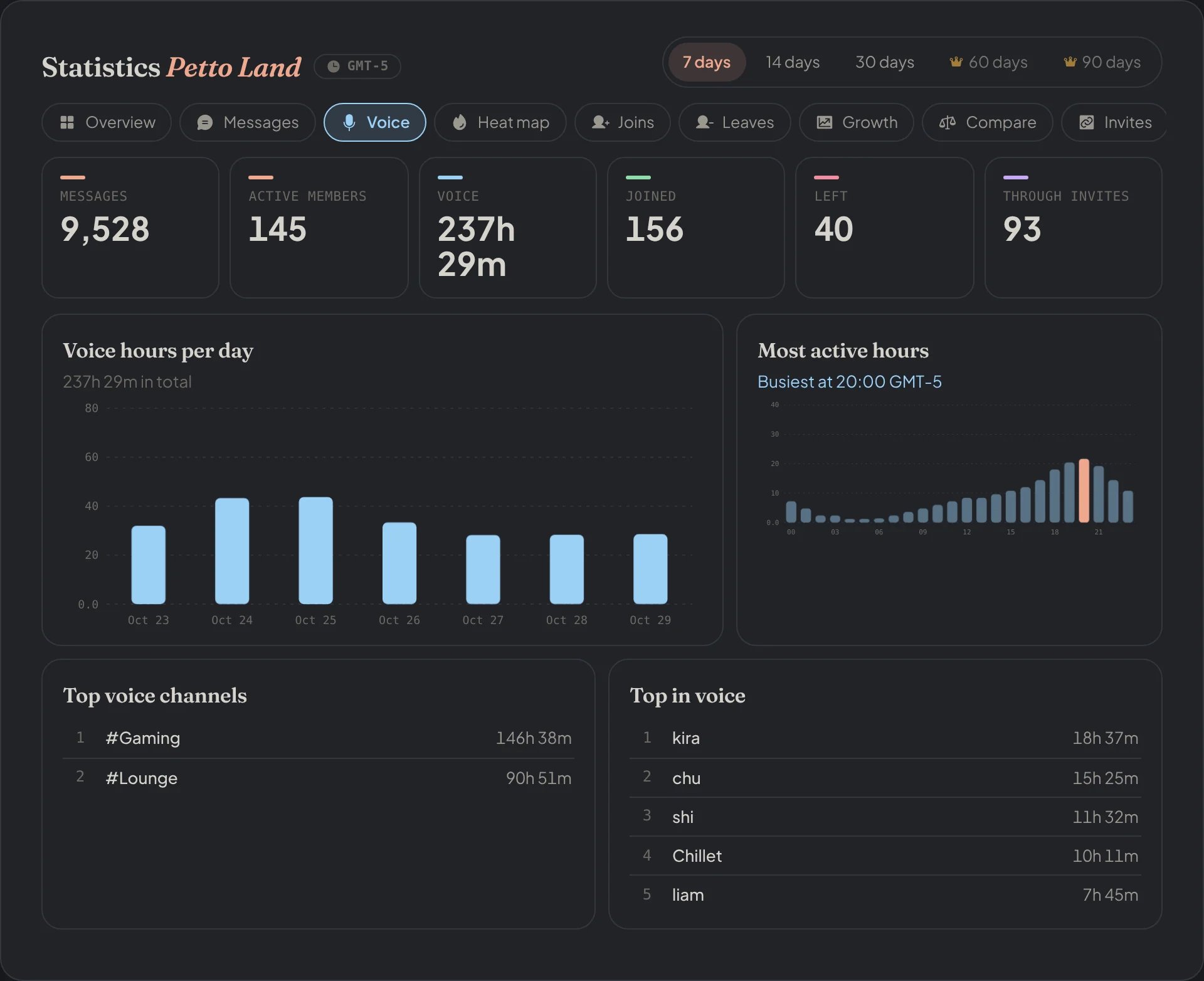
Dashboard → Dashboard → Statistics → Voice: the voice hours per day and the busiest hours.
Heat map
Heat map
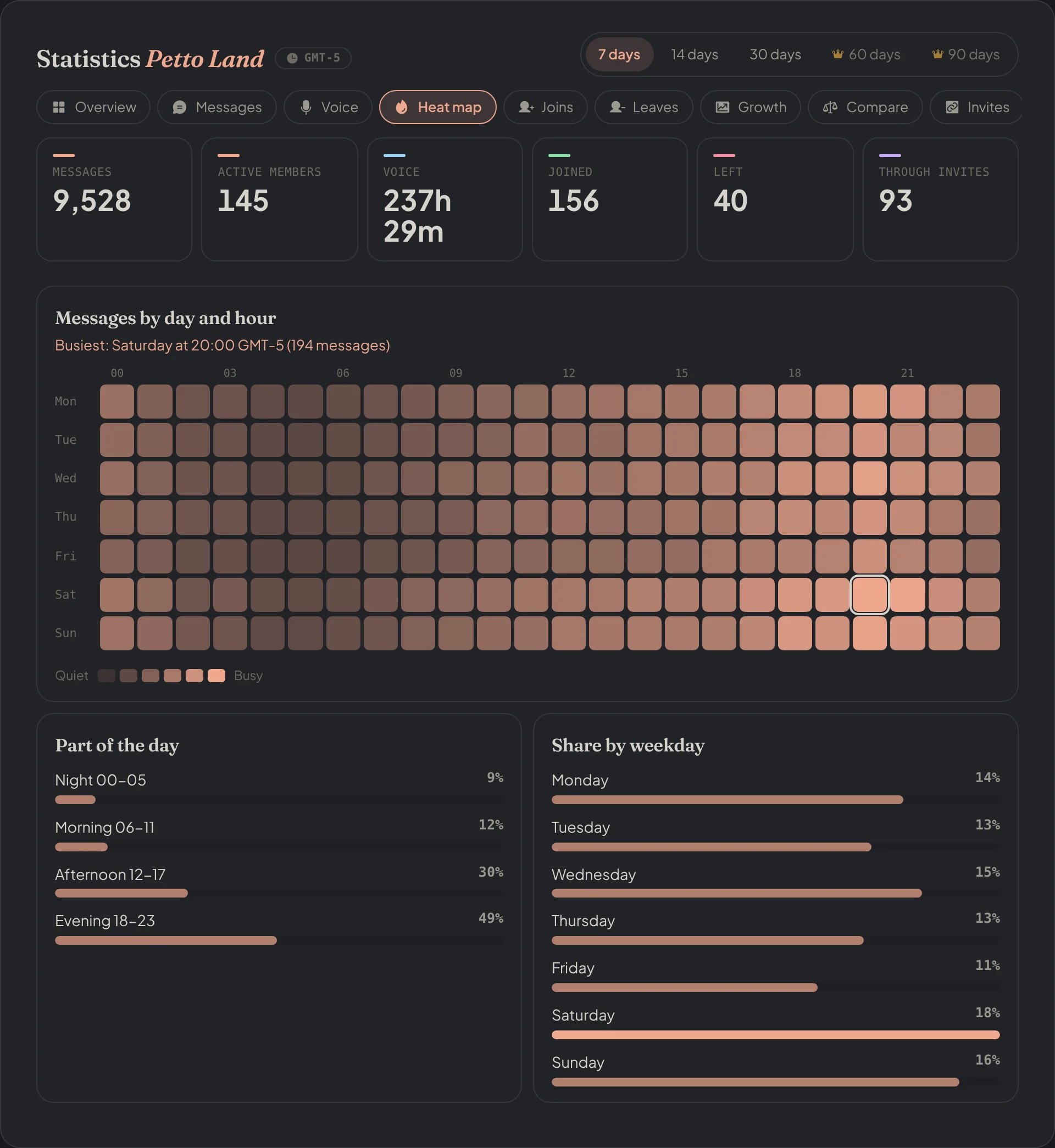
Dashboard → Dashboard → Statistics → Heat map: the messages of each hour of the week.
Joins
Joins
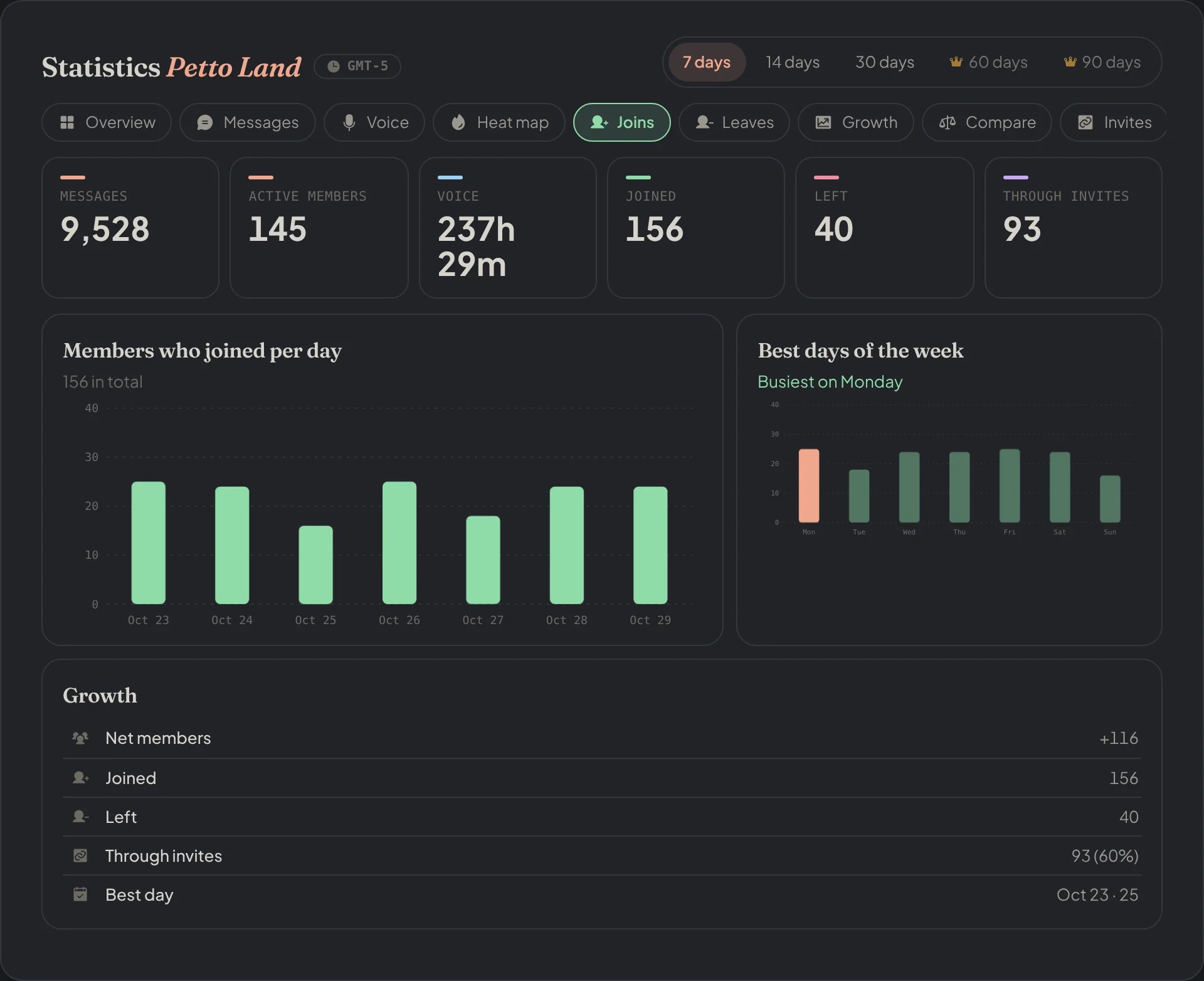
Dashboard → Dashboard → Statistics → Joins: the members who joined per day and the best days of the week.
Leaves
Leaves
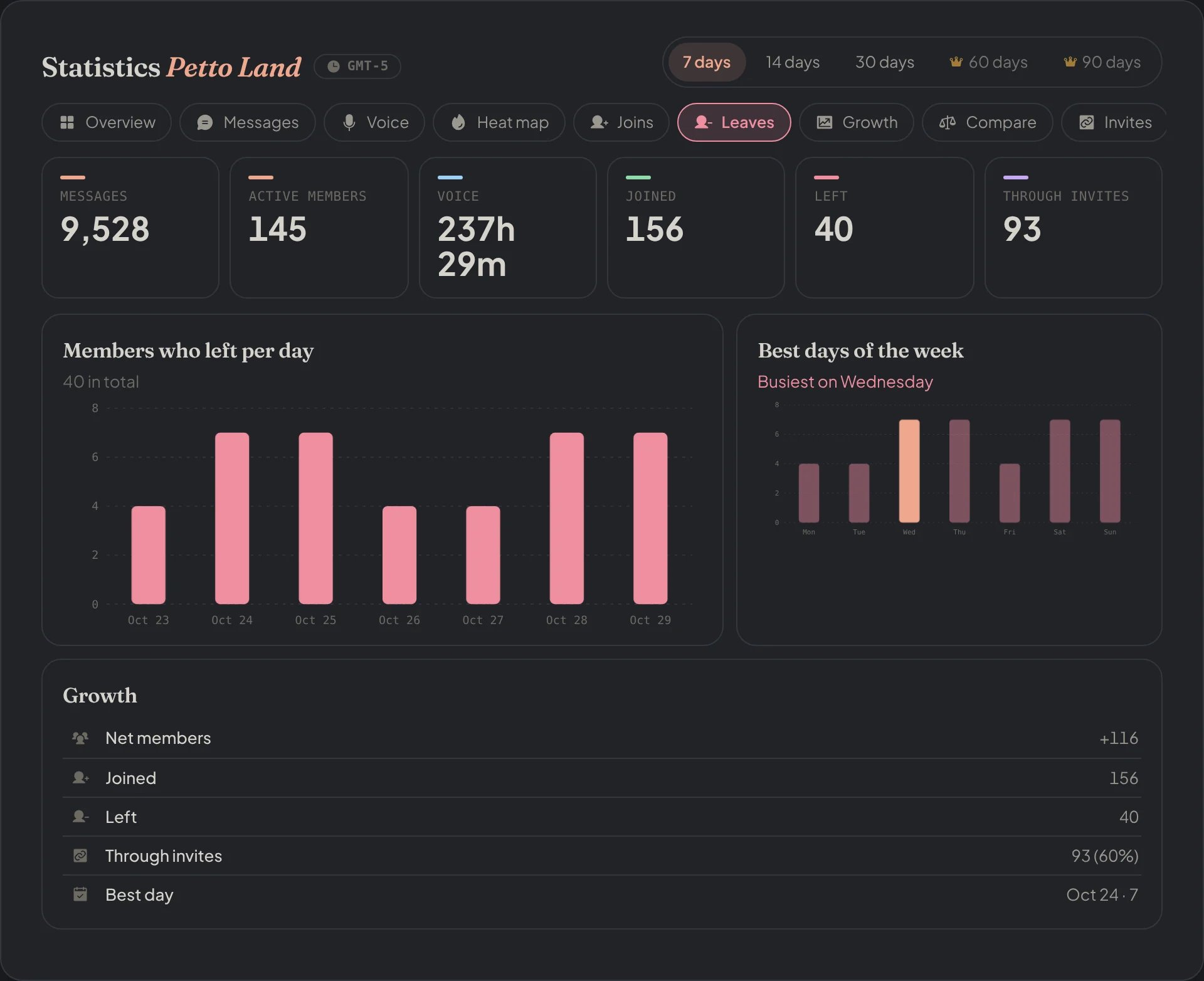
Dashboard → Dashboard → Statistics → Leaves: the members who left per day and the days they leave most.
Growth
Growth
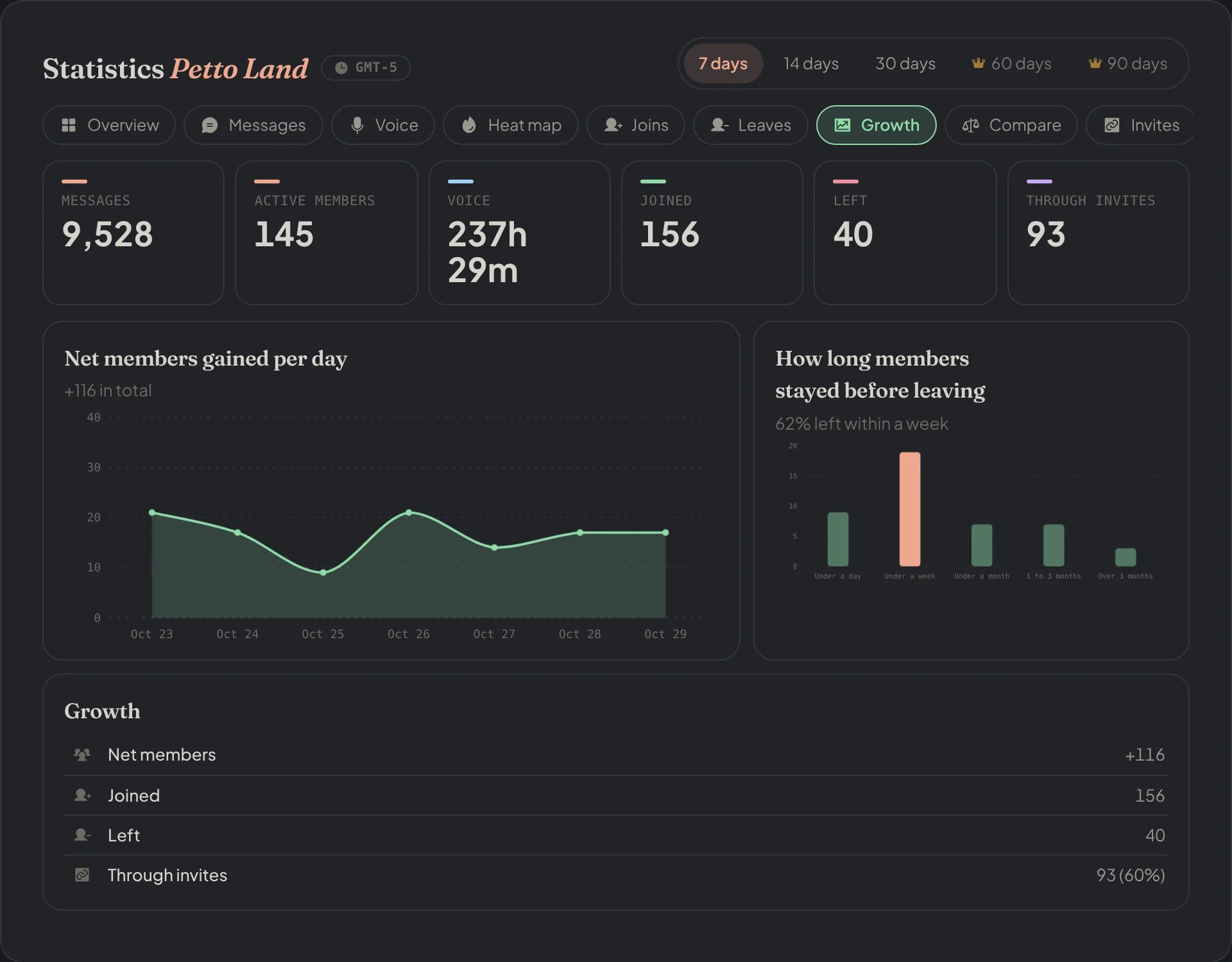
Dashboard → Dashboard → Statistics → Growth: the net members per day and how long the ones who left had stayed.
Compare
Compare
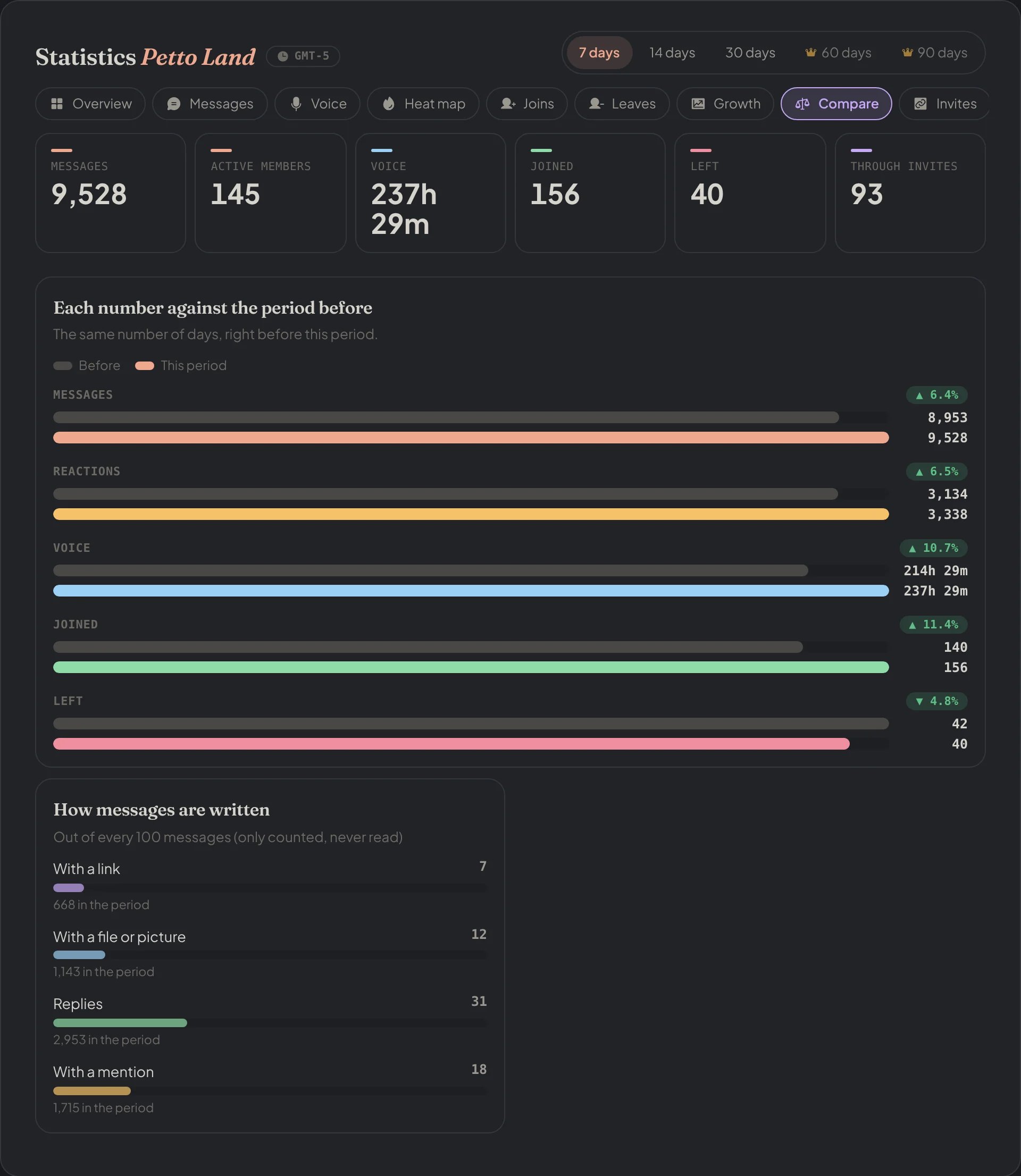
Dashboard → Dashboard → Statistics → Compare: each number against the period before.
Sanctions
Sanctions
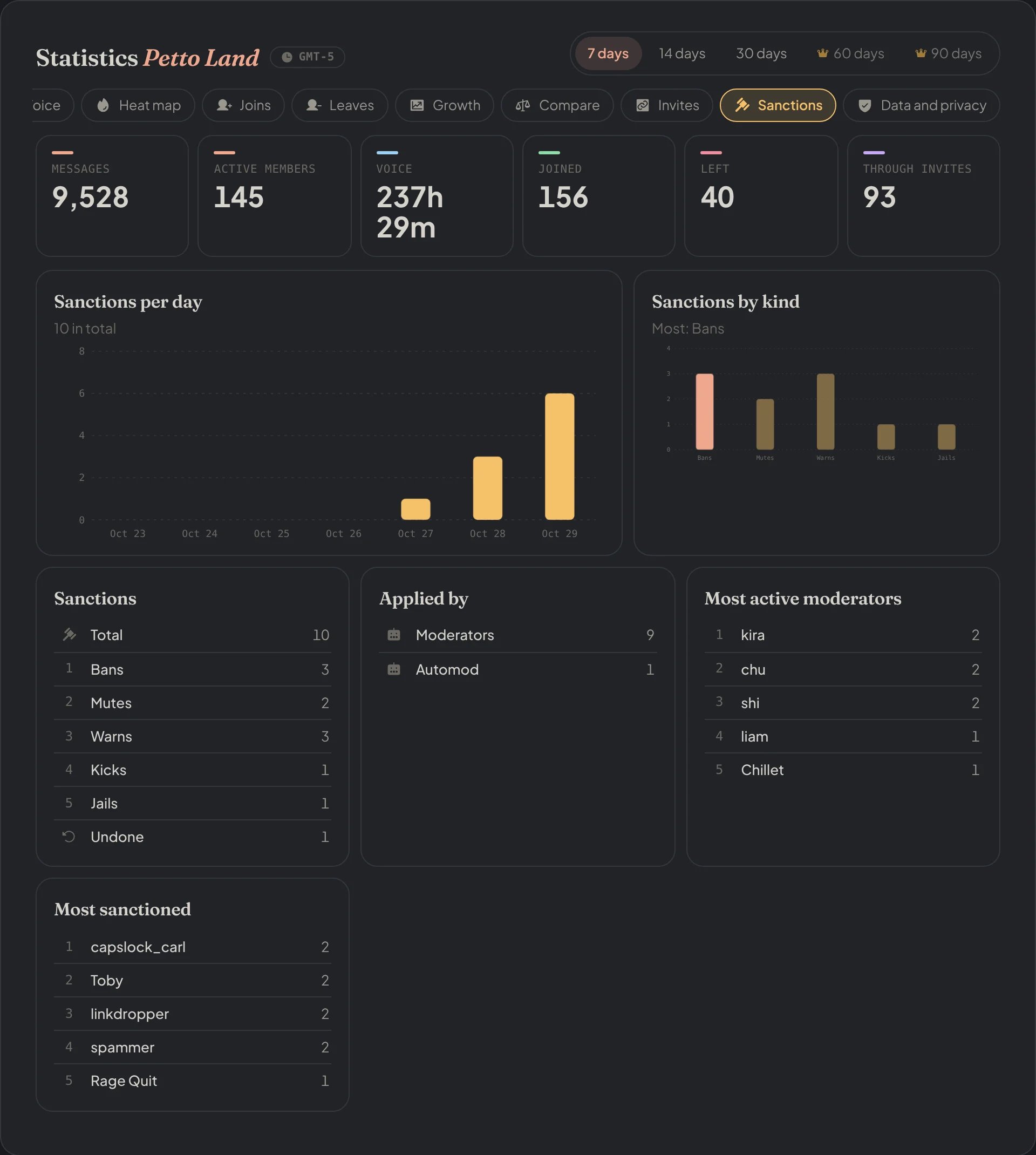
Dashboard → Dashboard → Statistics → Sanctions: the sanctions per day and by kind.
Data and privacy
Data and privacy
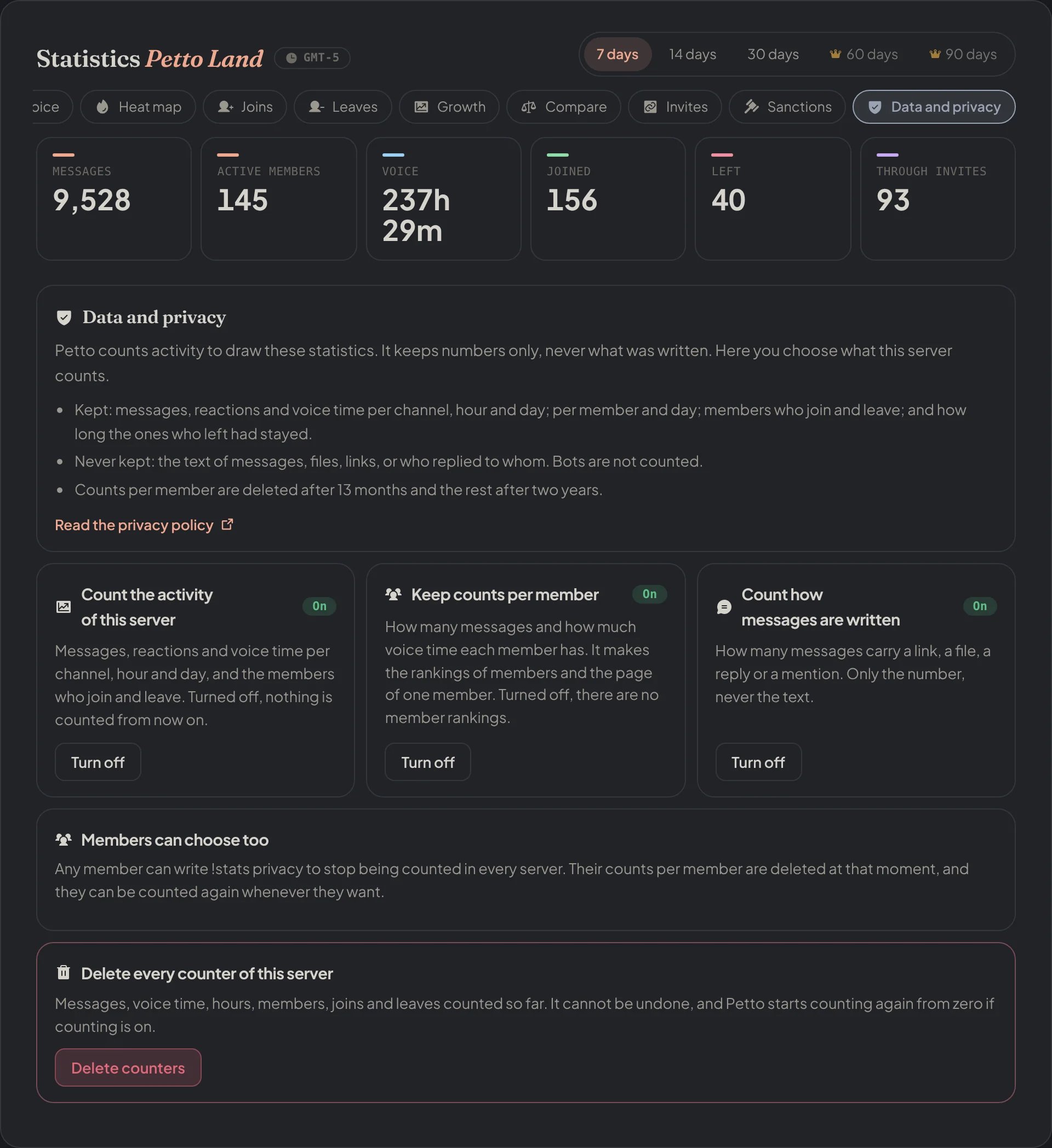
Dashboard → Dashboard → Statistics → Data and privacy: the same switches as !statsconfig and the button to delete the counters.
Related
!summary: the quick report of a server, with its top inviters and sanctions.- Invites: who brought each member (joins through invites are part of the growth numbers).
- Global Stats: the public page with the totals of every server.