
Overview
Petto can create webhooks in a channel and send messages through them with a custom username or avatar. Webhooks created by Petto are managed per server and never expose their token in chat or the dashboard.Commands
!wh is an alias for !webhook. The identifier can be the local number shown by !webhook list, the name of the webhook or the Discord webhook ID. These commands are prefix-only.
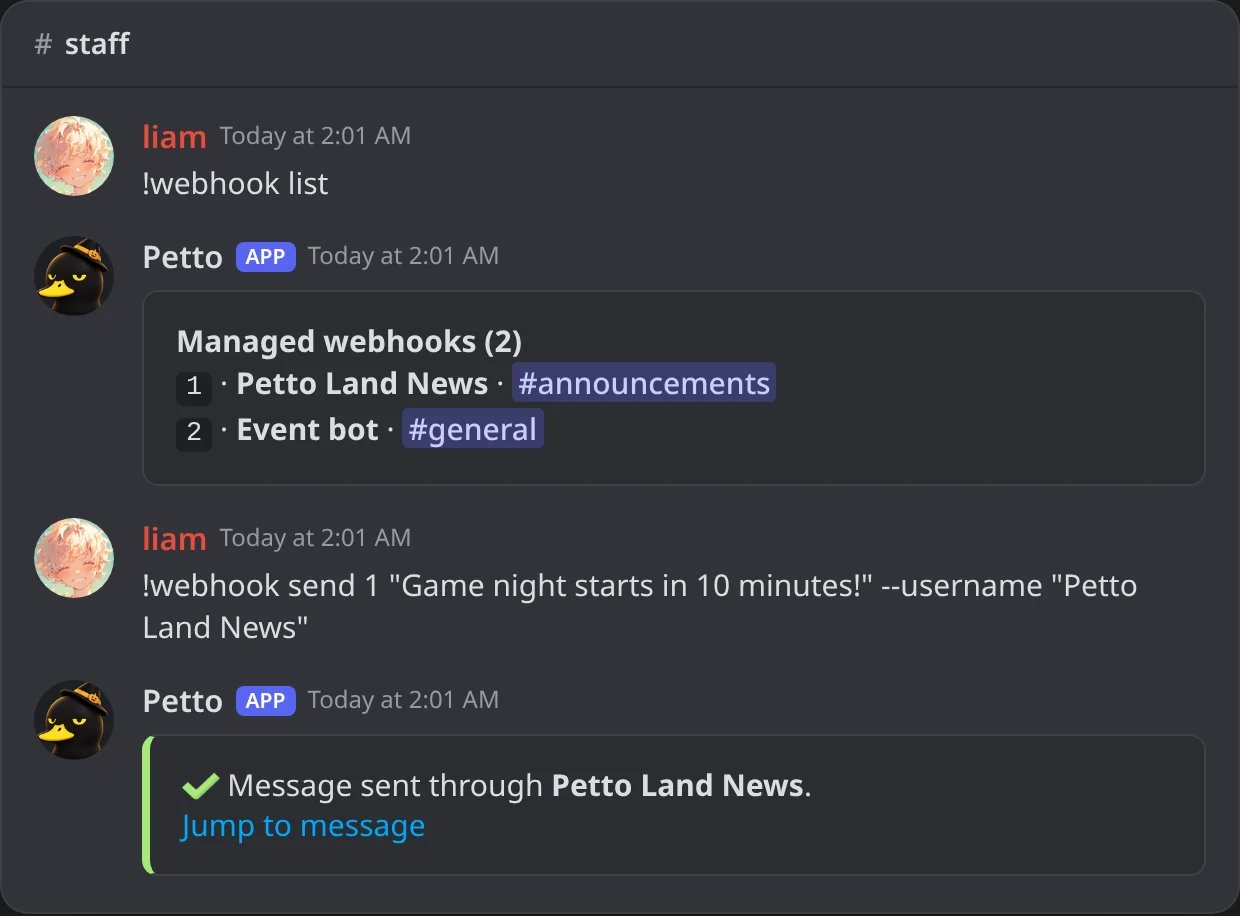
In Discord: the list of managed webhooks and a message sent through one with its own name.
!webhook create
!webhook create
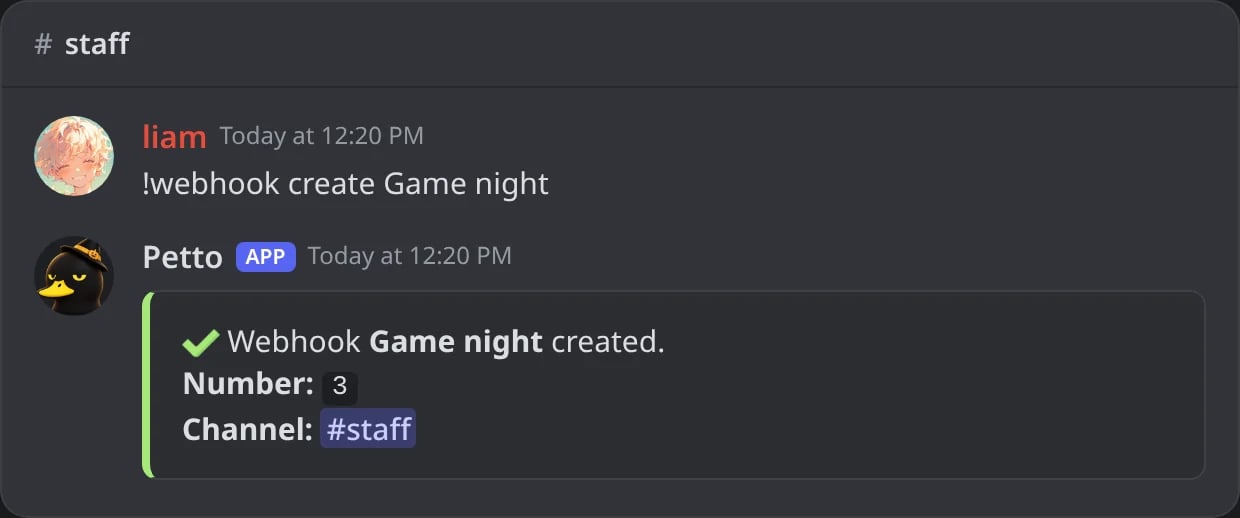
In Discord: a new webhook in the channel where you write it, with its number.
!webhook send
!webhook send
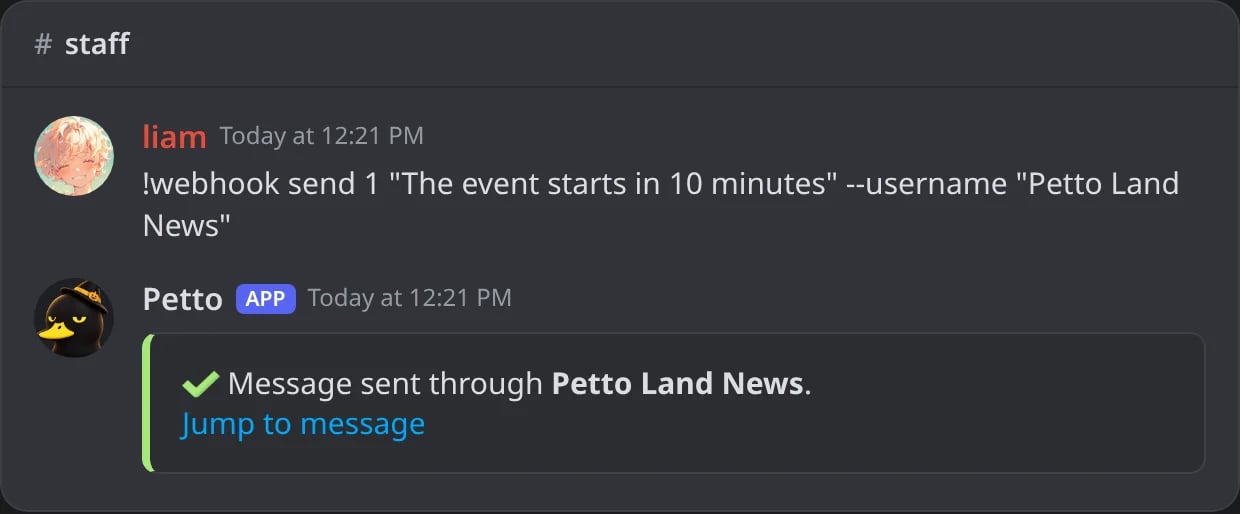
In Discord: a message through webhook 1 with another name, and a link to it.

In Discord: what the webhook posts in #announcements.
!webhook send … --add
!webhook send … --add
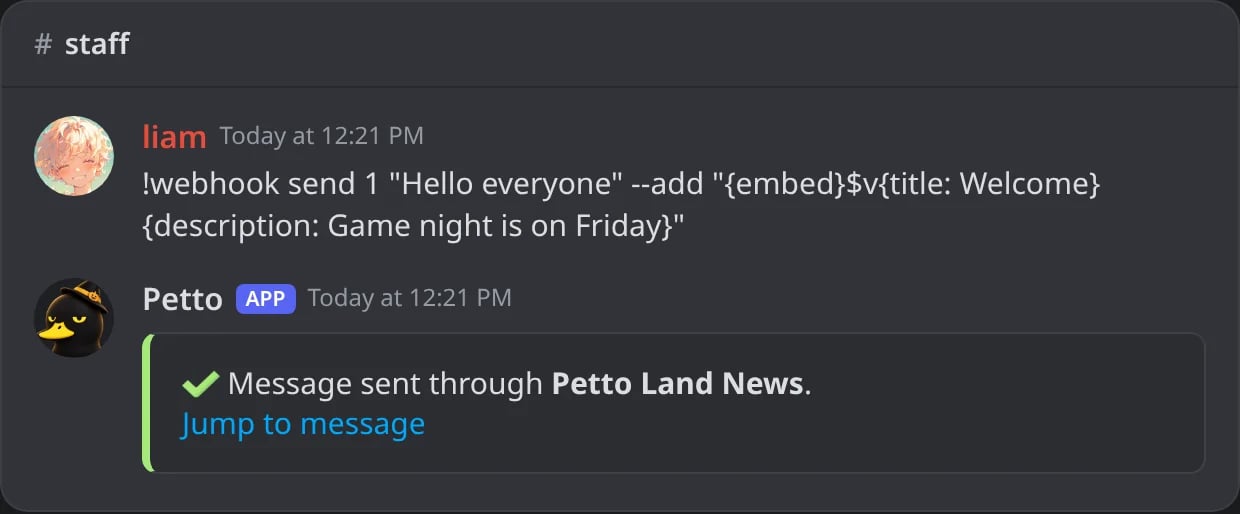
In Discord: --add puts an embed with a title and a description under the text.
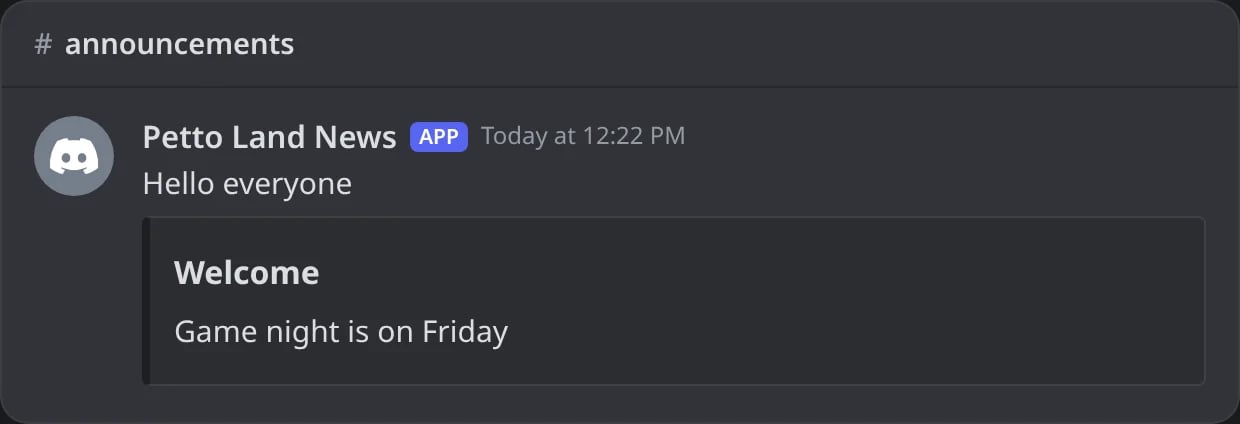
In Discord: the text and the embed, as the webhook posts them.
!webhook edit
!webhook edit
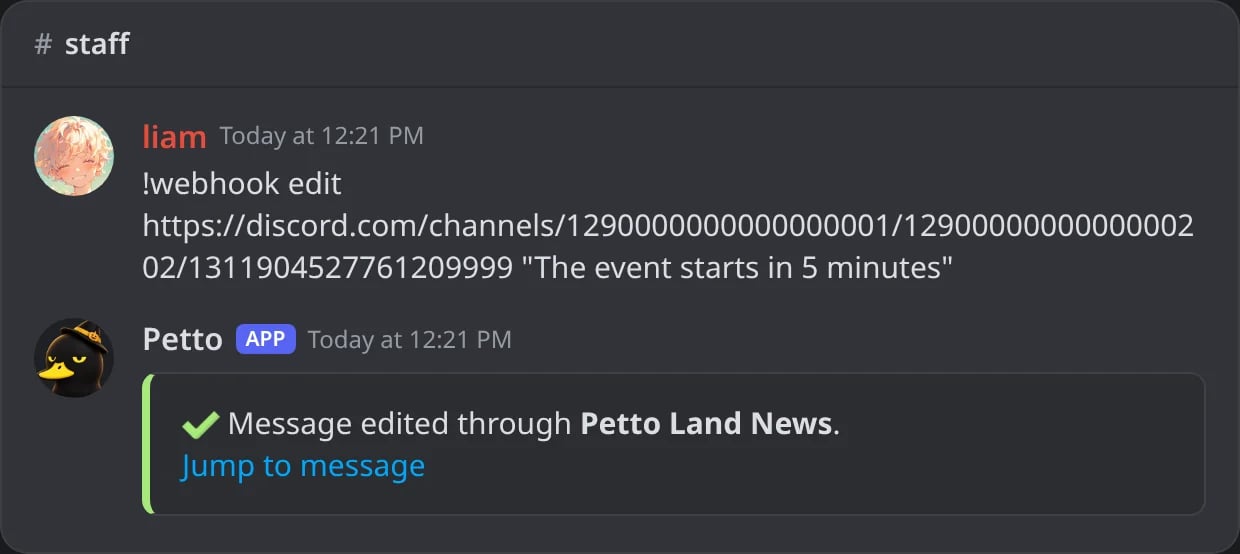
In Discord: a message the webhook sent, changed in place.
!webhook delete
!webhook delete
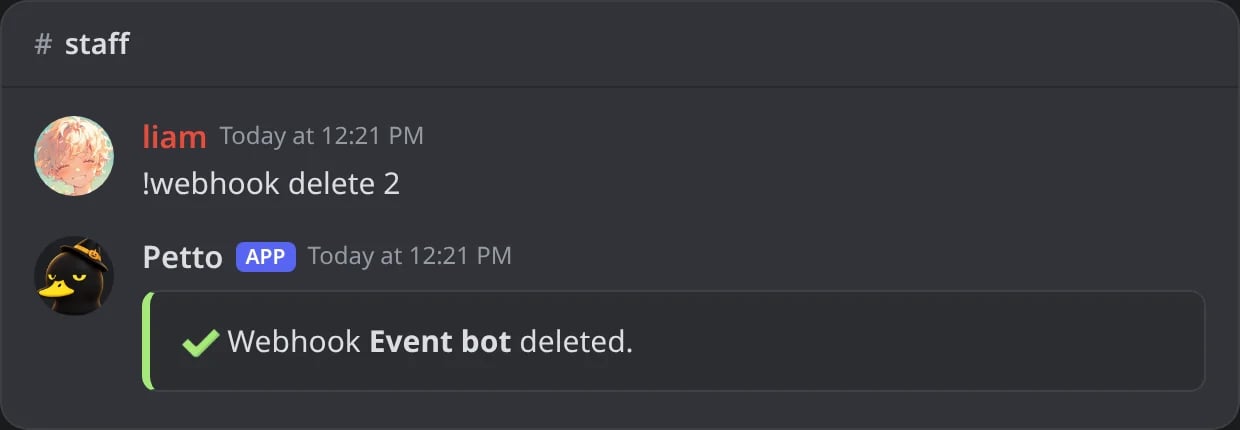
In Discord: the webhook is deleted in Discord and in Petto.
!webhookconfig (needs Manage Server) lists the managed webhooks of the server with their channel and state, and every !webhook command.
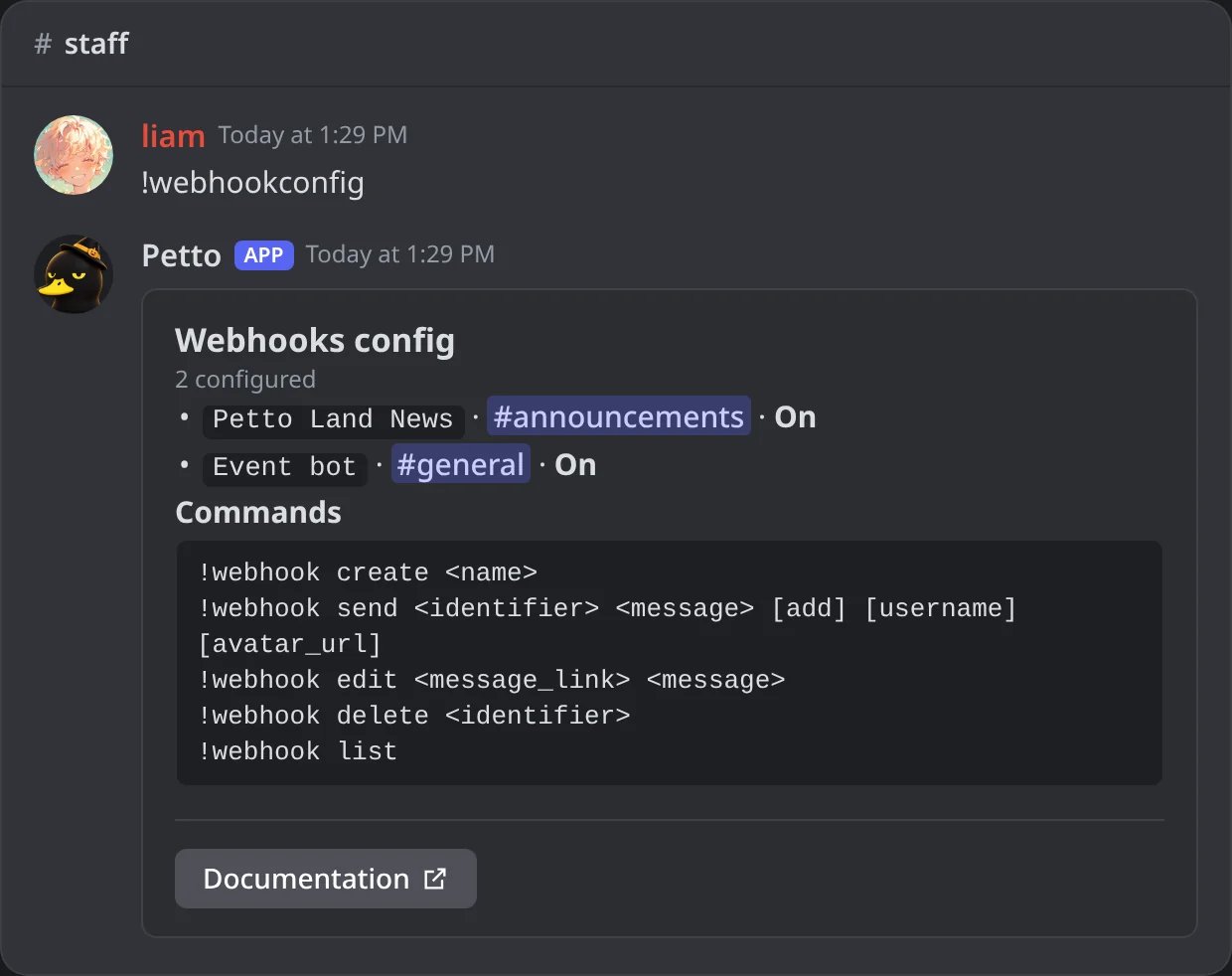
In Discord: !webhookconfig, the managed webhooks and the commands.
Permissions and dashboard
You need Manage Webhooks to use the command. The webhook must also be created in a channel where Petto can manage webhooks.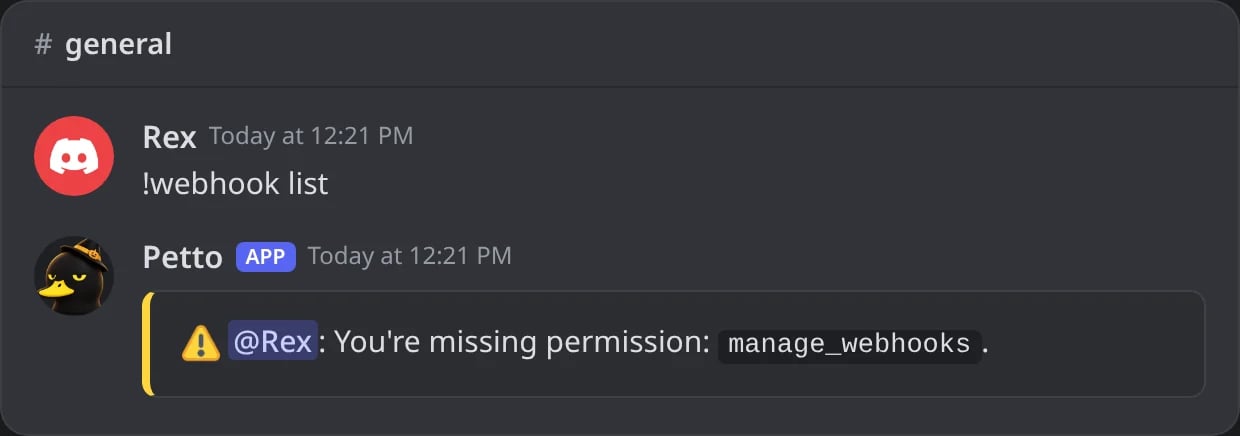
In Discord: a member without Manage Webhooks cannot use !webhook.
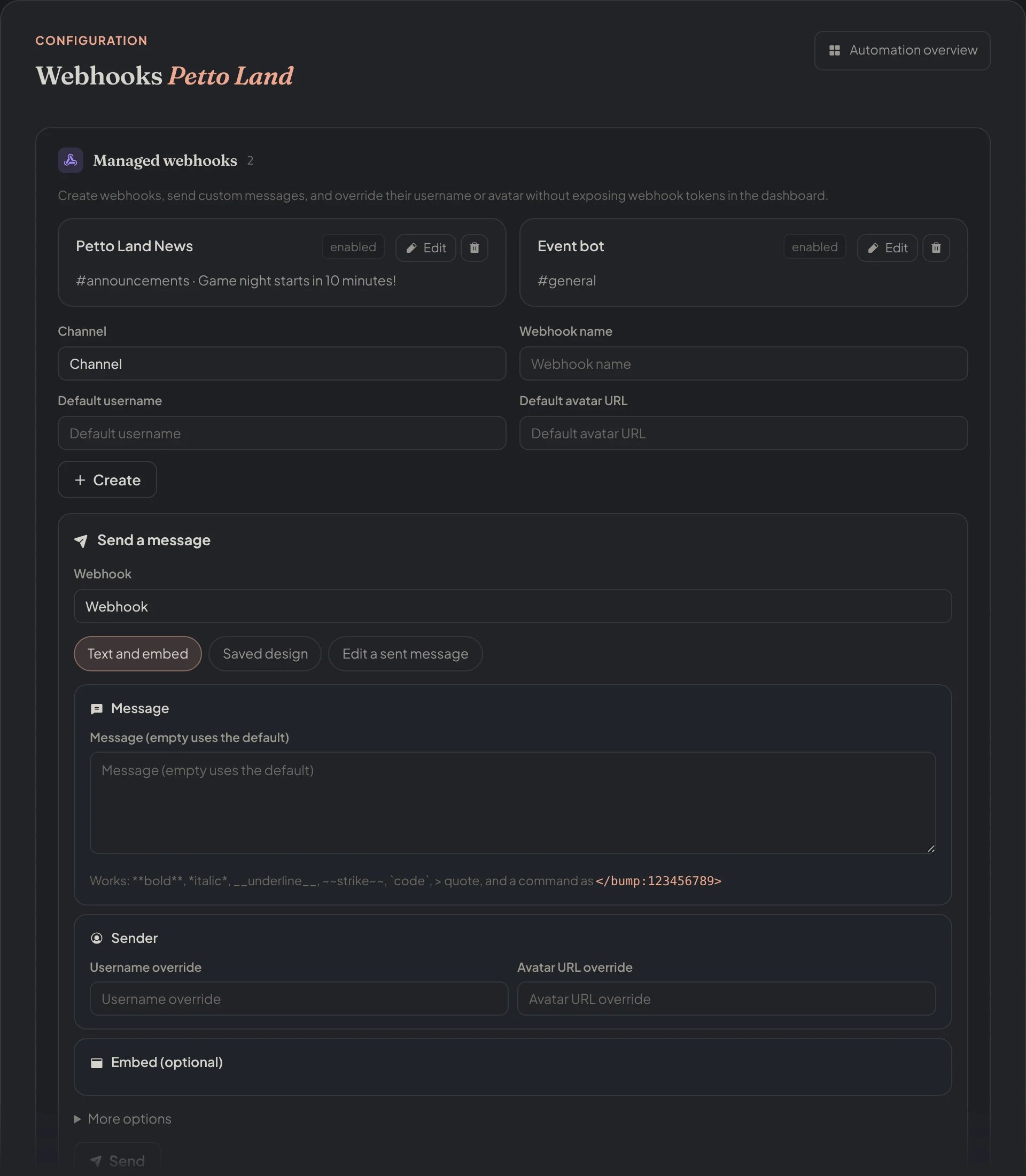
Dashboard → Integrations → Webhooks: the managed webhooks, the form to create one and the Send a message form.
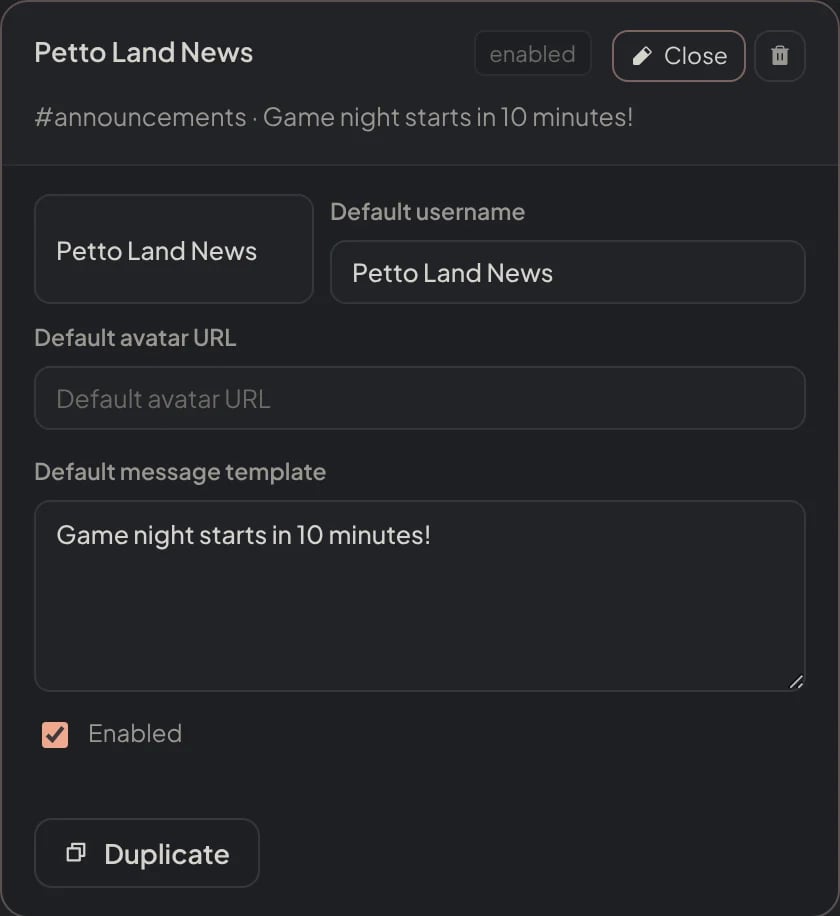
Dashboard → Integrations → Webhooks: a webhook opened with Edit, with its name, default username, avatar and message.

Dashboard → Integrations → Webhooks: the form to create a webhook.
Ways to send from the dashboard · New
The Send a message form of the dashboard has three modes:- Text and embed. The message, a username and an avatar for this send, and an embed with title, description, color, image, thumbnail, footer and a link on the title.
- Saved design. Pick a design from the Embeds page and Petto sends it with its variables filled in. Components V2 designs work too.
- Edit a sent message. Paste the ID of a message this webhook sent, write the new text or pick a design, and the message is changed in place.
Text and embed
Text and embed
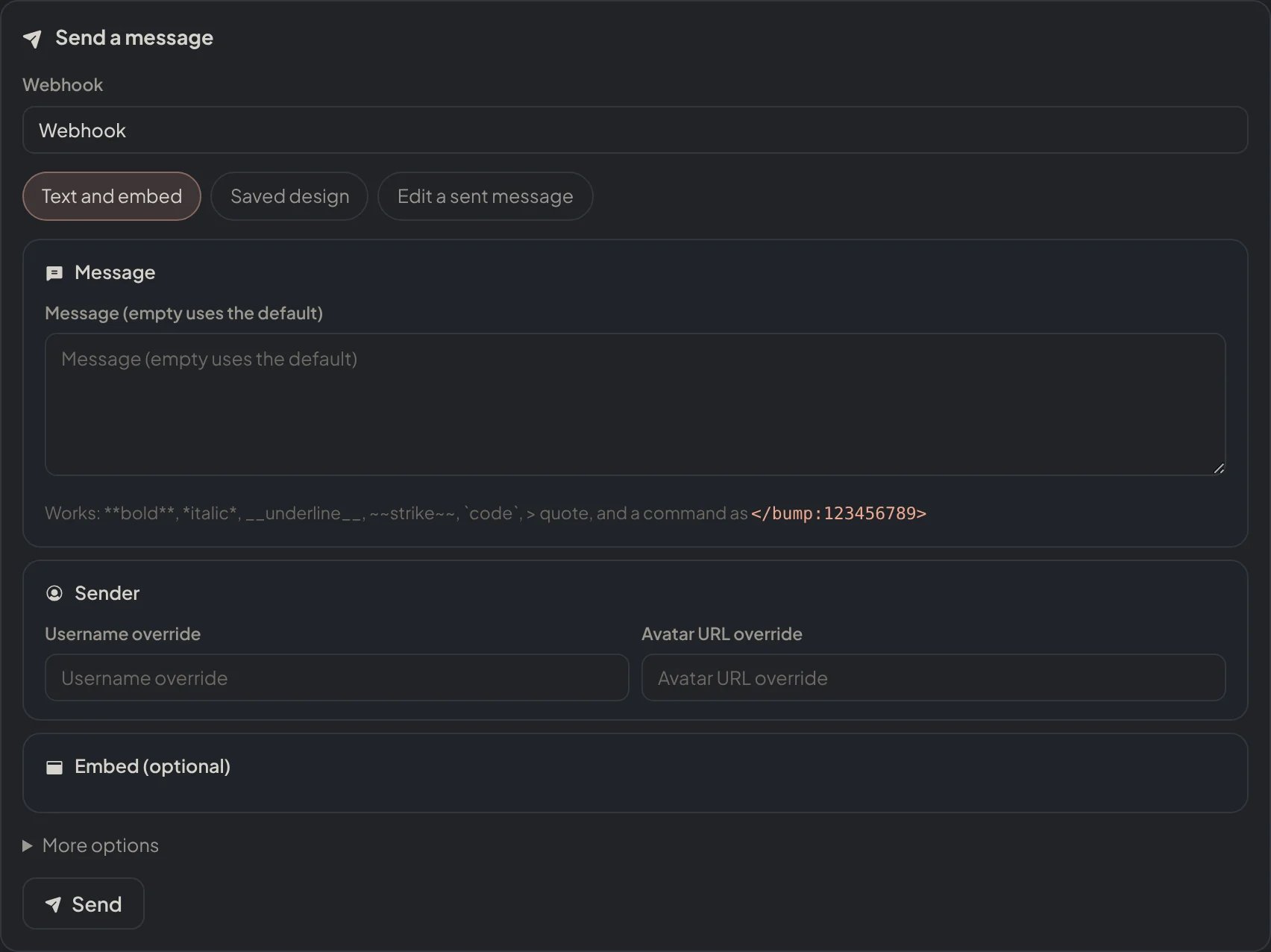
Dashboard → Integrations → Webhooks: Send a message, with Text and embed.
Saved design
Saved design
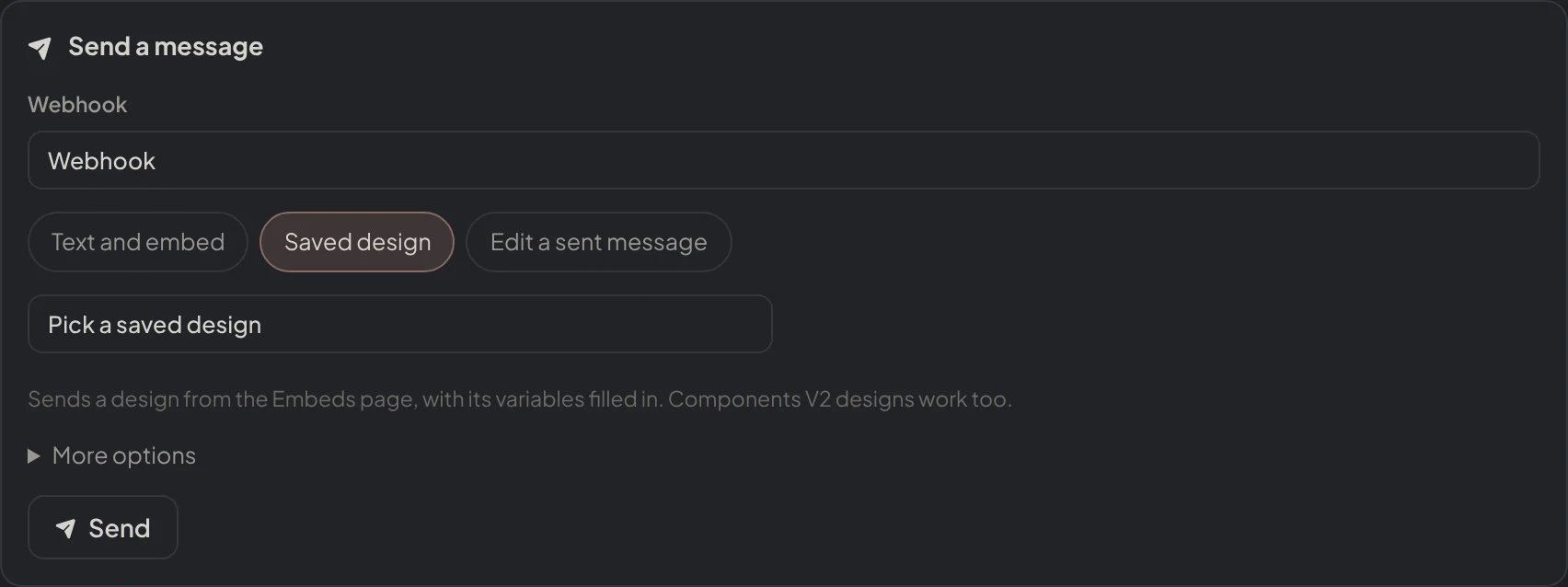
Dashboard → Integrations → Webhooks: Send a message, with a Saved design.
Edit a sent message
Edit a sent message
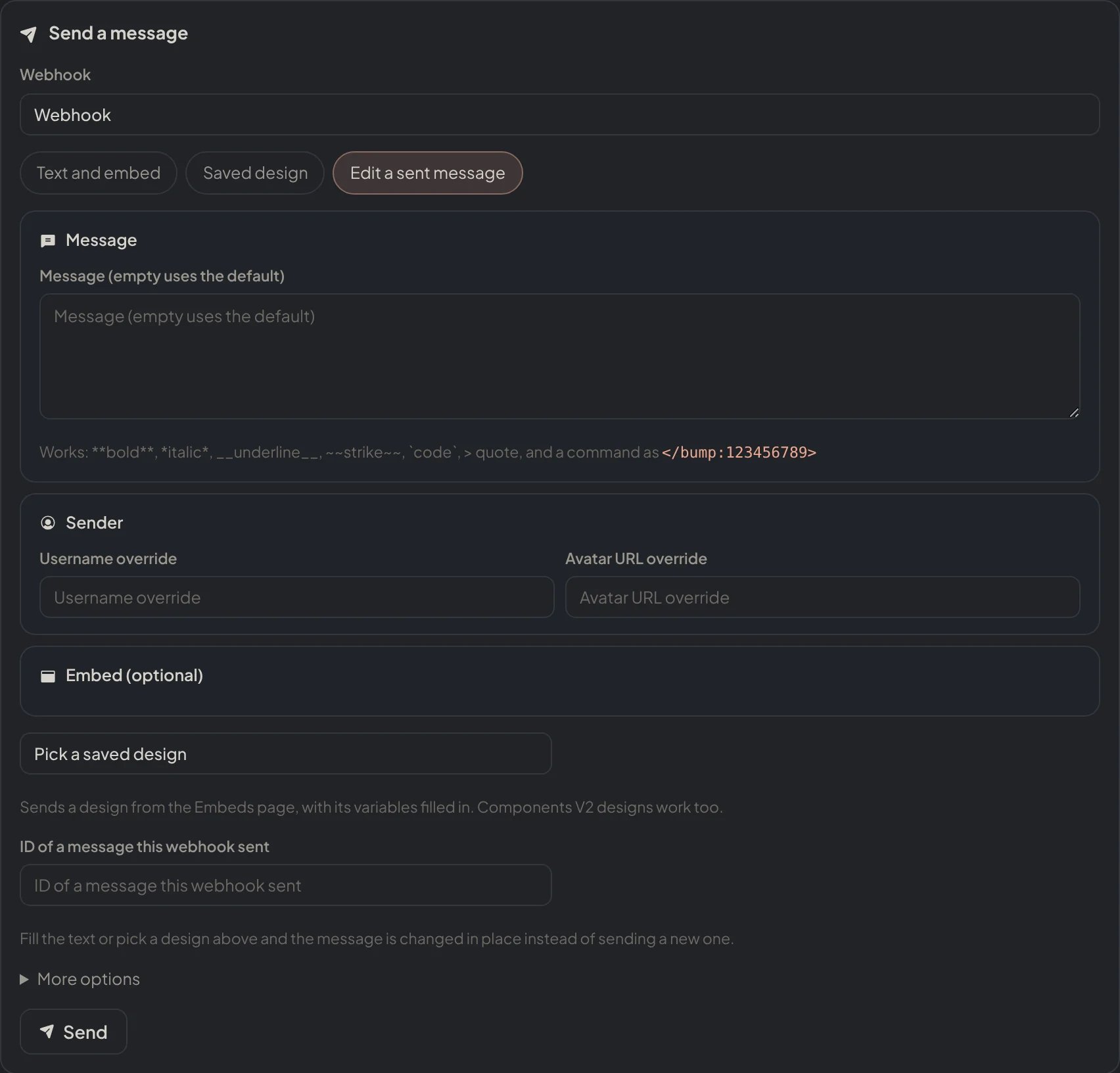
Dashboard → Integrations → Webhooks: Send a message, on Edit a sent message.
@everyone, roles or members unless you tick the option.
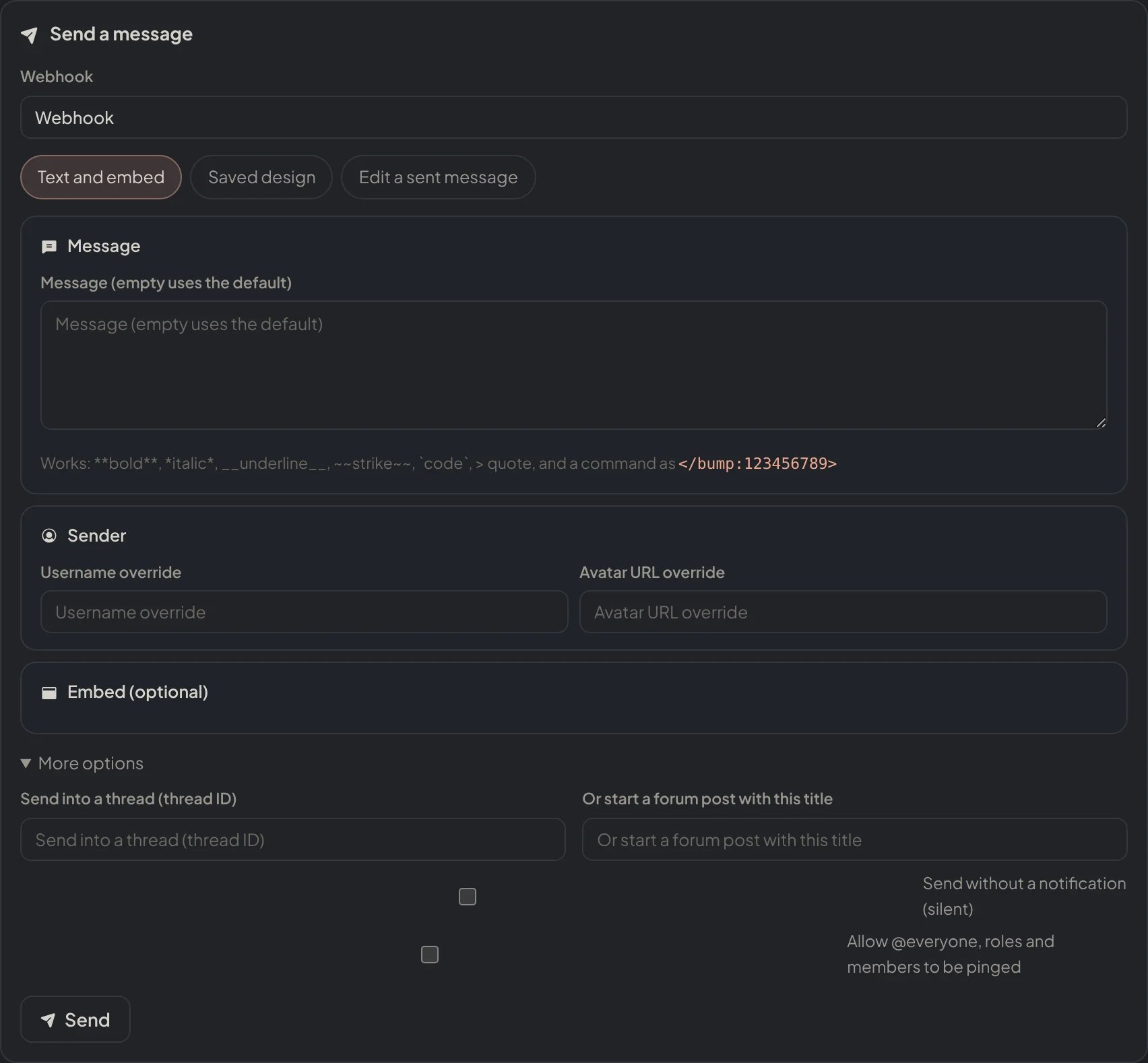
Dashboard → Integrations → Webhooks: More options: a thread, a forum post, silent and pings.
Embed additions
--add accepts a compact embed code. Petto currently reads title and description values, for example: