
Overview
A media channel only takes what you decide. Petto deletes everything else and tells the person why, in a notice that deletes itself. There are two kinds, and a channel can be both:- Pictures and videos (
!imgonly): only messages with attachments. You choose whether videos, audio and other files are allowed, and whether the picture can come with text. - Links (
!urlonly): only links, from any site or only from the ones you choose: YouTube, X (Twitter), Instagram, TikTok, Pinterest, Spotify, Twitch, Kick, SoundCloud, Reddit, Facebook, GitHub, GIFs (Tenor and Giphy) and Discord.
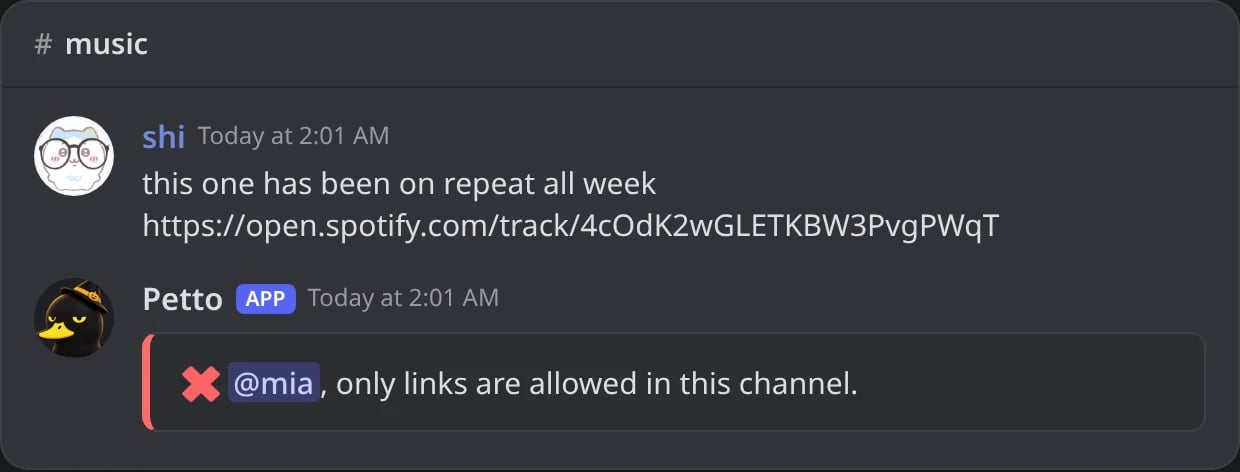
In Discord: a message without a link in a channel for Spotify, YouTube and SoundCloud links. It was deleted and Petto says why; the notice deletes itself.
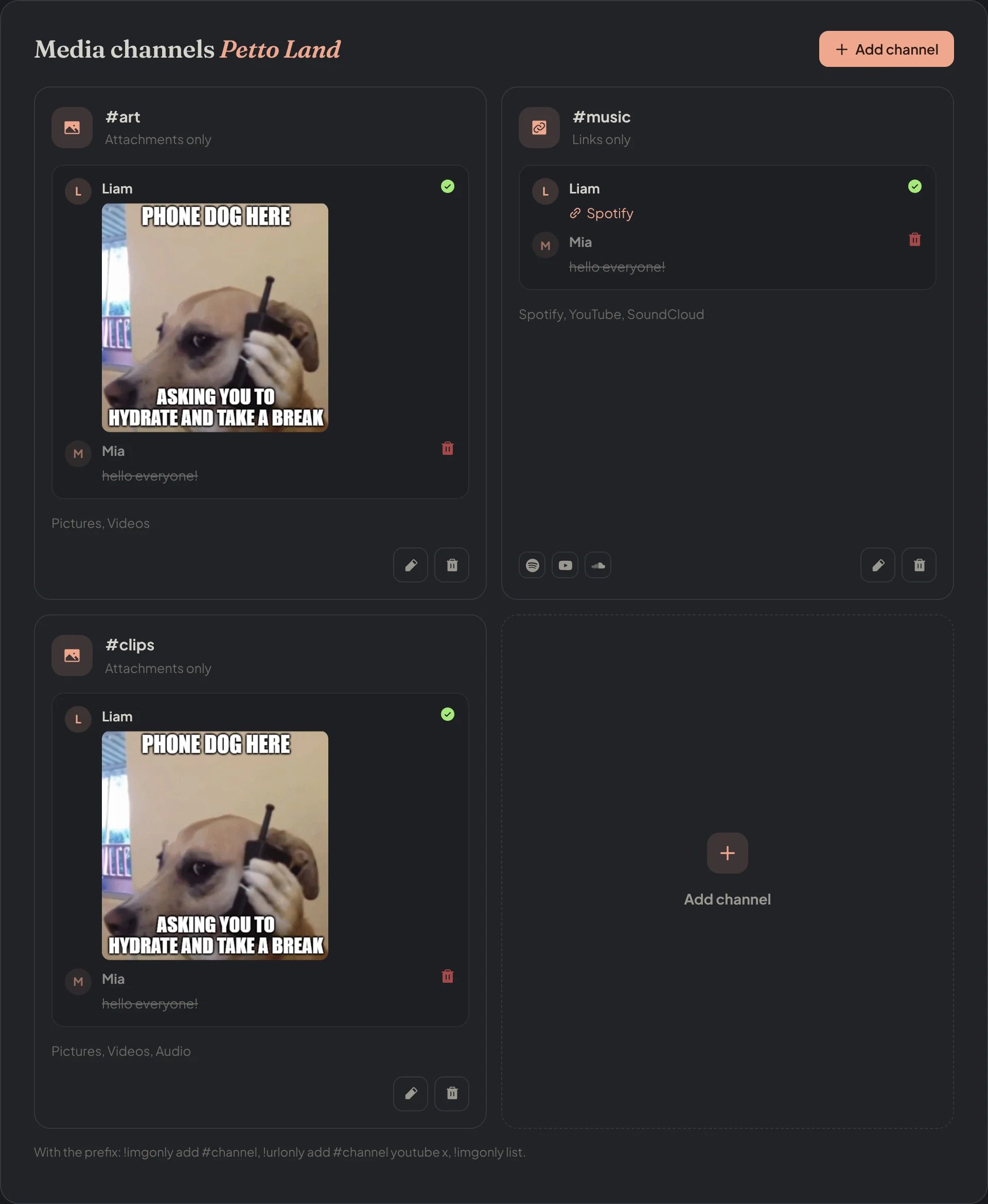
Dashboard → Community → Media channels: a card for each channel, with a message that is kept and one that is deleted.
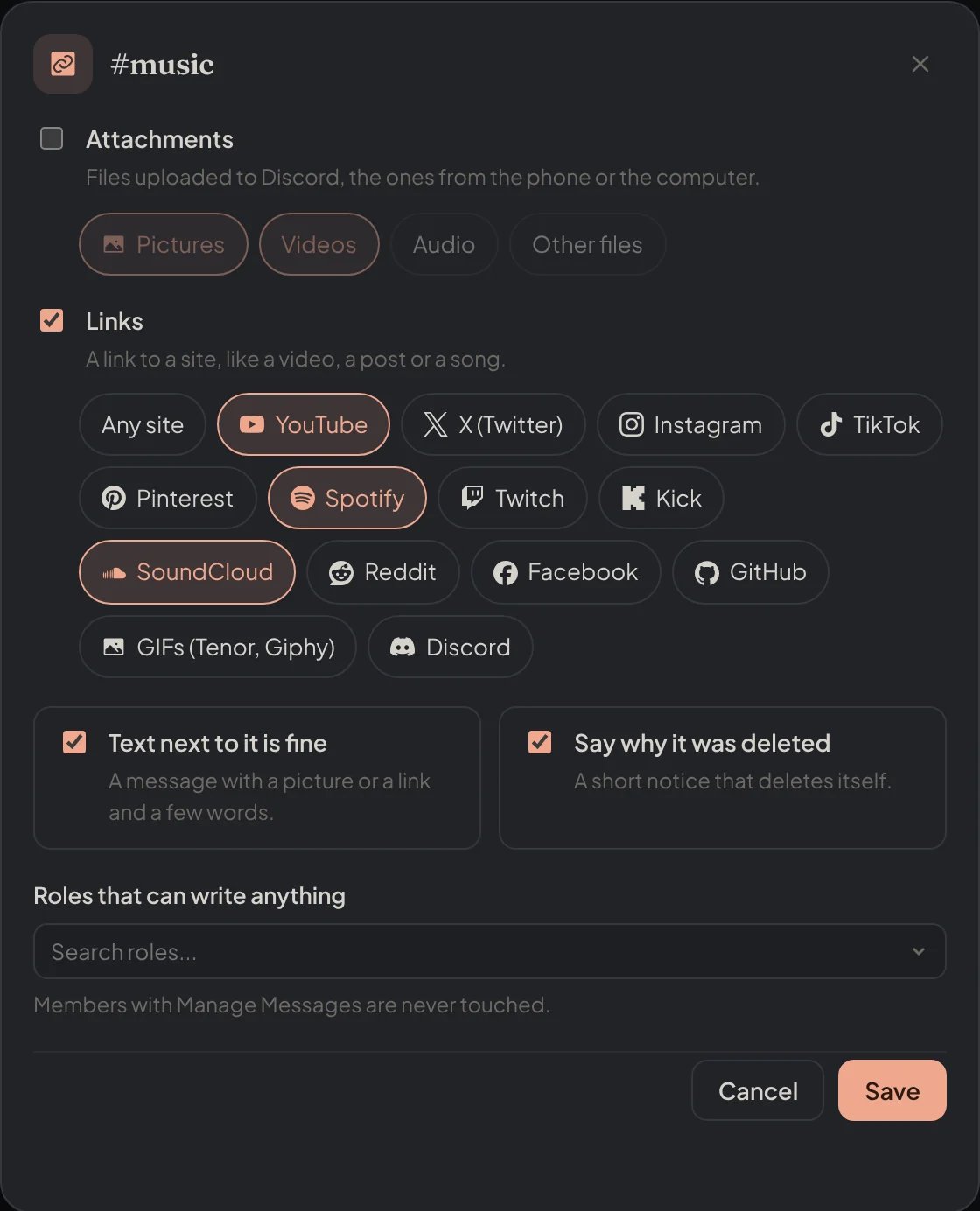
Dashboard → Community → Media channels: the settings of #music, links of three sites, with the notice and the roles that can write anything.
Pictures and videos
!imgonly add
!imgonly add
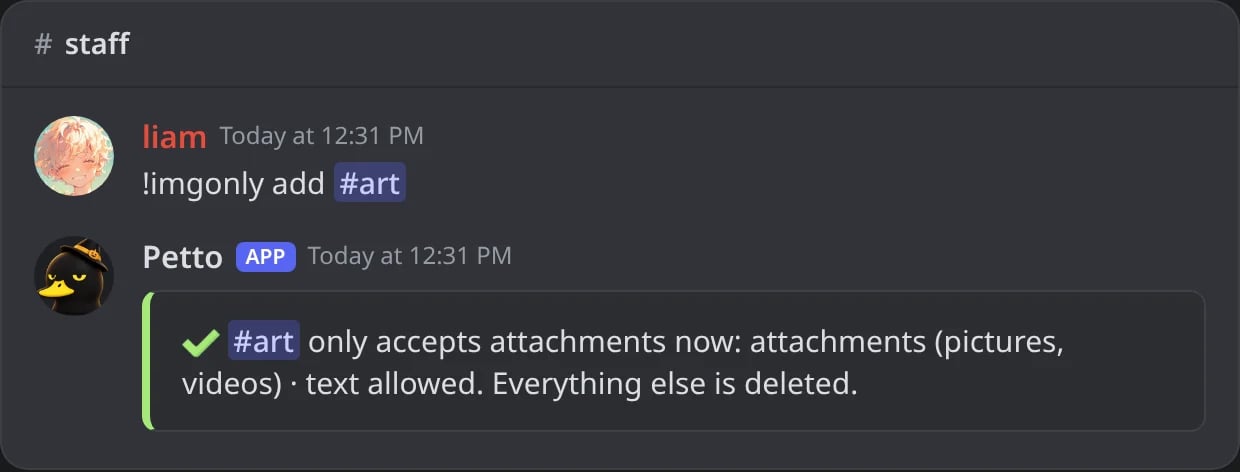
In Discord: #art only takes pictures and videos now, with text allowed.
!imgonly add (videos and audio)
!imgonly add (videos and audio)
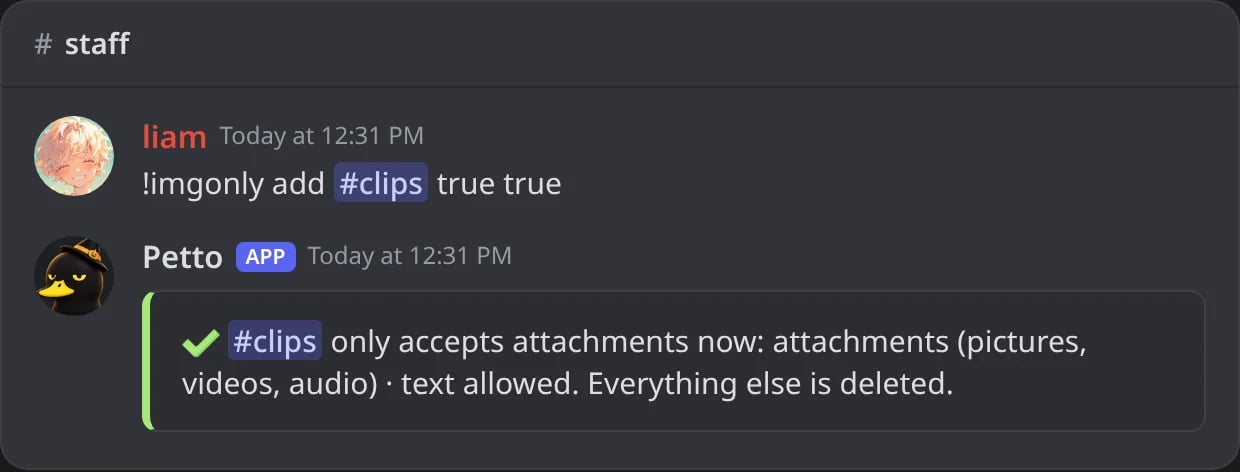
In Discord: #clips takes audio files too.
!imgonly add (Petto cannot delete there)
!imgonly add (Petto cannot delete there)
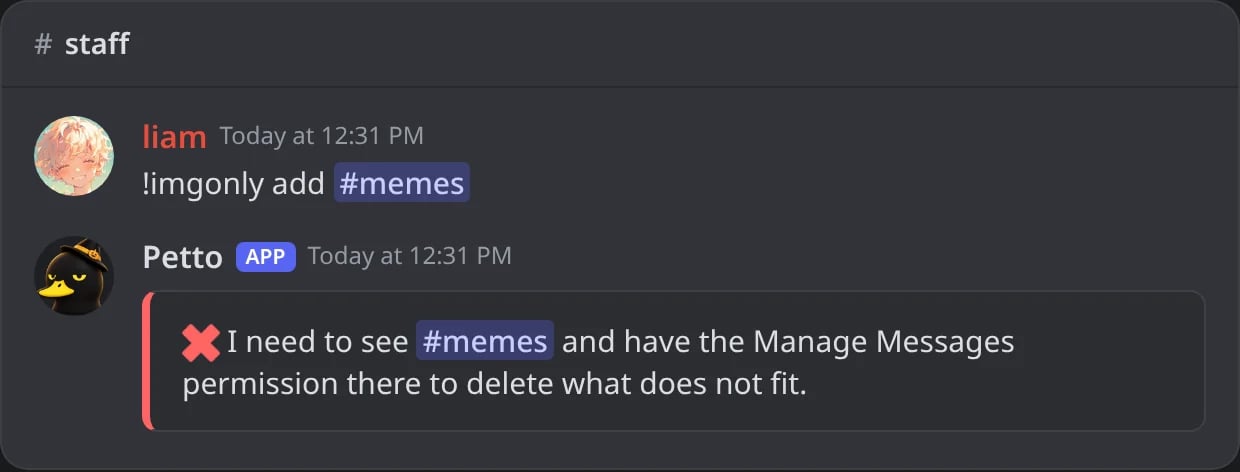
In Discord: without Manage Messages in #memes, no rule is set.
!imgonly remove
!imgonly remove
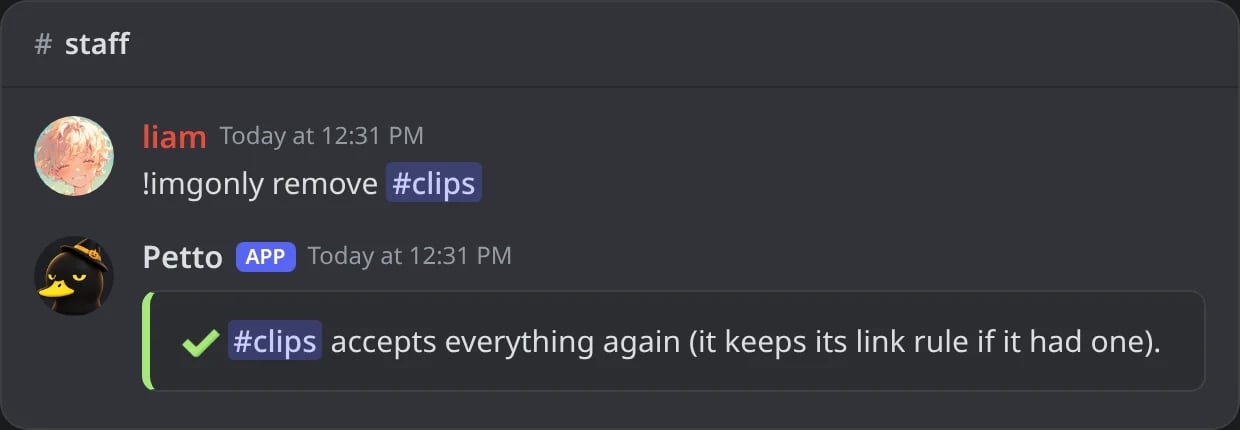
In Discord: #clips accepts everything again.
!imgonly list
!imgonly list
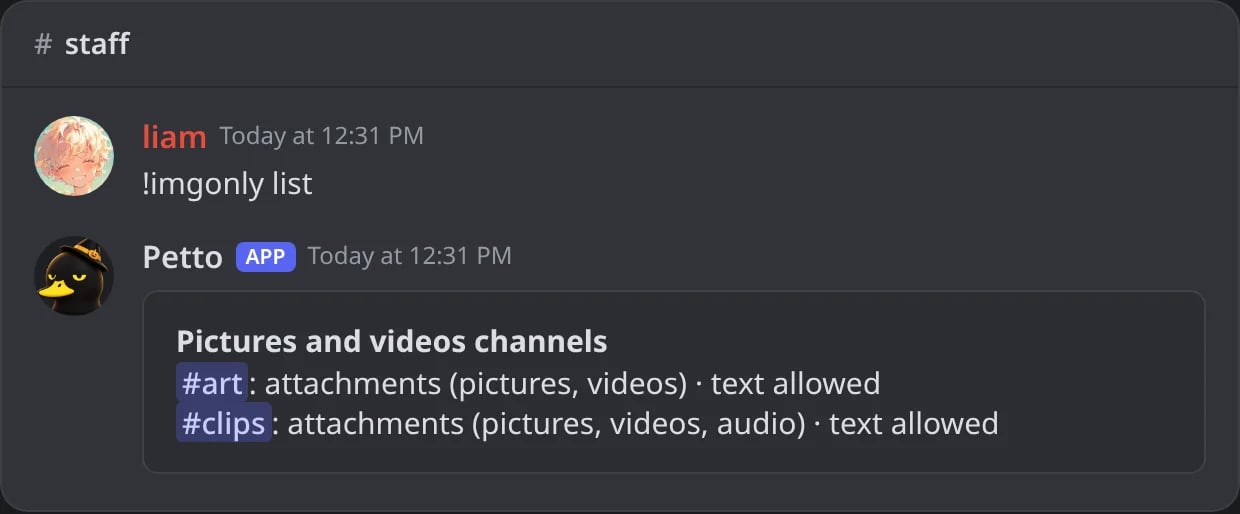
In Discord: the pictures and videos channels of the server.
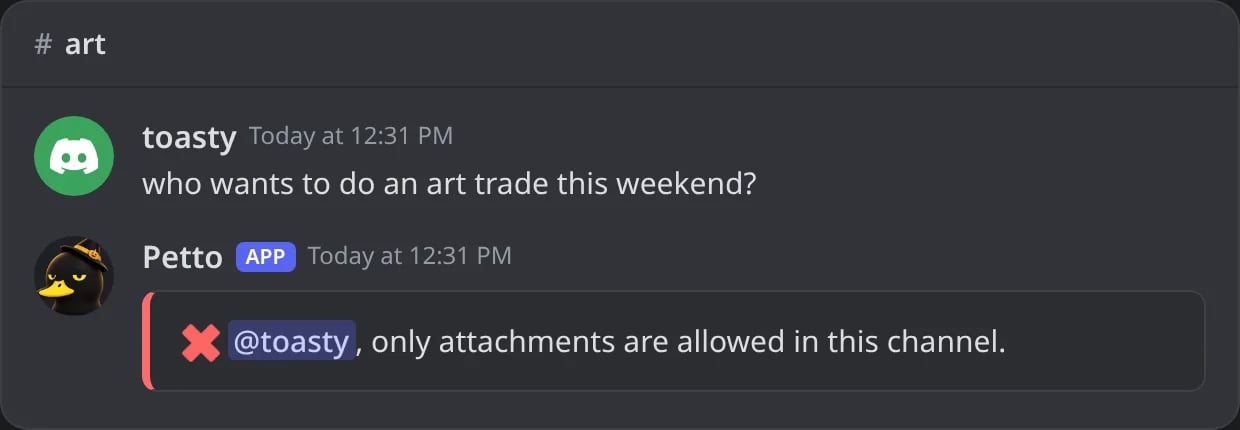
In Discord: a message with only text in #art is deleted, and Petto says why in a notice that deletes itself.
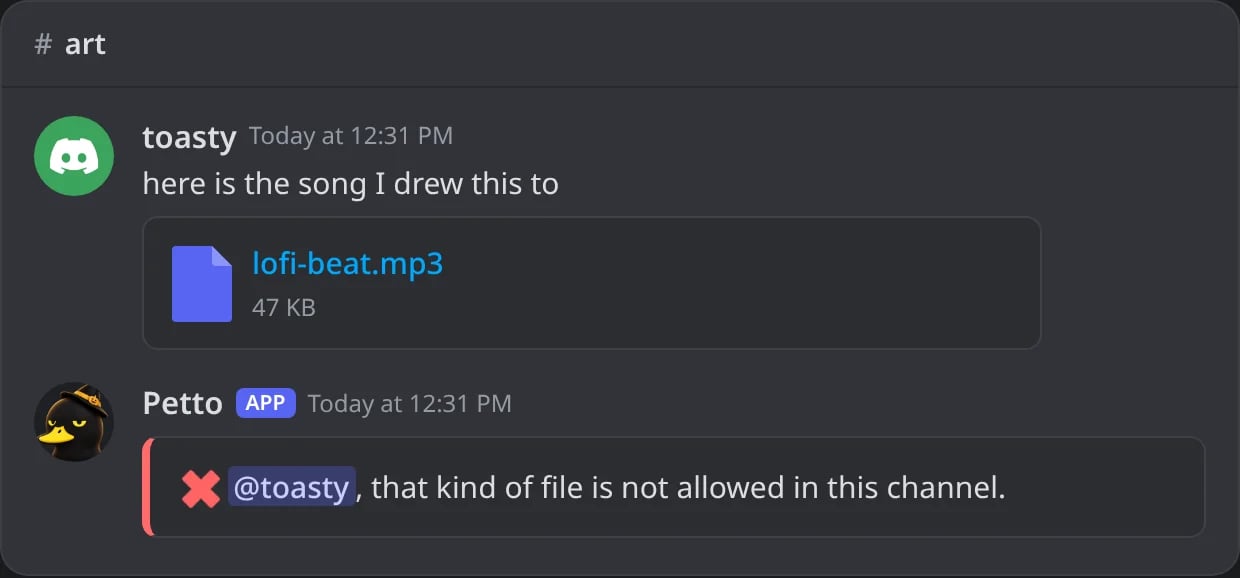
In Discord: an audio file in #art, where audio is not allowed.
videos(default yes),audio(default no) andfiles(any other file, default no) choose what counts as media. Pictures are always allowed.caption(default yes) lets the picture come with text. With it off, a message with text is deleted.
!gallery and !imageonly.
Links
!urlonly add
!urlonly add
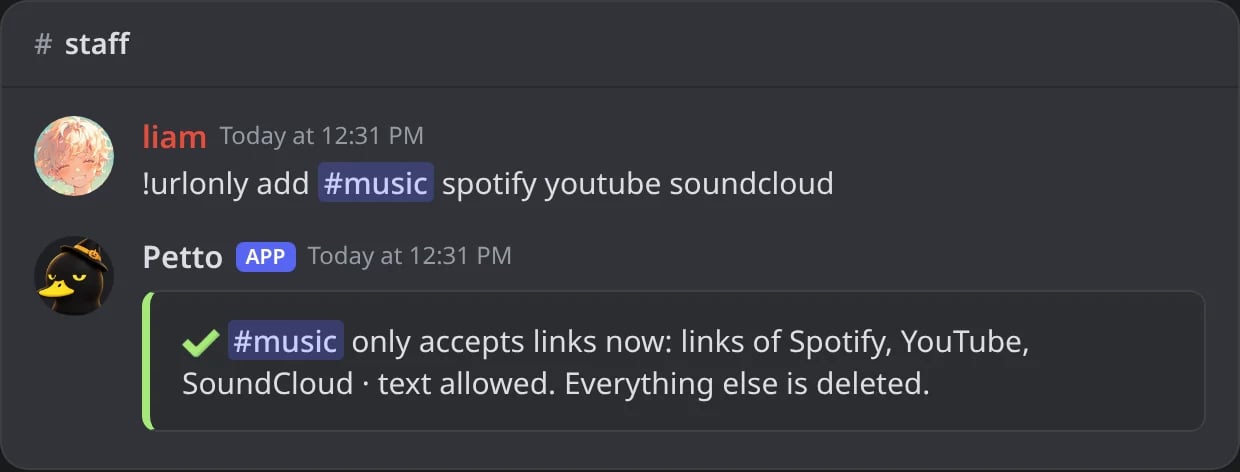
In Discord: #music only takes links of Spotify, YouTube and SoundCloud.
!urlonly add (any site)
!urlonly add (any site)
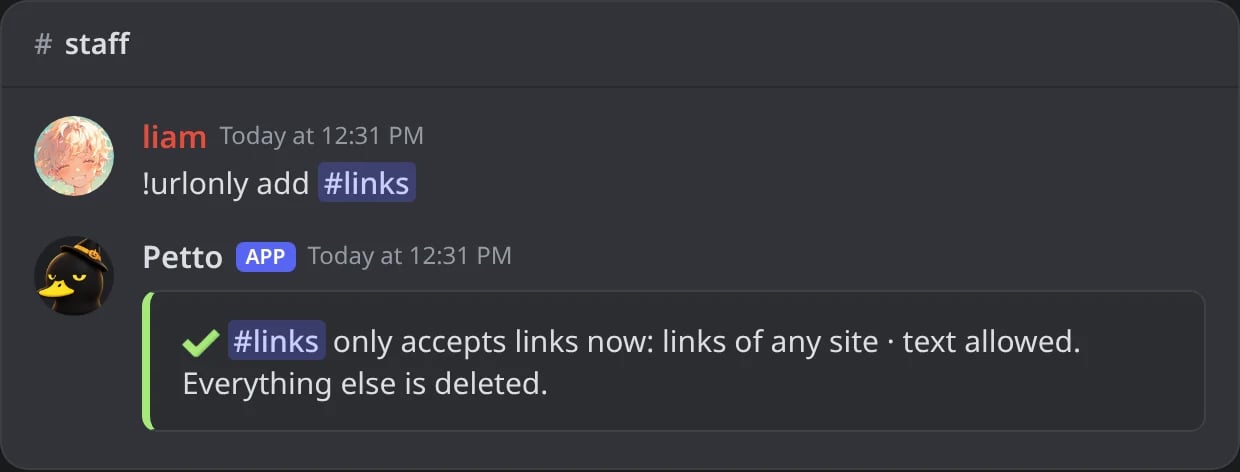
In Discord: #links takes links of any site.
!urlonly add (a site that is not on the list)
!urlonly add (a site that is not on the list)
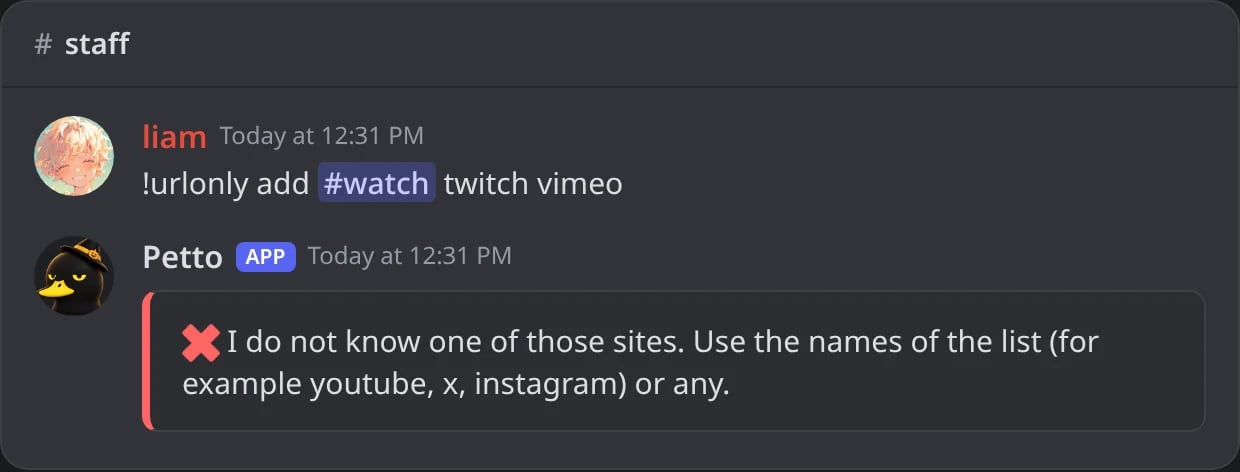
In Discord: vimeo is not one of the sites, so nothing is set.
!urlonly remove
!urlonly remove
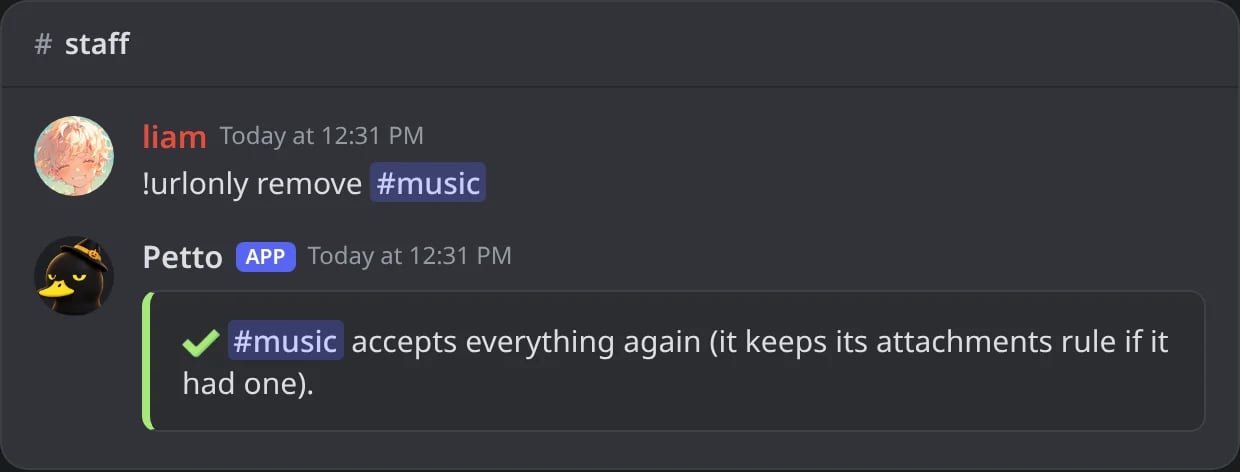
In Discord: #music accepts everything again.
!urlonly list
!urlonly list
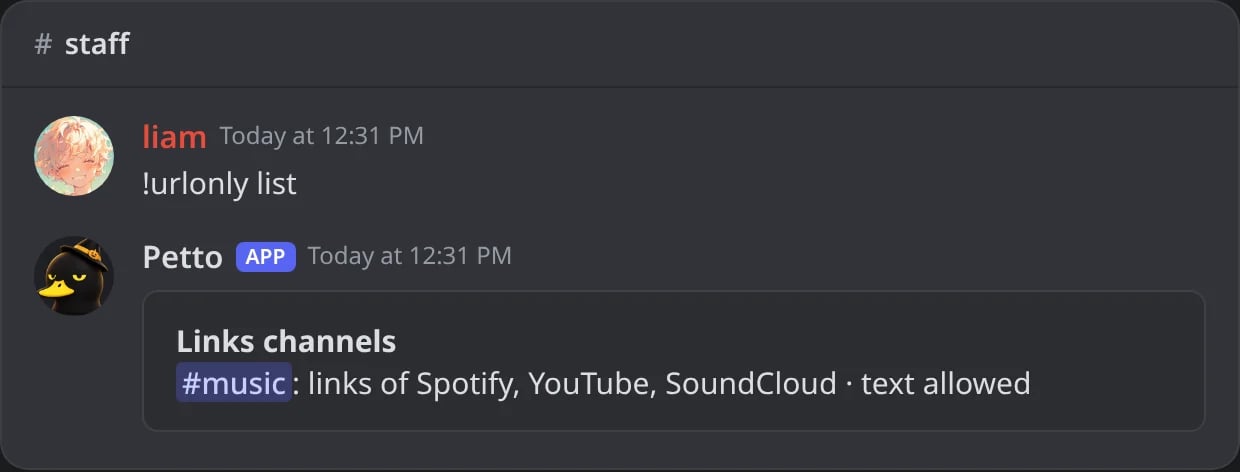
In Discord: the links channels of the server and their sites.
!urlonly sites
!urlonly sites
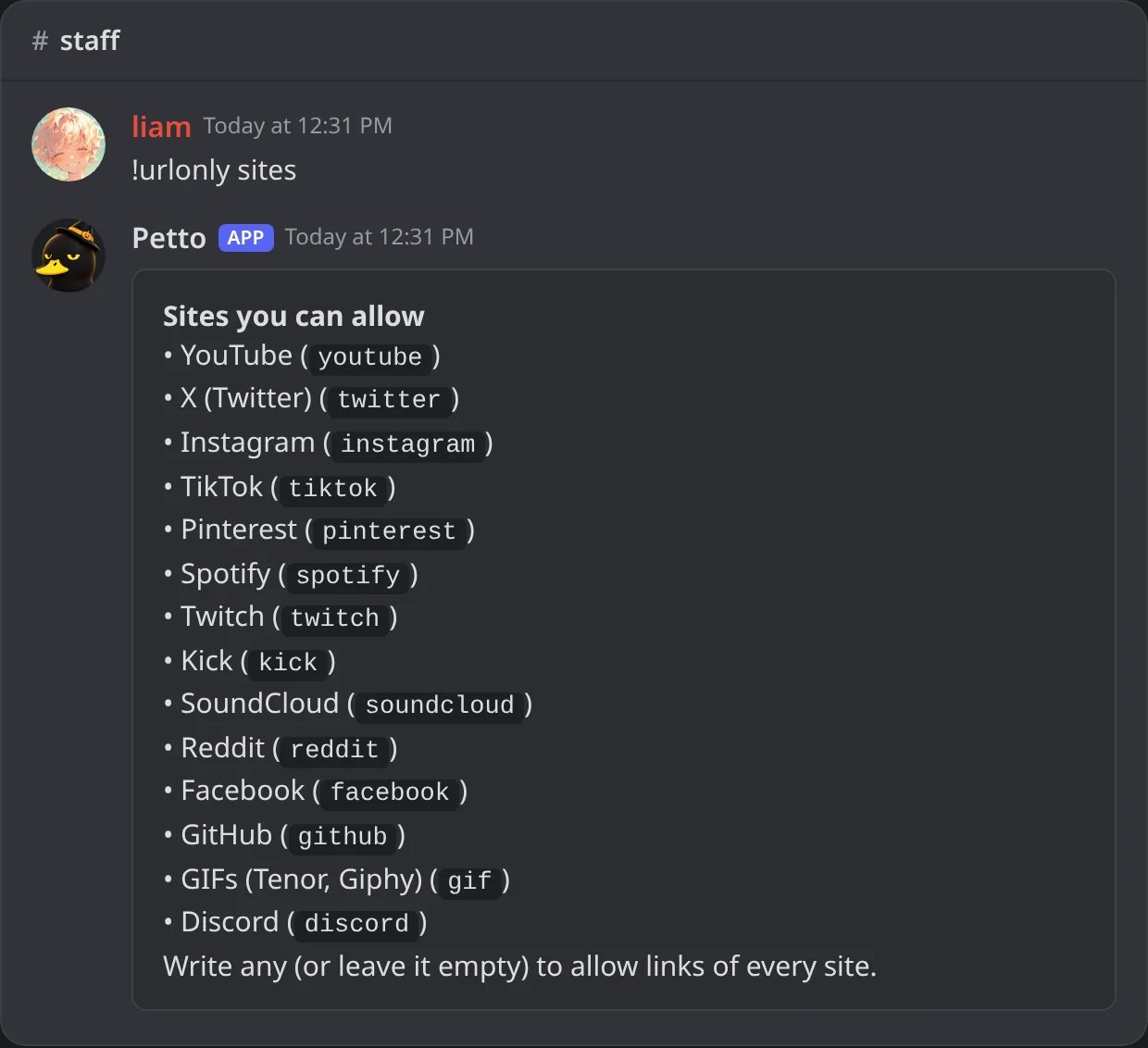
In Discord: every site a links channel can allow, with the word to type.
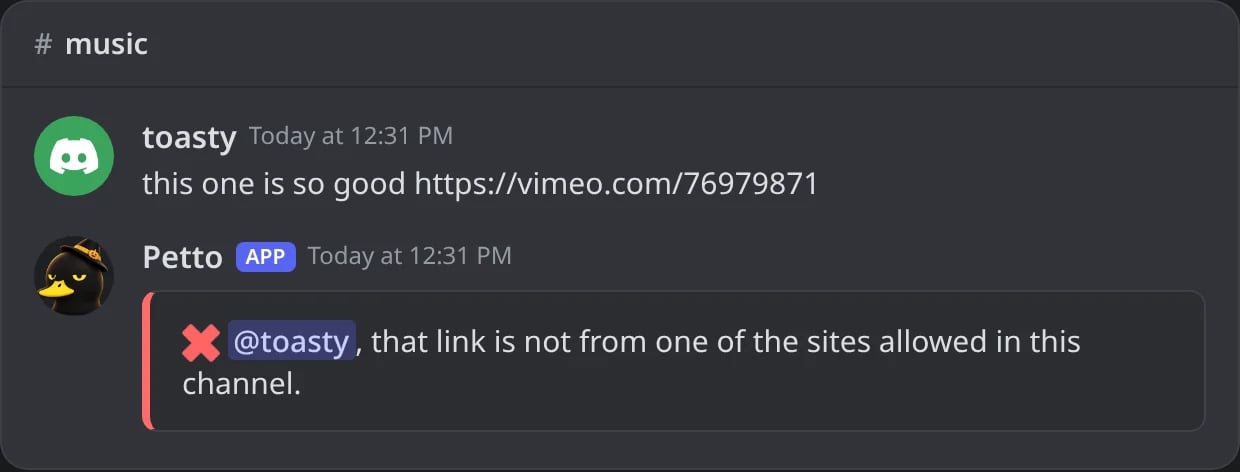
In Discord: a Vimeo link in #music, a channel for three other sites.
sitesis a list of the sites that are allowed, such asyoutube x instagram. Leave it out to allow any link.!urlonly sitesshows the list.caption(default yes) lets the link come with text.
!linkonly.
Notes
- A channel can have both kinds at the same time (pictures and links of some sites).
removetakes the rule off. If a channel has both kinds, it only takes off the one you named.- If Petto cannot delete messages in the channel,
addtells you instead of setting a rule that would not work. addandremoveneed Manage Server;listand!urlonly siteswork for anyone.- Members with Manage Messages (or Administrator) are never touched. In the dashboard you can also choose Roles that can write anything, and turn off the notice.
- The notice deletes itself after a few seconds, and someone who sends several messages in a row gets only one.
!mediaonlyconfig(also!imgonlyconfigand!urlonlyconfig) shows the settings of the media channels and the!imgonlycommands to change them.
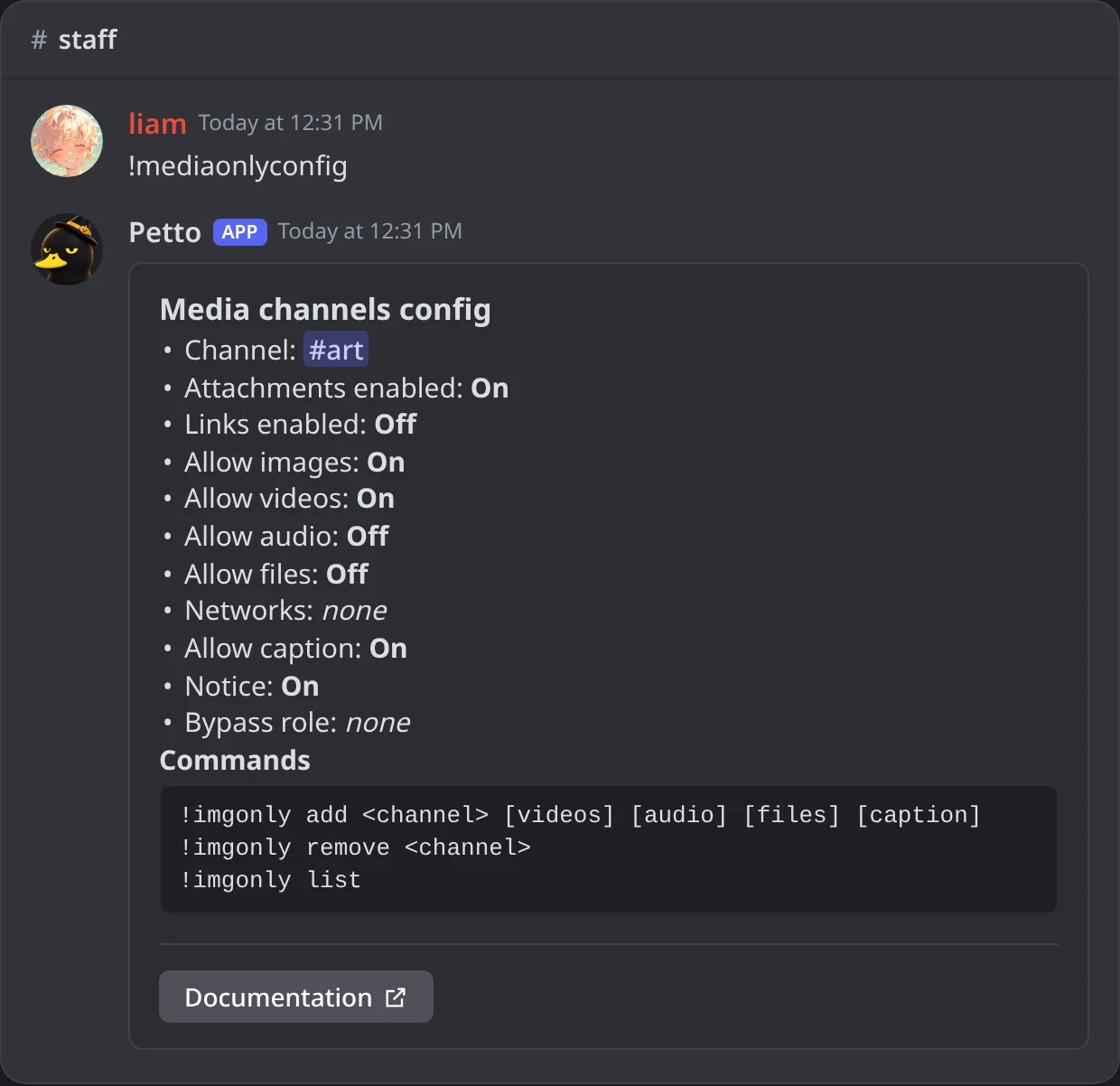
In Discord: !mediaonlyconfig, the settings of the media channel and the commands to change them.