
Overview
Members report a user or a message, and staff handle each report from a card with buttons. Every report is numbered and stored. Reports about a member or a message go to the server’s staff. A DM from Petto itself is reported with the button under it, and that report goes to the Petto team only: see DMs from Petto.Reporting
spam, harassment, hate, nsfw, scam, threats, impersonation, other) goes after it as --category spam, and asking for an urgent ping or hiding your name as --ping yes and --anonymous yes. Anonymous reports stay anonymous in every view.
!report send
!report send
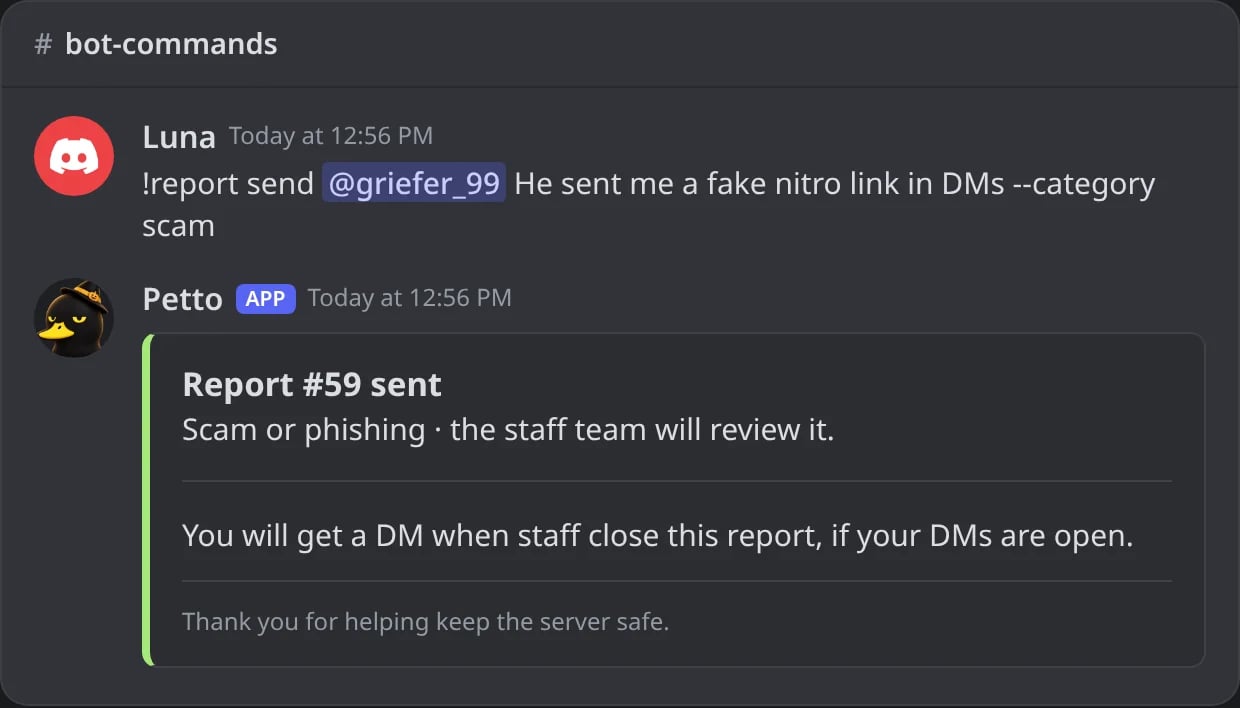
In Discord: a report sent with the command.
--anonymous yes
--anonymous yes
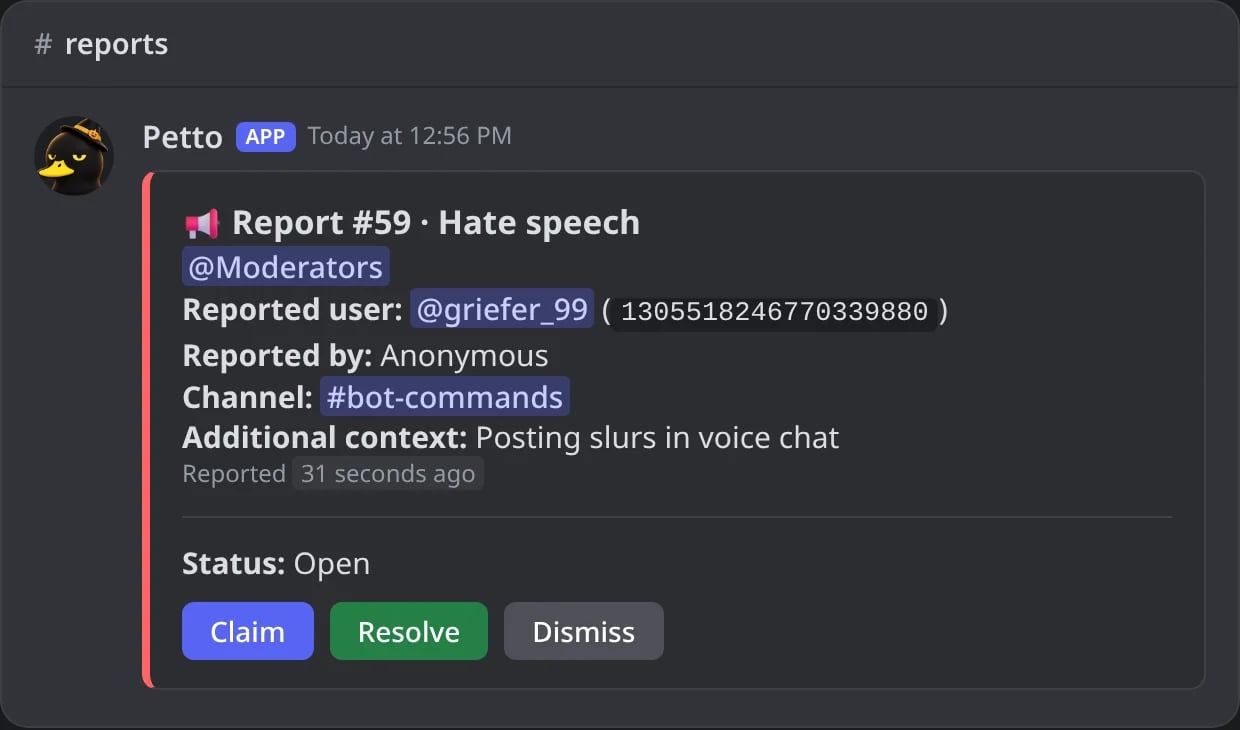
In Discord: an anonymous report as the staff sees it.
Report Message
Report Message
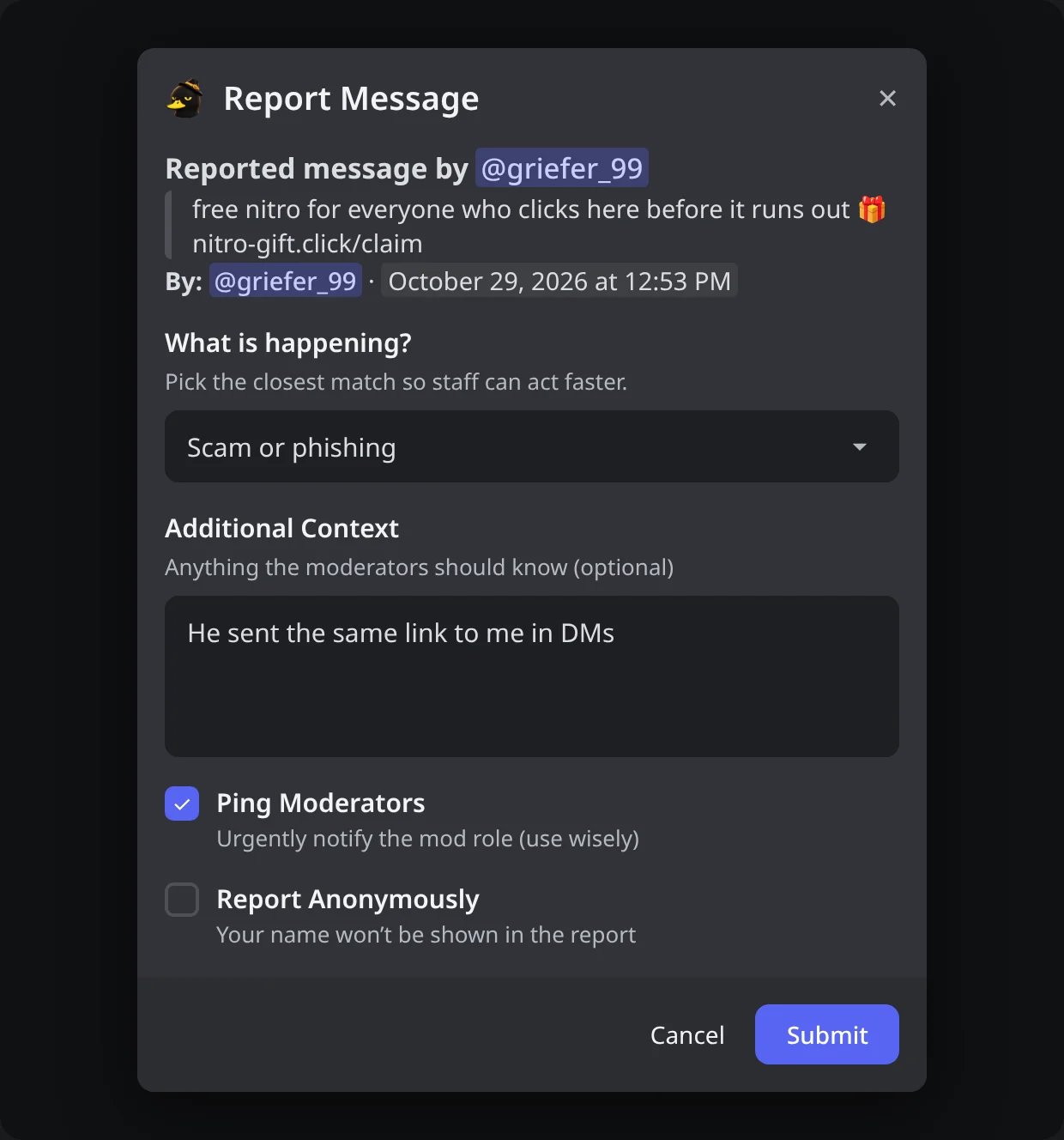
In Discord: the form of Report Message, with the message on top.
Report User
Report User
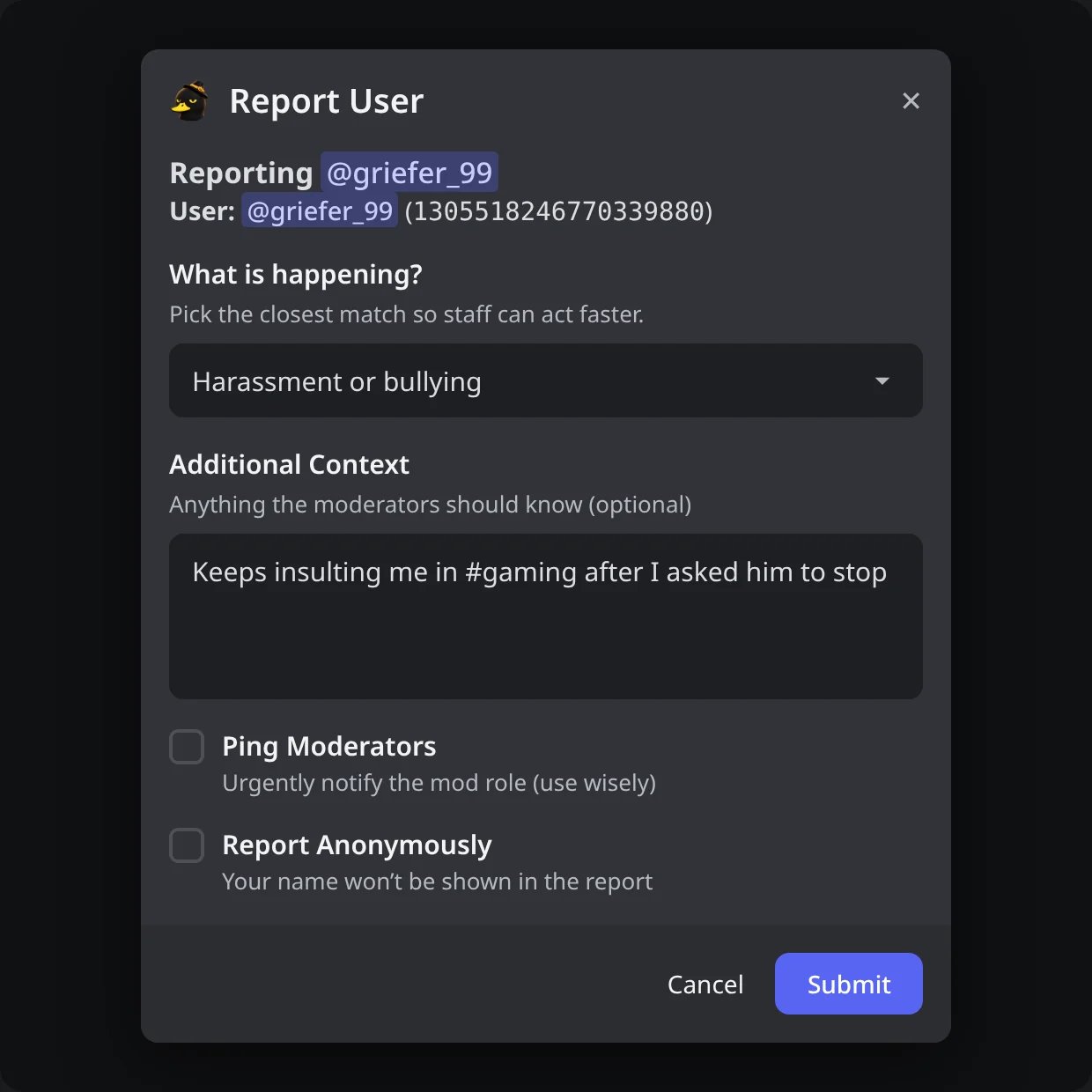
In Discord: the form of Report User on a member.
Report User (on a message)
Report User (on a message)
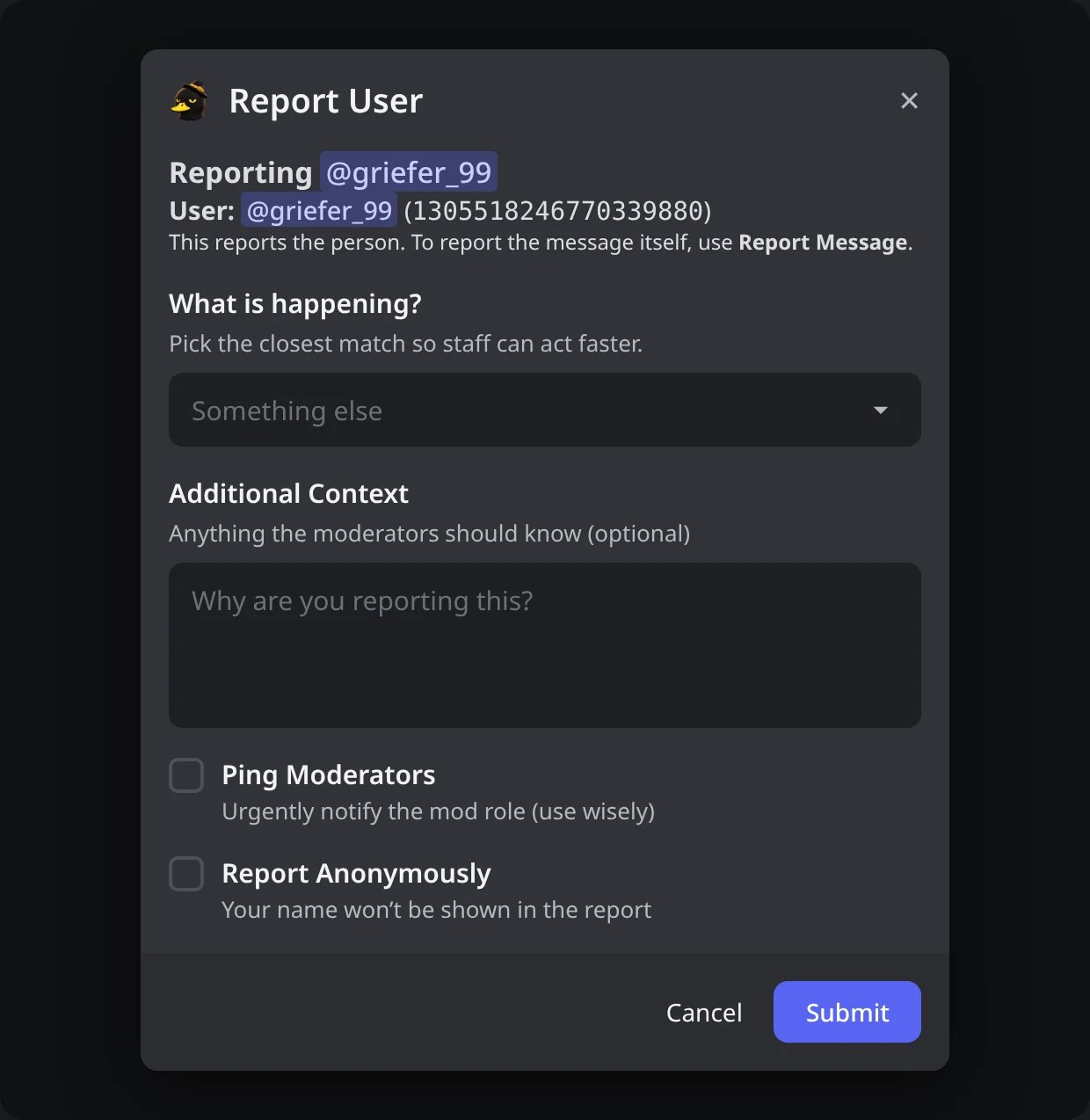
In Discord: Report User from a message reports the person, not the message.
The receipt
The receipt
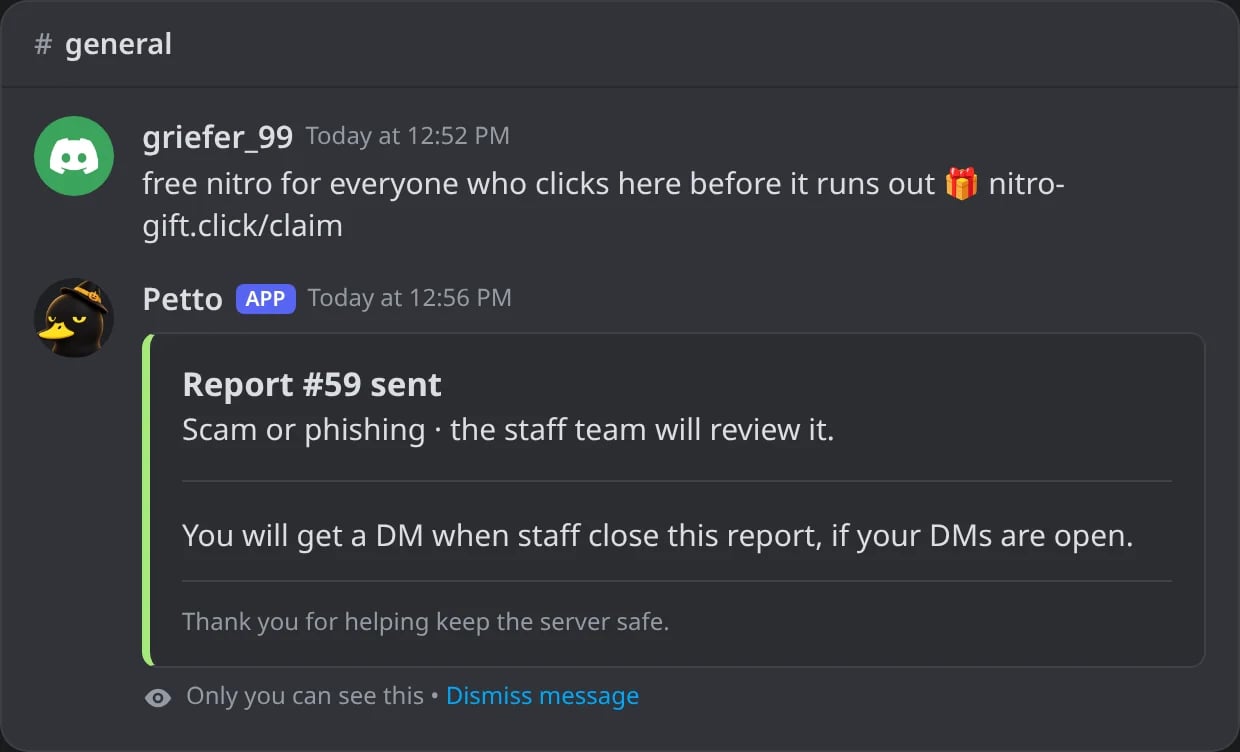
In Discord: the receipt after sending the form.
The report card
Each report is posted with buttons: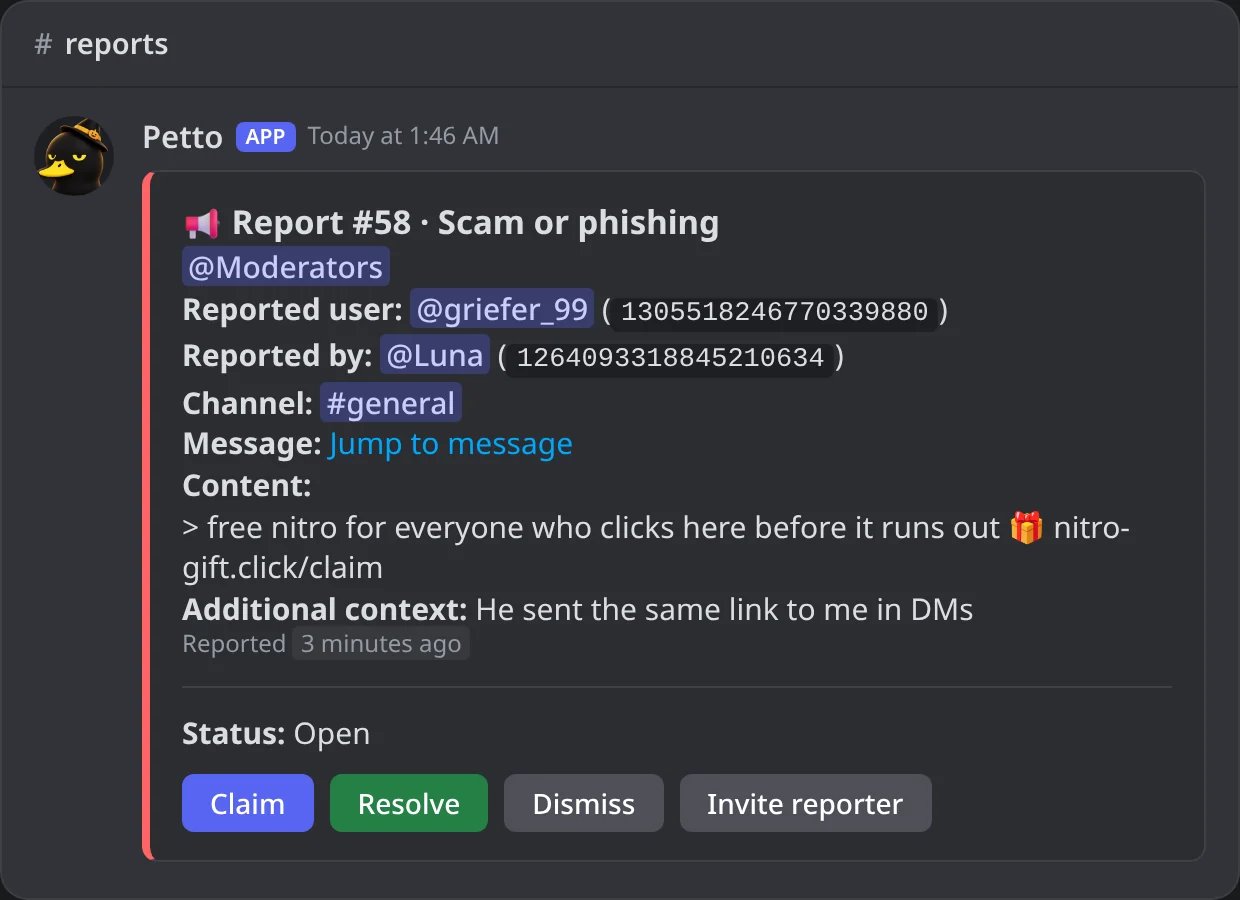
In Discord: a new report as the staff sees it in the reports channel.
Claim
Claim
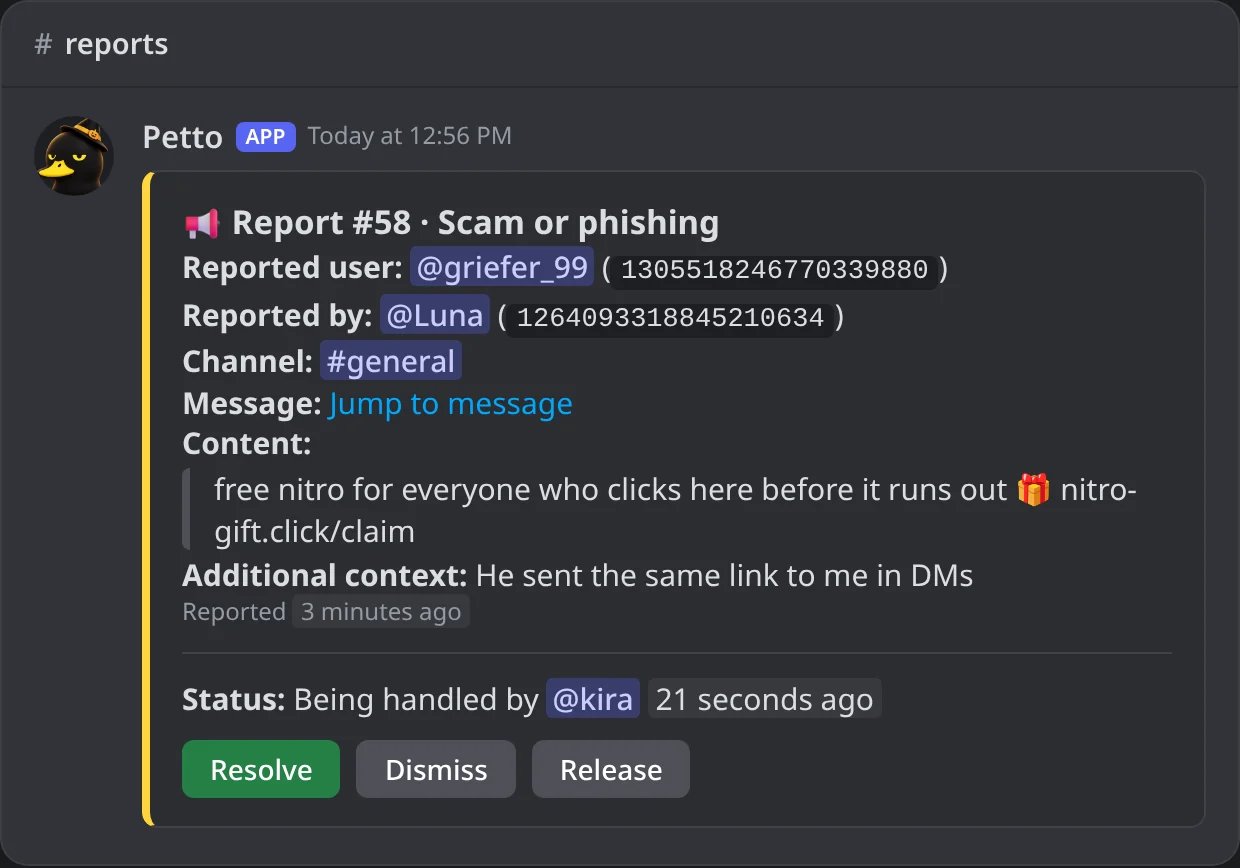
In Discord: a report claimed from its card.
Resolve
Resolve
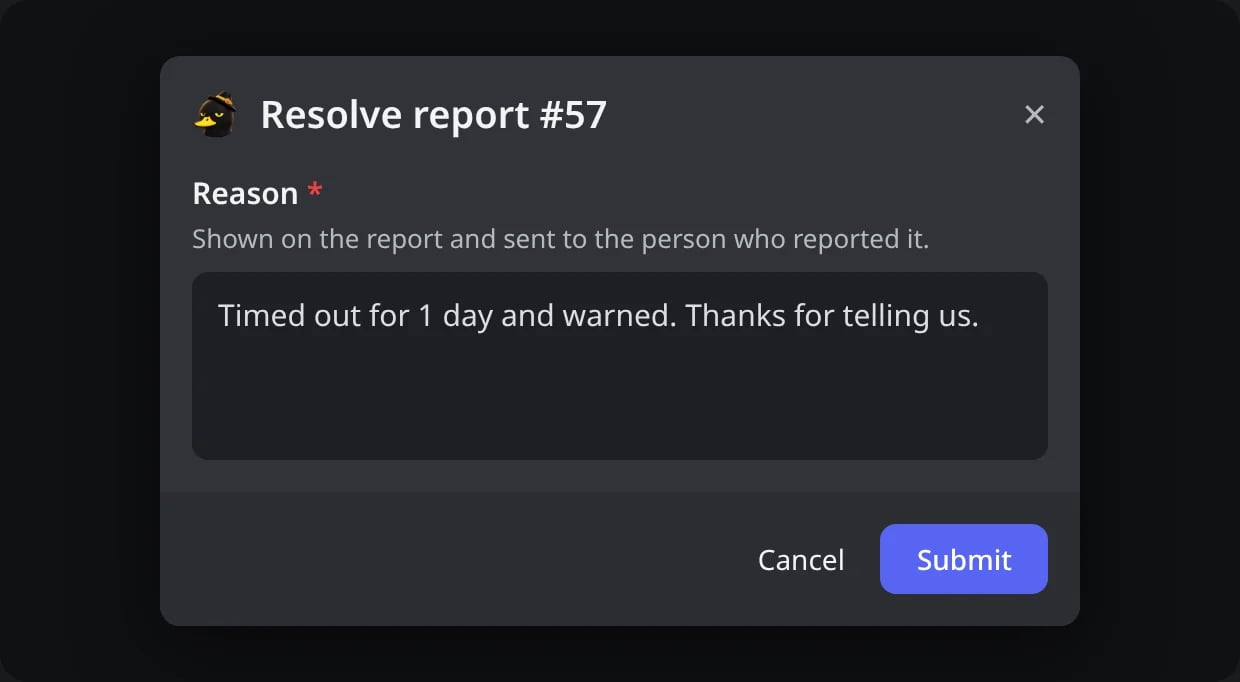
In Discord: Resolve asks for the reason.
Resolved
Resolved
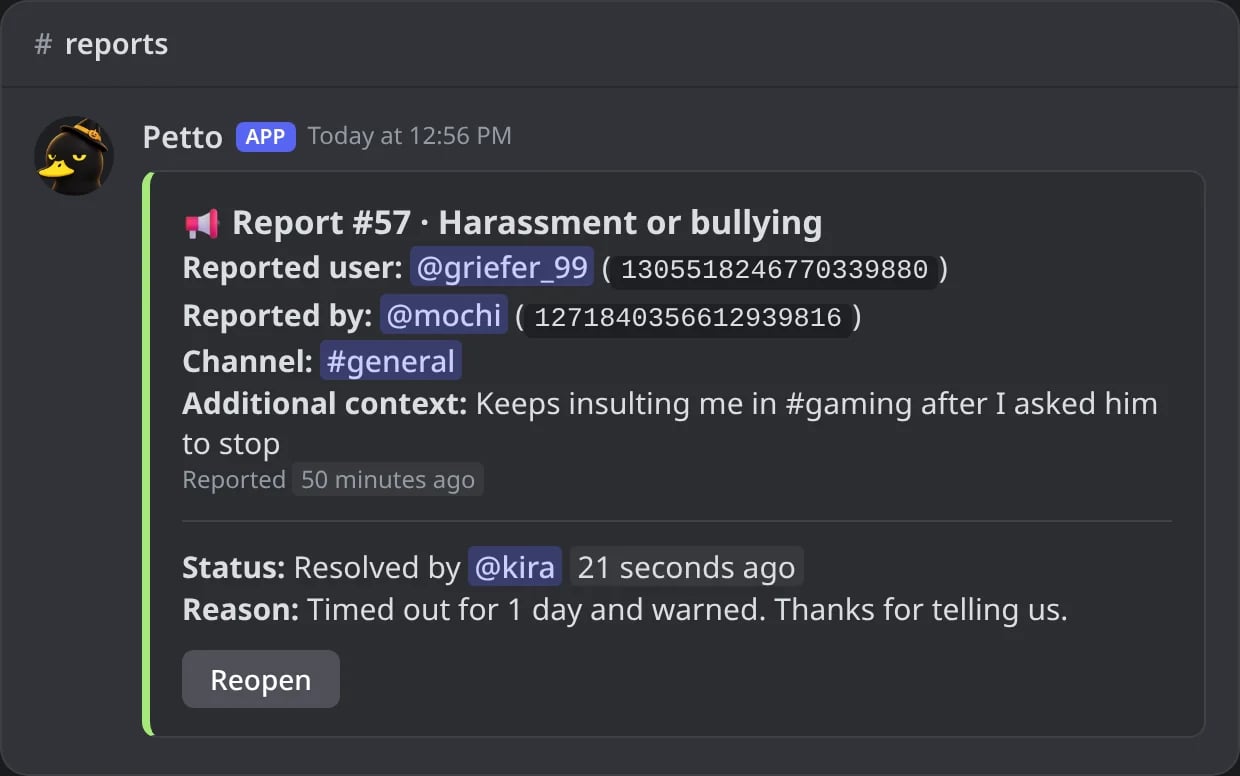
In Discord: the card of a resolved report.
The thread
The thread
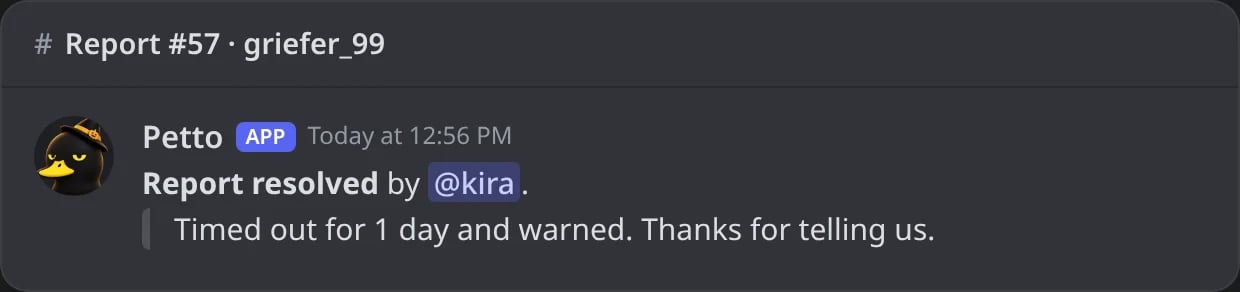
In Discord: the last message of the report thread.
The DM to the reporter
The DM to the reporter
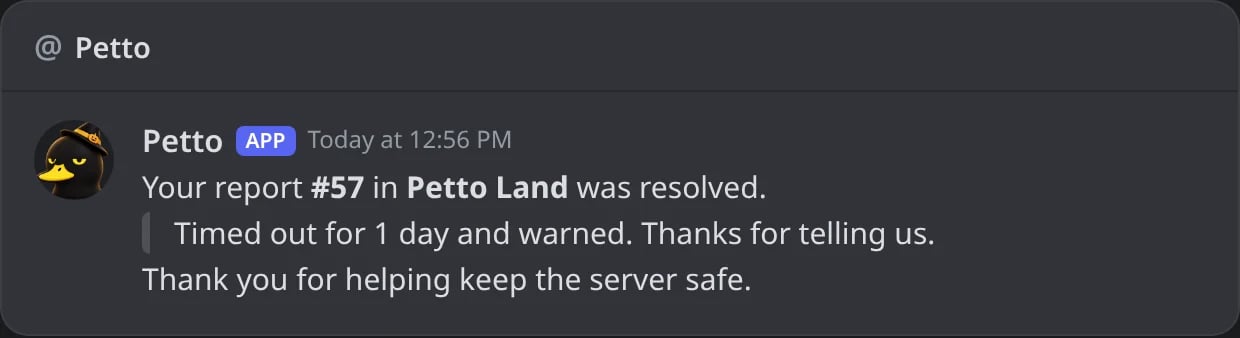
In Discord: the DM the reporter gets when the report is closed.
Staff commands
/report config (a slash command only) opens a settings panel with selects, switches, a limits form and a Send test report button that also checks Petto can post in the channel. status is open, claimed, resolved, dismissed or all.
/report config
/report config
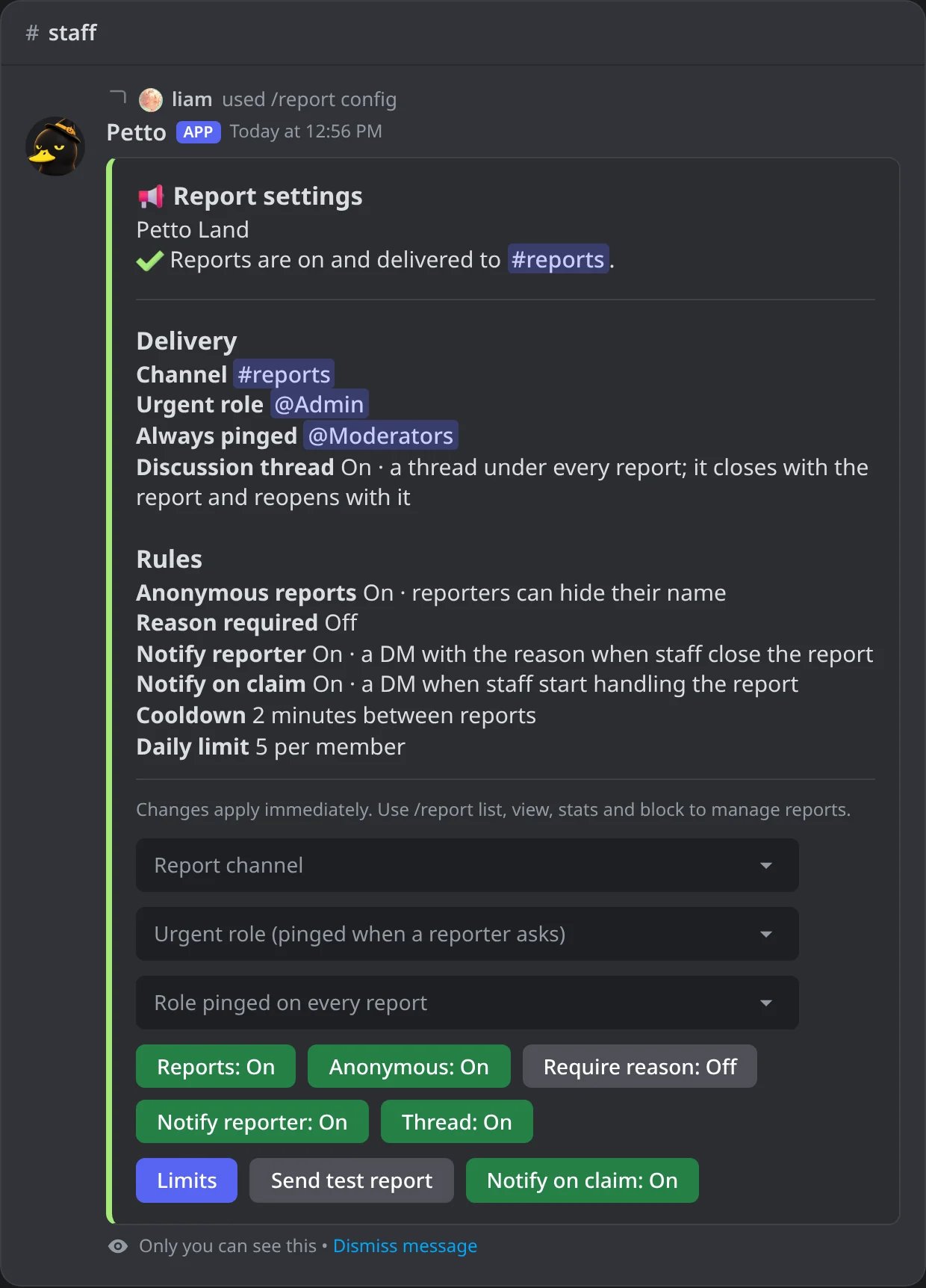
In Discord: the settings panel, only for who opened it.
!report config
!report config
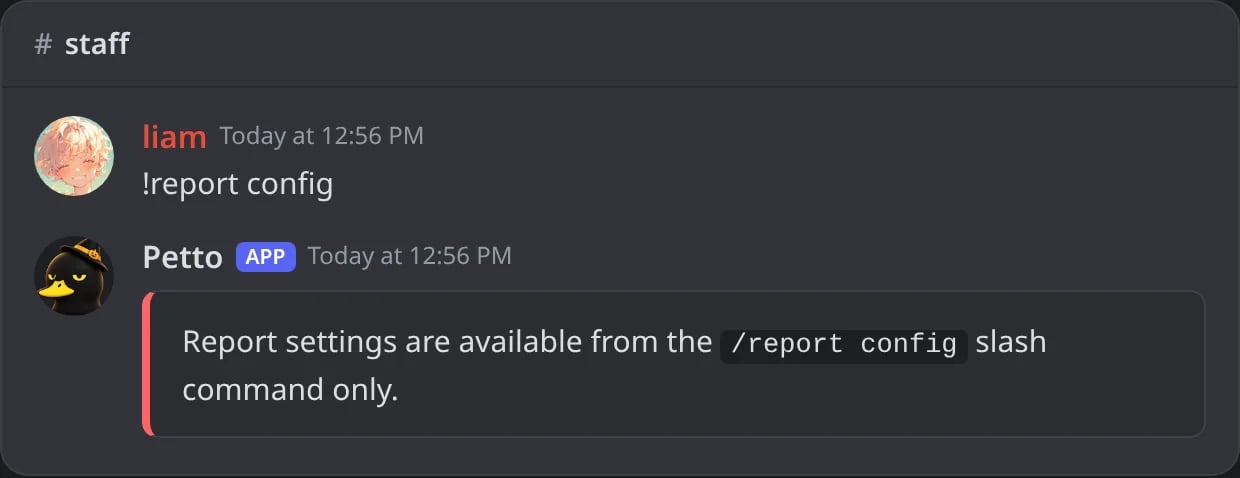
In Discord: with the prefix, the panel is not opened.
!report disable
!report disable
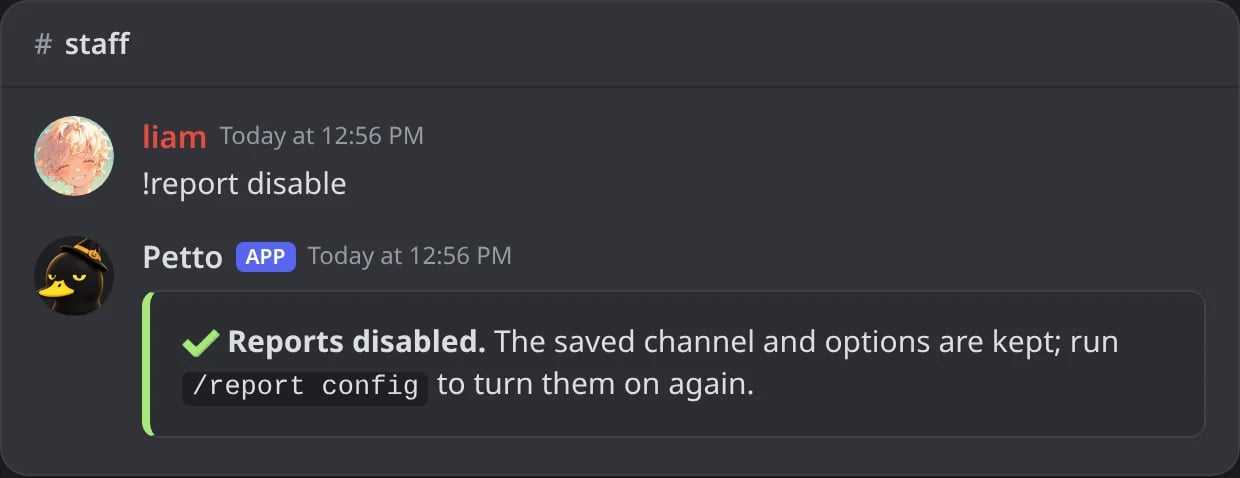
In Discord: reports turned off, the settings kept.
!report list
!report list
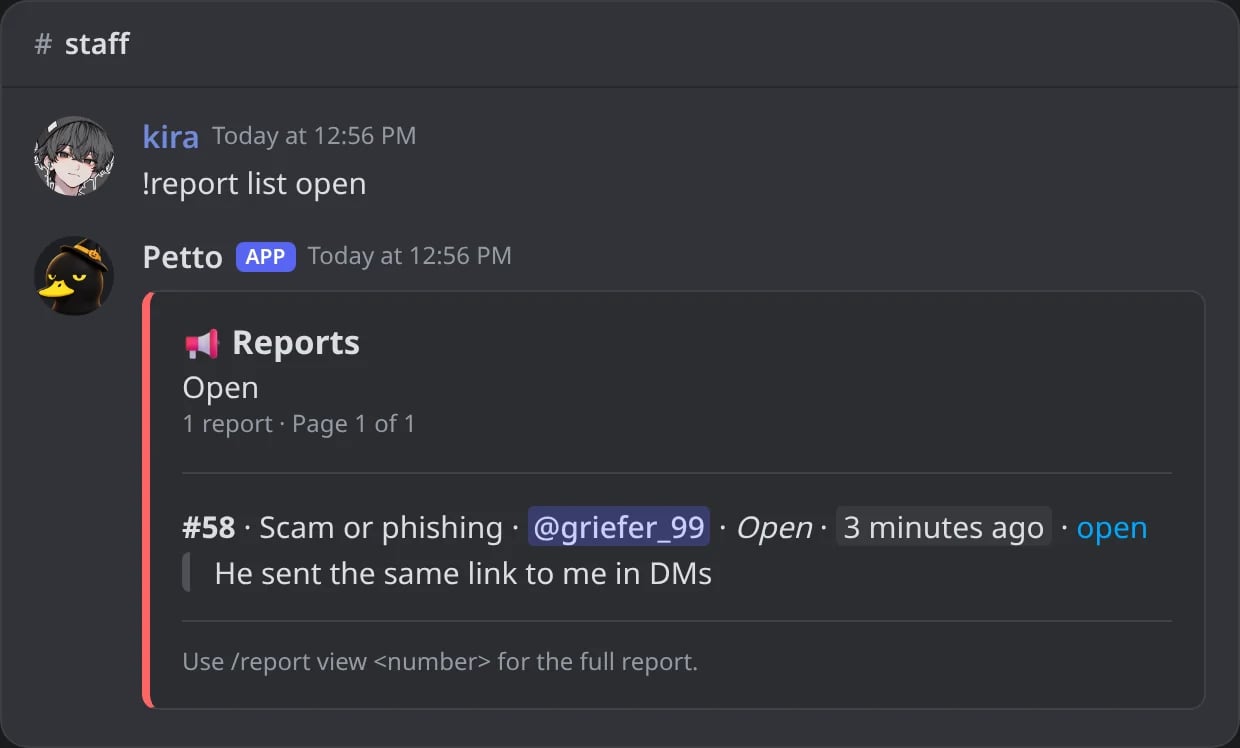
In Discord: the open reports.
!report view
!report view
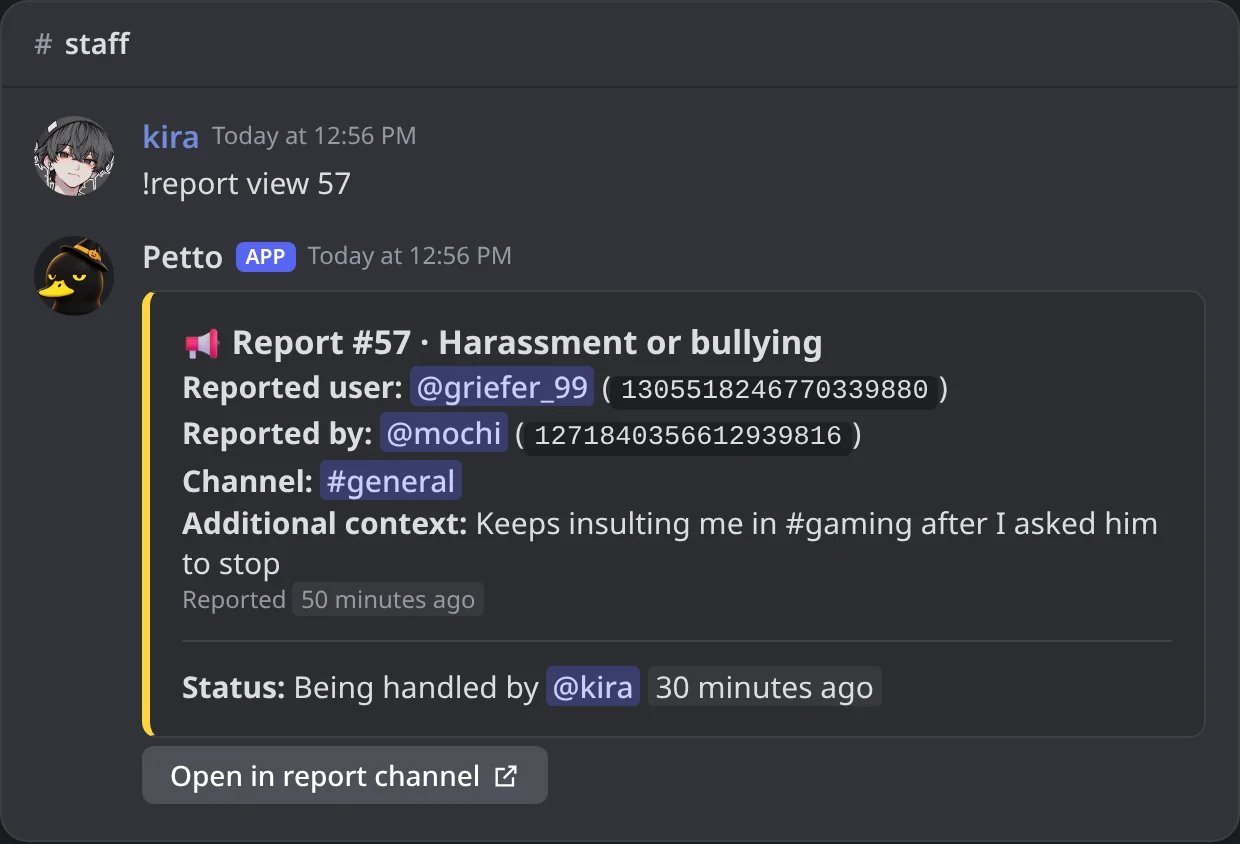
In Discord: one report in full.
!report stats
!report stats
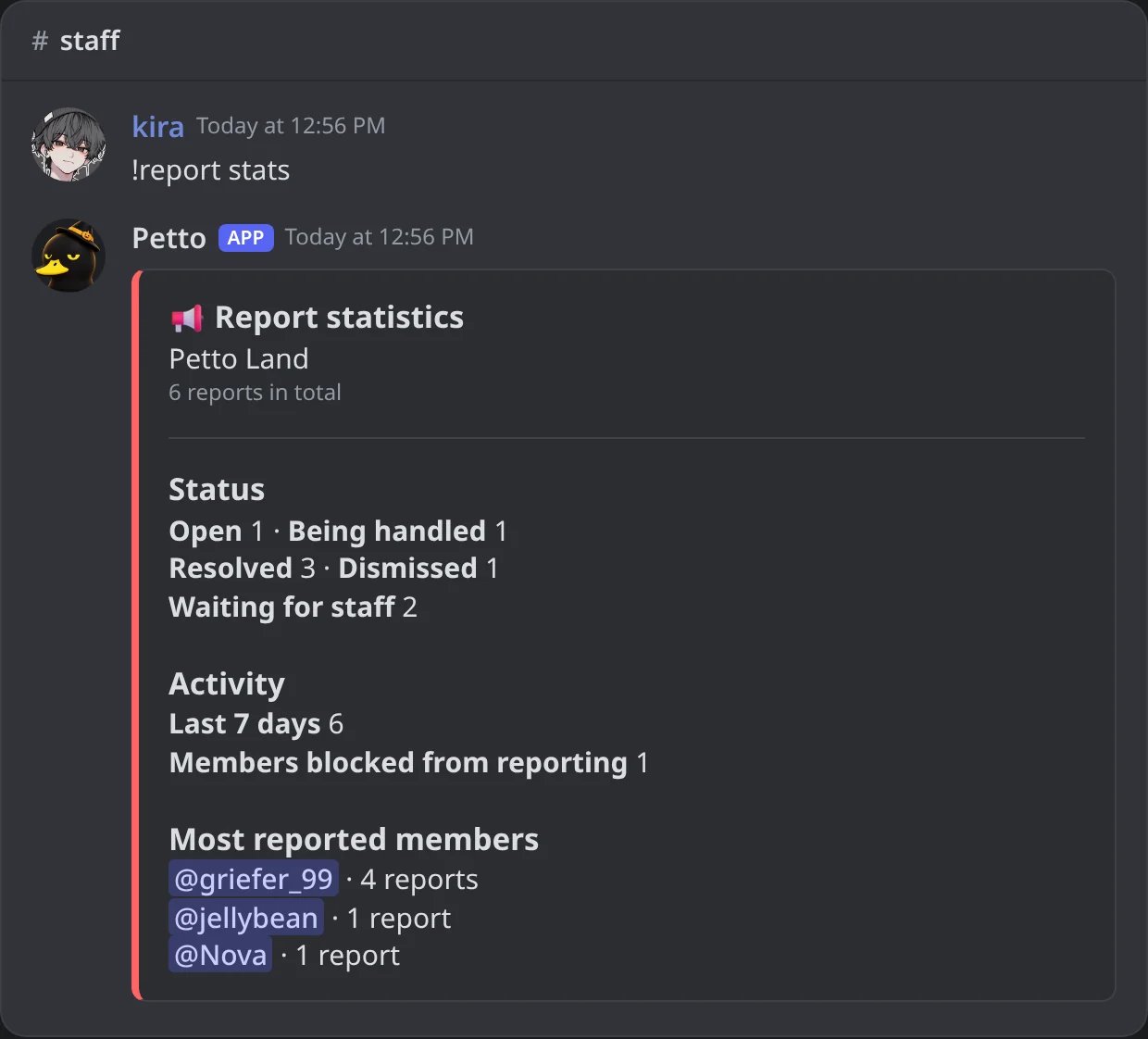
In Discord: the numbers of the reports.
!report block
!report block
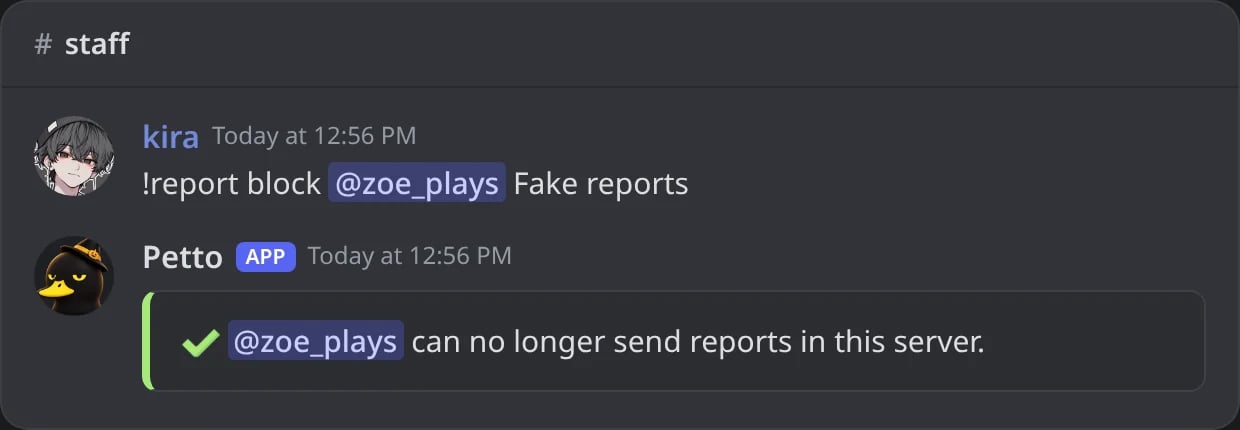
In Discord: a member who can no longer report.
!report unblock
!report unblock
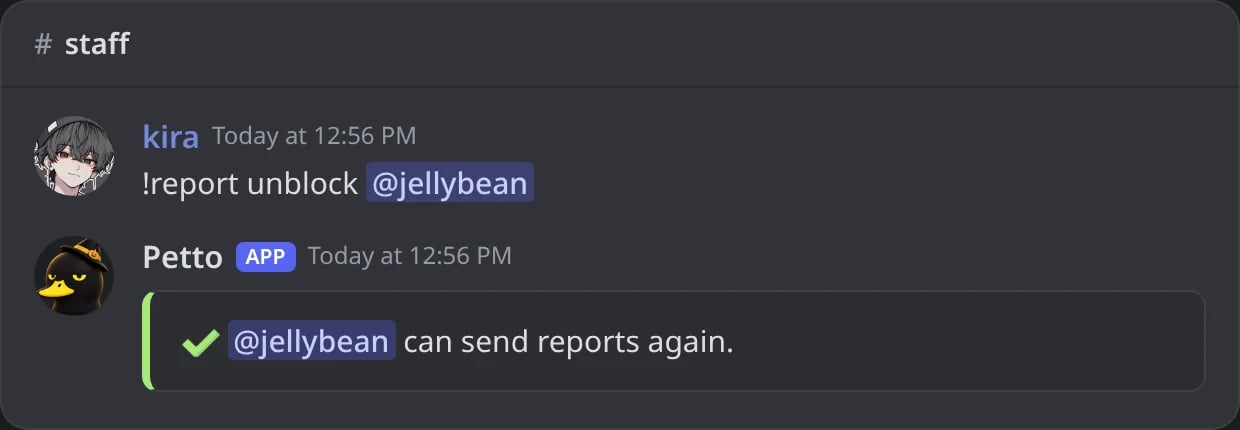
In Discord: a member who can report again.
!report blocklist
!report blocklist
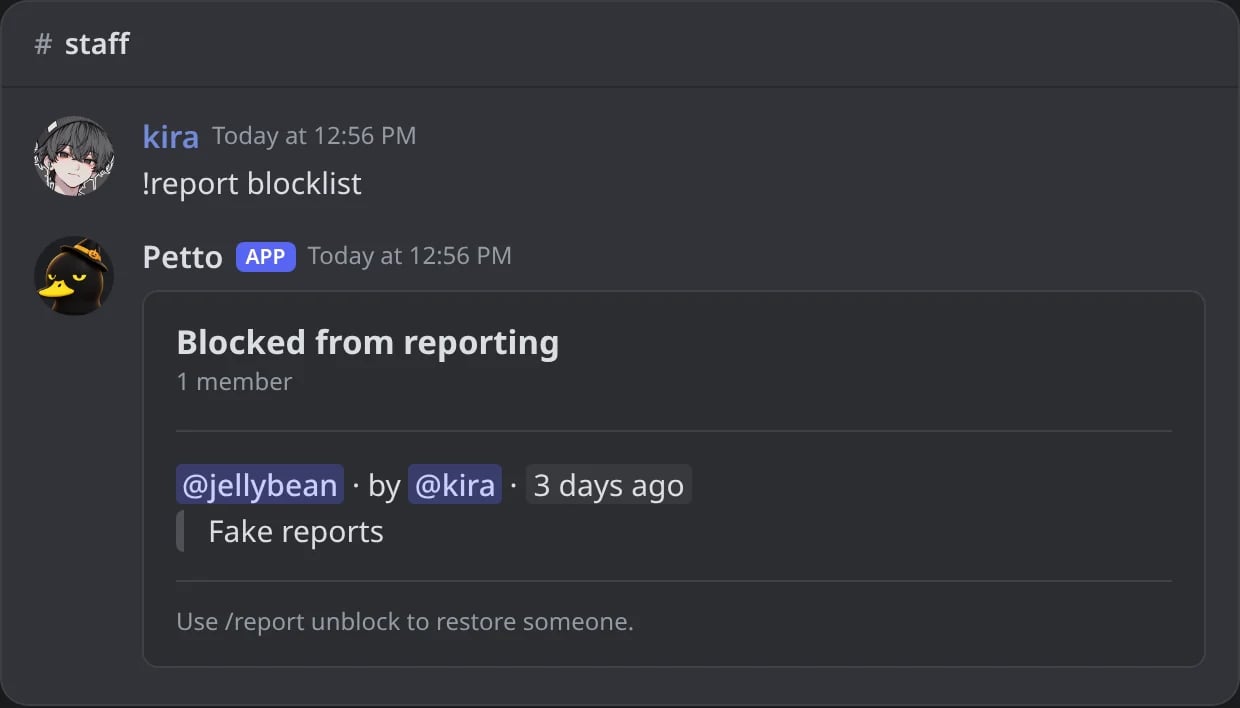
In Discord: who is blocked from reporting.
Settings
!reportconfig shows these settings in one card, with every report command.
!reportconfig shows these settings in one card, with every report command.
!reportconfig shows these settings in one card, with every report command.
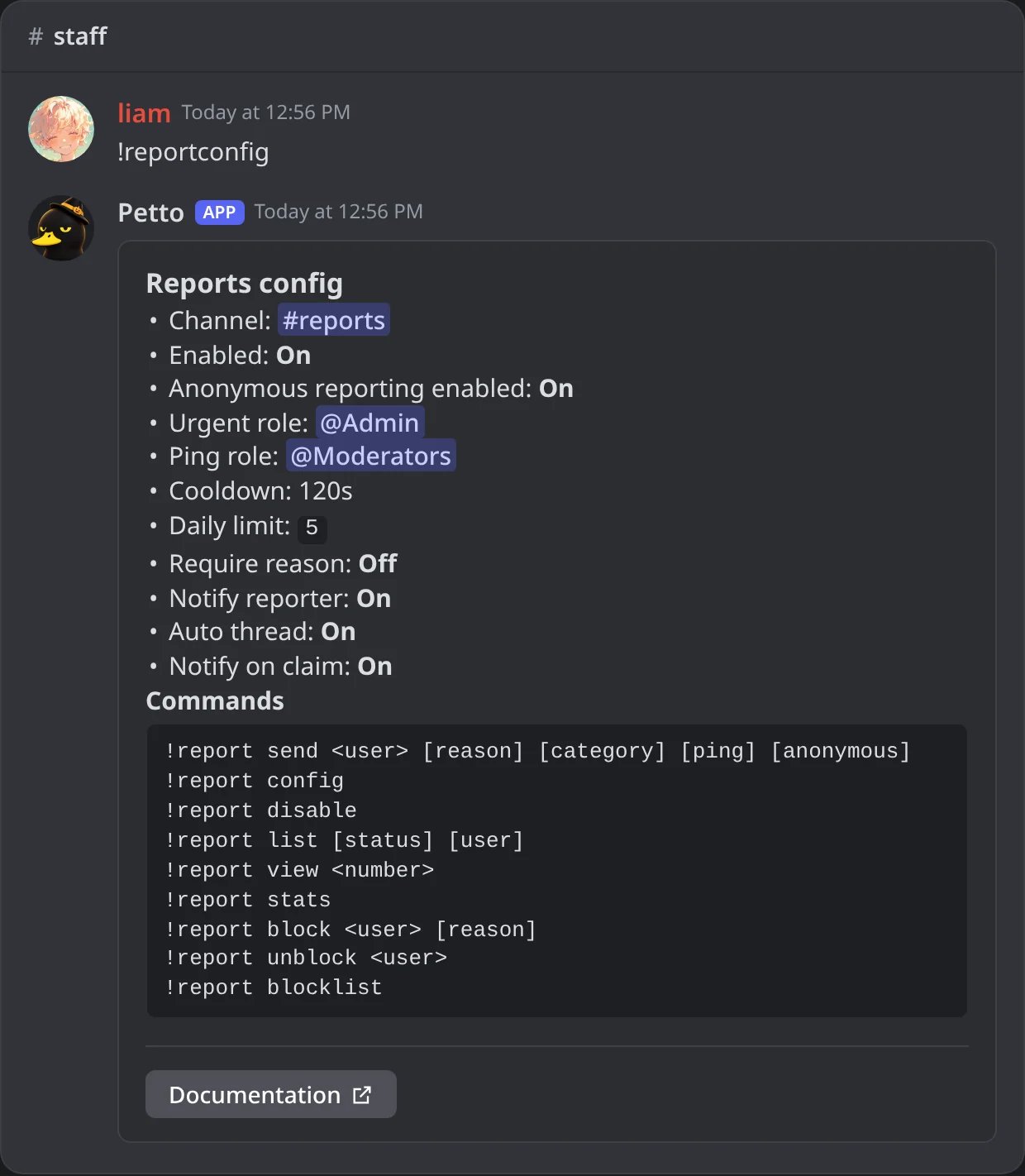
In Discord: the card of the reports module.
!history.
The Reports card in Community → Community Settings of the dashboard turns reports on or off and sets the channel, the urgent moderator role and anonymous reports.
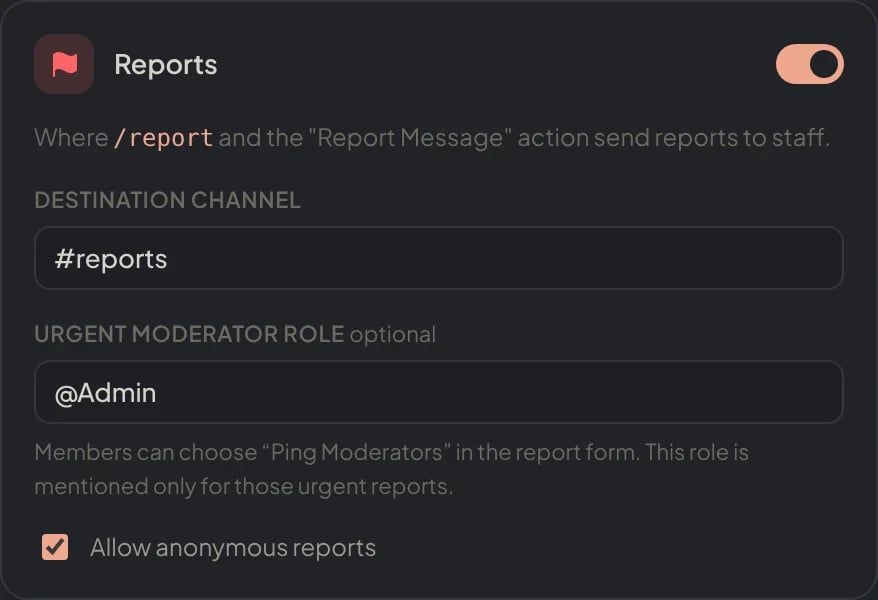
Dashboard → Community → Community Settings → Reports.