
Overview
Forum support lets members ask for help in a forum channel. They press a button on a panel, fill in a short form, pick the type of inquiry (a tag of the forum) and Petto makes the post for them. Inside the post, the author and the staff have tools to lock, close and solve it. It works like Tickets, but every question is a post in a forum that other members can find later.!forum setup #forum (Manage Server). Nothing changes in a server that does not use it. !forum is a prefix command (alias !forums); there are no slash commands. !forumconfig shows the module card.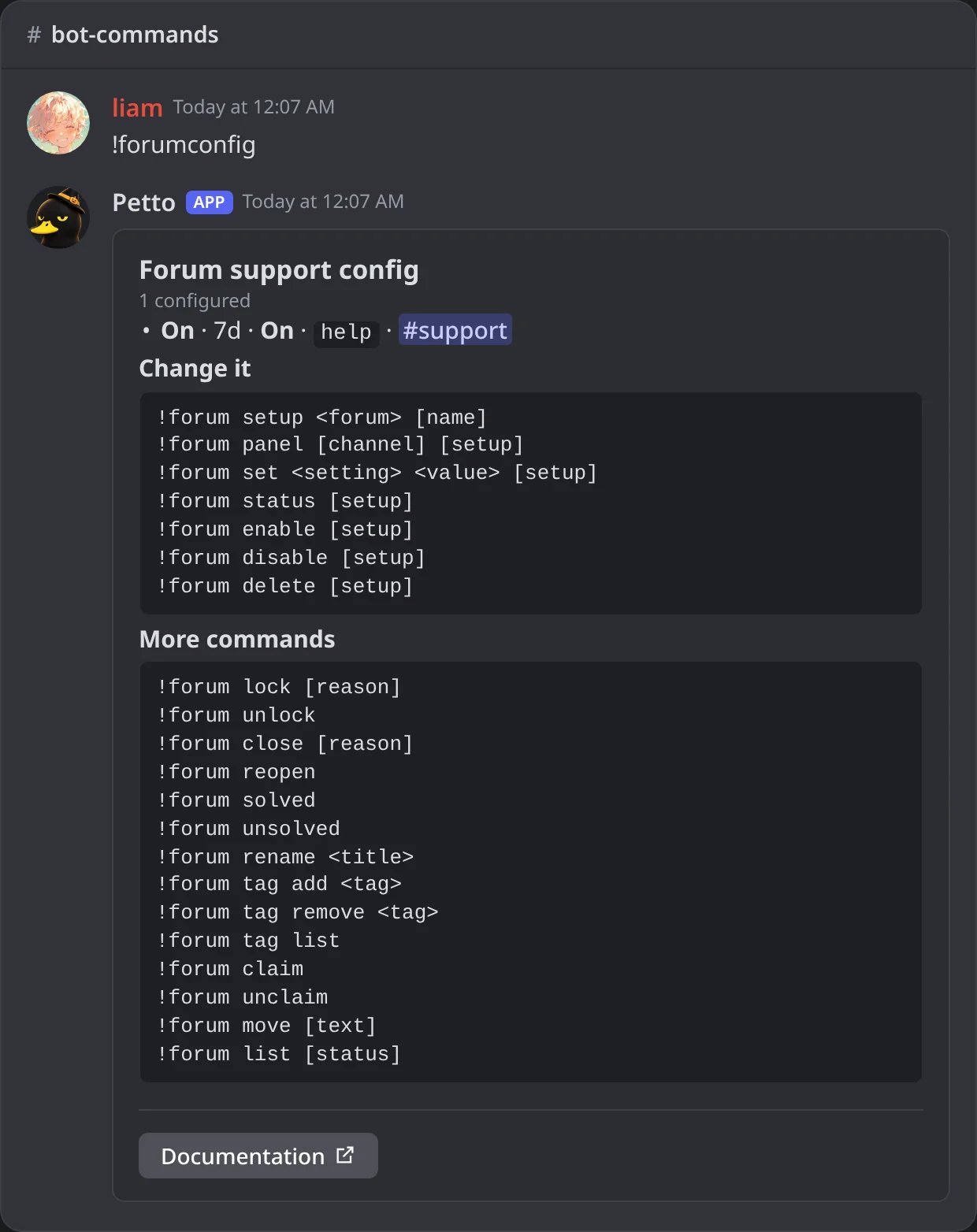
In Discord: !forumconfig with the setup of the forum and every command of the module.
Set it up
Pick the forum
!forum setup #support help makes a setup called help for the forum #support. A server can have up to 5 setups, one for each forum channel. Petto checks what it is missing in the forum and says so, and makes a Solved tag if the forum has none and it may edit the forum.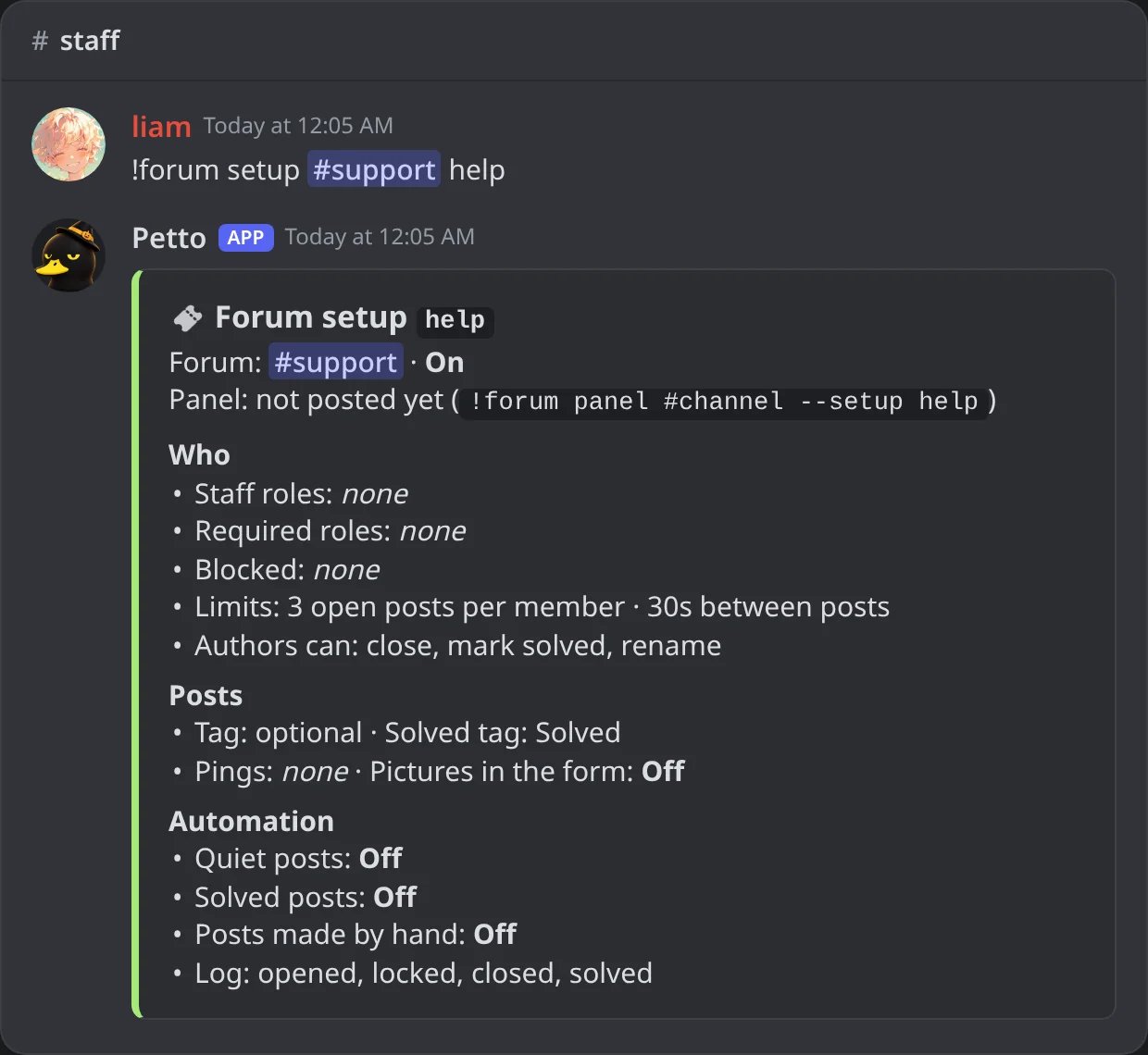
In Discord: !forum setup with the forum and a name; the card shows who may do what and the automation.
Choose the staff
!forum set staff-roles @Helpers says which roles are the staff of this forum. Members with Manage Threads are staff everywhere.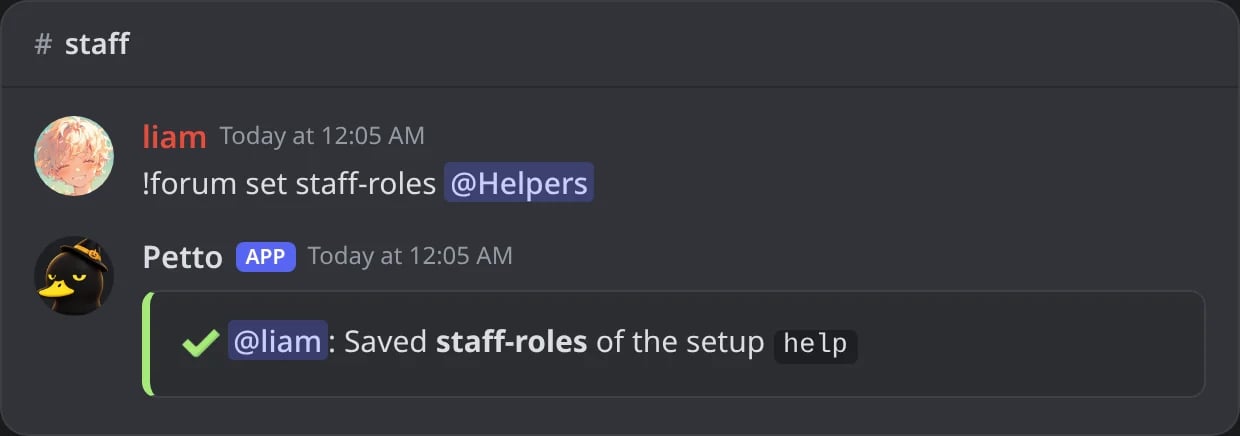
In Discord: the staff role is saved.
Post the panel
!forum panel #support-info posts the card with the Open post button. Run it again and the message that is there is edited instead of posting a new one. Run it with another channel and the panel moves there.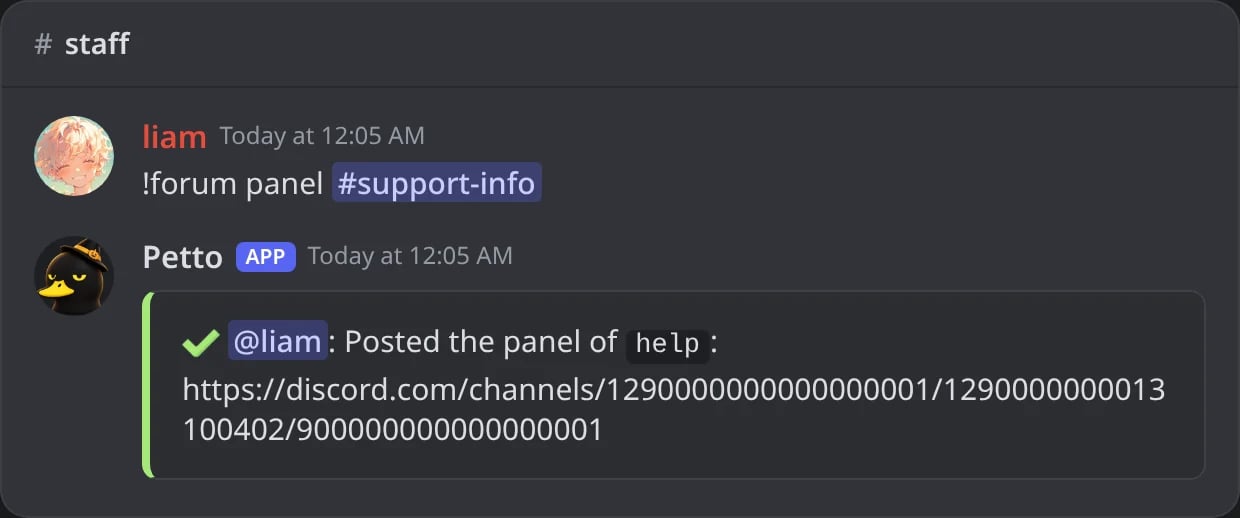
In Discord: !forum panel with the channel of the panel.
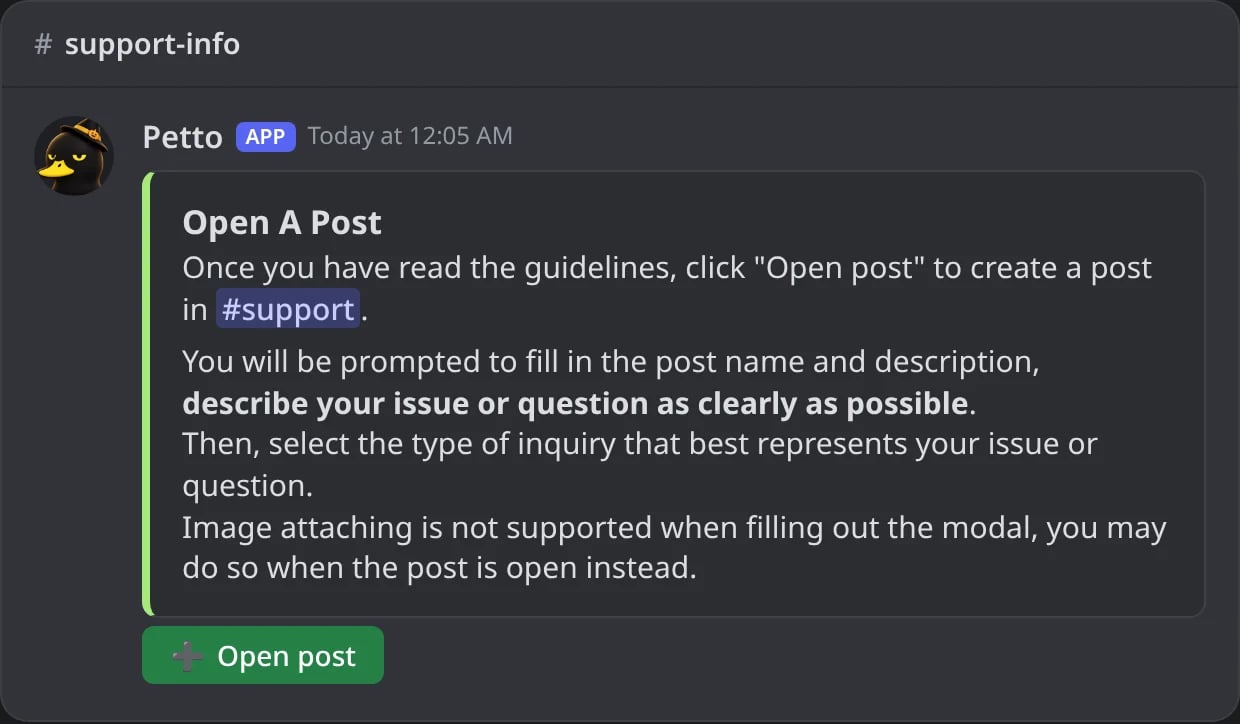
In Discord: the panel with the Open post button.
Check it
!forum status shows the settings, who may do what, the automation and any permission Petto is missing.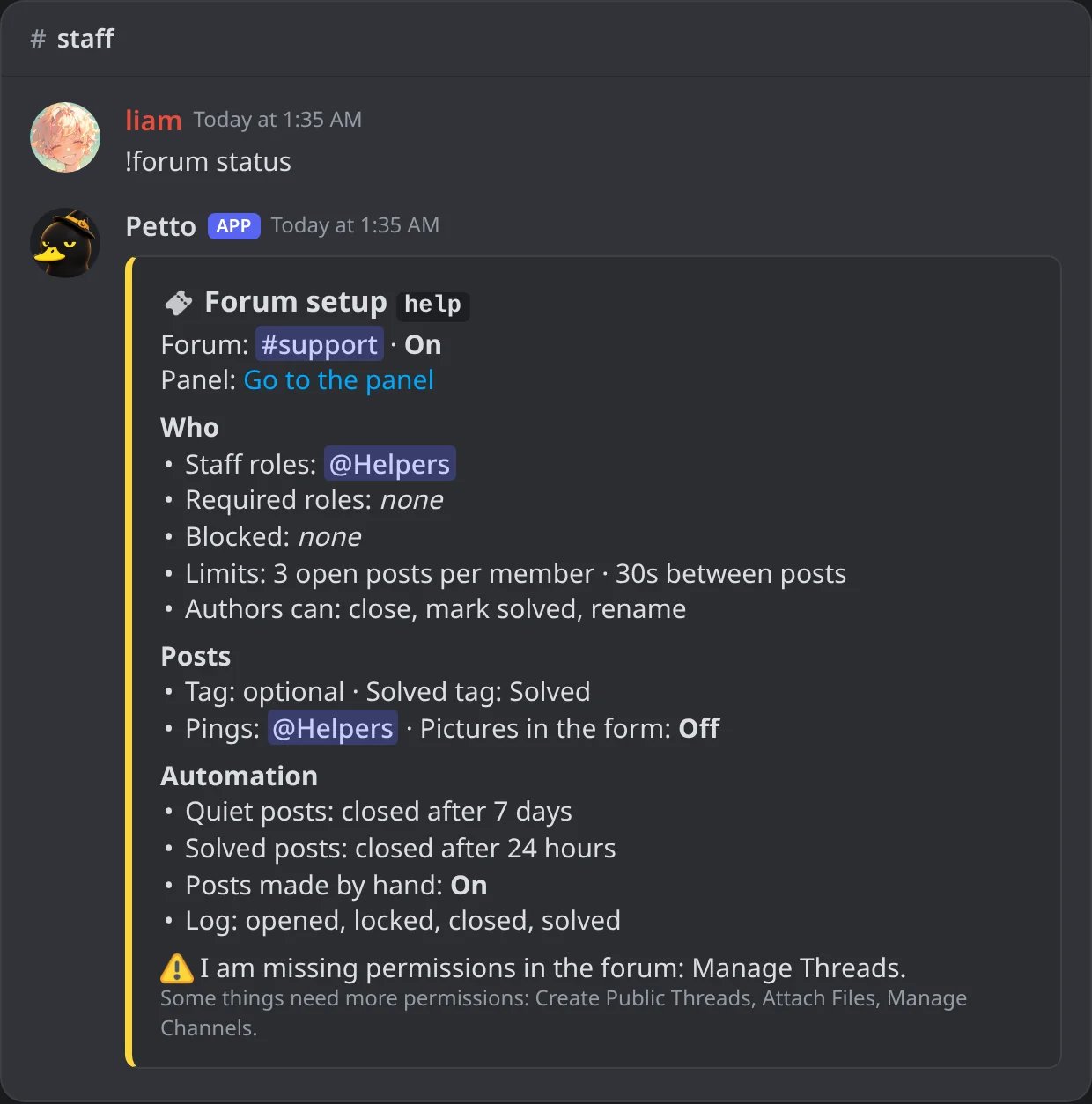
In Discord: !forum status with the permission Petto is missing.
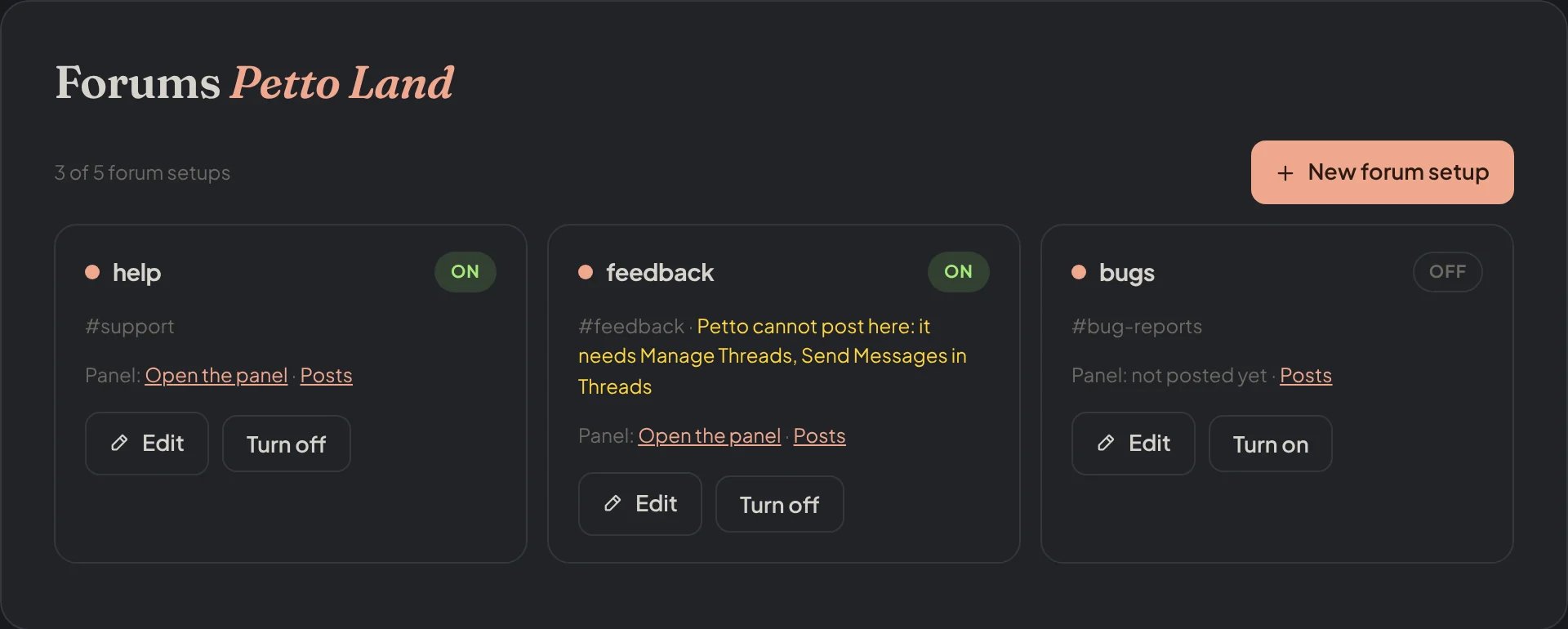
Dashboard → Community → Forums: the setups of your forums, each one with its panel and its posts.
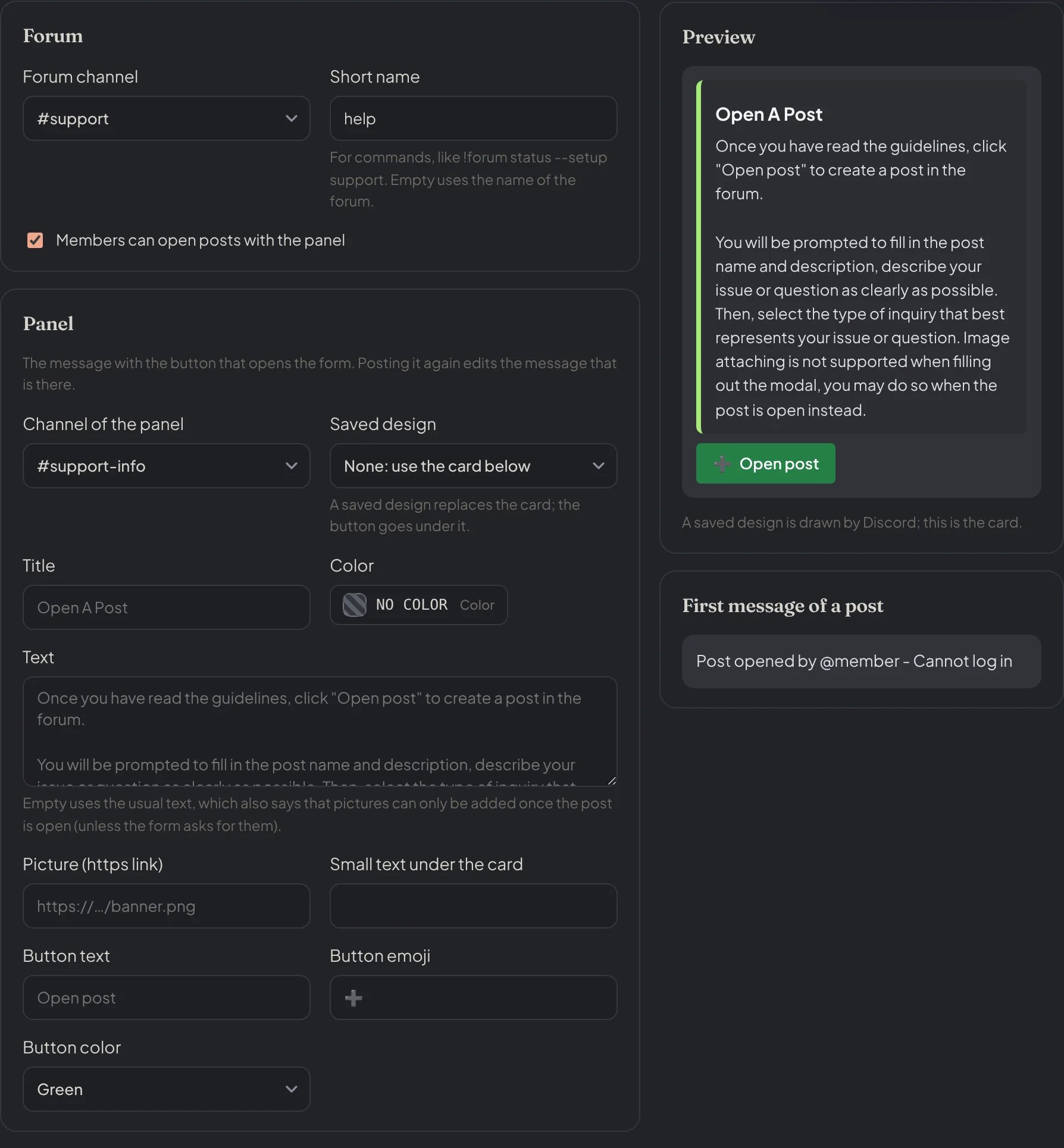
Dashboard → Community → Forums: the editor of a setup: the forum, the panel and a live preview of it and of the first message.
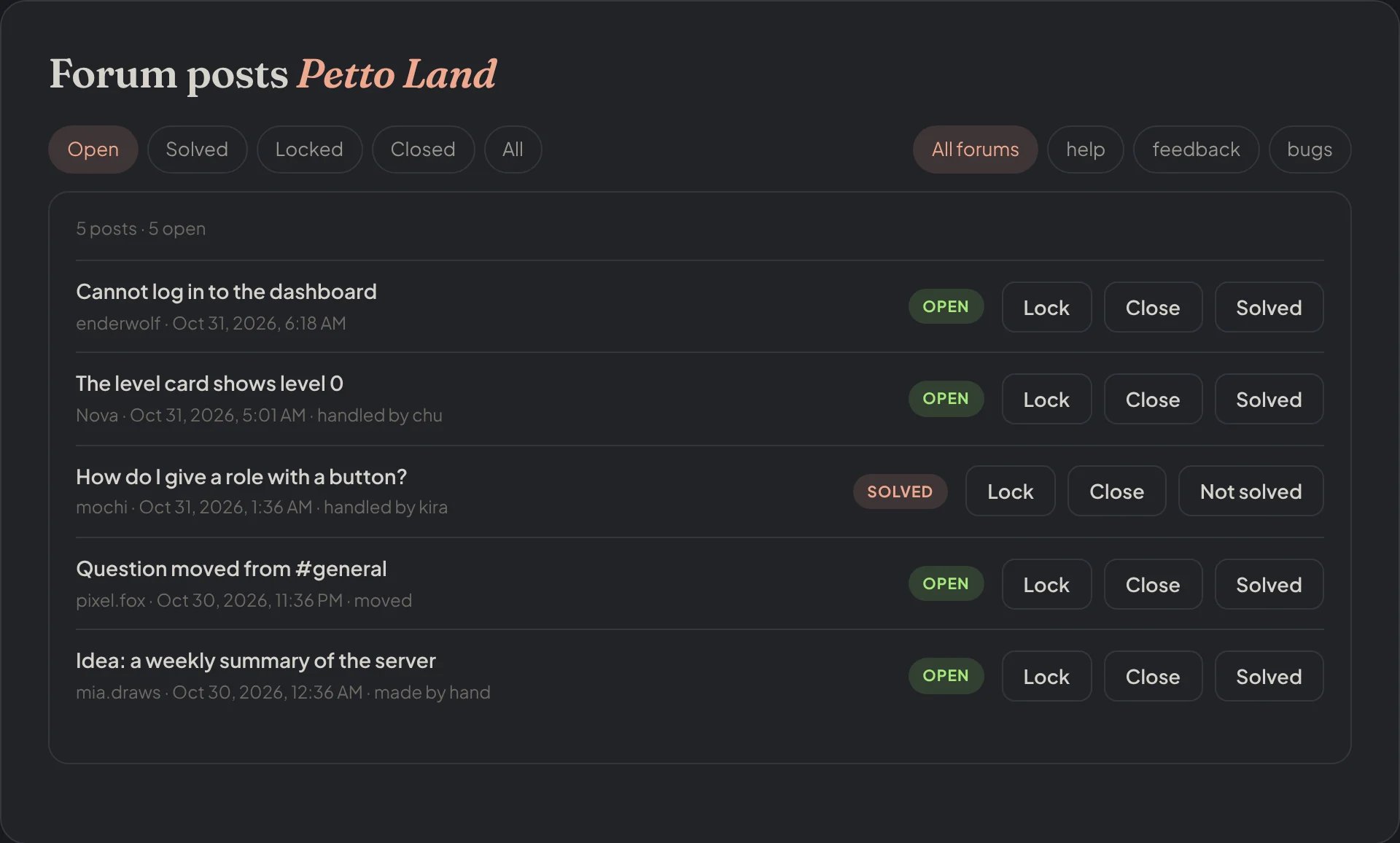
Dashboard → Community → Forums: the posts of your forums with the Lock, Close and Solved buttons.
What members see
- They press Open post on the panel.
- A form asks for the title and the description, and up to three more questions you add (short text, paragraph or a menu of choices). If you turn on pictures, the form has a picture upload.
- If the forum has tags, a menu asks for the type of inquiry (the tag). It is skipped when the forum has no tags to pick. A tag can be optional (a “Post without a tag” button) or required.
- Petto makes the post and answers with a private link to it.
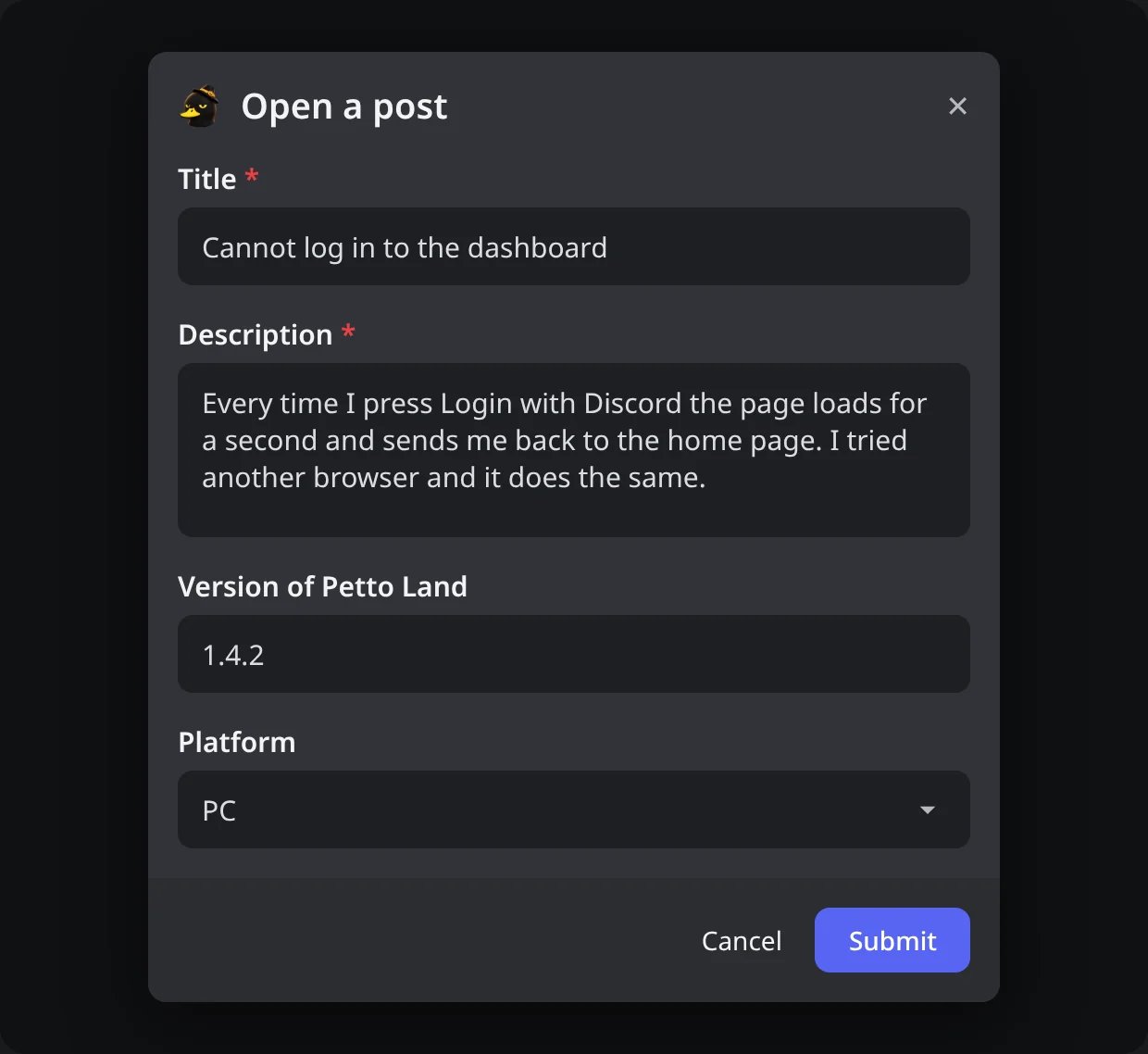
In Discord: the form that opens when a member presses Open post.
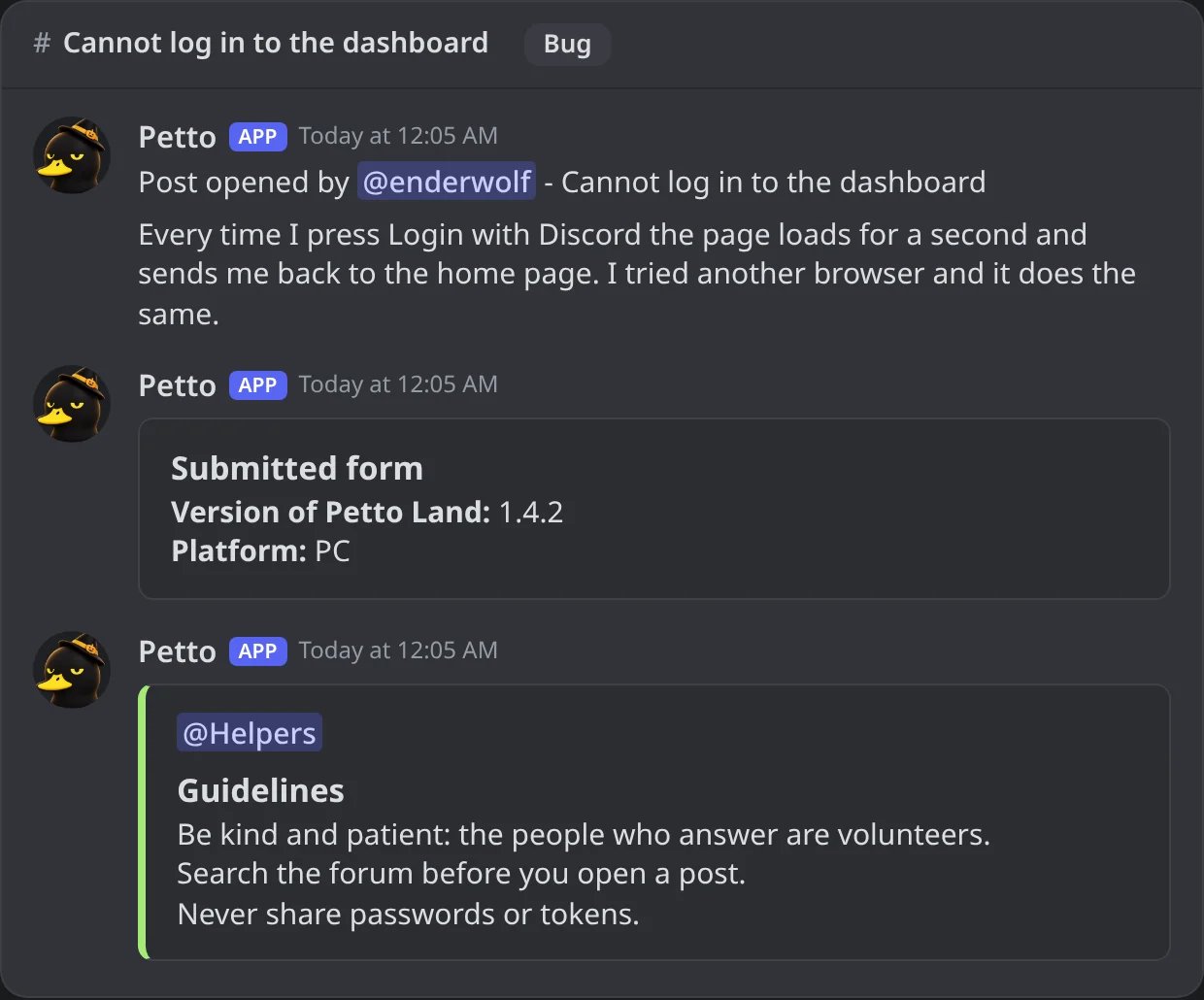
In Discord: a new post: the first message, the answers of the form and the card with the guidelines and the role to ping.
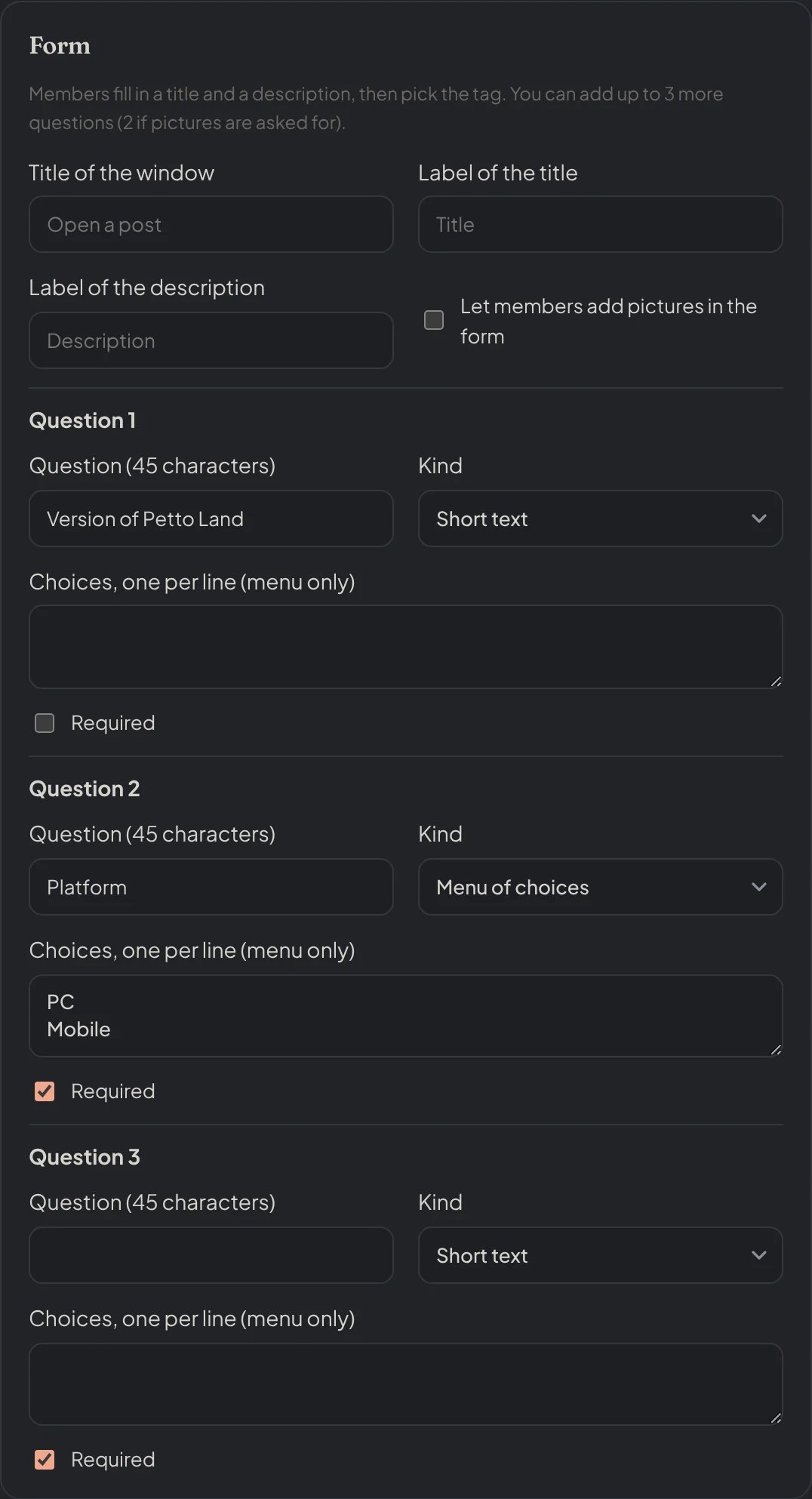
Dashboard → Community → Forums: the form: the texts of the window and up to three more questions.
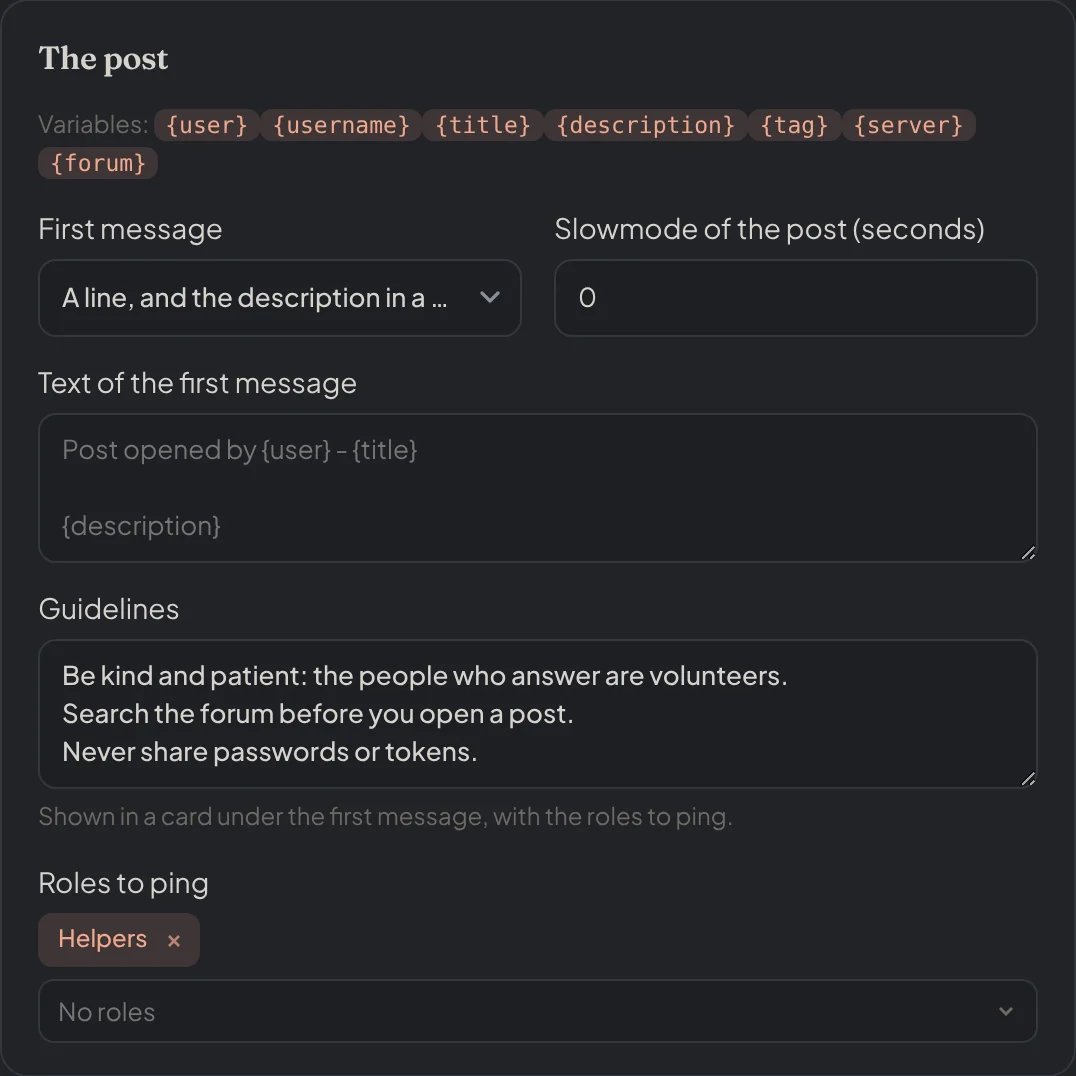
Dashboard → Community → Forums: the first message, the guidelines and the roles to ping.
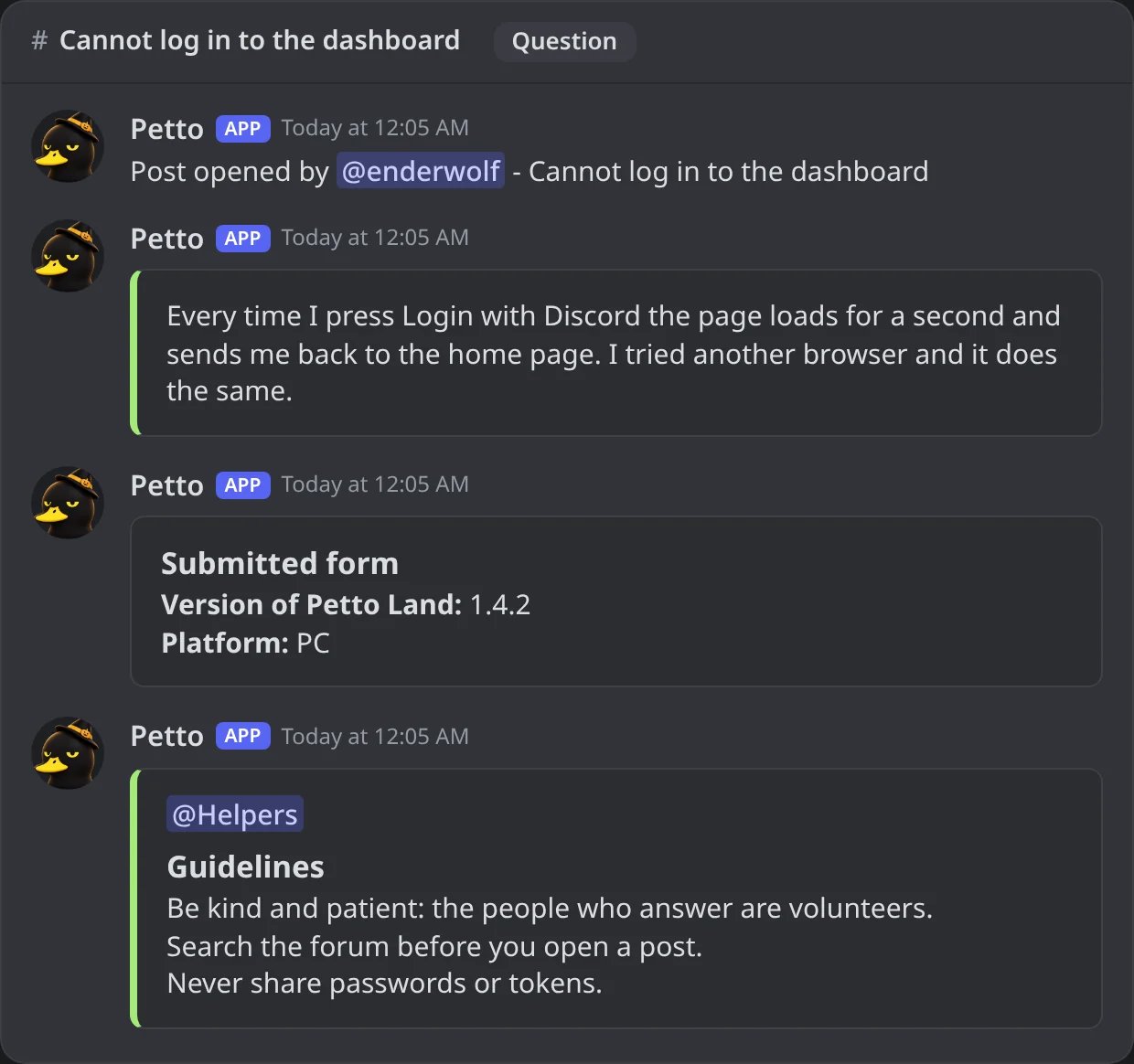
In Discord: the same post with the first message in the style of a card: one line, and the description in a card.
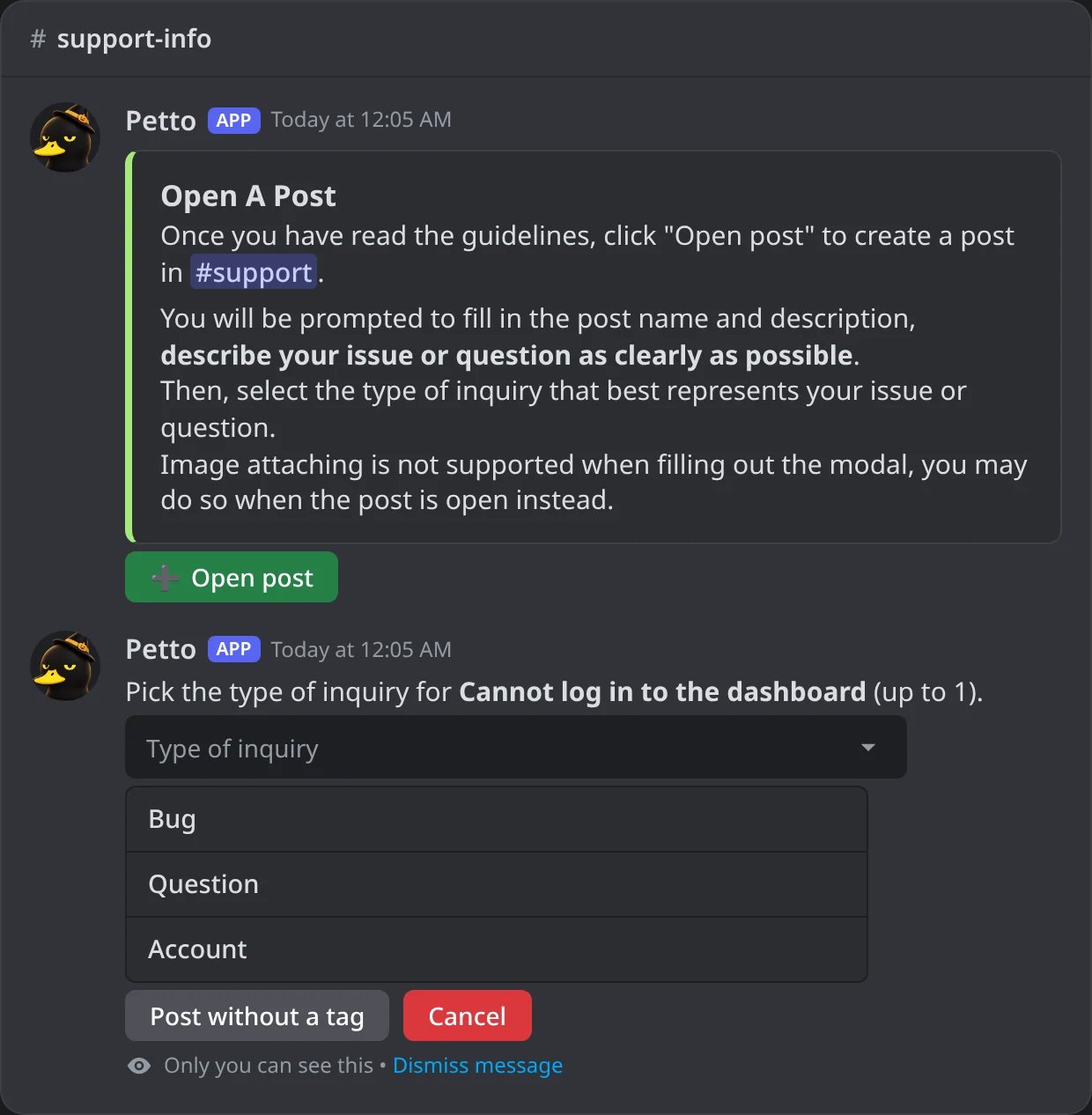
In Discord: the step to select the type of inquiry, seen only by the member.
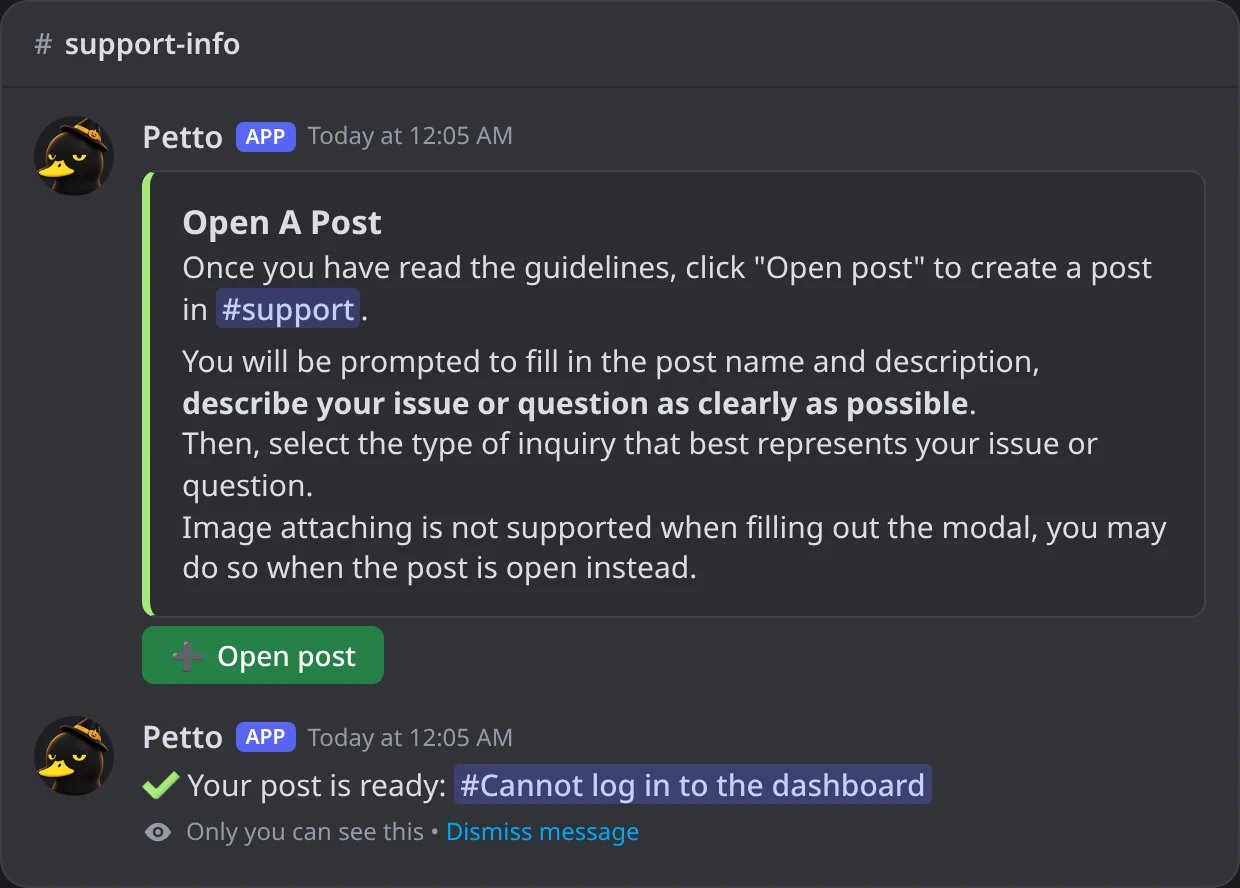
In Discord: Petto answers with a private link to the new post.
Post opened by @member - title followed by the description. You can change it with a template that uses {user}, {username}, {title}, {description}, {tag}, {server} and {forum}, or have only the first line in the message and the description in a card. After it come the answers to the other questions, the pictures, and a card with your guidelines and the roles to ping.
Tags
- Members can only pick tags the setup allows (all of them if you chose none), never the ones only moderators can use and never the Solved tag.
- A post can have up to the number of tags you allow (1 to 5).
- If the forum itself requires a tag, Petto asks for one even when the setup does not.
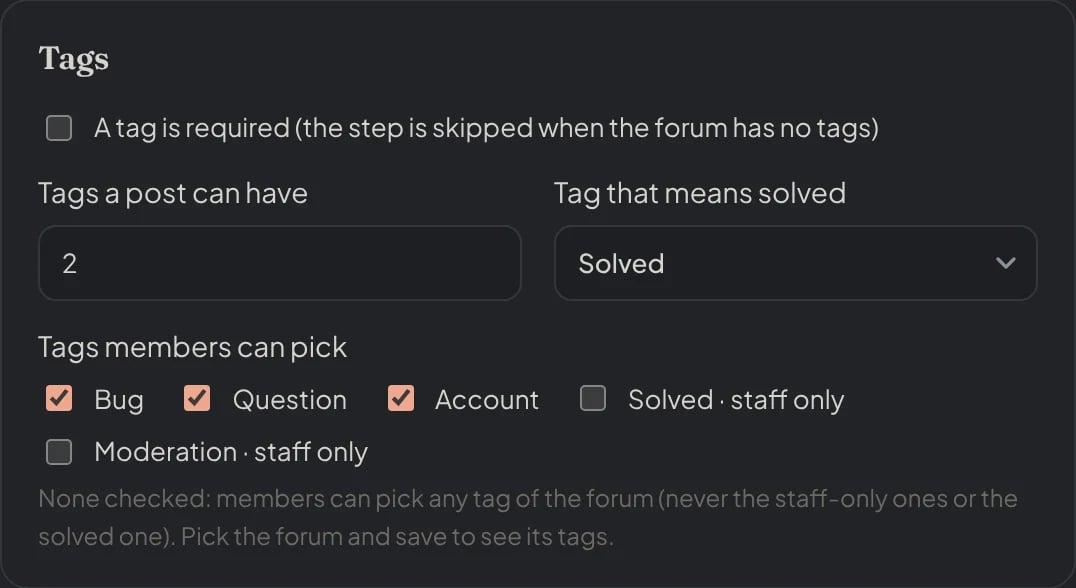
Dashboard → Community → Forums: which tags members can pick, how many a post can have and the tag that means solved.
Limits and blocks
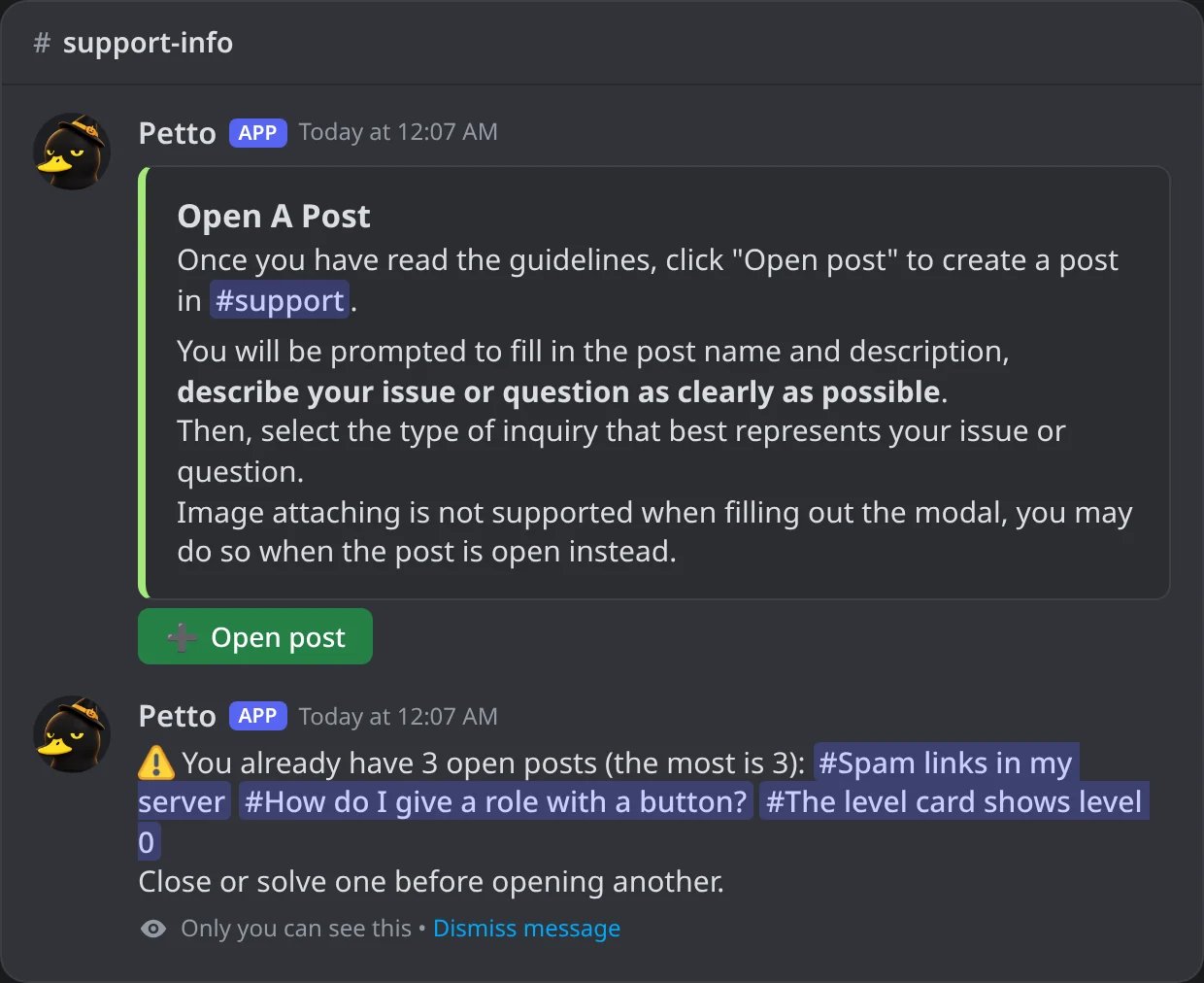
In Discord: a member who already has three open posts is refused, and only they see it.
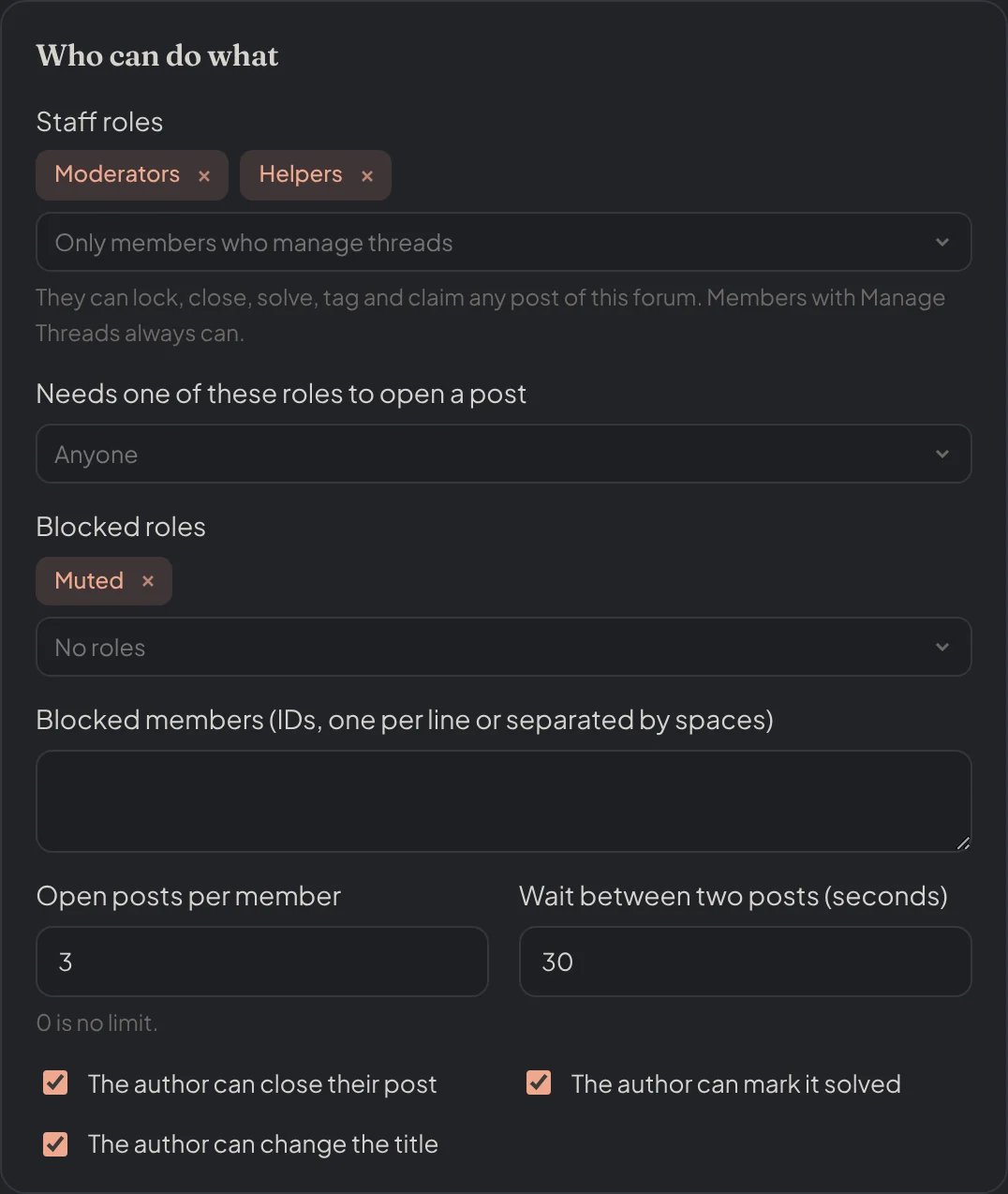
Dashboard → Community → Forums: the staff roles, who may open posts, the limits and what the author can do.
Commands
Inside a forum post, the tools below work. Each one answers with a small green card, for example@staff: Successfully locked #post-name, with a quiet mention.
!forum lock (!tl)
!forum lock (!tl)
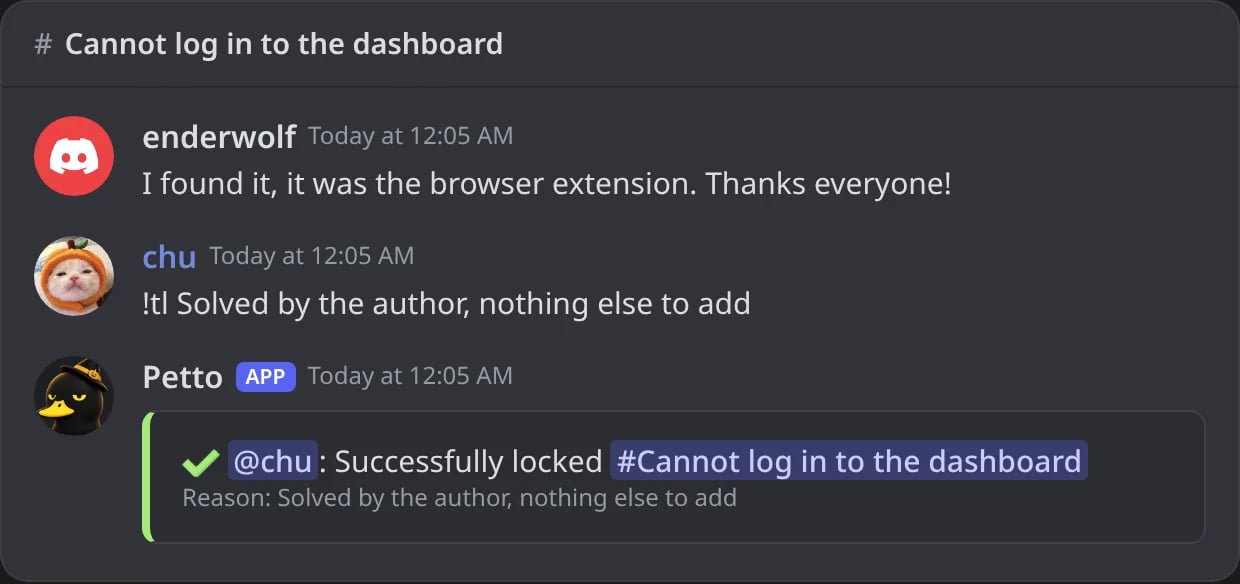
In Discord: !tl with a reason locks the post.
!forum unlock (!tul)
!forum unlock (!tul)
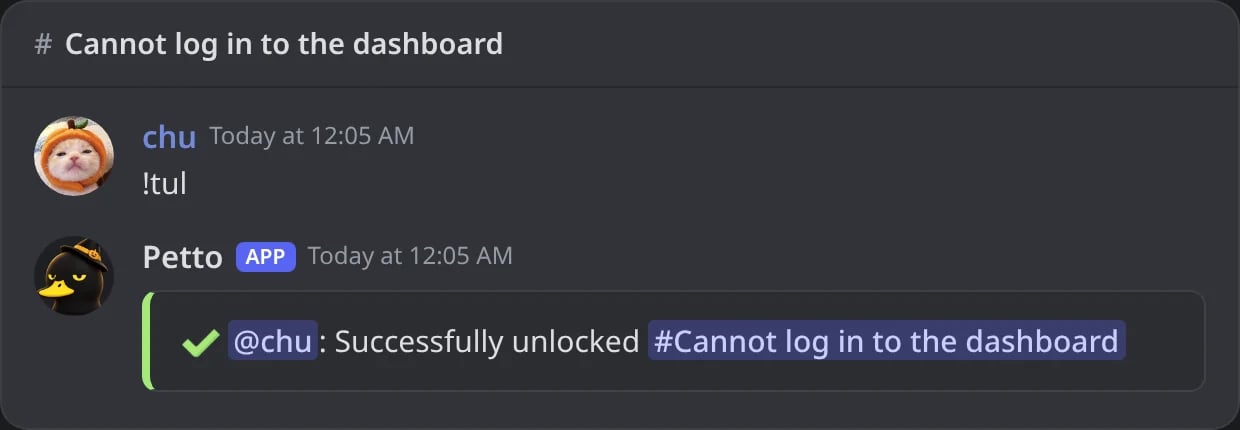
In Discord: !tul lets members write again.
!forum close (!frc)
!forum close (!frc)
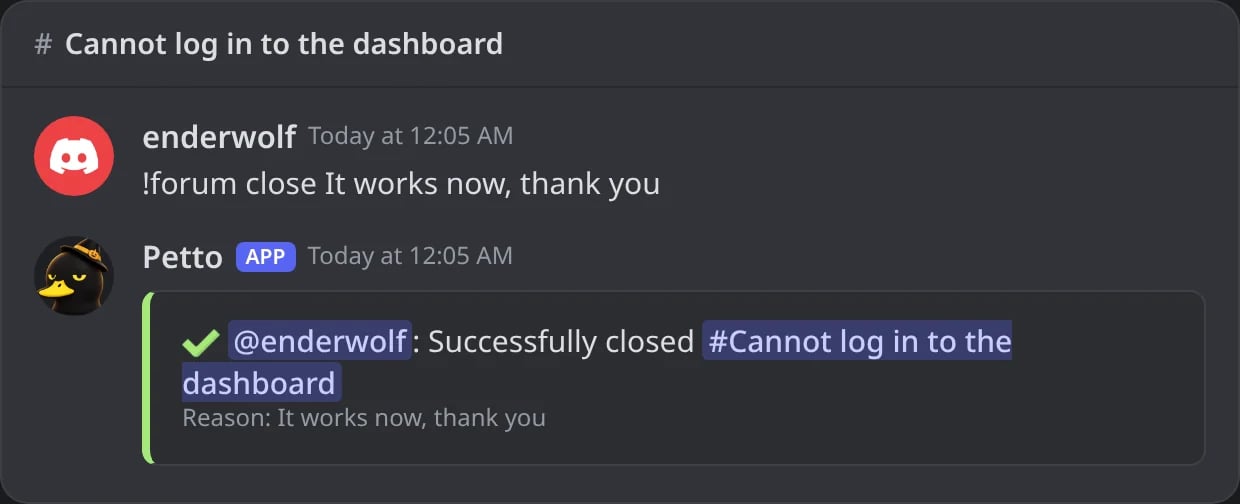
In Discord: the author closes their own post; the card is the last message.
!forum reopen (!frr)
!forum reopen (!frr)
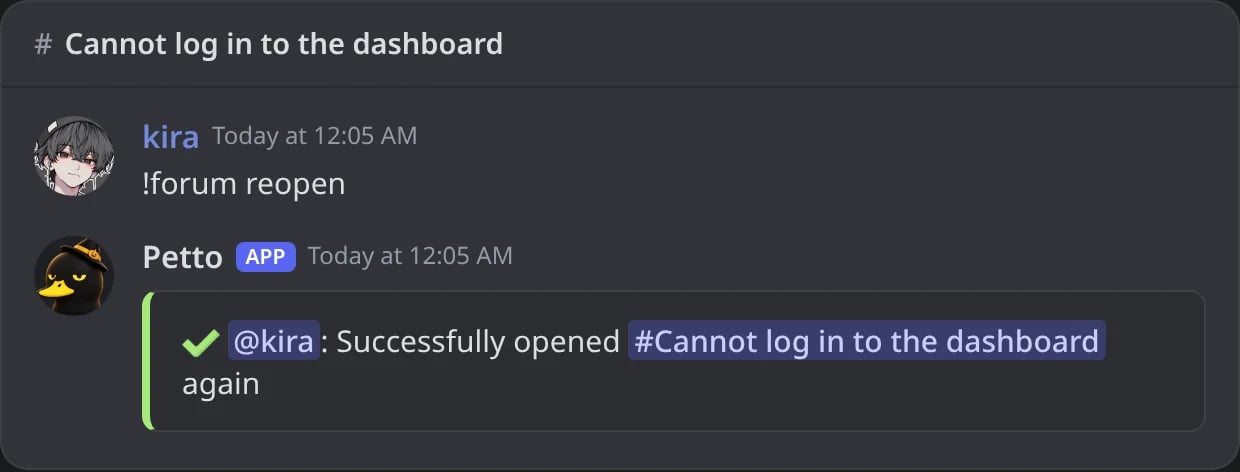
In Discord: a closed post is opened again.
!forum solved (!frs)
!forum solved (!frs)
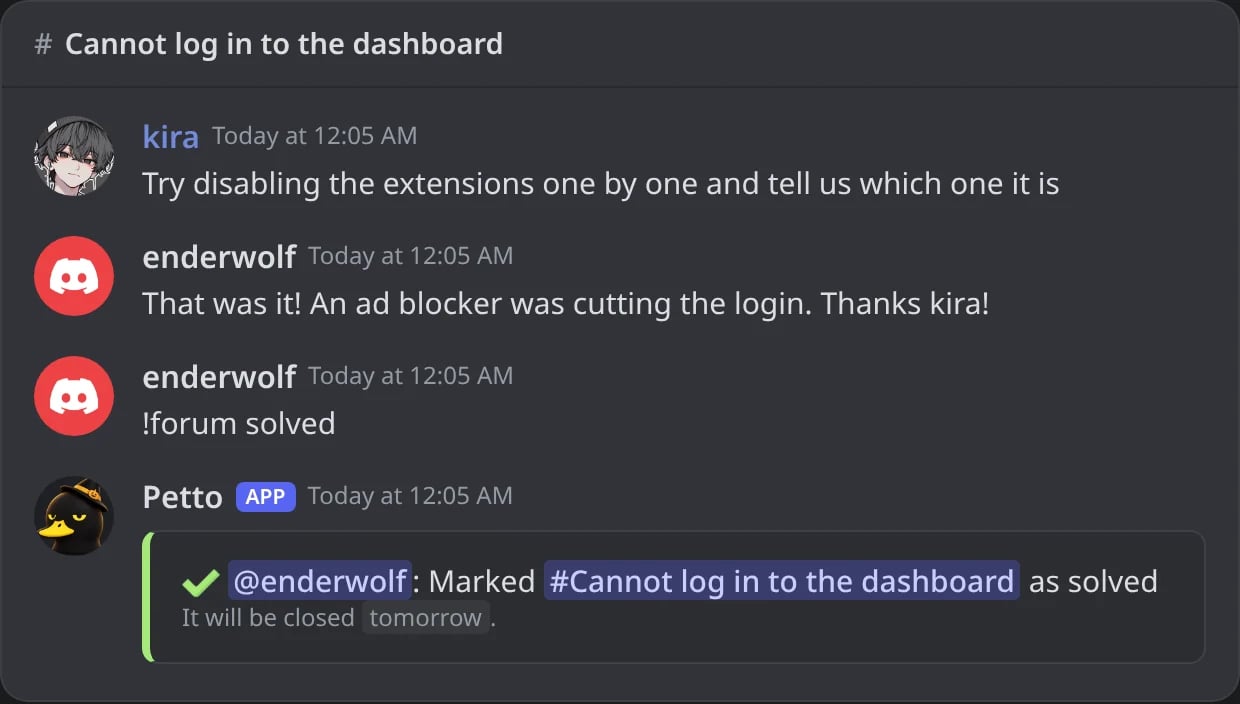
In Discord: the author marks the post as solved; the card says when it will be closed.
!forum unsolved (!fru)
!forum unsolved (!fru)
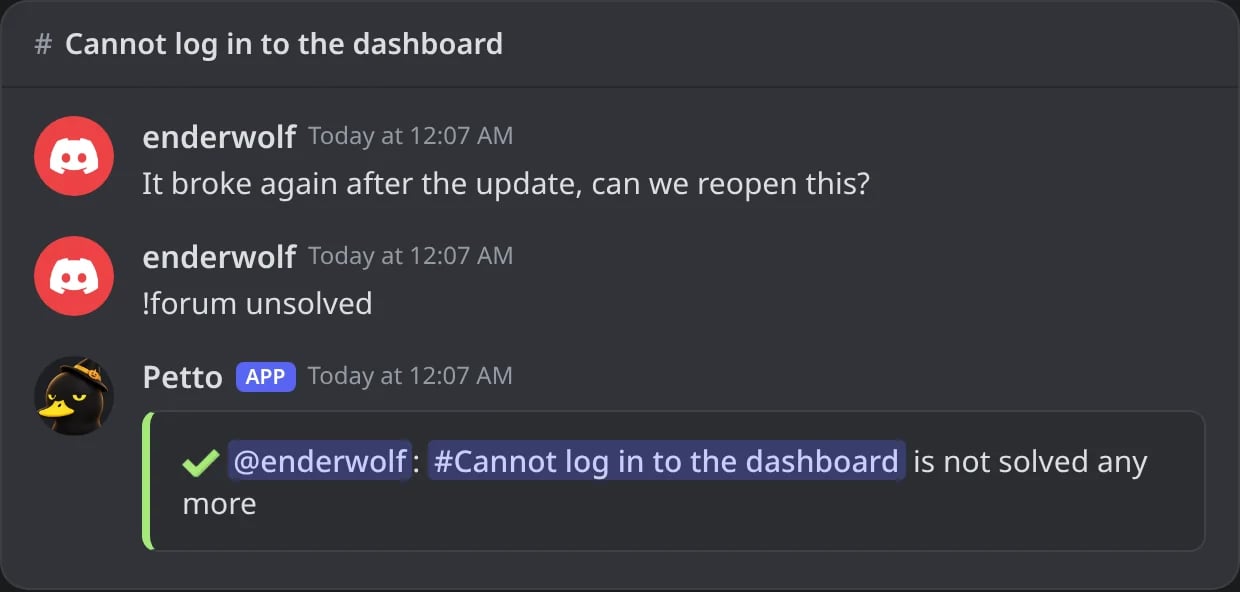
In Discord: the Solved tag comes off.
!forum rename (!frre)
!forum rename (!frre)
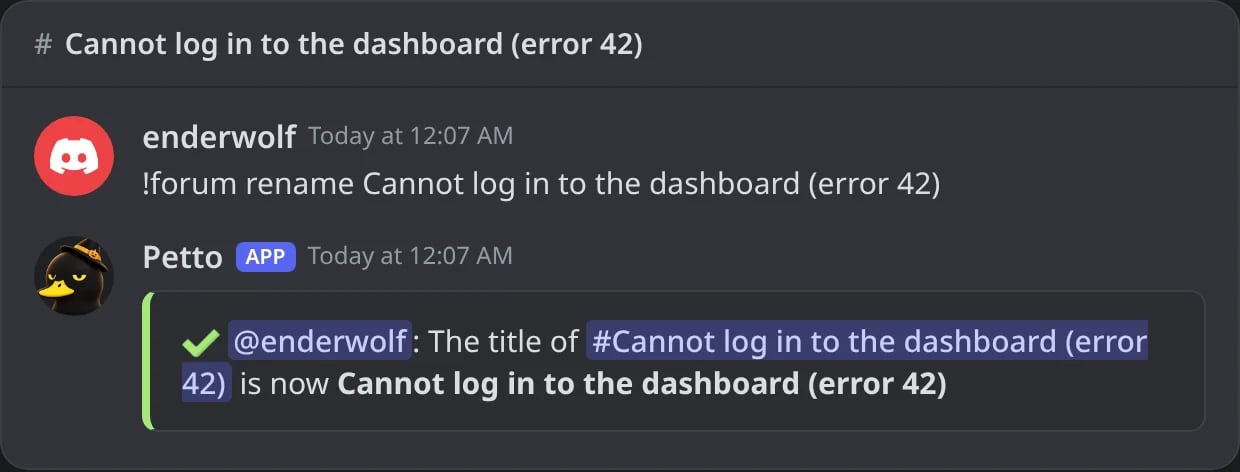
In Discord: the author changes the title of their post.
!forum tag add|remove (!frta, !frtr)
!forum tag add|remove (!frta, !frtr)
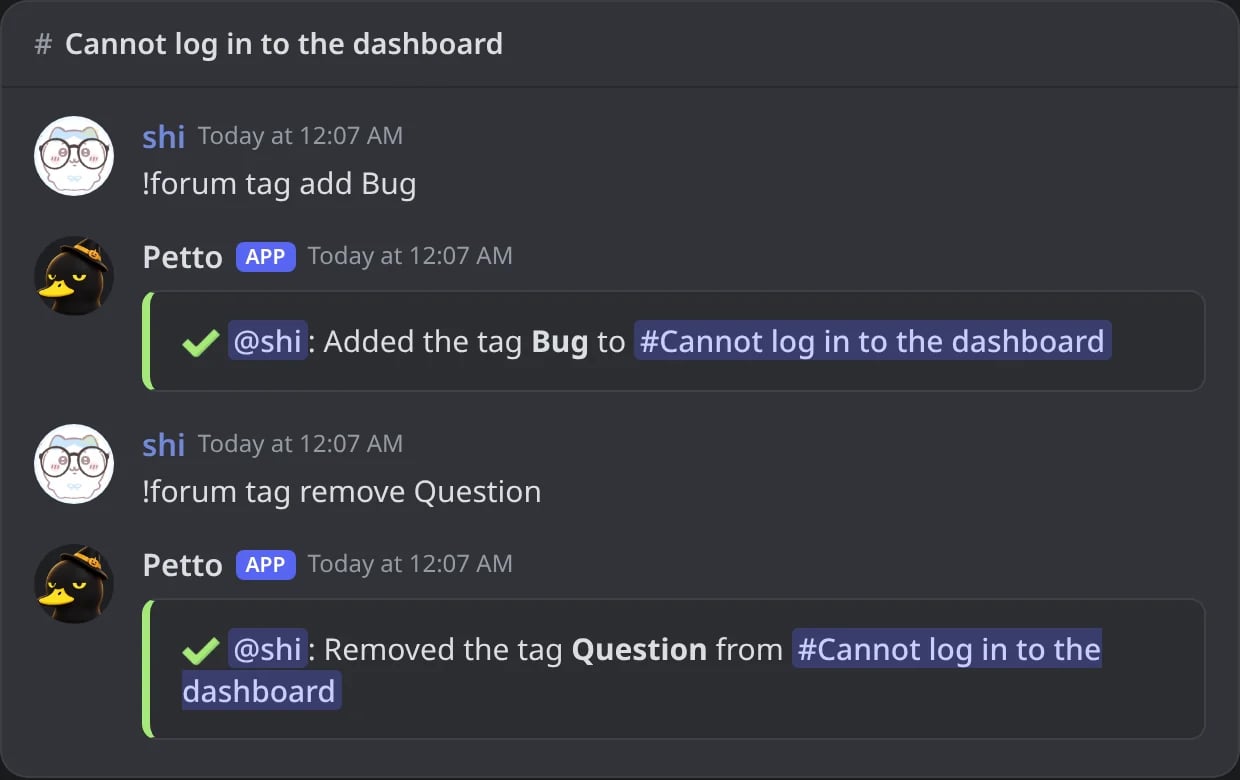
In Discord: a tag is added and another one removed.
!forum tag list (!frtl)
!forum tag list (!frtl)
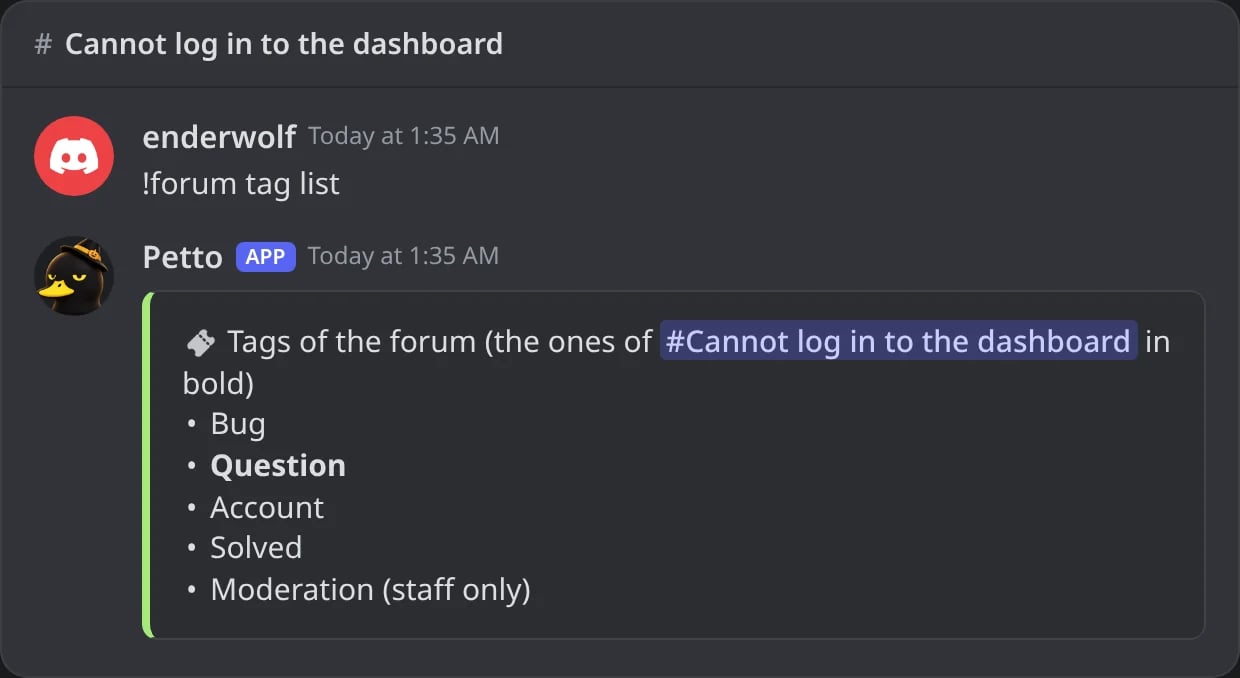
In Discord: the tags of the forum, with the ones of the post in bold.
!forum claim | unclaim (!frcl, !frun)
!forum claim | unclaim (!frcl, !frun)
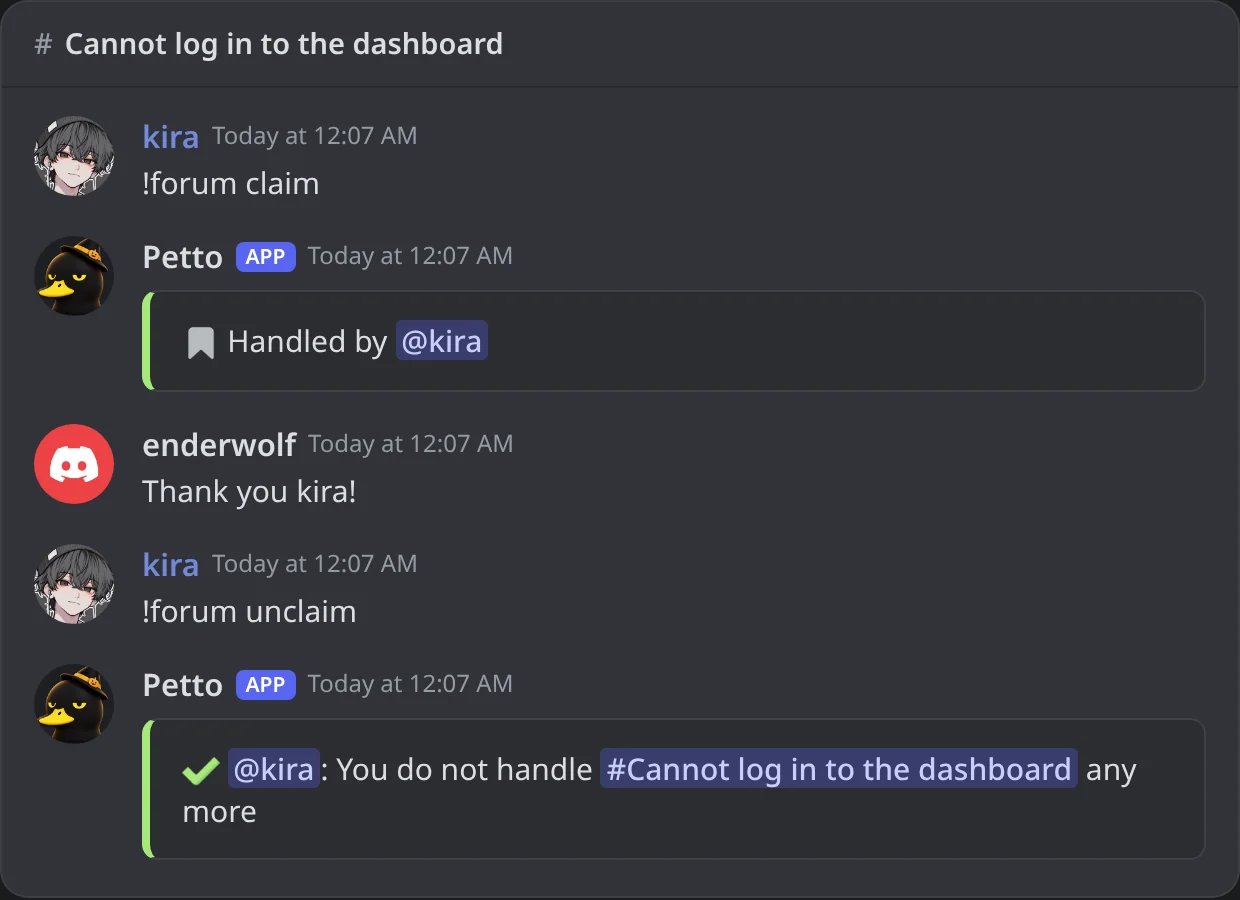
In Discord: a staff member says that they handle the post, and then lets it go.
!forum list (!frl)
!forum list (!frl)
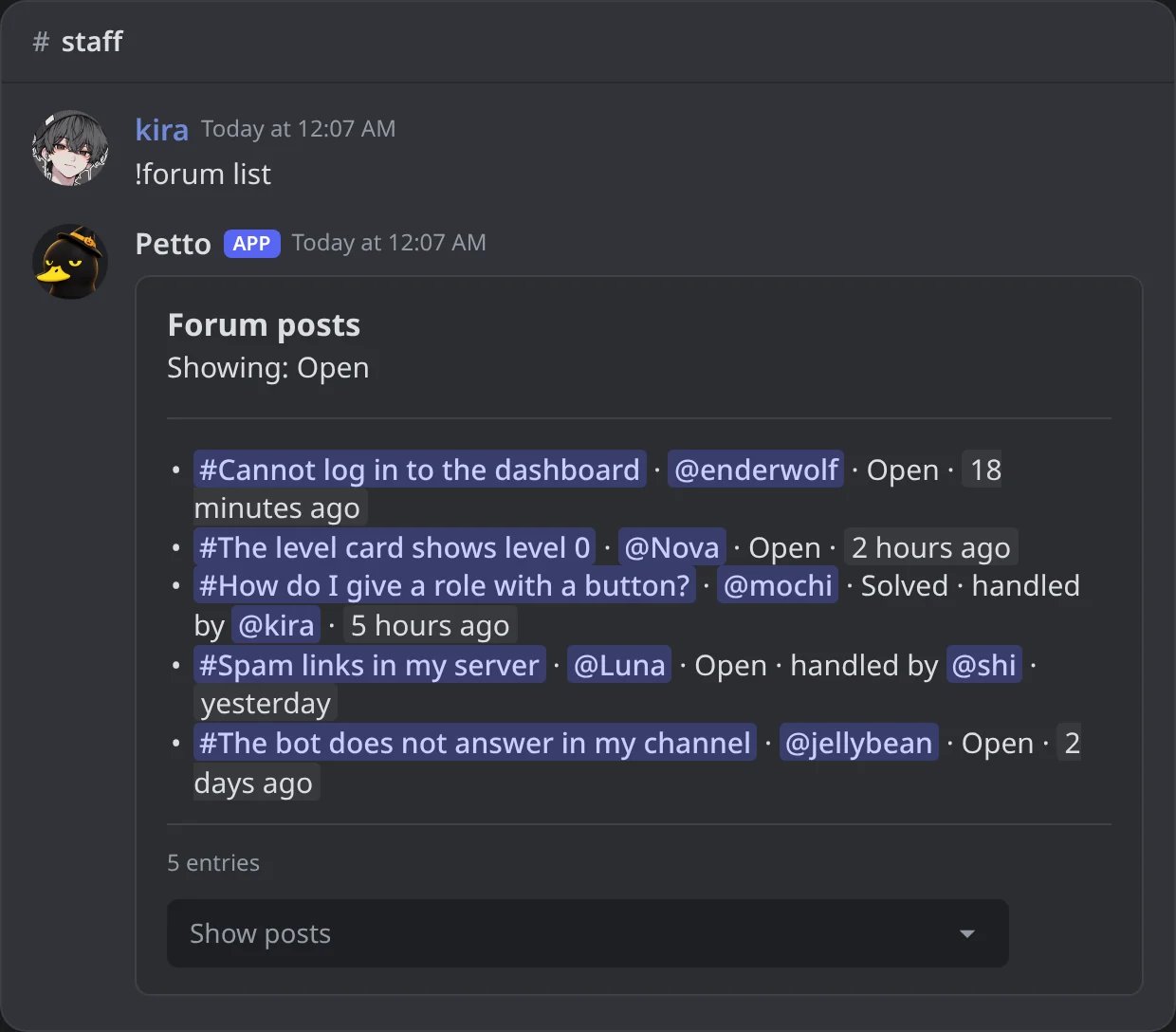
In Discord: the open posts of the forums, with their author, state and who handles them.
--setup <name> to the setup commands (they are also found by the forum you type them in).
Who may use the tools
- The author of a post can close it, mark it solved and rename it, only in their own post. You can turn each one off (
author-close,author-solve,author-rename). - The staff roles of the setup and members with Manage Threads can use every tool in any post.
- A staff member who only has a staff role cannot act on the post of a member whose highest role is above theirs (the same rule as moderation commands). Manage Threads is not held back by it.
- In a forum that has no setup, only members with Manage Threads can use the tools, so
!tlworks in any forum for moderators. - Outside a forum post the tools answer that it is not a forum post. Petto checks its own permissions and says which one is missing.
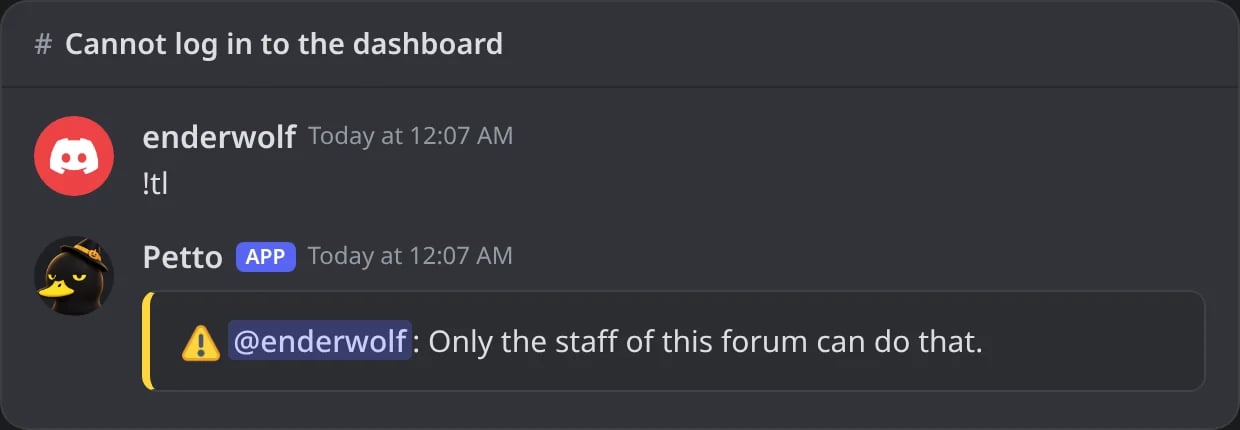
In Discord: a member who is not staff cannot lock a post.
Move a message into the forum
Reply to a message (or give its link or ID) and type!forum move. Petto makes a post in the forum with the Original Message card (what it said and who wrote it) and a note of who moved it, and leaves a reply under the message that points to the post and mentions its author. The original message is not deleted. Add the forum and a title if you need them: !forum move #support Cannot log in.
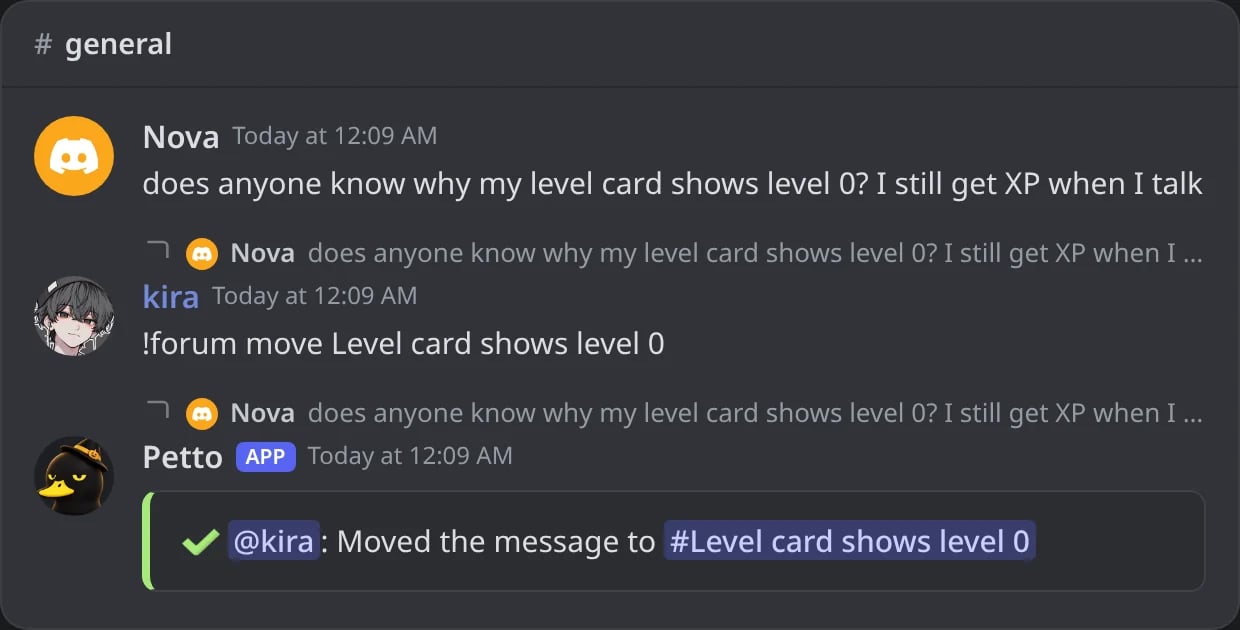
In Discord: kira replies to a message with !forum move; Petto answers under the message with the link to the new post.
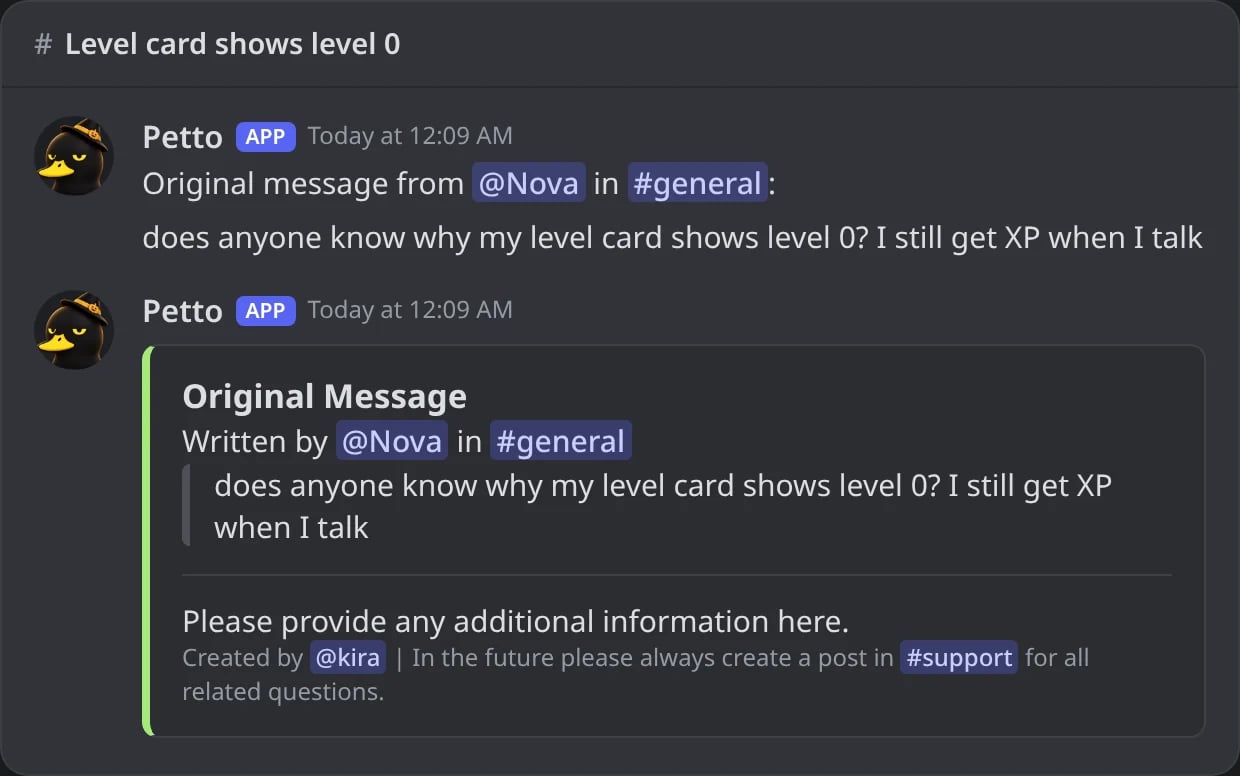
In Discord: the new post, with the Original Message card.
Settings of !forum set
max-open, cooldown, slowmode, require-tag, max-tags, images, adopt, tag-wait, inactive-days, inactive-action (lock or close), solved-action (none, lock or close), solved-delay (hours), author-close, author-solve, author-rename, staff-roles, ping-roles, required-roles, blocked-roles, guidelines, first-message, first-message-style (plain or card), panel-title, panel-text, panel-footer, panel-image, panel-color, panel-design, button-label, button-emoji, button-style, modal-title, title-label and description-label. Use none to clear a text or a list. The extra questions of the form and the log events are set on the dashboard.
Automation
One job runs every minute and only reads an index of the posts that are due, so it costs almost nothing. Everything here is optional and off by default.- Quiet posts:
inactive-dayslocks or closes a post nobody wrote in for that many days. - Solved posts:
solved-actionandsolved-delaylock or close a post that long after it was marked solved. - Posts made by hand: with
adopton, a post made in the forum without the panel is kept, gets the guidelines and the staff ping and can use the tools. Ifrequire-tagis on and the post has no tag, Petto asks its author to choose one and closes the post whentag-waitminutes pass.
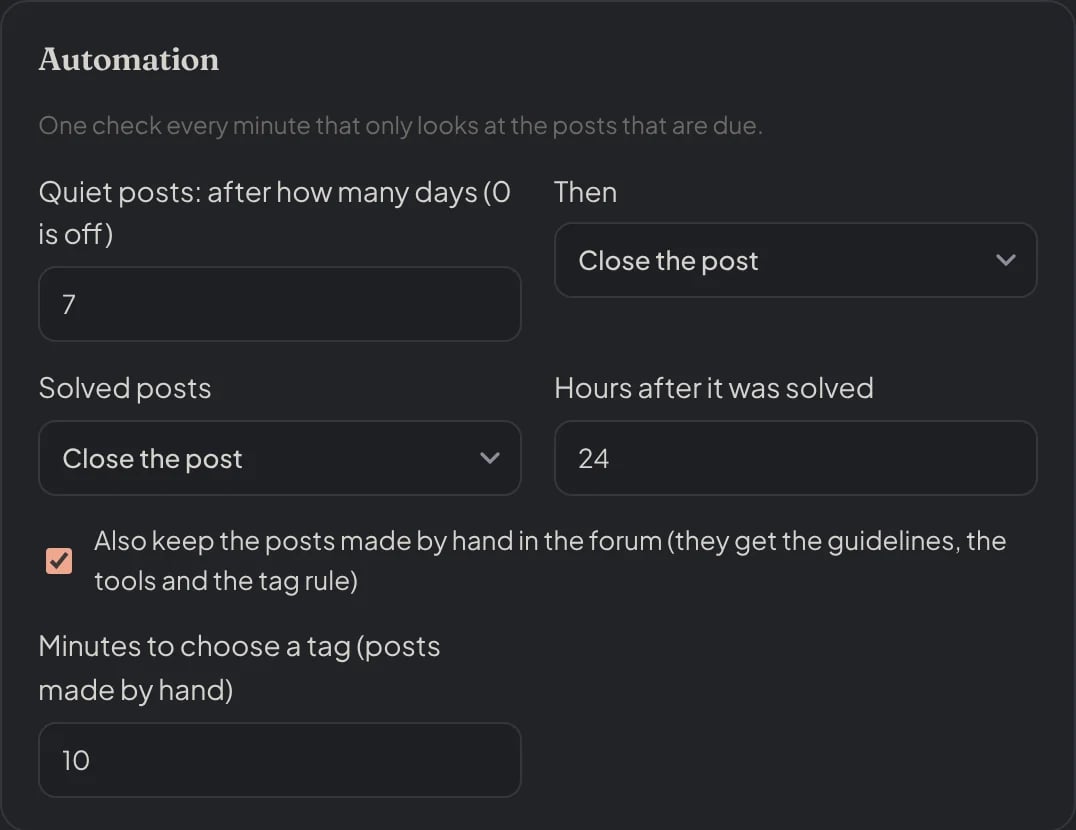
Dashboard → Community → Forums: quiet posts, solved posts and posts made by hand.
Logging
The log category forums (!logs add #channel forums) tells when a post is opened, locked, closed or solved, who did it (or that Petto did it by itself) and why. Each of the four can be switched off on the dashboard, for each setup. See Logging.
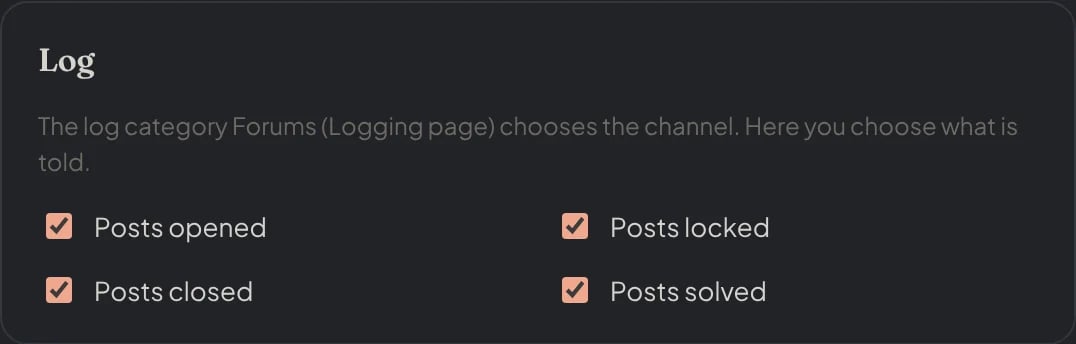
Dashboard → Community → Forums: what is told in the log of each setup.
Permissions Petto needs
In the forum channel: View Channel, Send Messages (to create posts), Send Messages in Threads and Manage Threads (to lock, close and tag). Create Public Threads, Attach Files (copying the pictures of the form) and Manage Channels (making the Solved tag) are optional. In the panel channel: View Channel and Send Messages.!forum status lists what is missing.
Troubleshooting
I am missing permissions in the forum
I am missing permissions in the forum
!forum status again.The Solved tag cannot be made
The Solved tag cannot be made
!tl says it is not a forum post
!tl says it is not a forum post
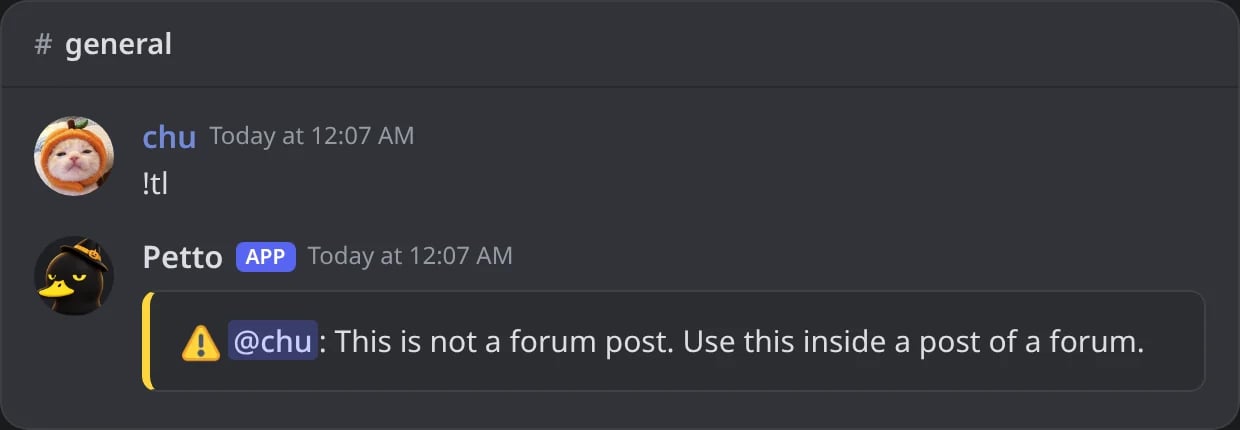
In Discord: !tl typed in a normal channel.
A post was closed by itself
A post was closed by itself
inactive-days, solved-action and tag-wait in !forum status. The log category forums says which rule did it.