
Overview
Tracks who invited whom, with a leaderboard of who’s bringing in the most members. Use it to reward members who grow the server, run invite contests by week or month, or find out how someone joined. Petto counts on its own once it can see the invite links; there is nothing to turn on.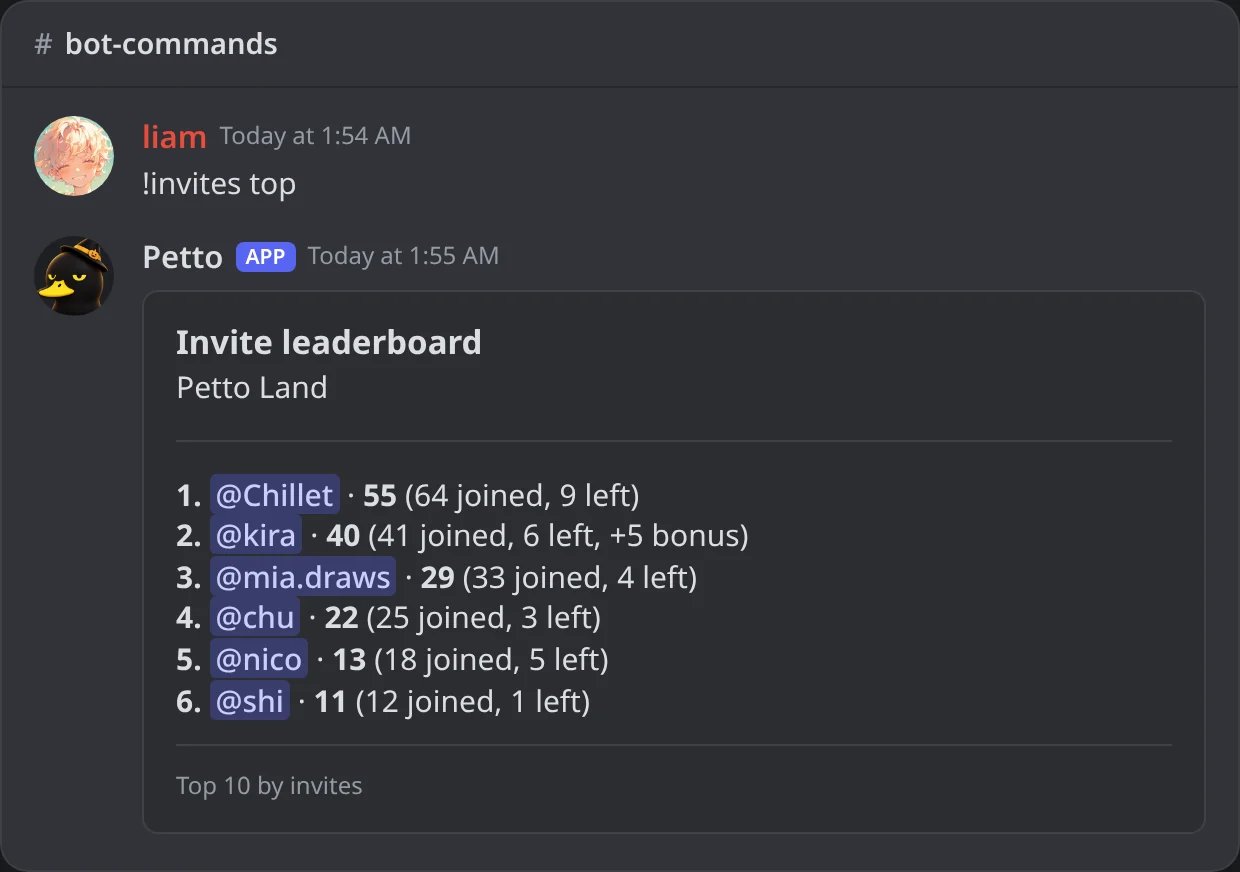
In Discord: the invite leaderboard of the server.
Commands
user defaults to yourself if omitted, and !invites alone is !invites user. Short name: !invs. Petto needs Manage Server to see the invite links.
-
Invites = joined - left + bonus. The leaderboard (
top) is ordered by this number. With subtract leaves off (see the settings below) the members who left stay in it: joined + bonus. - Fake joins are not counted: an account less than 3 days old, or somebody who left and came back. When a fake member leaves, that does not count either.
-
whosays who invited a member and how: an invite, the server’s vanity link, or a link Petto could not tell. A single-use invite is recognized too. -
listshows the last 15 members someone brought.codesshows the links someone made and how much each was used. -
bonusadds (or, with a negative number, takes away) bonus invites and needs Manage Server.resetputs someone’s counters back to zero and needs Administrator. -
top weekandtop monthrank who brought the most members in the period (weeks start on Monday, in GMT-5). -
configalone shows the four settings of the server. To change one, give it a value:!invites config --fake_days 7(the short name is!icon, so!icon --fake_days 7), or in order,!icon 7 10 on off. Slash:/invites config fake_days:7. Changing needs Manage Server; looking does not.
Settings
!invites, the leaderboards, the reward roles and {inviter.invites}.
!invites user
!invites user
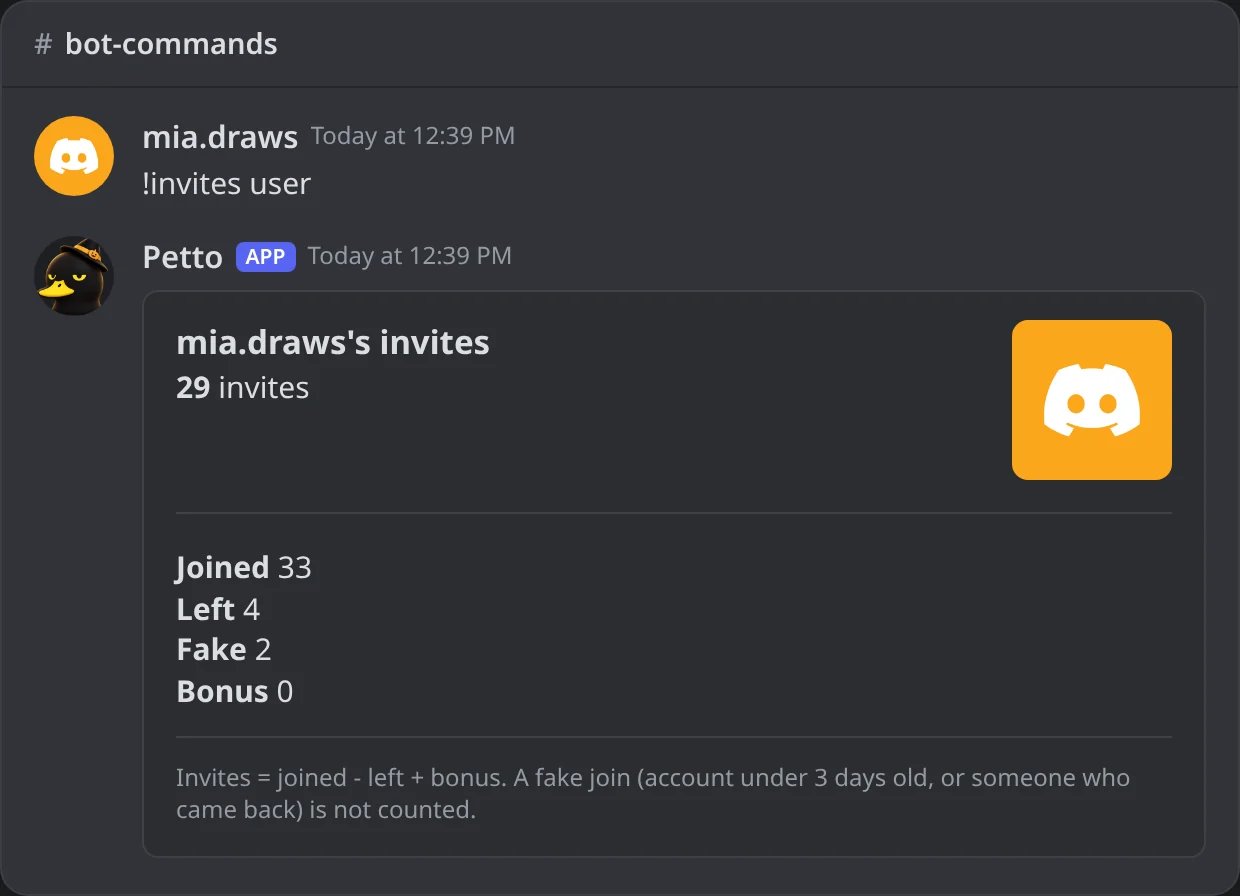
In Discord: the invites of a member: joined, left, fake and bonus.
!invites top week
!invites top week
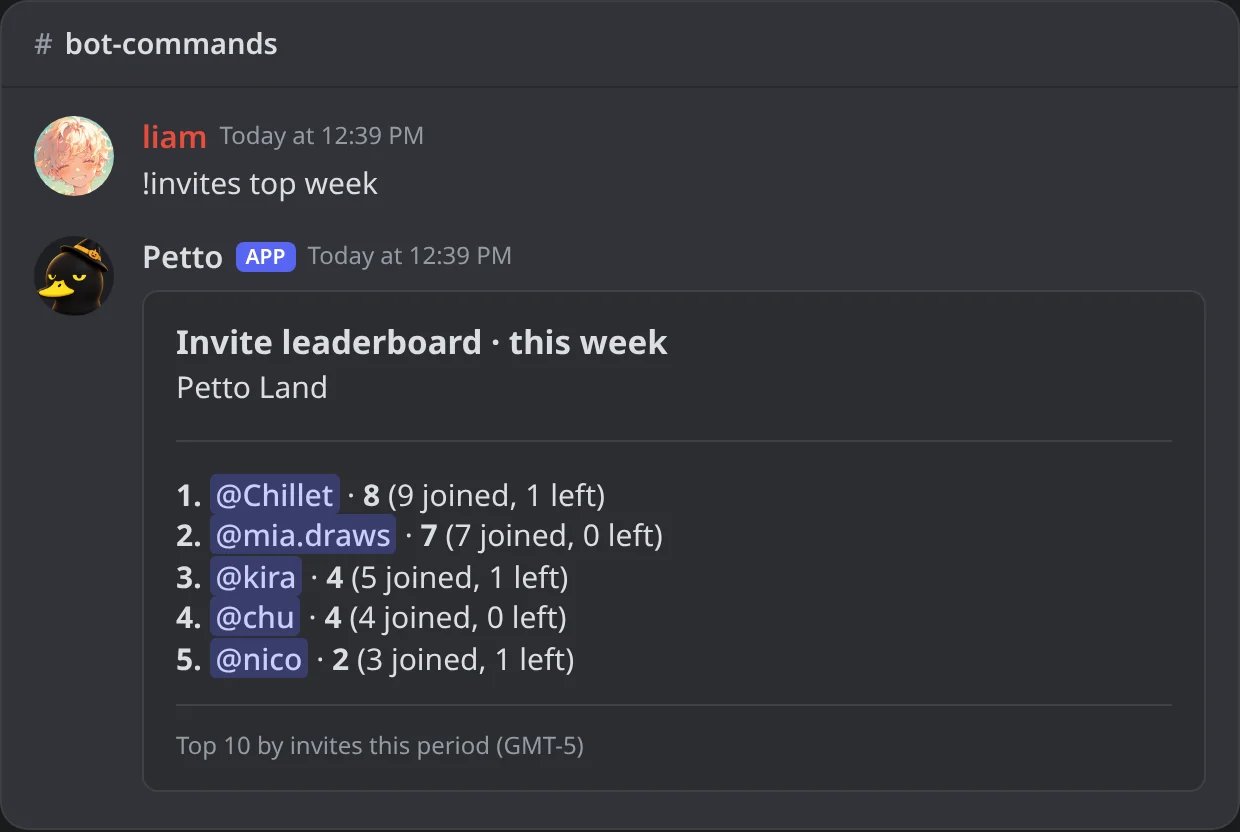
In Discord: who brought the most members this week.
!invites who
!invites who
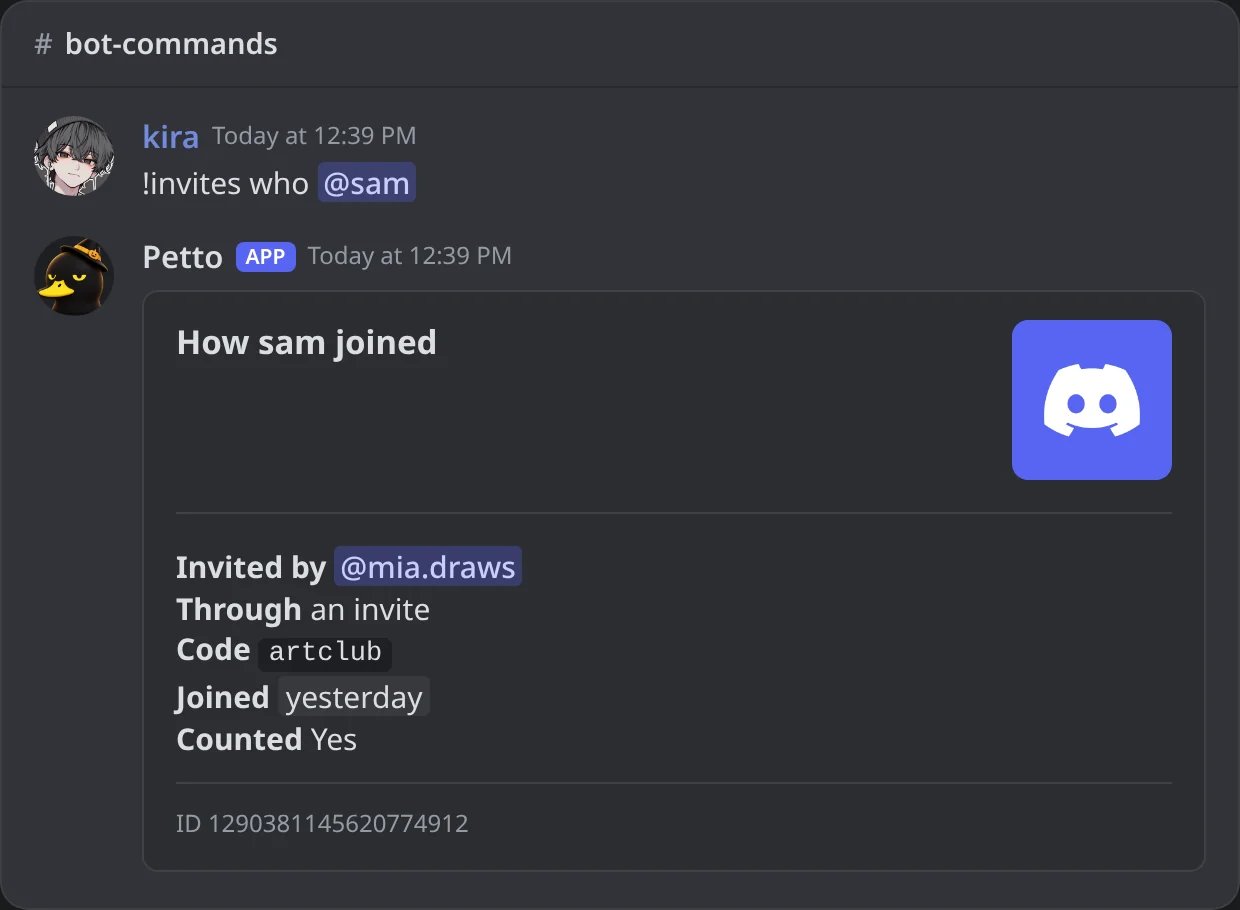
In Discord: who invited a member, how and when.
!invites list
!invites list
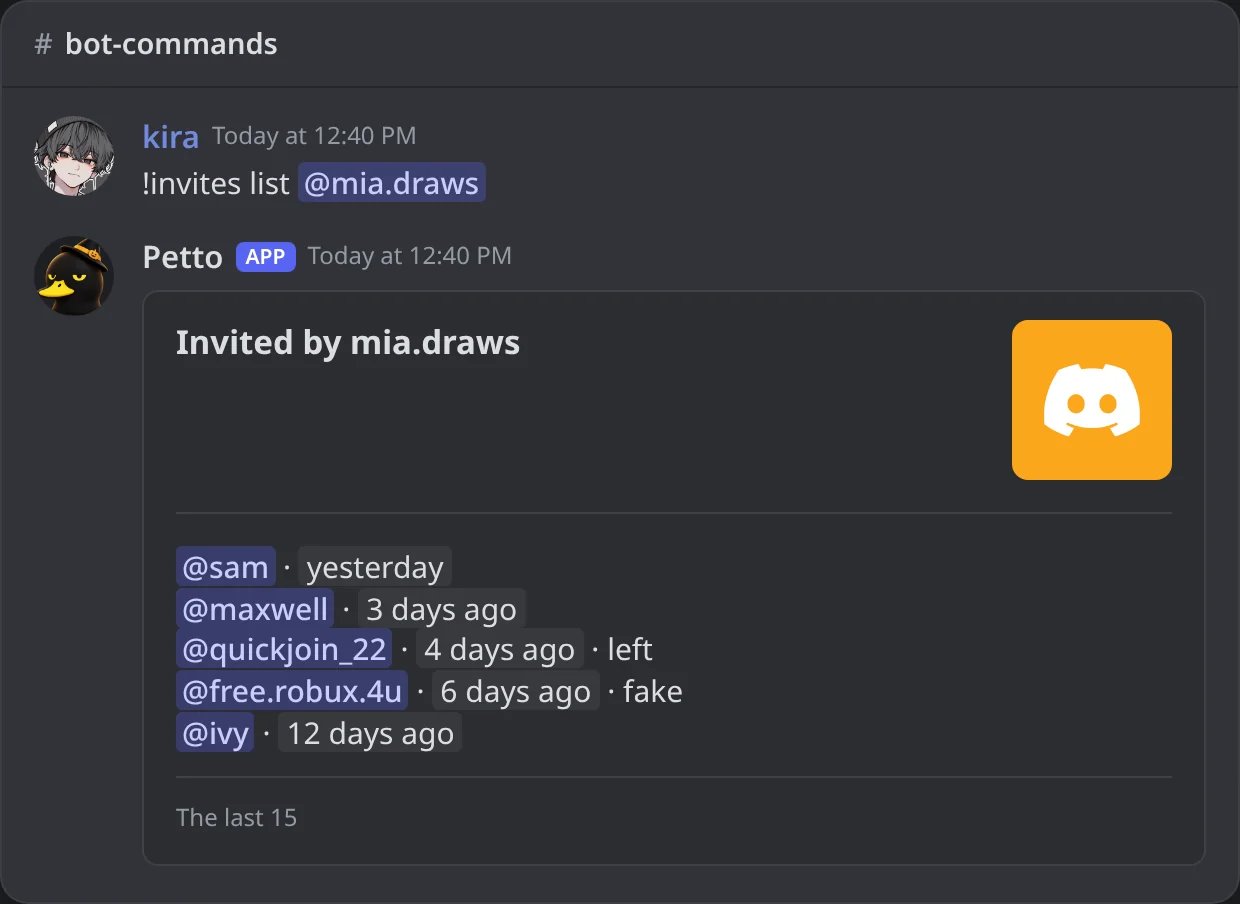
In Discord: the last members someone brought, with the ones who left and the fake ones.
!invites codes
!invites codes
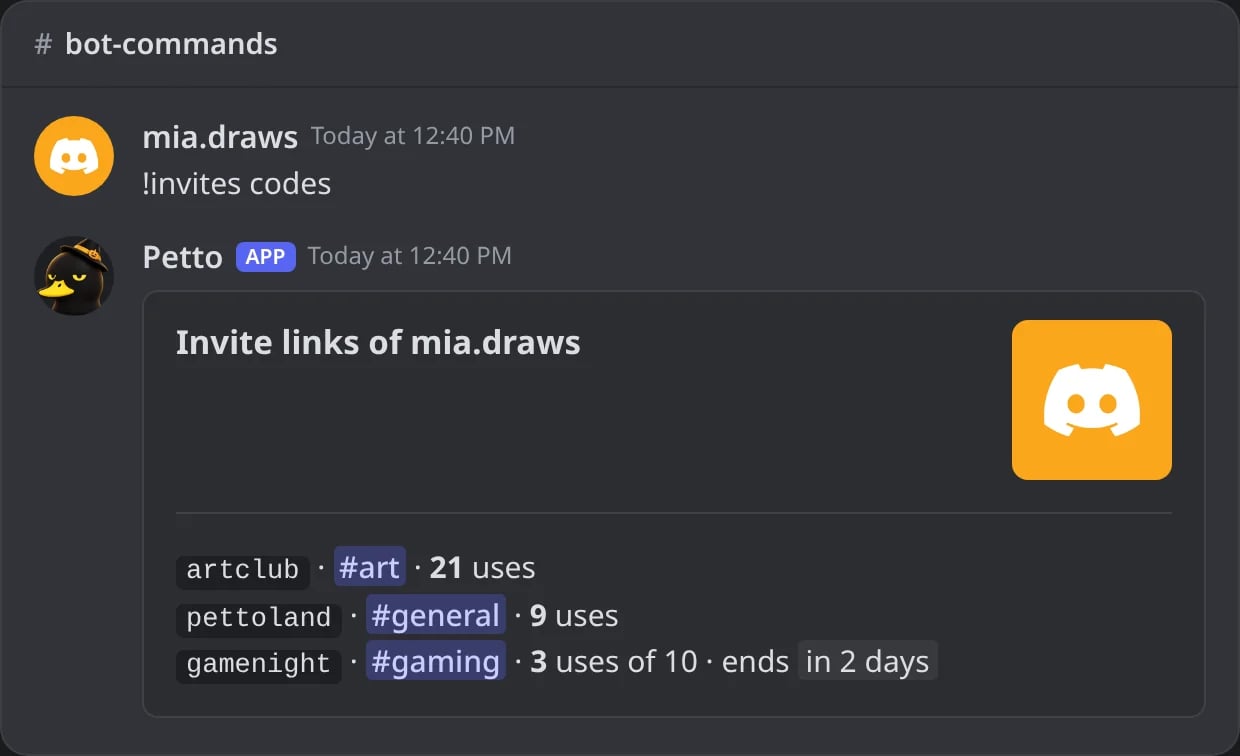
In Discord: the invite links of a member and how much each was used.
!invites bonus
!invites bonus
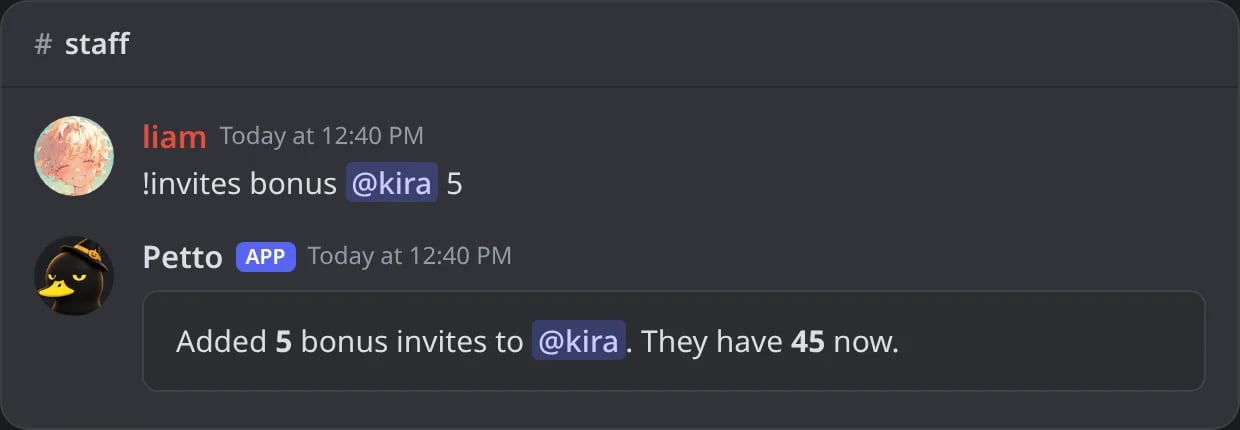
In Discord: bonus invites added by the staff.
!invites reset
!invites reset
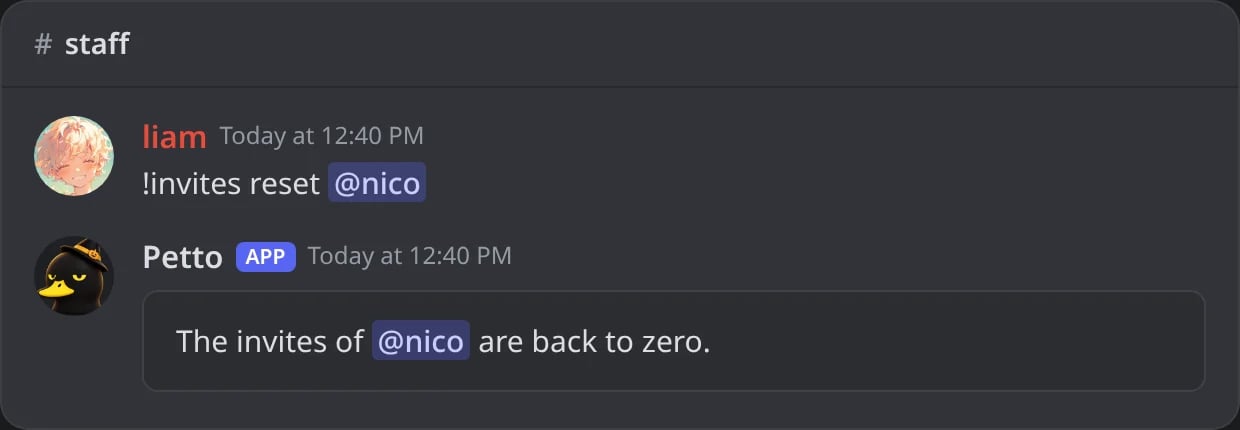
In Discord: the invites of a member back to zero (Administrator).
!invites config
!invites config
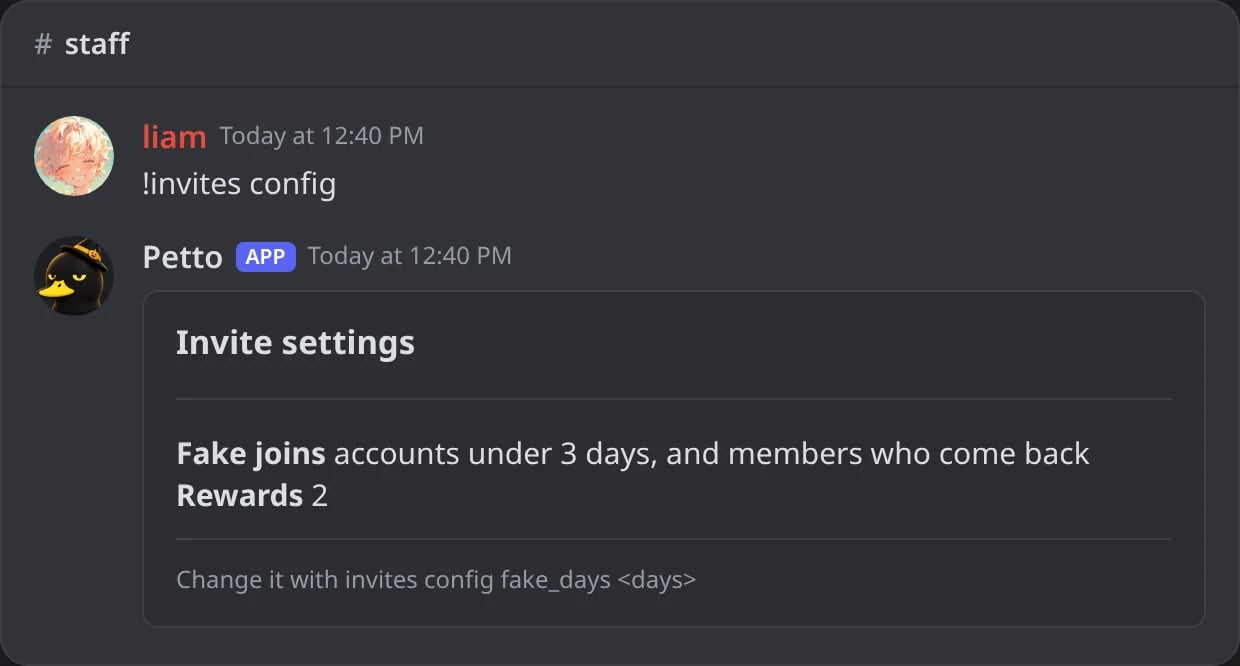
In Discord: the invite settings of the server.
!invites config fake_days
!invites config fake_days
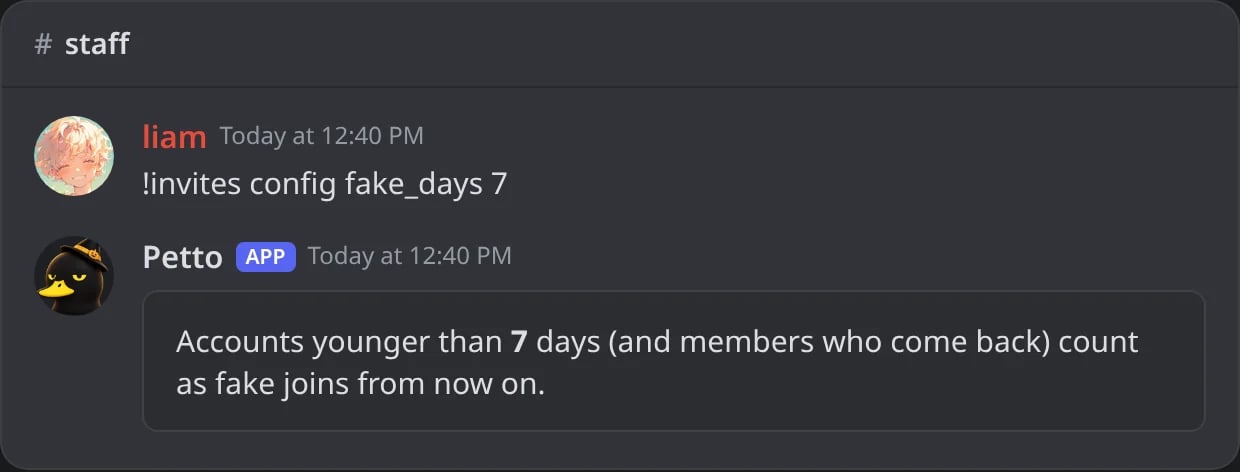
In Discord: accounts under 7 days old become fake joins.
!inviteinfo <code> (short !ii) shows where an invite link leads, from any server: the server, its description, members and online members, the channel, who made the link and when it ends.
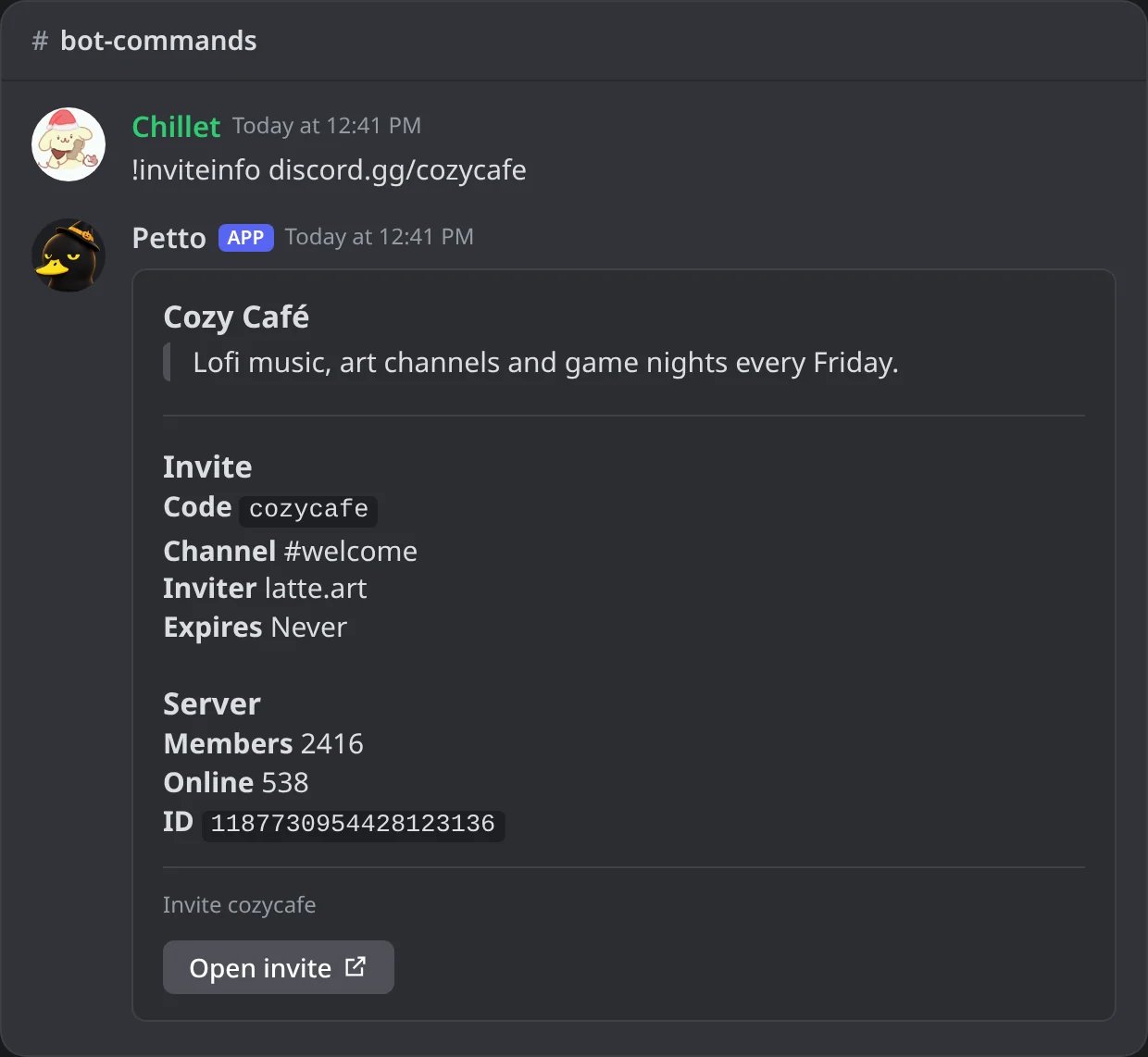
In Discord: what an invite link of another server leads to.
Rewards
!invites reward add 10 @Recruiter gives that role to whoever reaches 10 invites, and takes it away if they fall below. Add as many as you like with reward add, remove one with reward remove and see them with reward list. When you add a reward, Petto gives it to those who already have enough. The role has to be below Petto’s highest role and below yours.
!invites reward add
!invites reward add
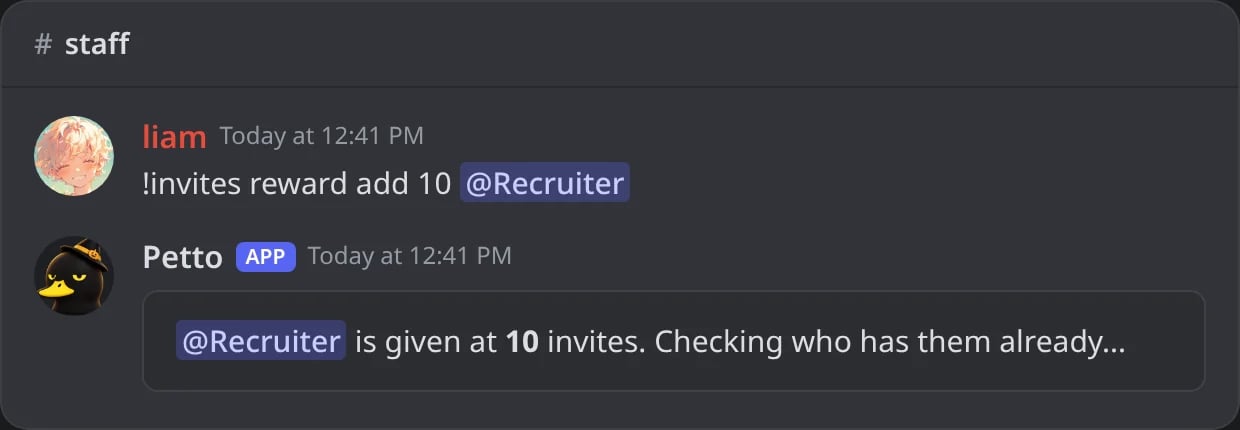
In Discord: a role given at 10 invites; Petto checks who has them already.
!invites reward remove
!invites reward remove
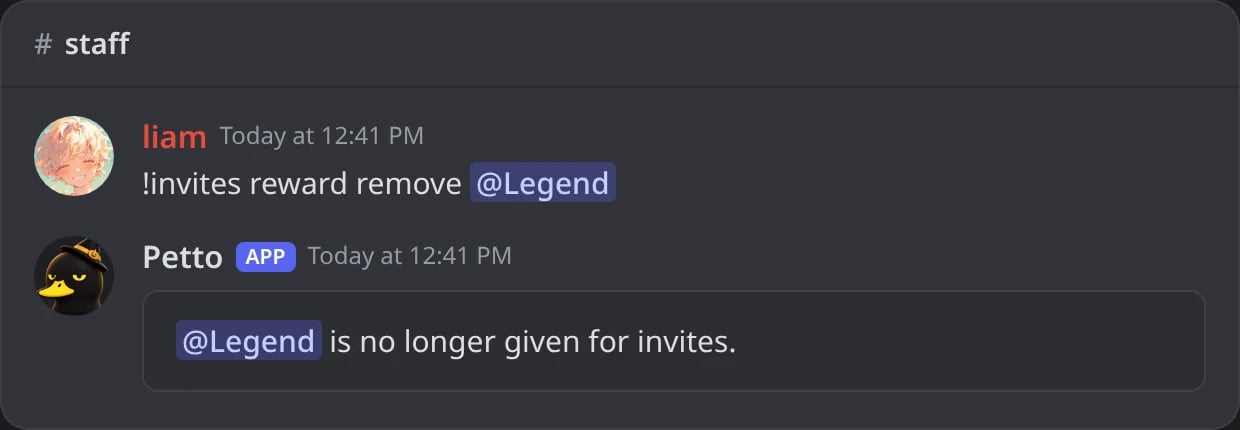
In Discord: a role no longer given for invites.
!invites reward list
!invites reward list
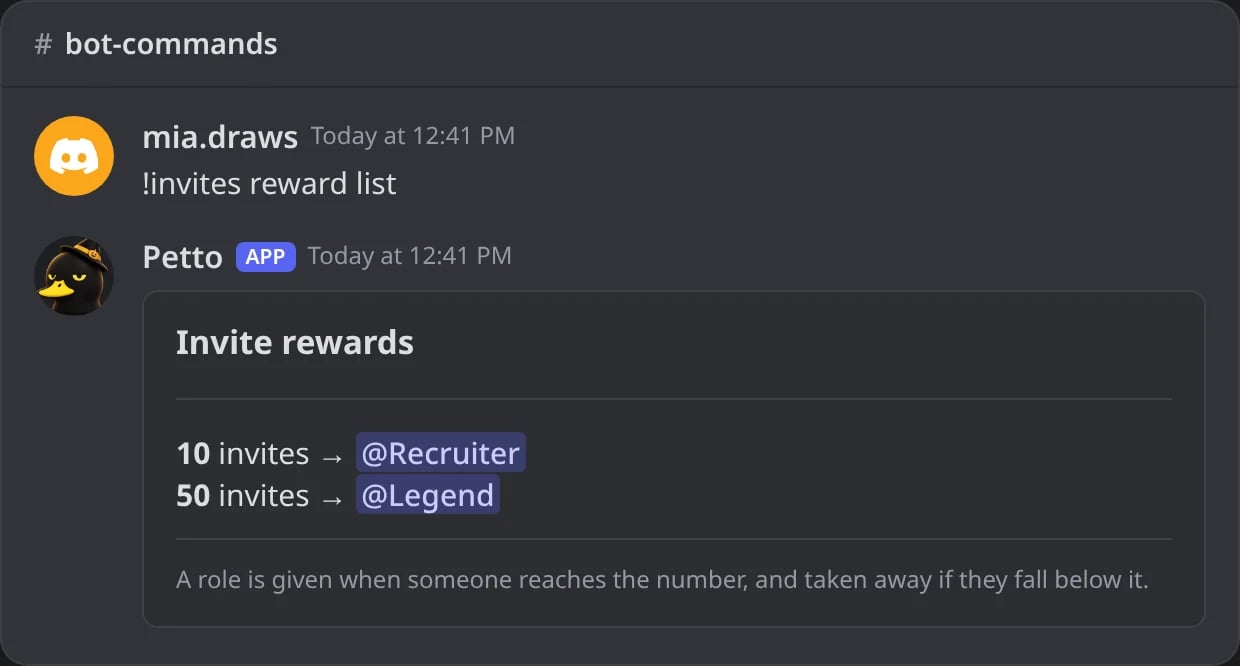
In Discord: the roles given for invites.
Dashboard
The Invites tab of Statistics on the dashboard has an Invite settings part with the same checks as the commands:- Roles for invites: add a role and how many invites earn it (choosing a role that is already there changes its number), or remove one. Members who already have enough get it right away; members who have it keep it when it is removed.
- Settings: the four settings above in one card, with one Save settings button: the account age in days (0 to 365) under which a join does not count (with 0, a new account counts like any other), the minutes of a quick leave (0 to 1440, 0 is off), Ignore bot accounts and Take away members who left. The fields use the full width on a phone.
- Top inviters: the leaderboard with a filter for All time, This week or This month. Click a name to look at that member.
- Look up a member: type a name (or paste a member ID) to see their joined, left, fake, bonus and total, who invited them and how, and the codes they brought people in with. The tab reads this from the database, so looking costs the bot nothing.
- Adjust the invites of a member: Add bonus (a negative number takes invites away) or Reset to zero. Reward roles follow the new number. Resetting needs Administrator, like the command.
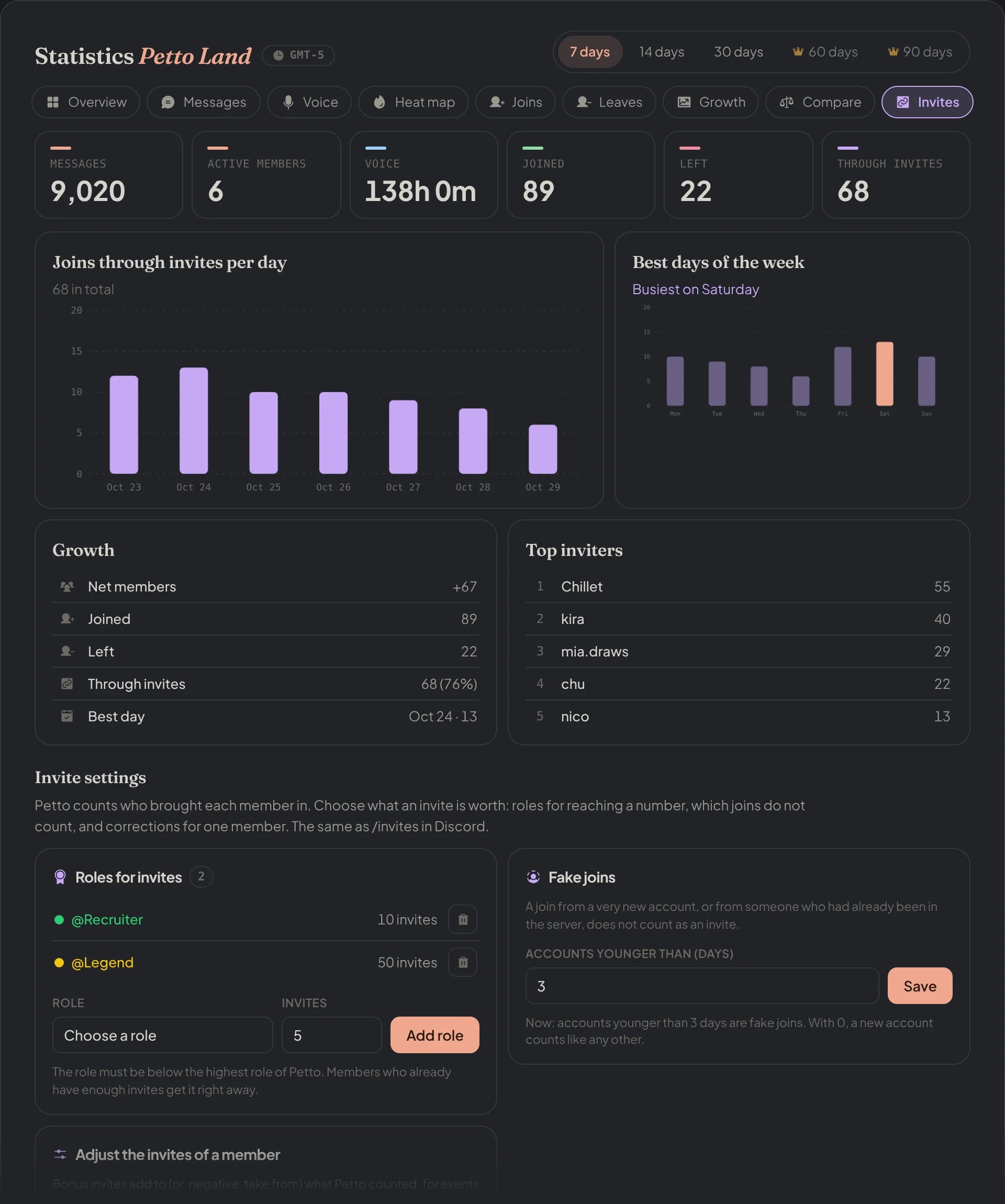
Dashboard → Statistics → Invites: joins through invites, the top inviters and the Invite settings.
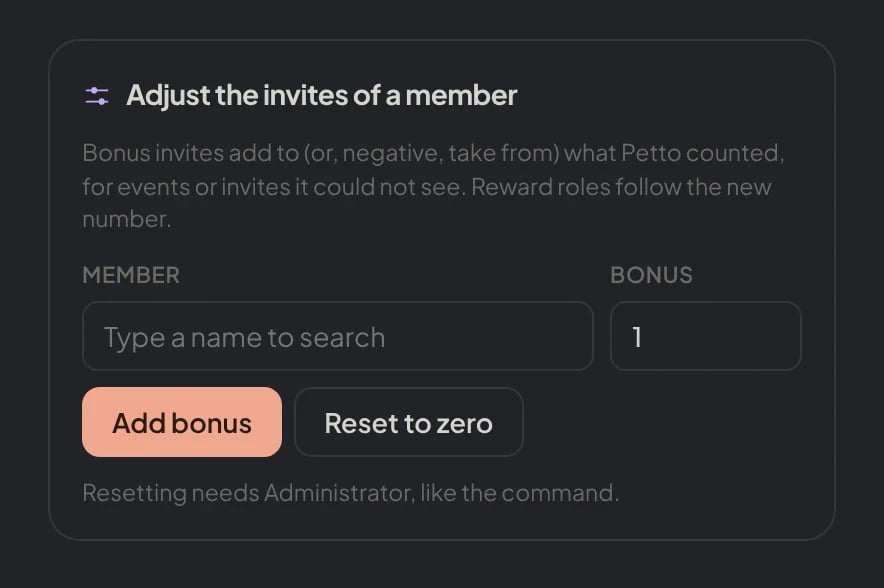
Dashboard → Statistics → Invites: Adjust the invites of a member: a bonus (negative takes away) or a reset to zero.
Variables for the welcome message
In the welcome message (and the DM on join) you can use{inviter} (mentions who invited, or Unknown), {inviter.name}, {inviter.id}, {inviter.invites} (how many invites that person has) and {invite.code}. For example Welcome {user}! Invited by {inviter.name}, who now has {inviter.invites} invites. See Invites variables.

In Discord: a welcome message that names who invited the new member and how many invites they have.
!summary and the dashboard’s Statistics page.