
Overview
Petto’s nickname, avatar, banner, and “about me” text can all be customized per-server from the dashboard’s Customize page. These are real per-guild changes applied directly through Discord, not cosmetic-only on the site.What you can change
All four are scoped to your server only, they don’t change how Petto looks anywhere else.
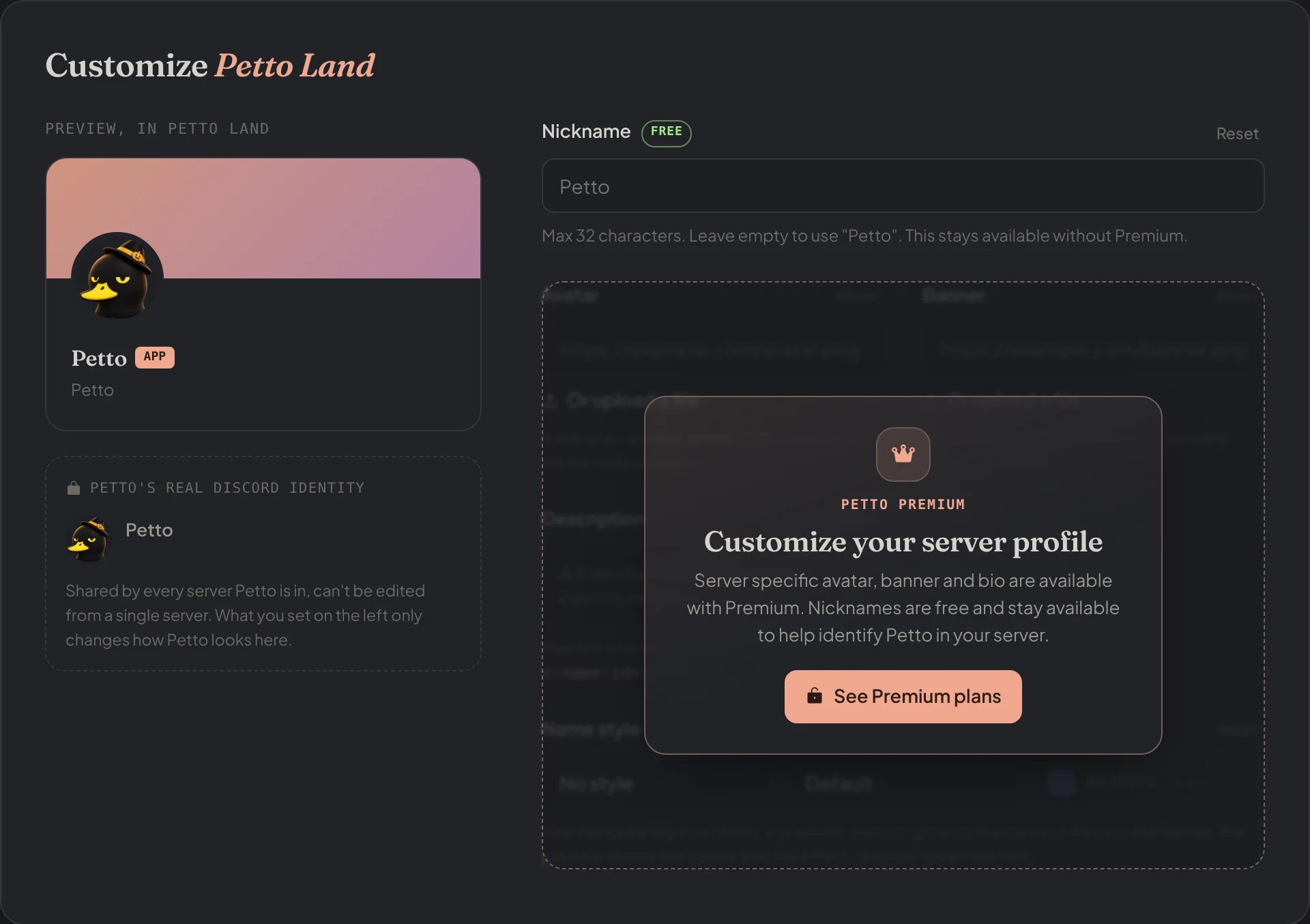
Dashboard → Dashboard → Customize: the preview of Petto in your server and the nickname, free; the rest needs Premium.
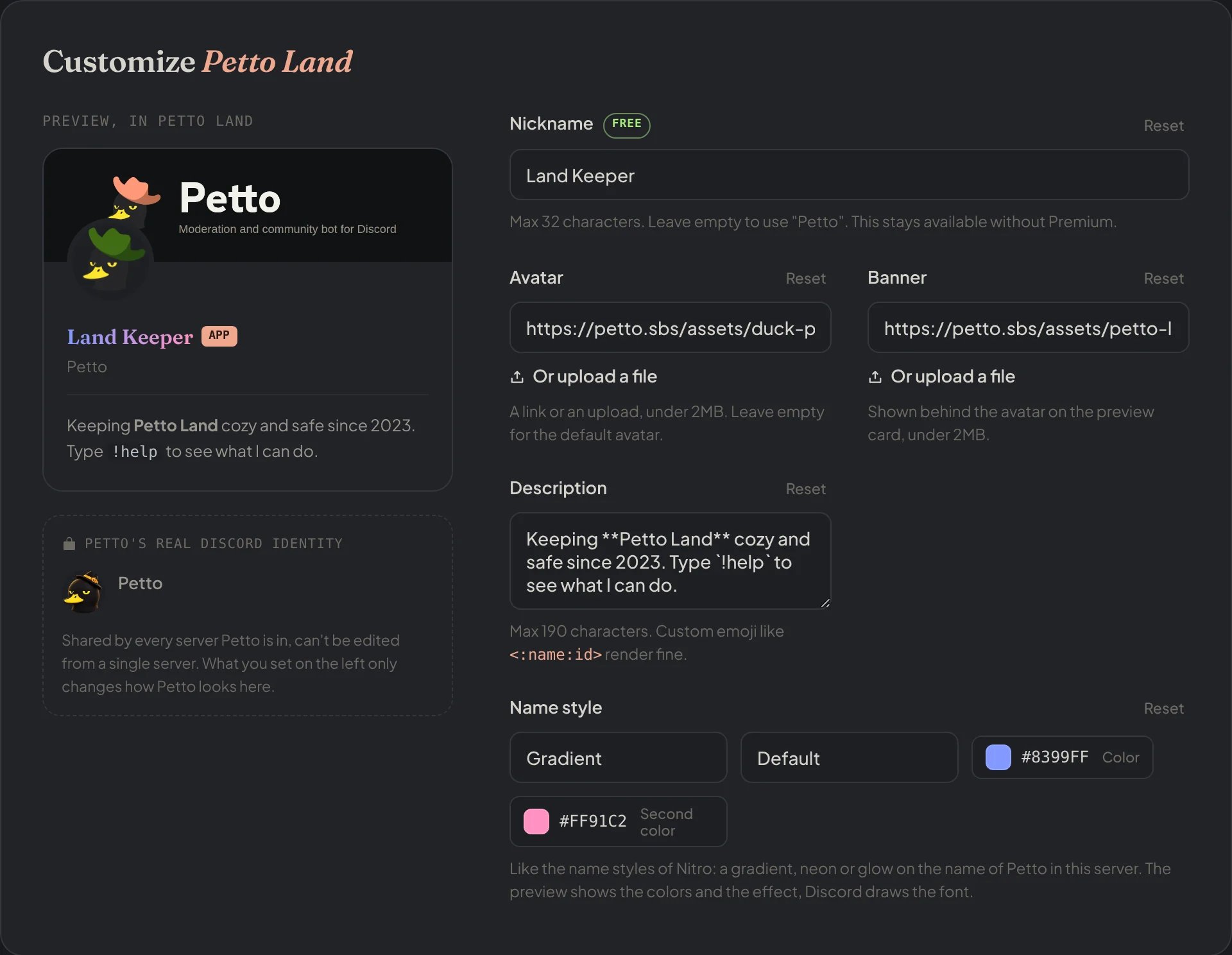
Dashboard → Dashboard → Customize, with Premium: the nickname, avatar, banner and description of Petto in your server, and the preview.
Name style (Premium)
With Premium, the Customize page can also style Petto’s name in your server, like the name styles of Nitro: a gradient, neon or glow. The Customize page shows a preview of the colors and the effect, and Discord draws the font. If Premium ends, the style is cleared.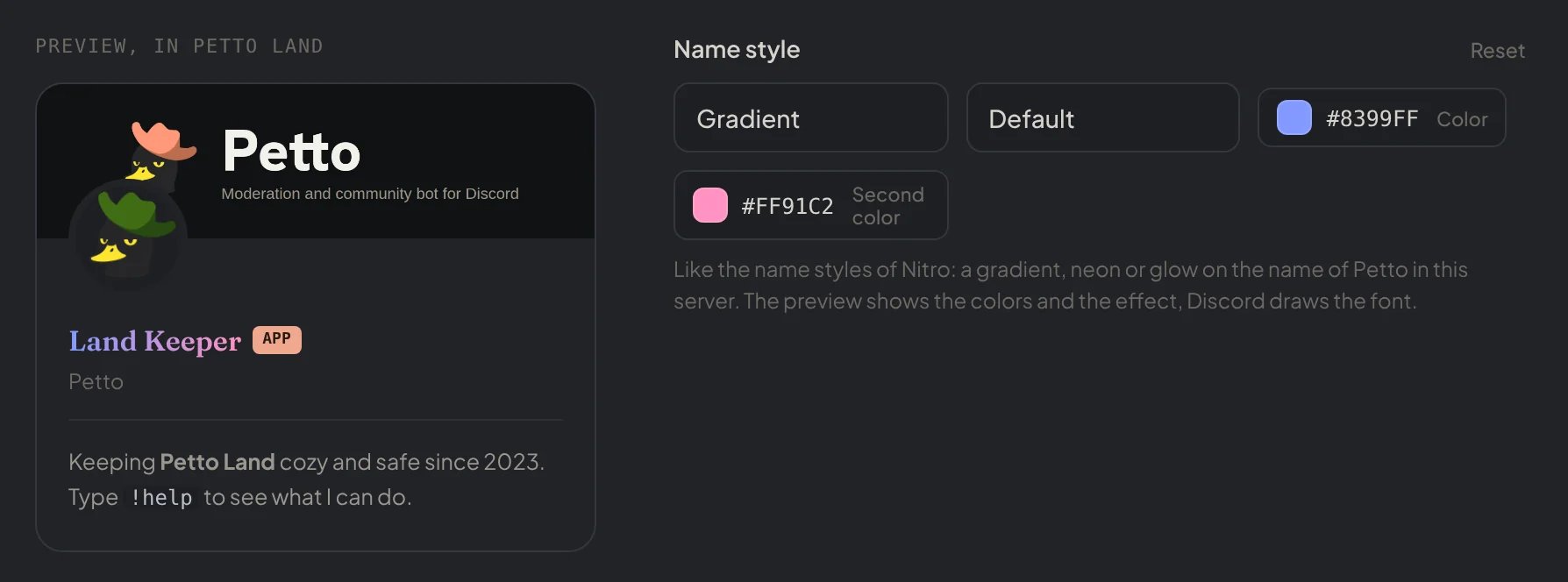
Dashboard → Dashboard → Customize: a gradient name style, with its colors on the preview.